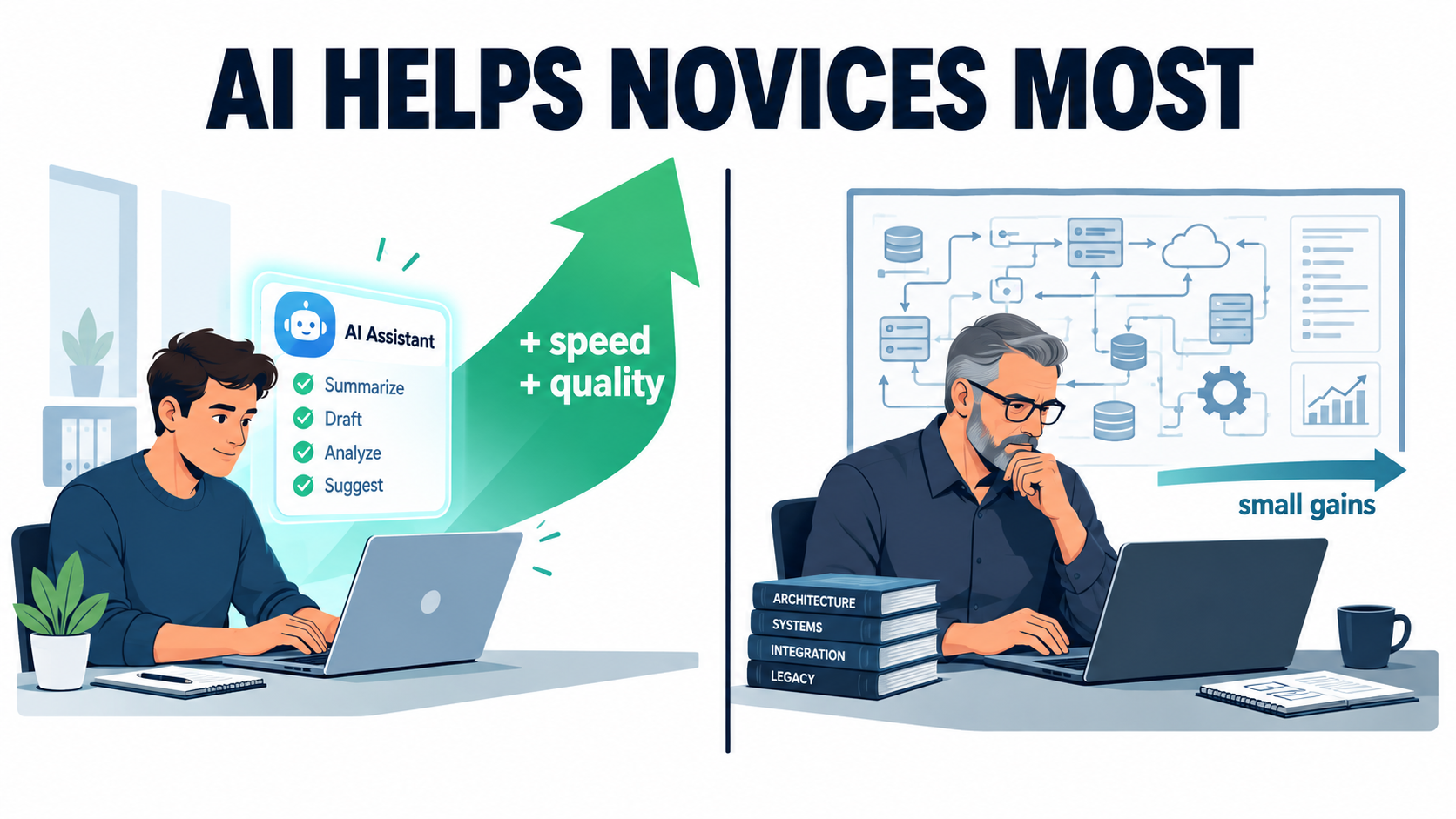

Most conversations about AI automation for business begin with the task: which processes are repetitive, which are expensive, and which could a model take over. That’s a sensible place to start. But the best research on AI in real workplaces points to a second factor that most rollout plans ignore. Who is doing the task matters about as much as what the task is.
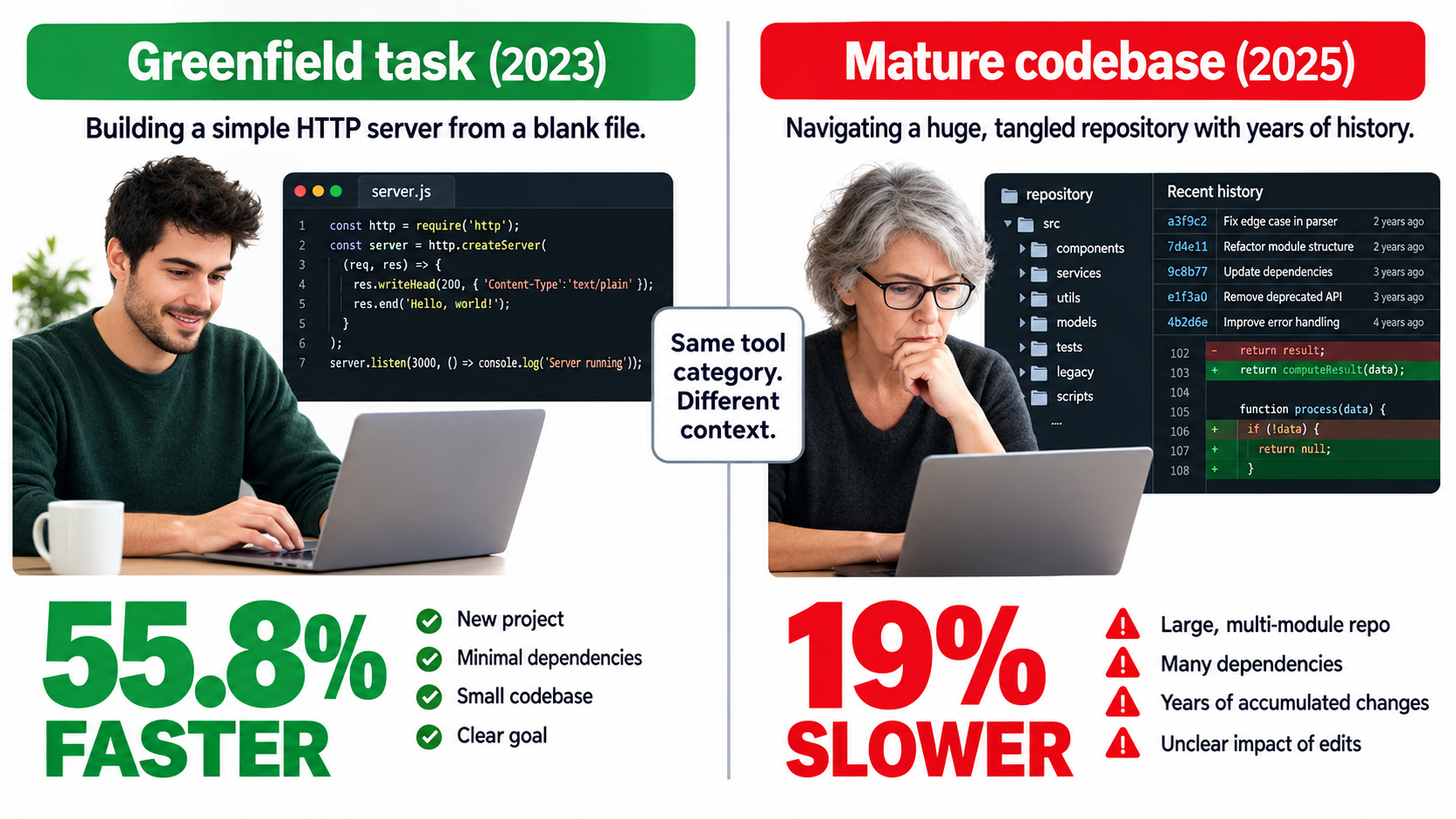
Two findings show the tension clearly. In a controlled 2023 experiment, developers using GitHub Copilot finished a programming task 55.8% faster than developers without it. In a 2025 randomized controlled trial, experienced open-source developers working in codebases they knew well were 19% slower when they were allowed to use AI tools. These developers also believed the tools had sped them up.
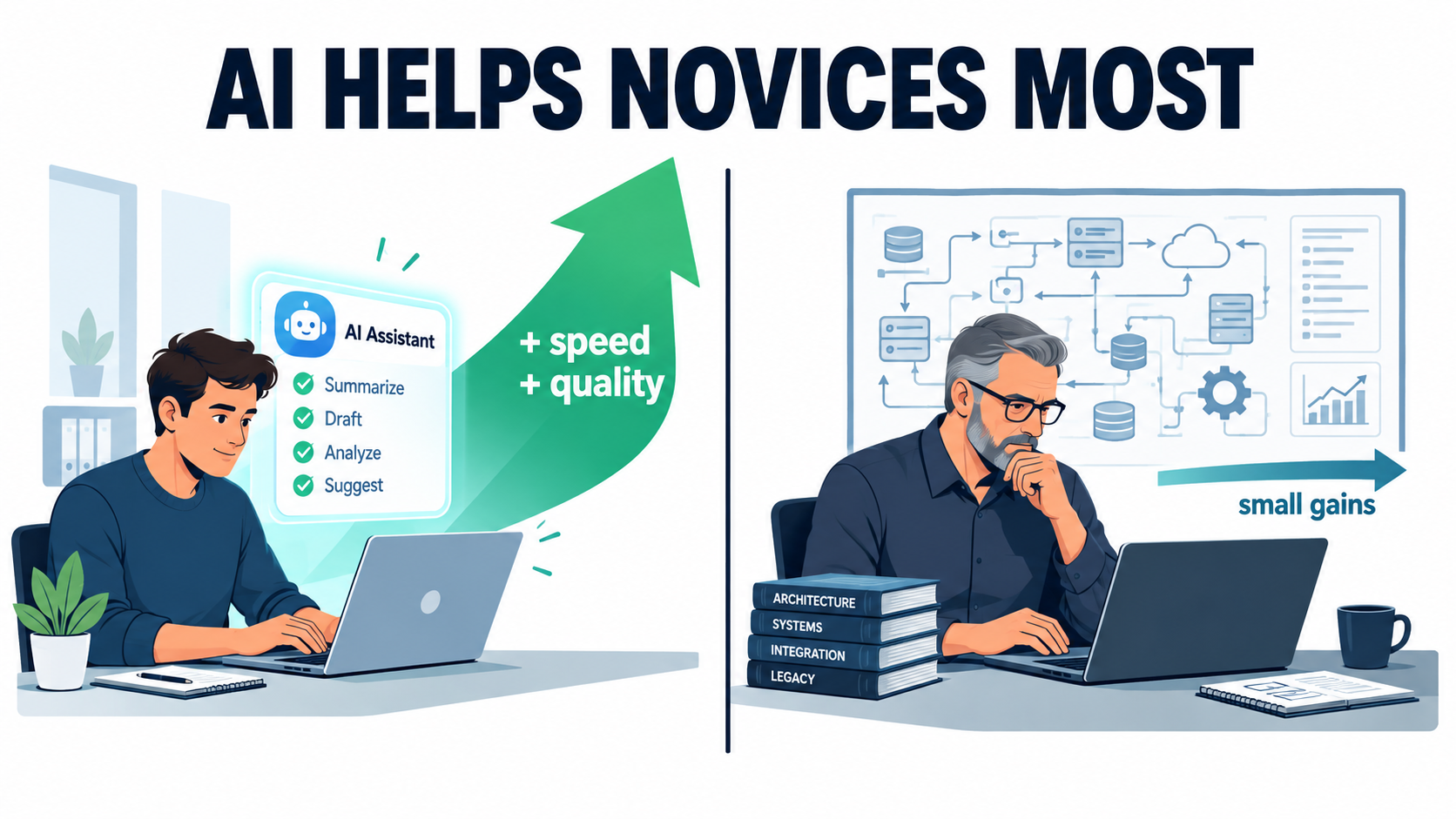
Neither result is a fluke, and they don’t cancel each other out. Taken together, they say something useful. AI automation gives the biggest lift where the worker has the least context and the task is fairly self-contained. It gives the smallest lift, and can even slow people down, where deep expertise and high quality standards already exist.
The largest field study of generative AI at work supports this. In a study of 5,172 customer support agents, AI assistance raised productivity by 15% on average. Less-experienced workers gained the most, while the most skilled agents saw “small gains in speed and small declines in quality.”
This article doesn’t revisit pilot-to-production ROI math or hyperautomation sequencing. It looks at the expertise curve: why it exists, how to map your business against it, where accountability and measurement go wrong, and how to redesign roles so that your experts and your new hires each get what they actually need from automation in 2026.
The Two Numbers That Should Change How You Plan AI Automation
Start with the studies themselves, because the details explain the headlines.
The 55.8% result: a clean task with no history
In February 2023, researchers Sida Peng, Eirini Kalliamvakou, Peter Cihon, and Mert Demirer published a controlled experiment on GitHub Copilot. Recruited developers were asked to build an HTTP server in JavaScript as quickly as possible. The group with access to the AI pair programmer finished 55.8% faster than the control group.
The authors also noted “heterogenous effects” suggesting AI pair programmers could help people move into software development careers. In plain terms, people with less background got more out of the tool.
Look at what kind of task this was. It was greenfield: a well-defined, common problem with no existing codebase to respect, no internal conventions to follow, and no years of design decisions to work around. AI tools perform at their best in exactly this setting, because the “right answer” closely matches the huge number of public examples the models learned from.
The 19% result: a mature system with years of context
In July 2025, Joel Becker, Nate Rush, Elizabeth Barnes, and David Rein at METR published a very different experiment. They recruited 16 experienced open-source developers who completed 246 real tasks in mature projects. On average, the developers had five years of prior experience with those specific projects.
Each task was randomly assigned to either allow or disallow AI tools. When AI was allowed, developers mostly used Cursor Pro with Claude 3.5/3.7 Sonnet, which were frontier tools in early 2025. The result: allowing AI increased completion time by 19%.
This contradicted every forecast in the study. Economics experts had predicted a 39% reduction in time and machine learning experts had predicted 38%. The developers themselves had expected 24%.
Why both results can be true
These studies aren’t measuring the same thing. One measures AI on a fresh, standardized task. The other measures AI in the hands of people who already know their environment better than any model does.
For a business leader, the practical takeaway is that “AI makes people X% faster” is not a stable number. It depends on the task, the context, and the person. Any vendor claim, internal pilot, or board slide that quotes a single productivity number without saying who it applies to is missing the most important variable.
The METR authors were careful here. They looked at 20 properties of their setting that might explain the slowdown, including project size, quality standards, and the developers’ prior experience with AI. They said they couldn’t fully rule out experimental artifacts, but the slowdown held up across their analyses. They also stressed that the results describe early-2025 tools in one specific setting. That is the correct way to read them: a strong signal about context, not a universal verdict on AI.
What 5,172 Support Agents Revealed About Who Benefits
Programming is a specialized field. Customer support is something almost every business runs, so the most relevant evidence for general AI automation comes from the study by Erik Brynjolfsson, Danielle Li, and Lindsey Raymond, “Generative AI at Work.”
The setup
The researchers studied the staggered rollout of a generative AI conversational assistant across 5,172 customer support agents. Because agents got access at different times, the team could compare performance before and after access while controlling for broader trends. That makes it a real-world natural experiment rather than a lab test.
The headline and the distribution
AI assistance raised productivity, measured as issues resolved per hour, by 15% on average. The average hides most of the story, though. The paper reports “substantial heterogeneity across workers”:
- Less experienced and lower-skilled workers improved in both speed and quality.
- The most experienced and highest-skilled workers saw small gains in speed and small declines in quality.
That second point matters. For your best people, the AI didn’t only fail to help much. On quality, it slightly hurt.
Rare problems are where AI earns its keep
A less-discussed finding from the paper: gains from AI adoption were largest for relatively rare problems, where human agents had less baseline training and experience.
This changes how you should think about where to deploy automation. The usual instinct is to automate the most common, highest-volume tasks first. The research suggests the AI assistant added the most value on the long tail, the unusual tickets that a typical agent sees rarely and handles poorly.
There’s a reason for this. On a common issue, an agent with a few months on the job already knows the answer. On a rare one, they have to search, escalate, or guess. The assistant effectively passes along knowledge that would otherwise sit with a handful of veterans.
Effects on the work itself
The study also found two results that rarely appear in ROI calculations:
- AI assistance helped workers learn and improved English fluency, especially among international agents.
- Customers were more polite and less likely to ask for a manager.
Both affect retention and escalation costs. If customers escalate less and new agents get up to speed faster, the value goes well beyond issues resolved per hour.
Why Experts Slow Down: Four Mechanisms Behind the Curve
Knowing that experts gain less is useful. Knowing why lets you design around it. Based on these studies, four mechanisms seem to drive the expertise curve.
1. The expert already holds the context the AI lacks
In the METR study, developers had an average of five years of experience on the exact projects they worked on. They knew the unwritten rules, the reasons behind odd design decisions, and which “obvious” fixes had already been tried and dropped. A general-purpose model doesn’t know any of that unless someone explains it, and explaining it takes time.
Your business works the same way. A senior account manager knows that a particular client hates long emails. A veteran controller knows why one vendor’s invoices are always coded to a strange GL account. That knowledge is what makes them experts, and it’s exactly what an AI tool lacks by default.
2. Review cost goes up as quality standards go up
The METR researchers named project size and quality standards as possible factors. When standards are high, every AI-generated output has to be read, checked, and often rewritten. For a novice, an AI draft is usually better than what they would have written, so accepting it is a net gain. For an expert, the AI draft is often worse than what they would have produced, so reviewing and fixing it costs more than writing it from scratch.
3. Quality regression to the mean
The support study’s finding that top agents saw small quality declines fits a simple explanation. AI suggestions tend to reflect the typical good answer. If you’re below typical, following the suggestion pulls you up. If you’re above it, following the suggestion pulls you down.
Your best performers may have built distinctive approaches that work better than the norm. An assistant trained on aggregate behavior nudges them back toward average.
4. Switching and prompting overhead
Every AI interaction has a fixed cost: writing the prompt, waiting for output, reading it, and deciding what to keep. On a large, unfamiliar task, that overhead is small compared to the time saved. On a small task an expert could finish in two minutes, the overhead can be bigger than the task.
What this means for planning
None of this says experts should avoid AI. It says experts need different AI deployments from novices, and you should expect smaller, slower, and less certain returns from them. A rollout plan that gives everyone the same tool and expects the same lift will disappoint at the senior end.
The Perception Gap: When Feeling Faster Isn’t Being Faster
The most uncomfortable finding in the METR study is not the 19% slowdown. It’s that the developers didn’t notice it.
The numbers
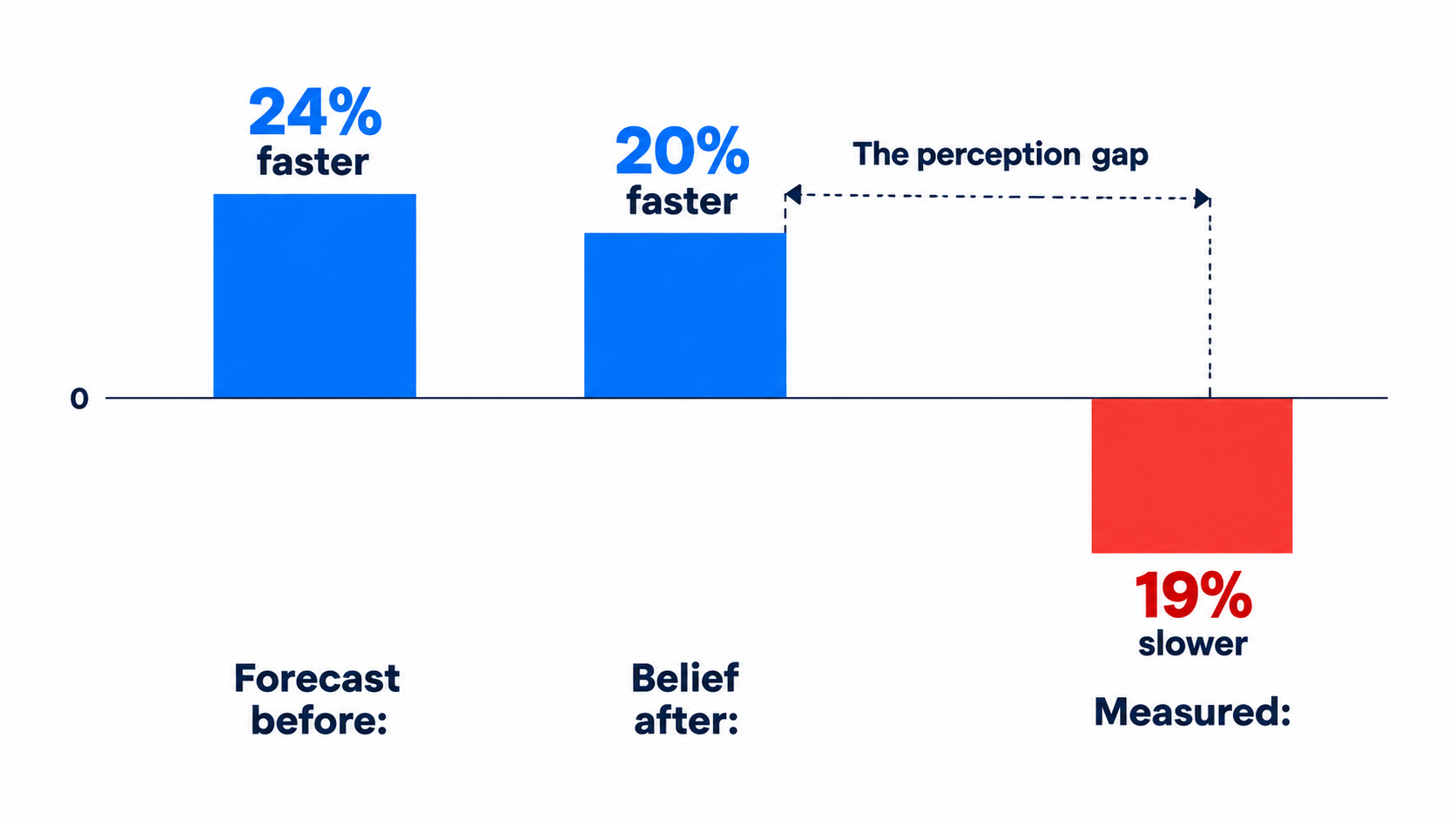
- Before the study, developers forecast that AI would reduce completion time by 24%.
- After finishing, they estimated AI had reduced completion time by 20%.
- The measured result was a 19% increase in completion time.
These were experienced professionals who had just done the work themselves, and they still misjudged the direction of the effect.
Why this matters for every business running AI pilots
Most internal AI evaluations rely heavily on self-reported surveys: “Do you feel more productive?” “How many hours a week does the tool save you?” The METR result suggests these surveys can be badly wrong, not because people lie, but because AI-assisted work feels easier. Less typing and less staring at a blank page register as less effort, even when total elapsed time goes up.
Experts may also be the people most likely to report gains. Senior staff often champion tools early and have the credibility to shape internal opinion. If their perceived gains don’t match their actual gains, your organization could expand a deployment based on a feeling.
How to measure honestly
- Use randomized or staggered comparisons where possible. The support study’s staggered rollout and METR’s per-task randomization are both models you can copy on a small scale.
- Measure elapsed time and outcomes from system data: ticket timestamps, invoice cycle times, deal-stage durations. Don’t use recall.
- Track quality alongside speed. Rework rates, reopened tickets, error corrections, and customer escalations catch the “faster but worse” pattern.
- Segment by tenure and skill. An average across your whole team will hide the curve. Report results for your newest quartile and your most experienced quartile separately.
Mapping Your Business: The Task-by-Expertise Matrix
With the curve in mind, you can map automation opportunities on two axes instead of one. The first is the usual question: how repetitive and rule-bound is the task? The second is the one that’s usually missing: how much context does the person doing it already have?
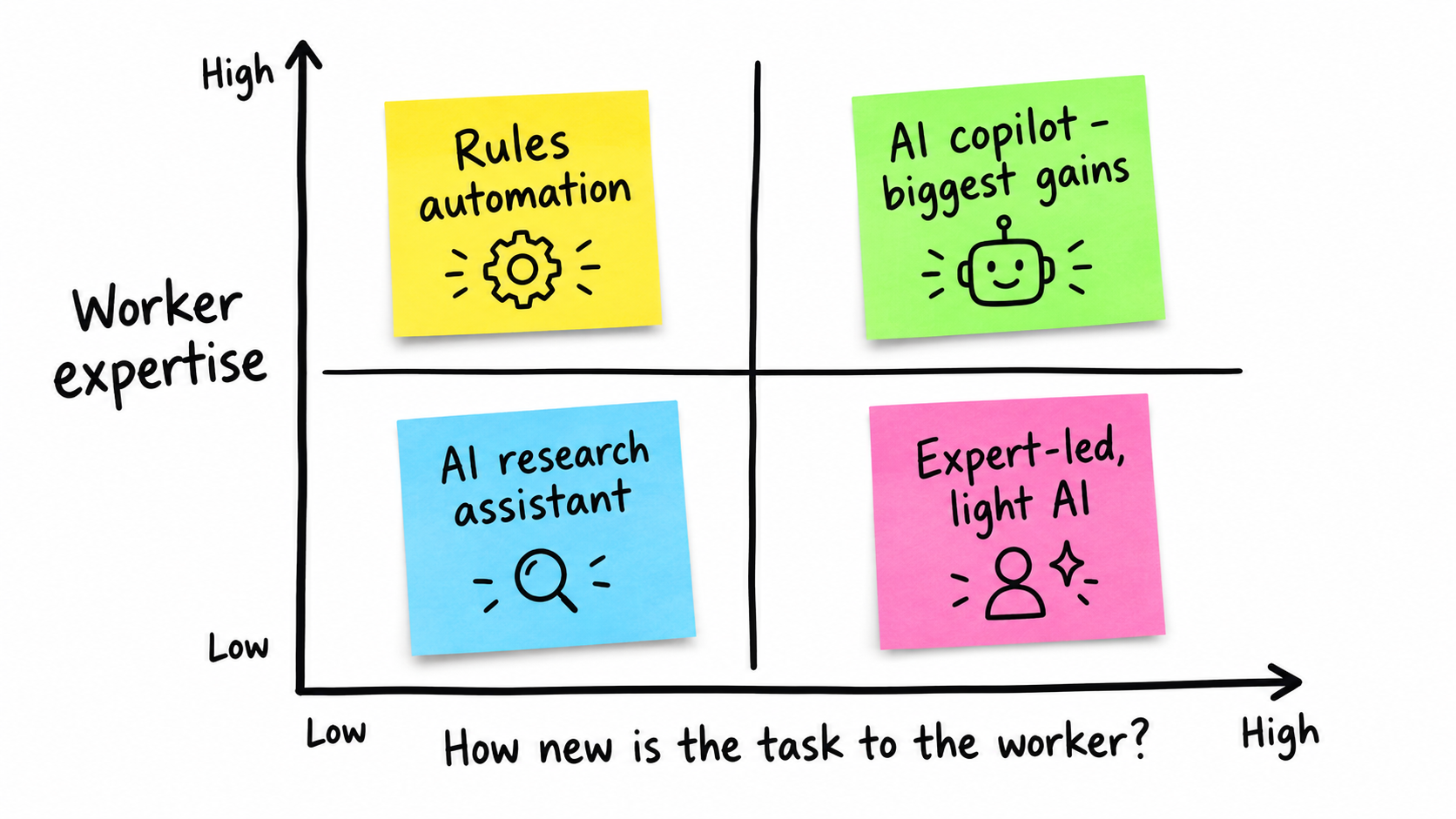
Quadrant 1: Rule-bound tasks, any expertise level — automate with deterministic tools
Data entry between systems, invoice field extraction into accounting software, standard report generation, and scheduled reconciliations belong here. When the steps are fully defined, you often don’t need generative AI. Traditional workflow automation or RPA, discussed in the next section, handles them predictably.
Quadrant 2: Judgment tasks, low-context workers — AI copilot, biggest gains
This is the area the research favors. Newer support agents, junior analysts, recent hires in sales operations, and generalists handling unfamiliar requests all fit. The support study’s least experienced agents improved in speed and quality. The Copilot study’s results pointed to helping people move into new careers.
Examples:
- Suggested replies for support agents in their first six months
- Drafting first-pass responses to rare or complex customer questions
- Helping new sales reps prepare for calls on product lines they haven’t sold before
- Answering internal policy questions (HR, expense, IT) for employees who don’t know where to look
Quadrant 3: Unfamiliar territory for experts — AI as research assistant
Experts aren’t experts in everything. A senior finance lead dealing with a new tax jurisdiction, or a veteran engineer working in an unfamiliar language, is effectively a novice in that moment. AI can speed up the ramp. The support study’s finding about rare problems applies at the individual level: AI helps most where the person has the least experience.
Quadrant 4: Core expert work in familiar systems — light touch, opt-in
This is the METR setting: experienced people working in environments they know deeply, under high quality standards. Mandating AI here is where you’re most likely to lose productivity while believing you’ve gained it. Make tools available, let experts choose, and measure carefully before scaling.
Running the exercise
List your 20–30 most time-consuming workflows. For each, record:
- How rule-bound it is (fully defined / partly defined / judgment-heavy)
- The typical tenure of the people doing it
- How often unusual cases come up
- The cost of an error (internal rework vs. customer-facing vs. legal or financial exposure)
Workflows that are judgment-heavy, staffed by newer employees, and full of long-tail cases are where AI assistance has the strongest evidence behind it.
Rules vs. Judgment: Choosing Between RPA and Generative AI
“AI automation” is often used as a catch-all, but it covers two very different technologies. Mixing them up leads to expensive mistakes in both directions.
What RPA actually is
Robotic process automation uses scripts that mimic human interaction with application user interfaces. It is generally described as distinct from artificial intelligence because it follows a predefined workflow. RPA tools typically learn an action list by watching a user perform the task in a graphical interface, then repeat those actions.
The classic example: receiving an email with an invoice, extracting the data, and typing it into a bookkeeping system. RPA is useful because it can automate software that doesn’t offer APIs, and because it behaves predictably. It does the same thing every time.
What generative AI adds
Generative AI handles variability that RPA can’t: free-text emails, documents in inconsistent formats, and questions phrased in thousands of different ways. That flexibility comes with a cost. Output is probabilistic. The same input may not produce the same output, and the model can produce confident, wrong answers.
A practical division of labor
| Characteristic | Better fit: RPA / rules-based | Better fit: Generative AI |
|---|---|---|
| Input format | Structured, consistent | Unstructured, variable |
| Decision logic | Fully specifiable in advance | Requires interpretation |
| Tolerance for variation in output | None | Some, with review |
| Audit requirements | Step-by-step traceability | Outcome review and sampling |
| Typical example | Copying approved invoice totals into the ledger | Classifying and drafting replies to vendor dispute emails |
Hybrid patterns work best
Many effective setups combine the two. A generative model reads an unstructured document and extracts fields into a structured format. Deterministic rules then validate those fields: does the total match the line items, does the vendor exist, is the amount within the approval threshold? Anything that fails validation goes to a human.
This connects back to the expertise curve. The deterministic layer encodes your experts’ rules explicitly, so a novice reviewing exceptions is protected by guardrails your veterans would have applied without thinking.
Accountability Doesn’t Automate: Lessons From Moffatt v. Air Canada
When automation moves into customer-facing work, the expertise question becomes a liability question. A novice agent who gives wrong information can be coached. An automated system that gives wrong information does it at scale, and your company is still responsible.
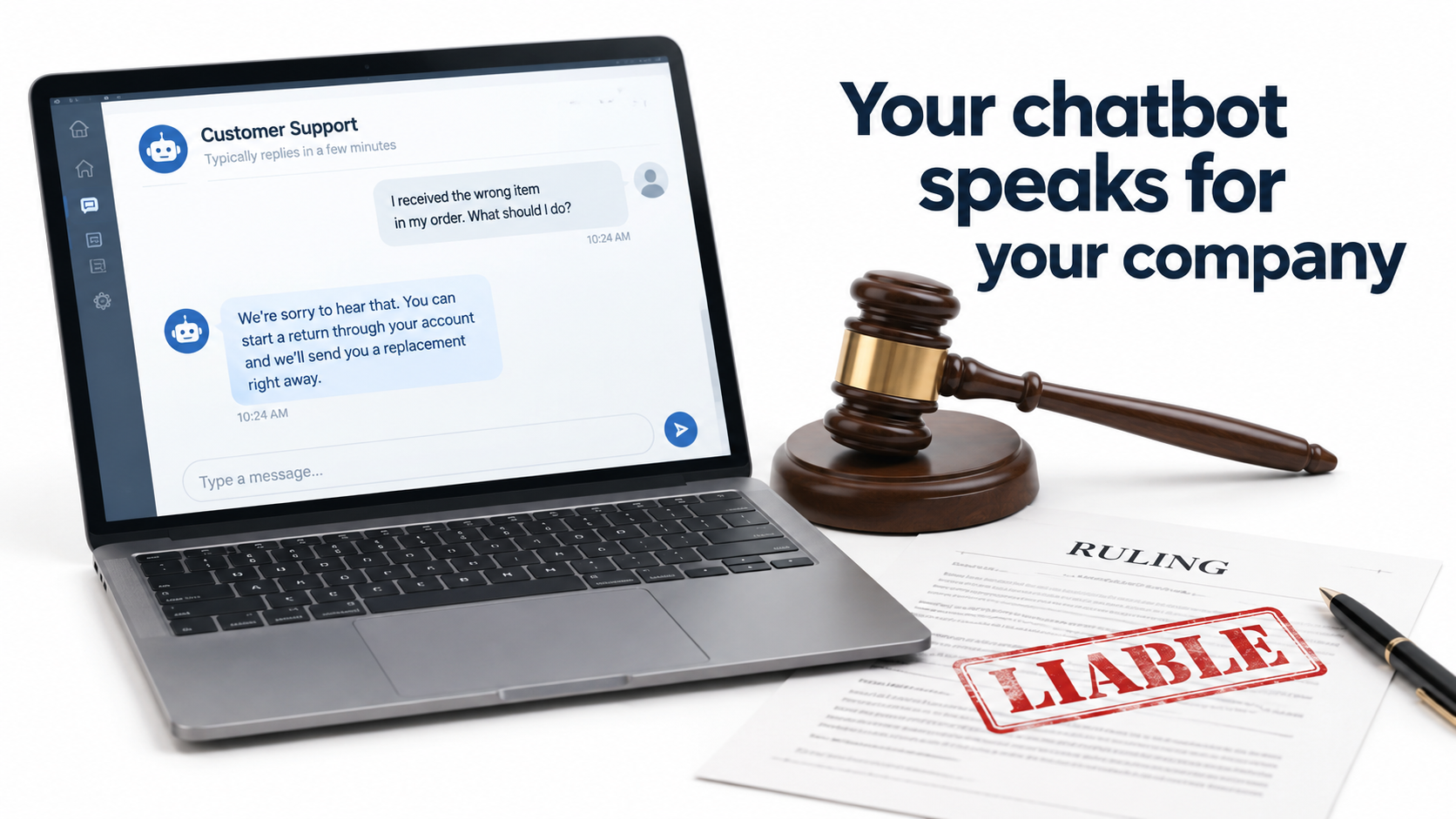
What happened
In 2022, after his grandmother died, Jake Moffatt asked Air Canada’s website chatbot about bereavement fares. The chatbot told him he could buy tickets at full price and claim a refund of the difference within 90 days. He bought tickets for CA$1,630. When he applied for the refund, Air Canada refused, pointing to a different page on its website that said bereavement fares couldn’t be applied retroactively.
Moffatt took the case to British Columbia’s Civil Resolution Tribunal. In February 2024, the tribunal ruled in his favor (2024 BCCRT 149), finding Air Canada liable for negligent misrepresentation and awarding CA$812 plus costs and interest.
The argument that failed
Air Canada argued that the chatbot was “a separate legal entity that is responsible for its own actions.” Tribunal member Christopher Rivers called this submission “remarkable” and rejected it. Because the chatbot was part of Air Canada’s website, Air Canada was responsible for what it said.
The American Bar Association described the case as “a helpful reminder that companies remain liable for the actions of their AI tools.”
The business lessons
- Your automation speaks for you. Anything a customer-facing AI says can be treated as a company statement. Plan for that.
- Policy questions are high-risk. Refunds, pricing, eligibility, and terms are exactly the areas where a plausible-sounding wrong answer causes financial and legal exposure.
- Ground answers in source documents. If the chatbot’s policy answer and the policy page disagree, you have a consistency problem that a customer can exploit, fairly.
- The cost wasn’t the CA$812. The case got international media attention. The reputational cost far exceeded the damages.
Connecting it to the expertise curve
The support study showed AI helps novice agents most. That’s an argument for AI-assisted humans on sensitive topics, not AI-only responses. An assistant that suggests a bereavement-fare answer to a new agent, who confirms it against the policy before sending, gets the learning benefit without handing final authority to the model. Decide deliberately which conversations an AI can close on its own and which need a human to sign off.
Metrics That Lie: Token Maxxing and the Activity Trap
Once AI tools are in place, leaders naturally want to know whether people are using them. That leads to one of the more counterproductive trends of the past year.
What token maxxing is
“Token maxxing” refers to treating AI token consumption as a productivity metric. AI services charge per token, and some organizations have started treating higher token use as evidence of higher productivity and stronger AI adoption.
Critics point out the obvious problem. Workers will maximize whatever metric management rewards: running several AI agents at once, writing longer prompts, or automating tasks excessively to drive up consumption. The likely results are higher token bills, worker burnout, and more bloated, lower-quality output. Some critics also note that AI vendors benefit from this emphasis on consumption.
Why it fits the expertise curve badly
Token-based metrics push in exactly the wrong direction given the research. They reward heavy usage everywhere, including the expert-in-familiar-territory quadrant where METR found AI slowed people down. An expert who correctly chooses not to use AI on a task they can do faster by hand looks like a laggard on a usage dashboard.
Meanwhile, the perception gap means heavy users may sincerely believe they’re more productive. Pair a usage metric with self-reported productivity and you’ve built a measurement system that can confirm itself while being wrong.
What to measure instead
- Outcome throughput: issues resolved per hour (the support study’s metric), invoices closed per day, proposals sent per week.
- Quality signals: reopen rates, error rates, rework hours, customer escalations, audit exceptions.
- Cost per outcome: include AI spend in the numerator. A process that’s 10% faster but costs more in tokens than the time saved isn’t a win.
- Time to proficiency for new hires: the support study’s learning effect suggests this may be one of the largest real benefits, and few companies track it.
- Segmented results: always split by tenure or skill band.
Usage data still has a place. It’s useful for diagnosing adoption barriers and controlling spend. It just shouldn’t be the scoreboard.
Redesigning Roles Around the Expertise Curve
If AI lifts novices most and experts least, the biggest opportunity isn’t making each person a bit faster. It’s changing how expertise moves through the organization.
AI as a way to spread your top performers’ knowledge
The support study found that AI assistance helped workers learn, and that gains were largest on rare problems where agents had little experience. In practice, the assistant was carrying good practice from experienced workers to inexperienced ones.
You can design for this on purpose:
- Build internal knowledge bases from expert work. Resolved tickets, approved proposals, and annotated decisions from senior staff become the reference material that grounds AI suggestions for juniors.
- Give experts credit for curation. If a senior agent’s documented resolution of a rare issue helps fifty junior agents a month, that contribution should show up in their performance review.
- Close the feedback loop. When experts correct AI-suggested answers, capture the correction so the reference material improves.
Shift expert time toward review and exceptions
When AI handles first drafts for newer staff, the bottleneck moves to review. Your experts’ highest-value work becomes checking AI-assisted output on high-stakes items, handling escalated exceptions, and defining the rules the deterministic layer enforces.
This is a real change in role, and it needs to be stated openly. Some experts will welcome it. Others will see it as being pushed out of the work they enjoy. Talk about it directly rather than letting it happen by default.
Rethink onboarding and hiring
If AI assistance shortens time to proficiency, a few things follow:
- Onboarding programs can introduce AI tools earlier, alongside training rather than after it.
- Hiring profiles for some roles may put more weight on judgment and communication, since the assistant fills in some product knowledge.
- Promotion paths need care. If juniors do well with AI help, make sure they also build the underlying skill. Periodic work without AI assistance, or explanation-based reviews, can show whether learning is happening or whether output depends entirely on the tool.
Protect quality at the top end
The small quality declines among top support agents are a warning. Let your best performers opt out of suggestion-heavy interfaces, or switch to a mode where the AI only retrieves reference material instead of drafting responses. Flexibility at the top costs little and protects the work that sets your service apart.
A 60-Day Rollout Plan Built Around Expertise
Here’s a practical sequence that uses the research instead of working against it. It assumes a mid-sized team in a function like customer support, finance operations, or sales operations.
Days 1–10: Map and baseline
- Run the task-by-expertise matrix exercise on your 20–30 largest workflows.
- For each candidate workflow, pull system-based baselines: elapsed time, throughput, error and rework rates. Split by tenure band.
- Separate fully rule-bound steps (deterministic automation candidates) from judgment steps (AI assistance candidates).
- Identify every customer-facing step that touches policy, pricing, refunds, or eligibility. Flag these as human sign-off required.
Days 11–25: Build for the novice quadrant first
- Deploy AI assistance to your newest staff on judgment-heavy work, with priority on long-tail and rare cases.
- Ground the assistant in documented expert resolutions and current policy documents.
- Put deterministic validation rules in front of any structured output (amounts, IDs, dates, thresholds).
- Use a staggered start: give half of the eligible group access first so you have a comparison group.
Days 26–40: Offer, don’t mandate, for experts
- Make tools available to senior staff on an opt-in basis, framed around unfamiliar territory (Quadrant 3) first.
- Ask experts to log cases where AI suggestions were wrong or weaker than their own approach. That log becomes training material and a quality early-warning system.
- Formally assign review responsibilities for AI-assisted output on high-stakes items.
Days 41–60: Measure honestly and decide
- Compare treated and comparison groups on outcomes, quality, and cost per outcome, split by tenure.
- Run a short survey on perceived productivity and compare it to measured results. Treat any gap as a finding, not a contradiction to explain away.
- Expand where measured gains are real. Pull back or reconfigure where speed went up but quality dropped, or where experts slowed down.
- Track time to proficiency for any hires who started during the pilot.
Decision rules to agree on before you start
- A workflow expands only if quality metrics hold steady or improve, not on speed alone.
- Any customer-facing automation touching policy keeps human sign-off until error rates are measured and acceptable.
- Usage volume is never used as a success metric on its own.
Common Objections and Honest Answers
“The METR study used early-2025 tools. Models are better now.”
That’s fair, and the researchers said as much. Tools improve, and the size of the expert slowdown may shrink or reverse. But the mechanisms — missing context, review cost, high quality standards, and the perception gap — are structural. Better models reduce them without removing them. The measurement lesson holds no matter how good the tools get: verify with system data, not feelings.
“Our experts love the tools.”
They may be getting real benefits, especially on tasks outside their core expertise. They may also be in the perception gap. The only way to tell is to measure. Enthusiasm is a good sign for adoption, not proof of productivity.
“Isn’t focusing on juniors just a cost-cutting play?”
It doesn’t have to be. The support study’s evidence of learning effects, more polite customers, and fewer requests for managers points to better jobs and better service, not only cheaper ones. How you use the gains — faster growth, better service levels, or lower headcount — is a leadership decision. The research doesn’t make it for you.
“Can’t we just let the AI handle customers directly and skip the human?”
For simple, low-risk, well-documented questions, sometimes yes. For anything touching money, policy, or eligibility, Moffatt v. Air Canada shows that the company is liable for what the bot says. The cost of a human checkpoint is usually small compared to that exposure.
Conclusion: Automate for the Person, Not Just the Process
AI automation for business in 2026 has plenty of tools and plenty of productivity claims. What’s in shorter supply is a planning model that accounts for who is actually doing the work. The research is consistent on one point: AI gives the most to people with the least context and the least to people with the most.
In the support study of 5,172 agents, the average gain was 15%, with less experienced workers improving in speed and quality while top performers saw slight quality declines. In greenfield programming, developers finished 55.8% faster. In mature codebases with five years of familiarity, experienced developers were 19% slower and believed they were 20% faster. And when automation speaks to customers, the company is accountable for every word.
Key takeaways
- Map tasks on two axes. How rule-bound the work is and how much context the worker already has.
- Start with newer staff on judgment-heavy, long-tail work. That’s where the evidence for gains is strongest.
- Use deterministic automation for deterministic work. Don’t pay for probabilistic output when the rules are fully known.
- Make expert use opt-in and measured. Protect quality at the top end.
- Measure from system data, segmented by tenure. Self-reports and token counts can both mislead.
- Keep humans on policy-sensitive customer answers. Your chatbot speaks for your company.
- Treat AI as a way to share expertise. Capture what your best people know, use it to ground the tools, and credit them for it.
Companies that get real value from AI automation this year won’t simply be the ones with the most tools or the highest usage. They’ll be the ones that matched the tool to the task and to the person, and measured the results carefully.