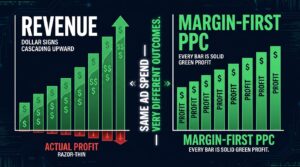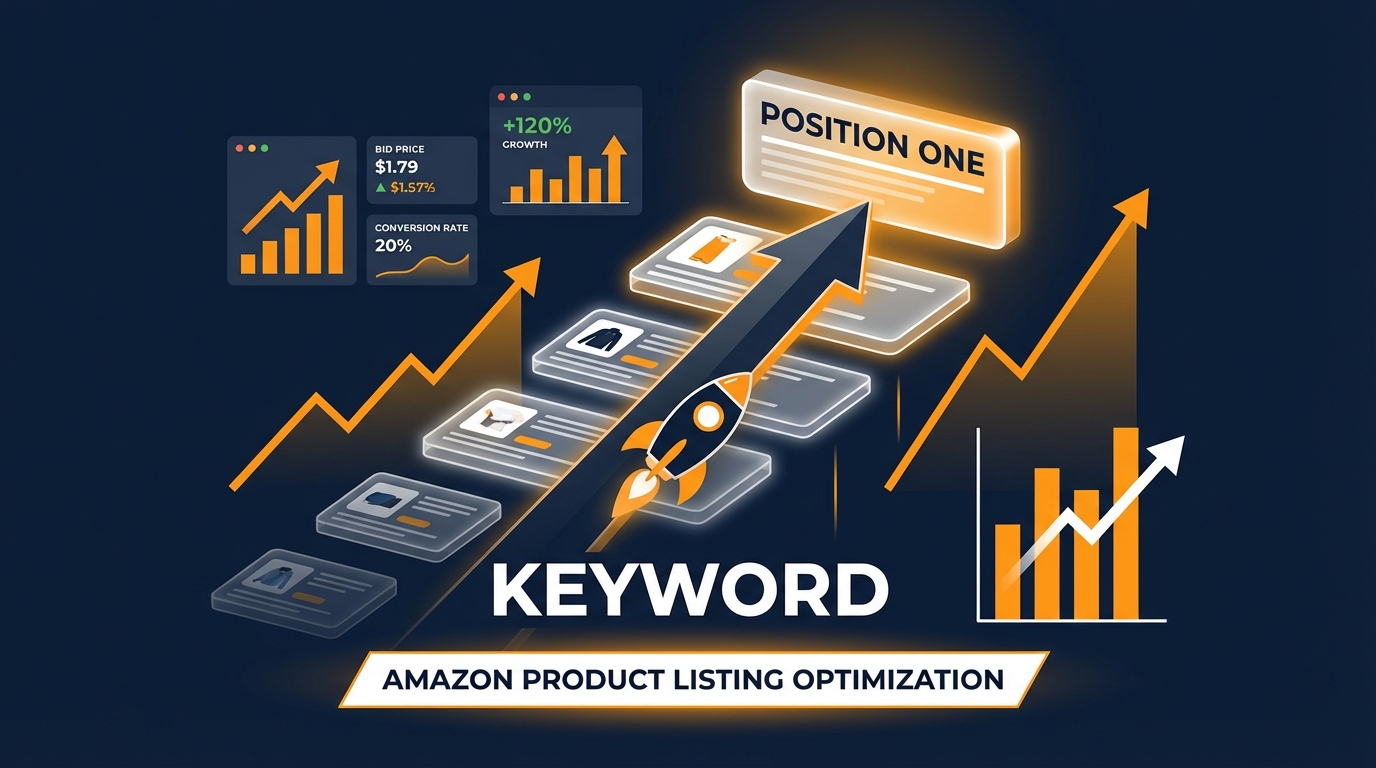

Most Amazon sellers treat their PPC campaigns as a permanent cost of doing business — always-on, always spending, and rarely questioning whether the dollars flowing out are actually buying something more durable than impressions. They run exact match campaigns, set a target ACoS, and wait for the algorithm to reward them. Sometimes it does. Often, it doesn’t, and they find themselves stuck on page two or three indefinitely, bleeding ad spend with nothing to show for it organically.
Bidparting changes the equation entirely. It’s a manual, structured approach to PPC bidding that concentrates your ad spend into the moments that matter most — peak shopping hours — to create the kind of concentrated sales velocity that Amazon’s A9 algorithm interprets as a strong relevance signal. The result is an organic ranking lift that, once achieved, can be sustained without maintaining elevated bids. The ads do their work, and then you pull back.
The name comes from the combination of “bid” and “dayparting” — the practice of adjusting bids based on time of day. But bidparting is more than dayparting. It’s a deliberate, phase-based rank-pushing strategy built around phrase and exact match campaigns, a specific 20–30% bid increase window, and precise execution through Amazon’s native bulk operations file. No third-party software required. No complex automation. Just a spreadsheet, a plan, and the right timing.
This guide breaks down exactly how the method works, why it works, and how to execute it step by step across your highest-value keywords.
How Amazon’s A9 Algorithm Responds to Sales Velocity
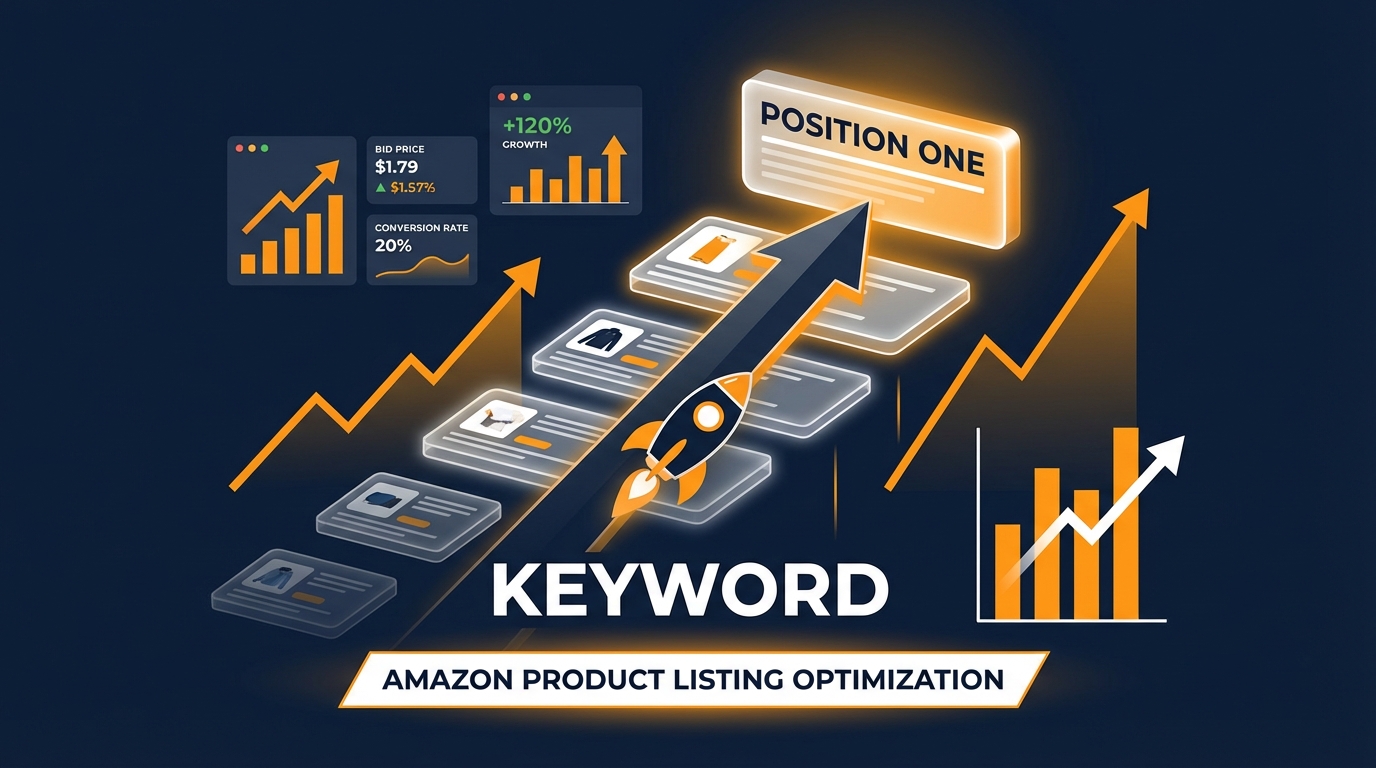
Before understanding why bidparting works, you need to understand what Amazon’s algorithm is actually measuring. The A9 algorithm — Amazon’s core search ranking engine — does not primarily rank products based on how much you spend on advertising. It ranks products based on how well they convert shoppers into buyers on a given keyword. The most important input into that determination is sales velocity: the rate at which a product generates sales relative to the number of shoppers who see it.
When a keyword drives consistent, concentrated sales within a short window, the algorithm interprets this as strong relevance and demand for that specific search query. It responds by moving the product higher in organic results for that keyword, which then exposes the listing to more organic traffic, which produces more organic sales — the classic flywheel effect that every Amazon seller is chasing.
What the Algorithm Is Really Counting
The A9 algorithm evaluates several interconnected signals when determining organic rank. Sales velocity is the most weighted, but it doesn’t exist in isolation. The algorithm also considers conversion rate — the percentage of shoppers clicking your listing who actually buy. It considers click-through rate from search results, which reflects how compelling your title, price, and main image are. And it considers the consistency of those signals over time.
A single massive sales spike from a coupon or a giveaway can trigger a temporary ranking boost, but the algorithm has grown more sophisticated at distinguishing genuine demand from manufactured velocity. What it rewards most reliably is concentrated, conversion-strong sales activity that mirrors the behavior of a product genuinely winning on a keyword.
Why PPC Is the Fastest Path to Velocity
Organic velocity requires organic visibility, which requires already being on page one — a classic chicken-and-egg problem for any product not yet ranking. PPC breaks the loop. By paying to appear at the top of search results for a target keyword, you expose your listing to high-intent shoppers who are actively searching for what you’re selling. If your listing converts well, each of those paid clicks and resulting purchases contributes to the sales velocity that the algorithm then uses to determine organic placement.
The catch is that indiscriminate, always-on ad spend dilutes the signal. Spending broadly across hundreds of keywords at low bids generates scattered, thin data that doesn’t concentrate enough sales velocity on any single keyword to move the needle organically. Bidparting solves this by doing the opposite: narrowing the focus to a handful of high-value keywords, increasing bids significantly during peak conversion windows, and generating a dense burst of sales velocity precisely when the algorithm is most receptive to updating rankings.
The Ranking Feedback Loop in Practice
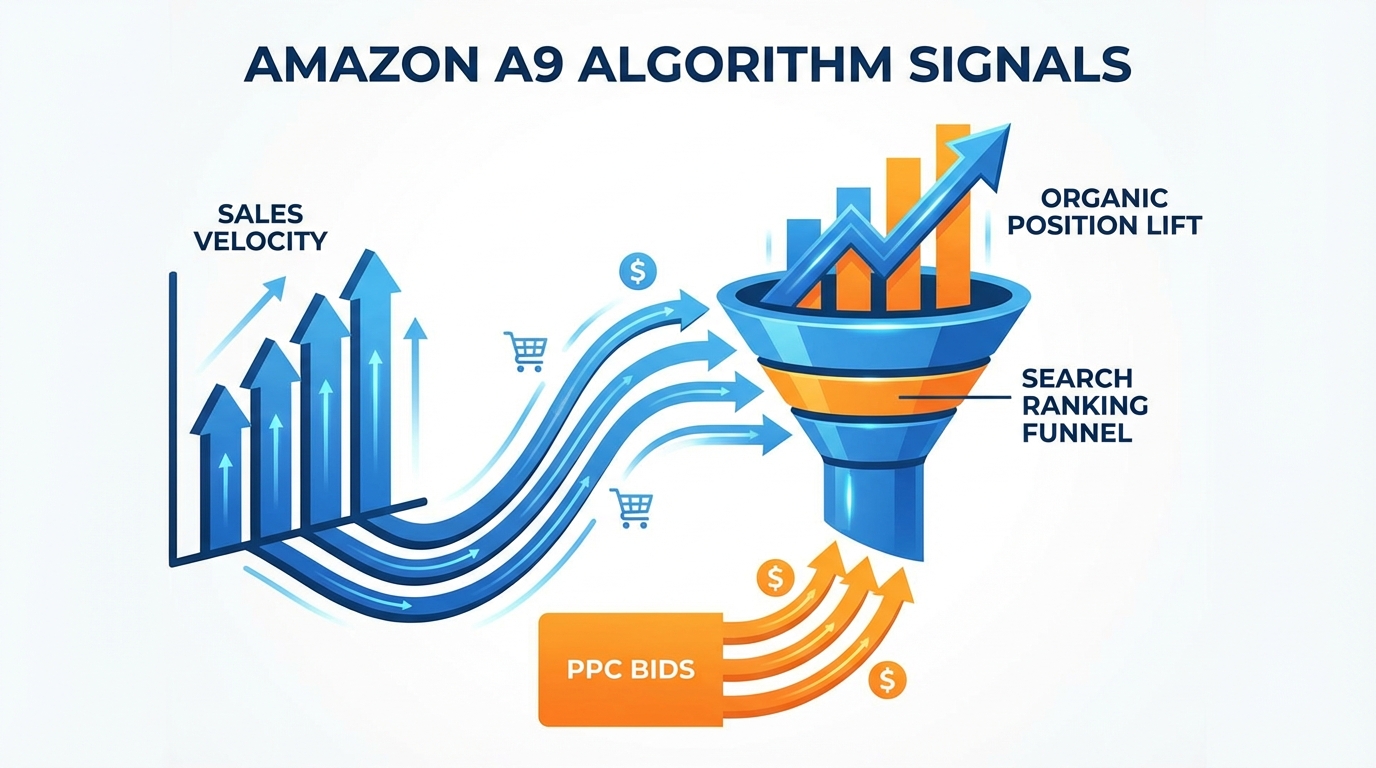
Here’s how the feedback loop plays out in a real bidparting execution. A seller identifies a keyword — let’s say “stainless steel travel mug with handle” — where their product currently sits on page two, position six. They’re getting some organic impressions, but not enough to generate meaningful organic velocity. They run a bidparting push over five to seven days, concentrating elevated bids on that keyword during peak shopping hours. Daily PPC-driven sales on that keyword spike. The algorithm observes the velocity burst and begins moving the listing up. By day eight, the product is on page one, position seven. The seller pulls bids back to baseline. The organic position holds — and now organic traffic generates the velocity that sustains it.
This isn’t a guaranteed outcome every time, and listing quality, competition density, and inventory levels all affect results. But the mechanics of why it works are grounded in how the algorithm actually processes sales data, not in exploiting any kind of loophole.
Why Most Sellers Waste Their PPC Budget (and What Bidparting Fixes)
The default approach most sellers take to Amazon PPC is fundamentally structured around paid visibility rather than organic outcome. They set campaigns to run 24 hours a day, seven days a week, across a broad mix of match types, and they optimize primarily for ACoS. The problem with this approach isn’t that it’s wrong — it’s that it’s inefficient for the specific goal of ranking improvement.
The Always-On Trap
Running ads at a flat bid, around the clock, spreads your budget evenly across periods of wildly varying conversion potential. Shoppers browsing Amazon at 2 AM on a Tuesday behave very differently from shoppers browsing at 8 PM on a Saturday. Their intent levels differ, their likelihood of purchasing differs, and the downstream ranking signal generated by their behavior differs accordingly. When you spend the same amount in both windows, you’re diluting your best hours with your worst ones.
Amazon’s own data, reflected in hourly sponsored products reports, shows that conversion rates can swing by as much as 300% between peak and off-peak hours for many product categories. That means a dollar spent during peak hours can generate three times the sales velocity signal of a dollar spent during off-peak hours — but flat bidding treats both dollars identically.
The Keyword Sprawl Problem
The second structural flaw in most PPC setups is keyword sprawl. Sellers often load campaigns with dozens or hundreds of keywords, each receiving a modest portion of the daily budget. No single keyword ever accumulates enough concentrated sales velocity to trigger a meaningful organic rank change. The budget is distributed thinly, the algorithm sees mild, inconsistent signals across many terms, and organic rankings barely move despite months of continuous spend.
Bidparting inverts this structure entirely. It starts with a ruthlessly short list of target keywords — typically three to eight at any given time — and concentrates both budget and elevated bids on those keywords during peak hours. The resulting sales velocity on each individual keyword is far higher per dollar spent, and the algorithmic signal is correspondingly stronger.
What Bidparting Actually Changes
Bidparting doesn’t require more total ad spend. In many cases, it requires less, because bids are pulled back to below baseline after the rank push succeeds. What it changes is the distribution of spend — concentrating it in time (peak hours), in match type (phrase and exact), and in keyword focus (a small curated set). This concentration is what generates the sales velocity burst that moves organic rankings, and the subsequent pullback is what locks in the gain without sustaining high ACoS indefinitely.
The strategy works precisely because it aligns with how the algorithm evaluates relevance: not by looking at your average daily spend over ninety days, but by detecting when a product is generating strong, conversion-backed demand on a specific keyword in real time.
Setting Up Your Rank-Pushing Campaigns: Phrase and Exact Match Structure
Bidparting is not something you layer on top of existing campaigns. It requires its own dedicated campaign structure, separate from your standard performance campaigns. Mixing rank-push bids with regular keyword management creates conflicting signals, dirty data, and unpredictable results. The rank-pushing campaigns should stand alone, with their own budget, their own match types, and a clearly defined purpose.
Why Phrase and Exact Match Only
Broad match keywords distribute your spend across a wide range of query variations, many of which may be tangentially related to your target keyword but not identical to it. For ranking purposes, you need the sales velocity to attach to the specific keyword you’re pushing — not to a related variant. Phrase match ensures your ad appears for queries containing your target keyword in the same word order, capturing close variations without straying into irrelevant territory. Exact match locks your targeting to that precise keyword, generating sales velocity data that maps directly to the organic rank you’re trying to influence.
For most bidparting campaigns, the recommended structure is a separate campaign for each target keyword, with one phrase match ad group and one exact match ad group inside it. This gives you clean data at the keyword level, precise bid control, and the ability to see exactly how much velocity you’re generating on each specific term.
Campaign Architecture for Bidparting
A bidparting campaign setup for a single target keyword looks like this:
- Campaign name: [RANK PUSH] Stainless Steel Travel Mug With Handle
- Daily budget: Set high enough that budget exhaustion won’t interrupt the push — typically 1.5x to 2x your expected peak spend
- Bidding strategy: Fixed bid (not dynamic) to maintain precise bid control during the push phase
- Ad group 1: Exact match — “stainless steel travel mug with handle”
- Ad group 2: Phrase match — “stainless steel travel mug with handle”
- Negative keywords: Add any irrelevant variations you’ve identified from prior auto campaign data
Fixed bidding is critical here. Dynamic bidding strategies — particularly “down only” and “up and down” — allow Amazon to modify your bids in real time based on conversion probability. During a rank push, you want your bids to remain exactly where you’ve set them so that the velocity generated during peak hours is predictable and controllable. Dynamic bidding introduces variability that complicates both the execution and the measurement of the push.
Top-of-Search Placement Modifiers
Within each campaign, set a top-of-search placement modifier of 50–100%. This ensures that during peak hours, when your bids are elevated, you’re competing for first-page, above-the-fold placements — the positions that generate the highest click-through rates and the highest-quality sales velocity signal. A keyword sale from a top-of-search position carries more weight in the algorithm’s relevance assessment than a sale from a rest-of-search placement, because it demonstrates that your product won the most competitive ad slot and still converted.
Budget Sizing for the Push Phase
Daily budgets should be sized to ensure you never run out during peak hours. If the push is active during a 4–6 hour peak window and your elevated bids are running at, say, $2.50 per click, a 30-click day would require $75 in spend. Give yourself a buffer. A campaign that exhausts its budget at noon won’t generate evening-peak velocity, and a broken push is worse than no push at all because it creates incomplete data that’s harder to interpret.
The Bidparting Framework: Timing Your Bid Increases Around Peak Hours
The timing component is where bidparting earns its name and its results. The 20–30% bid increase isn’t applied universally across the entire day — it’s applied in a structured way that concentrates spend and visibility during the hours when Amazon shoppers are most likely to convert. Understanding which hours those are, and how to identify them for your specific product category, is foundational to the strategy.

Identifying Your Category’s Peak Hours
While general Amazon shopping data points to two broad peak windows — morning (7–11 AM in the buyer’s timezone) and evening (6–10 PM) — these vary meaningfully by category. Kitchen and home goods tend to see strong weekend morning activity. Electronics and tech accessories see higher evening and late-night conversion. Sports and outdoors products often spike on weekday mornings before work hours. Office and productivity products tend to convert well during business hours, particularly late morning.
The most reliable way to identify your category’s peak hours is to download your Sponsored Products Hourly Report from the Amazon Advertising Console. Navigate to Reports → Campaign Reports → Sponsored Products → then select the hourly breakdown. Pull 4–6 weeks of data and sort by conversion rate by hour. The pattern will usually be clear: two to three windows per day generate significantly better CVR than the rest.
Those are your bidparting windows. Everything else is downtime.
The 20–30% Bid Increase: Why This Range
The 20–30% bid increase is calibrated to accomplish two things simultaneously. First, it’s large enough to meaningfully improve your ad placement competitiveness during peak hours, securing top-of-search positions you might not otherwise win. Second, it’s conservative enough that it doesn’t trigger unsustainable ACoS spikes that blow up your unit economics for the duration of the push.
A bid increase much smaller than 20% often doesn’t move placement enough to change your visibility during competitive peak hours. A bid increase much larger than 30% — say, 50% or 60% — can win the placement, but the ACoS cost during the push phase becomes difficult to absorb, especially if the push takes seven to ten days to generate the organic lift you’re targeting.
The 20–30% range is a practical balance between effectiveness and sustainability. It’s not magic — it’s math. Run the numbers for your product’s margin before executing, and confirm that your unit economics can handle a short-term ACoS elevation in exchange for the organic positioning gain.
The Push Window Duration
A standard bidparting push runs for five to ten days. This window is designed to generate enough concentrated sales velocity to trigger a detectable change in the algorithm’s ranking assessment without requiring an indefinite period of elevated spend. The algorithm doesn’t take months to respond to sales velocity signals — it typically updates organic placements on a rolling 24–48 hour basis, so a week-long velocity burst is generally sufficient to establish a new ranking baseline.
Shorter pushes — three to four days — can work for keywords where your product is already close to page one, perhaps sitting in a strong page-two position. For keywords where you’re starting from page three or lower, a longer push of ten to fourteen days may be needed to accumulate sufficient velocity to bridge the gap.
Baseline and Below-Baseline Bids
Bidparting is a three-phase process: baseline bids → elevated push bids → below-baseline bids. Most sellers focus on the first two phases and neglect the third, which is arguably the most important. After the push succeeds and organic rank improves, pulling bids below your previous baseline — not just back to it — allows you to collect organic rank data free from heavy paid-support bias. If the ranking holds below baseline, you’ve successfully locked in the position. If it starts to slide, you know the organic signal isn’t yet self-sustaining and may need a second push.
Step-by-Step: Executing Bid Changes via Amazon Bulk Operations
The execution mechanism that makes bidparting practical at scale is Amazon’s bulk operations file — a downloadable spreadsheet that allows sellers to make batch changes to bids, budgets, match types, and campaign statuses across all their campaigns simultaneously. Without bulk operations, executing bidparting manually on multiple keywords across multiple campaigns would require an impractical number of individual edits inside the Campaign Manager interface.
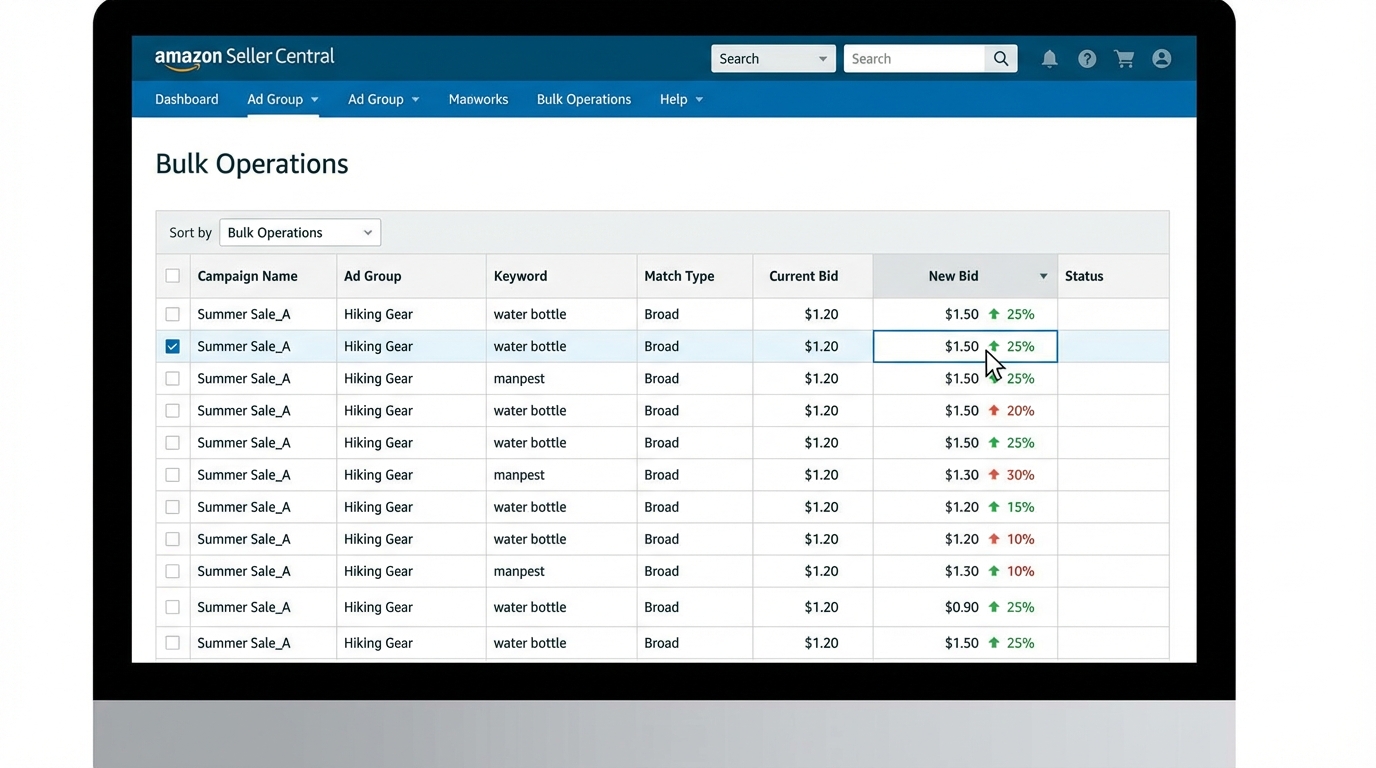
Step 1: Access the Bulk Operations File
Log into your Amazon Seller Central account and navigate to the Advertising Console. In the left sidebar, select Campaign Manager, then look for Bulk Operations in the navigation menu. Click it, then select Create Spreadsheet for Download.
In the download settings, select a date range of 30–60 days to ensure your current bid data is accurately captured. Include zero-impression items so you see all active keywords, not just those that have recently served. Deselect terminated campaigns to keep the file clean. Click to generate the file and wait — the generation can take anywhere from a few minutes to about an hour depending on the size of your account.
Step 2: Navigate the Bulk File Structure
The downloaded file is an .xlsx workbook with multiple tabs. For Sponsored Products campaigns, you’ll find tabs for Campaigns, Ad Groups, Keywords, Product Targets, and more. For bidparting, the relevant tab is Sponsored Products Keywords. This tab contains a row for each keyword across all your campaigns, with columns including Campaign Name, Ad Group Name, Match Type, Keyword, State, Bid, and performance data fields.
Before making any changes, create a backup copy of the file. Bulk operation upload errors can occasionally overwrite data unexpectedly, and having an original copy allows you to restore settings if something goes wrong.
Step 3: Filter to Your Rank-Push Campaigns
Use Excel or Google Sheets filters to isolate only the rows corresponding to your rank-pushing campaigns. If you’ve named them consistently — for example, prefixing all rank-push campaigns with “[RANK PUSH]” — this filter is simple to apply. You should now be looking at only the keywords in your dedicated bidparting campaigns.
Identify the Bid column (typically labeled “Max Bid” or “Bid” depending on the file version). These are the values you’ll be editing.
Step 4: Apply the 20–30% Bid Increase
In a helper column adjacent to the Bid column, write a formula to calculate the elevated bid:
=CurrentBid * 1.25(for a 25% increase)
Apply this formula to all rows in your rank-push keyword set. Review the resulting values. Check that none of the elevated bids exceed your maximum acceptable bid for that keyword given your product margin and category CPC norms. If any calculated bid looks unacceptably high, cap it manually.
Once you’re satisfied, paste the calculated values (as values only, not formulas) into the actual Bid column, replacing the original baseline bids. Set the Operation column for each edited row to Update.
Step 5: Upload the Bulk File
Return to the Bulk Operations interface in Seller Central. Click Upload Your Spreadsheet and select your modified file. The platform will validate the upload and flag any formatting errors before applying changes. Review any error messages carefully — common issues include formatting inconsistencies in bid values (use decimal format, not currency symbols) and rows where the campaign or ad group name doesn’t exactly match an existing active entity.
Once the upload succeeds, confirm the changes inside Campaign Manager by spot-checking two or three keywords to verify their bids have updated to the elevated values.
Step 6: Pulling Bids Back After the Push
After five to ten days — or whenever you observe the target organic rank improvement — you’ll execute the same bulk operations process in reverse. Download a fresh file, filter to your rank-push campaigns, and apply a below-baseline multiplier:
=OriginalBaselineBid * 0.85(for a 15% reduction below baseline)
Upload the updated file. Your campaigns are now running at reduced bids, minimizing ongoing ad spend while you monitor whether the organic rank holds. Keep the below-baseline bids in place for at least seven to ten days before drawing conclusions about ranking durability.
Choosing the Right Keywords for Bidparting
Not every keyword deserves a bidparting push, and selecting the wrong targets is one of the fastest ways to spend money without moving rankings. The strategy works best on a specific type of keyword — one that is high-converting, high-value, and already showing some degree of organic visibility that a concentrated push can amplify into a page-one position.
The “Strike Zone” Keywords
The most productive bidparting candidates sit in what experienced Amazon PPC practitioners call the “strike zone” — keywords where your product currently ranks between page two, position one and page three, position ten. These keywords are close enough to page one that a well-executed velocity push can move them over the threshold, but far enough from automatic page-one exposure that organic traffic alone won’t get them there.
Keywords where you already rank on page one are poor bidparting targets — the push would generate sales velocity, but you’re already capturing the organic visibility benefit. Keywords where you’re buried beyond page three require a much longer, more expensive push and carry higher execution risk. The strike zone is where bidparting delivers the highest return on push spend.
Conversion Rate Threshold
Before committing a keyword to a bidparting push, verify that it converts at or above your listing’s average conversion rate — ideally above 15%. A keyword that generates clicks but doesn’t convert well will generate spend without the sales velocity signal the algorithm is looking for. High click volume with low conversion actually sends a negative signal, suggesting poor relevance or listing-to-query mismatch.
Pull 30–60 days of keyword-level data from your existing campaigns. Sort by conversion rate. Only keywords with a demonstrated conversion rate above your minimum threshold should be considered for bidparting. If a keyword has fewer than 15–20 clicks in that window, it doesn’t have enough data to make a reliable conversion rate assessment — either run it for longer in a standard campaign first, or skip it for this push cycle.
Search Volume and Commercial Intent
Bidparting is most valuable on keywords with meaningful search volume — typically 5,000 or more monthly searches. Pushing a keyword to page one means nothing if very few shoppers are searching for it. Use Amazon’s Brand Analytics (if available), Helium 10’s Cerebro, or Jungle Scout’s keyword tools to validate search volume before targeting a keyword for a push.
Commercial intent is equally important. Keywords that describe a problem or a category (“stainless travel mug”) carry higher buyer intent than informational or comparison queries (“are stainless mugs safe”). Prioritize keywords with clear purchase intent — they convert better during the push, which is what generates the velocity signal you’re relying on.
Keyword Focus: Keep It Small
Limit each bidparting cycle to three to eight keywords maximum. This seems restrictive, especially if you have a long list of keywords you’d like to rank for. But the principle of concentrated velocity requires that your budget and bid increases not be spread too thin. A focused push on five keywords will almost always outperform a diluted push across twenty keywords.
Run sequential bidparting cycles — push five keywords this month, assess results, then move to the next five. Over two to three cycles, you’ll have moved your most valuable keyword set to page one and locked in organic rankings that generate traffic without ongoing elevated ad spend.
Monitoring Rank Progress and Knowing When to Re-Trigger
Executing the bid push is only half the job. The other half is disciplined monitoring of keyword rank movement during and after the push, so you know whether to sustain, extend, or pull back the campaign — and whether a second push cycle is needed later.
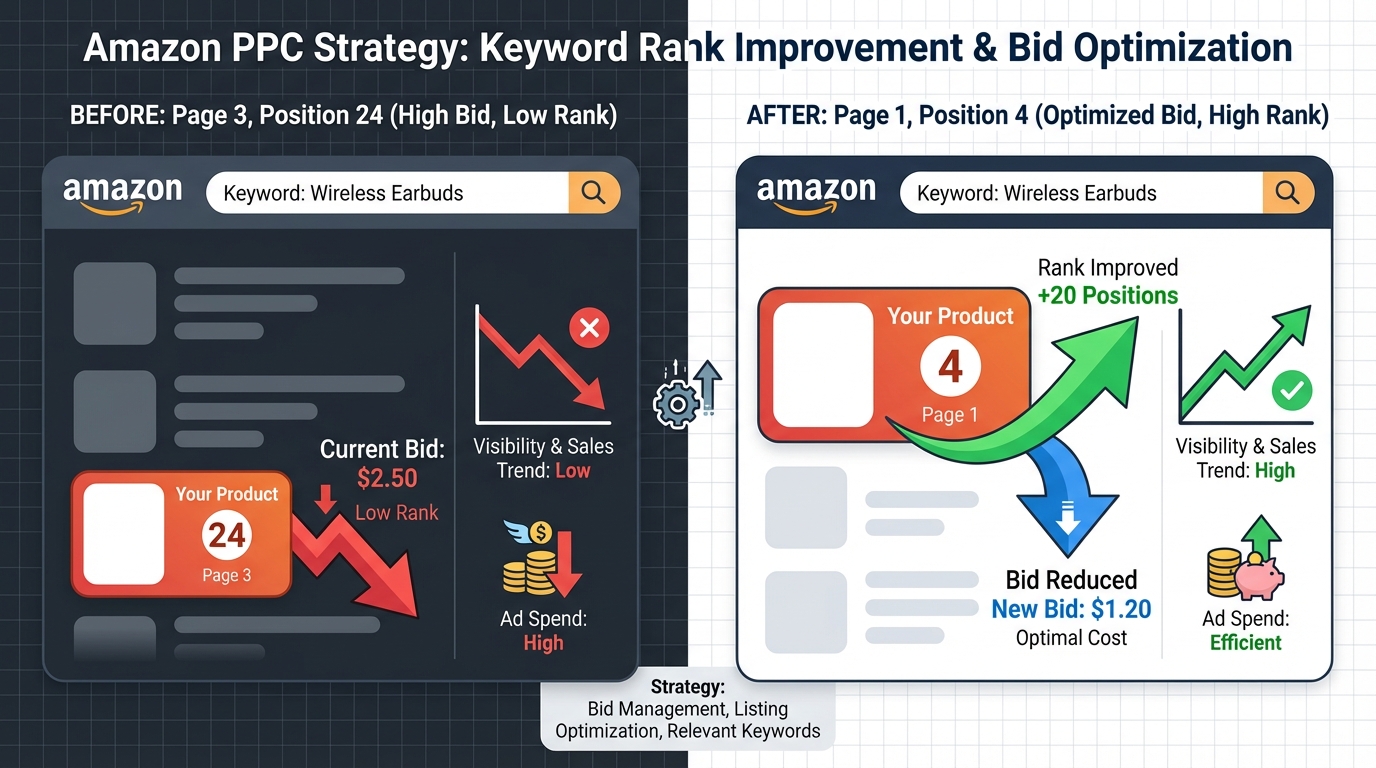
Tools for Tracking Organic Rank
Amazon does not provide a native organic keyword rank tracker inside Seller Central, which makes third-party rank tracking tools valuable for monitoring bidparting outcomes. Helium 10’s Keyword Tracker, Jungle Scout’s Rank Tracker, and similar tools check organic rank for specified keywords on a daily basis, giving you a clear timeline of when rankings shifted in response to your push.
If you prefer to keep the entire strategy tool-free, you can manually check organic rank by searching your target keyword on Amazon while signed out of your seller account (or in incognito mode) and counting your product’s position in non-sponsored results. This is time-consuming but provides reliable data without any software cost.
What Good Progress Looks Like
In a successful bidparting push, you should begin to see organic rank movement within two to four days of the elevated bids going live. The movement is rarely linear — rankings often jump two to three positions, hold, then jump again. This staggered pattern is normal and reflects the algorithm processing your updated velocity data in batches.
By day seven, if your product hasn’t moved at least two to three positions toward page one, something isn’t working. The most common causes are insufficient daily sales velocity (budget running out during peak hours), poor listing conversion rate undermining the signal, or high competition density on the keyword making the threshold for rank movement higher than expected.
Holding Rank After the Pullback
After pulling bids to below-baseline, check organic rank daily for the first week, then every two to three days for the following two weeks. A stable rank through this period indicates that the organic position is self-sustaining — your listing is converting well enough at its new page-one position to maintain the velocity needed to hold it without paid support.
If rank begins to slide — typically more than two to three positions over five to seven days — the organic velocity isn’t yet sufficient to sustain the position. In this case, you have two options: re-trigger a shorter, lighter push (bids at 15% above baseline rather than 25%) to stabilize the rank, or return bids to baseline temporarily while you investigate whether the listing conversion rate needs improvement.
When to Re-Trigger a Full Push
Re-triggering a full bidparting push is warranted when a keyword that previously held page-one rank for thirty or more days begins sliding back toward page two. This can happen due to new competitors entering the search result, seasonal demand shifts, or inventory gaps that interrupted your sales velocity. The re-trigger process is identical to the original push — elevated bids for five to ten days during peak hours via bulk operations — but typically requires a shorter duration because you’re defending a position the algorithm already associated with your ASIN, rather than establishing a new one.
Common Mistakes That Kill the Rank Push
Bidparting is methodical, and most failures trace back to one of a small set of execution errors. Knowing these pitfalls in advance dramatically increases the success rate of each push cycle.
Using Dynamic Bidding During the Push
Dynamic bidding — Amazon’s “down only” or “up and down” options — allows the algorithm to reduce or increase your bids in real time based on its prediction of conversion probability. During a bidparting push, this introduces unwanted variability. If Amazon’s system decides to reduce your bids during a peak hour because it perceives lower conversion probability in that moment, your carefully calculated elevated bid becomes effectively lower, and the push loses power. Always use fixed bidding for rank-push campaigns.
Letting the Budget Run Dry
A campaign that exhausts its daily budget at noon generates zero sales velocity during the evening peak window. This is one of the most common and costly mistakes in bidparting execution. Always set campaign budgets at a level that guarantees you won’t run out during peak hours. A useful heuristic: take your expected peak-hour CPC multiplied by your expected click volume, add a 30% buffer, and set that as your daily budget ceiling for the duration of the push.
Targeting Too Many Keywords at Once
Bidparting works through concentration. When sellers try to push fifteen or twenty keywords simultaneously, the budget spreads thin and no keyword accumulates enough daily velocity to register meaningfully with the algorithm. Keep the focus on three to eight keywords per cycle. If the list of targets is long, prioritize by a combination of current rank proximity to page one, search volume, and conversion rate — push the best candidates first.
Ignoring Listing Quality
No amount of elevated bidding will save a listing with poor conversion rate fundamentals. If your main image is weak, your title doesn’t clearly match the keyword, your price is uncompetitive, or your reviews are insufficient for the category, increased traffic will generate clicks that don’t convert — which actively harms your relevance signal rather than helping it. Before executing a bidparting push, audit your listing’s click-through rate and conversion rate on the target keyword. If CVR is below 10%, fix the listing first.
Not Tracking Rank During the Push
Running a bidparting push without monitoring rank movement is equivalent to running an experiment without measuring the outcome. Without rank data, you can’t tell whether the push is working, when to pull bids back, or whether a second cycle is needed. Dedicate at least ten to fifteen minutes daily during the push window to checking keyword positions, so you can make real-time decisions about bid timing and duration.
How Bidparting Compares to Paid Ranking Tools and Software
The Amazon seller tool market is crowded with software products that promise automated rank pushing, bid management, and organic positioning improvement. Many of these tools are genuinely useful for certain aspects of PPC management. But bidparting, as a fully manual strategy executed through bulk operations, has meaningful advantages over automated approaches in specific contexts — and understanding those trade-offs helps you decide when to use it.

The Software Approach: Automated Rules and AI Bidding
Most PPC management platforms — Perpetua, Pacvue, Scale Insights, and similar tools — use rule-based or AI-driven bid automation that adjusts bids based on predefined performance thresholds. These systems are excellent at maintaining efficient ACoS across large keyword sets and at scaling bid increases on consistently profitable keywords. Their primary limitation in the context of rank pushing is that they optimize for performance efficiency, not for the specific sales velocity concentration pattern that bidparting creates.
Automated systems generally don’t execute a deliberate “push then pull” pattern on specific keywords. They respond to historical performance data, which means they increase bids on keywords that are already converting well and decrease bids on those that aren’t — a maintenance optimization, not a rank-assault strategy. For sellers who want to deliberately push keywords from page two to page one in a compressed time window, manual bidparting is often more effective precisely because it’s intentional and concentrated in a way that automated rules aren’t designed to replicate.
Cost Comparison
PPC management software subscriptions typically cost between $200 and $1,000 per month or more, depending on ad spend volume and feature tier. Bidparting via bulk operations costs nothing beyond the elevated ad spend during the push window — which, as described, is a temporary, bounded investment with a defined endpoint. For sellers with a small number of products and a focused keyword set, the manual approach delivers equivalent or superior ranking outcomes without ongoing software subscription costs.
When Software Makes Sense
Automated PPC tools become more compelling as catalog size grows. A seller managing forty to sixty ASINs across hundreds of active keywords cannot realistically execute manual bulk operations at the frequency needed to maintain optimal bids across all campaigns. In that context, automation handles the maintenance work while the seller reserves manual bidparting specifically for high-priority rank-pushing situations — a hybrid approach that combines the efficiency of software with the intentionality of manual execution.
The No-Software Advantage
For sellers earlier in their Amazon journey — those with one to ten products and a manageable keyword set — bidparting’s no-software requirement is a genuine advantage. It keeps overhead low, keeps the strategy under full seller control, and builds a deep intuitive understanding of how bid changes and sales velocity interact with organic rankings. That understanding compounds over time into PPC expertise that no automated tool can replicate, because it comes from direct, hands-on experimentation rather than delegating decisions to an algorithm.
Building a Repeatable Bidparting System Over Time
The most effective sellers don’t execute bidparting as a one-off tactic — they systematize it into a repeatable quarterly or monthly process that progressively moves their full keyword portfolio toward page-one placements. Building this system requires establishing clear documentation, consistent execution cadences, and a feedback loop that improves targeting decisions with each successive push cycle.
Creating Your Bidparting Playbook
Start by maintaining a master keyword tracking spreadsheet with the following columns for every keyword in your target set: current organic rank, target rank, last push date, push duration, bid during push, baseline bid, below-baseline bid, post-push rank, rank stability at day 7, rank stability at day 14, and notes on outcomes. This document becomes your bidparting playbook — a living record of which keywords respond well to pushes, which require longer or more aggressive interventions, and which have held their page-one positions independently.
After each push cycle, review the outcomes against the targets. Did the keyword reach page one? How quickly? Did the rank hold after the pullback? Did it require a re-trigger? These answers inform how you approach the next cycle, with progressively more accurate estimates of push duration, required bid elevation, and expected rank hold timelines for your specific product and competitive context.
Staggering Push Cycles for Budget Management
Executing pushes on multiple keywords simultaneously concentrates both spend and risk. A more manageable approach is to stagger push cycles — running a push on keywords one through four in weeks one through two, then keywords five through eight in weeks three through four. This spreads the temporary ACoS elevation across the month, keeps overall ad spend more predictable, and gives you the ability to monitor each push independently without conflating the results.
By the end of a three-month bidparting calendar, a seller can realistically have pushed twelve to twenty keywords to page one, with the strongest positions now sustaining themselves organically. The ad spend invested in each push is finite and intentional — a one-time investment in organic positioning rather than an indefinite cost of maintaining paid visibility.
Seasonal Timing Considerations
Peak shopping periods — Prime Day, the holiday season, back-to-school — create both opportunities and complications for bidparting. Competition for top-of-search placements intensifies dramatically during these windows, which means your elevated bids may need to be higher than usual to win the same positions. CPCs spike in most categories during these periods, which can make the ACoS mathematics of a push harder to absorb.
The recommended approach for most categories is to complete bidparting pushes for your highest-priority keywords two to three weeks before peak season begins, so that your product enters the high-traffic period already holding organic page-one positions. You then ride the organic placement through the peak window without needing to run push-level bids during the most expensive time of the advertising year.
Conclusion: A Systematic Path to Page One Without Permanent Spend
Bidparting is not complicated. Its power comes not from sophistication but from discipline — the discipline to concentrate spend rather than scatter it, to time bid increases around the hours that actually move rankings, and to pull bids back decisively once the organic position is secured. Most sellers never execute this sequence because they’ve never separated their thinking about paid visibility from their thinking about organic ranking. They run PPC to generate sales. Bidparting runs PPC to generate a specific algorithmic outcome, then exits the elevated spend position as efficiently as possible.
The mechanics are straightforward: identify your strike-zone keywords, build dedicated phrase and exact match campaigns with fixed bidding, increase bids 20–30% during confirmed peak hours, sustain the push for five to ten days, execute the pullback via bulk operations, and monitor whether the rank holds. Run that cycle consistently across your keyword priority list, and over three to six months, your page-one organic presence will compound into a materially different traffic and revenue profile — one built on ranking equity rather than perpetual ad dependence.
Your Bidparting Action Checklist
- Identify your strike-zone keywords: Pull 60 days of data, find keywords ranking on pages 2–3 with above-average conversion rates.
- Validate search volume: Confirm each target keyword has at least 5,000 monthly searches and clear commercial intent.
- Audit your listing: Ensure CVR is above 10–15% before pushing. A broken listing will waste the push budget.
- Build dedicated rank-push campaigns: One campaign per keyword, one phrase match ad group, one exact match ad group, fixed bidding, no dynamic adjustments.
- Identify your peak hours: Download hourly sponsored products reports and find the two to three windows with highest CVR for your category.
- Download a fresh bulk operations file: Always use a current file to avoid overwriting data from recent changes.
- Apply 20–30% bid increase: Use a helper column formula, review calculated values, paste as values, set Operation to Update, upload.
- Monitor rank daily: Check organic rank for target keywords every day during the push window.
- Pull bids below baseline after 5–10 days: Use bulk operations to reduce to 85% of original baseline and hold for 10+ days.
- Log outcomes in your playbook: Record push duration, rank movement, hold data, and re-trigger notes for future cycles.
Page one is not reserved for sellers with the biggest budgets or the most sophisticated software. It’s available to any seller who understands that the algorithm rewards concentrated, conversion-backed sales velocity — and who builds a systematic process to deliver exactly that, at the right times, on the right keywords, for a bounded period of time. That’s bidparting. Start with three keywords, run your first push, and let the results show you what the method can do.