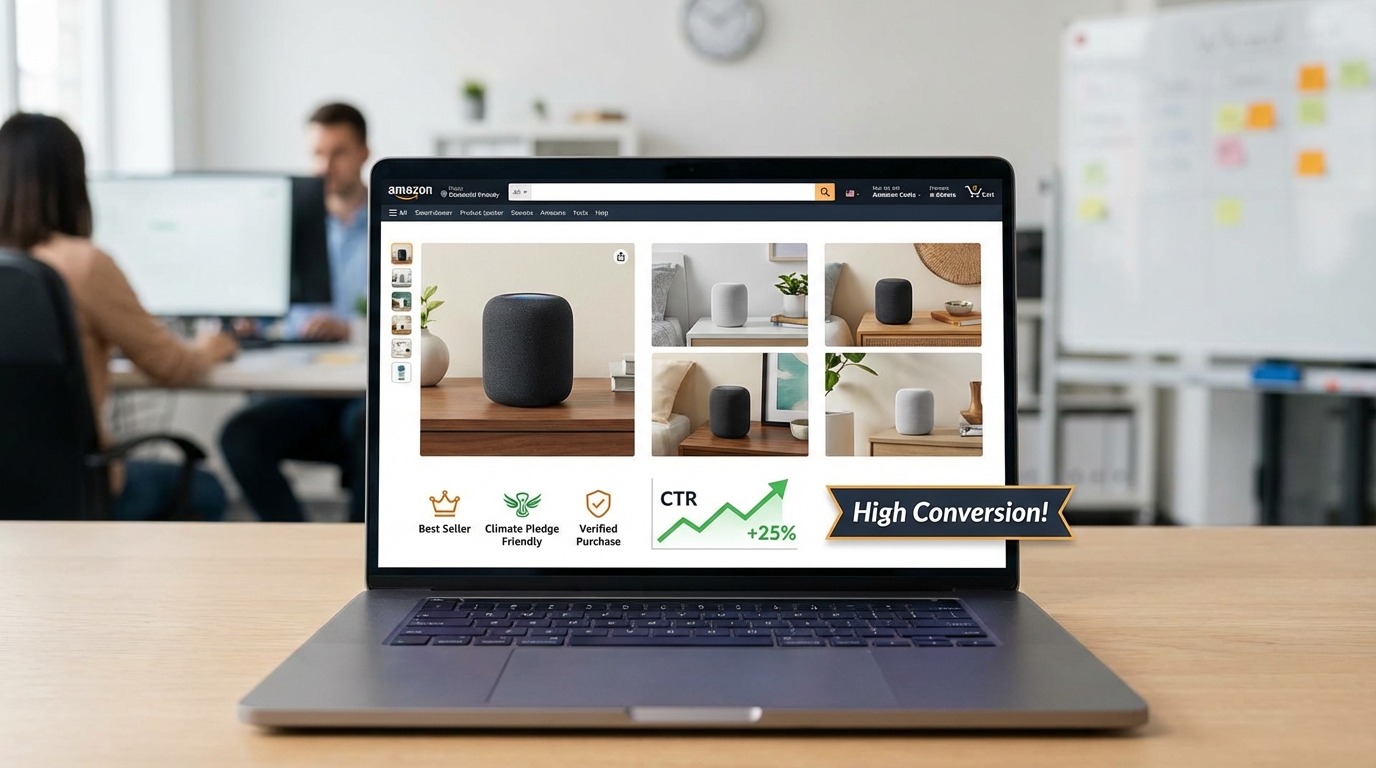

You’ve spent months sourcing the perfect product. You’ve researched your competitors, nailed your keyword strategy, and priced yourself competitively. But your conversion rate is still sitting below what it should be — and your ad spend is quietly hemorrhaging margin every single day.
Here’s a difficult truth most sellers don’t want to hear: your product images are likely the biggest barrier between a browser and a buyer. Not your price. Not your reviews. Your images.
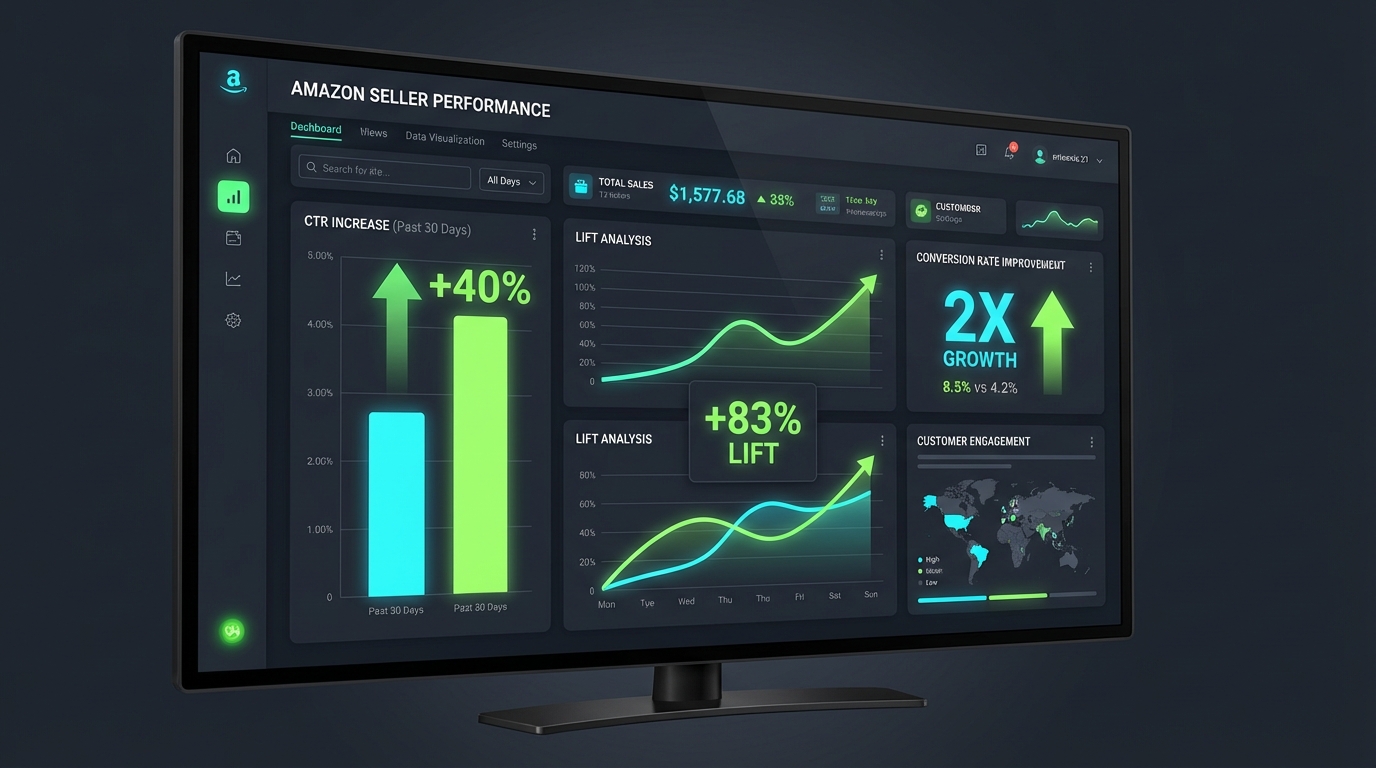
In 2026, Amazon is a visual-first marketplace. Customers spend an average of just 8 seconds scanning a listing before deciding whether to click or scroll past. In that window, your images do the heavy lifting — or they don’t. And according to data from Amazon’s own advertising platform, sellers who have made the shift to AI-generated lifestyle images and infographics are seeing up to a 40% increase in click-through rates and 2x improvements in conversion rates compared to static white-background photography.
This isn’t about replacing professional photography entirely. It’s about understanding where most listings fall flat, what the data says about AI-generated visuals, and how modern tools like AlgoFuse.ai are making it possible for sellers of all sizes to produce the kind of images that used to cost thousands of dollars and weeks of production time — now in minutes, for a fraction of the cost.
In this guide, we’ll walk through everything you need to know: the hard data behind why current listing images underperform, how AI-generated images work within Amazon’s guidelines, real seller case studies with measurable results, and a practical step-by-step plan for upgrading your visual strategy starting today.
The Hard Truth About Your Current Amazon Listing Images
Most Amazon sellers fall into one of two traps when it comes to their listing images. Either they invest heavily in a one-time professional photo shoot and assume the job is done, or they throw together product photos themselves with a smartphone and call it good enough. In both cases, the result is almost always the same: images that technically meet Amazon’s requirements but do absolutely nothing to persuade a customer to buy.
What “Good Enough” Is Costing You
The average Amazon conversion rate across all categories sits at around 9.87% to 15%, with Prime listings reaching as high as 74%. But that average is wildly misleading. Most listings — especially from mid-market and independent sellers — convert at closer to 3% to 6%. The difference between a 4% conversion rate and a 12% conversion rate on the same traffic volume represents three times the revenue without spending another cent on advertising.
Image quality is one of the most direct variables that separates those conversion rates. Studies consistently show that listings with professionally optimized images convert up to 30% better than those with weak visuals. When you factor in AI-enhanced lifestyle imagery, that figure climbs higher still.
The Symptoms of an Underperforming Image Set
Your current images may be hurting you more than you realize. Some of the most common symptoms sellers report include: high click-through rates from ads but poor add-to-cart rates, high bounce rates on the detail page, frequent questions from customers about product size, features, or compatibility, and a returns rate that suggests buyers didn’t get what they expected.
All of these are image problems. A well-structured set of listing images anticipates every question a customer has before they even think to ask it. It shows the product in context. It communicates benefits through infographics. It builds trust through lifestyle imagery that lets the customer visualize themselves using the product. When your images don’t do this work, customers either leave or buy and return.
The Competitive Gap Is Widening
Here’s what makes this urgent in 2026: your competitors are catching on. Over 900,000 Amazon sellers have already adopted Amazon’s generative AI tools for listings, with a 90% acceptance rate among those who’ve tested them. The sellers who were early adopters of AI-enhanced visual content have already pulled ahead in search rankings, ad performance, and organic conversion. The gap between sellers who invest in smart visual strategies and those who don’t is widening every quarter.
What Amazon AI Listing Images Actually Are (and What They Aren’t)
There’s a lot of confusion in the seller community about what “AI listing images” actually means, particularly given Amazon’s strict technical guidelines. Let’s clear this up before going any further, because understanding the distinction is critical to building a strategy that works within the rules while maximizing visual impact.
Where AI Images Can and Cannot Be Used
Amazon’s 2026 product image policy is very clear on one point: your main image (the hero image that appears in search results) must be a professional photograph of the actual product on a pure white background (RGB 255, 255, 255), with the product filling at least 85% of the frame. No text, no logos, no props, no watermarks, and critically — no illustrations or AI-generated renders in place of the actual product. Violating this results in listing suppression.
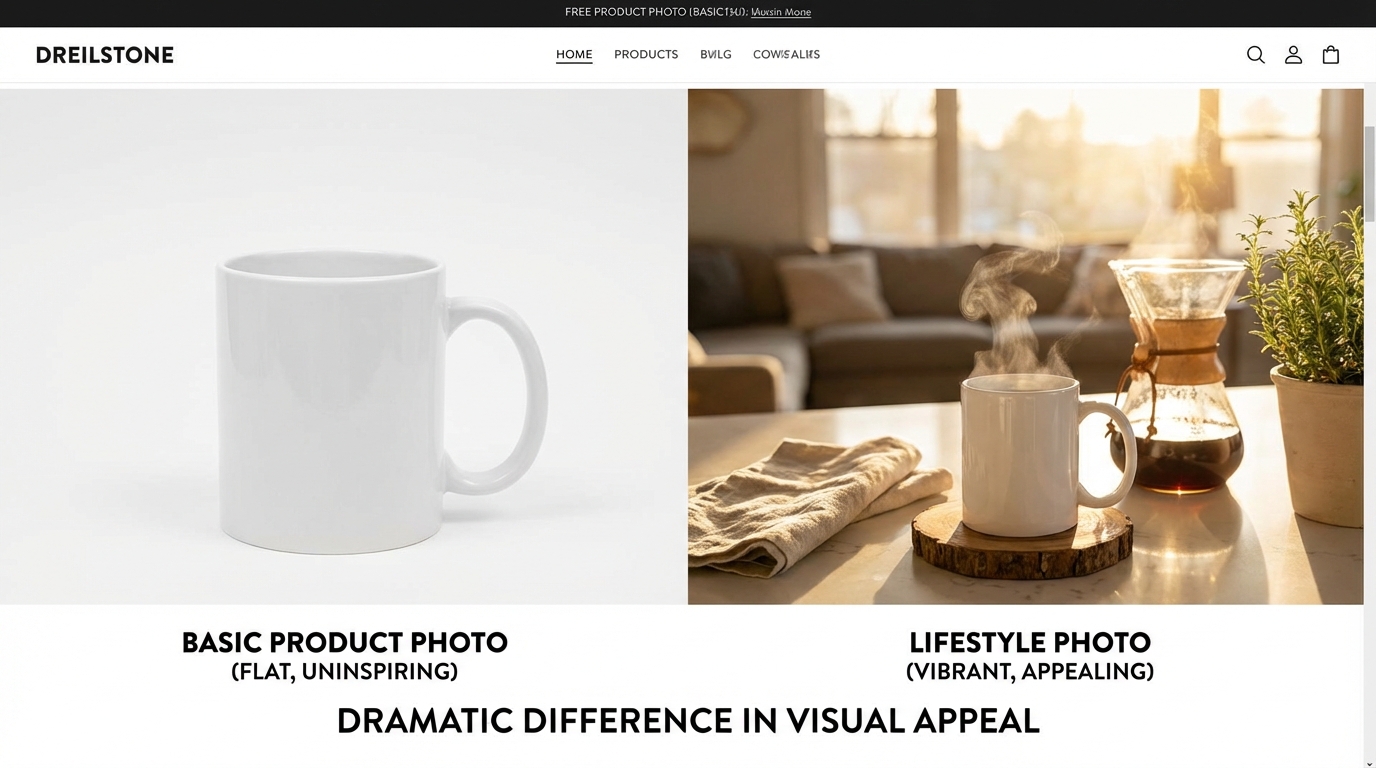
However — and this is where the opportunity lies — images 2 through 9 are almost entirely unrestricted by comparison. These secondary slots are where lifestyle images, infographics, comparison charts, feature callouts, size guides, and in-use photography live. These are the images that actually sell the product. And these are precisely where AI-generated visuals are delivering dramatic results.
What AI Image Generation Actually Produces
Modern AI image tools don’t just slap a product photo onto a random background. The best platforms — including Amazon’s own Image Generator and third-party tools like AlgoFuse.ai — use your actual product images as the foundation and then intelligently place them into contextually relevant scenes. A portable blender can be placed on a kitchen counter with morning light streaming through the window. A set of baby products can appear in a softly lit nursery. A fitness supplement can be shown in a professional gym environment.
Beyond lifestyle imagery, AI tools now generate complete infographic images that automatically identify your product’s key features and display them with callout arrows, icons, and text overlays. These images communicate the what and the why of your product in a single glance — something that bullet points in your listing copy can rarely achieve as effectively.
How This Fits Amazon’s Algorithm
Amazon’s A10 algorithm (and the emerging Rufus AI search layer) rewards listings that drive engagement. Listings with higher click-through rates from search results get more organic visibility. Listings that convert well from the detail page get rewarded with better placement. Better secondary images — lifestyle shots and infographics — directly improve the metrics that the algorithm uses to rank and surface products. It’s a virtuous cycle: better images lead to better conversion, which leads to better rankings, which leads to more traffic, which leads to even more conversion opportunities.
The Conversion Data You Cannot Ignore
It’s easy to talk in generalities about “better images leading to better results.” What’s harder to dismiss is specific, verified data from real seller campaigns. The numbers here are not marketing fluff — they come from Amazon’s own advertising platform data and documented case studies.
Click-Through Rate Improvements
When Amazon tested AI-generated lifestyle imagery against standard white-background product photos in Sponsored Brands campaigns, the results were striking. Lifestyle images generated 40% higher click-through rates than their white-background counterparts. On mobile — where over 60% of Amazon shopping now happens — the performance gap was even wider, with AI-enhanced images delivering 2.3x better mobile performance.
This matters enormously in paid advertising. A 40% CTR improvement on the same ad budget effectively means you’re getting 40% more traffic for the same spend. Your cost-per-click (CPC) efficiency improves, your Quality Score strengthens, and your total addressable reach expands — all from changing the creative asset attached to your campaign.
Conversion Rate and Sales Impact
Beyond clicks, AI-enhanced images have a measurable impact on the conversion rate itself. Amazon’s own data shows that brands using its Image Generator see an average 5% increase in sales. While that may sound modest in isolation, compounded across a full product catalog and multiplied over 12 months, the revenue impact is substantial. For a seller doing $500,000 in annual revenue, a 5% lift represents $25,000 in additional sales — without any increase in ad spend.
The broader data on AI-driven listing optimization shows even more significant potential. Sellers who implement comprehensive AI image strategies — covering lifestyle shots, infographics, A+ content, and comparison charts — report conversion rate improvements ranging from 15% to 35% above their baseline. At the upper end, some categories and products show conversion improvements of up to 60% when a full visual overhaul is implemented.
Return on Ad Spend (ROAS) Impact
For sellers running Sponsored Products or Sponsored Brands campaigns, the impact on ROAS is one of the most immediately tangible metrics. AI-driven creative has been shown to deliver a 34.1% improvement in ROAS compared to manually optimized ad creatives. Separately, AI-generated video ads show a 22% higher CTR compared to static images in the same ad placements.
The implications for ad budget efficiency are significant. If you’re currently achieving $3.00 ROAS on your Sponsored Brands campaigns, a 34% improvement takes that to roughly $4.00 — meaning every dollar of ad spend now generates a dollar more in attributed sales. For most sellers, this alone justifies the investment in AI image tools many times over.
A+ Content and Premium A+ Lift
Amazon’s A+ Content (formerly Enhanced Brand Content) gives brand-registered sellers the ability to add rich visual modules below the fold of their product detail page. The data on A+ Content is consistently positive. Basic A+ Content delivers an average 3–10% conversion rate improvement, while Premium A+ Content — which includes full-width imagery, video, hotspot modules, and interactive comparison charts — can lift conversions by up to 20%. Specific modules like comparison charts add an 8–12% lift independently, while also reducing returns by setting accurate expectations.
Why AI-Generated Lifestyle and Infographic Images Win
Understanding why AI-generated visuals outperform standard photography requires understanding how Amazon customers actually make purchase decisions — and why most traditional product imagery fails to support that process.
The Psychology of Visual Decision-Making
Research consistently shows that approximately 67% of consumers say image quality is a significant factor in their purchase decision. On Amazon specifically, where customers can’t touch or try a product, images are the primary sensory experience. The brain processes visual information 60,000 times faster than text, which is why a single compelling lifestyle image can communicate what three paragraphs of bullet points cannot.
Lifestyle images work because they trigger something psychologists call “mental simulation.” When a customer sees a beautifully arranged kitchen scene featuring your blender, their brain doesn’t just see the product — it simulates the experience of owning it. They can imagine the smoothie they’d make in the morning. They picture it fitting on their own counter. That mental simulation dramatically shortens the path from interest to purchase intent.
Infographics Eliminate Friction
One of the biggest conversion killers on Amazon is unanswered questions. If a customer has to wonder about dimensions, materials, compatibility, or features, they either ask (and wait), read through reviews hoping for an answer, or — most commonly — they just leave. Every moment of friction in the buying journey is a conversion that doesn’t happen.
Infographic images eliminate that friction proactively. A well-designed infographic shows the product’s dimensions with a visual scale reference, highlights key materials and certifications, calls out compatibility details, and illustrates how the product assembles or functions. Customers get their questions answered instantly, without ever leaving the image gallery. The result is a measurably shorter path to the add-to-cart action.
The Mobile Reality
More than 60% of Amazon purchases in 2026 originate on mobile devices. On a mobile screen, your bullet points are collapsed behind a “see more” tap, your A+ content is below a significant scroll, and your listing title is truncated. What does appear instantly, prominently, and fully — on every device — are your images.
On a 6-inch phone screen, a white-background product photo on a sea of white Amazon UI essentially disappears. A vibrant, contextually rich lifestyle image stops the thumb mid-scroll. This is why mobile performance data shows AI lifestyle images delivering more than double the engagement of static white-background alternatives.
Real Seller Case Studies: Proof in the Numbers
Data points from aggregate studies are useful, but individual seller case studies show what’s actually possible when a specific product and brand commits to an AI-powered visual strategy.

Case Study: Formosa Covers
Formosa Covers, a family-owned seller of protective covers for shelving and patio furniture, was operating as a small team with limited creative resources and no in-house designer. When they began testing AI-generated lifestyle images in their Sponsored Brands campaigns in November 2023, the results exceeded expectations.
Over the testing period through Q1 2024, Formosa Covers recorded an average 22% uplift in clicks, a 21% increase in orders, a 20% improvement in detail page views, and a 35% gain in ROAS. For a small business without the budget for regular professional photo shoots, the ability to produce high-quality lifestyle imagery quickly and at low cost was a significant operational advantage — one that directly translated into meaningful revenue improvement.
Case Study: Dandy Blend
Dandy Blend, a caffeine-free herbal beverage brand, partnered with Trellis to leverage Amazon’s AI Image Generator within their Sponsored Brands campaigns. Running from September 2024 through January 2025, the campaign generated over 200 AI-created images designed to match the brand’s aesthetic identity.
The results were remarkable. Dandy Blend recorded an 83% lift in click-through rate (from 0.6% to 1.1%), a 2.2x increase in total conversions (from 481 to 1,055 per period), and a 3% ACOS improvement — all while simultaneously defending their bestseller status in the highly competitive caffeine-free beverages category. The campaign demonstrated that AI-generated images don’t just improve metrics in isolation — they work as part of a broader strategy that includes increased ad spend and brand-aligned creative.
What These Case Studies Have in Common
Looking across both case studies, several shared principles emerge. First, the sellers weren’t simply replacing one image with another — they were introducing images that showed the product in real-world contexts that resonated with their target customer. Second, they maintained brand consistency even within AI-generated content, ensuring the images felt authentic rather than generic. Third, both sellers saw improvements across the full funnel — not just CTR but also conversion rate and ROAS — suggesting that the image improvements had compounding effects throughout the customer journey.
The 9 Image Slots: How Most Sellers Are Wasting Them
Amazon allows up to 9 images per listing. The data strongly supports using all 9. Studies consistently show that listings with 7 or more images convert significantly better than those with only 1 or 2 — with some analyses suggesting that moving from 1 image to 7+ can nearly double conversion rates.
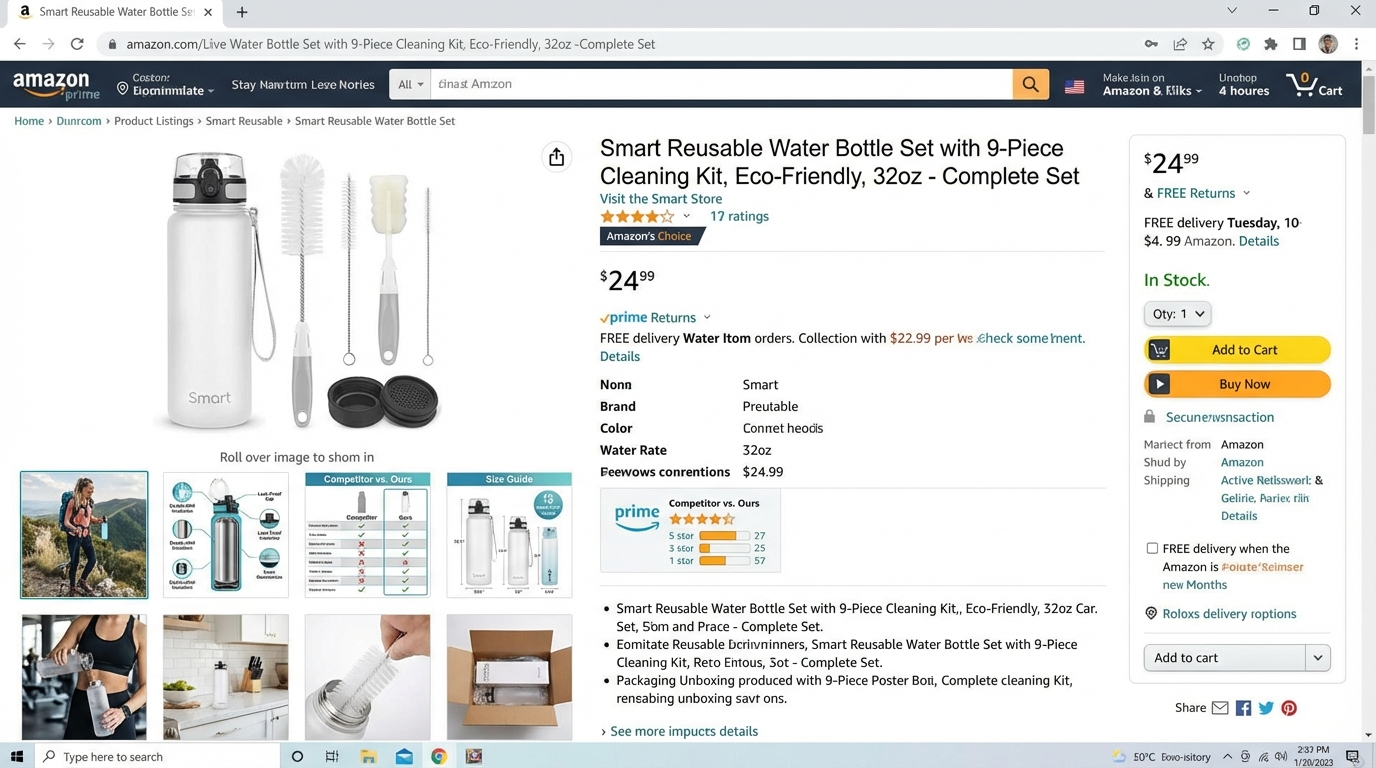
Despite this, a significant percentage of Amazon sellers leave image slots empty or duplicate similar angles without telling a coherent visual story. Here is how to think about each of your 9 image slots strategically:
A Framework for All 9 Slots
- Image 1 (Main Image): Pure white background, product filling 85%+ of the frame, high resolution (minimum 2,000px on the longest side), no text or props. This is your search result impression — it must be clean, professional, and compliant.
- Image 2 (Lifestyle Hero): Your first AI-generated lifestyle image. Show the product in its ideal use environment with aspirational, contextually rich staging. This is typically the highest-converting secondary image.
- Image 3 (Infographic — Key Features): A callout-style infographic highlighting your top 3–5 product features with icons and brief descriptors. Answer the most common customer questions before they arise.
- Image 4 (Lifestyle — In Use): Show a person or household actively using the product. This triggers mental simulation and helps customers visualize the experience of ownership.
- Image 5 (Size / Scale Reference): Use a visual scale comparison — show dimensions next to a recognizable everyday object, or provide a flat-lay with measurement overlays. Returns from size misunderstandings are expensive and avoidable.
- Image 6 (Materials / Quality Close-Up): Highlight premium materials, craftsmanship, textures, or certifications. Customers who shop on quality signals need this reassurance before committing to purchase.
- Image 7 (Comparison Chart): Position your product against a competitor or against lower-tier alternatives in your own catalog. Comparison charts are among the highest-converting single image types on Amazon, improving decision confidence significantly.
- Image 8 (Secondary Lifestyle): A second contextual lifestyle shot targeting a different use case, season, or buyer persona. If your product can serve multiple contexts, show them.
- Image 9 (Social Proof / Packaging): Use this slot for a review highlight, certification badge display, or packaging shot that reinforces unboxing experience and brand credibility.
Most sellers waste 3 to 5 of these slots either by leaving them empty or by uploading redundant angle shots that add no new information. AI image generation tools make it practical to fill all 9 slots with purpose-built visuals — quickly and affordably.
How AlgoFuse.ai Fits Into Your Image Strategy
There are a growing number of AI image tools on the market for Amazon sellers, but AlgoFuse.ai has built a platform specifically designed around the unique requirements of Amazon product listings — making it one of the most relevant and practical options available in 2026.
What Makes AlgoFuse Different
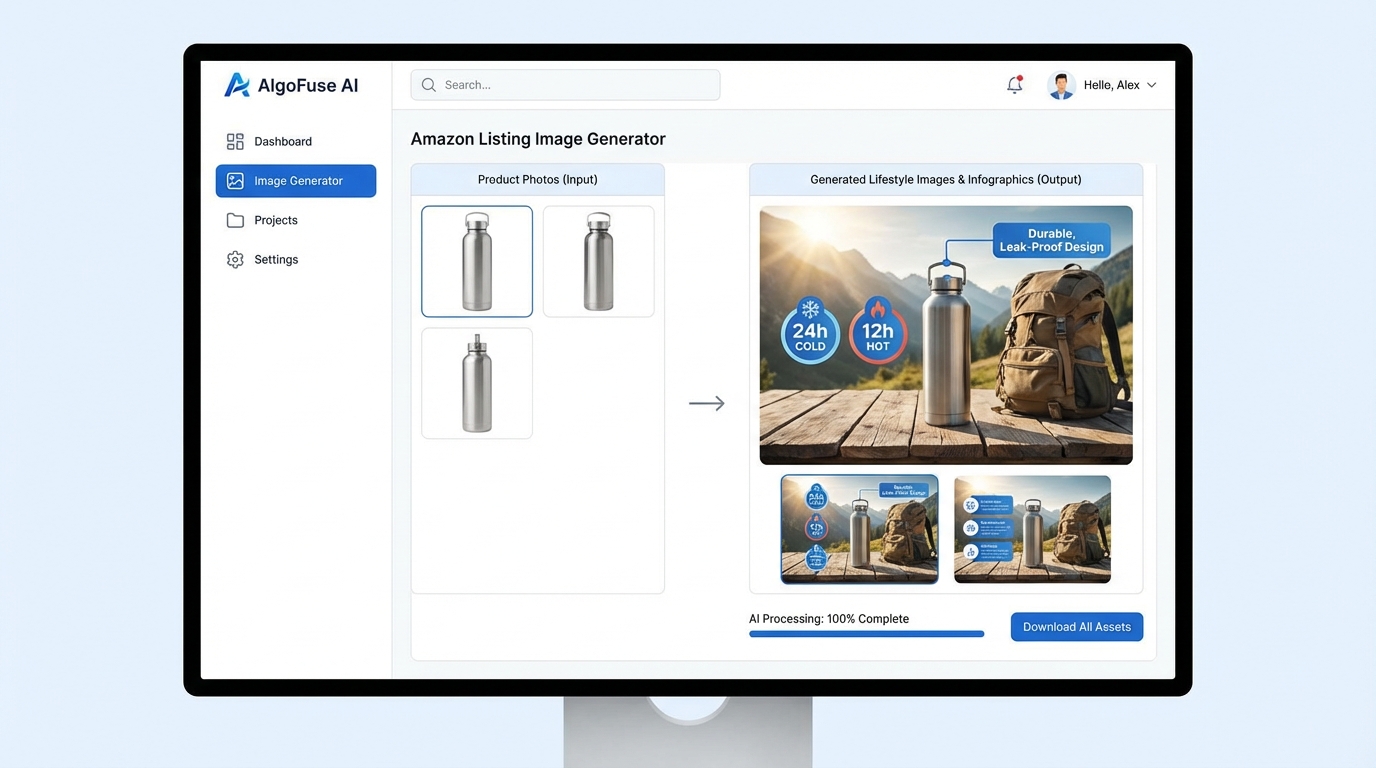
AlgoFuse.ai isn’t a general-purpose AI image generator. It’s purpose-built for Amazon sellers, which means every feature in the platform is oriented toward producing visuals that perform within the specific context of an Amazon product detail page. The platform takes your existing product images and listing data as inputs, then generates a complete set of professional-quality images including main product photos, lifestyle shots, infographics, comparison charts, and feature callouts.
One of the platform’s most strategically valuable features is its competitor analysis capability. AlgoFuse analyzes the top-performing competitor listings for your target keywords, identifies the visual patterns and image types that are driving the best engagement in your category, and uses those insights to inform the images it generates for your listing. This means your new images aren’t just beautiful in the abstract — they’re calibrated to outperform the specific competitive set you’re up against.
Amazon Premium A+ Content Generation
AlgoFuse goes beyond individual listing images. The platform also supports generation of Amazon Premium A+ Content, offering six continuous-flow modules that integrate lifestyle imagery, infographics, feature callouts, comparison tables, and brand storytelling into a cohesive below-the-fold experience. Given that Premium A+ Content can lift conversions by up to 20%, this capability alone represents enormous potential value for brand-registered sellers.
The platform’s A+ content generation means sellers no longer need to manage separate workflows for listing images and brand content — the entire visual strategy can be developed within a single tool, maintaining consistency across all touchpoints of the product detail page.
Video Content for Sponsored Brand Campaigns
AlgoFuse also includes a built-in video editor and generator that allows sellers to create Sponsored Brand Videos (SBVs) using their product images and listing data. The platform automates script writing, scene selection, and editing, then exports finished video content ready for Amazon’s ad placements. Given that AI-generated video ads show a 22% higher CTR than static images in the same placements, this feature extends the platform’s impact beyond organic listing performance into paid media performance as well.
Marketplace Coverage and Accessibility
For sellers operating across multiple Amazon markets, AlgoFuse supports 19 Amazon marketplaces, allowing sellers to generate market-appropriate visuals without rebuilding their creative workflow for each territory. The platform requires no design skills — the AI handles the creative heavy lifting, while the seller provides direction through prompts, reference images, and product information.
AlgoFuse.ai vs. Traditional Photography: The Real Cost Comparison
One of the most practical arguments for AI image tools like AlgoFuse.ai is the economics. Traditional product photography has always been expensive relative to the returns it generates — particularly for sellers with large catalogs, frequent product updates, or limited capital.
What Traditional Photography Actually Costs
A professional product photography session for a single Amazon listing typically costs between $150 and $500+ from a qualified e-commerce photographer. That figure covers the shoot itself — it often doesn’t include image editing, retouching, or the creation of lifestyle scenes, which can add another $100 to $300 per image. A complete 9-image set with lifestyle shots, infographics, and close-ups from a professional agency can easily run $800 to $2,500 per product SKU.
Beyond cost, the turnaround time for professional photography is typically 3 to 7 business days for the shoot and an additional 3 to 5 days for editing and revision cycles. For a seller launching a new product or responding to a competitive threat, that 2-week timeline can represent a significant opportunity cost. And revisions — whether creative or directional — often come with additional fees and additional waiting time.
What AlgoFuse.ai Changes About That Equation
AlgoFuse.ai reduces the per-listing cost to approximately $5 per listing — a reduction of 97% or more compared to traditional professional photography services. Turnaround time drops from days to minutes. Revisions are instant. And because the platform uses competitor analysis to inform its creative direction, the images it generates aren’t just cheaper than professional photography — they’re strategically positioned to outperform the competition in your specific category.
For sellers with 10, 50, or 200 SKUs, the math becomes even more compelling. At $200 average per traditional photo shoot versus $5 with AlgoFuse, a 50-SKU catalog represents a potential savings of nearly $9,750 — money that can be reinvested directly into advertising, inventory, or product development.
The Speed Advantage in a Dynamic Marketplace
Amazon moves fast. Seasonal trends shift. Competitors launch. Amazon introduces new ad formats that require specific image dimensions or styles. In this environment, the ability to produce and iterate on listing images in minutes rather than weeks is a genuine competitive advantage. Sellers using AI image tools can A/B test multiple creative directions simultaneously, respond to changing market conditions in real time, and continuously improve their visual assets based on performance data — all without waiting on external vendors or burning through a creative budget.
How to Implement an AI Image Strategy: A Step-by-Step Plan
Understanding the data and the tools is one thing. Implementing a systematic visual upgrade across your Amazon catalog is another. Here’s a practical framework for getting started without wasting time or money.
Step 1: Audit Your Existing Image Performance
Before changing anything, establish a baseline. Pull your current conversion rates by ASIN from Seller Central’s Business Reports. Note your Click-Through Rate (CTR) from your Advertising Console for any products you’re running ads on. Identify the 20% of your catalog that drives 80% of your revenue — these are your highest-priority listings for an image upgrade.
For each high-priority ASIN, review your existing image set critically. How many of your 9 slots are filled? Do you have lifestyle images? Infographics? A comparison chart? Rate each slot as either “high impact,” “adequate,” or “missing/weak.” This audit gives you a clear roadmap for where to focus your AI image investment first.
Step 2: Benchmark Your Top Competitors’ Images
Search for your top 3 to 5 competitors on your primary keyword. Study their image sets carefully. What types of lifestyle scenes are they using? What features are they highlighting in infographics? Do they have video content? Are they using comparison charts? Take notes on what appears to be working well — and, just as importantly, what gaps exist that you could fill. AlgoFuse.ai’s competitor analysis feature can automate much of this research for you, but doing it manually first gives you valuable qualitative insight into the visual language of your category.
Step 3: Set Up AlgoFuse.ai and Generate Your First Images
Create your AlgoFuse.ai account and begin with your highest-revenue, highest-priority ASIN. Upload your existing product photos and connect your listing data. The platform will analyze competitor performance for your target keywords and begin generating image options across the key categories: lifestyle shots, infographics, feature callouts, and comparison charts.
Review the initial outputs and provide directional feedback through the platform’s prompting tools. Specify the tone, environment, color palette, and any brand guidelines that should inform the creative. Most sellers find that 2 to 3 rounds of iteration within the platform produces a complete 9-image set ready for upload.
Step 4: Maintain Compliance on Image 1
This is non-negotiable. Your main image (slot 1) must remain a professional photograph of the actual product on a pure white background (RGB 255, 255, 255). Do not use AI-generated or illustrated images in the main image slot. Amazon’s guidelines are unambiguous on this point, and violations result in listing suppression — which is far more damaging to your sales than any image improvement could compensate for.
For your main image, use your best existing professional product photo. If your main image is weak, invest in a single professional photo shoot for that one critical slot. Use AI tools for all secondary slots (2 through 9), where they’re not only permitted but extraordinarily effective.
Step 5: Upload, Monitor, and Iterate
After uploading your new AI-enhanced images, give the listing 2 to 4 weeks to accumulate performance data before drawing conclusions. Monitor your detail page conversion rate, your CTR on any ads running against the ASIN, and your add-to-cart rate. Compare to your pre-upgrade baseline. If specific images aren’t performing as expected, swap them out through AlgoFuse for alternative creative directions. The minimal cost and rapid turnaround of AI-generated images makes iteration practical in a way it never was with traditional photography.
Step 6: Expand Across Your Catalog
Once you’ve validated the approach on your top-priority ASINs, systematically expand the image upgrade across your full catalog. Prioritize products with the highest revenue potential, highest existing ad spend, or lowest current conversion rates. With AlgoFuse.ai at approximately $5 per listing, even a 100-SKU catalog represents a very manageable total investment for a complete visual transformation.
Common Mistakes to Avoid When Using AI Listing Images
Even with powerful tools at your disposal, there are several pitfalls that can undermine the effectiveness of an AI image strategy. Being aware of these in advance will save you time and protect your listing performance.
Ignoring Brand Consistency
AI image tools are powerful, but they can produce visually inconsistent results if given insufficient direction. Your lifestyle images should feel cohesive — they should use a consistent color palette, lighting style, and mood that aligns with your brand identity. If your brand is premium and minimalist, your lifestyle images shouldn’t look busy or playful. Provide clear brand guidelines to your AI tool of choice, and review outputs for consistency before uploading to your listing.
Over-Relying on Text in Secondary Images
Infographic images are highly effective, but there is such a thing as too much text. Images with dense text overlays, small fonts, or cluttered callouts perform poorly on mobile — where, again, most of your customers are shopping. Keep text in your infographic images short, bold, and scannable. Use icons and visuals to reinforce key points rather than relying on extended explanations.
Generating Generic Lifestyle Scenes
The worst AI-generated lifestyle images are the ones that look like stock photos — generic kitchen scenes, non-descript living rooms, anonymous models using unidentifiable products. Customers can recognize inauthenticity immediately, and it erodes trust rather than building it. Push your AI image prompts toward specific, customer-resonant scenarios that reflect the actual lifestyle of your target buyer. The more specific and authentic the scene, the more powerful the mental simulation effect.
Skipping the Competitive Analysis Step
Generating beautiful images without understanding the competitive context is like designing a product without understanding the market. Your images don’t need to be beautiful in the abstract — they need to be more compelling than the alternatives your customer will see on the same search results page. Use AlgoFuse.ai’s competitor analysis feature, or manually audit the top 5 listings on your primary keyword, before generating your image set. Understand what’s already working in your category and build from there.
Treating the First Version as Final
One of the greatest advantages of AI-generated images is the ability to iterate rapidly based on data. Sellers who upload a new image set and never revisit it are leaving performance gains on the table. Build a habit of quarterly image reviews. Check conversion data, test new creative directions, and keep your listing visuals aligned with evolving customer expectations and competitive trends.
Conclusion: Your Visual Strategy Is Your Competitive Strategy
The evidence is clear, and the data is compelling. AI-generated listing images — specifically lifestyle shots, infographics, comparison charts, and feature callouts in your secondary image slots — are delivering measurably better results than the standard white-background photography that most sellers rely on. A 40% CTR improvement. An 83% lift in click rates in documented campaigns. A 2.2x increase in conversions. These are not theoretical projections — they’re real numbers from real seller campaigns.
In 2026, your Amazon listing image set is no longer just a compliance requirement or a nice-to-have visual element. It’s your primary sales tool. It’s the first thing a potential customer sees in search results, the primary basis on which they decide whether to click, and the visual journey that either convinces them to buy or sends them to a competitor.
The good news is that the technology to compete at the highest visual level is no longer restricted to brands with large creative budgets and in-house design teams. Tools like AlgoFuse.ai have democratized access to professional-quality, strategy-informed, competitor-calibrated listing images — at roughly $5 per listing, in minutes, with no design skills required. The platform’s ability to generate complete image sets, Premium A+ Content modules, and Sponsored Brand Videos from a single workflow makes it one of the most comprehensive and practical visual production tools available to Amazon sellers today.
The sellers who are winning on Amazon right now are not necessarily the ones with the best products. They’re the ones with the best listings. And increasingly, the best listings are the ones backed by intelligent AI visual strategies that answer customer questions before they’re asked, trigger emotional connection through lifestyle imagery, and convert browsers into buyers at every stage of the decision process.
The cost of inaction is measured in conversions lost every day your listing stays as it is. The cost of action, with tools like AlgoFuse.ai, is about $5 and a few minutes of your time.
Your Action Plan Starts Now
- This week: Audit your top 5 ASINs. Review each image slot. Identify where lifestyle images, infographics, and comparison charts are missing.
- This week: Analyze your top competitors’ image sets on your primary keyword. Note what types of visuals dominate the top 5 results.
- Next 7 days: Sign up for AlgoFuse.ai and generate a complete AI-enhanced image set for your highest-revenue ASIN.
- Within 30 days: Upload your new images, establish your performance baseline, and begin monitoring conversion rate and CTR improvements.
- Within 90 days: Expand the AI image strategy across your full catalog and begin generating Premium A+ Content for your top brands.
The visual race on Amazon is already underway. The sellers who move decisively now will compound those gains over time. The sellers who wait will find the gap increasingly difficult to close.