
Nearly every conversation about AI automation for business stops at the same point: the launch. The demo works, the pilot hits its numbers, the invoice-matching agent or support triage bot goes live, and everyone moves on to the next use case. The business case slide shows hours saved, and the hours saved assume the automation keeps working the way it did on day one.
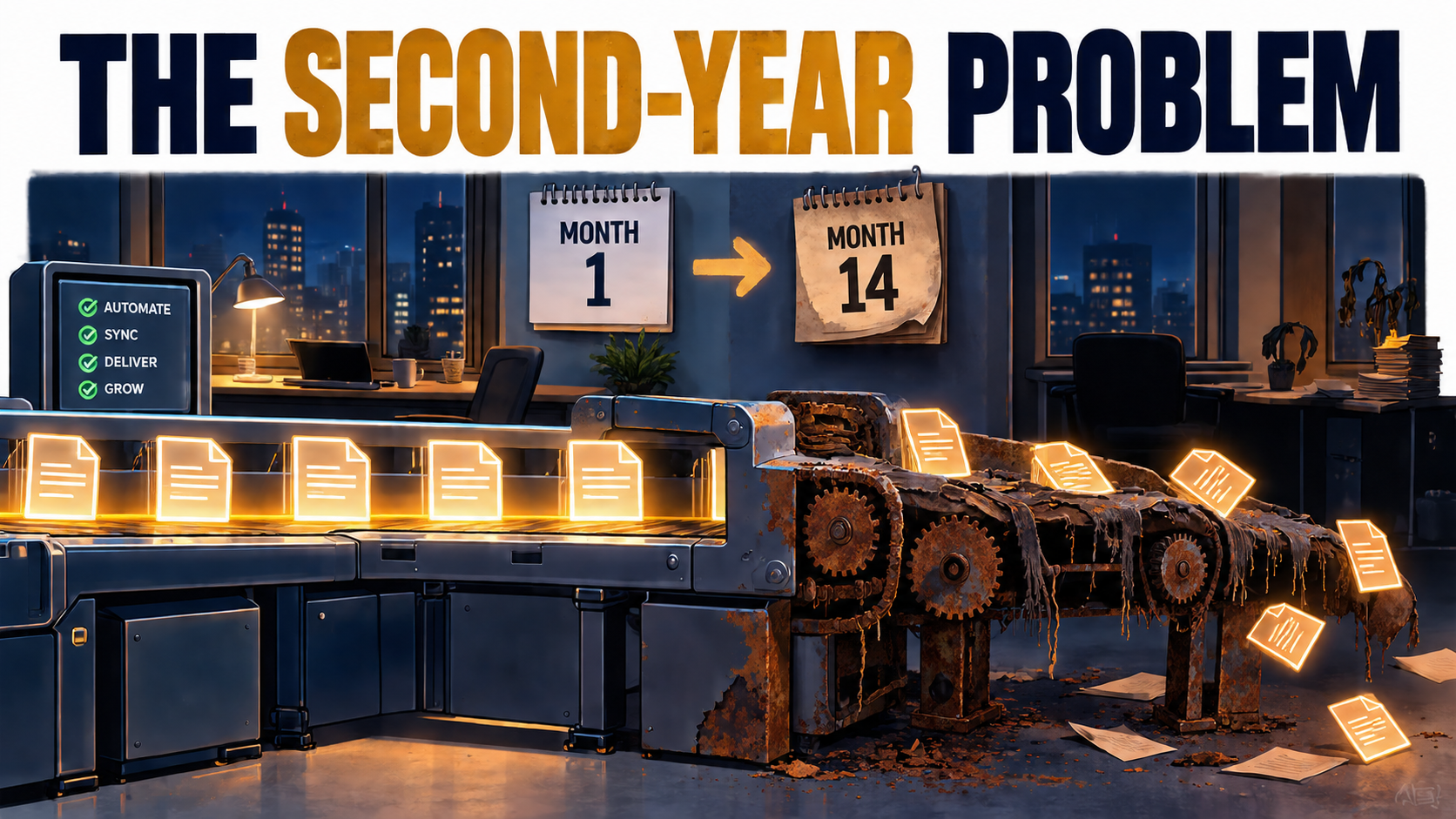
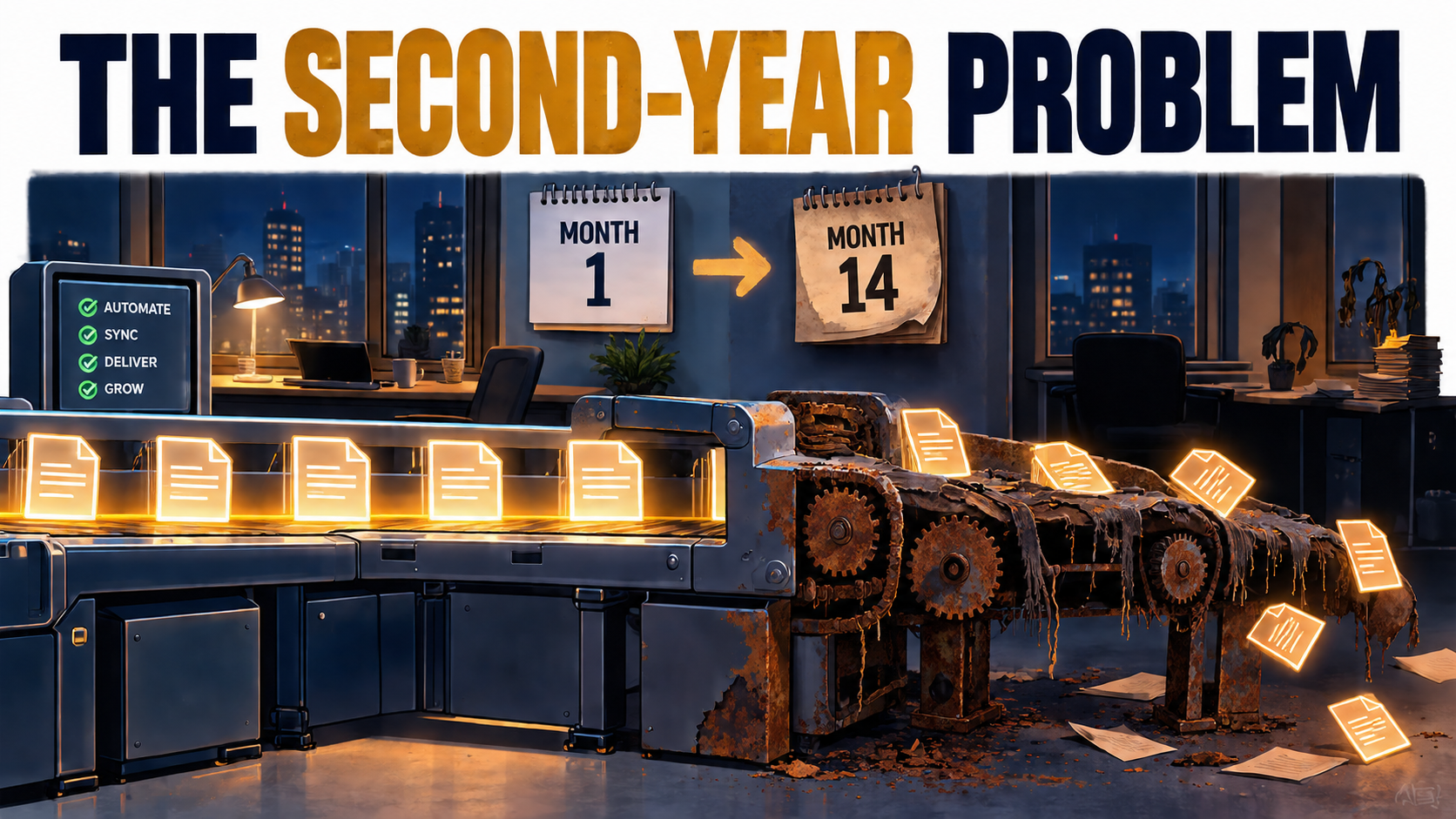
It usually doesn’t. Not because the original build was bad, but because everything around it keeps moving. The model provider ships a new version. The CRM vendor renames a field. The returns policy changes and nobody updates the knowledge base the agent reads from. The person who built the workflow changes teams. Twelve to eighteen months later, the automation is still running, still reporting success, and quietly producing worse results than it did at launch.
This is automation debt: the accumulated cost of keeping AI-driven workflows accurate, safe, and aligned with a business that doesn’t stand still. Software engineers have discussed a close cousin of this idea for years. Google researchers described it in their widely cited 2015 NeurIPS paper, “Hidden Technical Debt in Machine Learning Systems,” which argued that the model code in a real-world ML system is only a small fraction of the whole. The rest is data pipelines, configuration, monitoring, and glue, and that’s where the long-term cost lives.
What’s changed in 2026 is who carries that debt. AI automation is no longer confined to data science teams. Operations managers build agents in no-code tools. Finance teams wire language models into month-end close. Marketing runs dozens of prompt-based workflows. The debt has spread to people who were never told it existed.
This article doesn’t cover how to pick your first use case or calculate pilot ROI. It’s about what comes after: where automation debt comes from, what it actually costs to service, who should own it, how to detect decay before customers do, and when to shut an automation down entirely.
Why the Launch Is the Cheapest Part of AI Automation
Traditional software has a familiar cost curve. You pay heavily to build it, then maintenance runs at a fraction of that each year. Many teams carry this mental model straight into AI automation, and it’s the root of most budgeting surprises.
AI automations behave differently for three structural reasons. First, the core component, the model, is often rented rather than owned, and its behavior can change without any action on your part. Second, the inputs are usually unstructured: emails, PDFs, chat messages, call transcripts. Unstructured inputs shift constantly as customers, suppliers, and employees change how they communicate. Third, the outputs are probabilistic. A workflow that’s right 94% of the time can slide to 88% without throwing a single error.
Deterministic vs. probabilistic failure
When a traditional script breaks, it usually breaks loudly. An API call fails, an exception is thrown, someone gets paged. The failure is binary and visible.
AI automations tend to fail softly. The agent still returns an answer, it’s just a slightly worse answer. The classifier still assigns a category, but a growing share go into the wrong bucket. Nothing in the logs looks unusual. This is why the Sculley et al. paper flagged monitoring as a core requirement rather than an afterthought: in ML systems, the absence of errors is not evidence of correctness.
The “set it and forget it” myth
Vendor marketing often positions AI automation as something you configure once. That framing is understandable, since it makes adoption easier to sell. But it shifts real cost from the vendor’s pitch deck onto your operating budget, where it shows up later as rework, escalations, and customer complaints that nobody connects back to the automation.
The practical takeaway is simple: any AI automation business case that has a build cost line and no recurring maintenance line is incomplete. The question isn’t whether the automation will need ongoing work. It’s how much, and whether anyone has been assigned to do it.
Why this matters more as agents spread
Gartner predicted in June 2025 that over 40% of agentic AI projects will be canceled by the end of 2027, citing escalating costs, unclear business value, and inadequate risk controls. Two of those three reasons are fundamentally about what happens after launch. Costs escalate when maintenance wasn’t budgeted. Risk controls prove inadequate when nobody is watching for drift. The same research warned about “agent washing,” the rebranding of existing chatbots and RPA tools as agentic, estimating that only around 130 of the thousands of vendors claiming agentic capabilities were offering the real thing. Buying a relabeled tool doesn’t reduce your maintenance burden; it often just hides it.
The Five Sources of Automation Debt
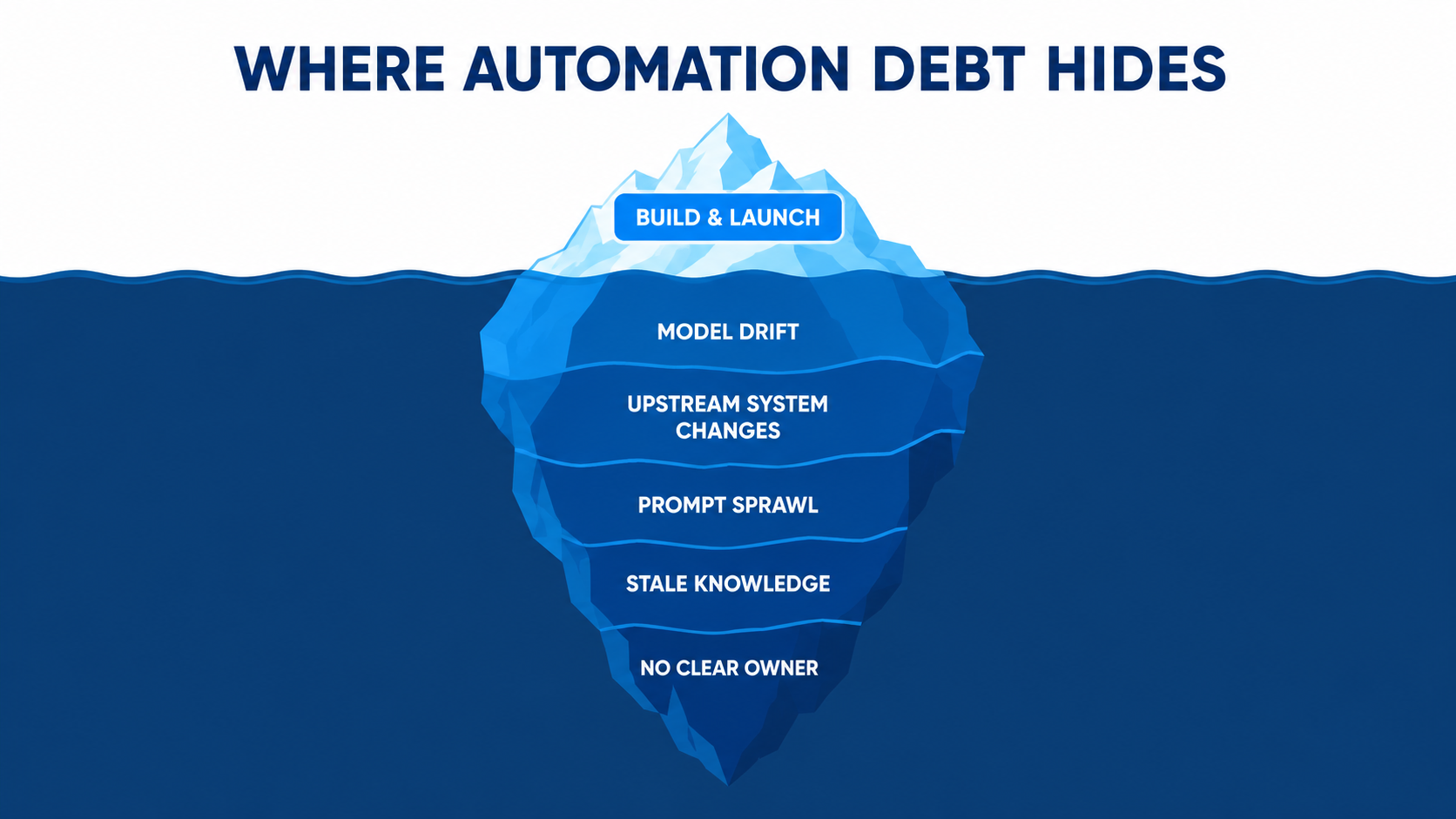
Automation debt isn’t one thing. It accumulates from several directions at once, and each source needs a different response. Separating them makes the problem manageable instead of overwhelming.
1. Model drift you didn’t cause
The model underneath your workflow changes, through vendor updates, version deprecations, or forced migrations. Your prompts, which were tuned for one model’s quirks, now run against a different one.
2. Upstream system changes
The systems your automation reads from and writes to keep evolving. Fields get renamed, APIs get versioned, screens get redesigned, and data definitions shift in meaning even when the structure stays the same.
3. Prompt and workflow sprawl
As AI automation gets easier to build, organizations accumulate dozens or hundreds of small workflows, many undocumented, overlapping, or built by people who have since moved on. Each is small; together they form a maintenance surface nobody has mapped.
4. Stale knowledge and business logic
Retrieval-based assistants and agents depend on documents, policies, and rules. When pricing, policy, or product details change and the source material doesn’t, the automation confidently delivers outdated answers.
5. Orphaned ownership
The most expensive source is organizational, not technical. When nobody is accountable for an automation’s ongoing accuracy, every other form of debt compounds unchecked.
The Sculley paper coined a useful principle for systems like these: CACE, or “Changing Anything Changes Everything.” Because ML-driven systems entangle their inputs, a change in one place can shift behavior somewhere seemingly unrelated. For business automation, that means a change to an upstream form, a model version, or a policy document can each alter outcomes in ways that are hard to trace. The sections below take each source in turn.
Model Drift You Didn’t Cause: When the Vendor Changes the Engine
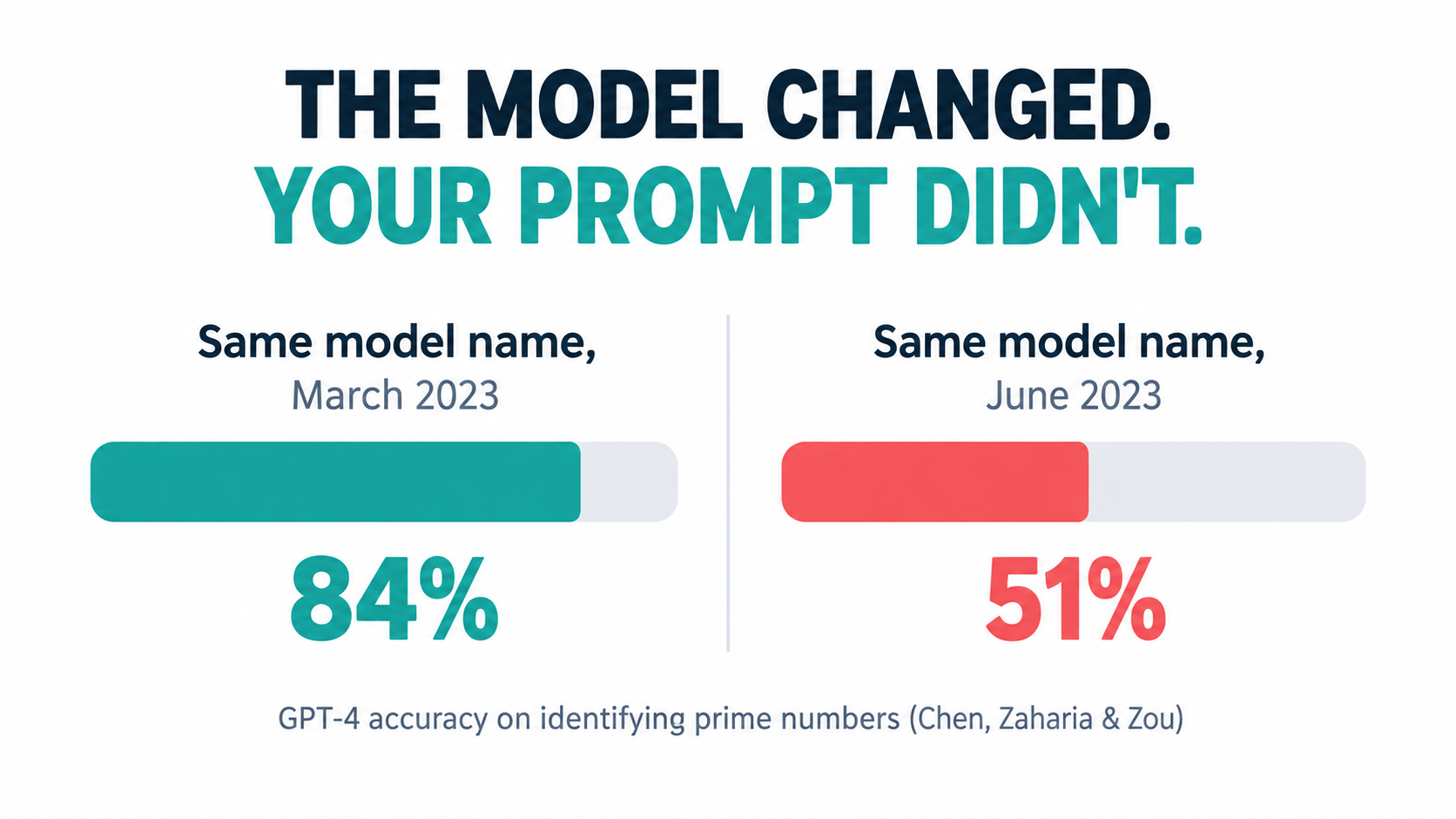
One of the clearest demonstrations of this problem came from researchers at Stanford and UC Berkeley. In “How is ChatGPT’s behavior changing over time?”, Lingjiao Chen, Matei Zaharia, and James Zou compared the March 2023 and June 2023 versions of GPT-3.5 and GPT-4 across tasks including math, code generation, and sensitive questions.
The results were striking. GPT-4’s accuracy at identifying prime versus composite numbers fell from 84% in March to 51% in June. The researchers attributed this partly to a drop in the model’s responsiveness to chain-of-thought prompting. Meanwhile, GPT-3.5 actually improved on the same task. Both models made more formatting mistakes in generated code in June than in March.
“Our findings show that the behavior of the ‘same’ LLM service can change substantially in a relatively short amount of time, highlighting the need for continuous monitoring of LLMs.” — Chen, Zaharia & Zou
Why this matters for business workflows
The specific task, prime numbers, isn’t the point. The point is that a prompt engineered to work well against one version of a model can work noticeably worse against the next, under the same product name. Formatting changes alone can break automations: if your downstream system expects JSON in a specific structure and the model starts wrapping it differently, the workflow fails or, worse, partially succeeds.
Model providers have since made versioning more explicit. Most major APIs now offer pinned, dated model snapshots alongside “latest” aliases. That helps, but it introduces its own maintenance cycle, because pinned snapshots are eventually deprecated and retired on the provider’s schedule, not yours.
The forced migration cycle
In practice, every production AI automation should expect to go through a model migration at regular intervals. Each migration involves:
- Re-testing the workflow against a representative set of real inputs
- Re-tuning prompts where the new model interprets instructions differently
- Re-validating output formats for any downstream system that parses them
- Re-checking cost, since newer models may price tokens differently or use more tokens for reasoning
- Re-approving the change with whoever signed off on the original deployment, if the workflow is in a regulated or customer-facing area
What to do about it
Pin model versions in production rather than calling “latest” aliases. Track the deprecation dates for every model you depend on in the same place you track software license renewals. And keep a fixed test set, discussed in detail later, so a migration becomes a measured comparison instead of a guess. Teams that do this turn a surprise outage into a scheduled half-day task.
Upstream Breakage: The Systems Around Your Automation Keep Moving
An AI automation is only as stable as the systems it touches. A typical business workflow might read from an email inbox, look up a customer in a CRM, check an order in an ERP, and write a note back to a ticketing tool. Each of those systems has its own release cycle, and none of them is coordinating with your automation.
Three kinds of drift
Software engineering literature distinguishes several kinds of data drift that apply directly here:
- Infrastructure drift: changes in the software environment, such as a cloud service update or a new authentication requirement, that invalidate how the automation connects.
- Structural drift: changes to data schemas. A field is renamed, split into two, or made optional. The automation either breaks or starts reading empty values.
- Semantic drift: the hardest to catch. The structure stays identical, but the meaning changes. A “status” field that used to mean “shipped” now means “label printed.” The automation keeps running and keeps being wrong.
Semantic drift is especially dangerous for AI automations because language models are good at producing plausible output from whatever they’re given. Feed an agent a field with a quietly changed meaning, and it will reason fluently from a false premise.
The UI-scraping problem
Robotic process automation has dealt with a version of this for years. RPA tools work by mimicking human interaction with application interfaces, clicking buttons and reading screens, which means they’re closely tied to how those screens look. When a vendor redesigns a page, bots that depended on its layout break.
The newer generation of “computer use” agents, which operate software through screenshots and simulated clicks, are more flexible than classic RPA scripts. They can often adapt to a moved button. But flexibility cuts both ways: an agent that improvises around a changed screen might also improvise its way into the wrong field. Wherever a stable API exists, it remains the more maintainable integration path.
Undeclared consumers
The Sculley paper also warned about “undeclared consumers,” systems that quietly depend on another system’s output without anyone documenting the dependency. In business automation, this is common. A sales ops analyst builds a report on top of an AI-generated lead score. A second automation reads the first one’s output. When the original changes, things break two steps away from the change.
What to do about it
- Maintain a simple dependency map for every production automation: which systems it reads, which it writes, and who owns each.
- Subscribe automation owners to the change logs and release notes of those systems.
- Add input validation at the start of each workflow. If expected fields are missing or values fall outside known ranges, stop and alert rather than proceed.
- Prefer APIs over screen interaction, and prefer versioned APIs over unversioned ones.
Prompt Sprawl and Shadow Automation
The barrier to building an AI automation has dropped dramatically. Workflow platforms, built-in assistant connectors, and no-code agent builders let almost anyone wire a language model into a business process in an afternoon. That accessibility is genuinely valuable. It’s also how organizations end up with hundreds of automations nobody has inventoried.
How sprawl happens
It rarely starts with a decision. A customer success manager builds a workflow to summarize tickets. A colleague copies it and tweaks the prompt for a different region. Someone in finance builds a similar one for vendor emails. Within a year, there are a dozen variants of essentially the same automation, each with slightly different instructions, different model versions, and different data access.
Each one is a small liability. Collectively, they create three problems:
- Inconsistency: Customers or employees get different answers depending on which variant handled their request.
- Invisible data exposure: Workflows built outside IT review may send sensitive data to services that haven’t been vetted, or retain it in ways that conflict with policy.
- Unpatchable debt: When a model is deprecated or a policy changes, there’s no list of everything that needs updating.
Prompts are code, but rarely treated that way
In a well-run engineering organization, code lives in version control, changes are reviewed, and there’s a record of who changed what and why. Prompts in production automations deserve the same treatment, because they determine behavior just as much as code does. In practice, many prompts live in a text box inside a SaaS tool, edited directly in production, with no history.
When an automation’s output suddenly changes, the first diagnostic question is “what changed?” Without prompt versioning, that question can take days to answer.
What to do about it
The goal isn’t to stop people building automations. Locking it down entirely tends to push the activity underground. Instead:
- Create a lightweight registry. Any automation that touches customers, money, or personal data gets registered with an owner, purpose, data sources, and model used. A shared spreadsheet is a fine start.
- Consolidate obvious duplicates. Twelve ticket summarizers should probably be one, with region-specific parameters.
- Version prompts. Store production prompts somewhere with history, even if it’s just a document with dated revisions.
- Tier by risk. A personal productivity workflow needs no oversight. A workflow that sends emails to customers needs review. Make the tiers explicit so people know which rules apply to them.
The Irony of Automation: What Happens to Human Skill
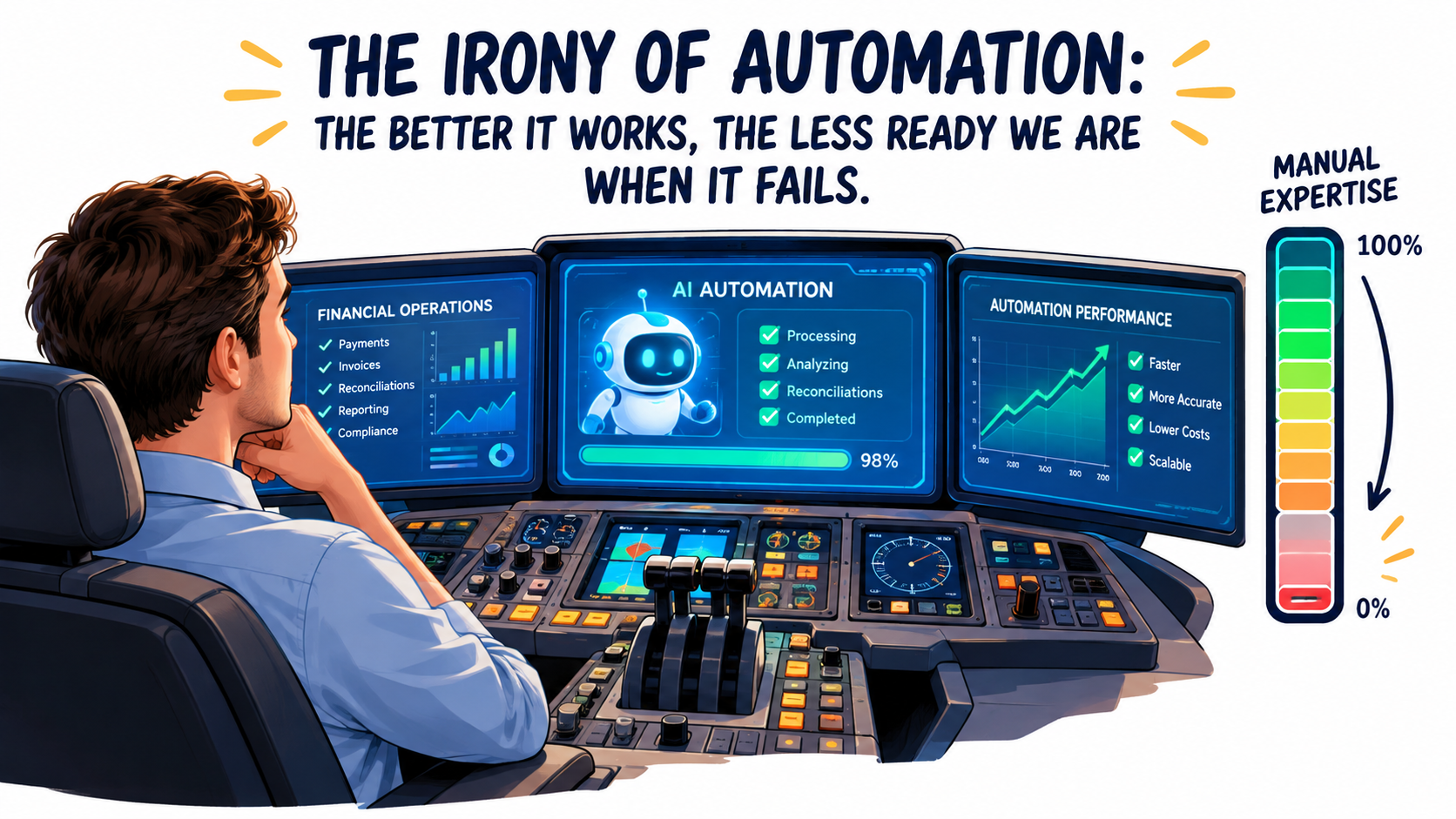
In 1983, cognitive psychologist Lisanne Bainbridge published a short paper in the journal Automatica titled “Ironies of Automation.” It was written about industrial process control, but it reads like a warning written for AI automation in 2026.
Bainbridge’s core observation was that automating a process doesn’t remove the human; it changes the human’s job, often for the worse. Operators are left with two tasks: monitoring the automated system, and taking over when it fails. Both turn out to be harder than doing the work manually.
Monitoring is a poor fit for humans
People are bad at sustained vigilance over a system that’s almost always right. When an AI agent drafts customer responses that are correct 95% of the time, the human reviewer naturally starts skimming. Review becomes rubber-stamping. The 5% of errors that review was supposed to catch begin slipping through, and the review step remains in the process diagram as a reassurance that no longer reflects reality.
Takeover requires skills that atrophy
The second irony is sharper. When the automation fails, a human has to step in, and the failures that reach a human are, by definition, the unusual, difficult cases. But the human has spent months not doing the routine work that kept their skills and context sharp. The team that used to reconcile accounts by hand now reviews AI-matched reconciliations. When the automation breaks during quarter-end close, the people who need to take over may no longer remember the edge cases.
This is a real form of automation debt, even though it never shows up in a system log. It’s a gradual erosion of institutional capability.
A cautionary pattern in customer service
Klarna offers a widely reported example of the trade-offs. In early 2024, the company announced its AI assistant was handling two-thirds of customer service chats in its first month, doing work it described as equivalent to 700 full-time agents. By 2025, CEO Sebastian Siemiatkowski said publicly that cost had been too dominant a factor in its approach and that quality had suffered, and the company emphasized that customers should always be able to reach a human. The lesson isn’t that the automation failed; it’s that rebuilding human capacity after scaling it down is slower and harder than keeping it.
What to do about it
- Design review steps for attention, not ritual. Route only low-confidence or high-stakes outputs to humans, so reviewers see a meaningful share of hard cases instead of a stream of easy approvals.
- Seed known errors. Occasionally insert test cases with deliberate mistakes into review queues to measure whether reviewers are actually catching them.
- Keep humans in rotation. Have team members periodically handle a sample of cases manually to preserve skill and context.
- Write manual fallback runbooks while the people who know the manual process are still around.
Liability Doesn’t Automate: Governance as a Recurring Cost
When an automation makes a mistake, the business owns it. That sounds obvious, but organizations have tested it, and lost.
The Air Canada chatbot case
In February 2024, British Columbia’s Civil Resolution Tribunal ruled in Moffatt v. Air Canada. A customer had asked the airline’s website chatbot about bereavement fares, and the chatbot told him he could apply for a discount retroactively after travel. That wasn’t the airline’s actual policy. When he applied, Air Canada refused, and argued in part that the chatbot was responsible for its own statements.
The tribunal rejected that argument, finding the airline responsible for all information on its website, whether it came from a static page or a chatbot. The damages were modest, roughly C$800, but the principle was not. Whatever your AI automation tells a customer, your business said it.
This case is a textbook example of stale knowledge debt. The chatbot’s answer contradicted the airline’s own policy page. Somewhere, the automation and the source of truth had drifted apart, and no one caught it.
Regulation adds a maintenance layer
Regulatory obligations are also shifting from one-time compliance checks to ongoing duties. The EU AI Act’s obligations phase in over several years, with requirements for higher-risk systems including documentation, human oversight, logging, and post-market monitoring. Even for businesses outside the EU, or using AI in lower-risk ways, the direction is clear: regulators increasingly expect organizations to show not just that an AI system was tested before launch, but that it’s monitored afterward.
That means governance belongs in the recurring cost line, not the project budget. Someone has to keep documentation current as workflows change, retain logs, review incidents, and re-assess risk when an automation’s scope expands.
What to do about it
- Treat every customer-facing automation as a spokesperson. Its statements are your statements.
- Link retrieval-based assistants to a single, owned source of truth, and make updating that source part of the policy-change process itself.
- Log inputs and outputs for customer-facing and decision-making automations, with retention aligned to your legal requirements.
- Re-run a risk review whenever an automation gains new permissions, new data sources, or new audiences.
What It Actually Costs to Run an AI Automation After Year One
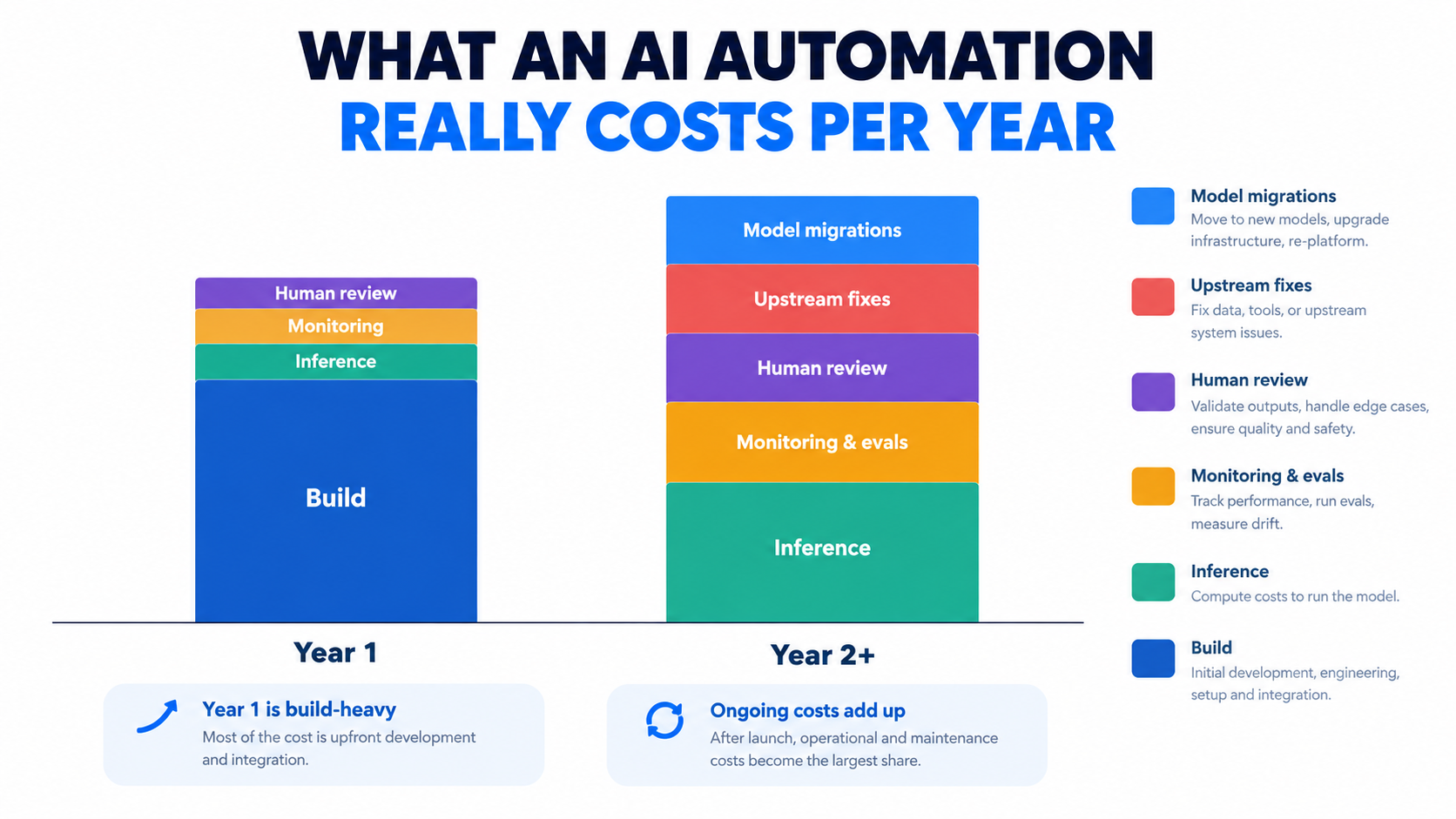
There’s no universal figure for AI automation maintenance costs, and anyone quoting a precise industry-wide percentage should be treated with caution. Costs depend heavily on volume, risk level, and how many systems a workflow touches. What can be done is to break the recurring cost into its components so it can be estimated honestly for your own workflows.
The six recurring cost lines
- Inference. The per-call cost of the model. It scales with volume and with token count, and it changes when you migrate models. Reasoning-heavy models can use far more tokens per task than their predecessors, so a migration that improves accuracy may also raise this line.
- Monitoring and evaluation. Tooling, plus the time to maintain test sets, review dashboards, and investigate anomalies.
- Human review. The ongoing labor of checking outputs, handling exceptions, and dealing with escalations. For many workflows, this is the largest line item and the one most often left out of the business case.
- Upstream fixes. Engineering or operations time spent repairing integrations when connected systems change.
- Model migrations. Periodic re-testing and re-tuning when model versions are deprecated or replaced.
- Governance. Documentation, audits, incident review, access reviews, and compliance work.
A practical estimation method
Instead of guessing a percentage, estimate each line in hours and dollars for a specific automation:
- Monthly volume × average cost per task = inference cost
- Share of tasks routed to humans × handling time × loaded labor rate = review cost
- Number of connected systems × expected change events per year × average fix time = upstream fix cost
- Expected model migrations per year × hours per migration = migration cost
- Fixed monthly hours for monitoring and governance by the owner
Then compare the total against the value the automation produces at its current measured accuracy, not its launch accuracy. If accuracy has slipped, the value side shrinks while the cost side grows, because errors create rework.
The hidden cost of errors
The most underestimated line is error cost. An automation that’s wrong 3% of the time doesn’t cost 3% of its value. It can cost much more, depending on what a wrong output triggers: a refund, a compliance breach, a churned customer, a payment sent to the wrong vendor. When estimating, assign a rough cost to each type of error and multiply by measured error rates. This exercise often changes which automations look worth keeping.
The year-two test
A useful discipline: before approving any AI automation, ask the sponsor to project the year-two cost with no build budget, only run costs. If the automation still pays for itself on those numbers, it’s a sound investment. If its value depends on the build cost being amortized over a long life with near-zero upkeep, the business case is fragile.
Who Owns the Automation? Building an Accountability Model
Every source of automation debt described so far can be managed. None of it gets managed without a named owner. In most organizations, the person who built an automation is assumed to own it, until they change roles, at which point it becomes nobody’s.
Separate the builder from the owner
The builder and the owner don’t have to be the same person, and often shouldn’t be. A useful split:
- Business owner: accountable for whether the automation is producing the right outcomes. Usually the manager of the process it supports. Decides when to change, pause, or retire it.
- Technical maintainer: responsible for keeping it running, handling migrations, upstream fixes, and monitoring. Could be IT, an automation center of excellence, or a technically capable operations person.
- Risk reviewer: for higher-risk automations, someone in compliance, legal, or security who reviews changes in scope.
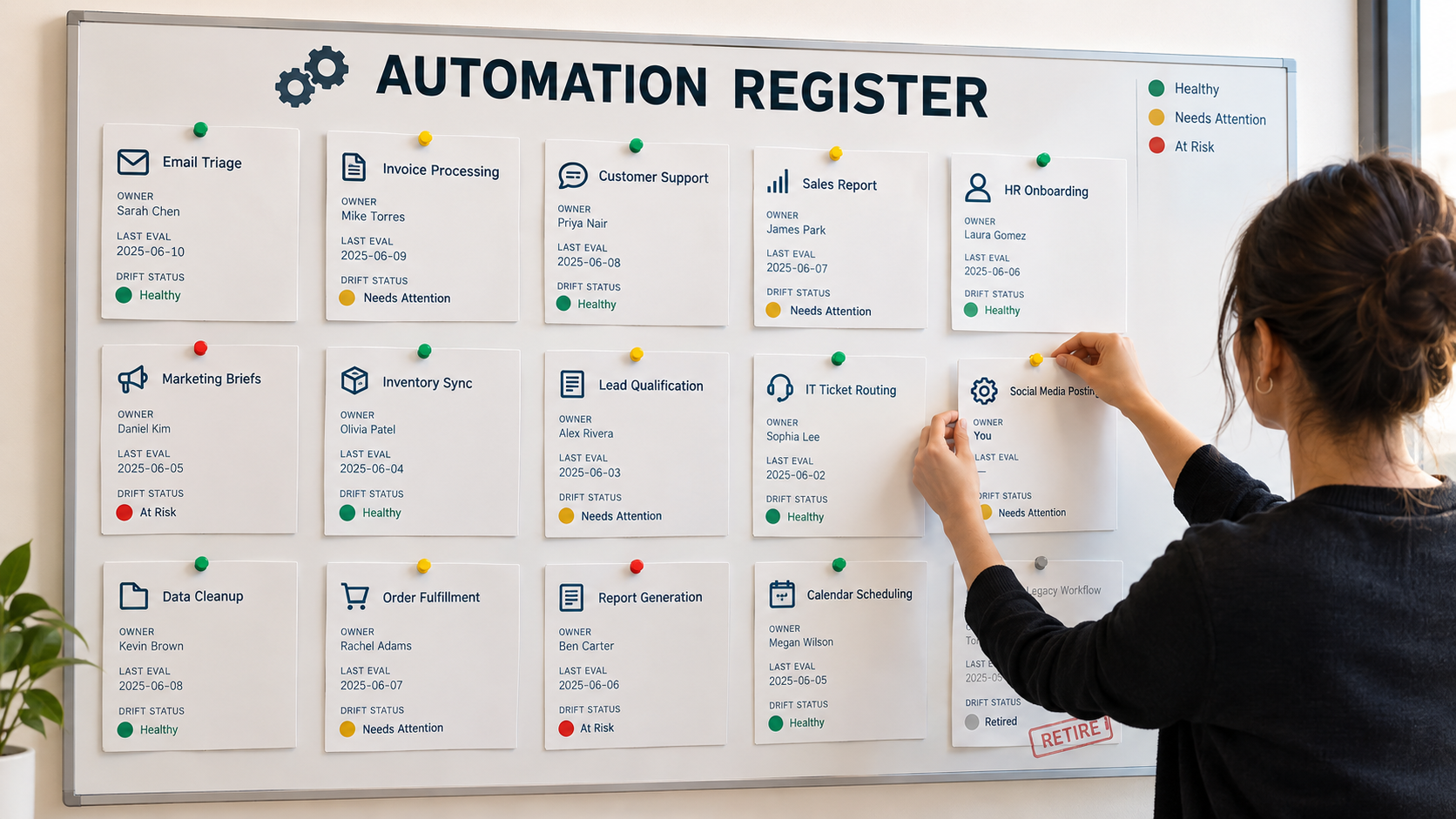
The automation register
The simplest governance artifact that works is a register: one row per production automation. Useful fields include:
- Name and purpose
- Business owner and technical maintainer
- Risk tier (personal, internal, customer-facing, financial/regulated)
- Model and version in use, with deprecation date
- Connected systems (read and write)
- Last evaluation date and current measured accuracy
- Monthly run cost
- Next scheduled review
This doesn’t require specialist software. It requires someone to keep it current, and a rule that automations not in the register don’t get production credentials.
Handover as a mandatory step
When an owner or maintainer leaves a role, handover of their automations should be part of the offboarding checklist, just like handing over system access. A short runbook per automation makes this realistic: what it does, how to tell if it’s broken, how to pause it, how to run the process manually, and who to call.
Centralize standards, not building
Many organizations respond to sprawl by centralizing all automation work in one team. That tends to create a bottleneck and push builders toward shadow tools. A more durable model centralizes the standards, including the register, risk tiers, approved models, logging requirements, and review cadence, while letting business teams continue building within those rules.
Monitoring That Catches Decay Before Customers Do
Because AI automations fail softly, uptime monitoring isn’t enough. A workflow can be 100% available and steadily getting worse. Effective monitoring measures quality, not just whether the workflow ran.
Build a golden test set
The single most useful monitoring asset is a fixed set of real, representative inputs with known correct outputs. For an invoice extraction workflow, that might be 100 to 200 past invoices covering normal cases, edge cases, and known tricky formats. For a support triage agent, a few hundred past tickets with verified categories.
Run the golden set:
- Before launch, to establish a baseline
- Before and after every model migration or prompt change
- On a regular schedule, such as weekly or monthly, to catch drift from vendor-side changes
Refresh the set periodically with new examples so it reflects current inputs, but keep a stable core so results stay comparable over time.
Watch leading indicators in production
Between golden-set runs, track signals that tend to move before quality visibly drops:
- Human override rate: how often reviewers change the automation’s output. A rising override rate is often the earliest warning of drift.
- Escalation and fallback rate: how often the automation hands off or fails validation.
- Input distribution: changes in input length, language, format, or category mix that suggest the world has shifted.
- Output distribution: sudden shifts in category assignments, sentiment scores, or approval rates.
- Cost per task: unexplained jumps often signal a behavior change in the model.
- Downstream complaints: tag customer complaints and internal tickets that relate to automated outputs.
Sample and audit
For outputs that aren’t routinely reviewed, pull a random sample on a set cadence and have a knowledgeable person grade it. This is the only reliable way to measure accuracy on the cases nobody looks at. Random sampling also counteracts reviewer complacency, since it doesn’t rely on the automation’s own confidence scores to decide what gets checked.
Define thresholds before you need them
Decide in advance what level of decline triggers action. For example: if golden-set accuracy drops more than a few points from baseline, or the override rate doubles over a month, the maintainer investigates within a set number of days. If accuracy falls below a defined floor, the automation is paused and the manual fallback runbook takes over. Setting these thresholds before a problem appears removes the temptation to rationalize a slow decline.
Knowing When to Retire an Automation
Organizations are good at launching automations and poor at ending them. Retirement rarely appears on anyone’s roadmap, yet every automation that stays in production past its useful life keeps accruing debt.
Signals that an automation should go
- The process it supports has changed enough that the automation now handles a shrinking share of real cases.
- Year-two economics don’t work. Run costs, including review and error costs, exceed the value it produces at current accuracy.
- It has no owner and no one is willing to take it on. An unowned automation is a liability, not an asset.
- A better option exists, such as a native feature in a core platform that now does the same job with less upkeep.
- Repeated migrations keep degrading it, suggesting the original design depended on quirks of one model.
- Its risk profile has outgrown its controls, for example, it has gained access to more sensitive data or more customers than it was designed for.
How to retire cleanly
- Find the consumers. Before turning anything off, identify every report, workflow, or person depending on its output. Undeclared consumers are the main source of retirement surprises.
- Restore or confirm the manual path, or the replacement automation, and run it in parallel briefly.
- Revoke credentials and API keys the automation used. Dormant automations with live access are a security exposure.
- Archive logs and documentation according to retention requirements.
- Update the register and note why it was retired, so the same idea isn’t rebuilt without addressing the reasons.
Make review cycles routine
A quarterly or semi-annual portfolio review, going through the register and asking “keep, fix, or retire?” for each automation, prevents slow accumulation. Treat it like a subscription audit. Most organizations that run one for the first time find automations nobody remembers building.
Designing New Automations to Accumulate Less Debt
Everything above is about managing debt that already exists. The cheaper path is to design new AI automations so they accumulate less of it from the start. A few principles hold up across use cases.
Keep the AI part narrow
Use the language model only for the steps that genuinely need judgment over unstructured input: reading an email, classifying intent, extracting fields from a messy document. Use conventional, deterministic logic for everything else, including calculations, routing rules, and policy thresholds. Deterministic steps are cheaper, easier to test, and don’t drift when the model changes.
Separate knowledge from instructions
Don’t bake business facts like prices, policies, or thresholds into prompts. Keep them in an owned source that the automation reads at runtime. When the policy changes, one update fixes every workflow that uses it. This directly addresses the failure mode in the Air Canada case.
Validate at every boundary
Check inputs before they reach the model and check outputs before they reach downstream systems. Structured output formats, schema validation, and simple sanity checks, such as amounts within expected ranges or required fields present, catch a large share of drift-related errors before they cause damage.
Build the fallback first
Before launch, write down how the process runs if the automation is switched off, and test it. If there’s no workable fallback, the automation isn’t a productivity tool; it’s a single point of failure.
Ship with monitoring, not after
Make the golden test set, logging, and override tracking part of the definition of done. Retrofitting monitoring onto an automation that’s already in production is far harder, because there’s no baseline to compare against.
Prefer fewer, better automations
A single well-owned, well-monitored workflow that handles a process end to end is usually cheaper over time than five loosely connected ones built by different people. Breadth of automation is easy to show in a slide; durability is what produces lasting value.
Conclusion: Budget for the Automation You’ll Have in 2027, Not the One You Launch in 2026
AI automation for business works. The productivity gains are real, and the tools in 2026 are more capable and accessible than ever. But the economics are different from traditional software. The model under your workflow is rented and changes on someone else’s schedule. The systems around it keep evolving. The knowledge it relies on goes stale. The humans who review it grow complacent and lose the skills needed to take over. And when it’s wrong, the liability is entirely yours.
None of this is a reason to avoid automation. It’s a reason to treat every AI automation as a living system with a recurring cost, a named owner, and a defined end of life, rather than a project that ends at go-live.
Actionable takeaways
- Add a year-two cost line to every AI automation business case: inference, review, monitoring, upstream fixes, migrations, and governance.
- Pin model versions in production and track deprecation dates like license renewals.
- Create an automation register with a business owner, technical maintainer, and risk tier for every production workflow.
- Build a golden test set before launch and run it on a schedule and before every change.
- Track human override rates as your earliest drift signal.
- Keep business facts out of prompts and in an owned source of truth.
- Design review for attention: route hard cases to humans, seed test errors, and rotate people through manual work.
- Write fallback runbooks while the people who know the manual process are still on the team.
- Run a portfolio review every quarter or two and retire what no longer earns its keep.
The companies that get lasting value from AI automation won’t necessarily be the ones that launch the most workflows. They’ll be the ones whose automations are still accurate, owned, and worth running two years later.