


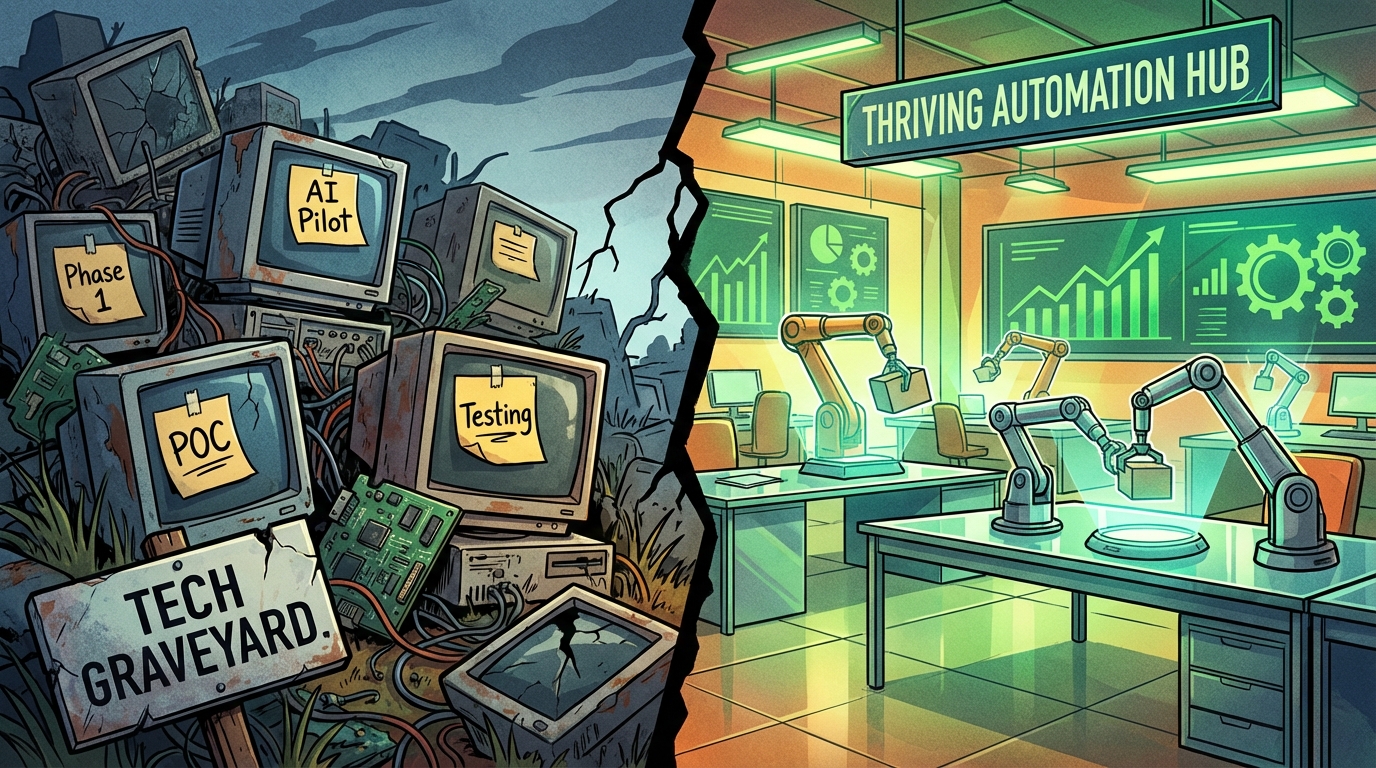
Here is a statistic worth sitting with: 95% of enterprise AI pilots never make it to production. Despite years of investment, vendor promises, and proof-of-concept demos, the vast majority of AI automation projects either stall in testing, get quietly shelved, or deliver so little measurable value that they are abandoned entirely within 18 months.
That is not a technology problem. The tools are better than they have ever been. The agentic AI market alone has grown from $7.6 billion in 2025 to over $10.9 billion in 2026, with 79% of organizations now reporting some level of AI agent adoption. The infrastructure exists. The software exists. The case studies exist.
The problem is execution — and more specifically, the gap between deploying AI tools and actually integrating AI into business operations in a way that produces measurable, repeatable, scalable results. Most organizations are doing the former and calling it the latter.
This article is not a list of AI tools to try. It is not a glossy overview of what AI can theoretically do. It is a frank look at why so many AI automation initiatives fail, what the organizations that succeed are doing differently, and a department-by-department breakdown of where automation is actually delivering ROI in 2026 — along with the hidden costs, change management landmines, and ROI measurement frameworks you need to know before spending another dollar.
If you have already launched AI projects that did not pan out, or if you are planning your first serious automation rollout, this is the resource that should have existed from the beginning.
The Uncomfortable Truth About AI Automation in 2026
The conversation around AI automation in business has, for the past several years, been dominated by optimism. Vendors pitch frictionless deployments. Conference panels describe AI as a universal accelerant. Budget owners approve spending based on ROI projections that look compelling in a slide deck.
The reality in 2026 is more nuanced — and more useful if you actually understand it.
The Adoption Gap Is Real
According to recent data, 91% of companies now use at least one AI technology somewhere in their operations. That sounds like widespread success. But drill down further, and a starkly different picture emerges. Only 12% of U.S. workers use AI daily in their roles. Nearly half — 49% of U.S. workers — report never using AI at all in their job.
The gap between organizational AI “adoption” and actual workforce integration is enormous. Many companies have purchased tools. Far fewer have embedded those tools into the workflows where they would actually create value.
Two-Thirds of Organizations Have Not Scaled AI Operations
A McKinsey analysis found that while 79% of organizations report positive results from at least one AI initiative, only 39% see measurable EBIT impact from their AI investments. Two-thirds of businesses have not successfully scaled AI beyond isolated, experimental deployments. The term for this state is “pilot purgatory” — and it is far more common than any vendor will admit.
Pilot purgatory looks like this: a team runs a successful proof-of-concept for AI-assisted customer support. Response times improve. The demo impresses leadership. Then the project sits. Integration with the CRM takes months. The data quality issues surface. The champion who drove the project moves to another role. Six months later, the tool is technically “live” but used by three people.
The 80% Failure Rate Is a Process Problem, Not a Technology Problem
Gartner and McKinsey have both documented failure rates around 80% for AI transformation projects. The consistent finding across every post-mortem analysis: the technology is rarely the reason projects fail. The top causes are misaligned business objectives, poor data infrastructure, lack of executive sponsorship, and insufficient change management. These are organizational challenges, not software bugs.
Understanding this distinction is the first step toward building AI automation that actually works.
Why 95% of AI Pilots Never Make It to Production
To fix the problem, you need to understand it precisely. There are five specific failure modes that account for the vast majority of stalled AI automation projects, and each one is avoidable with the right preparation.
Failure Mode 1: Automating a Broken Process
The most common and most costly mistake is layering AI onto an existing workflow without first redesigning that workflow. AI automation amplifies whatever process it touches — which means if the process is inefficient, fragmented, or poorly defined, the automation makes those problems faster and more expensive.
A Fortune 500 retailer spent $4.2 million on computer vision technology designed to analyze in-store customer behavior. The technology worked. But no one had defined a clear workflow for what would happen with the data it generated, or how it would connect to merchandising decisions. The project generated unused outputs for 14 months before being shelved entirely.
The rule is simple: automate processes that are already well-designed. If the process requires human judgment to navigate its own inconsistencies, it is not ready for automation.
Failure Mode 2: Fragmented Data Architecture
AI systems make decisions based on the data they can access. When that data lives in siloed, inconsistent, or poorly maintained systems, the AI operates with what experts call “context blindness” — drawing conclusions from incomplete information and producing outputs that cannot be trusted.
Poor data quality costs businesses an average of $12.9 million annually, according to Gartner. For AI automation specifically, the cost is compounded because bad data does not just slow processes — it produces incorrect automated decisions that humans then have to catch and correct, often without realizing the source of the error.
AI agents deployed in finance or customer operations have been documented approving discounts for delinquent customers, routing support tickets to the wrong teams, and generating compliance reports with hallucinated figures — all because the underlying data was fragmented across systems that were never properly integrated.
Failure Mode 3: Governance Voids
The third failure mode is the absence of governance structures around AI decisions. This creates what practitioners call “black box liability” — situations where an automated system produces an outcome (a loan denial, a refund, a hire/no-hire recommendation) and no one can explain how it happened or audit the decision trail.
Currently, 83% of business leaders identify compliance failures and uncontrolled AI usage as top threats to their AI programs. Yet 40% of small businesses cite budget constraints as a barrier to implementing even basic AI governance. The result is AI deployments that create legal and operational exposure without anyone fully realizing it until something goes wrong.
Failure Mode 4: No Clear Business Outcome or KPI
Many AI projects are launched around capabilities rather than outcomes. The framing is “let’s use AI for customer service” rather than “let’s reduce first-response time by 40% and handle 60% of tier-1 tickets without human escalation.” The distinction matters enormously.
Without a specific, measurable outcome tied to a business metric, there is no way to evaluate success, no benchmark to defend the investment, and no signal for when to iterate versus when to pivot. Projects without defined KPIs tend to persist in ambiguity — technically active, practically useless.
Failure Mode 5: Over-Automating Low-Value Tasks
Finally, many organizations achieve their first automation wins by tackling the most accessible tasks — email sorting, calendar scheduling, basic data entry — and then mistake that activity for meaningful business impact. These micro-automations are not without value, but they rarely justify the full cost of an AI program or build the organizational capability needed for higher-value automation.
The businesses that extract real ROI from AI automation are the ones that prioritize high-volume, high-value processes where errors are costly, cycle times matter, and human effort is disproportionate to output.
The Hidden Costs Nobody Warns You About
Every software vendor publishes a pricing page. Almost none of them tell you what AI automation actually costs to run when you account for everything involved in making it work. For businesses making budget decisions, the gap between subscription cost and total cost of ownership can be large enough to kill the ROI entirely.
Data Preparation and Cleaning
Before any AI system can process your business data reliably, that data needs to be prepared: cleaned for inconsistencies, standardized across formats, deduplicated, and often migrated from legacy systems that were never designed to integrate with modern AI tooling. This work is labor-intensive and often underestimated.
Organizations that move quickly past the data preparation phase tend to pay for it later in the form of AI outputs that require constant human correction — which erodes the efficiency gains the automation was supposed to create in the first place.
Integration Complexity and Technical Debt
Connecting an AI automation tool to your existing stack — CRM, ERP, HRIS, customer support platform, data warehouse — requires either off-the-shelf connectors (which rarely handle edge cases well) or custom development work (which is expensive and creates ongoing maintenance obligations). Every integration point is a potential failure point, and every workaround creates technical debt.
The rule of thumb from practitioners: budget two to three times your software subscription cost for integration work in year one, particularly if your tech stack includes any legacy systems more than five years old.
Training Time and Workflow Disruption
Deploying new automation tools requires training employees on new interfaces and workflows. During the transition period — which typically runs from 30 to 90 days depending on process complexity — productivity tends to dip before it improves. This transition cost is almost never included in vendor ROI projections, but it is very real for the teams experiencing it.
Ongoing Model Maintenance
AI models require ongoing monitoring and maintenance. Business conditions change, data distributions shift, and models that were accurate six months ago can degrade in performance without proactive oversight. Organizations that treat AI as a “set it and forget it” deployment tend to discover, months later, that their automated processes have been producing subtly degraded outputs that no one noticed because no one was watching the right metrics.
API Usage Overages
Many AI tools price their core functionality based on API call volumes or token consumption. For businesses that scale up usage faster than expected — or that build automations that run more frequently than anticipated — API overage charges can add meaningful cost to the monthly bill. Setting consumption alerts and usage caps during the first 90 days of any AI deployment is not optional; it is standard operating procedure.
The Department-by-Department AI Automation Playbook
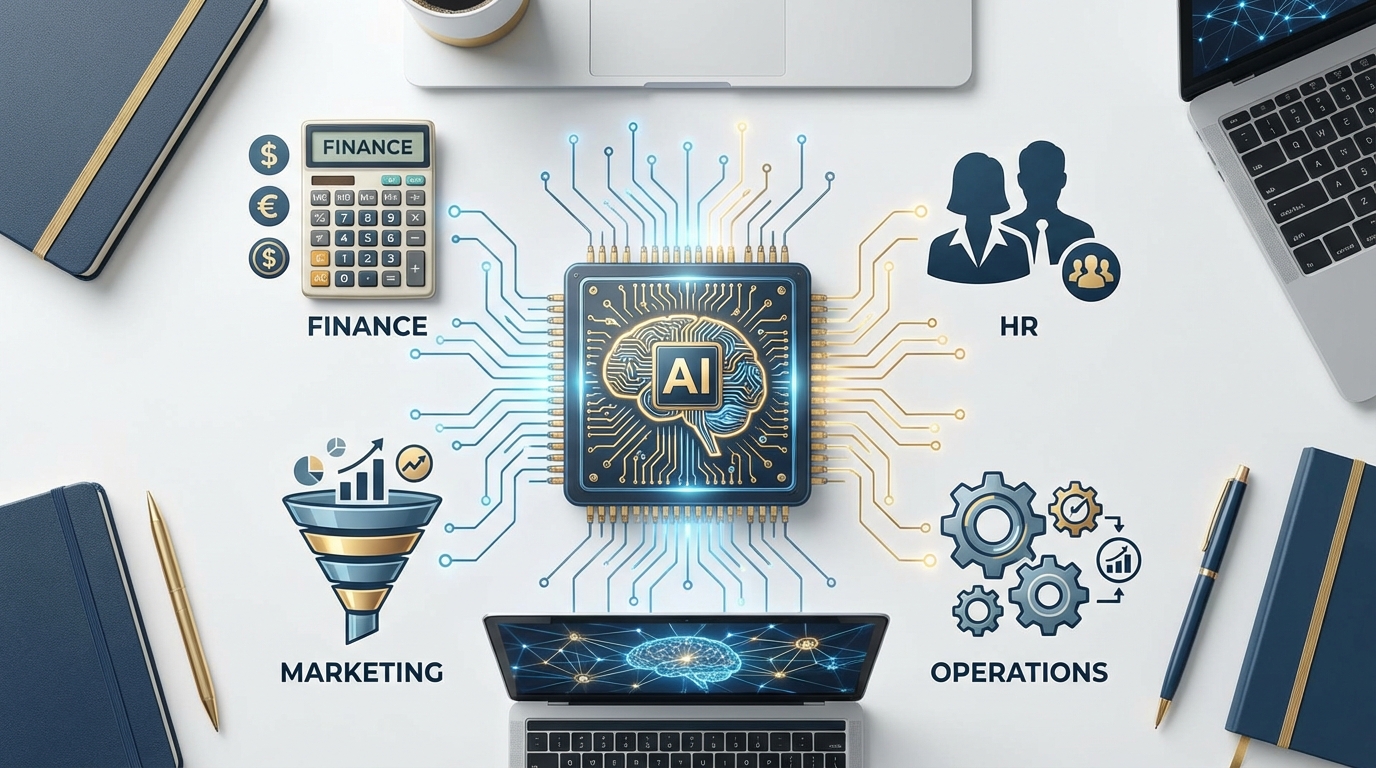
The most common question organizations ask when starting an AI automation initiative is: “Where do we start?” The answer depends entirely on where your highest-volume, highest-error-rate, most time-intensive processes live. But the following department-level breakdown shows where 2026 deployments are delivering the strongest, most consistent returns.
Finance: Where AI Automation Delivers the Fastest Payback
Finance is consistently among the top-performing departments for AI automation ROI, and the reasons are structural. Finance processes tend to be rule-based, high-volume, and data-rich — exactly the conditions where automation thrives. Current adoption rates bear this out: 81% of finance teams have adopted AI in risk management, 74% in reporting, and 68% in treasury functions.
Accounts payable and invoice processing is one of the most reliably automated finance workflows. AI systems can capture invoice data from multiple formats, match against purchase orders, flag discrepancies, route for approval, and update the ERP — reducing processing time by 60-70% and cutting error rates to near zero. Organizations running this automation report freeing upward of 500 hours per year of finance staff time previously spent on manual invoice handling.
Automated financial reporting is the next tier. AI-powered reporting agents can pull data from trading systems, risk databases, and operational sources; compile consolidated reports; flag anomalies against thresholds; and generate audit-ready documentation — work that previously required multiple analysts over multiple days. JPMorgan Chase has documented 20% efficiency gains in compliance cycles from deploying this type of agentic AI in their legal and regulatory workflows.
Fraud detection and anomaly monitoring represent a third high-value use case, with AI systems now running continuous monitoring against transaction patterns and flagging exceptions in real time — a task that manual review processes could only approximate with significant lag.
Where to start in finance: Invoice processing and accounts payable automation consistently deliver the fastest break-even (often under 90 days) and require the least workflow disruption to implement.
HR: High Volume, High Friction, High Opportunity
Human resources departments handle enormous volumes of repetitive, structured work — screening applications, scheduling interviews, processing onboarding documents, managing time-off requests, running compliance training workflows — that is well-suited to automation. HR automation surged 599% in recent measurement periods, and the global HR analytics market has reached $28.1 billion as organizations recognize the scale of the opportunity.
Recruitment and screening is the most commonly automated HR process. AI systems can screen resumes against role criteria, rank candidates, schedule initial interviews, and send status updates — handling the administrative load that previously consumed 40% or more of recruiters’ time. Currently, 40% of hiring processes incorporate AI-assisted screening, and teams using it report 70% reductions in administrative task time.
Onboarding automation is the follow-on win. New hire onboarding involves dozens of coordinated tasks across IT, HR, payroll, and the hiring manager’s team. AI workflow tools can orchestrate this process — provisioning accounts, sending completion reminders, tracking document submission, and routing exceptions — reducing the time-to-productivity gap for new employees while eliminating the administrative burden that typically falls on HR coordinators.
Retention and performance analytics represent the more advanced tier. AI systems trained on historical HR data can predict turnover risk with 85% accuracy, identifying employees who are statistically likely to leave within 90 days so managers can intervene proactively. The ROI here is in avoided recruiting and training costs, which typically run 50-200% of annual salary for the position being replaced.
Where to start in HR: Resume screening and interview scheduling automation deliver immediate time savings and are easy to pilot with a single role or department before scaling.
Marketing: Personalization at Scale Without the Headcount
Marketing operations generate and consume enormous volumes of data, and many of the most time-consuming marketing tasks — content creation, campaign segmentation, performance reporting, lead scoring — follow patterns that AI systems can learn and execute reliably.
Email campaign personalization and segmentation is one of the most mature AI marketing automation use cases. AI systems can segment audiences based on behavioral signals, generate personalized content variations, optimize send timing, and update segments dynamically as customer data changes — a process that previously required hours of analyst time per campaign.
Lead scoring and routing is a high-value automation for B2B marketing and sales teams. AI models trained on historical conversion data can score inbound leads in real time, route them to the appropriate sales rep or nurture sequence, and update scores as leads engage with content — significantly reducing the time between lead capture and first contact, which directly impacts conversion rates.
Content performance analysis and reporting is another strong use case. AI tools can aggregate performance data across channels, identify top and underperforming content, generate natural-language summaries of weekly performance, and surface anomalies that require attention — eliminating the hours weekly that marketing analysts previously spent assembling these reports manually.
Where to start in marketing: Email segmentation and automated performance reporting deliver fast, visible wins that are easy to measure and easy to demonstrate to stakeholders.
Operations: Predictive Intelligence That Saves Real Money
Operational AI automation tends to generate the largest absolute dollar returns, particularly in asset-heavy industries like manufacturing, logistics, and retail. The use cases here are typically more technically complex, but the payoffs are proportionally significant.
Predictive maintenance in manufacturing uses sensor data and historical failure patterns to predict equipment failures before they occur, reducing unplanned downtime and emergency repair costs. Organizations implementing predictive maintenance AI have documented 35% reductions in equipment failure rates and significant savings in reactive maintenance spending.
Demand forecasting and inventory optimization in retail and supply chain operations has seen similar results. Coca-Cola reduced overstock by 30% using AI-powered supply chain planning. A global logistics provider improved forecasting accuracy by 30%, unlocking multi-million-dollar annual savings from reduced waste and eliminated stockouts.
Customer support automation in operations-heavy businesses has reached a point where 50-65% of tier-1 inquiries can now be handled without human escalation, with resolution times 25-40% faster than fully human-handled queues. American Express documented a 25% cut in customer service costs alongside a 10% rise in satisfaction scores from this type of deployment.
Where to start in operations: Customer support automation and demand forecasting offer the clearest ROI measurement and the most mature tooling available today.
Agentic AI: Moving From Task Runners to Autonomous Workflows

The most significant shift in AI automation in 2026 is not about any single tool. It is about the move from task-level automation to workflow-level automation — and the emergence of agentic AI as the infrastructure making that shift possible.
What Makes AI “Agentic”
Traditional AI automation tools execute single, well-defined tasks: classify this document, generate this response, extract this data. They are triggered, they run, they stop. Agentic AI systems are fundamentally different. They are goal-directed — given an objective rather than a task, they autonomously plan the sequence of steps needed to achieve that objective, execute those steps across multiple tools and systems, monitor their own progress, and adjust when they encounter obstacles.
The practical difference is significant. A traditional automation might answer a customer support ticket. An agentic system might receive that ticket, look up the customer’s order history, check inventory availability, calculate whether a replacement or refund is more cost-effective based on policy rules, initiate the appropriate action in the fulfillment system, and send the customer a personalized resolution — without a human touching it.
The Market Reality in 2026
The agentic AI market reached approximately $10.86 billion in early 2026, up from $7.55 billion in 2025 — a growth rate of 44.6% year-over-year. Enterprise adoption is accelerating in parallel: 40% of enterprise software applications now embed task-specific AI agents, up from less than 5% two years ago.
The results from early agentic deployments are compelling. Teams running agentic customer service workflows report saving 40+ hours per month on ticket management alone, with 50-65% of inquiries now resolved autonomously. Finance teams using agentic invoicing and reporting workflows are closing monthly books 30-50% faster. And 96% of organizations currently using AI agents say they plan to expand usage through the remainder of 2026.
Multi-Agent Coordination: The Next Layer
Leading organizations are now deploying multi-agent systems (MAS) — architectures where multiple specialized AI agents coordinate to handle complex, cross-functional workflows. One agent handles data retrieval. Another runs analysis. A third formats outputs and routes to the appropriate system. A fourth monitors for exceptions and triggers human escalation when necessary.
In insurance and financial services, multi-agent systems have driven 30% improvements in sprint velocity and 200% reductions in process defects by automating software development lifecycle tasks that previously required constant human coordination. The same architectural pattern is being applied to supply chain management, compliance monitoring, and customer operations.
What Agentic AI Still Cannot Do
It is worth being clear-eyed about the current boundaries. Agentic AI performs best on structured, well-defined workflows where the rules are clear and the data is clean. Tasks requiring nuanced human judgment, ethical reasoning, complex negotiation, or creative strategy remain areas where human oversight is essential. The most effective deployments in 2026 are not eliminating human roles — they are eliminating the low-value tasks that consume human time, freeing people to focus on the work that actually requires them.
Build vs. Buy vs. Hybrid: Making the Right Call
One of the most practically important decisions in any AI automation initiative is whether to build custom solutions, purchase existing platforms, or combine both approaches. The answer has significant implications for cost, timeline, flexibility, and long-term competitive positioning.
The Current Landscape
According to Menlo Ventures’ analysis, 76% of AI use cases are currently being purchased rather than built internally. Gartner projects that over 80% of enterprise software will embed AI by 2026, meaning the default behavior of most business software will increasingly include automation capabilities without requiring any custom development.
This shift reflects a practical reality: for commodity tasks — document summarization, scheduling, basic data analysis, content generation — off-the-shelf AI tools are now sophisticated enough that building custom alternatives rarely makes economic sense. Purchased solutions deploy in weeks. Custom development takes months. Vendor-managed updates mean the tool improves over time without internal engineering resources.
When to Buy
Purchasing makes sense when the automation addresses a common business function that does not represent a source of competitive differentiation. If every company in your industry can buy the same invoicing automation software, running it does not create a competitive advantage — but it does reduce costs and free up staff. For these commodity workflows, buying is almost always the faster and cheaper path.
Purchasing also makes sense when you lack the internal AI talent to build and maintain custom solutions. 63% of CFOs cite lack of AI talent as a top barrier to generative AI deployment. For organizations without ML engineering capability, attempting to build custom models is a reliable way to create expensive, unmaintainable systems that underperform available commercial alternatives.
When to Build
Building is justified when the automation touches processes that are genuinely proprietary — workflows that encode competitive knowledge, use data that cannot be shared with third-party vendors, or require customization so deep that available tools would require extensive modification anyway. For these use cases, custom AI development creates durable competitive advantage that purchased tools cannot replicate.
Building is also appropriate when you need complete control over data governance and cannot accept the terms under which commercial vendors process your data — particularly relevant for organizations in highly regulated industries like healthcare, finance, and legal services.
The Hybrid Approach That Most Organizations Are Taking
In practice, the most effective approach in 2026 is neither pure build nor pure buy — it is a hybrid strategy that buys core systems-of-record and compliance platforms while building proprietary differentiation layers on top. You purchase the CRM, the HRIS, the ERP. You build the AI workflows and decision logic that connect them in ways specific to your business model and competitive strategy.
This approach captures the speed and cost efficiency of purchased tooling while preserving the ability to create automation that competitors cannot simply replicate by buying the same subscription.
The Change Management Problem: Why Employees Stall AI Rollouts

The technology deployment is often the easy part. The harder challenge — and the one that sinks more AI automation projects than any technical issue — is getting the humans who need to use the tools to actually use them.
The Adoption Numbers Tell the Story
While 91% of organizations report deploying at least one AI tool, 49% of workers report never using AI in their role. Only 12% use AI daily. Among non-technical workers, 21% describe themselves as hesitant or reluctant to adopt AI tools, and 4% are actively distrustful.
The job security concern is a significant driver: 52% of workers express worry that AI will affect their employment. Only 20% currently view AI as something like a collaborative colleague rather than a threat or a surveillance mechanism. These perceptions do not resolve themselves just because the software has been deployed — they require active, deliberate organizational effort to address.
Only 34% of Companies Are Doing Job Redesign
Perhaps the most telling data point: only 34% of companies deploying AI automation are actually redesigning the jobs affected by that automation. The majority are adding AI tools to existing roles without changing what those roles are asked to do or how performance is measured.
This creates a counterproductive dynamic. Employees are handed a tool that is supposed to save time, but their workload is not reduced — it is simply expected to expand to fill the time saved. The incentive to use the AI tool effectively disappears, because doing so just means more work rather than more impact.
The Communication Failures That Cause Resistance
Most AI automation rollouts fail on communication in predictable ways. The announcement focuses on capabilities rather than benefits. It describes what the AI can do rather than what it means for the employees using it. There is no clear explanation of how the automation affects job security. And there is rarely a feedback channel through which employees can raise concerns or report when the automation is producing wrong outputs.
The organizations that execute AI automation rollouts successfully do the opposite. They communicate early, honestly, and specifically about what is changing and why. They involve affected employees in the design phase so the automation fits actual workflows rather than idealized ones. They redefine role expectations to reflect the time savings the automation creates — giving employees capacity to work on higher-value tasks rather than simply processing more volume. And they create explicit feedback mechanisms so that problems with the automation surface quickly.
Training Is an Ongoing Investment, Not a One-Time Event
One of the most consistent mistakes in AI automation rollouts is treating training as a launch activity rather than an ongoing program. Employees receive initial training when the tool goes live, then are left to self-serve as the tool is updated, their workflows evolve, and new use cases become available.
Effective AI automation programs budget for continuous learning — regular refreshers, use-case sharing sessions where employees demonstrate how they are getting value from the tools, and a designated internal resource (a team, a person, or at minimum a Slack channel) where questions get answered quickly. This investment compounds: teams that consistently develop their AI capability execute automations that deliver 2-3x more value than teams that treat AI as a static deployment.
How to Actually Measure AI Automation ROI

ROI measurement for AI automation is an area where most organizations are significantly underperforming. They track activity metrics — number of automations deployed, percentage of tickets handled by AI, hours theoretically saved — rather than business impact metrics that connect to P&L. The result is that even successful automations struggle to defend their budgets in planning cycles because no one has built the measurement framework that proves business value.
The Baseline Problem
The most fundamental measurement mistake is deploying automation without first establishing a baseline. If you do not know how long a process took before automation, how often it produced errors, what it cost in labor, and what business metric it affected, you cannot calculate the change that automation created.
Establishing baselines before deployment is not optional — it is the prerequisite for every meaningful ROI claim you will ever make about your AI programs. Measure the current state. Document it. Then measure the same metrics post-deployment and calculate the delta.
The Right KPIs by Function
Different functions require different measurement frameworks. A single “hours saved” metric fails to capture the value of AI automation in most business contexts. Here is how leading organizations are structuring ROI measurement by function:
Finance automation: Invoice processing cycle time (days from receipt to payment), error rate per 1,000 invoices processed, finance staff hours per close cycle, anomaly detection rate versus manual review rate.
HR automation: Time-to-hire (days from opening to offer acceptance), recruiter hours per hire, new hire time-to-productivity (weeks to full role performance), voluntary turnover rate for roles with AI-assisted retention monitoring.
Customer support automation: First-contact resolution rate, average handle time, escalation rate to human agents, customer satisfaction score (CSAT/NPS), cost per ticket resolved.
Operations and supply chain: Forecast accuracy (percentage variance from actual demand), stockout frequency, inventory carrying cost as percentage of revenue, equipment downtime hours per quarter.
Connecting Automation Metrics to Business Outcomes
The highest-value measurement practice is connecting operational metrics to business outcomes. Faster invoice processing improves cash flow. Lower recruitment costs improve margin. Higher first-contact resolution rates reduce churn. Fewer stockouts protect revenue.
When you can draw a documented line from “AI automation reduced invoice cycle time from 14 days to 3 days” to “which freed $2.1 million in working capital that was previously tied up in payables,” you have a business case that survives budget scrutiny. Activity metrics alone do not.
Reporting Cadences That Drive Accountability
Establish a monthly AI performance review that tracks your KPIs against baseline and against the projected ROI that justified the investment. This creates accountability for the automation’s performance and creates an early warning system when tools are underperforming — before the problem compounds over quarters of undetected degradation.
Quarterly reviews should include a broader assessment: which automations are delivering as expected, which are candidates for expansion, which need redesign, and which should be sunset in favor of better alternatives. This portfolio management approach to AI automation is how organizations maintain quality as their programs scale.
The 90-Day Activation Plan for Organizations Starting Now
If your organization has not yet launched a meaningful AI automation program — or has launched one that stalled — the following 90-day framework provides a structured path to your first production-grade, measurable deployment.
Days 1–30: Foundation and Selection
Audit your highest-volume processes. Spend the first week mapping the top 10 most time-intensive, highest-frequency processes across your key departments. For each one, document: volume per week, time required per unit, error rate, cost in labor, and the business metric it most directly affects.
Score against automation readiness. For each process, assess three dimensions: (1) is it rule-based and well-defined? (2) is the underlying data clean, accessible, and structured? (3) is there a clear, measurable business outcome tied to improving it? Processes that score high on all three are your best starting candidates.
Select one process to automate first. Resist the temptation to run multiple pilots simultaneously. A single well-executed automation creates organizational confidence and a replicable template for future rollouts. Trying to do five at once usually means doing five things poorly.
Establish your baseline metrics for the selected process before doing anything else. Document current performance in writing with dated records.
Days 31–60: Build, Configure, and Pilot
Evaluate tools and select your approach. Based on your audit, determine whether a purchased tool, a custom build, or a hybrid approach best fits the selected process. For most first automations, a purchased tool with strong integration support is the fastest path to a working deployment.
Involve the process owner from day one. The manager and team responsible for the process being automated should be active participants in the configuration phase — not recipients of a finished product. Their input on edge cases, exception handling, and workflow nuances is irreplaceable. Their ownership of the final design increases adoption significantly.
Run a 30-day pilot with a subset of real volume. Do not run pilots in sandboxed test environments — run them on real work with a subset of actual volume. Sandboxed pilots surface different (and often less important) problems than real-world deployments. Real pilots surface the integration gaps, data quality issues, and edge cases that will matter in production.
Track your KPIs daily during the pilot. Do not wait for a monthly review. Daily tracking in the first 30 days gives you the feedback speed to catch and fix problems before they compound.
Days 61–90: Evaluate, Refine, and Scale the Template
Measure against your baseline. At day 60, compare pilot performance metrics against the pre-automation baseline you established in week one. Calculate actual ROI based on real data, not projected data.
Document what you learned. Every first automation surfaces lessons — about your data quality, your integration complexity, your team’s readiness to adopt new tools, and the gaps between the theoretical workflow and the real one. Document these findings explicitly. They are the institutional knowledge that will make your second automation faster, cheaper, and more effective.
Build a replication template. Standardize the deployment process you used — process selection criteria, baseline measurement approach, configuration checklist, pilot structure, KPI tracking framework — into a template that can be applied to the next automation initiative. This template is how AI automation programs scale from one successful deployment to ten.
Define the next three automations. Based on your process audit from month one, identify the next three candidates, prioritized by expected ROI and readiness score. Plan deployments at 60-day intervals. By the end of the year, you will have four production automations running, documented ROI data for all of them, and an organizational muscle for AI deployment that most competitors will not have built.
Conclusion: The Difference Between Deploying AI and Building AI Capability
The distinction that separates organizations that are getting real, lasting value from AI automation from those that are perpetually in pilot mode comes down to one thing: they treat AI automation as an organizational capability to build, not a technology problem to solve once and move on from.
Deploying a tool is an event. Building AI capability is a process — one that involves developing your data infrastructure, designing your processes before automating them, creating governance structures that keep automated decisions accountable, managing the human side of adoption actively, and measuring outcomes against business metrics rather than activity proxies.
The organizations getting 150-340% ROI from their AI automation programs in 2026 are not using fundamentally different tools than everyone else. They are using the same tools with better processes, better data foundations, better measurement frameworks, and more deliberate change management.
That is the consistent finding across every case study, every post-mortem, every practitioner framework reviewed in building this article. The technology is rarely the constraint. The constraint is organizational readiness to use it well.
The businesses that close that gap in 2026 will have a durable operational advantage that is genuinely difficult for slower-moving competitors to replicate — because the advantage is not in owning a particular tool, but in having built the institutional knowledge, data infrastructure, and team capability to deploy AI automation effectively across every function of the business.
Key Takeaways:
- 95% of AI pilots fail to reach production — the cause is almost always organizational, not technological.
- Data preparation, integration complexity, and workflow disruption are the hidden costs that blow AI automation budgets.
- Finance, HR, marketing, and operations each have clear, high-ROI automation entry points — start with the highest-volume, most rule-based process in whichever department has the strongest data foundation.
- Agentic AI is the infrastructure shift that moves automation from single tasks to end-to-end workflows — it is already in production at scale and delivering documented results.
- 76% of AI use cases are purchased, not built — the hybrid approach (buy commodity, build differentiation) is the default strategy for 2026.
- Change management is not secondary to the technology — it is co-equal. Rollouts that fail to address employee concerns about job security and workflow impact fail at the adoption stage regardless of how good the tool is.
- Establish baselines before deployment. Connect operational metrics to business outcomes. Review monthly. This is what separates defensible ROI from activity theater.
- Execute one automation completely before launching five simultaneously. A single well-built template compounds into a scalable program. Five half-built automations compound into chaos.