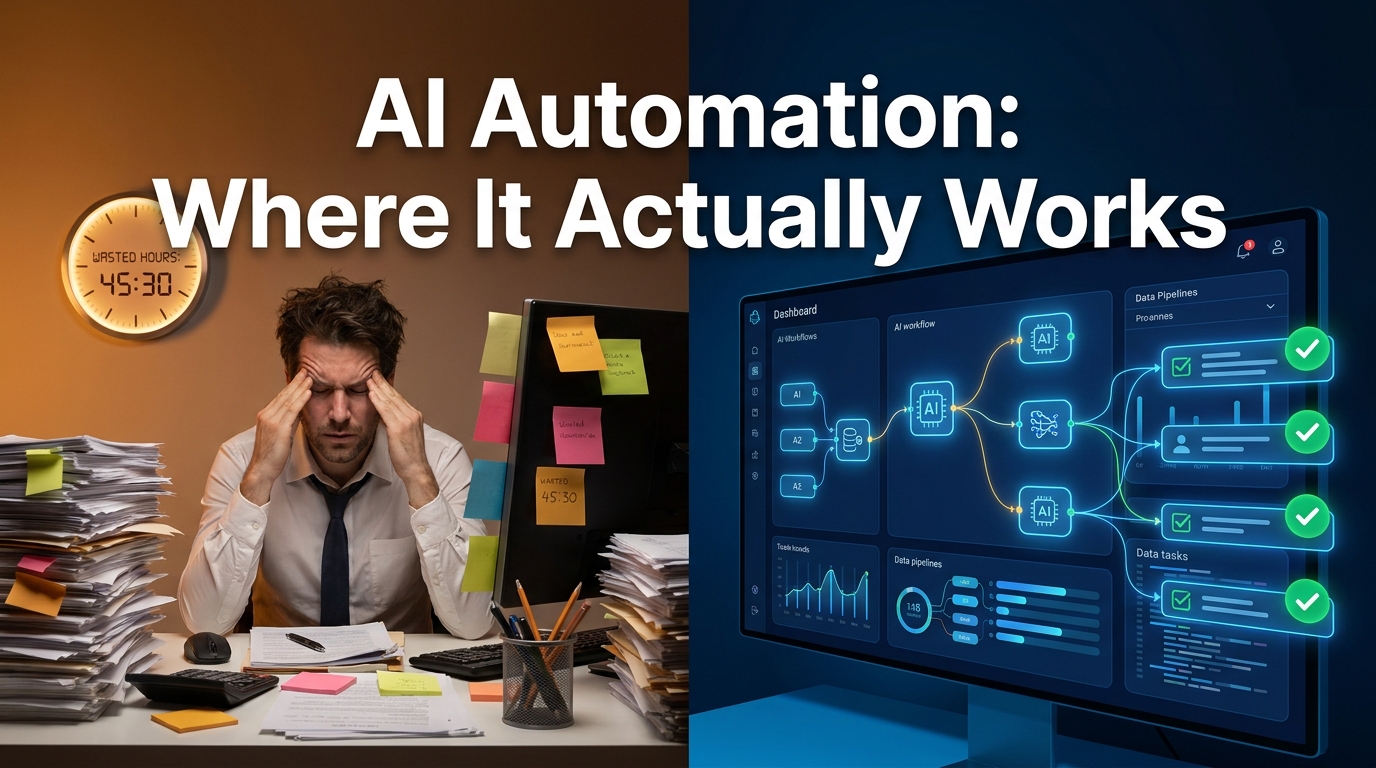

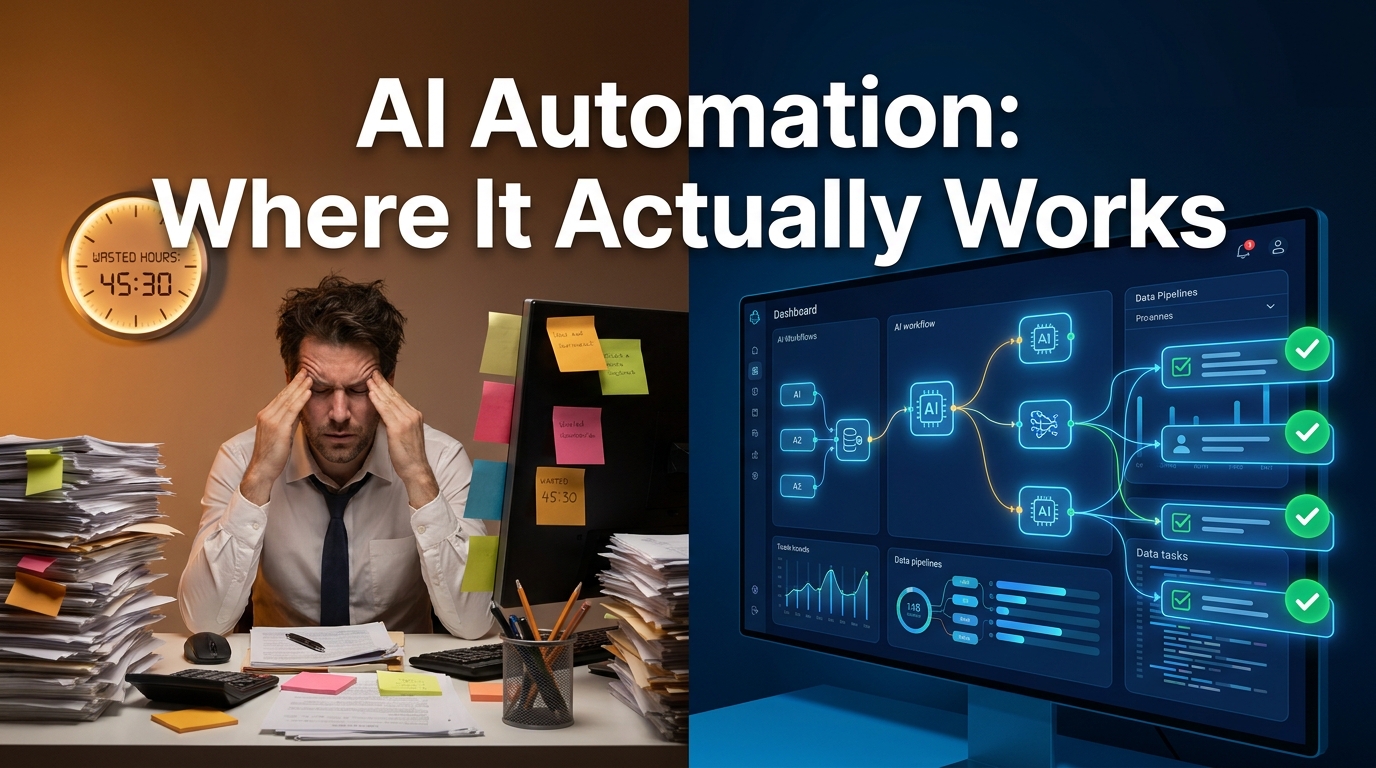
There is a version of the AI automation story that sounds perfectly logical: you identify your repetitive tasks, you wire up an AI-powered workflow, and within weeks your team is freed from low-value work and focused on higher-order thinking. Productivity climbs. Costs fall. Everyone wins.
Then there’s what actually happens in most companies. The chatbot infuriates customers until someone quietly turns it off. The automated invoice processing works fine for 90% of cases and creates a catastrophic exception-handling mess for the remaining 10%. The sales team’s AI prospecting tool floods their CRM with low-quality leads that someone still has to manually sort through. Six months and a significant budget later, the automation has created new work instead of eliminating old work.
Neither of these stories is complete on its own. AI automation genuinely does deliver — but only in specific conditions, with specific types of processes, inside organisations that have done the unsexy groundwork that most implementation guides gloss over. According to IBM’s Institute for Business Value, 92% of C-suite executives plan to digitise workflows and leverage AI-powered automation — but the gap between intent and successful execution remains stubbornly wide.
This post is an honest map of that gap. Not a vendor pitch. Not a list of use cases with no failure modes. A realistic look at where AI automation creates durable value, where it destroys it, how to tell the difference before you commit budget, and what the companies getting it right are actually doing differently in 2026.
The Automation Maturity Spectrum: From Rule-Based to Judgment-Capable
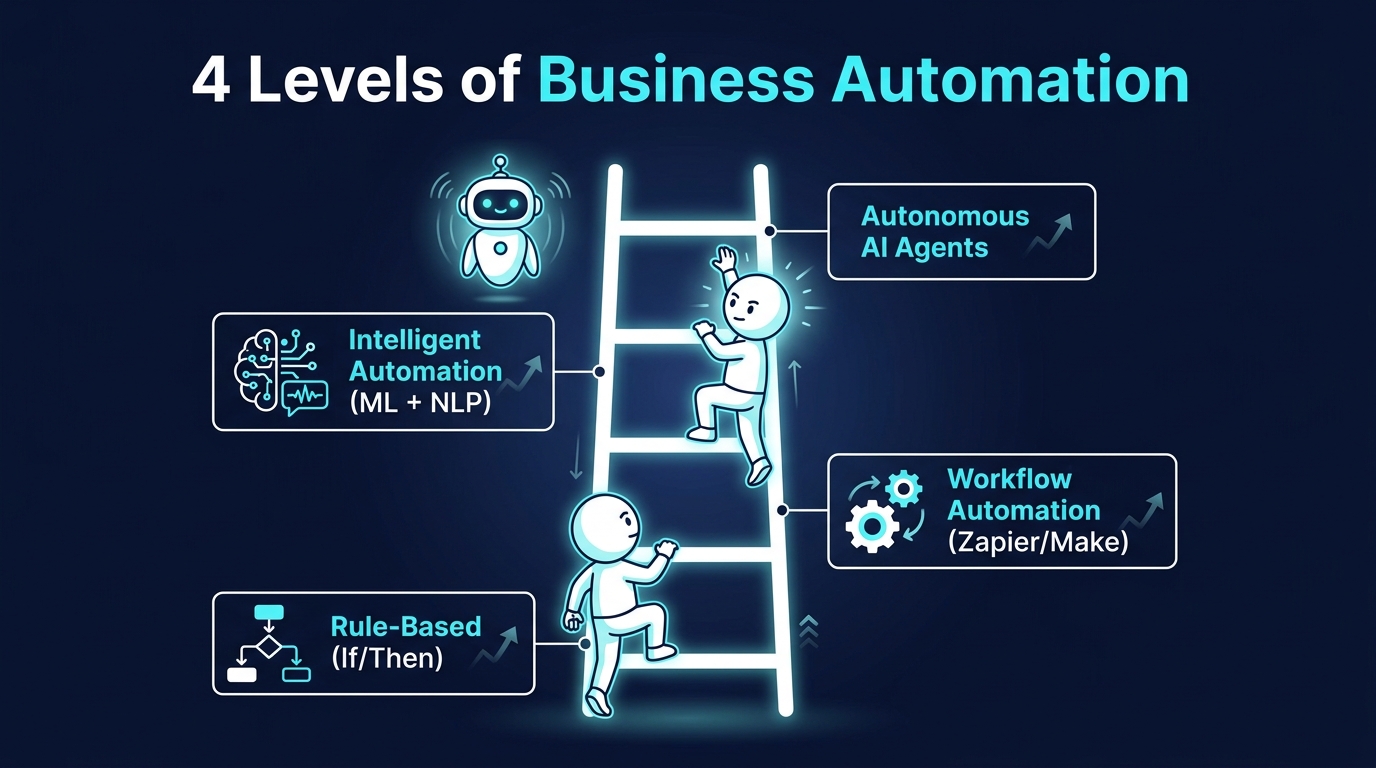
One of the most common mistakes organisations make is treating “automation” as a single thing. It isn’t. There is a significant difference between a conditional rule that says “if invoice total exceeds £10,000, flag for approval” and an AI agent that reads an ambiguous vendor contract, extracts the relevant payment terms, cross-references them against company policy, and surfaces a recommended action. Both are “automation.” They share almost nothing else in common.
Level 1: Rule-Based Automation
This is the original automation — if/then logic, conditional triggers, scripted sequences. Tools like Microsoft Power Automate, Zapier’s classic workflows, and legacy RPA platforms like UiPath and Automation Anywhere operate heavily at this level. Rule-based automation is fast to deploy, cheap to run, and highly predictable. It breaks the moment something unexpected happens, because it has no capacity to interpret ambiguity. It only knows what it’s been explicitly told.
For structured, high-volume, low-variance processes — think form submissions triggering CRM entries, or purchase orders under a set threshold auto-approving — rule-based automation is often the right tool. It doesn’t need to be smarter than the task requires. Over-engineering this layer with AI adds cost and fragility without adding value.
Level 2: Workflow Automation with Conditional Intelligence
Platforms like Make (formerly Integromat), n8n, and modern versions of Zapier allow multi-step workflows with branching logic, data transformation, and API integrations across dozens of tools. This layer still runs on rules, but the rules can be more complex: scoring inputs, routing based on content, triggering different paths based on outputs from earlier steps.
Most SMEs and mid-market companies should spend the majority of their initial automation budget here. The ROI is predictable, the failure modes are visible, and the learning curve teaches teams to think in process terms — which is the prerequisite skill for everything more advanced.
Level 3: Intelligent Automation
Here is where machine learning and natural language processing enter the picture. The system can now interpret unstructured inputs: an email with a complaint buried in pleasantries, a support ticket that describes a technical problem without naming it, a customer review that expresses satisfaction on the surface but flags a product defect in the final sentence. AI at this level can handle messy, real-world data rather than clean, structured inputs.
This is the layer where most of the interesting ROI stories live in 2026 — and where most of the interesting failure stories also live. The performance ceiling is higher, but so is the engineering complexity and the maintenance burden.
Level 4: Autonomous AI Agents
Agentic AI — systems that can pursue multi-step goals, use tools, make decisions, and adapt mid-task — represents the frontier of business automation in 2026. These systems can, in principle, handle tasks that would have required a junior employee two years ago: researching a prospect, drafting an outreach sequence, booking a meeting, and logging everything in the CRM.
In practice, autonomous agents in production business environments still require careful scoping, robust monitoring, and clear escalation paths. The organisations using them successfully tend to deploy them in narrow, well-defined corridors — not as general-purpose workers.
Understanding which level of automation a given process actually requires is the first decision any serious implementation needs to make. Many failed projects are simply the result of using a Level 4 solution for a Level 1 problem, or vice versa.
The Three Business Functions Where AI Automation Delivers the Fastest ROI
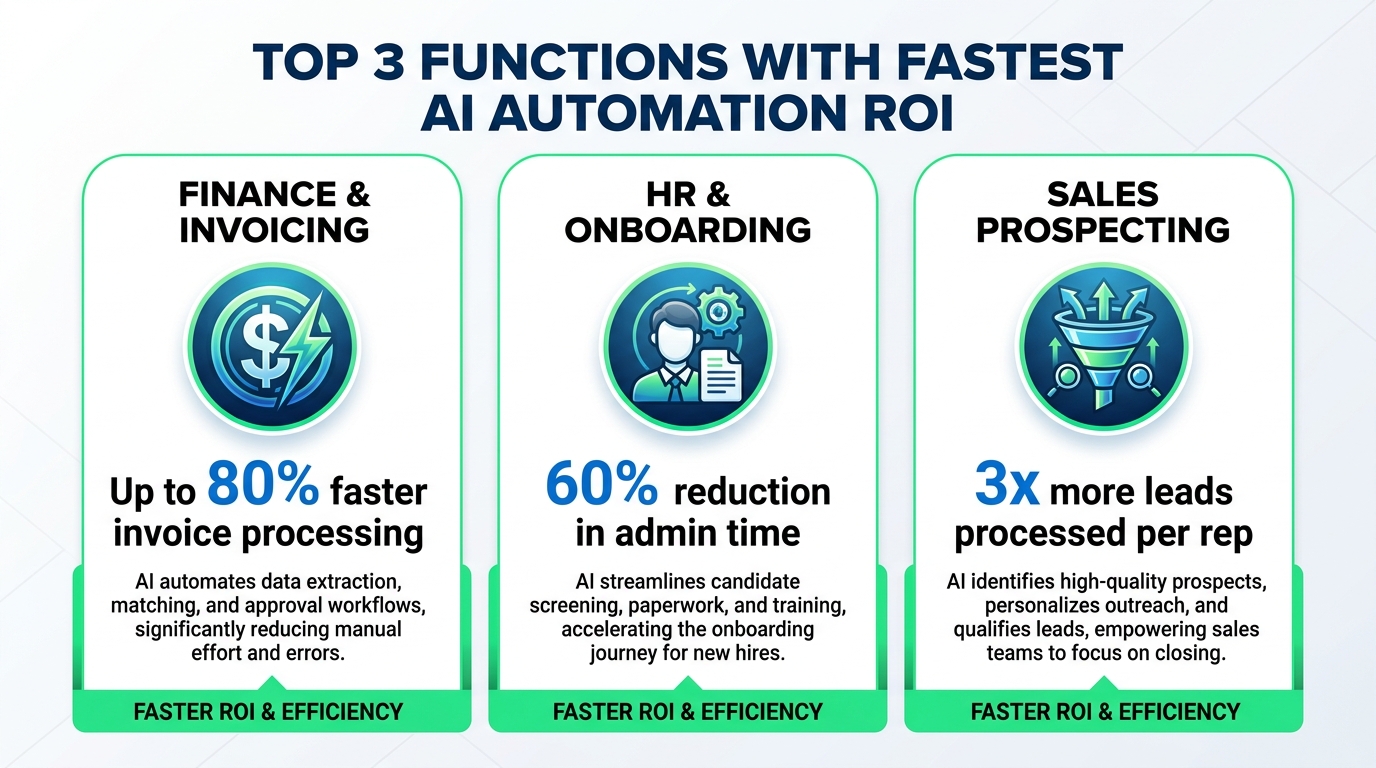
Not all business functions are equally suited to AI automation. The fastest payback cycles consistently show up in three specific areas — and understanding why helps predict where automation will work in your own organisation.
Finance Operations and Accounts Payable
Accounts payable is one of the oldest automation targets, and it remains one of the highest-ROI ones in 2026. Modern AI-powered AP solutions — tools like Tipalti, Stampli, and SAP’s embedded AI — can process invoices, match purchase orders, identify discrepancies, flag anomalies, and route exceptions without human involvement for the vast majority of standard transactions.
The reason this works is structural: invoices follow predictable formats, the data fields that matter are well-defined, the rules for approval are typically documented, and the volume is high enough that automation delivers compounding savings. IBM’s research with clients in this space has documented up to 50% productivity gains in AP workflows through intelligent automation.
The hidden benefit goes beyond processing speed. AI systems that continuously scan transaction data surface patterns that humans miss — vendor pricing anomalies, duplicate payment risks, and early-payment discount opportunities that would otherwise expire unnoticed. That’s value that doesn’t show up on the original business case but often exceeds the stated ROI.
HR Administration and Employee Onboarding
The average employee onboarding process involves a startling amount of form-filling, system provisioning, document collection, policy acknowledgement tracking, and scheduling coordination — virtually none of which requires human judgment. It is exactly the kind of structured, high-volume, rule-governed process that automation handles well.
Companies that have automated their onboarding workflows report significant reductions in time-to-productivity for new hires, fewer compliance gaps from missed paperwork, and meaningful reductions in HR team workload. The interesting shift is that HR professionals freed from administrative burden tend to redirect their time to the genuinely human aspects of the role: culture conversations, early tenure check-ins, performance coaching. That’s the McKinsey finding that often gets quoted: most employees who report time savings from automation use that additional time on new, higher-value activities — not on doing more of the same thing faster.
Recruitment screening is a more nuanced case. AI tools that rank and filter CVs can accelerate the early stages of hiring dramatically. But this is also an area with documented bias risks when the training data reflects historical hiring patterns that underrepresent certain groups. Organisations deploying AI recruitment tools in 2026 need active audit protocols — this is a function where oversight is not optional.
Sales and Revenue Operations
Sales operations is a function that has been drowning in data for years. CRM hygiene, lead scoring, outreach sequencing, pipeline forecasting, account research — these are tasks that sales teams nominally do but rarely do well because the cognitive overhead is enormous. AI automation can take large portions of this off the plate.
AI-powered lead enrichment tools can pull firmographic data, buying intent signals, recent news, and contact information automatically. Intelligent sequencing tools can personalise outreach at scale without sales reps manually editing each message. Pipeline forecasting models trained on historical deal data consistently outperform human gut-feel estimates — often with 20–30% better accuracy.
The important caveat: AI in sales automation works best when it augments the human relationship rather than replacing it. Research consistently shows that B2B buyers, particularly in high-value deals, remain sensitive to the distinction between genuine human engagement and AI-generated interaction. The companies seeing the best results use AI to do the research, enrichment, and scheduling — and leave the actual conversations to humans who can show up informed and prepared rather than scrambling to find context mid-call.
Why Customer Service Automation Keeps Backfiring — and What the Best Teams Do Instead
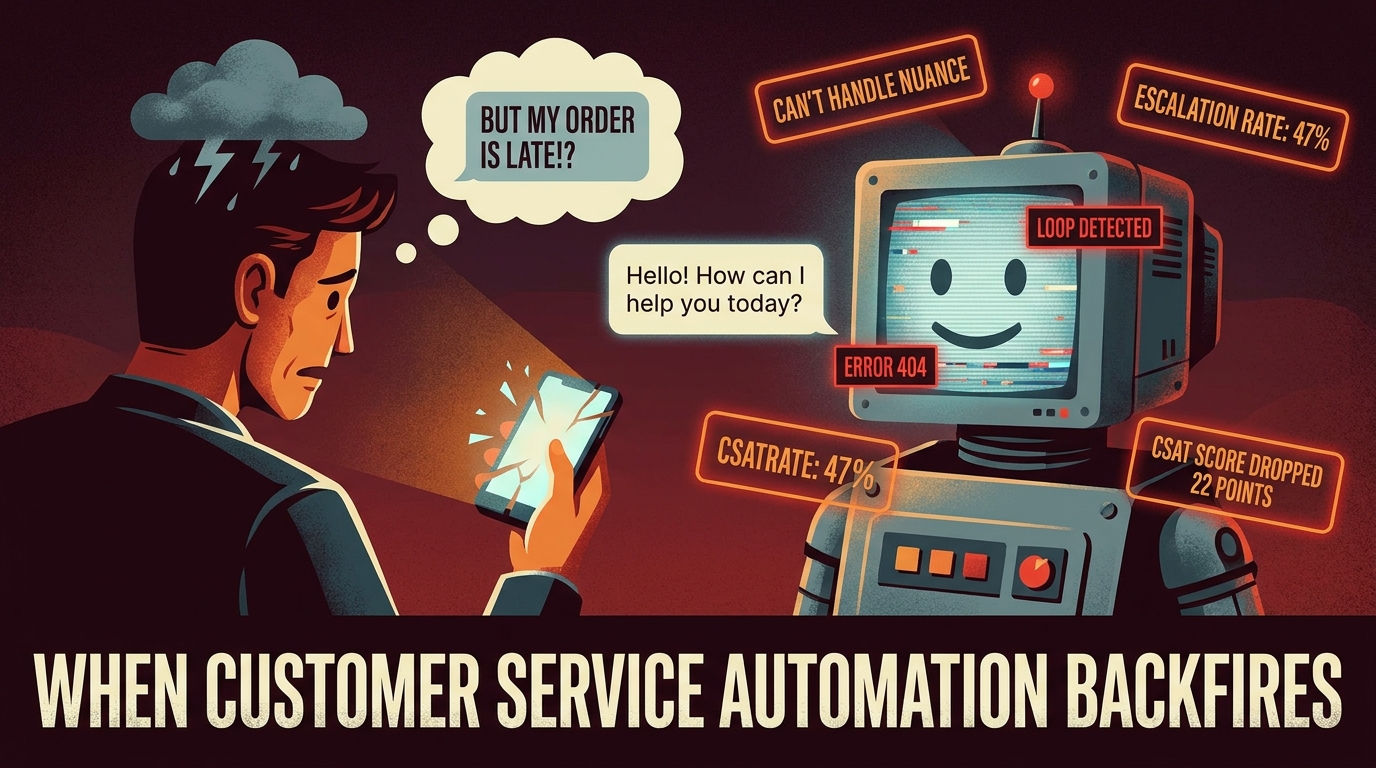
Customer service AI automation is probably the most visible use case — and probably the one with the worst track record for customer satisfaction outcomes. Understanding why is important, because the failure isn’t inherent to the technology. It’s a deployment problem.
The Core Problem: Edge Cases Are Where Customer Relationships Live
Most customer service interactions are routine. Password resets. Order status queries. Subscription changes. FAQ requests. These can be handled by a well-designed chatbot or automated flow with high accuracy and reasonable customer satisfaction. The problem is not the 80% of standard queries.
The problem is what happens when someone contacts support because they’ve had a genuinely bad experience, are dealing with a complex technical issue, or need someone to listen before they need someone to solve. These interactions — which represent a relatively small percentage of volume but a disproportionate percentage of customer lifetime value decisions — require judgment, empathy, and the ability to deviate from a script. Current AI systems handle these situations poorly.
When a frustrated customer hits a chatbot loop for the third time and cannot reach a human, they don’t blame the chatbot. They blame the brand. The automation has not reduced customer service cost — it has transferred it to the customer in the form of wasted time and compounded frustration, and eventually back to the business in the form of churn.
What Actually Works: The Tiered Model
Organisations with genuinely successful customer service automation have figured out the tiering problem. They use AI to handle the genuinely automatable queries — the ones where the customer needs a fast, accurate answer and doesn’t particularly care whether a human delivered it — and maintain clear, frictionless paths to human agents for everything else.
The key design principle is: the ease of reaching a human should be proportional to the complexity or emotional temperature of the issue. An AI that can accurately detect frustration signals in language or tone and proactively route to a human — before the customer asks — consistently outperforms systems that force customers to navigate a menu of deflection options to find the escalation path.
Equally important is what AI does to empower human agents rather than replace them. AI-assisted agents — where the system reads the conversation context, surfaces the customer’s history, suggests relevant knowledge base articles, and drafts a proposed response for the agent to edit — consistently deliver better outcomes than either pure AI or pure human service. The human brings judgment and empathy; the AI brings information retrieval and draft generation. That combination is the actual sweet spot in customer service for 2026.
Metrics That Reveal the Truth
Companies evaluating their customer service automation should track three metrics that vendor dashboards frequently don’t surface by default: containment rate (how many conversations the AI resolves without escalation), first-contact resolution rate (did the customer’s issue get resolved in a single interaction, regardless of channel), and customer effort score (how hard did the customer have to work to get an answer). An automation that drives up containment rate while tanking customer effort score and first-contact resolution has saved the company money and cost it customers. That trade-off is rarely worth making.
The Hidden Cost Nobody Budgets For: Maintaining AI Automations Over Time
Business cases for AI automation almost universally focus on two numbers: the cost to implement and the projected savings. What they consistently undercount — sometimes to a degree that reverses the entire ROI calculation — is the ongoing cost of maintaining automations after launch.
Why Automations Degrade
AI automations are not set-and-forget systems. They operate on assumptions about the environment they’re deployed in: the format of incoming data, the APIs they connect to, the language patterns of incoming requests, the business rules they apply. When those assumptions change — and in any live business, they will constantly change — the automation degrades or fails.
An invoice processing automation built on a template for one supplier’s PDF format breaks when that supplier changes their billing system. A customer intent classifier trained on last year’s product catalogue makes poor predictions when new products are added. A workflow that routes tickets based on keyword matching starts misfiring as customer vocabulary evolves. None of these are edge cases. They are the normal operating conditions of any production automation.
The maintenance burden is not primarily a technical one, which is what catches many teams off guard. It’s a process monitoring burden. Someone needs to be watching the outputs of automated systems continuously — not just checking that the system ran, but that it ran correctly. This requires either dedicated human oversight or, increasingly, AI monitoring tools that watch the watchers.
The True Total Cost of Ownership
A 2024 McKinsey analysis found that enterprise software projects routinely underestimate total cost of ownership by 40–60% when they fail to account for ongoing maintenance, retraining, and governance. For AI automations specifically, the ongoing cost components include: model retraining as data distributions shift, prompt updates as LLM behaviour changes across model versions, integration maintenance as third-party APIs update, exception-handling management for edge cases the automation can’t resolve, and compliance review as regulations affecting automated decision-making evolve.
Teams that budget for these costs upfront — typically 20–30% of initial implementation cost per year — tend to sustain their automations and realise the projected savings. Teams that don’t tend to discover six to twelve months post-launch that their “running automation” is quietly producing worse and worse outputs while the team has already moved on to the next project.
Building in a Maintenance Rhythm
The practical answer is to treat each deployed automation as a product rather than a project. Products have owners, metrics, release cycles, and roadmaps. Projects get delivered and forgotten. Naming a specific person as the owner of each automation — someone responsible for its ongoing performance, not just its initial build — is one of the simplest structural decisions that separates teams with durable automation ROI from those with degrading returns.
What the Data Actually Says About Employee Time Savings
Time savings is the most commonly cited benefit of business automation, and also the most commonly misunderstood. Understanding what the data actually shows — and what it doesn’t — is important for setting realistic expectations and making sensible investment decisions.
The McKinsey Finding: Saved Time Moves Upstream
McKinsey’s research on employee behaviour following automation implementation found that a majority of employees who reported meaningful time savings from automation redirected that time to new activities — not to sitting idle or to doing more of the same work faster. Specifically, they moved toward tasks requiring higher-order thinking: analysis, collaboration, planning, and work with customers or colleagues that benefits from human presence.
This is the optimistic reading of automation’s human impact, and it’s genuinely well-evidenced in knowledge work environments. It reflects the fundamental economic argument for automation: free humans from the mechanistic so they can focus on the irreducibly human.
The Productivity Paradox That Keeps Appearing
The less comfortable finding is that time savings at the individual level don’t always translate to productivity gains at the organisational level. This is sometimes called the automation productivity paradox, and it has a few common causes.
First, freed-up time often gets absorbed by coordination overhead rather than value-creating work. When a workflow is automated, the meetings, check-ins, and status updates that were built around it don’t automatically disappear — they just become meetings about less-urgent things. Second, when automation enables a team to do more of something, the demand for that function often expands to fill the capacity — a phenomenon well-documented in highway capacity research and equally present in business operations. Automating email triage doesn’t reduce email. It often increases it, because response times drop and the friction of emailing someone falls.
Third, and most importantly: productivity gains from automation are only realised when the organisation restructures around the new capability. If you automate report generation but the team still meets weekly to go through reports in the same way, you’ve saved the time it takes to make the report but not the time it takes to process it. The workflow change has to accompany the task change.
Honest Benchmarks for Planning
Based on documented outcomes across multiple industries and company sizes, here are realistic productivity benchmarks to use when planning automation investments. Finance and AP automation delivers 40–80% reductions in manual processing time for in-scope transactions, with the wide range reflecting how standardised the input data is. HR administration automation typically reduces admin time for onboarding and offboarding by 50–65%. Sales operations automation — lead enrichment, CRM hygiene, sequencing — commonly delivers 25–40% increases in the volume of accounts a single sales ops professional can manage. Customer service AI augmentation (AI assisting agents rather than replacing them) typically shows 15–25% handle time reductions alongside flat or improved satisfaction scores.
These are not the numbers that show up in vendor whitepapers, which tend to report best-case outcomes. They are ranges that reflect real-world variance including the learning curve, exception handling, and organisational inertia that slows adoption.
Department by Department: Where AI Automation Is Genuinely Ahead of Humans
Beyond the headline functions, it’s useful to map AI automation performance against human performance across specific task categories within each business department. This gives a more granular view of where the genuine advantages lie.
Marketing: Volume and Personalisation at Scale
AI automation’s clearest advantage in marketing is the ability to personalise content and communications at volumes no human team could match. Dynamic content personalisation — showing different messages to different audience segments based on behaviour, firmographics, or purchase history — is something AI does faster and more accurately than manual segmentation. A/B testing automation that continuously rotates variants and statistically converges on winners reduces the time to insight dramatically compared to manually managed test cycles.
Where AI underperforms humans in marketing: brand voice consistency over time, creative concepting, and cultural sensitivity. AI-generated content has a characteristic flattening effect on brand personality unless actively managed by human editors. Campaigns that outsource too much of the creative development to AI tend to converge toward a homogenised tone that is technically competent and emotionally inert.
Legal and Compliance: Pattern Recognition at Pace
Contract review and compliance monitoring are two legal functions where AI automation has achieved documented performance above human benchmarks. AI contract analysis tools can review and flag risk clauses in commercial agreements faster and with fewer missed items than junior legal professionals handling high volumes. Compliance monitoring systems that continuously scan transaction logs for regulatory pattern violations surface anomalies that would take human reviewers months to find in retrospect.
The important nuance: AI legal tools are genuinely useful for the pattern-recognition, flagging, and summarisation layers of legal work. They are not a substitute for legal judgment on novel questions, adversarial contexts, or situations where the letter and spirit of a rule diverge. They work best as a first-pass filter that allows qualified humans to focus their attention where it actually matters.
Operations and Supply Chain: Forecasting and Exception Management
Demand forecasting, inventory optimisation, and logistics routing are areas where machine learning models have been demonstrably outperforming traditional planning approaches for years. The models process more variables, update more frequently, and are not subject to the cognitive biases that distort human forecasts — recency bias, anchoring to last year’s numbers, over-weighting dramatic events.
In supply chain specifically, AI systems that monitor supplier networks and surface early-warning signals of disruption — shipping delays, geopolitical events, weather patterns, supplier financial health indicators — have become a genuine competitive advantage in industries with complex, multi-tier supply chains. The COVID-era supply chain shocks accelerated adoption of these tools significantly, and the companies that deployed them early consistently outperformed those that relied on lagging indicators.
The Four Most Common Ways AI Automations Break in Production
If you want to understand why AI automation projects fail, it’s more instructive to look at production failure patterns than at pilot results. Pilots are optimistic environments. Production environments are hostile. Here are the four failure modes that appear most consistently.
Failure Mode 1: The Data Quality Assumption
Almost every AI automation system performs well during testing, when data has been cleaned and curated. Almost every AI automation system encounters messier data in production than anyone anticipated. Poorly formatted inputs, inconsistent field values, missing data, legacy system exports with encoding issues, and human-entered data with typos and abbreviations — all of these cause systems that worked beautifully in UAT to produce poor outputs at scale.
The solution is not to clean all your data before deployment (though some level of data hygiene is necessary). It’s to design automations that handle dirty data gracefully: routing exceptions for human review, flagging low-confidence outputs, and logging the specific data quality issues it encounters so the team can address them systematically. Automations that silently process poor-quality data and produce confidently wrong outputs are far more dangerous than ones that flag uncertainty.
Failure Mode 2: The Dependency Change
AI automations typically depend on external systems: APIs, data feeds, third-party platforms. When those dependencies change — and they will — the automation breaks. The vendor updates their API. The data feed changes format. The third-party platform introduces a new authentication requirement. If the automation doesn’t have monitoring that detects and alerts on these breaks, the failure may not be discovered until significant downstream damage has been done: orders not processed, leads not followed up, compliance records not filed.
Production-grade automation infrastructure needs change monitoring and alerting as a first-class component. Not as an afterthought. The question “who gets paged when this breaks at 2am?” should be answered before deployment, not after.
Failure Mode 3: The Scope Creep Failure
Successful automations attract new use cases. Once the team sees that the invoice processing automation works, someone asks whether it can also handle expense reports. Then purchase orders. Then contractor invoices with different formats. Each extension seems incremental. Cumulatively, they take a tightly scoped automation that worked well for a specific set of inputs and stretch it into a general-purpose system for which it wasn’t designed.
The automation begins failing on the edge cases introduced by each extension. Because each failure is small and the person who caused it is upstream, accountability is diffuse and the performance degradation is gradual. By the time someone takes stock of the situation, the original tight automation is running on a patchwork of hacks and the team is spending more time managing exceptions than the automation saves.
Scope governance for automations is not about being precious — it’s about protecting the ROI that justified the investment. New use cases should require a new business case and a fresh implementation, not a patch on the existing one.
Failure Mode 4: The Human Withdrawal Problem
When an automation takes over a process, the humans who used to run that process often disengage. This is natural and sometimes desirable. But it creates a specific risk: when the automation fails or produces a bad output, no one notices, because no one is watching closely anymore.
This is particularly acute in high-stakes automated decisions. A credit scoring model that begins producing systematically biased outputs, an automated content moderation system that starts removing legitimate posts at higher rates — these failures are hard to detect precisely because the whole point of the automation was to remove humans from the loop. Re-inserting humans as monitors, not operators, with specific metrics to track and clear thresholds that trigger review, is the structural response. Automation without monitoring is abdication, not efficiency.
How to Decide What Not to Automate
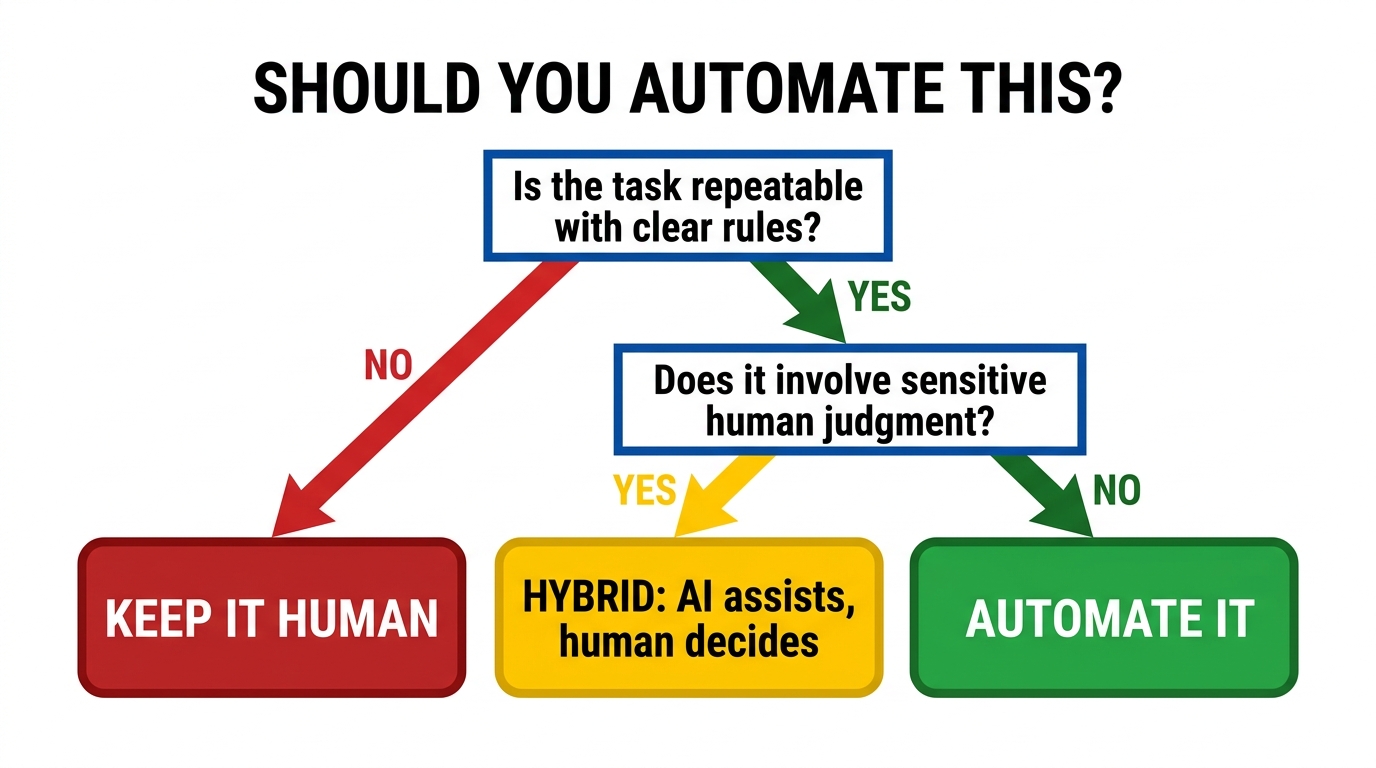
The business conversation about AI automation is overwhelmingly focused on what to automate. The more strategically important question is what not to automate. Getting this wrong is expensive in ways that are harder to reverse than a failed pilot.
The Four Categories That Should Stay Human-Led
High-stakes irreversible decisions. Any decision that is difficult or impossible to reverse — terminating an employee, dropping a supplier, declining a loan application, removing a user account — should involve human judgment even when AI can support the analysis. The cost of an AI error in these contexts exceeds any efficiency gain from removing the human review step. AI can do the assessment and surface the recommendation; a human should own the decision.
Novel situations without precedent. AI systems, including the most advanced language models, are fundamentally extrapolation engines. They perform best on situations that resemble situations in their training data. Genuinely novel problems — a crisis with no historical parallel, a customer with a combination of circumstances that hasn’t appeared before, a regulatory question with no prior guidance — are precisely the situations where experienced human judgment matters most and AI is least reliable.
Relationship-critical touchpoints. In any business where the quality of human relationships drives retention — professional services, healthcare, high-value B2B sales, wealth management — there are specific interactions where the presence of a human is part of the value. Automating these touchpoints in the name of efficiency sends a signal to clients that the relationship is transactional, regardless of what the messaging says. The cost of that perception shift often exceeds the cost of the time that would have been saved.
Processes requiring moral or ethical judgement. As automated systems take on a wider range of decisions, the question of ethical accountability becomes pressing. When an automated content moderation system flags a political statement, when an AI hiring tool deprioritises a candidate, when an automated pricing algorithm produces a surge during a natural disaster — who is responsible? The answer “the system did it” is not legally or ethically adequate. Processes where the answers to those questions are unresolved should retain meaningful human accountability, which typically means meaningful human involvement.
Using the Task Decomposition Test
A practical method for evaluating automation candidates is to decompose the task into its component steps and evaluate each step independently. Most complex processes contain a mix of automatable steps (data retrieval, format conversion, calculation, routing) and non-automatable steps (contextual interpretation, relationship judgment, novel problem-solving). Rather than deciding to automate or not automate the whole process, teams can identify which steps benefit from automation and design hybrid workflows where AI handles the automatable steps and humans handle the rest — informed and faster for having the AI’s output to work from.
The Automation Governance Layer Most Teams Skip
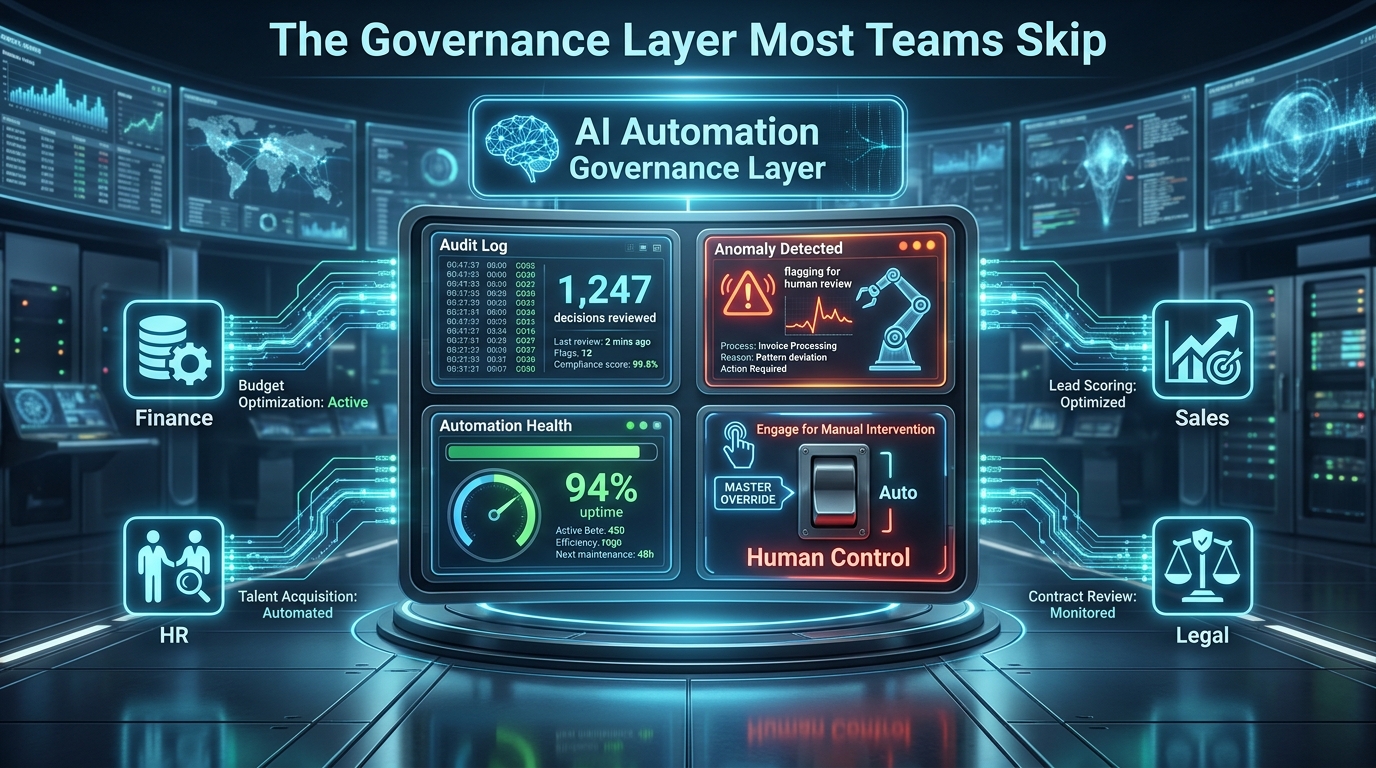
Governance is the word that most automation project teams file under “something we’ll figure out later.” Later typically arrives in the form of a compliance audit, a customer complaint, a broken workflow that no one noticed for three weeks, or a well-intentioned automation producing quietly wrong outputs at scale. Building the governance layer from the start is significantly cheaper than retrofitting it after an incident.
What an Automation Governance Framework Actually Contains
An automation register. A centralised, maintained list of every automation running in the organisation: what it does, who owns it, what systems it touches, what its inputs and expected outputs are, when it was last reviewed, and what its current performance metrics are. This sounds obvious. Most organisations do not have one. When a dependency changes or a new regulation applies, the question “which of our automations does this affect?” becomes answerable in minutes rather than weeks.
Performance monitoring with defined thresholds. Each automation should have a set of output quality metrics that are monitored continuously and that trigger alerts when they fall outside defined ranges. Not just “did it run?” but “did it produce the right kind of output at the expected accuracy rate?” A drop in confidence scores, an unusual spike in exception rates, or a shift in the distribution of outputs are all early-warning signals that something has changed in the environment the automation is operating in.
An audit trail for automated decisions. For any automation that makes or contributes to decisions affecting people — customers, employees, suppliers — there should be a logged record of the inputs, the output, and the reasoning (to whatever extent the system can surface one). This is increasingly a legal requirement under emerging AI governance frameworks in the EU, the UK, and several US states. It is also simply good practice for diagnosing errors and building accountability.
A regular review cycle. Each automation should be scheduled for periodic review: checking whether the original business case still holds, whether the performance metrics are still appropriate, and whether the process the automation supports has changed in ways that require adjustment. Quarterly reviews for high-stakes automations, semi-annual for lower-stakes ones, is a reasonable starting cadence.
Who Owns Governance?
The governance question is partly a technical one and partly an organisational one. Technical tooling for automation monitoring has matured significantly — platforms like Datadog, Grafana, and automation-specific observability tools can handle much of the performance monitoring infrastructure. But governance is ultimately a human accountability structure. Someone in the organisation needs to own it, with the authority and the remit to flag issues and mandate remediation.
In larger organisations, this often sits within a Centre of Excellence that covers automation and AI together. In smaller organisations, it might simply be a named individual with a documented set of responsibilities. What doesn’t work is assuming that governance will happen organically without explicit ownership. It won’t.
The 2026 Vendor Landscape: What Category of Tool You Actually Need
The market for business automation tools has fragmented significantly as the underlying technology has matured. Understanding the category landscape helps organisations avoid buying a platform designed for a different tier of automation than the one they actually need.
No-Code/Low-Code Workflow Platforms
Tools in this category — Zapier, Make, n8n, Microsoft Power Automate — are designed for building multi-step workflows that connect existing SaaS tools without writing code. They are the right starting point for most SMEs and for line-of-business automation projects within larger organisations. Their ceiling is real: complex data transformations, custom model integrations, and high-volume enterprise processes eventually hit the limits of what drag-and-drop workflow builders can do cleanly. But for a very large percentage of business automation needs, they are sufficient and dramatically faster to deploy than enterprise alternatives.
Robotic Process Automation Platforms
RPA platforms — UiPath, Automation Anywhere, Blue Prism — were designed to automate desktop and web application interactions where no API exists: clicking through a legacy ERP screen, copying data from one system into another. In 2026, the RPA market has been under significant pressure as API-first SaaS architectures reduce the need for screen-scraping bots, and as the major RPA vendors have pivoted aggressively toward AI-augmented automation. The original RPA value proposition still applies in organisations with legacy systems that cannot be replaced — a common situation in manufacturing, government, and healthcare. For greenfield automation, modern workflow platforms with API connections are usually preferable.
Intelligent Document Processing
A specific category that has earned its own space: tools designed to extract structured data from unstructured documents — invoices, contracts, insurance claims, medical records. Platforms like Hyperscience, Rossum, and Amazon Textract use computer vision and NLP to achieve document understanding that goes well beyond template-based OCR. For organisations with high volumes of incoming documents in varied formats, this is a high-ROI category with well-documented performance benchmarks.
AI Agent and Orchestration Platforms
The newest and fastest-growing category: platforms designed to build and deploy AI agents that can use tools, make decisions, and handle multi-step tasks. In 2026, this market includes both commercial platforms (Salesforce Agentforce, ServiceNow AI, Microsoft Copilot Studio) and open-source frameworks (LangChain, AutoGen, CrewAI) that technical teams assemble into custom solutions.
The commercial platforms offer faster deployment, pre-built integrations, and vendor-managed compliance — at significant cost and with significant lock-in risk. The open-source route offers flexibility and no licensing cost, at the expense of substantially higher engineering and maintenance overhead. The right choice depends on the team’s technical depth, the specific use case requirements, and the organisation’s risk appetite for platform dependency.
Embedded AI in Existing SaaS
The category that often gets overlooked: the AI automation capabilities built directly into the business tools organisations already use. CRM platforms, marketing automation suites, ERP systems, and HR platforms have all added significant AI functionality in the past two years. Microsoft reports that nearly 70% of Fortune 500 companies use Microsoft 365 Copilot across email, documents, and meeting transcription. For many business functions, activating and configuring the AI capabilities in existing tools is a faster and lower-risk path to value than deploying a new platform.
The practical recommendation: before evaluating new automation platforms, audit what your existing tools already offer. You may be paying for AI capabilities you’re not using.
Building Your AI Automation Strategy: A Framework for 2026
Pulling the threads of this post together into something actionable requires a framework that respects both the genuine potential of AI automation and its real limitations. Here is a structured approach that reflects how the organisations getting the most durable value from automation actually operate.
Step 1: Process Inventory Before Technology Selection
Start with a documented inventory of your top ten most time-consuming, repetitive processes — ranked by total hours consumed across the team, not by perceived importance. For each process, note the volume (how often it occurs), the variance (how much each instance differs from the last), the stakes (what goes wrong if the output is incorrect), and the current error rate. This gives you a prioritised list based on actual data rather than intuition or vendor suggestions.
Step 2: Apply the Automation Fit Filter
For each candidate process, ask four questions. Is the task rule-governed enough that the right output can be defined unambiguously? Is the input data sufficiently structured (or can it be structured with reasonable effort)? Is the cost of an error acceptable — and is there a clear mechanism for catching errors? Is this a process that will remain stable enough for an automation to run against it for at least twelve months before significant redesign is needed? Processes that pass all four questions are strong candidates. Processes that fail on stakes or stability deserve caution.
Step 3: Right-Size the Technology
Use the automation maturity spectrum described earlier to match the technology tier to the task complexity. Do not deploy an AI agent where a workflow automation would suffice. Do not try to use a simple workflow builder for a task that genuinely requires natural language understanding. The mismatch between task complexity and tool sophistication is the root cause of more failed projects than any other single factor.
Step 4: Define Success Metrics Before You Build
Every automation project should define its success metrics — time saved, error rate reduction, cost per transaction, customer satisfaction impact — before a single workflow is built. This does two things. It forces the team to be specific about what value they’re chasing, which often reveals that the original framing was too vague. And it creates a baseline against which post-deployment performance can be measured objectively rather than anecdotally.
Step 5: Build the Governance Structure in Parallel
The automation register, the monitoring thresholds, the review cycle, and the ownership assignment should be established as part of the initial project — not post-launch. If the governance infrastructure is too burdensome to set up for a given automation, that’s a signal that either the automation is more complex than it appears, or the governance framework is too heavyweight for the organisation’s current scale.
Step 6: Plan the Human Change, Not Just the Technical Change
The most consistently underestimated component of automation implementation is the change management dimension. The people whose work is being changed — or whose role is being reshaped — need to understand what is changing, why, and what it means for them. Automations that land in teams that weren’t involved in designing them tend to get worked around, undermined, or ignored. Automations that were co-designed with the people doing the work tend to get adopted, monitored, and improved. This is not a soft consideration. It is a core delivery risk.
Conclusion: The Honest Assessment of Where AI Automation Stands in 2026
AI automation in 2026 is neither the productivity revolution that marketing materials promise nor the irrelevant distraction that sceptics declare. It is a genuinely powerful capability with a specific profile of strengths and weaknesses — and the organisations that understand that profile are consistently extracting more value from it than those who deploy it based on hype or dismiss it based on overstated fears.
The strengths are real: high-volume, structured, rule-governed processes run faster and more accurately under automation than under human management. Finance operations, HR administration, sales ops, and document processing are mature automation territories with documented ROI. The tools have become significantly more capable and accessible, with meaningful AI functionality now embedded in the business software most organisations already use.
The limitations are equally real: automations degrade without maintenance, break on poor data, fail on genuinely novel inputs, and carry governance obligations that require ongoing human attention. Customer-facing automation remains more fraught than most vendors admit, and the processes that most define the quality of a business’s relationships with its people — employees, customers, partners — typically don’t benefit from removing humans from the loop.
The companies getting consistent value from AI automation share a few traits that have nothing to do with technology and everything to do with discipline: they start with process understanding rather than platform selection, they build governance in from the start rather than retrofitting it after an incident, they treat deployed automations as products with owners and metrics rather than projects that are done, and they are honest about what automation cannot do.
That honesty — about limitations as much as potential — is ultimately what separates sustainable automation programmes from expensive experiments. In a landscape where every vendor is promising effortless transformation, the most valuable capability a business can develop is the ability to look at a process, look at a technology, and make a clear-eyed assessment of whether they actually fit. That judgment is, for now at least, irreducibly human.
Key Takeaways
- Treat automation as a spectrum — match the sophistication of the tool to the complexity of the task, not to the ambition of the project.
- Finance, HR admin, and sales operations consistently deliver the fastest automation ROI across industries and company sizes.
- Customer service automation works best in the hybrid model: AI handles routine queries, AI-augmented humans handle the rest. Pure replacement rarely sustains customer satisfaction.
- Budget 20–30% of initial implementation cost annually for ongoing maintenance — or your automation’s ROI will decay faster than you anticipate.
- Build an automation register and governance structure from day one. Retrofitting it after an incident costs far more than doing it upfront.
- The processes that define your relationships with customers, employees, and partners are generally the wrong candidates for removing humans from the loop.
- Before selecting a new platform, audit what your existing tools already offer. Most organisations are paying for AI capabilities they aren’t using.