


Most advice on AI automation starts with the same question: which tasks can we hand to a model? It sounds sensible. It also produces a lot of demos that work on Tuesday and fall apart by Friday.
A better starting question is: what happens when the automation is wrong? The answer shapes everything else. It decides which workflows are safe to automate, how much human review you need, and whether the savings are real.
This article takes that exception-first view. It is a design approach, not a tool roundup. Note that I could not retrieve outside research while preparing this piece, so it contains no market statistics. Everything here is reasoning and practice you can test against your own numbers.
Why “automate the task” is the wrong unit
A task like “answer a customer email” hides several different jobs. Some emails are routine. Some need an account lookup. Some are angry, legal, or ambiguous. A model handles the first group well and the last group badly, and it often cannot tell which group an email belongs to.
The 80/20 trap
Teams frequently measure success on the easy majority. The demo covers common cases, the accuracy looks good, and the project is approved. The remaining minority of cases is where refunds go wrong, contracts get misread, and customers leave.
The unit that works: the workflow with an exit
Treat each workflow as a path with defined exits. Every step should have a way to say “I am not sure, send this to a person.” If a workflow has no exit, it is not ready to automate.
Map the work before you pick a tool
Spend a week writing down how a process actually runs. Not the documented version, the real one. Include the spreadsheet someone keeps on their desktop and the Slack message that unblocks things.
- Inputs: where does the work arrive, and in what formats?
- Decisions: where does someone apply judgment or a rule?
- Systems touched: which tools get read or written?
- Failure cases: what goes wrong, how often, and what does it cost?
Ask the people doing the work for the last item. They know the exceptions better than any manager does.
The automation ladder: climb one rung at a time
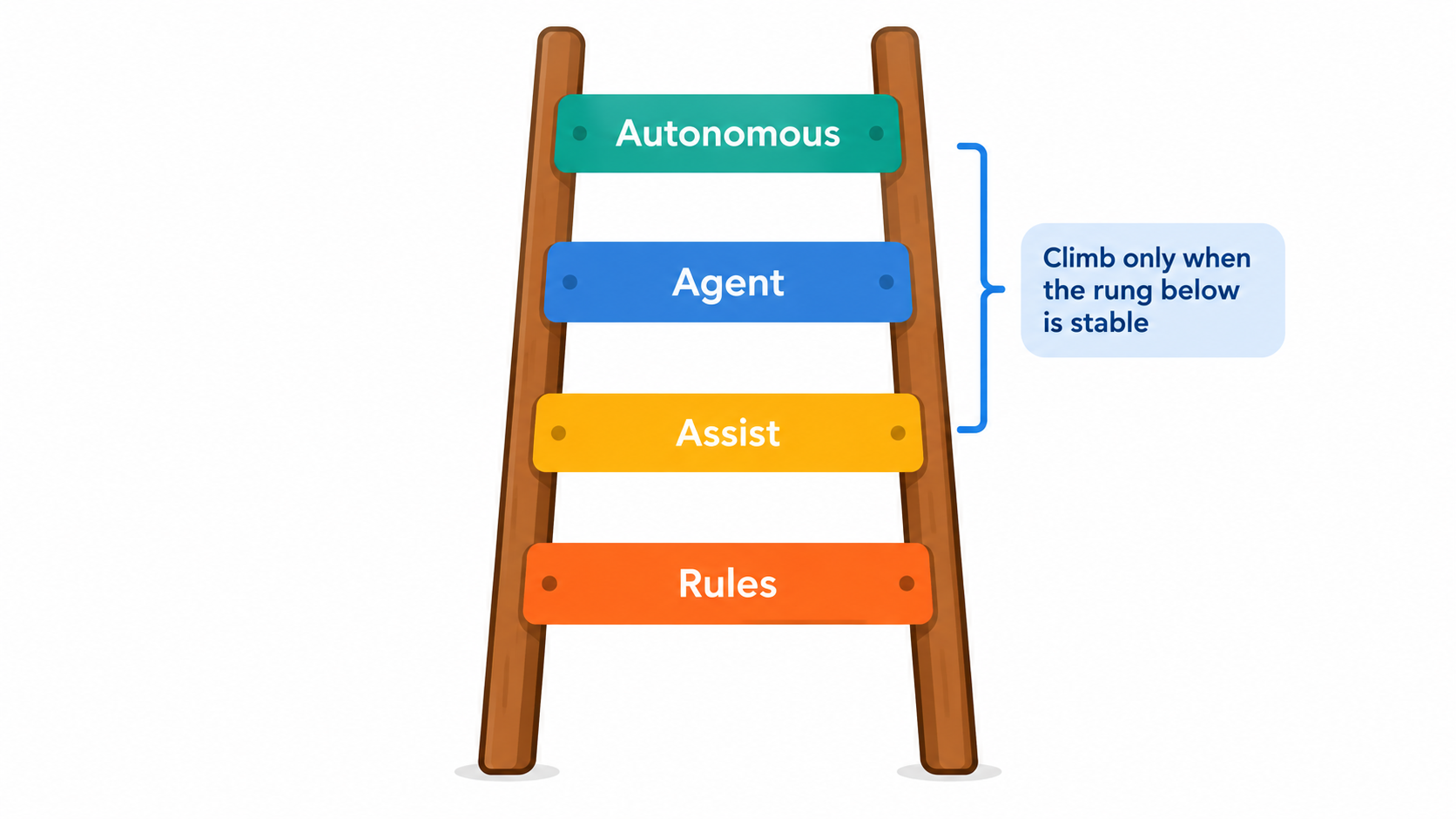
Not every process needs an AI agent. Think of four rungs, each with more autonomy and more risk.
Rung 1: Rules
Plain if-then automation. Route invoices over a set amount to a manager. Send a reminder after three days. It is cheap, predictable, and often enough.
Rung 2: Assist
A model drafts, summarizes, or classifies, and a person decides. Draft replies, meeting summaries, and ticket tagging live here. The human stays accountable, and you collect data on how often the model is right.
Rung 3: Agent with guardrails
The system takes actions across tools, such as looking up an order and issuing a small refund, within limits. Permissions are narrow and every action is logged.
Rung 4: Autonomous
The system runs end to end with only sampled oversight. Few business processes deserve this rung, and those that do earned it with months of evidence from the rungs below.
The common mistake is jumping from rung 1 straight to rung 3 because the demo looked good. Staying at rung 2 for a while is not timidity. It is how you gather the evidence for moving up.
Choose workflows by cost of error, not by hype
Score candidate workflows on three questions.
- Volume: does this happen often enough to matter?
- Cost of a wrong output: is a mistake cheap and reversible, or expensive and public?
- Clarity of “correct”: can someone check the output quickly against a clear standard?
Good starting points tend to be high volume, low consequence, and easy to check: internal summaries, data entry from structured documents, first-draft replies, categorizing requests. Poor starting points are anything involving legal commitments, medical or financial advice, or irreversible actions.
Where AI automation tends to pay off first
Customer support triage
Classifying incoming tickets, pulling relevant account details, and drafting a reply for an agent to approve. The agent still owns the answer, but starts from a draft instead of a blank page.
Document and invoice processing
Extracting fields from invoices, receipts, and forms, then matching them to purchase orders. Mismatches go to a person. This pattern fits exception-first design naturally.
Sales and operations admin
Logging call notes into the CRM, drafting follow-ups, preparing meeting briefs. The cost of an error is low, and the time recovered is spread across many people.
Internal knowledge search
Answering “where is the policy on X” from your own documents, with links to sources. Insist on citations so staff can verify.
Build the review queue first

The review queue is the most neglected part of most projects. It is also what makes automation trustworthy.
What a good queue includes
- The original input and the proposed output side by side.
- The reason the item was flagged.
- One-click approve, edit, or reject.
- A record of what the reviewer changed.
Thresholds
Decide when an item is auto-processed and when it is queued. Start strict, so most items go to review. Loosen the threshold only as your logged data shows the model is reliable on that category. Treat any confidence score from a model with suspicion until you have checked it against real outcomes.
Reviewer edits are training data
Every correction tells you where the workflow fails. Review them weekly. Patterns point to fixes in prompts, instructions, or source data.
Fix the data and process before adding AI
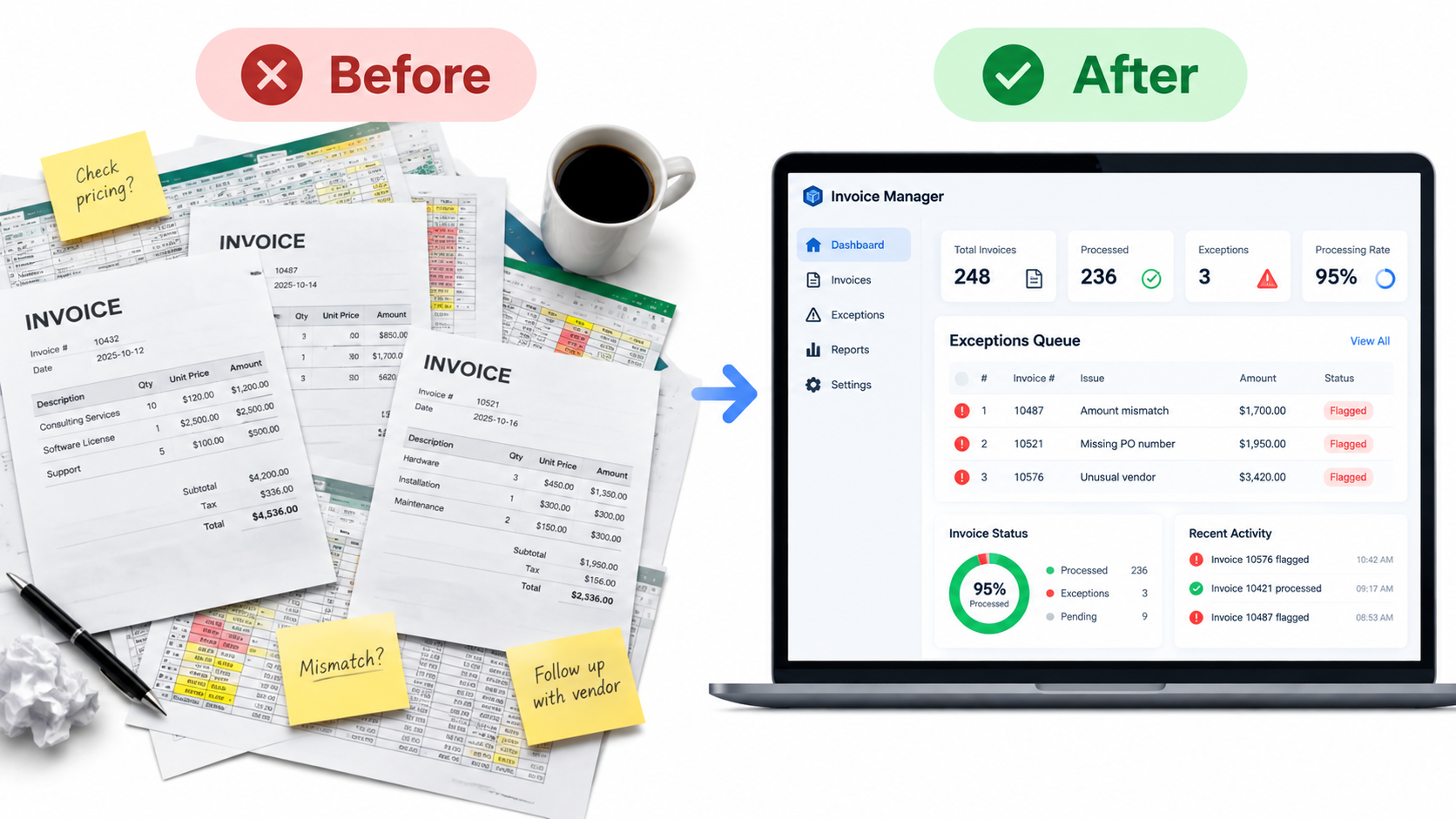
A model reading contradictory policies will produce contradictory answers. A model pulling from outdated product data will state outdated facts confidently. Automation exposes messy processes rather than hiding them.
Before building, check three things. Is there a single source of truth for the data the workflow needs? Is the process written down consistently? Do people actually follow it? If not, fixing that is the first deliverable, and it often delivers value on its own.
Do the ROI math honestly
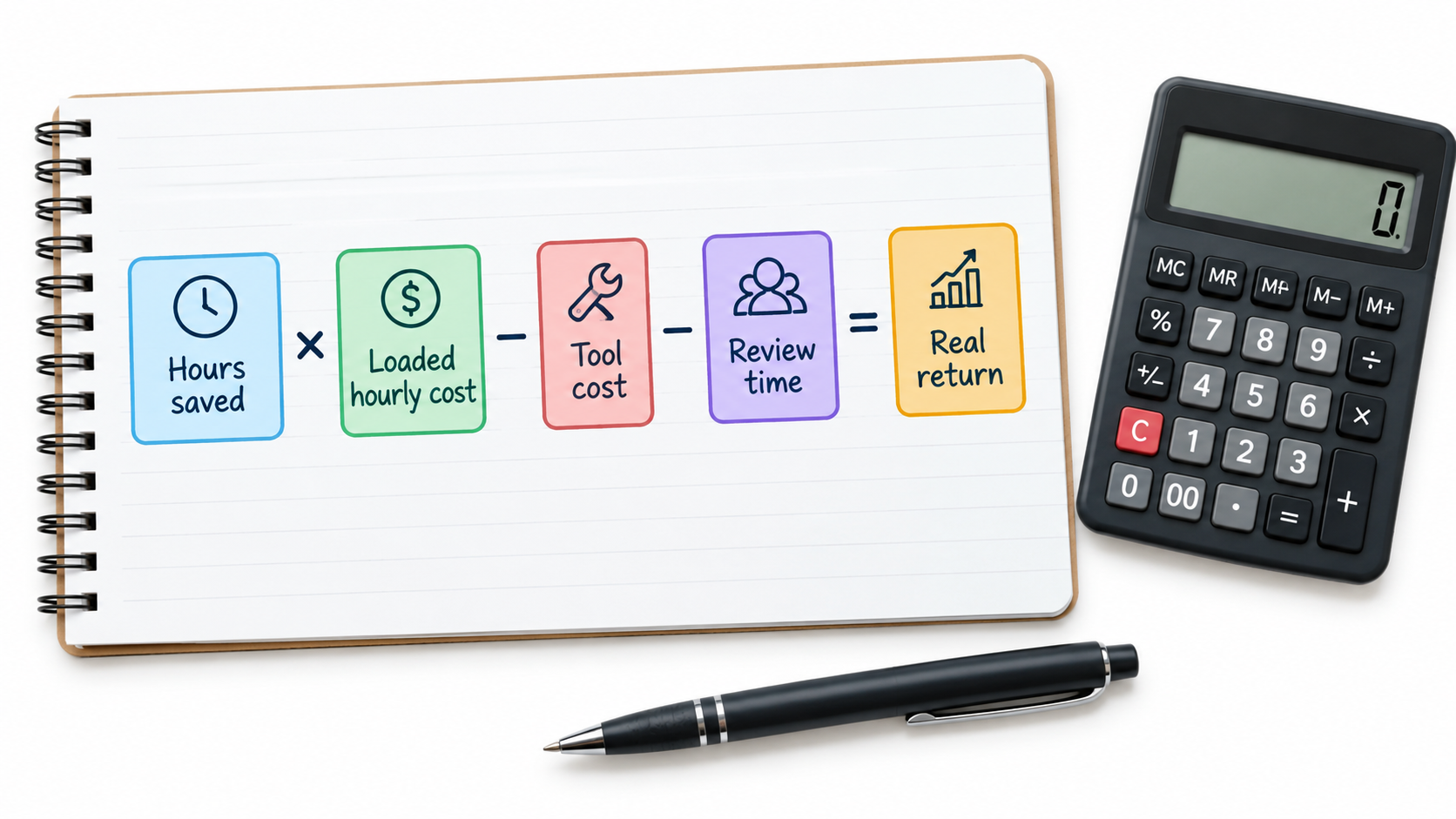
A simple formula keeps you grounded: hours saved multiplied by loaded hourly cost, minus tool cost, minus review time, minus the cost of errors that slip through.
Common accounting mistakes
- Counting gross time saved. If review takes half the time the task used to take, the saving is half.
- Ignoring maintenance. Prompts, integrations, and APIs change. Someone owns that.
- Assuming saved time becomes value. Ten minutes saved per person only matters if it gets redirected to something useful.
- Forgetting usage costs. Model usage often scales with volume. Estimate it at realistic loads.
Measure a baseline before launch: time per item, error rate, turnaround. Without it, you will argue about results instead of reading them.
Common failure modes and how to spot them
Silent drift
The workflow worked at launch, then an upstream format or policy changed. Sample outputs every week and track error categories over time.
Overbroad permissions
Giving an agent access to everything because it is easier. Grant the minimum, log every action, and make risky actions require approval.
Automation nobody owns
If no named person is responsible for a workflow, it will decay. Assign an owner with time set aside for it.
Staff routing around it
If people do not trust the tool, they redo its work by hand, and you pay twice. Involve them early, show the review data, and let them flag problems.
Privacy and compliance gaps
Know what data goes to which vendor, how it is retained, and whether it may be used for training. Check this against your contracts and applicable regulations before launch, not after.
A 30-day plan for your first workflow
- Week 1: pick one workflow using the volume, error cost, and clarity test. Record the baseline and map exceptions with the people who do the work.
- Week 2: build at the assist rung. Create the review queue and logging before polishing the model’s output.
- Week 3: run it live with every output reviewed. Collect corrections and categorize them.
- Week 4: compare to baseline. Decide whether to tighten, expand, or stop. Raise autonomy only on categories with clean results.
Stopping is a legitimate outcome. A cheap experiment that shows a workflow is a poor fit has still saved you from a larger mistake.
Conclusion: automate with an exit
AI automation works best when it is designed around what it gets wrong. Pick workflows where errors are cheap and checkable, build the review queue before the clever part, climb the autonomy ladder only on evidence, and count the true costs.
- Design every workflow with an exit to a human.
- Start at the assist rung and earn autonomy.
- Log reviewer corrections and read them weekly.
- Measure a baseline so results are not a matter of opinion.
- Give every workflow a named owner.
Do that and the technology becomes a dependable part of how your business runs, rather than a pilot that quietly gets abandoned.