



Most conversations about AI automation for business start in the wrong place. They start with a tool, a vendor demo, or a mandate to “do something with AI.” Then they end months later with a pilot nobody uses.
This article takes a different starting point: the task. Businesses don’t run on “functions” like finance or support. They run on thousands of small, repeated tasks. Automation succeeds or fails at that level.
Below is a practical method. It covers how to inventory tasks, how to decide how much autonomy each one gets, how to design for the cases that go wrong, and how to measure results without fooling yourself. I haven’t included market statistics here. My research tools returned no verifiable sources when I wrote this, and I’d rather leave numbers out than invent them. Everything below is a working framework, not a survey.
Why “AI Strategy” Is the Wrong Unit of Planning
A strategy sounds responsible. In practice, a company-wide AI strategy tends to produce a list of aspirations, such as “improve customer experience” or “increase efficiency.” None of those can be built on a Tuesday afternoon.
A task can be built. “Read an inbound supplier invoice, match it to a purchase order, and flag mismatches” is specific. You can test it, time it, and tell whether it worked.
Jobs are bundles, tasks are units
A job like “customer support agent” bundles dozens of tasks. Some are routine, such as looking up an order status. Some need judgment, such as deciding whether to refund an angry long-term customer. AI is rarely a fit for the whole bundle, but it is often a good fit for several tasks inside it.
Planning at the job level leads to arguments about replacement. Planning at the task level leads to practical questions about which parts are tedious and which are risky.
What a good unit looks like
- It has a clear trigger (an email arrives, a form is submitted, a date passes).
- It has a defined input and a defined output.
- It happens often enough that saving time matters.
- Someone can check the result quickly.
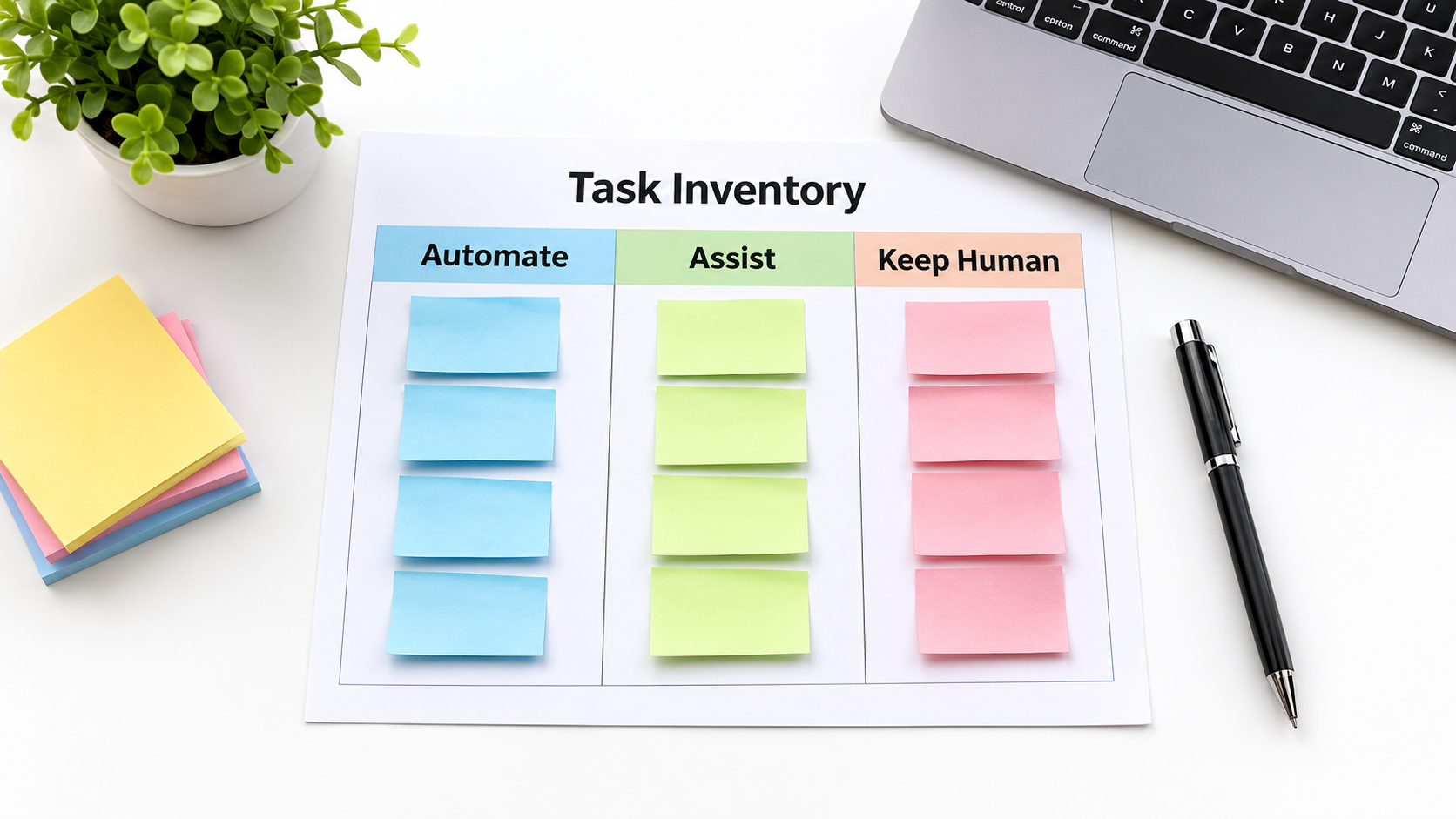
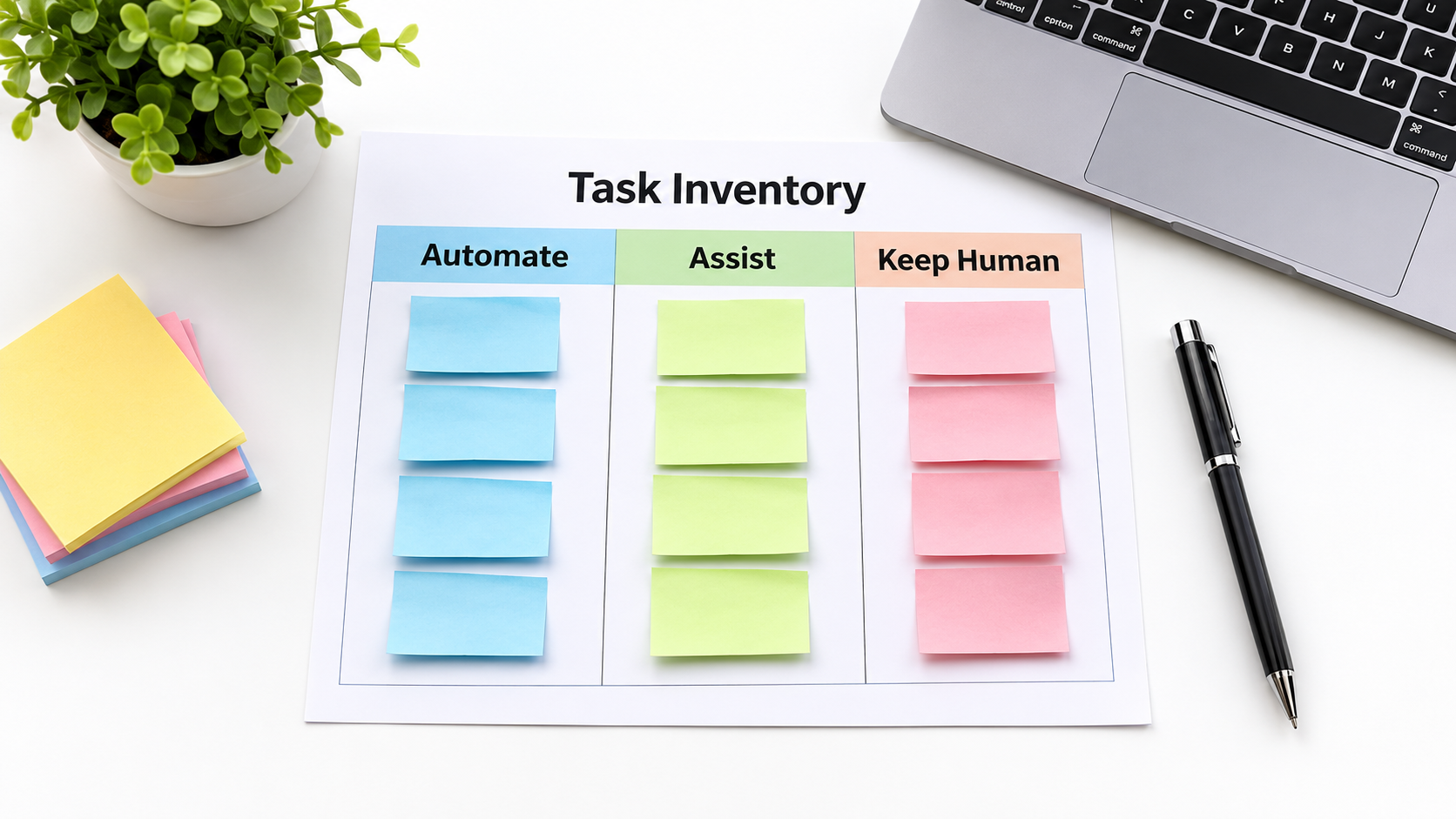
Step One: Build the Task Inventory
Ask each team to list what they do in a normal week. Not what their job description says, but what they actually do. A shared spreadsheet is enough.
For each task, record six things: what triggers it, what inputs it uses, what the output is, how often it happens, how long it takes, and who checks it. Rough estimates are fine. You are looking for patterns, not precision.
Run it as a short exercise
Give each team a week to log tasks as they happen, instead of recalling them from memory. Memory skips the small, annoying tasks, and those are usually the best candidates. Copying data between systems, reformatting reports, and chasing missing attachments rarely appear in a job description.
Tag each task with three attributes
- Repetitiveness: does it follow the same pattern most of the time?
- Language or document heavy: does it involve reading, summarizing, classifying, or drafting text? This is where current AI models are most useful.
- Cost of error: if it goes wrong, what happens, and can it be undone?
The third tag matters most, and it drives the next section.
Step Two: Choose an Autonomy Level, Not a Yes/No
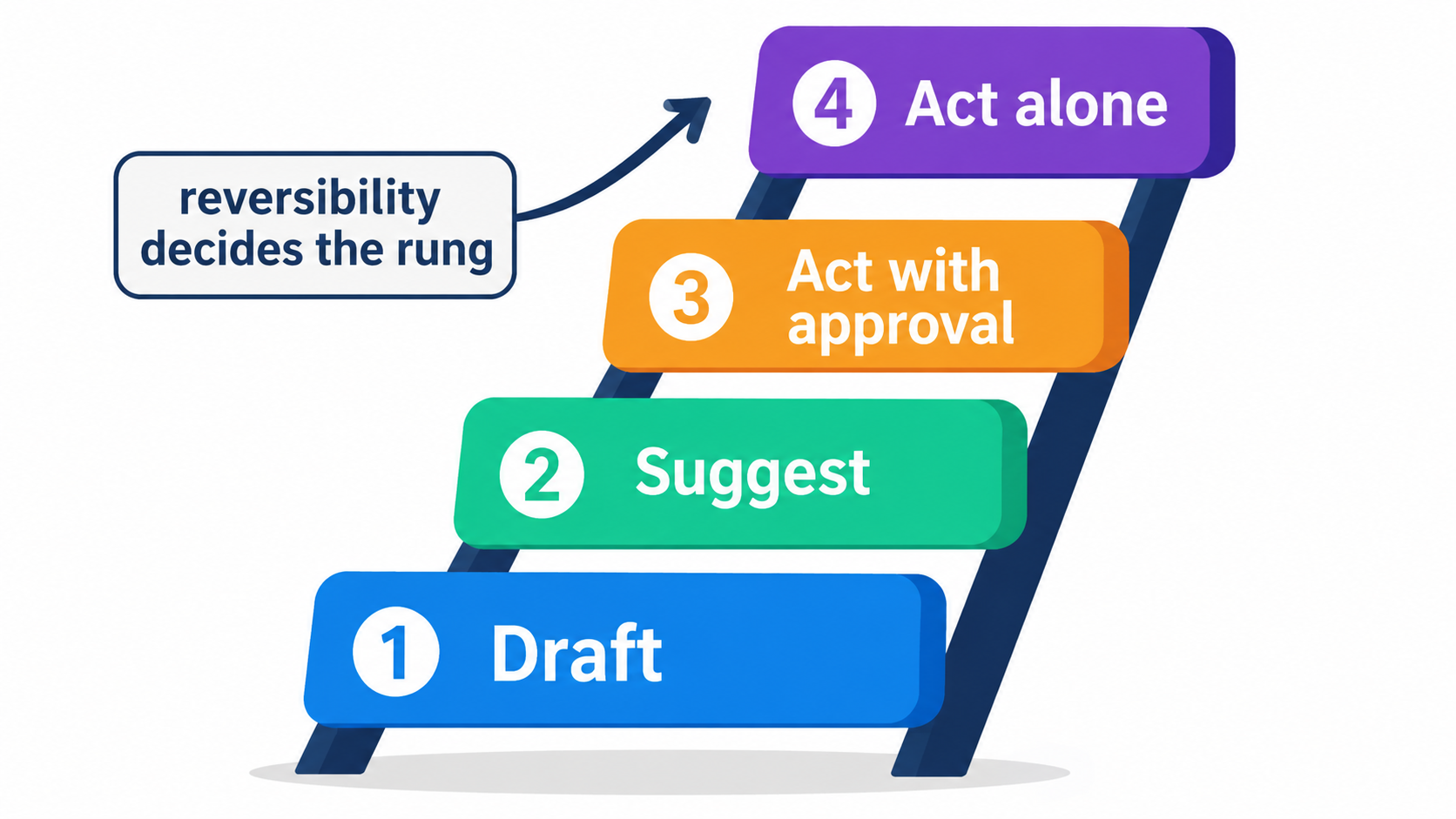
Teams often treat automation as binary: either a human does the task or the AI does. That framing kills good projects. A more useful model is a ladder with four rungs.
Rung 1: Draft
The AI produces a first version and a human does the rest. Examples include a draft reply to a customer email, a summary of a long contract, or a first-pass product description. Risk is low because nothing goes out without a person.
Rung 2: Suggest
The AI proposes a decision, such as a category, a priority, or a recommended next step, and shows its reasoning. The human accepts or overrides. Override rates become valuable data.
Rung 3: Act with approval
The AI prepares the action, such as a refund, a record update, or a scheduled message, and waits for a click. This works well when the action is simple but consequences matter.
Rung 4: Act alone
The AI executes without review. Reserve this for tasks where mistakes are cheap, reversible, or caught downstream.
Reversibility decides the rung
Ask one question: if this is wrong, can we undo it quickly and cheaply? Tagging an email with the wrong label is reversible. Sending a wrong price quote to a client, or deleting records, is not. Start every task one rung lower than you think you need, and move up only when the data supports it.
Step Three: Score and Pick Your First Three Tasks
With your inventory tagged, a simple scoring pass will surface candidates. Give each task a score from 1 to 5 on frequency, time per instance, language-heaviness, and checkability. Subtract points for high cost of error.
Sort by total. The top of the list usually contains tasks like these:
- Triage of inbound email or support tickets into categories.
- Extracting fields from invoices, forms, or receipts.
- Summarizing meetings and logging action items.
- Drafting routine replies from a knowledge base.
- Preparing weekly reports from data you already have.
Pick three, not thirty
Choose tasks across at least two teams. This tests whether your approach works generally, not only in one department. Limiting scope also keeps you honest about the effort each one takes.
Avoid these first projects
- Anything where the process itself is unclear or disputed. AI will automate the confusion.
- Tasks with legal or regulatory exposure, until you have review practices in place.
- Tasks that happen rarely. The setup cost will never pay back.
Step Four: Fix the Process Before You Automate It
Automating a messy process produces a faster mess. Before building, walk through the task as it happens now and remove steps that exist only out of habit.
Often this walkthrough finds that the task does not need AI at all. A form with required fields, a rule in your email system, or a simple integration between two tools may do the job. Ordinary rule-based automation is cheaper, more predictable, and easier to debug. Use AI where inputs are messy and variable, such as free text, scanned documents, and inconsistent formats.
Write the standard down
Define what a good output looks like, with five to ten real examples, including a couple of tricky ones. These become your test set. Without them, you can’t tell whether a change to a prompt or tool made things better or worse.
Step Five: Design the Exception Path First
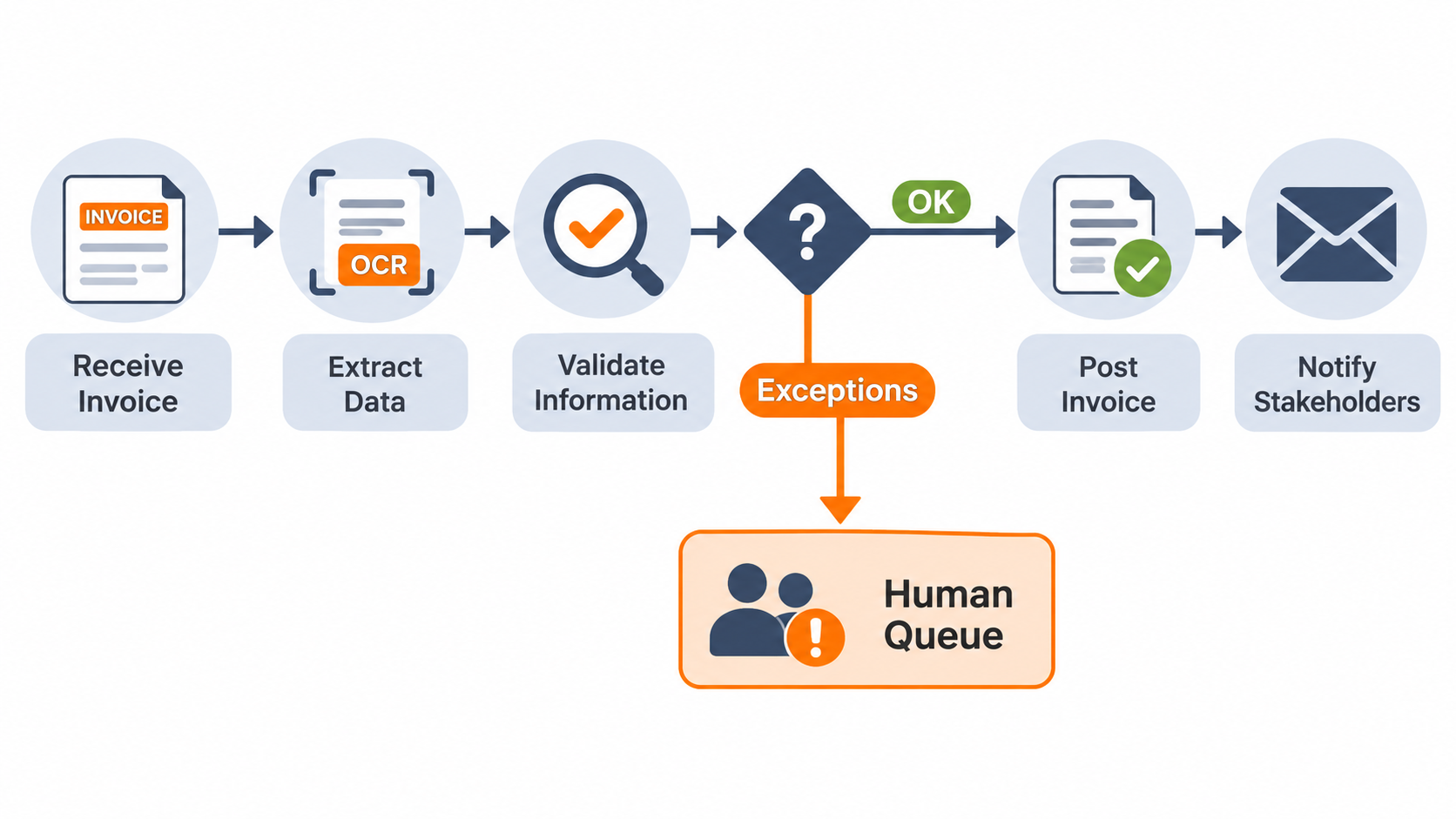
The happy path is easy. A demo shows ten clean invoices processed perfectly. The real world delivers the eleventh, which is a blurry photo in a foreign currency with a handwritten note.
Your automation is only as good as what happens to that eleventh invoice. Design for it from day one.
Build a confidence gate
Have the system flag outputs it is unsure about, or that fall outside expected ranges, and route them to a human queue. Define the rules plainly: an amount above a threshold, a vendor not seen before, a missing field, or a model that says it is uncertain.
Make the human queue pleasant
If exceptions arrive with no context, people will resent the system. Show the original input, what the AI proposed, and why it was flagged. A reviewer should decide in seconds.
Log everything
Keep a record of inputs, outputs, and human changes. When something goes wrong, you need to reconstruct what happened. The overrides also tell you where the system is weak.
Step Six: Handle Data, Privacy, and Access Deliberately
AI workflows touch data, often customer data. Decide early what can be sent to which service.
- Classify your data: public, internal, confidential, regulated. Match each class to approved tools.
- Check vendor terms: how is data stored, is it used for training, and where is it processed?
- Apply least privilege: an AI assistant that can read the whole company drive and send email on your behalf is a bigger risk than one with narrow access.
- Treat inputs as untrusted: emails and web pages can contain instructions aimed at the AI. Don’t let an automation take sensitive actions based solely on text from outsiders.
If you operate in a regulated area, involve legal or compliance staff before launch, not after.
Step Seven: Measure Honestly
The most common measurement error is claiming time saved from the AI’s speed alone. Count the full loop: time to prepare inputs, time to review, time to fix errors, and time to maintain the system.
Establish a baseline before launch
Time ten instances of the manual task now. Record error rates and turnaround times. Without a baseline, any claim of improvement is a story.
Track four numbers
- Handling time per task, including review.
- Accuracy measured against your test set and spot checks.
- Exception rate: the share routed to humans.
- Override rate: how often reviewers change the AI’s output.
Falling override rates over several weeks justify moving up the autonomy ladder. Flat or rising rates say to stop and investigate.
Count the hidden costs
Include subscription or usage fees, setup time, training, and ongoing maintenance. Models and tools change, so prompts and integrations need periodic review. A task that saves two hours a week but takes three hours to maintain is a loss.
Step Eight: Bring People Along
Staff often know where the real pain is, and they also know where the edge cases hide. Treat them as designers, not recipients.
Be clear about intent. If the aim is to remove drudgery and free time for higher-value work, say so and make it true. If headcount is on the table, people will find out, and they will stop helping.
Train for review, not just use
Reviewing AI output is a skill. People tend to approve whatever looks plausible, especially when the system is right most of the time. Teach reviewers to check specific things, such as names, numbers, and dates, and rotate sampling so that attention doesn’t fade.
Name an owner
Every automation needs a person responsible for it, who watches the metrics and decides on changes. Automations without owners decay quietly.
Common Failure Patterns to Watch For
- Tool-first buying: licenses purchased before any task is identified.
- Demo-driven confidence: a polished demo on clean data stands in for testing on your real messy data.
- No exception path: errors reach customers because nothing catches them.
- Autonomy too early: moving to unsupervised action before override data exists.
- Unmeasured savings: everyone feels faster, nobody can prove it, and the budget gets cut.
- Orphaned systems: the builder leaves and nobody knows how it works.
A 30-Day Starter Plan
- Week 1: run the task inventory with two or three teams.
- Week 2: score tasks, pick three, and baseline each by timing real instances. Write test examples.
- Week 3: build at Rung 1 or 2. Add the exception path and logging.
- Week 4: run live with human review, collect the four metrics, and decide to expand, adjust, or stop.
Stopping is a legitimate result. A task you tested and rejected is cheaper than one you rolled out and regretted.
Conclusion: Small, Specific, Checkable
AI automation for business works best when it is boring in design. Pick specific tasks. Match autonomy to reversibility. Build the exception path before the happy path. Measure against a real baseline, including the costs of maintenance and review.
Key takeaways:
- Plan at the task level, not the strategy level.
- Use the four-rung ladder: draft, suggest, act with approval, act alone.
- Use plain rules where inputs are predictable, and AI where they are messy.
- Route uncertain outputs to a well-designed human queue.
- Track handling time, accuracy, exception rate, and override rate.
- Give every automation an owner.
Start with the inventory this week. It costs nothing but attention, and it will tell you more about where AI belongs in your business than any vendor pitch.