
Most conversations about AI automation for business end at the same moment: the day the workflow goes live. The demo works, the invoice extraction hits its accuracy target, the support triage bot routes tickets correctly, and everyone moves on to the next project.
That moment is where the real cost starts. An AI automation isn’t a finished asset like a printed brochure. It’s closer to a vehicle. It needs fuel, servicing, and someone with the keys, and it slowly gets worse if nobody looks after it.
This article isn’t about picking your first use case or working out pilot ROI. It covers the part that gets the least planning: what happens in months 3 through 36. It looks at how AI workflows decay, who ends up owning them (often nobody), what upkeep actually costs, and how to decide whether an automation should be kept, fixed, or shut down.
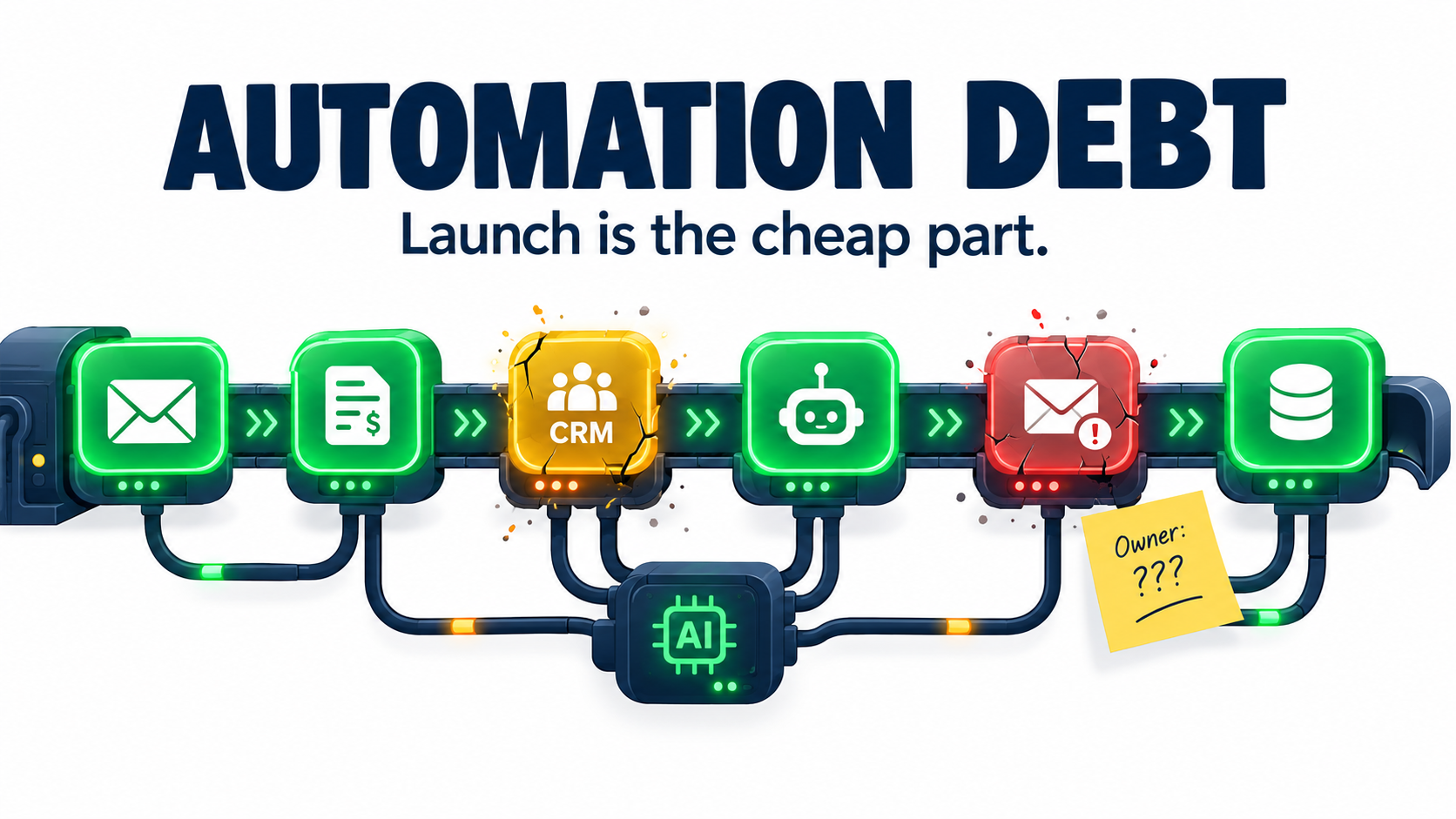
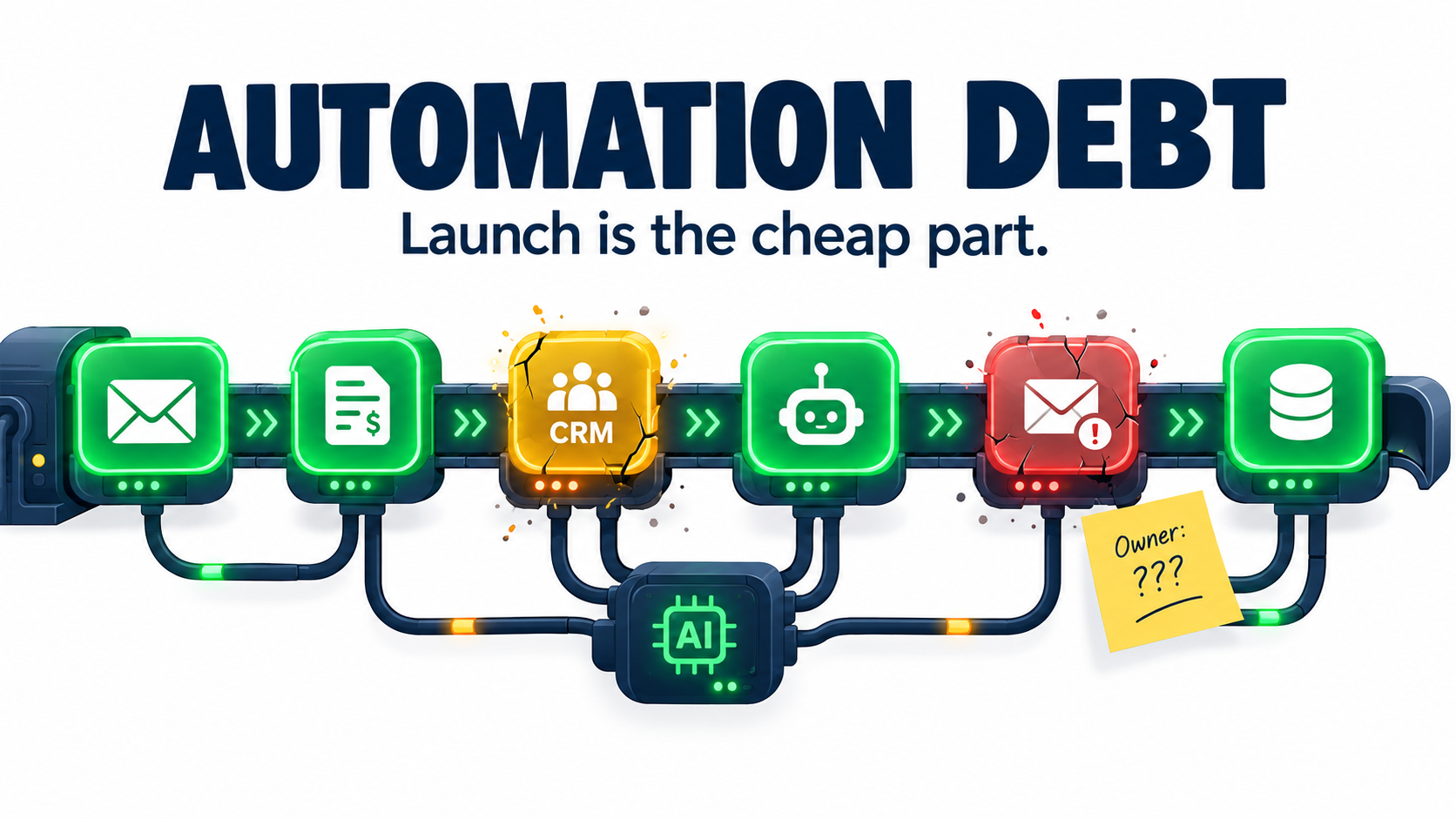
The core idea is simple. Every automation you ship creates an obligation. Teams that budget for that obligation build automation portfolios that keep paying off. Teams that don’t end up with a pile of half-working bots that people quietly route around. We’ll call that pile automation debt.
If your company already runs a few AI workflows, or is about to, the sections below give you a way to see what you’re carrying and a practical plan to manage it.
What “Automation Debt” Actually Means
Software engineers have talked about technical debt for decades: the future cost of shortcuts taken today. Machine learning brought a sharper version of the problem. In 2015, a group of Google engineers led by D. Sculley published a NeurIPS paper titled “Hidden Technical Debt in Machine Learning Systems.” Their main warning still holds up.
“Machine learning offers a fantastically powerful toolkit for building useful complex prediction systems quickly. This paper argues it is dangerous to think of these quick wins as coming for free… it is common to incur massive ongoing maintenance costs in real-world ML systems.”
The paper lists specific risk factors: boundary erosion, entanglement, hidden feedback loops, undeclared consumers, data dependencies, configuration issues, and “changes in the external world.” Each of these is easier to run into today than it was in 2015, because the barrier to building AI workflows has dropped so far.
Why the debt grows faster now
In 2015, building a production ML system took a dedicated team. In 2026, an operations manager can wire a large language model into a spreadsheet, a CRM, and an email inbox in an afternoon with no-code tools. That’s real progress. It also means systems that carry ML-style maintenance risk are now being built by people who have never had to maintain one.
Automation debt, as used here, is the gap between what an AI workflow needs to stay reliable and the care it actually gets. It shows up in three forms:
- Quality debt: output accuracy slips and nobody measures it.
- Ownership debt: the person who built the workflow has moved on, and nobody else understands it.
- Dependency debt: the automation relies on models, APIs, data fields, and business rules that keep changing underneath it.
The “Changing Anything Changes Everything” problem
The Sculley paper described what it called the CACE principle: in ML systems, Changing Anything Changes Everything. Inputs are entangled, so a small change in one place can shift behavior in places you didn’t expect.
LLM-based workflows make this worse. Swap the underlying model version, edit one line of a system prompt, or add a field to an upstream form, and the outputs can change in ways no unit test will catch, because the outputs were never deterministic to begin with.
That’s the main difference between AI automation and traditional rule-based automation. A rule-based script either works or throws an error. An AI workflow can keep running, keep producing plausible output, and still get steadily worse at its job.
Five Ways AI Automations Decay After Go-Live
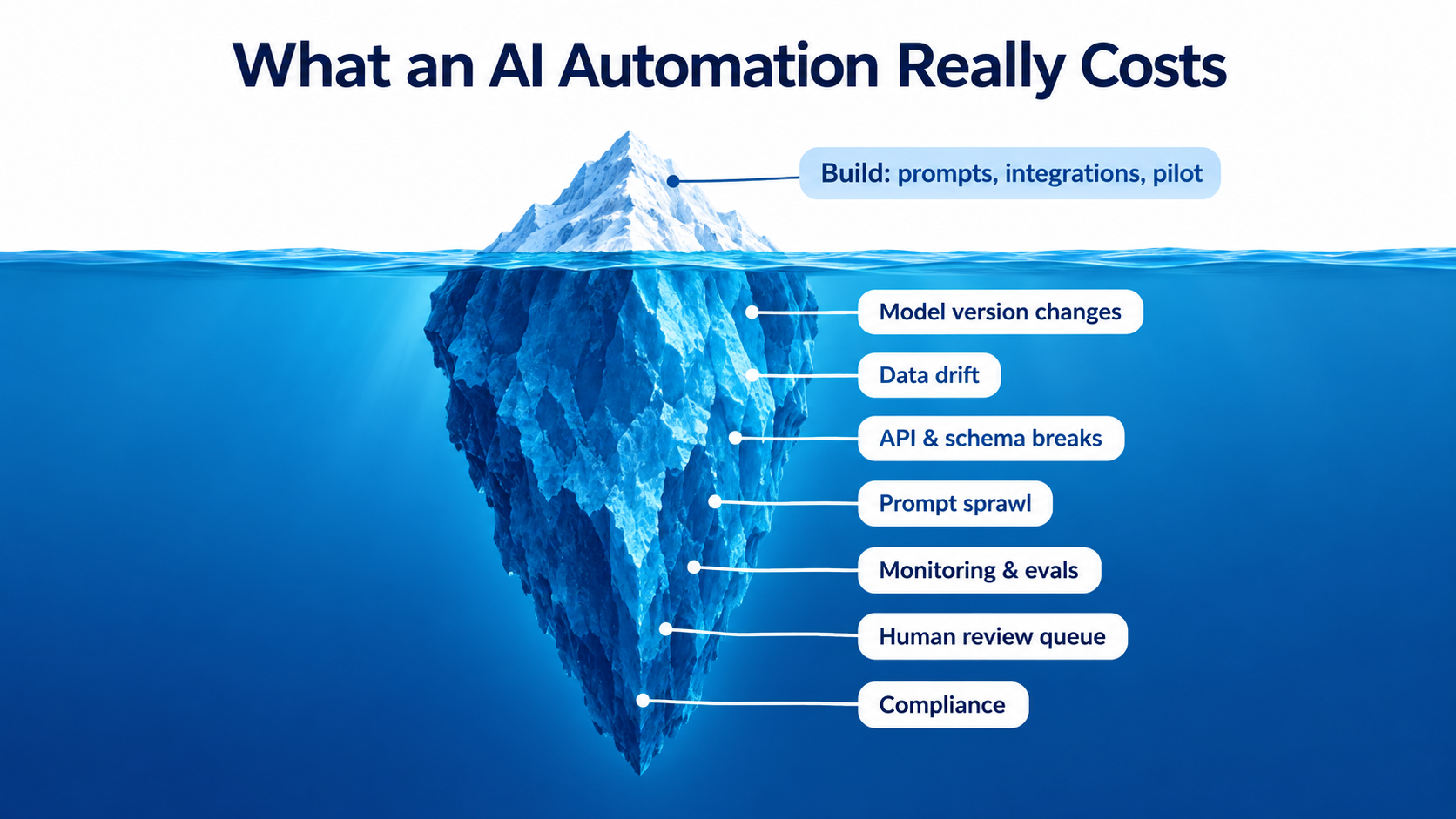
Decay rarely shows up as a dramatic outage. It’s usually a slow slide that gets noticed only when a customer complains or a finance report doesn’t reconcile. Here are the five most common ways it happens.
1. The model underneath you changes
If your automation calls a hosted model through an API, you don’t control the model. Providers release new versions, retire old ones, and sometimes adjust behavior behind the same endpoint name. A prompt tuned against one version may act differently on the next. This gets its own section below because it catches so many teams off guard.
2. The data drifts
Concept drift is the long-studied tendency of real-world data to move away from the conditions a system was built for. Customer language changes, product catalogs grow, seasonal patterns move, new kinds of documents show up. A classifier built on last year’s support tickets may not recognize this year’s complaint about a feature that didn’t exist then.
Drift is real, but it isn’t the whole story. A 2026 industry survey from Radixweb, cited in Wikipedia’s entry on concept drift, found that technical model drift accounted for only about 6.5% of reported AI failure incidents among respondents. Read that number carefully. It suggests most failures come from somewhere other than the model’s statistics: integrations, process changes, ownership gaps, and governance.
3. Upstream systems break the contract
Your AI workflow is only as stable as the systems that feed it. Someone renames a CRM field. A vendor changes its invoice layout. An API adds pagination. A shared inbox gets a new filter rule. Data engineering literature calls these “structural drift” (schema changes) and “semantic drift” (same structure, different meaning).
Semantic drift is the more dangerous of the two. If the “region” field used to mean sales territory and now means shipping zone, nothing errors out. The automation keeps running and quietly gives wrong answers.
4. Prompt sprawl
Every time an edge case shows up, someone adds a line to the prompt: “If the customer mentions a refund, also check…” Six months later the system prompt is 2,000 words of accumulated exceptions, some of which contradict each other, and nobody remembers why any given line is there.
Prompt sprawl is the LLM version of spaghetti code. It makes behavior harder to predict, raises token costs, and makes the workflow risky to touch, which means people stop touching it.
5. The business process moves on
Sometimes the automation is fine and the business has changed around it. Pricing tiers are restructured, the return policy changes, a new compliance step gets added. An automation encoding last quarter’s process will confidently carry out last quarter’s process.
This is the hardest kind of decay to catch, because no technical monitor will flag it. Only someone who knows both the workflow and the business can see that the two no longer match.
The Model Version Problem: Same Name, Different Behavior
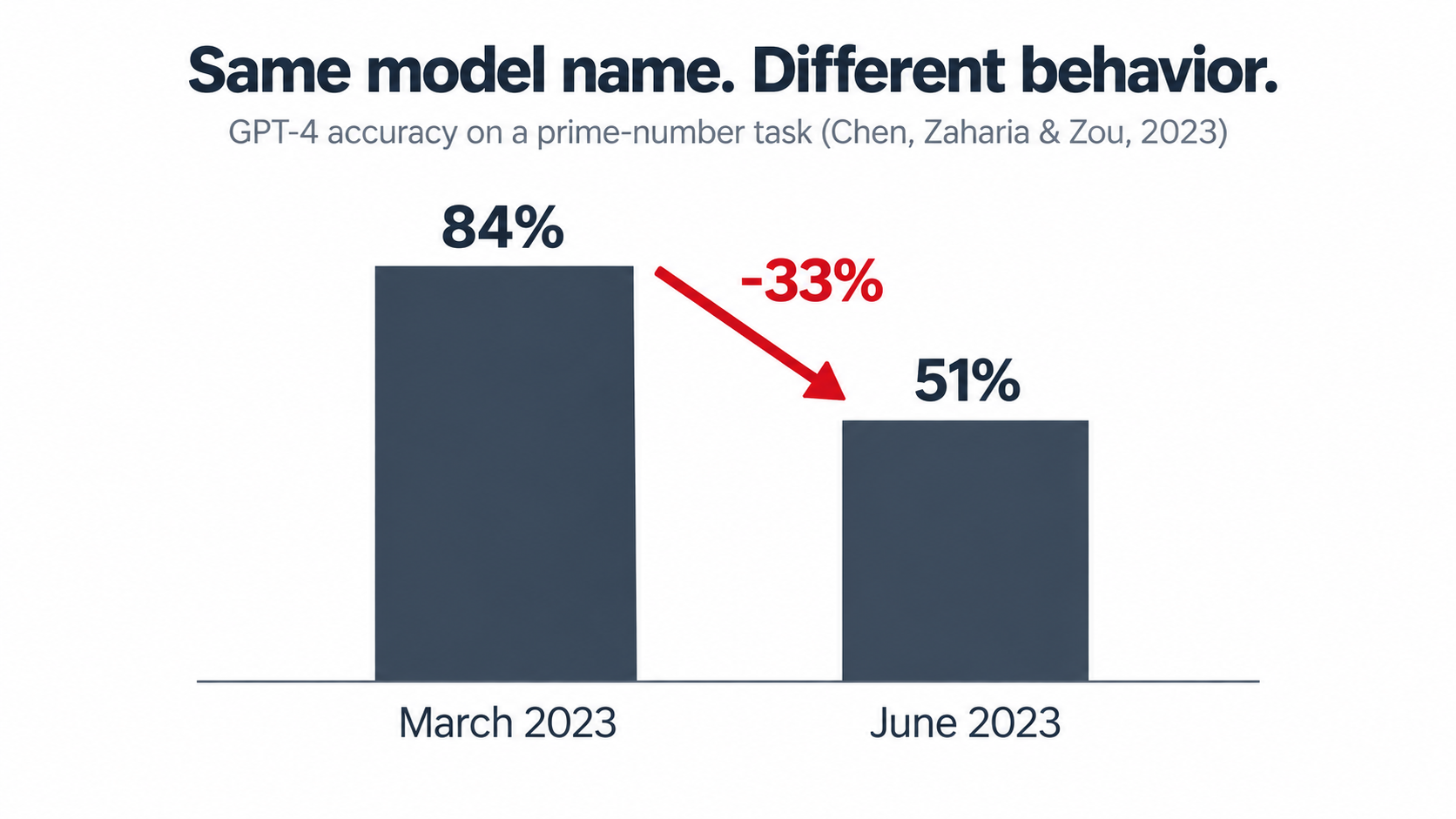
The clearest public evidence that hosted models change underneath their users comes from a 2023 study by Lingjiao Chen, Matei Zaharia, and James Zou of Stanford and UC Berkeley, titled “How Is ChatGPT’s Behavior Changing over Time?”
The researchers compared the March 2023 and June 2023 versions of GPT-4 on a set of tasks. On one task, identifying whether a number is prime, GPT-4’s accuracy fell from 84% to 51% between the two versions. They also found changes in how willing the models were to follow certain instructions and in the formatting of generated code.
Why this matters for business workflows
The point isn’t that one model got worse at math. The point is that a system you didn’t change behaved differently three months later. If your accounts payable workflow depends on a model returning clean JSON, a small formatting change can break every downstream step.
Since then, the major providers have become more disciplined. Most now offer pinned, dated model snapshots and publish deprecation schedules. That helps, but it moves the problem rather than removing it. Pinned versions eventually retire. OpenAI, Anthropic, and Google all regularly retire older models, which means every production automation faces a forced migration at some point.
A practical model-version policy
- Pin explicit model versions in production. Avoid “latest” aliases for anything customer-facing or financial.
- Track deprecation dates for every model you use in a shared calendar, with an owner assigned to each migration.
- Keep a regression test set (more on this below) so you can run the new model against known cases before switching.
- Budget migration time. Assume each production workflow will need at least one model migration per year, and plan the testing hours.
- Abstract the model call. Route model calls through one internal function or gateway so a migration is a config change, not a rewrite spread across twelve workflows.
A newer model is often better on average. “Better on average” can still mean “worse on your specific edge cases.” The only way to know is to test against your own data.
The Orphan Problem: Who Owns This Thing?
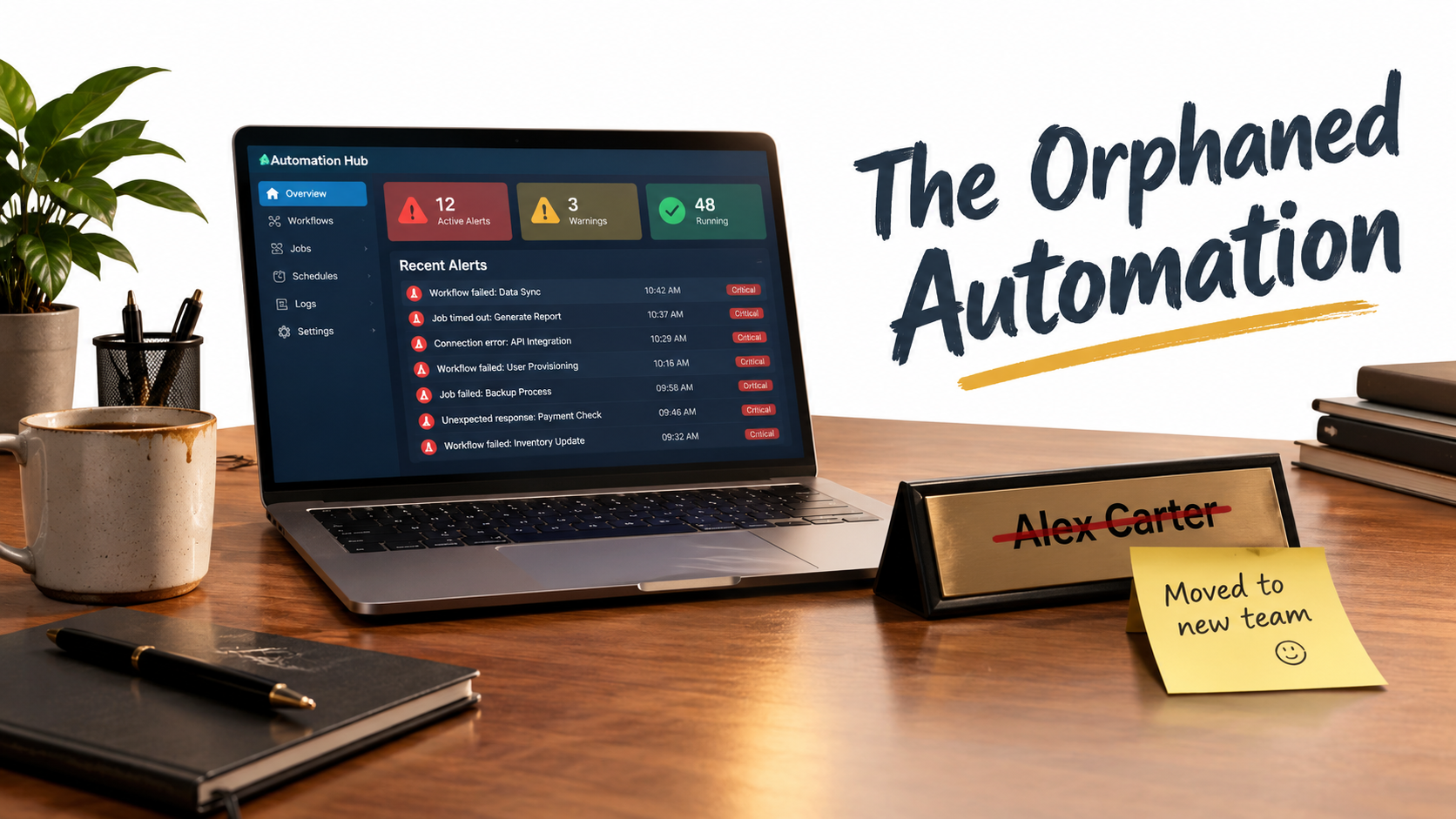
Ask a mid-sized company how many AI automations it runs and you’ll usually get a confident answer. Ask who owns each one and the answers get much vaguer.
Orphaned automations are among the most common, and least discussed, sources of automation debt. They follow a predictable lifecycle.
How automations become orphans
- A motivated individual builds it. Often someone in operations, marketing, or finance who got access to an automation platform and solved a real problem.
- It works, and everyone relies on it. The team stops doing the manual version. Within a few months, nobody remembers how.
- The builder moves on. They get promoted, change teams, or leave the company. Their knowledge goes with them.
- Something changes. A model retires, a field gets renamed, or the process shifts.
- Nobody can fix it. The workflow either fails loudly, which is the better outcome, or keeps running and produces bad output nobody checks.
Shadow IT has always had this pattern. AI makes it riskier because the failures are quieter and the output looks credible.
Ownership has to be a role, not a person
The fix isn’t to stop people from building. Grassroots automation is where many of the best ideas come from. The fix is to attach every production automation to a named role and a backup, written down somewhere that outlives any one employee.
A minimal ownership record for each automation should include:
- Business owner: the person accountable for whether the output is correct and useful.
- Technical owner: the person who can change, fix, or shut it down.
- Backup: a second person who has actually walked through the workflow.
- Purpose: one sentence on what it does and why.
- Dependencies: models, APIs, data sources, and downstream consumers.
- Kill switch: how to turn it off, and what manual fallback exists.
If you can’t fill in this record for an automation, that tells you something. It means the automation is already running on borrowed time.
The “undeclared consumer” trap
The Sculley paper named another ownership risk that’s very common in business automation: undeclared consumers. An automation built to tag support tickets for one team ends up feeding a dashboard another team uses for staffing decisions. Nobody told the original builder.
When the builder changes the tagging logic to suit their own needs, the staffing dashboard breaks silently. Any inventory of automations should record not just what feeds each one, but what reads from it.
Liability Doesn’t Retire When the Builder Does
When an AI automation talks to customers, makes commitments, or touches regulated data, decay stops being only an efficiency problem. It becomes a legal one.
The Air Canada precedent
In February 2024, British Columbia’s Civil Resolution Tribunal ruled in Moffatt v. Air Canada. A customer had asked the airline’s website chatbot about bereavement fares. The chatbot told him he could apply for a bereavement discount retroactively after booking. That didn’t match the airline’s actual policy.
Air Canada argued, in effect, that the chatbot was responsible for its own statements. The tribunal rejected that, finding that the airline was responsible for all information on its website, chatbot included, and ordered it to compensate the customer. The amount was small, roughly C$800 including fees and interest. The principle wasn’t.
What this means for automation upkeep
The lesson goes past “chatbots can be wrong.” The chatbot gave information that didn’t match current policy. That’s exactly the “business process moves on” form of decay described earlier. If your policy changes and your AI workflow doesn’t, your company still owns what the workflow says.
For any customer-facing automation, upkeep has to include:
- Policy-change triggers: when a policy, price, or term changes, the related automations get reviewed as part of the same change process.
- Source grounding: answers about policy should come from a maintained knowledge source, not from whatever the model absorbed in training.
- Output logging: keep records of what the automation told customers so disputes can be investigated.
- Clear escalation: high-stakes questions (refunds, legal terms, medical or financial advice) go to a human.
Regulation is catching up
Regulatory expectations are moving the same way. The EU AI Act entered into force in August 2024, with obligations phasing in over several years based on risk category. Some timelines are still subject to proposed adjustments, so check current guidance for your situation. The direction is clear, though: organizations deploying AI are expected to know what their systems do, monitor them, and keep records.
In the US, the NIST AI Risk Management Framework, released in January 2023, is voluntary but widely referenced. It organizes AI risk work into four functions: Govern, Map, Measure, and Manage. Notice that two of the four, Measure and Manage, are mainly about what happens after deployment.
The Real Cost Model: Build Costs vs. Run Costs
Most AI automation business cases do a reasonable job on build costs and a poor job on run costs. The pilot budget covers platform licenses, a few weeks of builder time, and maybe a consultant. The ongoing budget often says only “API usage.”
A more honest cost model separates the lifecycle into categories so the recurring obligations can be seen.
One-time and periodic costs
- Initial build: design, prompt development, integration, testing.
- Model migrations: re-testing and adjusting when a model version retires or you choose to upgrade.
- Process changes: updating the workflow when the underlying business rules change.
- Integration repairs: fixing breaks caused by upstream API or schema changes.
Recurring costs
- Inference and platform fees: the line item everyone remembers. Watch it, because prompt sprawl and retry loops can push it up quietly.
- Human review: the time people spend checking, correcting, or approving outputs. This is often the largest real cost and the one most often left out.
- Monitoring and evaluation: running test sets, reviewing dashboards, sampling outputs.
- Exception handling: the cases the automation can’t handle that land back on a human’s desk, often with less context than before.
- Ownership time: a slice of someone’s week spent keeping the workflow healthy.
A worked example (hypothetical)
Picture a mid-sized distributor that automates purchase-order intake with an LLM that reads emailed POs and enters them into its ERP. The numbers below are illustrative, not benchmarks. The point is the structure.
- Build: about 120 hours of internal time across operations and IT.
- Inference: a few hundred dollars a month at current volume.
- Human review: a clerk spot-checks flagged orders, around 5 hours a week.
- Exceptions: unusual PO formats go to manual entry, around 3 hours a week.
- Monitoring: a monthly accuracy review against a sample, around 4 hours a month.
- Migrations and repairs: two events a year, around 20 hours each.
Add it up and the ongoing human time, roughly 8 hours a week plus monitoring plus repairs, comes to well over 400 hours a year. That’s more than three times the original build effort. The automation can still be a clear win if it replaced 30 hours a week of manual entry. But a business case that counted only build hours and API fees would have been off by a wide margin.
The rule of thumb
Before approving any AI automation, ask for a year-one and year-two run-cost estimate covering human review, exceptions, monitoring, and migrations. If the team can’t produce one, the business case isn’t finished.
Monitoring That Actually Catches Decay
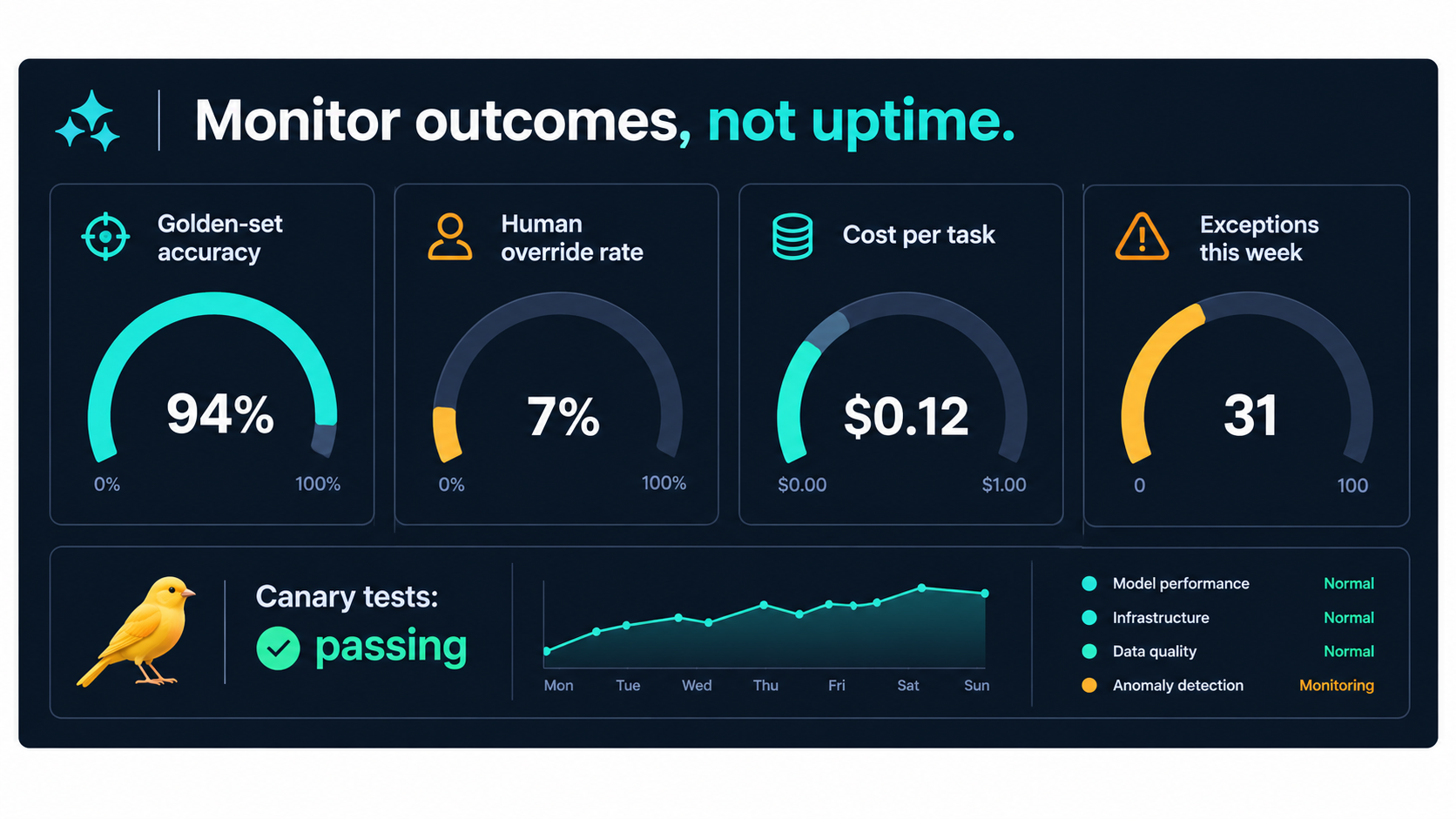
Traditional IT monitoring asks whether the system is up. For AI automation, that’s the wrong question. A workflow can be 100% up and 30% wrong.
Useful monitoring tracks outcomes. Here are the signals that matter most, roughly in order of how cheap they are to set up.
Golden sets: your regression test
A golden set is a curated collection of real inputs with known correct outputs: 50 to 200 representative examples, including the awkward edge cases. You run it whenever anything changes (model version, prompt, integration) and on a regular schedule even when nothing has.
Golden sets are the most valuable maintenance asset you can build. They turn “I think it still works” into “it scored 94% last month and 93% today.” They also make model migrations much safer, because you can compare the old and new versions on your own cases before switching.
Keep the golden set alive. Every time a real failure happens in production, add that case. Over time, the set becomes a record of everything that has gone wrong.
Human override rate
If your workflow has any human-in-the-loop step, track how often people change or reject the AI’s output. A rising override rate is often the earliest sign of decay, appearing weeks before anyone formally reports a problem.
Watch for the opposite failure too. If the override rate drops to near zero, check whether reviewers have stopped really reviewing. Automation complacency, where people approve whatever the system suggests, is a well-documented pattern in human factors research.
Exception volume and type
Count how many cases fall out of the automated path and why. A sudden jump in one exception type usually points to a specific upstream change, such as a new document format or a changed field.
Cost per completed task
Track total cost (inference plus human time) divided by successfully completed tasks. If it climbs, something is wrong: more retries, longer prompts, more exceptions, or more review time.
Canary checks
For critical workflows, run a small set of synthetic test cases through the live production path every day. If a canary fails, someone gets alerted before real customers or real invoices are affected.
Sampling for silent failures
Some errors never trigger an override or an exception. They just get through. A short weekly or monthly audit of randomly sampled outputs, reviewed by someone who knows the domain, is the only reliable way to catch them. It’s boring work, and it’s the work that prevents headlines.
Governance Without the Bureaucracy
The word “governance” makes many operators wince. It brings to mind approval committees, 40-page policy documents, and six-week reviews for a spreadsheet macro. Heavy-handed governance has its own cost: it pushes automation underground, where it builds even more debt.
The goal is proportionate governance: light rules for low-risk automations, more scrutiny for high-risk ones.
Tier your automations by risk
A simple three-tier model works for most organizations:
- Tier 1, internal and low-stakes: summarizing meeting notes, drafting internal emails, tagging documents for search. Requirements: register it, name an owner.
- Tier 2, operational: data entry into systems of record, routing work, generating reports used for decisions. Requirements: owner and backup, golden set, monthly review, documented fallback.
- Tier 3, external or regulated: customer-facing communication, pricing, credit, hiring, health, legal, financial reporting. Requirements: everything in Tier 2 plus pre-launch review, output logging, human escalation paths, policy-change triggers, and periodic audit.
Keep a living registry
The single most useful governance artifact is a registry: one shared table listing every production AI automation, its tier, owner, backup, dependencies, model versions, and last review date. It doesn’t need special software. A well-maintained spreadsheet beats an expensive platform nobody updates.
The registry also makes the other practices possible. Model deprecation notices can be matched to affected workflows. Policy changes can be traced to the automations that encode them. Departing employees’ automations can be reassigned before they leave.
Map it to NIST without the jargon
If you need to show alignment with the NIST AI RMF, the practices above map onto it naturally:
- Govern: ownership roles, tiering, the registry.
- Map: documenting purpose, dependencies, and consumers.
- Measure: golden sets, override rates, sampling.
- Manage: migrations, fixes, escalation, and retirement decisions.
You don’t need to adopt a framework wholesale to get its benefits. You need the habits it describes.
When to Kill an Automation
The least practiced skill in AI automation is retirement. Organizations celebrate launches. Almost nobody celebrates a decommissioning, even when it’s the right call.
The industry is heading for a pruning cycle
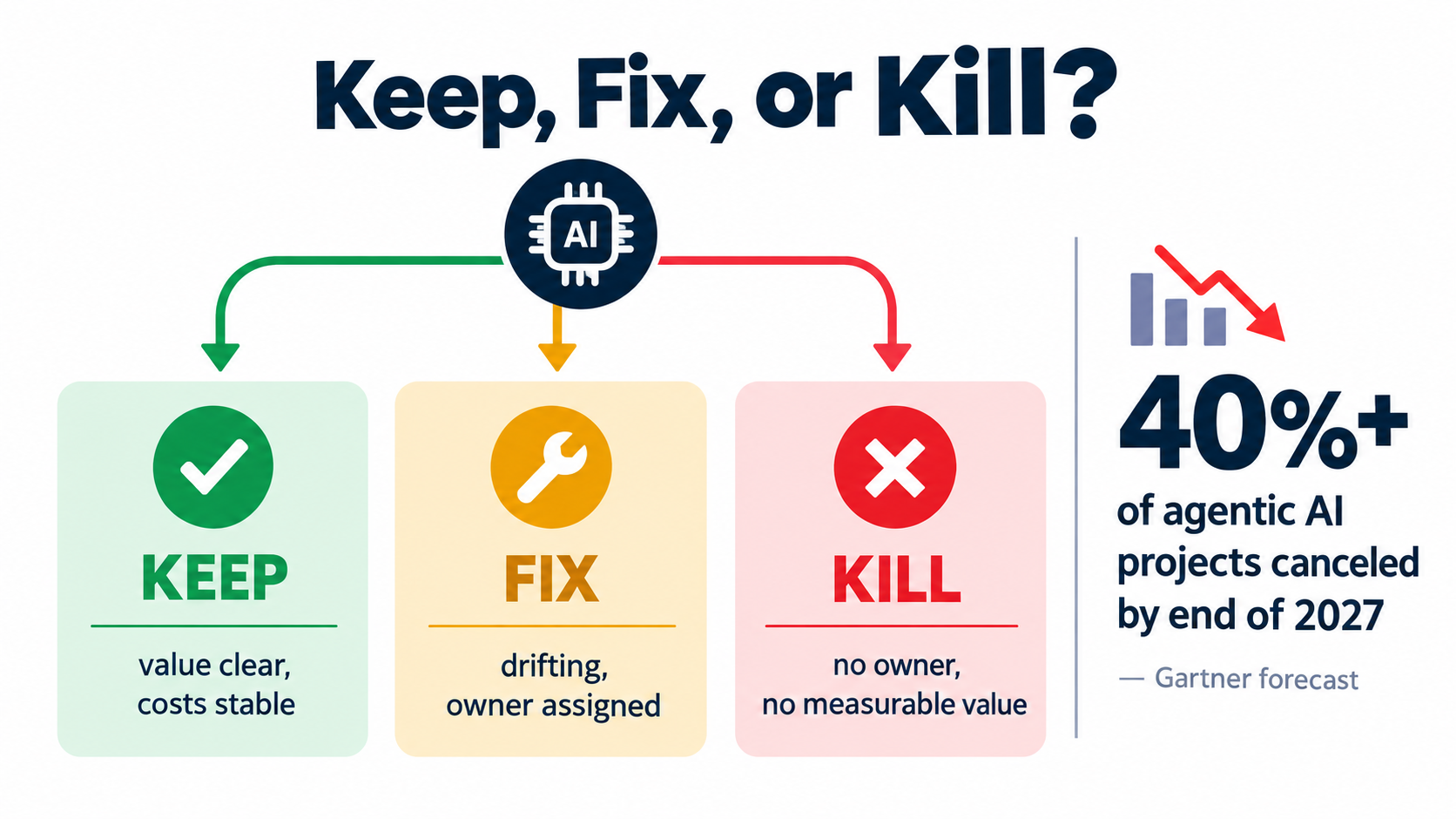
In June 2025, Gartner predicted that over 40% of agentic AI projects will be canceled by the end of 2027, citing escalating costs, unclear business value, or inadequate risk controls. Those three reasons line up closely with the categories of automation debt in this article: unbudgeted run costs, unmeasured value, and missing governance.
Gartner also warned about “agent washing,” where vendors rebrand existing chatbots, RPA tools, and assistants as agentic AI. The firm estimated that only around 130 of the thousands of vendors claiming agentic capabilities actually offered them. For buyers, that means some of today’s automations sit on products that may be repositioned, merged, or discontinued, which is another dependency risk to track.
A keep, fix, or kill review
Run every Tier 2 and Tier 3 automation through a short review at least twice a year. Ask:
- Is there a named, active owner? If not, assign one within 30 days or schedule shutdown.
- Can we show current value? Hours saved, errors reduced, revenue affected, measured recently and not just at launch.
- Are run costs stable or rising? Include human review and exceptions, not only API fees.
- Is quality stable? Golden-set scores, override rates, sampled accuracy.
- Does it still match the current process? Confirmed by the business owner, not assumed.
Then sort:
- Keep: clear value, stable costs, stable quality, active owner.
- Fix: value is real but quality or costs are drifting. Assign a fix with a deadline.
- Kill: no owner, no measurable value, or fixing it would cost more than it returns.
How to retire cleanly
Shutting down an automation takes some care, especially if people have forgotten how to do the work by hand. Before you switch it off:
- Identify every downstream consumer, including the undeclared ones.
- Document and test the manual or replacement process.
- Run in parallel for a short period if the workflow is business-critical.
- Archive the prompts, configs, and logs in case you need to explain past outputs.
- Update the registry.
Killing a low-value automation isn’t a failure. It frees maintenance capacity for the automations that actually earn their keep.
Designing Automations That Are Cheaper to Maintain
The cheapest automation debt is the debt you never take on. Some design choices made at build time sharply reduce the cost of keeping a workflow alive.
Use AI only where you need judgment
Many “AI automations” are mostly deterministic work with one step that needs language understanding. Keep the deterministic parts deterministic. Use ordinary code or rules for routing, calculations, validations, and lookups, and save the model for the step that actually needs it, such as reading a messy email or classifying intent.
Every step you move from probabilistic to deterministic is a step that can’t drift.
Validate outputs structurally
If the model is supposed to return a date, an amount, and a SKU, check that it did, in the right format and within plausible ranges, before anything gets written to a system of record. Structured output features and schema validation catch a large share of the formatting regressions that model updates can cause.
Keep prompts modular and versioned
Treat prompts like code. Store them in version control, write a short note explaining each change, and split long prompts into labeled sections such as role, policy, format, and examples. When a policy changes, you should be able to find and update the relevant section in minutes.
Ground answers in maintained sources
For anything involving policies, prices, or product facts, have the workflow retrieve current information from a source the business already maintains, such as a policy page, product database, or knowledge base. Then updating the source updates the automation, and you avoid the Air Canada pattern.
Design the fallback first
Before building, answer one question: if this automation stopped tomorrow, what would happen? If the answer is “we’d be stuck,” build a documented fallback and keep at least two people practiced in it. Resilience is part of the design, not something added later.
Prefer fewer, better automations
Ten loosely maintained workflows usually deliver less than three well-maintained ones. Portfolio discipline (saying no to marginal automations) is one of the most effective ways to control debt.
A 30-Day Automation Debt Audit
If you already have AI automations in production, here’s a practical four-week plan to see what you’re carrying and start paying it down.
Week 1: Inventory
- Survey every team: what AI-powered workflows, bots, agents, or integrations are running?
- Check automation platform accounts, API keys, and billing records for workflows nobody mentioned.
- Build the registry: name, purpose, owner, backup, tier, models used, dependencies, consumers.
Week 2: Ownership and risk
- Flag every automation without an active owner and assign one or schedule a shutdown.
- Assign a risk tier to each workflow.
- For Tier 3 automations, confirm escalation paths and output logging exist.
- Look up deprecation dates for every model version in use and add them to a shared calendar.
Week 3: Measurement
- For each Tier 2 and Tier 3 automation, build a starter golden set of at least 50 real examples.
- Run it and record a baseline score.
- Start tracking human override rate and exception volume where possible.
- Pull a random sample of recent outputs and have a domain expert review them.
Week 4: Decisions
- Run the keep, fix, or kill review for every automation.
- Estimate the real run cost (including human time) for the top five by volume.
- Set a recurring review cadence: monthly for Tier 3, quarterly for Tier 2, twice a year for Tier 1.
- Agree on a rule that no new production automation launches without a registry entry, owner, backup, and fallback.
Most organizations that run this audit find at least one automation nobody knew about, at least one nobody can maintain, and at least one producing output nobody has checked in months. Finding them is the point.
Conclusion: Budget for the Second Year, Not Just the First Month
AI automation for business is no longer mainly a build problem. The tools are accessible, the models are capable, and a motivated employee can ship a useful workflow in days. What separates organizations that get lasting value from those that build a pile of brittle bots is what happens after launch.
The evidence points the same way from several directions. Google’s engineers warned in 2015 that ML systems carry “massive ongoing maintenance costs.” Stanford and Berkeley researchers showed in 2023 that a hosted model’s behavior can shift meaningfully within months. A Canadian tribunal ruled in 2024 that a company owns what its chatbot says. Gartner expects a large share of agentic AI projects to be canceled by 2027 over costs, value, and risk controls.
None of this is a reason to slow down on automation. It’s a reason to treat every automation as a long-term commitment.
Key takeaways
- Launch is the cheap part. Expect ongoing human review, exceptions, monitoring, and migrations to exceed the original build effort over the life of a workflow.
- Pin model versions and track deprecations. Every hosted-model automation will face a forced migration. Plan for it.
- Every automation needs a role-based owner and a backup. Orphans are where quiet failures live.
- Monitor outcomes, not uptime. Golden sets, override rates, exception trends, and sampled audits catch decay early.
- Tie policy changes to automation reviews. If the business changes and the bot doesn’t, you’re still accountable for what it says.
- Govern in proportion to risk. Light rules for internal tools, real scrutiny for customer-facing and regulated workflows.
- Retire without guilt. Killing low-value automations frees capacity for the ones that matter.
- Run the 30-day audit. You can’t manage debt you haven’t measured.
The companies that get the most from AI automation in 2026 won’t necessarily be the ones with the most bots. They’ll be the ones whose bots still work properly two years after launch.