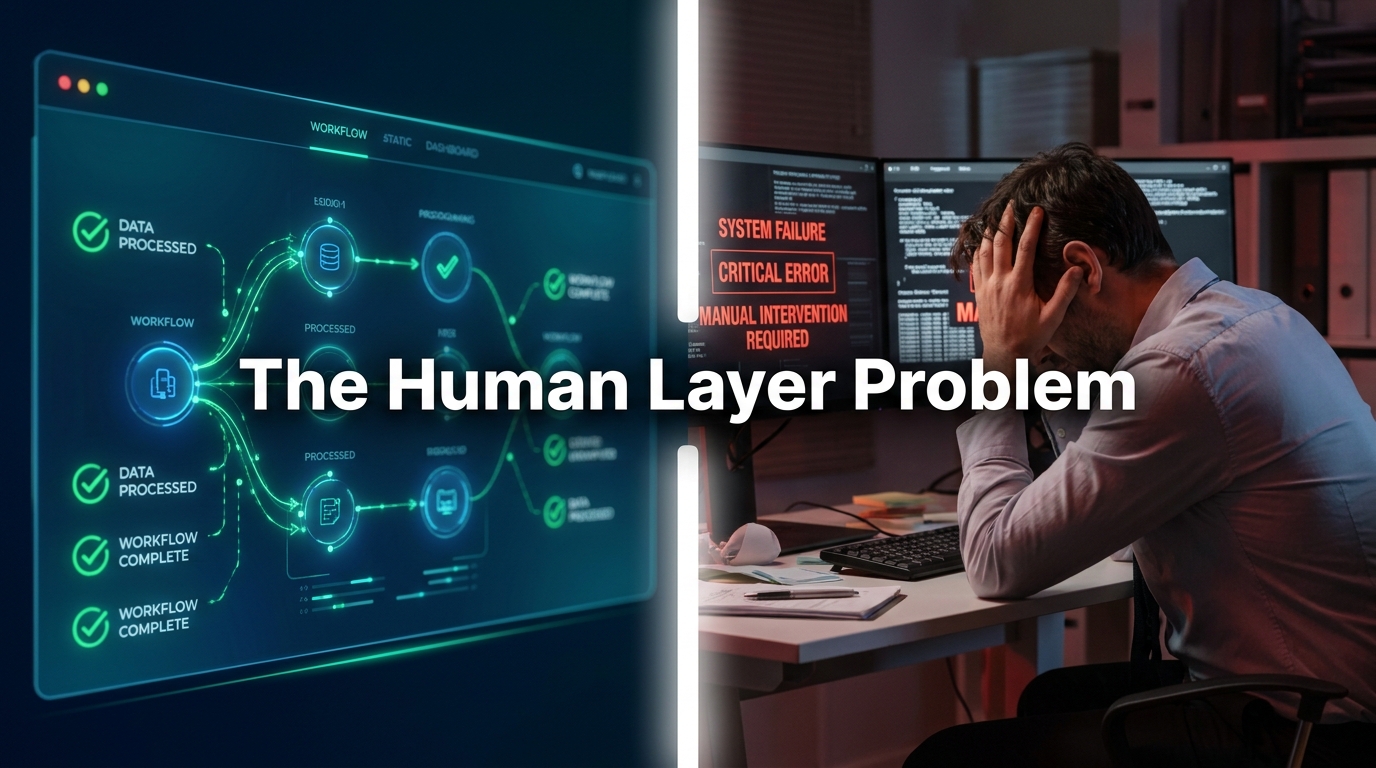

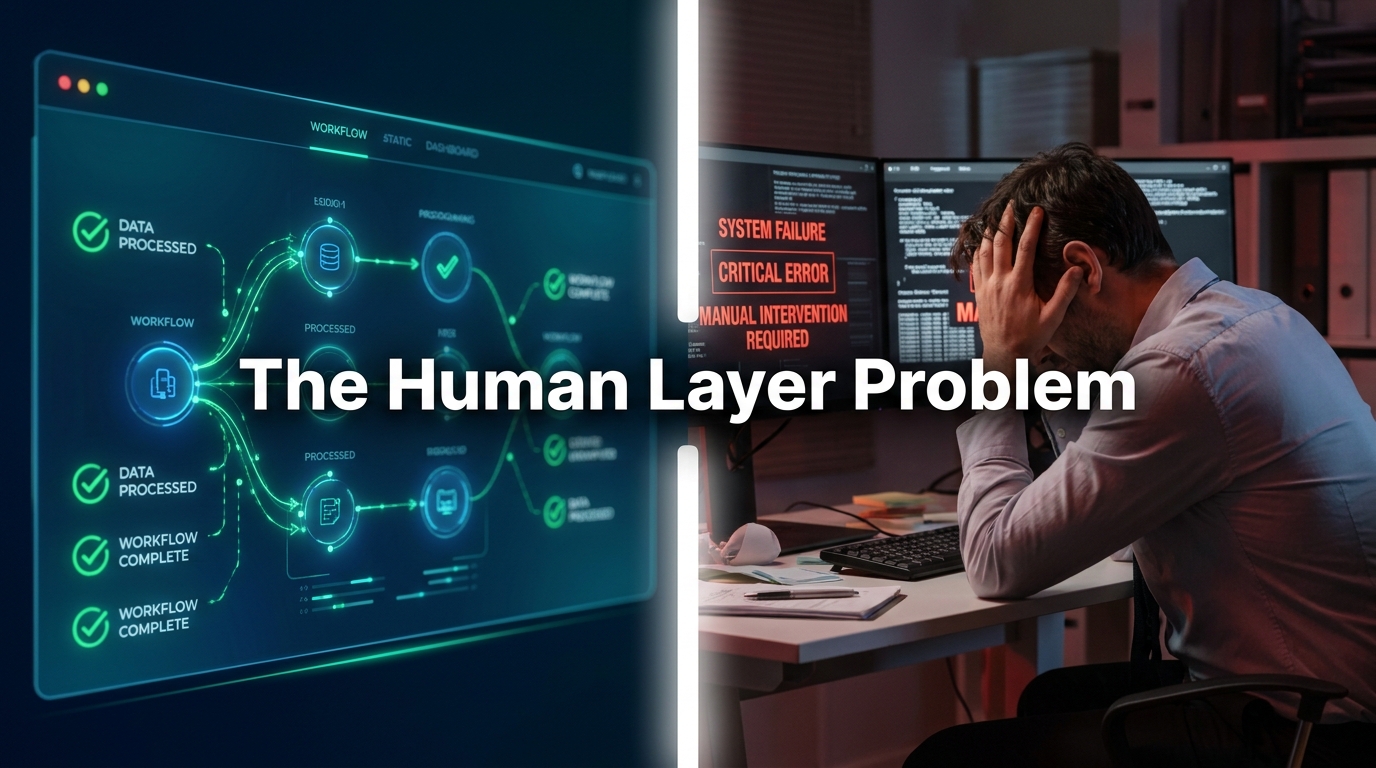
There’s a version of AI automation that vendors love to sell: the seamless, self-running business machine. Tickets resolved before customers finish typing. Invoices processed without human eyes. Sales pipelines updated in real time while your team focuses on strategy. The pitch is polished, the demos are impressive, and the ROI calculators always show green.
Then reality arrives. A chatbot confidently gives a customer the wrong refund policy — and the customer screenshots it and posts it to Reddit. An automated invoice workflow skips a manual approval step it was never configured to recognize, and a $40,000 payment goes out two weeks early. A marketing automation sequence fires 600 emails to a list segment that was supposed to be suppressed.
None of these failures happen because the AI was broken. They happen because the businesses deploying it forgot about the layer that sits between the algorithm and the outcome: the human layer. The messy, assumption-laden, exception-filled reality of how work actually happens in your organization — not how it’s documented in the process manual.
This post is about that gap. Not the technology, not the vendor comparisons, not the ROI formulas — but the specific, practical, department-by-department reality of deploying AI automation in a real business in 2026. What works, where it breaks, what to do first, and how to build automation that actually holds up over time without turning into a liability.
Whether you’re just starting your first workflow automation or trying to figure out why your existing AI investments aren’t delivering what was promised, what follows is the guide nobody hands you with the software license.
The Part AI Vendors Leave Out of the Pitch
Every AI automation vendor — from the enterprise platforms down to the no-code tools — sells you on the output. Faster processes. Lower costs. Fewer errors. And those things are real, when automation is implemented correctly. What they don’t spend much time on is the work that has to happen before, around, and after the automation itself.
There are three things vendors consistently underemphasize:
The process documentation problem
AI automation works by executing a defined process. But in most businesses, the actual process — the way work really happens, including exceptions, workarounds, and judgment calls — lives in people’s heads, not in documentation. Employees have been quietly compensating for broken systems and ambiguous rules for years. When you automate a process without fully mapping it first, you automate the gaps too.
A classic example: a finance team has a rule that all invoices over $10,000 require a second approval. That rule exists in a five-year-old email thread, not in the ERP system. Everyone on the team knows it — until the new automated invoice processing workflow doesn’t, because no one thought to include it in the configuration. The first time a $15,000 invoice sails straight through without a second look, you have a governance problem. And if it happens repeatedly, you have an audit problem.
The change management gap
Automation changes jobs. Not always by eliminating them — often by reshaping what the remaining work looks like. A customer service rep who used to spend 60% of their day answering basic FAQs now has that time freed up. But freed up for what? If the organization hasn’t thought through what higher-value work should fill that capacity, what you get is not a more productive employee — you get a confused one, uncertain about their role and increasingly distrustful of the tools that changed it.
Research consistently shows that employee resistance is one of the top predictors of automation failure. Not technical failure — organizational failure. The system works fine; people just route around it, find workarounds, or introduce manual overrides that silently undo what the automation was supposed to achieve.
The “last mile” oversight requirement
Even the most sophisticated AI automation systems produce outputs that require human judgment at some point. The automation handles the volume; a person handles the edge cases, the complaints that escalate, the anomalies the model wasn’t trained on. If you haven’t designed that human oversight layer explicitly — if you haven’t decided who owns the exceptions, how they’re surfaced, and what authority they have to intervene — your automation is operating without a safety net.
This is the part that breaks first. And it’s the part that’s hardest to fix after the fact, because by the time things are going wrong, the system has already built up a backlog of unreviewed exceptions that nobody owns.
Understanding these gaps doesn’t mean avoiding automation. It means going in with your eyes open, so you can design around them rather than into them.
The Three Automation Tiers Every Business Actually Has
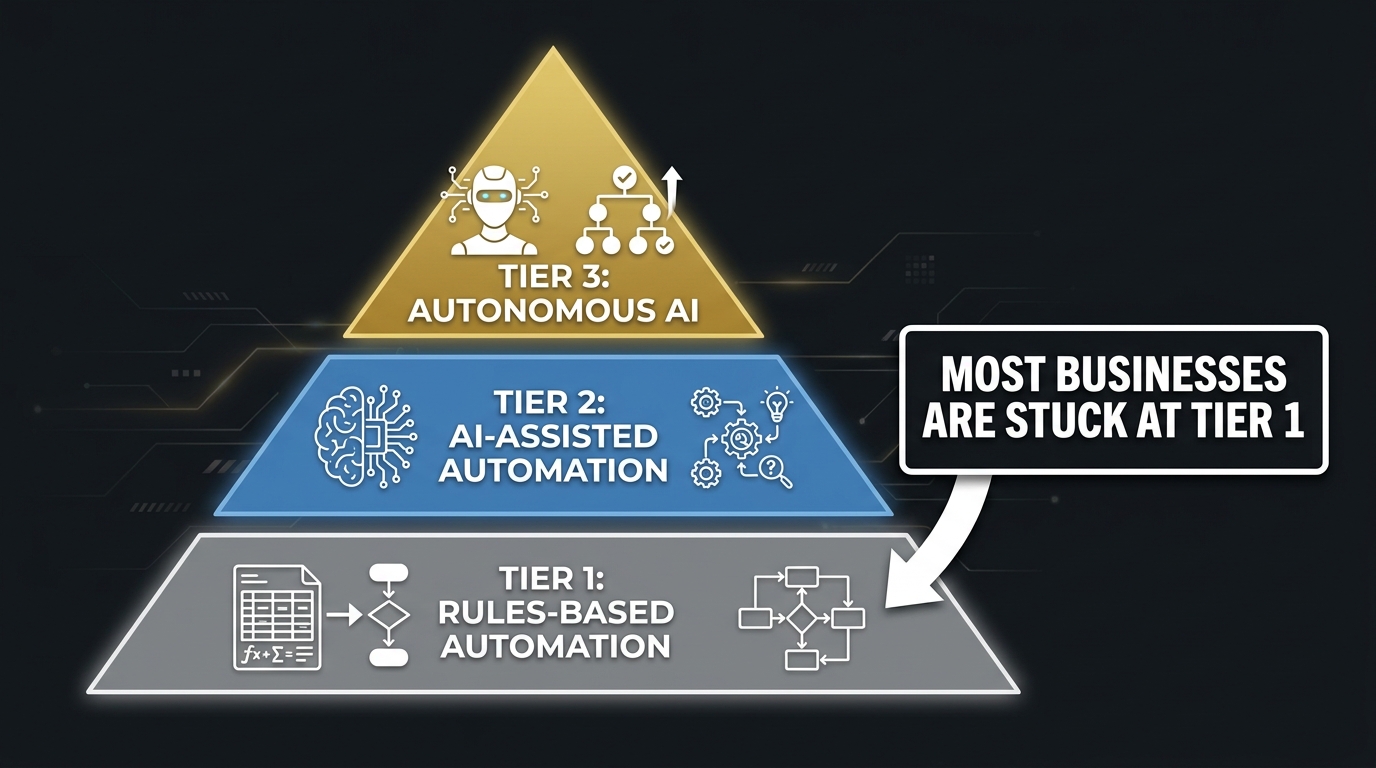
One of the most useful mental models for approaching AI automation is to recognize that not all automation is the same — and that most businesses are operating at a tier well below where they think they are.
Tier 1: Rules-based automation
This is traditional automation: if X happens, do Y. If a form is submitted, send a confirmation email. If inventory falls below 50 units, trigger a reorder. If a payment is received, mark the invoice paid. These workflows follow rigid logic. They don’t learn. They don’t adapt. They break the moment a condition arises that wasn’t anticipated in the original design.
Most businesses have more Tier 1 automation than they realize — often embedded in their CRM, ERP, and marketing platforms as default features. The problem is that many organizations mistake having Tier 1 automation for having an AI automation strategy. They don’t. Rules-based automation is useful, but it’s table stakes. It’s also brittle: every exception requires a new rule, and over time you end up with hundreds of overlapping, sometimes conflicting conditions that nobody fully understands anymore.
Tier 2: AI-assisted automation
This is where genuine AI enters the picture. Tier 2 workflows combine automated execution with AI judgment — the ability to interpret unstructured inputs, handle variability, and make context-dependent decisions. A Tier 2 customer service system doesn’t just route tickets based on keywords; it reads the sentiment and content of the message, infers urgency, and routes it to the most appropriate resolution path. A Tier 2 document processing workflow doesn’t just extract fields from a standard invoice; it can handle invoice layouts it’s never seen before.
Tier 2 is where most of the ROI in AI automation actually lives for the majority of businesses. It extends automation to work that used to require human judgment, while keeping humans in the loop for genuinely complex edge cases.
Tier 3: Autonomous AI
Tier 3 automation operates with minimal human involvement — AI agents that plan, execute, monitor, and adapt their own workflows. Think of a procurement agent that monitors supplier pricing, identifies better options, negotiates terms via email, and updates contracts — all without a human initiating each step. This is the “agentic AI” tier that’s getting a great deal of attention in 2026.
Tier 3 is real and it works — in controlled, well-defined domains with strong data foundations and robust oversight mechanisms. In domains where those conditions don’t exist, Tier 3 automation is where the most expensive failures happen, because the system operates autonomously long enough for errors to compound before anyone notices.
The practical implication: identify which tier you’re actually operating at in each function, and be honest about whether you have the process clarity, data quality, and oversight infrastructure to move to the next tier. Most organizations need to solidify Tier 2 before chasing Tier 3.
Customer-Facing Automation: Where the Wins Are Biggest — and the Failures Most Visible
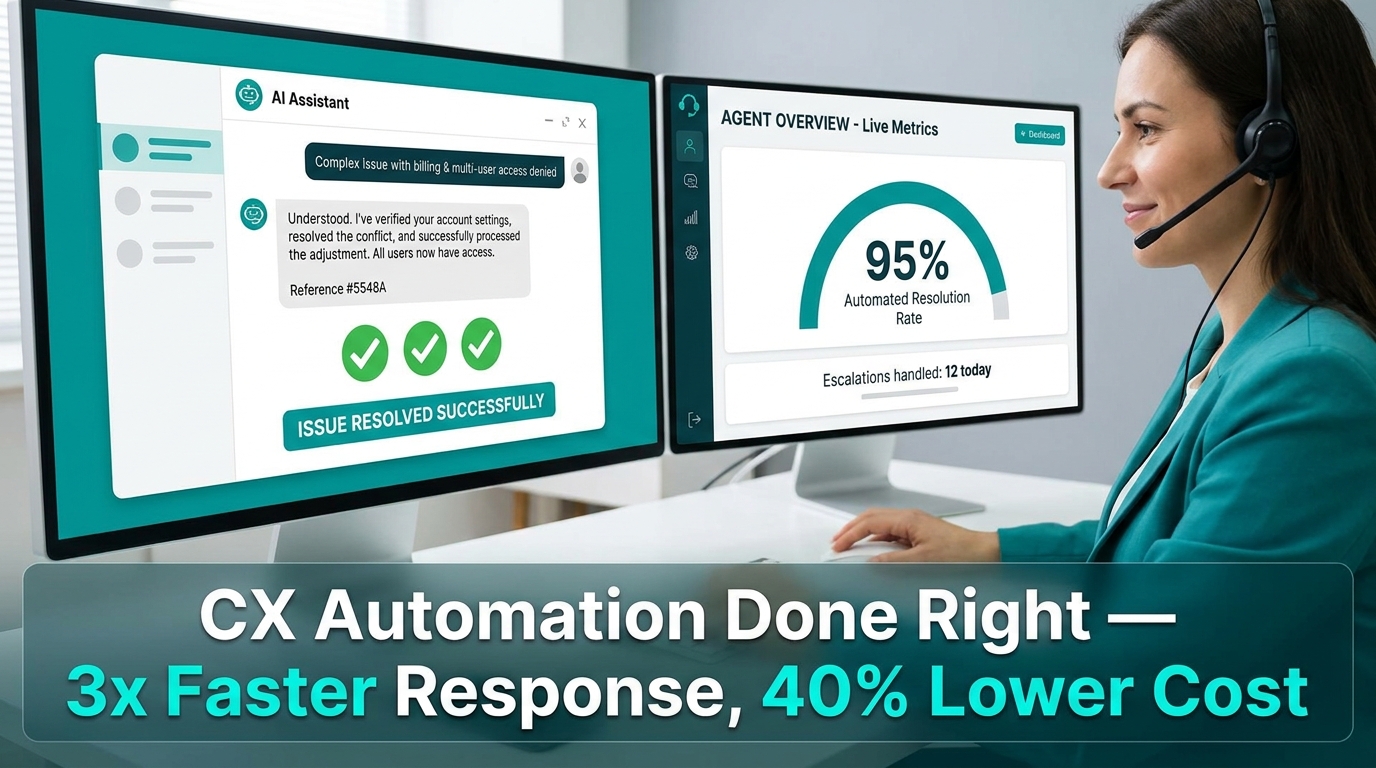
Customer service is where most businesses first encounter AI automation — and where the stakes are highest. Get it right and you’re delivering faster, more consistent service at lower cost. Get it wrong and you’re publishing your operational failures directly to your customer base.
What’s actually working in customer service automation
The highest-performing customer service automations in 2026 share a common design philosophy: they don’t try to handle everything. They’re designed to resolve the high-volume, low-complexity cases — order status inquiries, return requests, account password resets, basic troubleshooting — with speed and accuracy, while routing genuinely complex issues to human agents with full context already assembled.
Natural language processing has matured significantly. Modern AI systems can now read a customer message and determine not just the topic, but the emotional tone, the implied urgency, and the most likely resolution path. A customer who writes “I’ve been waiting three weeks for my order and this is unacceptable” is flagged differently from one who writes “just checking in on my order status” — even if both technically fall under the same ticket category. That distinction matters for prioritization, for tone of response, and for whether a human needs to be in the loop.
When businesses deploy this kind of AI-assisted triage well, the results are material. Resolution times fall. Customer satisfaction scores rise — not because AI replaced human empathy, but because humans are now applied specifically where empathy is needed most, rather than burned out answering the same basic questions a hundred times a day.
The failure modes to plan for
The most common customer-facing automation failure is the confident wrong answer. AI systems, particularly those powered by large language models, can generate plausible-sounding responses to questions they’ve never been properly trained on. Without careful guardrails — defined knowledge boundaries, escalation triggers, and human review of novel query types — a chatbot will fill in the gaps with confident hallucinations. And customers will rely on that information and then be furious when it turns out to be wrong.
The fix is not to lower ambitions; it’s to build hard edges around what the system is allowed to answer autonomously, and to make escalation genuinely easy rather than a frustrating dead end. Customers accept that a chatbot can’t answer every question. What they don’t accept is a chatbot that won’t admit it can’t answer something, or that makes it impossible to reach a human when needed.
The omnichannel integration challenge
Customer service today happens across email, live chat, social media DMs, phone, and SMS. AI automation that only covers one channel creates inconsistency — the same customer gets an instant resolution on chat and a 48-hour email queue for the same type of issue. Effective customer-facing automation has to be omnichannel from the start, with a unified view of each customer’s history and context regardless of which channel they’re using. This is technically more demanding, but it’s what actually delivers the experience improvement that automation promises.
Internal Operations: The Quiet Goldmine Most Businesses Ignore
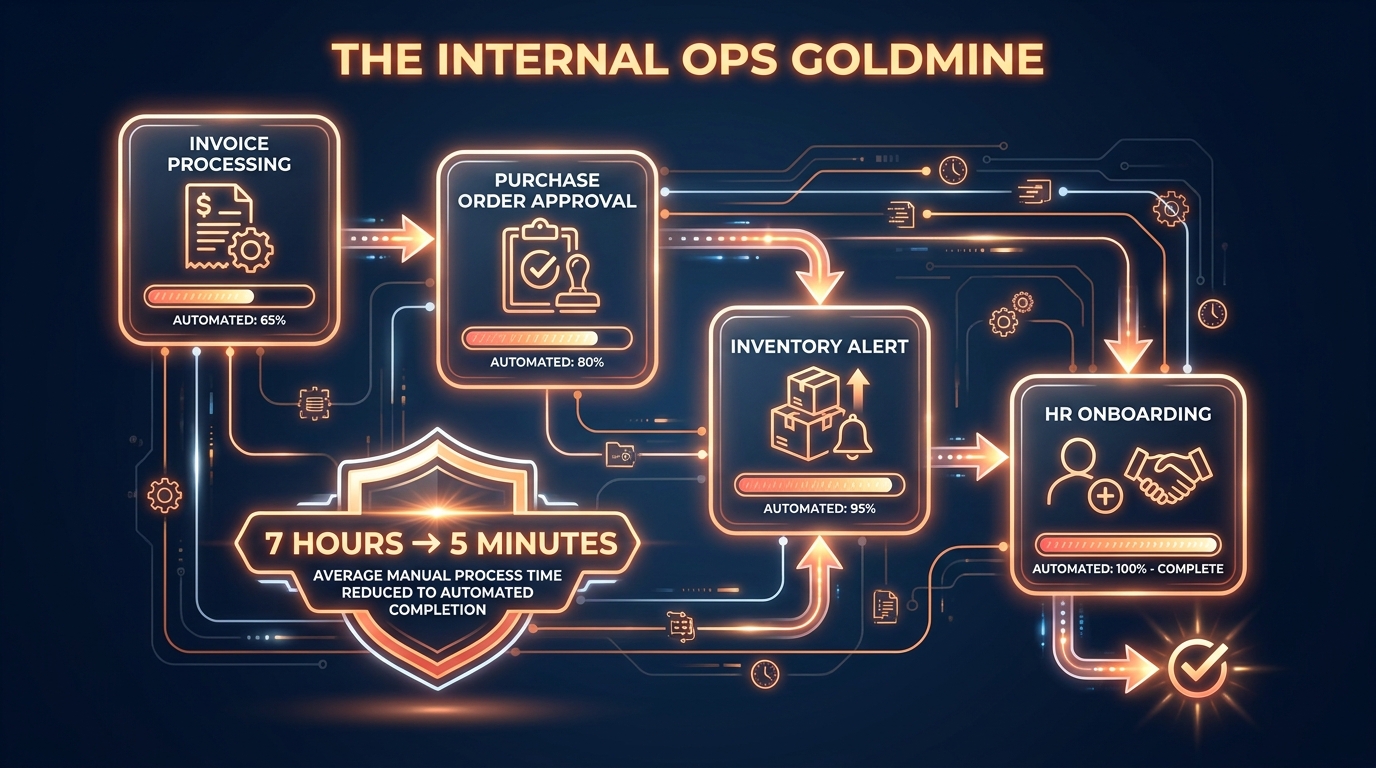
While most automation conversations focus on customer-facing applications, the most durable, highest-ROI opportunities for most businesses are internal — and they’re hiding in plain sight inside the workflows your team considers just “the way things work.”
Document processing and data extraction
The average mid-sized business processes thousands of documents per month: invoices, purchase orders, contracts, expense reports, employee records, compliance filings. Historically, someone had to open each one, read it, extract the relevant data, and enter it somewhere else. This is not skilled work — it’s repetitive, error-prone, and deeply demoralizing for the people doing it.
AI-powered document processing (often called Intelligent Document Processing or IDP) handles this at scale. Modern IDP systems can extract structured data from unstructured documents — even handwritten ones, even ones with layouts they haven’t been explicitly trained on — and route that data directly to the appropriate system. The accuracy rates on well-implemented IDP workflows now exceed what human data entry typically achieves, because the AI applies the same logic consistently on the ten-thousandth document as on the first.
For organizations processing high volumes of invoices, the ROI here can be measured in weeks, not months. Invoice processing that took hours becomes near-instantaneous. Errors that required expensive corrections are eliminated. And the staff previously assigned to data entry can be redirected to the analytical work — variance analysis, vendor relationship management, forecasting — that actually requires their judgment.
Workflow routing and approvals
Most organizations have approval chains that are slower than they need to be — not because approvers are slow, but because the workflow itself is inefficient. Documents sit in inboxes waiting for someone to look at them. Approvers don’t have the context they need to decide quickly. Requests get bounced back for additional information because the initial submission was incomplete.
AI-assisted workflow routing solves this by pre-qualifying submissions before they reach an approver. The system checks that all required fields are complete, validates data against existing records, flags anomalies for specific attention, and routes to the appropriate approver based on content rather than just category. The approver sees a clean, contextualized request with any issues already highlighted, rather than a raw document they have to interpret from scratch.
This doesn’t eliminate human decision-making — it makes it faster and better-informed. Approval times that ran 3-5 days can compress to same-day or next-day without any change in approval authority or governance standards.
Meeting intelligence and action tracking
One of the most underrated internal automation opportunities is meeting documentation. The average knowledge worker attends five or more meetings per week. Each one generates discussion, decisions, and action items — most of which are only partially captured, usually by whoever happened to be taking notes. AI meeting transcription and summarization tools, when properly integrated into team workflows, automatically generate structured summaries, extract commitments and deadlines, and route action items to the appropriate owners. The business impact isn’t just time saved on note-taking; it’s the compounding effect of fewer dropped commitments, clearer accountability, and faster follow-through across the organization.
Finance and Compliance Automation: Moving Faster Without Breaking the Rules
Finance is simultaneously one of the highest-value targets for AI automation and one of the highest-risk. The efficiency gains are enormous — but so is the cost of getting it wrong. Compliance failures, audit findings, and financial reporting errors are not abstract risks; they have real regulatory and reputational consequences.
Where the efficiency gains live
Accounts payable and receivable automation is the most mature application in finance, and for good reason. The workflow is high-volume, document-heavy, time-sensitive, and rule-governed. AI automation handles invoice matching, payment scheduling, dunning notices, reconciliation, and reporting with far greater speed and consistency than manual processes allow.
But the less-discussed opportunity in finance automation is forecasting and anomaly detection. AI systems continuously analyze transaction data, compare actuals against budgets, and flag variances that warrant human review — not just at month-end, but in real time. This shifts the finance function from a backward-looking reporting role to a forward-looking advisory one. CFOs at companies with mature finance automation are getting faster, more accurate reads on business performance, with more time to act on what they’re seeing.
Compliance automation: the nuanced case
Regulatory compliance is an area where AI automation can provide enormous value — and where the implementation needs to be approached with exceptional care. The regulatory landscape in most industries changes frequently, and AI systems trained on historical compliance rules can quickly become outdated if they’re not properly maintained.
The strongest compliance automation deployments treat AI as a monitoring and alerting layer, not as a decision-making authority. The system watches for transactions, behaviors, or documentation that fall outside expected parameters, surfaces them for human review, and maintains an audit trail of every flag and every resolution. This creates defensible compliance records and keeps human judgment at the center of consequential decisions, while dramatically reducing the volume of manual monitoring required.
The governance framework first
Finance automation without governance is a liability, not an asset. Before deploying AI in any finance workflow, organizations need clear answers to four questions: Who has authority to configure the automation rules? Who reviews the automation’s outputs, and on what cadence? What happens when the automation encounters something outside its defined parameters? And what’s the escalation path when a human disagrees with an automated decision? If those questions don’t have clear answers, the automation isn’t ready to go live.
Sales and Marketing: The Automation Trap That Kills Conversion Rates
Sales and marketing is where businesses tend to be most enthusiastic about automation — and where they most frequently automate themselves into lower performance. The reason is a fundamental misunderstanding of what automation is good at in a commercial context.
What automation does well in go-to-market
AI automation genuinely excels at the logistical and analytical work that surrounds sales and marketing activity: lead scoring, contact enrichment, email deliverability management, campaign performance reporting, content personalization at scale, and CRM data hygiene. These are high-volume, data-driven tasks where AI can apply consistent logic across thousands of records and surface insights that no human analyst could generate manually at the same speed.
Done well, this kind of operational automation frees sales teams from administrative drag. Research suggests sales reps spend as much as 65% of their time on non-selling activities — updating CRM records, preparing reports, scheduling meetings, researching prospects. Automating even a fraction of that restores substantial selling capacity without adding headcount.
The over-automation trap
Here’s where it gets counterproductive: when businesses automate the sales and marketing activities that require human connection, personalization fails, and with it, conversion. The most common version of this is the automated email nurture sequence that’s technically “personalized” because it uses the prospect’s first name and company name, but is obviously templated and impersonal in every other dimension. Recipients recognize it immediately and either ignore it or unsubscribe.
The subtler version is the fully automated SDR outreach — high-volume, AI-generated prospecting emails sent at scale without meaningful human input on relevance or timing. In theory, the numbers work: even a 0.5% response rate on 10,000 emails generates 50 leads. In practice, the signal-to-noise ratio degrades buyer relationships, trains prospects to ignore the domain, and systematically undermines the brand’s reputation in its target market. The pipeline it generates is shallow and hard to convert.
The hybrid model that actually works
High-performing sales and marketing automation in 2026 is built on a clear division of labor: AI handles research, scoring, sequencing logic, and analytics; humans handle the actual conversations and relationship moments. AI tells the sales rep who to contact, when to contact them, what they’ve been engaging with, and what the most relevant talking points are — then the rep takes it from there with a genuinely human outreach. This is not slower than full automation; it’s more effective, because the human touchpoints that matter most are applied to the leads most worth the investment.
HR and People Operations: Where AI Actually Reduces Bias (When Done Right)
Human resources is one of the more complex automation territories, because it involves decisions that directly affect people’s careers, compensation, and livelihood. The stakes for getting it wrong are high — not just ethically, but legally. Yet there are specific, well-bounded HR automation applications that deliver genuine value and, importantly, can improve on the consistency and fairness of purely human processes.
Recruiting and screening automation
Resume screening is the most established HR automation use case. The volume problem in modern recruiting is real: enterprise job postings routinely attract thousands of applications for a single role, making genuine human review of each application impossible. AI screening tools can evaluate applications against defined criteria, identify candidates who match the role requirements, and surface a shortlist for human review — dramatically compressing the time from application to first conversation.
The critical qualifier: AI screening reduces bias only when the system itself is bias-free, which requires deliberate effort. AI models trained on historical hiring data can inherit and amplify the biases of past hiring decisions — underweighting candidates from certain schools, overweighting certain resume formats, or drawing spurious correlations between irrelevant attributes and job performance. Organizations implementing AI recruiting tools need to audit for disparate impact regularly and maintain human oversight of shortlisting decisions, particularly for senior or technical roles.
Onboarding automation
Employee onboarding is an ideal automation target: it’s process-heavy, document-intensive, highly repetitive, and critically important for new employee experience. AI-assisted onboarding workflows handle the administrative layer — document collection, system access provisioning, policy acknowledgments, benefits enrollment, and compliance training scheduling — automatically, so that HR teams and managers can focus on the human elements: introductions, culture immersion, role clarity, and early relationship building.
Organizations with automated onboarding report higher new employee satisfaction scores and faster time-to-productivity — not because the process is more automated, but because removing the administrative friction frees up human attention for the interactions that actually influence how a new employee feels about their first 90 days.
Performance and engagement monitoring
AI tools that analyze patterns in engagement surveys, pulse check-ins, communication metadata, and performance data can identify teams or individuals at risk of disengagement or attrition before the situation is visible through conventional means. Used well, this gives managers a meaningful early warning system. Used poorly — particularly if employees feel they’re being surveilled rather than supported — it can damage trust and accelerate exactly the disengagement it was designed to prevent. The implementation posture matters as much as the technology.
The Data Quality Problem That Breaks Every Automation Eventually
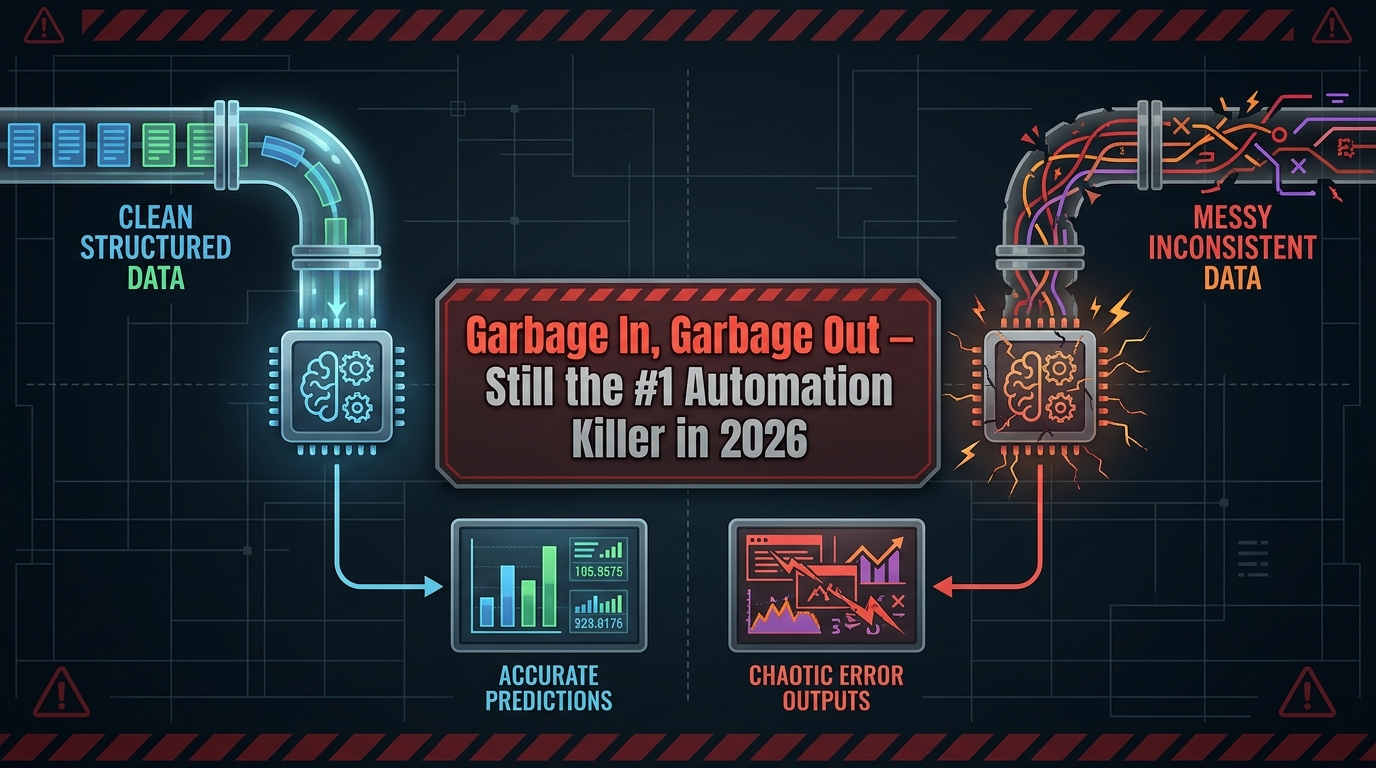
If there is one root cause that accounts for more AI automation failures than any other, it is data quality. Not the wrong tool. Not the wrong vendor. Not insufficient budget. Data quality — or rather, the lack of it.
Why data quality degrades before you notice
Business data decays faster than most organizations realize. Customer contact information goes stale as people change jobs and move. Product data accumulates inconsistencies across systems. CRM records fill up with duplicates, incomplete fields, and outdated notes. Operational data carries the residue of every workaround, system migration, and process change the organization has been through in the last decade.
In a manual workflow, humans compensate for data quality problems constantly and invisibly. A sales rep who sees an obviously wrong email address knows to look for the correct one before sending. An accountant who spots an anomalous line item checks with the vendor before processing. This adaptive correction is so routine it isn’t even recognized as work — it’s just “how things get done.”
AI automation doesn’t compensate. It processes what it’s given. A workflow built on CRM data full of duplicates and outdated contacts will dutifully send emails to non-existent addresses, create duplicate records, and generate reports based on fictional customer counts. The automation runs perfectly — it’s the inputs that are wrong.
The data audit you need before you automate
Before any significant automation deployment, organizations need to conduct a focused data audit of the systems that workflow will touch. The audit doesn’t need to be exhaustive, but it needs to answer four questions: How complete is the data in the relevant fields? How consistent is it across systems? How current is it? And how is it maintained — is there an owner responsible for data quality, or has it just accumulated organically?
The answers to these questions determine not just whether the automation is ready to deploy, but what data cleaning and governance work needs to happen first. Automating on top of a bad data foundation doesn’t just fail — it fails faster and at larger scale than the equivalent manual process would have, because automation multiplies throughput in both directions.
Ongoing data governance as automation infrastructure
Data quality isn’t a one-time cleanup project; it’s an ongoing operational requirement. Organizations that sustain high-quality automation outcomes have data governance processes built into their workflows: standardized input validation that prevents bad data from entering systems, automated deduplication and enrichment running continuously, and defined data ownership so there’s always a named person responsible for the quality of each dataset. This infrastructure isn’t glamorous, but it’s the foundation that determines whether your automation compounds over time or degrades.
How to Sequence Your Automation Rollout Without Creating Chaos
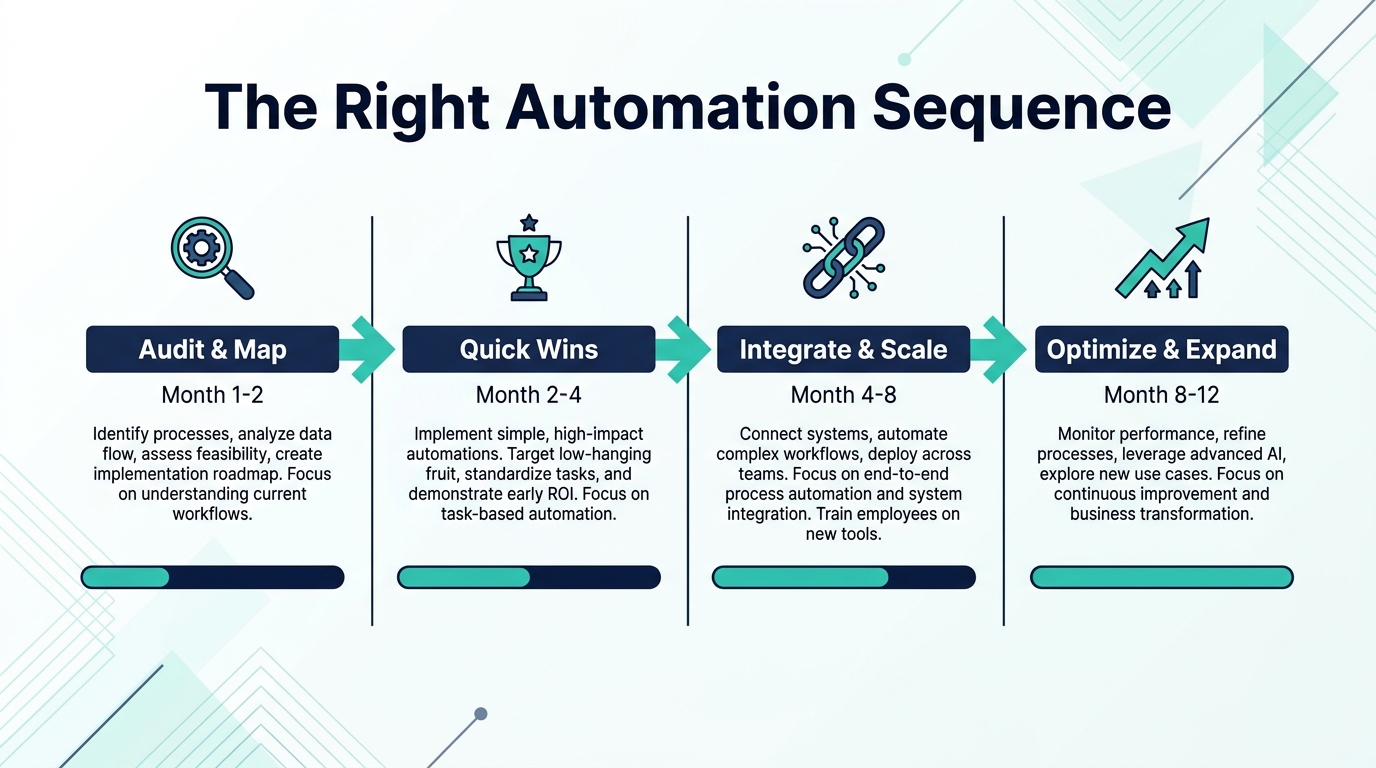
One of the most common reasons AI automation projects fail to deliver expected results is sequencing: organizations try to automate too much at once, or they start with the wrong processes, or they skip foundational steps in a rush to visible progress. A disciplined sequencing approach isn’t just about risk management — it’s about building organizational confidence and capability in a way that makes each successive automation investment easier than the last.
Phase 1: Audit and map (Months 1-2)
Before building anything, map your current processes — not as they’re documented, but as they actually happen. Interview the people doing the work. Shadow them. Ask about the exceptions, the workarounds, the decisions that the process documentation doesn’t capture. For each process, document: what triggers it, what inputs it requires, what outputs it produces, who touches it and when, and what happens when something goes wrong.
Then prioritize. Not every process is worth automating, and some processes that seem automatable are actually highly dependent on human judgment in ways that aren’t obvious until you’ve mapped them carefully. Prioritize processes that are high-volume, well-defined, low-exception, and data-rich. These are your Phase 2 targets. Processes that are low-volume, exception-heavy, or judgment-intensive can wait until your automation capability is more mature.
Phase 2: Quick wins (Months 2-4)
Start with automations that have clear, measurable outcomes and limited blast radius if something goes wrong. Document processing. Notification workflows. Data synchronization between systems. Reporting automation. These are low-risk, high-visibility wins that build organizational confidence and surface your data quality issues in a low-stakes environment — before they’ve caused problems in higher-stakes workflows.
Treat each quick win as a learning exercise, not just a productivity improvement. What did you find out about your data? What exceptions appeared that weren’t in the process documentation? What did the team’s response to the change tell you about change management requirements for the next phase? The answers to these questions are more valuable than the time savings, because they will determine how well your Phase 3 rollout goes.
Phase 3: Integrate and scale (Months 4-8)
Once you have a few successful automations running and your data quality foundation is better understood, start connecting systems and scaling to higher-stakes processes. This is where end-to-end workflow automation becomes possible — where a single trigger can initiate a chain of actions across multiple systems, reducing handoffs and closing the gaps where errors and delays typically accumulate.
This phase requires more rigorous governance: clear ownership for each automated workflow, defined escalation paths for exceptions, monitoring dashboards that surface problems early, and regular reviews to catch drift — cases where business reality has changed but the automation hasn’t been updated to reflect it.
Phase 4: Optimize and expand (Months 8-12)
With a portfolio of running automations and organizational experience to draw on, you’re now in a position to look at more sophisticated applications: predictive analytics, AI-assisted decision support, cross-functional orchestration, and — where the conditions are right — early-stage autonomous AI. This is also the phase where you revisit and improve your existing automations based on what you’ve learned: refining rules, improving exception handling, upgrading models, and eliminating workarounds that have accumulated around the edges of your earlier deployments.
Measuring AI Automation: The Metrics That Actually Matter
Most organizations measure their automation investments with a narrow set of metrics — time saved, cost reduction, headcount impact. These matter, but they’re incomplete. An automation that saves 20 hours per week and introduces one major error per month may have a negative total value once you account for the cost of corrections, customer impact, and reputational damage. Measuring effectively means looking at the full picture.
Process-level metrics
For each automated workflow, track the core operational measures: throughput (volume processed per unit of time), cycle time (how long the process takes end-to-end), error rate (how often the automation produces an incorrect output), and exception rate (how often the automation encounters something outside its defined parameters and escalates to a human). These metrics tell you whether the automation is actually working and how stable it is over time.
Watch the exception rate particularly closely. A rising exception rate over time typically signals one of two things: either the automation’s rules are too narrow and need refinement, or the business context it’s operating in has changed in ways the automation hasn’t been updated to reflect. Either way, it’s an early warning that the automation needs attention before it starts producing a higher volume of wrong outputs.
Business-outcome metrics
Process metrics tell you how the automation is performing; business outcome metrics tell you whether it’s delivering the value it was supposed to. For customer-facing automations: customer satisfaction scores, first-contact resolution rates, average resolution time, and escalation rates to human agents. For internal process automations: cash flow impact (for AR/AP), compliance rate, reporting accuracy, and audit findings. For sales and marketing automations: pipeline conversion rates, revenue generated from automated touchpoints, and lead quality scores.
The discipline of tracking business outcomes — not just process metrics — is what allows you to distinguish between automations that are technically functional and automations that are actually delivering business value.
Human experience metrics
This one is consistently overlooked: how is the automation affecting the people working with or alongside it? Employee satisfaction scores for teams using automated tools, adoption rates (are people actually using the system or routing around it?), and manager ratings of AI-assisted workflows all provide leading indicators of whether your automation is building organizational capability or quietly generating resistance and workarounds. Organizations that measure and act on human experience metrics sustain their automation investments far better than those that treat people-factors as secondary to technical performance.
What 2026 Changes About the Competitive Calculus
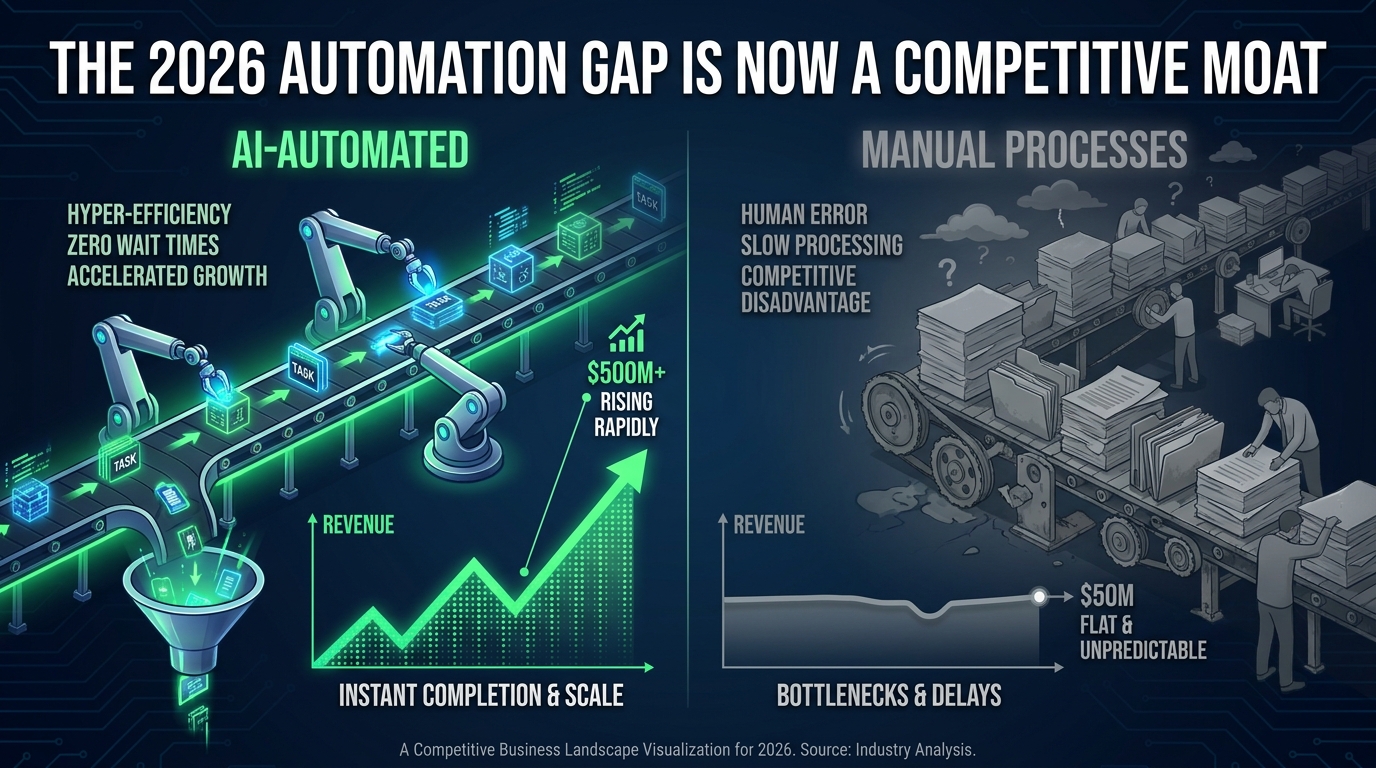
AI automation has been a competitive advantage for early adopters since 2022 or so. In 2026, the calculus is shifting. The technology is accessible enough, the tooling is mature enough, and the case studies are widespread enough that automation is no longer primarily a source of competitive advantage for companies that have it — it’s becoming a competitive liability for companies that don’t.
The capability gap is now measurable in speed
Companies with mature AI automation operate measurably faster than those without it — and in a market environment where speed of execution is itself a competitive advantage, that gap compounds. A business that can process orders, respond to customers, generate financial reports, and onboard new employees significantly faster than its competitors isn’t just more efficient; it’s more responsive. It can move on opportunities, adapt to market changes, and recover from problems faster. Over time, that operational speed translates directly into market position.
The talent implications
The workforce expectations picture is also shifting. In 2026, skilled employees increasingly expect the organizations they work for to have modern tooling — including AI automation — that removes administrative burden and lets them do meaningful work. Organizations with mature automation are able to attract and retain talent by offering a higher ratio of strategic to administrative work. Organizations running on manual processes are competing for the same talent while offering a more friction-filled working environment. This is a soft factor that is increasingly showing up in hard data: recruitment difficulty, time-to-fill, and voluntary attrition rates.
The security dimension
IBM’s 2026 data on AI-driven cyberattacks — noting a 56% increase year-over-year — adds another dimension to the automation calculus. Organizations with well-automated security monitoring and response capabilities are demonstrably better positioned to detect and respond to threats before they escalate. Automation in cybersecurity isn’t just about efficiency; it’s about speed of detection and response in an environment where the attack vectors themselves are increasingly automated. The security argument for AI automation is now as compelling as the productivity argument in most industries.
The cost structure argument
In inflationary and uncertain economic environments, businesses with lower cost structures for the same output have a durable strategic advantage. AI automation is one of the few meaningful tools available to most businesses for reducing the labor cost of high-volume, low-judgment work — not by replacing workers, but by dramatically reducing the volume of that kind of work that humans need to do. This frees human cost toward activities that generate proportionally more revenue and value. The organizations building this kind of structural efficiency now are building cost advantages that will be very difficult for less-automated competitors to close later.
Getting Started: A Department-by-Department Priority Map
If you’re trying to decide where to focus your AI automation investment first, here’s a practical department-level framework based on the return profile, readiness requirements, and risk profile of each function.
Start here: highest return, lowest risk
Finance (Accounts Payable/Receivable): High volume, well-defined process, measurable accuracy requirements. Strong data typically available. ROI measurable in weeks for businesses processing significant invoice volume. Start with AP automation; add AR and reconciliation as confidence builds.
Customer Service (Tier 1 inquiries): High volume, high visibility, clear success metrics. Begin with the top 5-10 most frequent inquiry types and build out from there. Prioritize seamless human escalation from day one.
Operations (Document processing): If your business handles significant volumes of documents — contracts, purchase orders, compliance filings — IDP delivers rapid time savings with relatively low implementation complexity.
Build next: strong return, moderate readiness requirements
HR (Onboarding and recruiting): High value for employee experience and recruiter productivity. Requires clean process documentation and bias auditing for screening tools. Onboarding is the lower-risk starting point; recruiting screening requires more careful governance setup.
Sales (CRM hygiene and lead scoring): Cleans up the data problems that undermine manual sales processes. Requires CRM data quality work upfront, but pays back quickly in improved rep productivity and pipeline accuracy.
Marketing (Campaign operations and reporting): Automating the operational layer of marketing — audience segmentation, performance reporting, A/B test management — frees marketing teams for creative and strategic work. Keep human judgment firmly in the loop for messaging and positioning.
Approach carefully: higher complexity, higher risk
Compliance monitoring: High value when properly governed; high risk when treated as a set-and-forget system. Requires regular rule updates, human review of all flagged items, and robust audit trail maintenance.
Autonomous sales outreach: The potential for volume efficiency is real, but the risk of brand damage from poorly calibrated automation is significant. Implement with strong human oversight and clear guardrails on volume, personalization standards, and response handling.
Financial forecasting: AI-assisted forecasting is powerful, but outputs need human review and contextual judgment before they drive business decisions. Treat AI forecasts as a starting point for analysis, not as the analysis itself.
The practical principle: Start with the processes where the cost of a wrong output is lowest and the volume of work is highest. Build your capability, your data quality, and your organizational confidence there — then move toward the higher-stakes applications with a track record and infrastructure that can support them.
The Honest Assessment Most Businesses Need to Make
AI automation in 2026 is neither the silver bullet that vendors sell nor the existential risk that headlines sometimes suggest. It is a powerful set of tools that, when deployed thoughtfully, consistently delivers genuine improvements in speed, accuracy, cost, and employee experience — and that, when deployed without sufficient attention to process clarity, data quality, human oversight, and change management, consistently produces expensive problems that take longer to fix than they took to create.
The businesses getting the most from AI automation are not necessarily the ones with the biggest budgets or the most sophisticated technology stacks. They’re the ones that invested time upfront in understanding their processes, cleaning their data, and designing the human layer that surrounds the automated layer. They’re the ones that started with well-bounded quick wins rather than ambitious end-to-end transformations. They’re the ones that treat automation as an ongoing operational discipline, not a one-time implementation project.
The gap between those organizations and the ones still running on largely manual processes is widening. But it’s not too late to close it — and it doesn’t have to happen all at once. The most important step is the same one it’s always been: knowing exactly where you’re starting from, being honest about what you’re ready to automate, and building from there with more care than speed.
The first system that breaks will teach you more than the first ten that work. Plan for it, learn from it, and build something more durable next time.