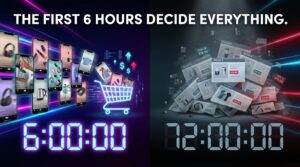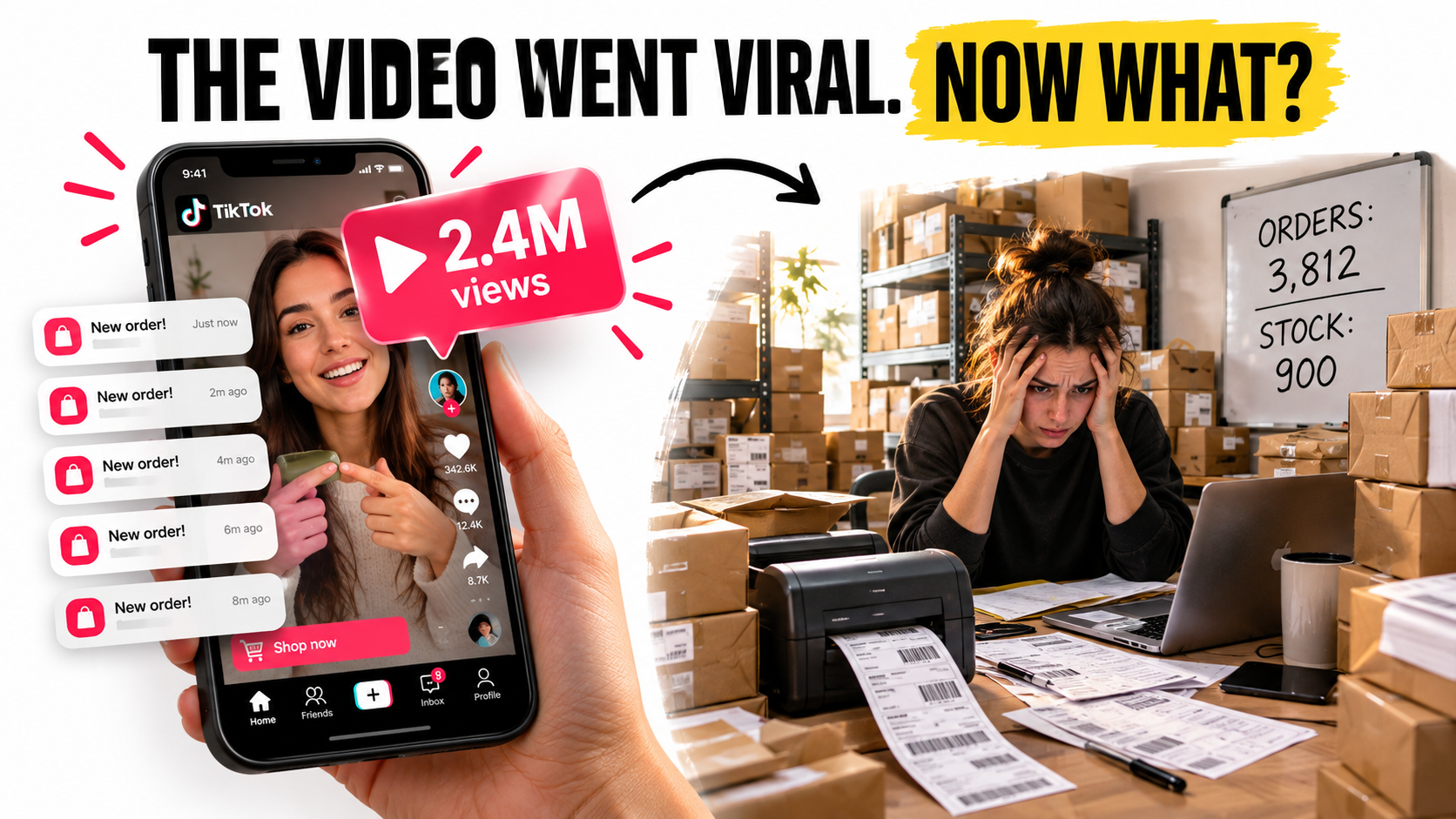

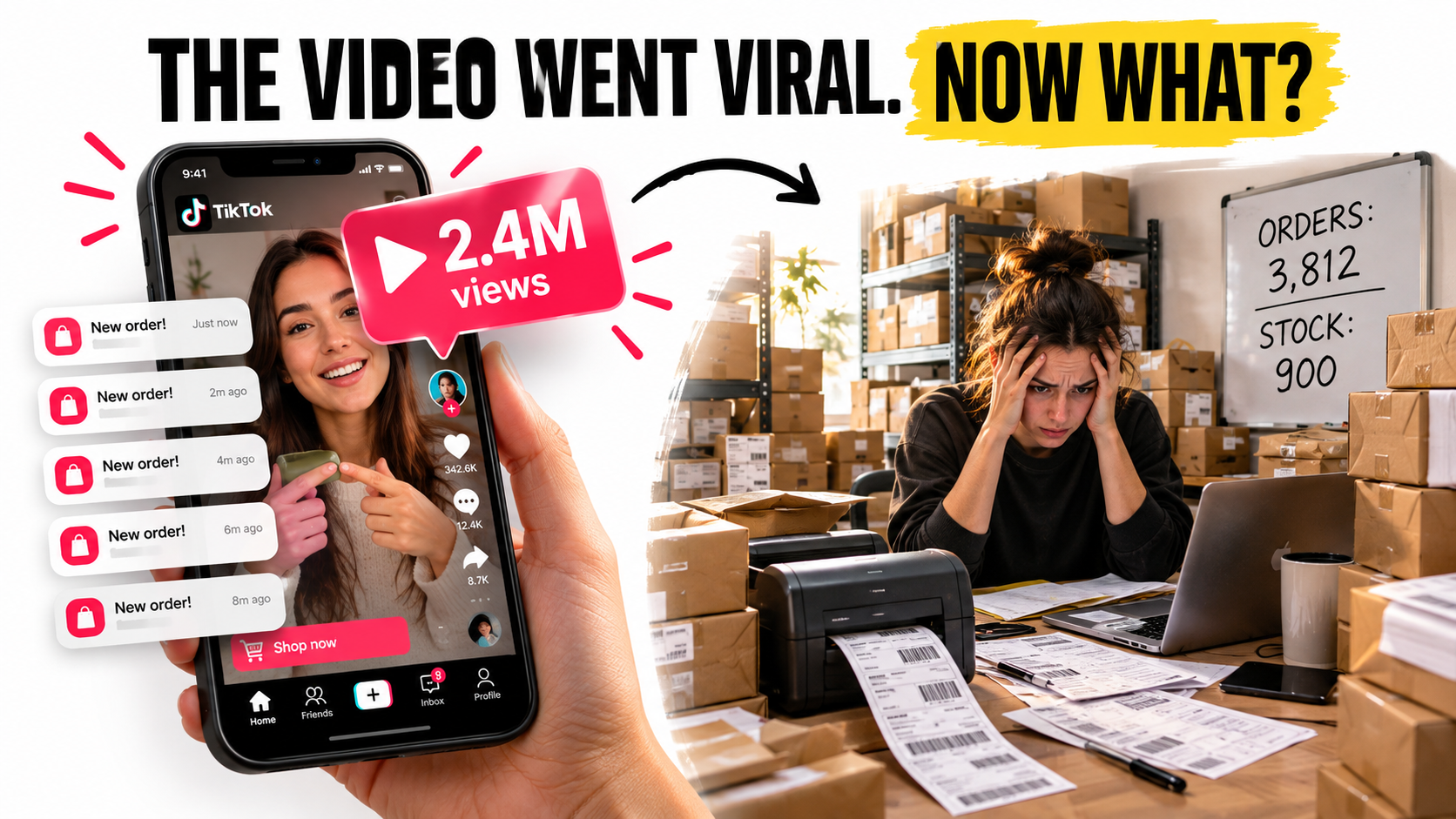
Every TikTok Shop success story you’ve seen online has the same shape: a creator posts a video, the view count climbs, orders pour in, and a small brand goes from obscurity to sold out in 48 hours. It’s a satisfying story. It is also, for a lot of sellers, where the real trouble starts.
What almost never gets filmed is the week after. That’s the week when the label printer jams at 2 a.m., when stock runs out while the video keeps getting pushed, and when dispatch deadlines slip. Then a wave of “where is my order?” messages lands in an inbox nobody is watching, and the account health dashboard turns from green to yellow.
Most TikTok Shop advice focuses on the front end: hooks, creators, product selection, search ranking, and ads. Those things matter. But TikTok Shop is a marketplace that measures sellers on how they deliver, not only how they sell. A shop that can generate demand but can’t fulfill it reliably ends up with penalties, lost visibility, refunds, and cash tied up in the wrong places.
This article covers the back end of TikTok Shop selling: the operations stack that decides whether a viral moment builds a business or quietly wrecks one. We’ll look at demand planning for spiky traffic, choosing a fulfillment model, meeting dispatch standards, protecting account health, handling returns, running customer service, managing creator samples, planning around cash flow, staffing LIVE sessions, and keeping inventory in sync across channels.
A quick note before we start. TikTok updates its seller policies, thresholds, and fee schedules often, and they differ by market. Wherever this article talks about specific metrics, treat it as a guide to what to watch. Check the exact current numbers in your own Seller Center and the TikTok Shop Academy (formerly Seller University) for your region.
Why Operations Became the Real Competitive Edge on TikTok Shop
TikTok Shop launched in the US in September 2023. According to Wikipedia’s summary of early reporting, daily sales averaged about $7 million that October. By Black Friday 2024, the platform was generating more than $100 million in sales in a single day.
The growth hasn’t slowed. A May 2026 Shopify overview of the platform says TikTok Shop now lists more than 70 million products. It also cites a projection of $23.41 billion in US sales in 2026. That’s a scale Shopify compares to major brick-and-mortar retailers.
More sellers, same buyer patience
Growth brings competition. When a marketplace has tens of millions of products, many sellers will be able to find the same trending item, pitch the same creators, and copy the same hooks. Front-end tactics spread quickly because everyone can see them. Every viral video is, in effect, a public tutorial.
Operations are much harder to copy. Nobody can see from the outside how fast you dispatch, how clean your returns process is, or how well you forecast inventory. Yet those invisible habits decide whether a shop keeps getting traffic.
The platform rewards reliability
Like most marketplaces, TikTok Shop has strong reasons to protect the buyer experience. A buyer who gets a late order or a damaged product, or never hears back from a seller, is less likely to buy in-app again. That hurts the platform, not just the seller.
That’s why TikTok tracks seller performance metrics and uses them to enforce policy. Shops with poor fulfillment records risk restrictions on listings, reduced exposure, or suspension. Put simply, operations quality feeds back into your ability to be seen at all.
The viral spike is a stress test
On TikTok Shop, demand arrives in spikes, not smooth curves. A search-driven marketplace tends to bring gradual, predictable growth. A content-driven one can take you from 20 orders a day to 2,000 overnight, then back down again when the video stops being pushed.
That volatility is the defining operational challenge of the channel. Every section below is, in some way, about getting ready for a spike you can’t fully predict.
Demand Planning When Your Traffic Comes From a Feed
Traditional inventory planning assumes the past predicts the future. You look at trailing sales, adjust for seasonality, and reorder. On TikTok Shop, trailing sales tell you very little about next week. One creator video can make a whole quarter’s forecast obsolete.
Plan in scenarios, not single forecasts
Instead of one forecast, experienced sellers plan around three demand scenarios for each hero SKU:
- Baseline: organic, ad-supported, and affiliate sales with no breakout content. This is your floor.
- Elevated: one or two creator videos perform well above average. Demand is several times baseline for one to two weeks.
- Breakout: a video goes properly viral. Demand is many times baseline, often for a short, intense window.
Next, decide how many units you can realistically get into sellable position under each scenario, and how quickly. You won’t be able to stock for a breakout on every SKU, and you shouldn’t try. But you should know exactly what you’ll do if one happens.
Watch leading indicators, not lagging ones
Orders are a lagging indicator. By the time orders spike, the video has usually been climbing for hours. Useful leading signals include:
- A sudden jump in product page views or add-to-cart activity in Seller Center analytics.
- A creator’s video that is outperforming their usual view count within its first few hours.
- A cluster of sample requests or affiliate video posts for the same product in a short window.
- Rising comment volume asking “where can I buy this?” or “is this still in stock?”
Assign someone to check these signals several times a day during active campaigns. A few hours of warning can be the difference between placing a rush reorder and going out of stock mid-spike.
Build a surge playbook before you need it
Write down, in advance, what happens when a SKU crosses a demand threshold you set. For example:
- Confirm current sellable stock and units in transit.
- Contact your supplier about expedited production or air freight on a portion of the reorder.
- Decide whether to pause or reduce paid promotion to stretch remaining stock.
- Alert your fulfillment team or 3PL to expected volume so they can add labor.
- Prepare buyer messaging in case you need to switch to longer handling times.
The point isn’t to predict virality. It’s to take the panic out of the response so decisions get made in minutes, not days.
Cap exposure on unproven products
The flip side of stocking out is overstocking a product whose viral moment has passed. TikTok trends can fade fast. A sensible approach is to hold a modest baseline on new SKUs and secure fast replenishment options, rather than betting heavily on inventory upfront. Paying more per unit for speed is often cheaper than writing off dead stock.
Choosing a Fulfillment Model: FBT, Self-Fulfillment, or a 3PL
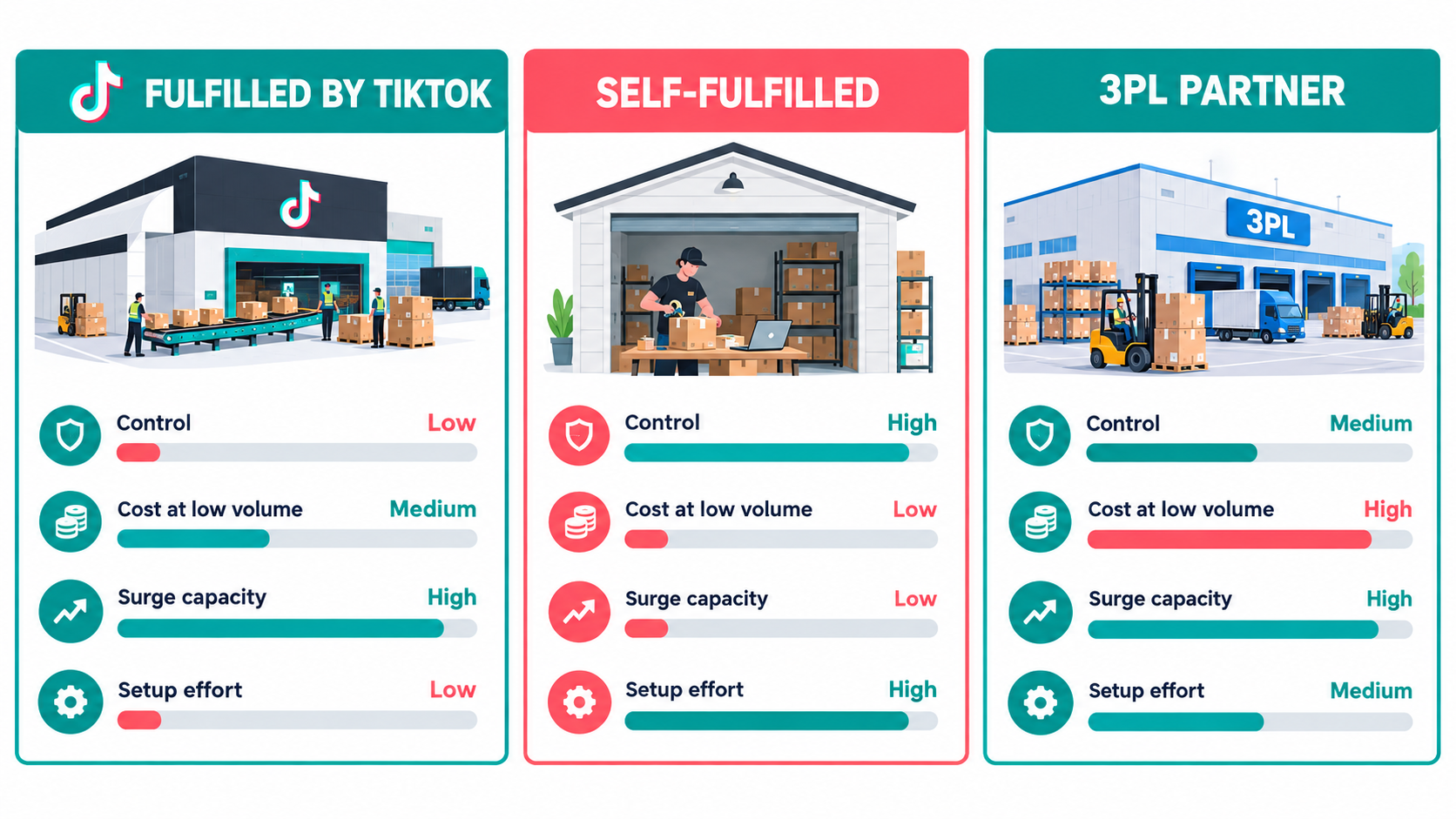
Your fulfillment setup is the biggest operational decision you’ll make on TikTok Shop. It shapes your costs, your control, and above all your ability to absorb a surge. There are three main paths, and many brands end up combining them.
Fulfilled by TikTok (FBT)
Fulfilled by TikTok is the platform’s own fulfillment program in the US. You send inventory to TikTok-operated or partner warehouses, and TikTok handles picking, packing, and shipping. It’s a similar idea to Amazon’s FBA.
The main advantages are:
- Less day-to-day work: once stock is inbound, you aren’t printing labels or packing boxes.
- Platform alignment: fulfillment is handled inside TikTok’s own system, which can simplify meeting its delivery standards. TikTok has also used badges and shipping promotions to highlight FBT listings.
- Surge capacity: a large fulfillment network can usually handle volume spikes better than a garage or small warehouse.
The trade-offs are storage and fulfillment fees, inbound shipping requirements, less control over packaging and unboxing, and less flexibility if you also sell on other channels. FBT fees and incentives change, so model your actual per-unit cost using the current rate card in Seller Center before committing.
Self-fulfillment
Many sellers start by packing orders themselves. It’s cheap at low volume and gives you full control over packaging, inserts, and quality checks.
The weakness is obvious: capacity is limited by your time and space. A seller who can comfortably pack 50 orders a day will not pack 1,500 without help. The failure mode is predictable. A viral video hits, dispatch deadlines slip, late-shipment metrics climb, and the account gets penalized right when it has the most visibility.
If you self-fulfill, have a backup plan. That might be a 3PL you’ve already onboarded, temporary staff, or a pre-agreed switch to FBT for hero SKUs.
Third-party logistics (3PL)
A 3PL stores and ships your inventory for you. Many 3PLs integrate with TikTok Shop directly or through platforms like Shopify. This option usually fits brands that sell on several channels, since one pool of inventory can serve TikTok Shop, a DTC site, Amazon, and wholesale.
When evaluating a 3PL for TikTok specifically, ask:
- Do they have a native TikTok Shop integration, and how quickly do orders sync?
- What’s their same-day cutoff time, and do they process orders on weekends?
- How much can they scale labor during a surge, and with how much notice?
- Do they have other TikTok Shop clients and understand the platform’s dispatch rules?
The hybrid approach
A common setup in 2026 is hybrid: keep hero SKUs, the ones most likely to spike, in FBT or with a surge-ready 3PL, and fulfill long-tail items yourself or through a general 3PL. That keeps fixed costs reasonable while protecting the products that carry the most risk.
Dispatch and Delivery Standards: Where Most Penalties Start
If there’s one metric that catches new TikTok Shop sellers off guard, it’s dispatch timing. TikTok expects sellers to ship orders within a set handling window and to upload valid tracking promptly. Missing that window counts against you.
What TikTok typically measures
Exact definitions and thresholds vary by region and change over time, but seller performance on TikTok Shop generally covers several fulfillment metrics:
- Late dispatch rate: the share of orders not shipped within the required handling time.
- Seller-fault cancellation rate: orders cancelled because you couldn’t fulfill them, often because of stockouts.
- Valid tracking rate: whether shipments have tracking that actually shows carrier scans.
- On-time delivery: whether orders arrive within the promised delivery window.
Check the Performance or Account Health section of your Seller Center for the specific targets that apply to your shop. Look at them weekly, not only when something goes wrong.
The stockout-cancellation trap
During a viral spike, the most damaging thing a seller can do is keep selling units they don’t have. Inventory counts that lag behind real stock, especially when several channels share the same pool, lead to oversells. Oversells turn into cancellations, and cancellations count against your metrics.
If your inventory sync is slow or manual, build in a safety buffer. That means showing slightly less stock on TikTok than you physically hold. A few lost sales are much cheaper than a cancellation spike.
Handling time settings are a lever
Many sellers stick with the default handling time without thinking about it. If you know a surge is coming, or you’re self-fulfilling with limited capacity, it can be worth checking whether a longer handling time is available for your shop. It may slightly lower conversion, but it’s better than breaking a shorter promise.
Carrier selection and scan events
“Shipped” only counts when the carrier confirms it. A label printed on Monday but not scanned until Wednesday can still count as late. Know when your carrier picks up, and make sure packages are handed over and scanned the same day. If you ship from a location with unreliable pickups, drop-off may be the safer routine during busy periods.
Account Health: The Scorecard That Decides Whether You Keep Selling
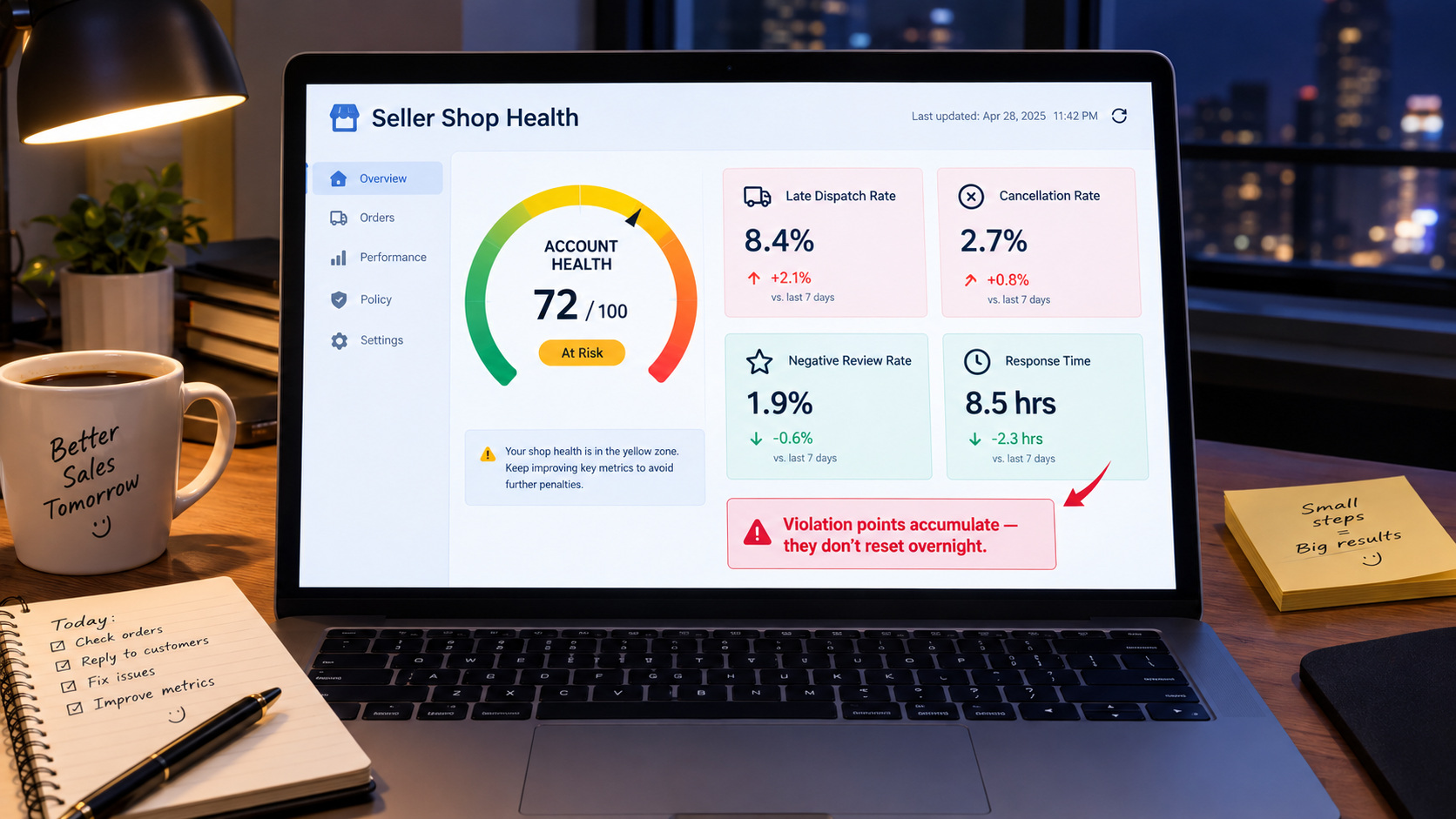
TikTok Shop enforces its policies partly through an account health system. In the US, it’s built around violation points. Breaking certain rules, whether on fulfillment, product listings, prohibited items, intellectual property, or buyer communication, adds points to your record. Enough points lead to escalating penalties, from feature restrictions to account deactivation.
Why points are harder to shake than they look
Violation points usually stay on your record for a set period before they expire. That means one bad week can hang over your shop long after the underlying problem is fixed. A seller who racks up late-dispatch points during a viral spike may then have little margin left for a listing mistake or an IP complaint the following month.
Treat your account health rating like a credit score. You want plenty of buffer in normal times so a surge doesn’t push you over a threshold.
Common violation categories
Beyond fulfillment performance, many sellers get caught out by:
- Listing violations: misleading titles, exaggerated claims (especially health, beauty, and supplement claims), wrong categories, or images that don’t match the product.
- Restricted and prohibited products: Shopify’s overview notes that items like alcohol, tobacco, animals, and plants can’t be sold. Other categories need pre-approval.
- Intellectual property complaints: selling products or using imagery that infringes trademarks or copyrights.
- Off-platform steering: sending buyers to complete transactions outside TikTok, which marketplaces generally prohibit.
- Creator content issues: affiliate videos that make claims your product can’t back up can still come back on the seller.
Build a weekly health review
Set aside 20 minutes each week for an account health review. Check:
- Current points and any new violations, with a clear note on the cause of each.
- Fulfillment metric trends compared with the previous week.
- Any listings flagged, suppressed, or under review.
- Open appeals and their status.
If a violation looks wrong, appeal it promptly and include evidence: tracking scans, photos, and supplier documentation. Appeals are much easier to win when you have records ready.
Watch what creators say
Affiliate creators are a huge sales driver, but they don’t always know your product’s compliance limits. A creator who says a serum “cures acne” or a supplement “burns fat” can create compliance risk for your shop. Give every affiliate a short list of approved claims and phrases to avoid, and check top-performing videos early.
Returns, Refunds, and Disputes: Protecting Margin After the Sale
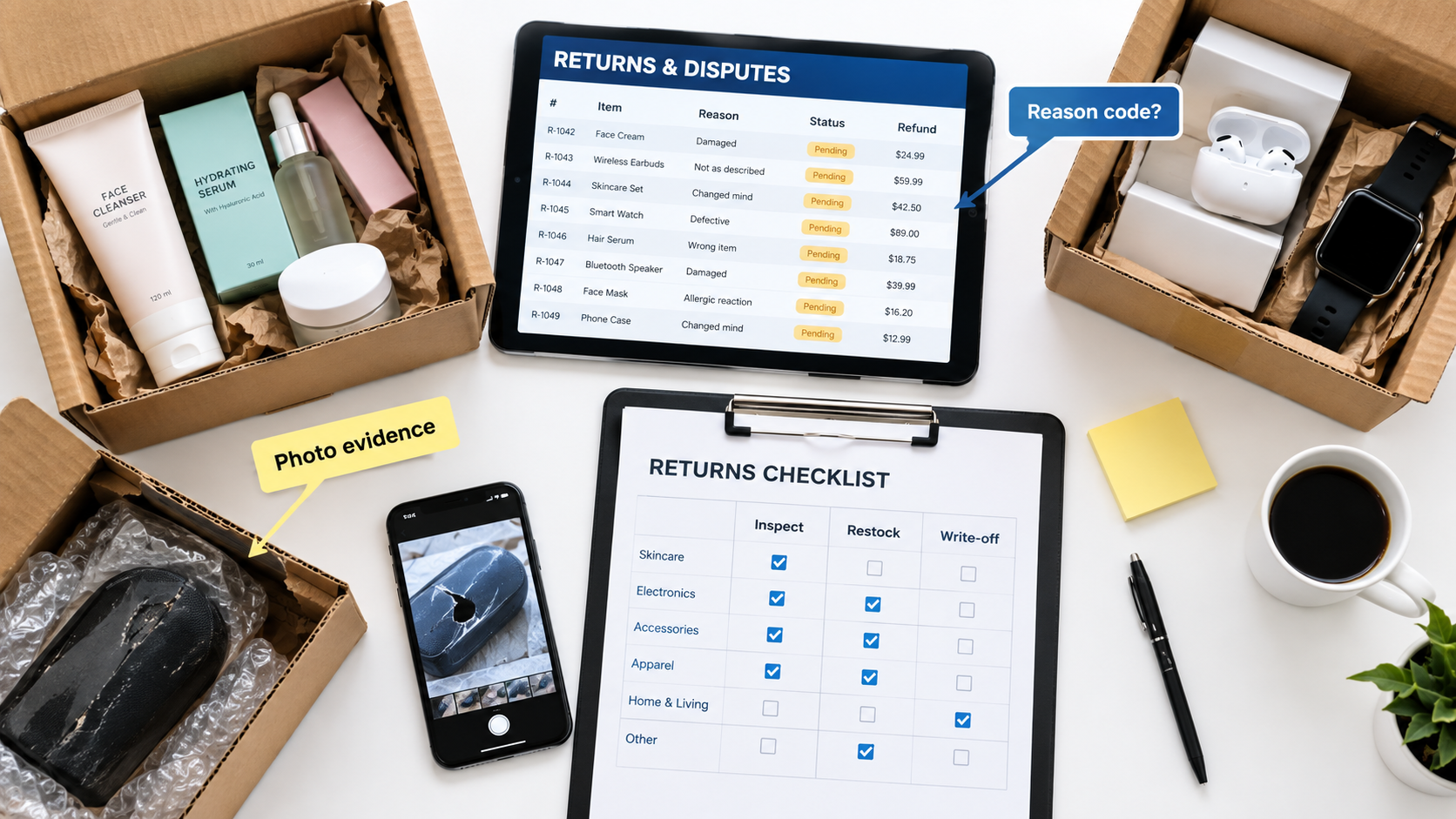
Impulse-driven buying is part of what makes TikTok Shop work. It also shapes returns. Buyers who purchase in the moment from a quick demo may be more likely to feel their expectations weren’t met. How you handle that after the sale affects both your margin and your account health.
Start with expectation-setting
The cheapest return is the one that never happens. Many returns trace back to a mismatch between the content and the product. The item looked bigger on camera, the color was off under ring lights, or a creator overstated what it does.
Practical fixes include:
- Include size comparisons and real-light photos in your product images.
- List dimensions, materials, and compatibility clearly in the description.
- Brief creators on honest demonstrations, and ask them to show the product at true scale.
- Track return reasons by SKU, and by creator where you can, to find the source of expectation gaps.
Respond within the platform’s windows
TikTok Shop sets time limits for sellers to respond to return and refund requests. If you don’t respond in time, requests may be approved automatically, sometimes in the buyer’s favor by default. During a spike, when return volume grows along with orders, it’s easy to miss these windows. Put someone in charge of the returns queue every day.
Decide on your return-less refund policy
For low-cost items, shipping a return back can cost more than the product is worth. Many sellers approve refunds without requiring the item back, sometimes called “returnless refunds,” for products under a certain value. Set the threshold on purpose, based on product cost plus return shipping, not on gut feel.
Build an inspection and disposition workflow
For returns that come back, have a simple workflow:
- Inspect: is the item unopened, lightly used, damaged, or not the item you shipped?
- Classify: restock as new, resell as open-box through another channel, or write off.
- Record: log the reason code and condition so patterns show up over time.
- Dispute when justified: if a buyer returns the wrong item or a damaged product that left you intact, collect photos and file through the platform’s dispute process.
Know your true return cost
A return isn’t only a refunded sale. It includes original shipping, return shipping (if you pay it), handling labor, any product you can’t resell, and the affiliate commission and fees on the original order. Depending on platform rules, some of those may not be fully recovered. Put a realistic return rate into your unit economics from day one.
Customer Service: The Metric Hiding in Your Inbox
Buyer messages on TikTok Shop aren’t just a courtesy channel. Response time is commonly tracked as a seller performance signal, and unanswered messages often turn into negative reviews, return requests, or escalations to the platform.
Why service load spikes with virality
A viral video doesn’t only bring orders. It brings questions. Buyers ask about shipping times, sizing, ingredients, and compatibility before buying, and “where is my order?” after. When orders jump from 50 a day to 1,500, message volume can jump just as sharply, and it lands on the same small team already busy packing boxes.
Prepare templates in advance
Write saved replies for the 10 to 15 most common questions before a surge hits. Typical categories:
- Order status and expected delivery.
- Shipping delays and what the buyer can expect.
- Product usage, sizing, or compatibility.
- Return and refund process.
- Damaged or missing items.
Personalize templates enough that they don’t feel robotic. Use the buyer’s name and reference their specific order. The goal is speed without sounding dismissive.
Staff for coverage, not just volume
Response-time metrics usually care about how fast you respond, including outside office hours. TikTok shoppers are active in the evenings and on weekends, which is exactly when many small teams are offline. Consider shift coverage, a part-time virtual assistant, or a customer service agency during active campaign periods.
Use service data as product feedback
Tag incoming messages by topic. If 30% of questions about a product ask the same thing, the listing is missing information. If complaints about one SKU keep mentioning the same defect, raise it with your supplier. Customer service is one of the fastest feedback loops you have. Use it.
Proactive communication beats reactive apology
If you know orders will ship late because of a surge, tell buyers before they ask. A short, honest message such as “Demand has been much higher than expected; your order will ship by Thursday” heads off a flood of individual inquiries and tends to reduce cancellations and negative reviews.
Sample Logistics: Running the Creator Pipeline Like a Supply Chain
Creator affiliates drive a large share of TikTok Shop sales, and most affiliate relationships start with a free sample. Advice about which creators to work with is everywhere. Far less gets said about the logistics of getting product into their hands and tracking what comes back.
Samples are inventory with a cost
Every sample is a unit you’ve paid for, plus shipping, with an uncertain return. Many sellers treat samples as a marketing expense and stop there. A better approach is to track samples like a supply chain: units sent, units that turned into posted videos, and videos that turned into sales.
Set approval criteria
TikTok Shop’s affiliate tools let creators request samples, and sellers can approve or decline. Without clear criteria, it’s easy either to approve everything and burn inventory, or to approve too little and starve the pipeline. Reasonable criteria might include:
- Recent video sales performance or GMV in your category.
- Audience fit: does the creator’s content match your buyer?
- Content quality and consistency of posting.
- Past follow-through: did they post after receiving earlier samples?
Track follow-through
A share of samples will never turn into content. That’s normal. But if you don’t track it, you can’t manage it. Keep a simple log with creator, date shipped, date delivered, date posted (if any), and resulting sales. After a few months, you’ll see which creator profiles reliably deliver and which don’t.
Protect hero stock from sample drain
During a surge, sample requests often spike too, because creators see a product trending and want in. That’s useful, since more content extends the moment. But it competes for the same limited stock as paying buyers. Decide ahead of time how many units per week you’ll allow for samples on constrained SKUs, and hold to it.
Ship samples like orders
Creators judge brands by the unboxing. A sample that arrives late, damaged, or without any context is less likely to become a good video. Include a short card with key selling points, approved claims, and any campaign details. Treat creator shipping as seriously as customer shipping, because in practice it’s both.
Cash Flow: The Gap Between Viral and Paid
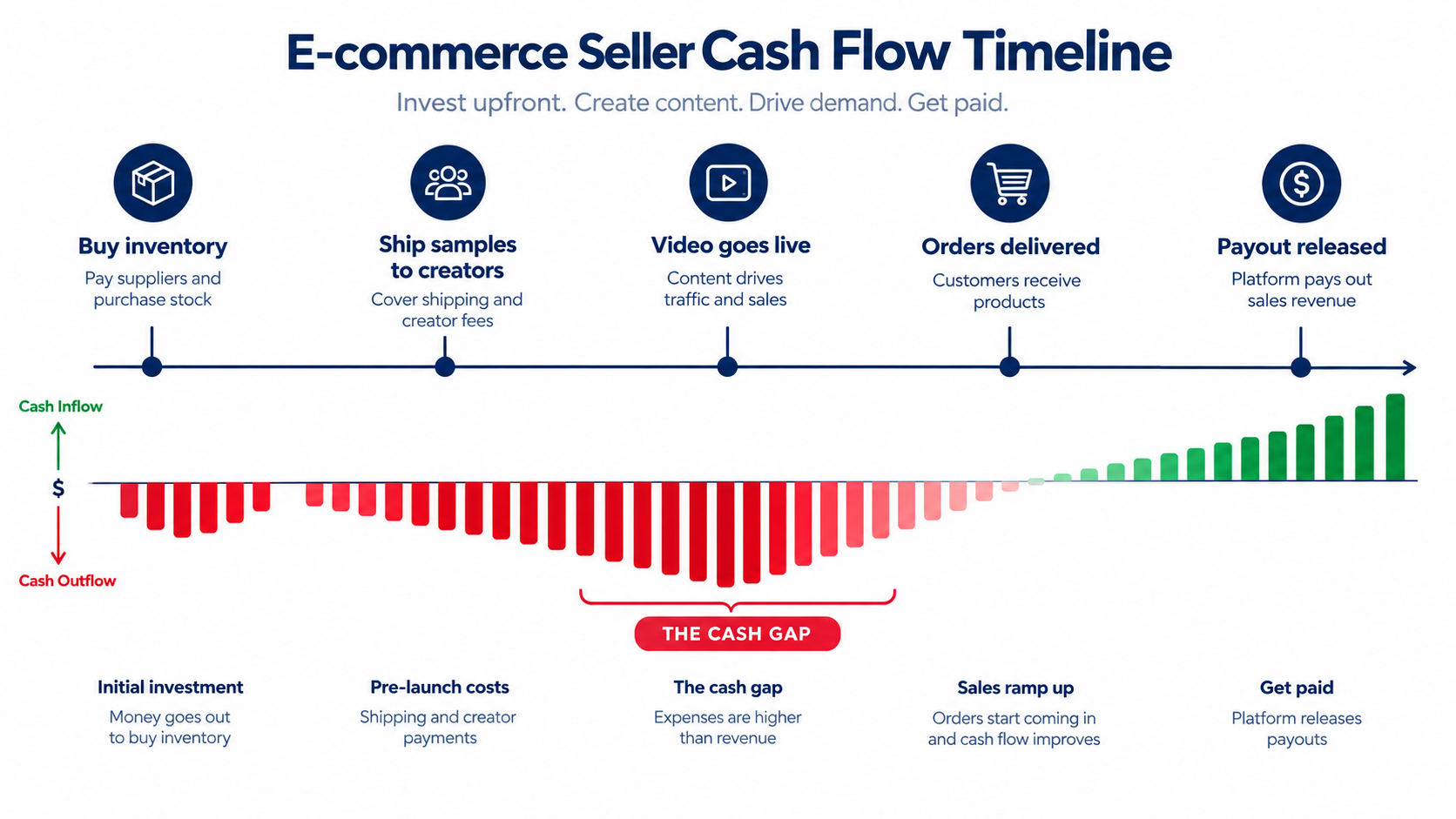
Here’s a scenario that catches many growing TikTok Shop sellers off guard. Sales are booming, the dashboard shows record GMV, and the bank account is nearly empty. That’s not a contradiction. It’s the cash gap.
Where the gap comes from
Think about the order of events. You pay for inventory upfront, often weeks or months before it sells. You pay for samples and shipping. You may be spending on ads. Then orders come in, but marketplaces typically release funds only after delivery is confirmed and any holding period has passed. New sellers may face longer settlement windows or reserves until they build a track record.
A spike makes the gap worse, not better. More sales mean you need to reorder more inventory, faster, while revenue from the current wave is still waiting to be paid out.
Map your actual cash cycle
Work out, for your shop specifically:
- How many days from paying your supplier to receiving inventory?
- How many days, on average, from receiving inventory to selling it?
- How many days from an order being placed to funds landing in your bank?
Add those up and you have your cash conversion cycle. Check the payout schedule and any reserve policy in your Seller Center finance settings, because this varies by seller and region.
Deductions add up
Your payout isn’t your revenue. Between the buyer’s payment and your bank deposit come platform referral fees, affiliate commissions, any shipping fees, FBT charges if you use it, ad spend if billed through the shop, refunds, and chargebacks. Reconcile payouts against orders monthly so you know your real take-home per unit.
Financing options and their risks
Sellers facing a cash gap often turn to inventory financing, revenue-based financing, supplier payment terms, or business credit lines. Each can help cover a surge reorder. Each also adds cost and risk, especially if the viral moment fades before the financed inventory sells. Borrow against demand you’re confident in, not demand you hope for.
Keep a surge reserve
The simplest protection is a cash reserve earmarked for fast reorders. Even a modest one gives you room to move when a video takes off, instead of watching the moment pass while you wait for payouts.
LIVE Selling Operations: Staffing the Stream Behind the Camera
LIVE shopping is a major part of TikTok Shop. A 2025 GlobalData survey cited by Shopify found that 76% of consumers who used TikTok Shop had bought an item from a livestream in the prior year. For many brands, LIVE sessions are where the highest-intent buyers convert.
From the outside, a LIVE stream looks like one person talking to a camera. Behind the scenes, a well-run stream is a small operations event.
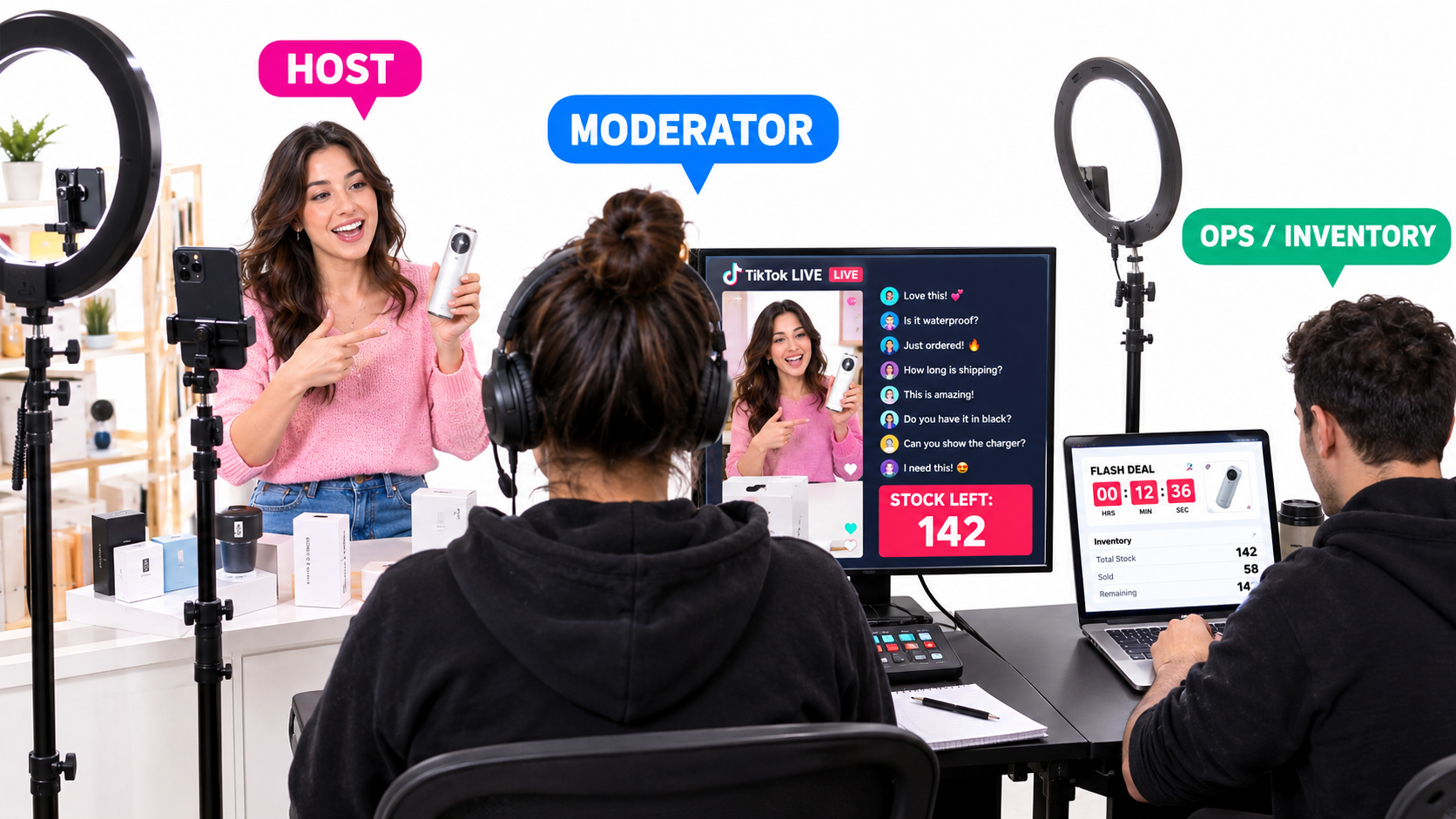
The three roles every LIVE needs
- Host: presents products, demonstrates, and keeps energy up. This is the only person viewers see.
- Moderator: watches comments, answers questions in chat, flags buyer questions for the host to address on air, and removes spam or abuse.
- Operations: manages product pinning, flash deals and vouchers, and inventory levels in real time. This person makes sure you don’t sell what you don’t have.
Small teams sometimes combine moderator and operations, but asking the host to do all three almost always hurts both sales and accuracy.
Inventory allocation for LIVE
Flash deals during a LIVE can move large volumes in minutes. Decide before going live how many units of each product are allocated to the stream. If the same inventory is also available through regular listings and affiliate videos, be clear about how much can be sold across all sources without overselling.
Post-LIVE fulfillment surge
A strong LIVE session creates a concentrated order spike, often hundreds of orders landing within a couple of hours. Schedule sessions so your fulfillment team or 3PL has capacity the following day, and avoid going live right before weekends or holidays if your warehouse is closed.
Run a post-stream review
After each session, look at peak viewers, conversion rate, units sold per product, questions that came up repeatedly, and any operational problems like pricing errors or stock mismatches. TikTok’s Live Planner and analytics can help, but the most useful insights often come from a quick team debrief while the session is still fresh.
Multi-Channel Inventory Sync: One Stockpile, Many Storefronts
Few brands sell only on TikTok Shop. Most also run a DTC website, and many sell on Amazon, Walmart, or through wholesale. That creates one of the most common operational failures: a spike on one channel drains inventory that other channels still show as available.
Why sync delays cause real damage
If your TikTok Shop inventory updates only every few hours, or manually, a surge can oversell well past your actual stock before anyone notices. The result is cancellations on TikTok, and possibly on your other channels too, all hitting performance metrics at once.
Choose a single source of truth
Decide where your master inventory count lives. That might be Shopify, an inventory management system, an ERP, or your 3PL’s platform. Then connect every sales channel to it with the fastest sync available. Shopify’s overview notes that the TikTok for Shopify app lets merchants manage orders and inventory from TikTok Shop, and that promotions on the Shopify store sync over. For many small brands, that’s the simplest starting point.
Use channel-level buffers
Even with good sync, it helps to set channel-specific buffers. You might show TikTok Shop slightly less than your total stock during active campaigns, since that’s where spikes are most likely to come from. Some inventory tools let you allocate a fixed share of stock per channel, which protects your most important channels from being drained by another.
Prioritize channels during shortages
When stock runs short, you’ll need to decide where to sell the remaining units. Consider margin per channel, account health risk (which channels penalize cancellations most heavily), and strategic value. During a viral moment, keeping TikTok Shop in stock may be worth more than the individual sale, because continued availability keeps the content engine running.
Coordinate promotions across channels
Running a deep discount on TikTok Shop while your DTC site sells at full price can confuse buyers and damage pricing integrity. It can also trigger price-matching issues on other marketplaces. Keep a shared promotions calendar so everyone knows what’s running where.
Conclusion: Build the Back End Before You Need It
The most useful mindset shift for TikTok Shop sellers in 2026 is this: virality is an operations event, not only a marketing win. With the platform projected to reach $23.41 billion in US sales this year and more than 70 million products competing for attention, demand generation alone won’t set you apart. What sets shops apart is being able to turn a spike into delivered orders, satisfied buyers, and a clean account record.
The sellers who last on TikTok Shop are rarely the ones with the single most viral video. They’re the ones who can handle a surge without breaking their dispatch record, their inventory, their cash flow, or their team.
A 30-day operations checklist
If you want to strengthen your TikTok Shop back end, here’s a practical sequence to work through over the next month:
- Week 1 – Audit: Review your account health, current violation points, and fulfillment metrics in Seller Center. Note the exact thresholds that apply to your shop.
- Week 1 – Fulfillment: Decide whether your current setup can handle 10x your normal daily orders. If not, onboard a backup, whether that’s FBT for hero SKUs, a 3PL, or pre-arranged extra labor.
- Week 2 – Demand plan: Build baseline, elevated, and breakout scenarios for your top five SKUs. Write your surge playbook and confirm expedited options with suppliers.
- Week 2 – Inventory sync: Set a single source of truth for stock, confirm sync speed, and add channel buffers.
- Week 3 – Service and returns: Write saved replies, set response coverage for evenings and weekends, define your returnless refund threshold, and assign daily ownership of the returns queue.
- Week 3 – Creator ops: Set sample approval criteria, start a sample tracking log, and send every affiliate an approved-claims brief.
- Week 4 – Cash: Map your cash conversion cycle, reconcile last month’s payouts against orders, and set aside a surge reserve.
- Week 4 – LIVE: Assign host, moderator, and operations roles, set per-session inventory allocations, and schedule sessions around fulfillment capacity.
None of this is glamorous, and none of it will show up in a creator’s video. But when your product does take off, and on TikTok Shop that can happen without warning, this is the work that decides whether the moment builds your business or costs you your account.
Build the back end first. Then go chase the views.