

Most advice on AI automation starts with a list of tasks you could hand to a model. Draft emails, summarize calls, tag invoices, answer tickets. The lists are long and mostly correct, and they are also not very useful.
The hard question in 2026 is not whether AI can do a task. It is whether you can afford to let it do that task without anyone watching. That depends far less on the task than on what happens when the output is wrong.
This article offers one lens for that decision, which I’ll call the error-cost test. It is a framework, not a study. I have not attached survey statistics to it, because the point is to help you reason about your own operations, where your numbers matter more than anyone’s averages.
Why Task Lists Fail as an Automation Strategy
A list of automatable tasks treats all tasks as equal. They are not. Writing a first draft of a product description and approving a supplier refund are both “text tasks,” but they carry very different consequences when they go wrong.
The same model, different risk
A language model that is right most of the time is excellent for work where a mistake costs thirty seconds to fix. The same model is a liability where a mistake costs a customer, a fine, or a week of cleanup.
Where the effort actually goes
Teams often spend their energy on the exciting, visible tasks, such as a chatbot on the website. Meanwhile the dull, high-volume, low-risk work, such as sorting incoming documents, goes untouched. The error-cost test pushes you to look at the dull work first.
The Error-Cost Test Explained
For each candidate task, ask two questions.
- How often does this task happen? Daily and hundreds of times, or a few times a quarter?
- What does a wrong output cost, and how quickly would you notice? Consider money, trust, legal exposure, and the delay before anyone catches it.
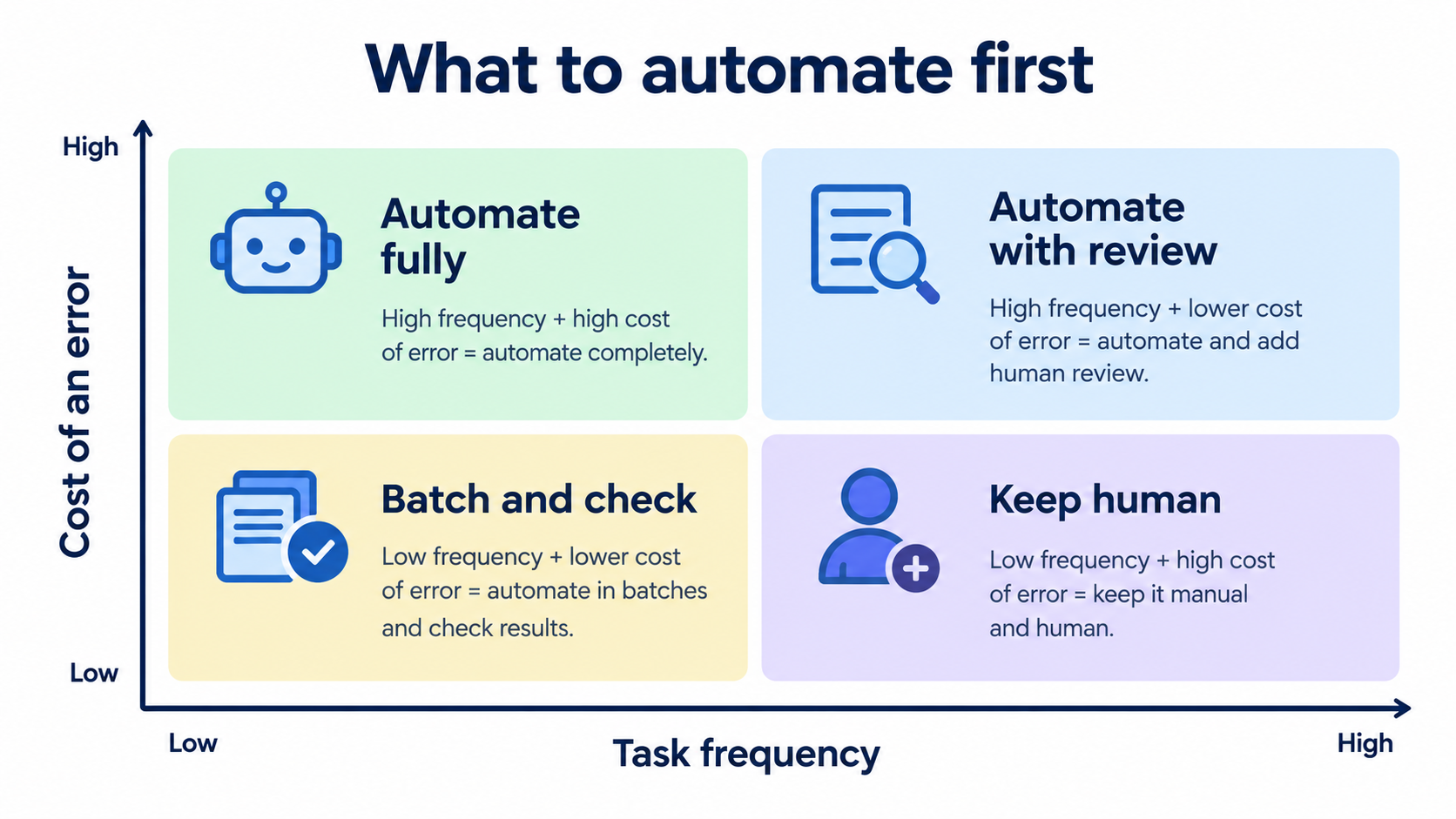
Frequency tells you how much time automation can save. Error cost tells you how much supervision it needs. Plot the two against each other and the right approach tends to be obvious.
Detection speed matters as much as cost
An error that is expensive but obvious, like a broken link in an email, is easier to live with than a cheap error that hides. A wrong category tag on 4,000 records can quietly corrupt reporting for months. Always ask how the mistake would surface.
The Four Quadrants in Practice
High frequency, low error cost: automate fully
This is the sweet spot. Examples include classifying inbound email, extracting fields from standard documents, generating internal meeting summaries, and drafting alt text or metadata. Let these run, and sample the output weekly rather than reviewing every item.
High frequency, high error cost: automate with review
Customer replies, invoice coding, and contract clause flagging live here. The model does the first pass and a person approves. The time saving is real because reviewing is faster than creating, but you keep the human accountable.
Low frequency, low error cost: batch and check
Occasional tasks rarely justify building anything. Use a general-purpose assistant on demand and skip the engineering.
Low frequency, high error cost: keep human
Pricing exceptions, legal commitments, hiring decisions, and anything involving regulated advice belong here. AI can prepare research or summarize background, but it should not decide.
Designing the Review Queue Properly
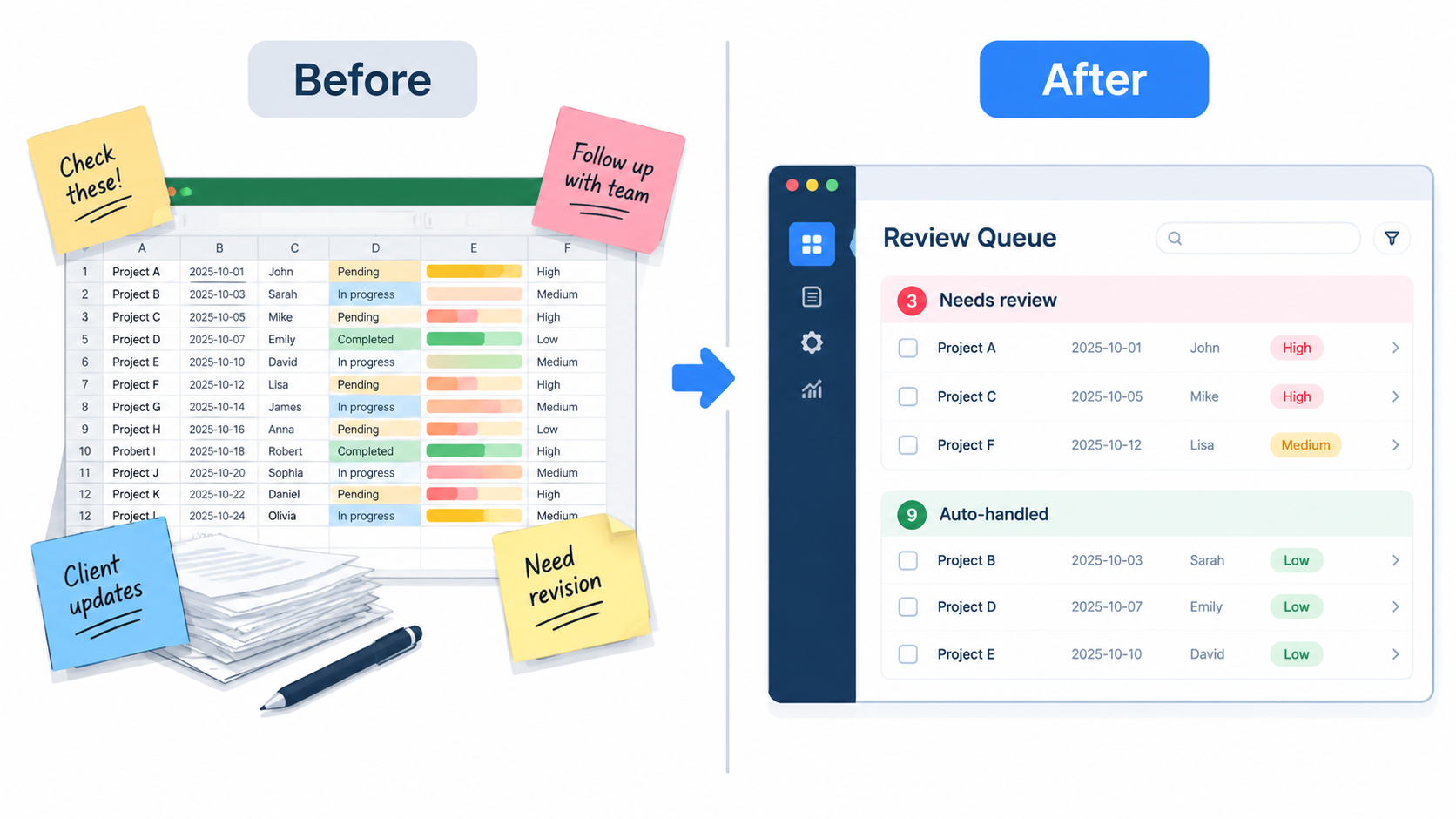
“Human in the loop” is often a slogan rather than a design. A review step fails when reviewers are shown everything, trust the model too much, or have no easy way to correct it.
Route by confidence, not by default
Have the system pass along items it is unsure about and let the clear cases through. Even a simple rule works: if the extracted total does not match the sum of the line items, flag it for a person.
Make correction cheap
If fixing an error takes five clicks, reviewers will stop fixing them. Show the source next to the output, allow one-click edits, and record each correction. Those corrections are your best evidence for improving the workflow.
Watch for rubber-stamping
If a reviewer approves 100% of items in under two seconds each, you have the cost of a review step without the benefit. Occasionally seed known errors into the queue to check that people are still looking.
The Unglamorous Part: Inputs and Process Clarity
Automation exposes how well a process is really defined. If two employees handle the same request differently, a model has no single standard to follow, and it will inherit the inconsistency.
Write the rules down first
Before building anything, document how the best person on your team handles the task, including exceptions. If you can’t write it down, you are not ready to automate it. This step alone often improves the manual process.
Check the data the workflow depends on
Outdated product records, duplicate customers, and inconsistent naming will limit any workflow built on top of them. Fixing a messy source is often a better first project than adding a model.
Build, Buy, or Configure
There are three realistic routes, and the error-cost test helps pick among them.
- Configure existing tools: many helpdesk, accounting, and CRM platforms now include AI features. For low-risk, common tasks, start here.
- Connect with workflow tools: no-code automation platforms link your apps to a model API. This suits custom, mid-risk processes with moderate volume.
- Build custom: reserve this for workflows that are central to how you compete or involve sensitive data. It has the highest maintenance burden.
Whichever route you choose, check where your data goes, whether it is used for training, and how long it is retained. Put this in writing with the vendor.
Measuring Whether It Worked
Time saved is the easy metric and the least reliable. Measure outcomes that would show a problem.
- Baseline first. Record time per task, error rate, and turnaround before changing anything.
- Track corrections. The share of outputs reviewers change is your quality signal.
- Track downstream effects. Look at reopened tickets, customer complaints, and rework, not just speed.
- Count the full cost. Include subscriptions, usage fees, setup time, and review labor.
Common Failure Modes
Automating a broken process
Speeding up a bad process gives you more bad results sooner. Fix or simplify first.
No owner
Every automated workflow needs a named person responsible for its outputs. Without one, quality quietly decays as inputs and models change.
Silent drift
Model updates, new product lines, or changed document formats can alter results without any error message. Keep a small set of test cases and re-run them regularly.
Over-reach on customer-facing work
Customers tolerate a slow reply more than a confidently wrong one. If in doubt, keep a person between the model and the customer.
A 30-Day Starting Plan
- Week 1: List 15 recurring tasks. Score each for frequency and error cost.
- Week 2: Pick one from the “automate fully” or “automate with review” quadrant. Document the rules and gather 30-50 real examples.
- Week 3: Build the simplest version. Run it in shadow mode, where it produces output but a person still does the real work, and compare.
- Week 4: Go live with a review queue, assign an owner, and set a date to review corrections and decide whether to expand.
Conclusion: Match Supervision to Stakes
AI automation works best when you stop asking “can it do this?” and start asking “what happens when it’s wrong?” High-volume, forgiving tasks can run mostly alone. High-volume, costly tasks need a well-designed review step. Rare, high-stakes decisions stay with people.
Start with one workflow, measure honestly, and widen the scope only when the correction data supports it. That approach is slower than a company-wide rollout announcement, and it is the one most likely to still be running a year from now.