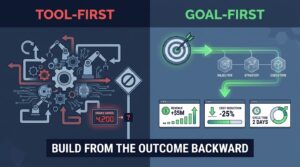

Most advice on AI automation starts with tools. Which platform, which model, which agent. That order is backwards, and it explains why so many projects produce a clever demo and no change in how the work gets done.
A better starting point is the task itself. Some tasks need a simple rule. Some need a language model to read something messy. A few need a system that plans and acts across several steps. Matching the task to the right level is most of the job.
This article lays out a framework I call the automation ladder. It is a way to decide what to automate, how much autonomy to grant, and where people stay in the loop.
A note on sourcing: the research tools were unavailable when this piece was written, so it includes no external statistics or quotes. Everything below is reasoning and practical guidance. Test it against your own numbers.
Why Tool-First Automation Stalls
Buying software before defining the work creates a familiar pattern. A team trials an assistant, gets a few good outputs, and then discovers that nobody owns the process around it.
The three common failure modes
- No defined task. “Use AI in support” is a direction, not a task. “Draft replies to order-status emails” is a task.
- No owner. Automations break when inputs change. Without a named person, they decay quietly.
- No baseline. If you never measured how long the task took or how often it went wrong, you cannot prove improvement.
The fix is unglamorous. Describe the work first, then pick the lightest mechanism that handles it.
The Automation Ladder Explained
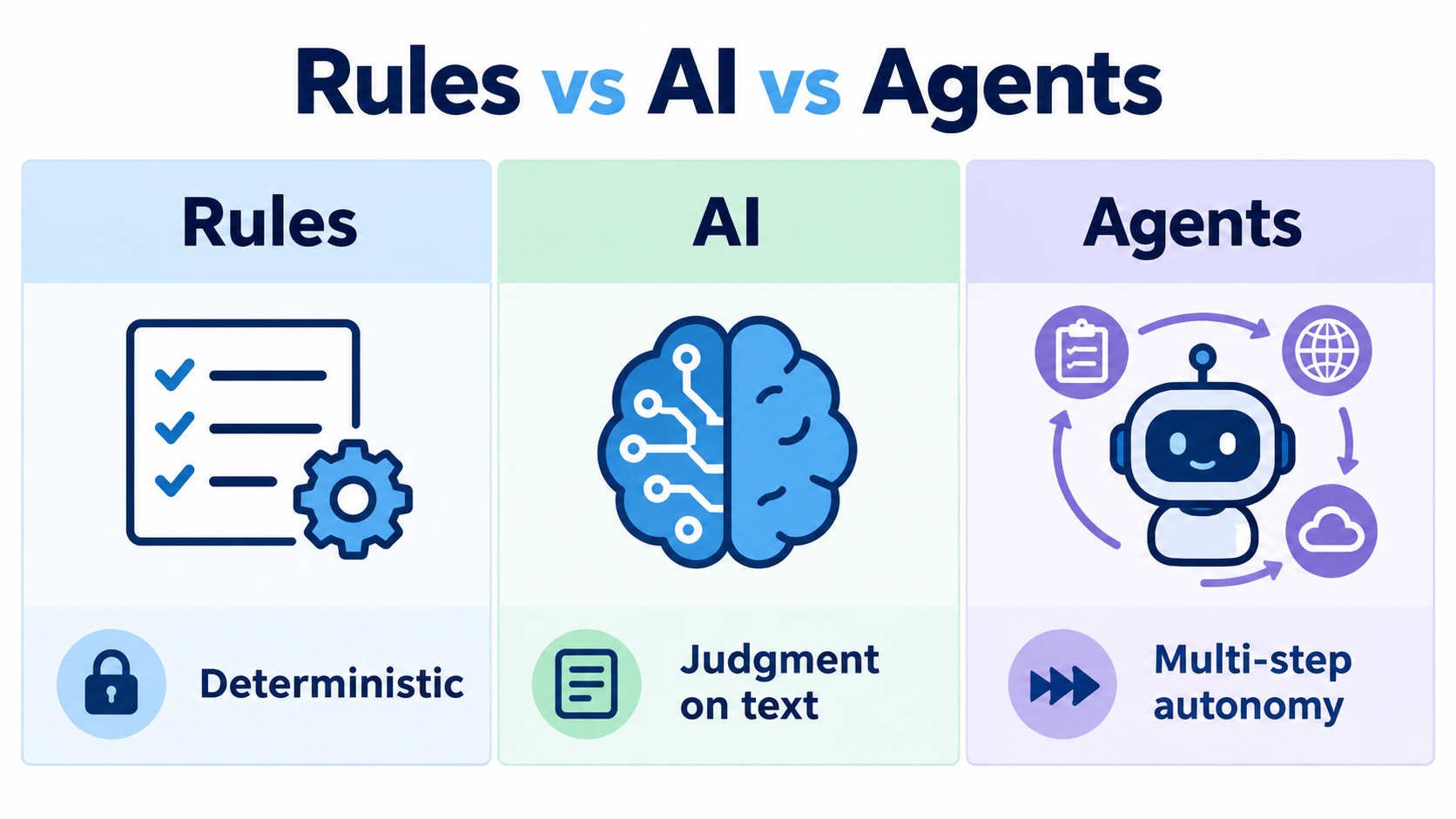
Think of three rungs. Each adds capability and also adds risk and cost. Climb only as high as the task demands.
Rung one: deterministic rules
If the input is structured and the decision is clear, use plain automation. Move a row when a form is submitted. Send an invoice reminder at day 14. Route a ticket by dropdown value. These are cheap, predictable, and easy to debug.
Rung two: a single AI step inside a fixed flow
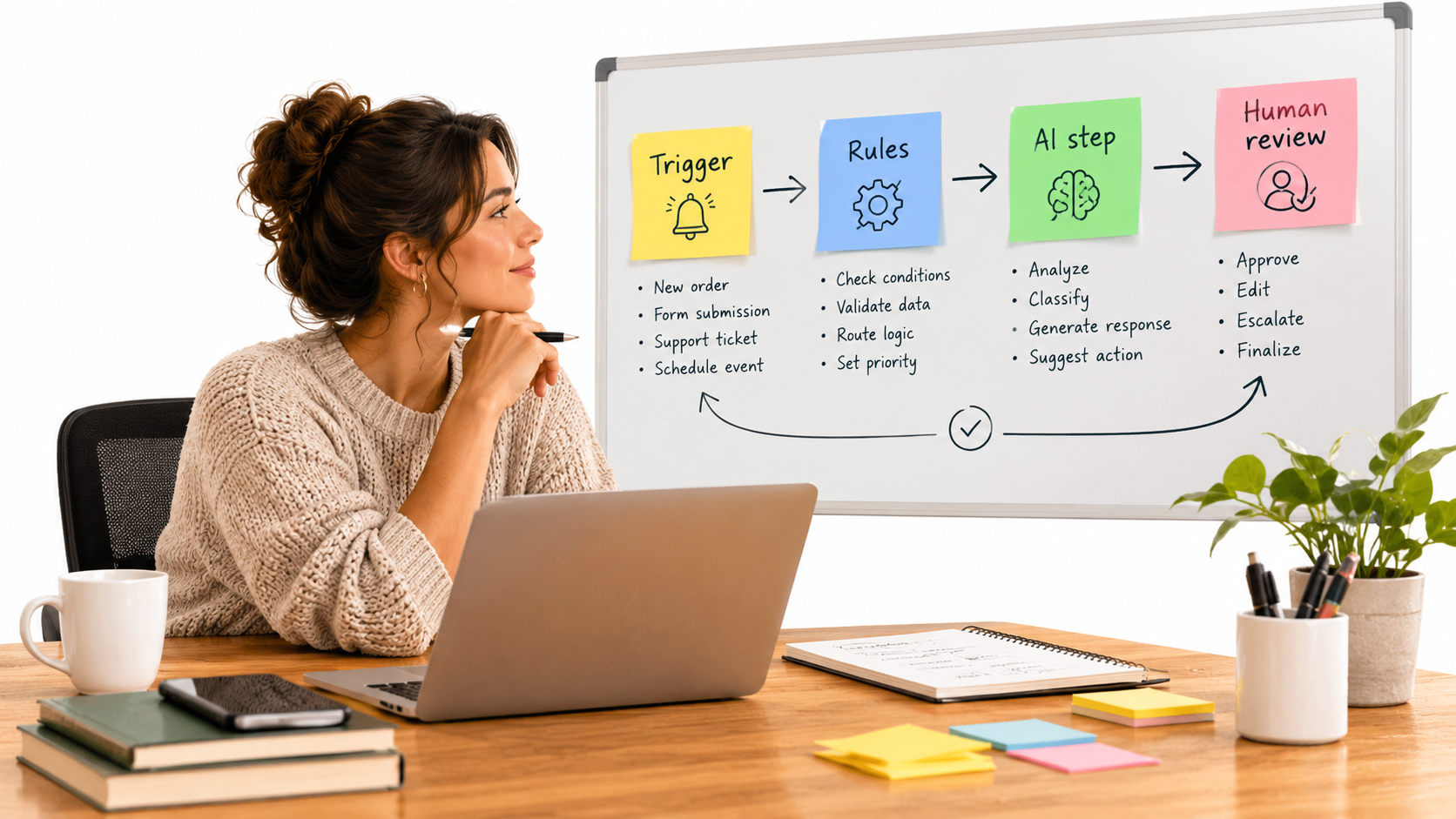
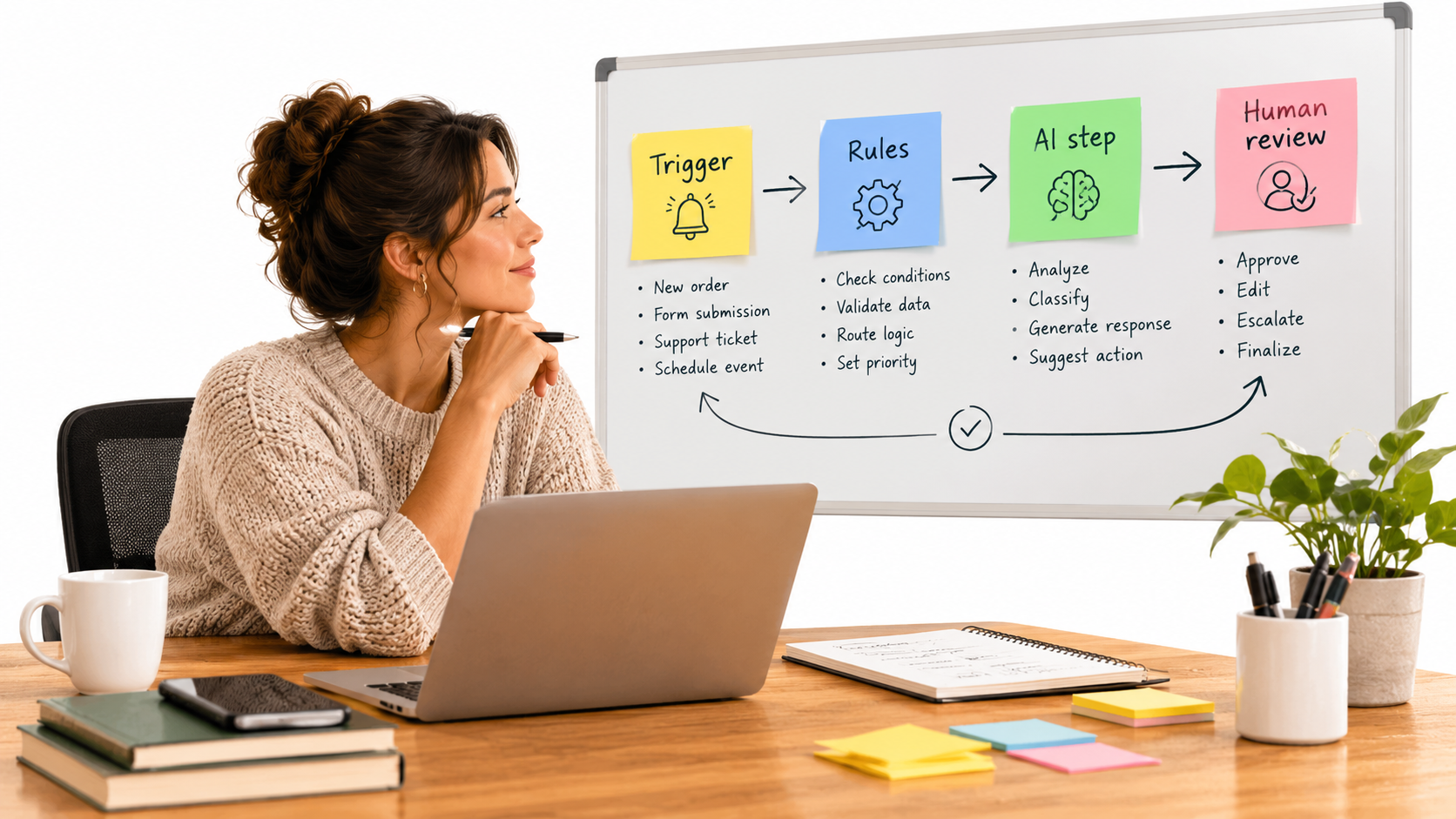
When the input is unstructured text, images, or documents, add one AI step. Classify an email, extract fields from a PDF, summarize a call, draft a reply. The surrounding flow stays deterministic, so the AI has a narrow job and the output goes into a known place.
This rung delivers most of the practical value for small and mid-size companies. It is also where mistakes are easiest to contain.
Rung three: agents that plan and act
Agents choose tools, take multiple steps, and adapt. They suit open-ended work such as research, triage across several systems, or reconciling records that do not match. They are also the hardest to test, because the path can differ every run.
A good rule: do not use an agent where a flow with one AI step would work.
Auditing Your Work: Finding the Right Candidates
Start with a two-week log. Ask each team member to note repetitive tasks, how long each takes, and how often it happens. You are looking for work that is frequent, rule-bound or text-heavy, and low in judgment.
A simple scoring sheet
- Frequency: how many times per week?
- Time per instance: minutes, not hours, is fine if volume is high.
- Input quality: structured, semi-structured, or chaotic?
- Cost of an error: a typo, a refund, a legal issue?
- Rule clarity: could you explain the decision to a new hire in one page?
High frequency, clear rules, and low error cost make the best first targets. Examples include invoice data entry, lead routing, meeting notes, appointment reminders, and first-draft replies to common questions.
Matching Function to Rung
Customer support
Start with classification and routing at rung one or two. Add draft replies for a human to approve. Move to automatic answers only for narrow, well-documented questions such as shipping status or opening hours.
Finance and operations
Document extraction is a strong rung-two use. Pull vendor, date, and amount from invoices, then check them against purchase orders with plain rules. Exceptions go to a person.
Sales and marketing
Lead enrichment, call summaries, and CRM updates are low-risk. Outbound messages that speak for your brand deserve review until you trust the quality.
HR and internal requests
Policy questions, onboarding checklists, and scheduling are good candidates. Anything touching compensation, performance, or legal matters should stay human-led.
Designing Human Review That Does Not Become a Bottleneck
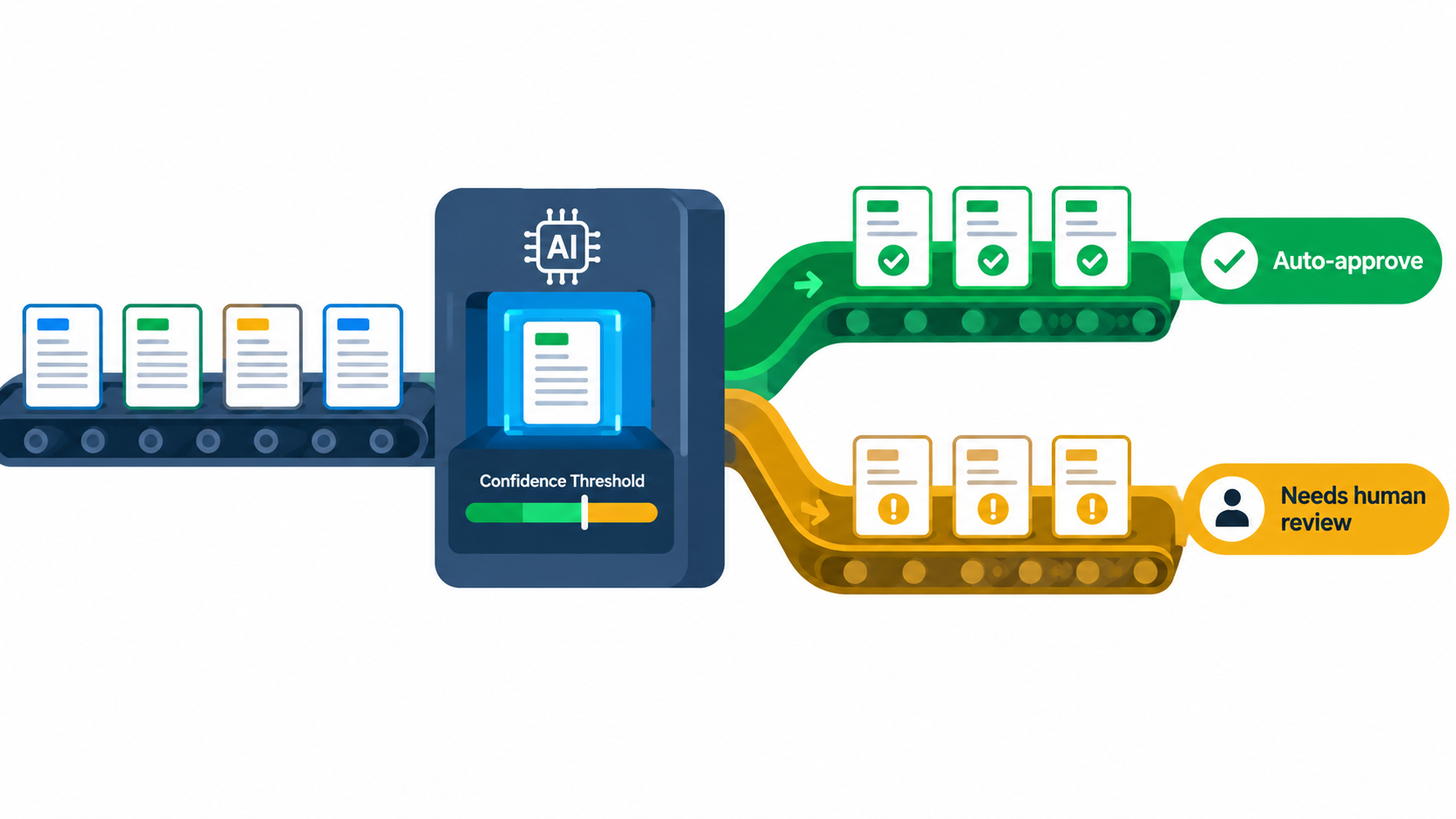
“Human in the loop” often means someone reads every output. That erases the time savings. A better design sorts work into lanes.
Use thresholds and sampling
- Auto-approve when the system is confident and the stakes are low.
- Send to review when confidence is low, the value is high, or the case is unusual.
- Sample a small share of auto-approved items each week to catch drift.
Language models do not always give reliable confidence scores. Where that is true, use proxy signals: missing fields, mismatched totals, customer sentiment, or order value above a set amount.
Make review fast
Show the source next to the output. Highlight what the AI changed or extracted. Provide one-click accept and edit. Log every correction, because corrections are your best training data and your best quality metric.
The Real Cost of Errors
Automation risk is the product of how often errors happen and how much each one costs. A wrong tag on an internal note is trivial. A wrong refund amount is not.
Reversibility matters
Ask whether an action can be undone. Drafting is reversible. Sending an email is not. Updating a record with version history is reversible. Deleting one is not. Give the AI autonomy over reversible actions first.
Plan for failure, not just success
Decide in advance what happens when the model is unavailable, returns nonsense, or hits an input it has never seen. A fallback to manual handling, with an alert, keeps small failures from becoming customer-facing ones.
Data Readiness: The Quiet Prerequisite
AI reads what you give it. If your knowledge base is outdated, your assistant will confidently repeat outdated answers.
- Consolidate the documents the system will rely on and assign an owner.
- Remove contradictory versions of policies and price lists.
- Standardize field names and formats in the systems you connect.
- Check permissions so the AI cannot surface information a user should not see.
Privacy deserves its own review. Understand what data goes to which vendor, how long it is retained, and whether it is used for training. Check your contracts and any regulations that apply to your industry and region.
Build, Buy, or Assemble
Buy when the problem is common
Support desks, meeting transcription, and invoice capture have mature products. Buying is faster and often safer than building.
Assemble when your process is specific
Workflow tools with AI steps let you connect your own systems without writing a full application. This fits most mid-size needs and keeps you flexible about which model you use.
Build when it is your edge
Custom development makes sense when the workflow differentiates your business or the volume justifies engineering time. Even then, prototype with assembled tools first.
Whatever you choose, avoid lock-in on the parts that matter: keep your prompts, test cases, and data exportable.
Measuring Whether It Worked
Pick three to five metrics before launch and record baselines.
- Time per task before and after, including review time.
- Error or rework rate, measured through corrections and complaints.
- Throughput or turnaround, such as first-response time.
- Cost per task, including software, usage fees, and review labor.
- Adoption: are people using it or working around it?
Build a small test set of real examples with known correct answers. Rerun it whenever you change a prompt, model, or data source. This is the cheapest protection against silent regressions.
A Rollout Sequence That Works
- Weeks 1 to 2: log tasks, score candidates, pick one.
- Weeks 3 to 4: build the flow in shadow mode. The AI produces outputs, but people still do the work and compare.
- Weeks 5 to 6: move to assisted mode. The AI drafts, humans approve everything.
- Weeks 7 to 8: introduce lanes. Auto-handle the safest cases, review the rest, sample for quality.
- After that: review metrics monthly, then choose the next task.
Shadow mode is the step most teams skip, and it is the one that exposes the surprises before customers do.
Common Pitfalls to Avoid
- Automating a broken process. Fix the process first, or you will produce bad outcomes faster.
- Skipping change management. Explain to staff what changes, what does not, and how their role shifts toward exceptions and quality.
- Over-trusting fluent output. Well-written answers can still be wrong.
- Reaching for agents too early. Autonomy adds debugging cost.
- No maintenance budget. Plan time each month for updates, because inputs and vendors change.
Conclusion: Climb Only as High as You Need
AI automation works best when it is boring. A narrow task, a clear owner, a fallback, and a number you are trying to move.
Action steps for this week
- Start a two-week task log with your team.
- Score the list for frequency, clarity, and error cost.
- Choose one task and place it on the ladder, using the lowest rung that works.
- Record a baseline and assemble a 30-example test set.
- Run it in shadow mode before anything reaches a customer.
Do that once, and the second automation takes half the effort. That compounding, not any single tool, is where the value comes from.