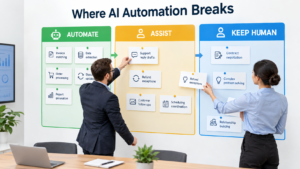

Most advice on AI automation for business starts with a department. Automate support. Automate finance. Automate marketing. The trouble is that departments are not the unit where automation succeeds or fails. Tasks are.
A single support team does password resets, refund exceptions and delicate conversations with angry customers. Those three tasks need very different handling. Treating them as one “support automation project” is how teams end up with a tool that handles the easy work and quietly damages the hard work.
This article offers a task-level method. It is a way of thinking, not a research report. I could not retrieve fresh external statistics while preparing it, so it contains no benchmark numbers. Where you need figures, such as hours saved or error rates, measure them in your own business.
Why the Department View Misleads
Department-level thinking produces vague goals like “cut support costs with AI.” Vague goals produce vague pilots, and nobody can say afterward whether the pilot worked.
Tasks have different failure costs
A wrongly categorised invoice is a small, fixable error. A wrongly worded reply to a major client can cost an account. Both sit in “operations,” yet they deserve different levels of automation.
Tasks have different inputs
Some tasks work from clean, structured data. Others depend on messy emails, screenshots and context stored in someone’s head. AI handles the first kind far more reliably than the second.
So start by listing tasks, not teams.
Step One: Run a Task Inventory
Ask each person to log what they do for one week. Record the task, how often it happens, how long it takes, and what triggers it. Do not filter at this stage.
- Frequency: daily, weekly, monthly, or ad hoc.
- Time per instance: a rough estimate is fine.
- Trigger: an email, a form, a date, a customer action.
- Inputs: where the information lives.
- Cost of a mistake: low, medium or high.
Expect surprises. Teams often discover that small, repeated chores, like copying data between systems, consume more time than the big projects everyone talks about.
Step Two: Sort Tasks Into Rules, Judgment and Relationship
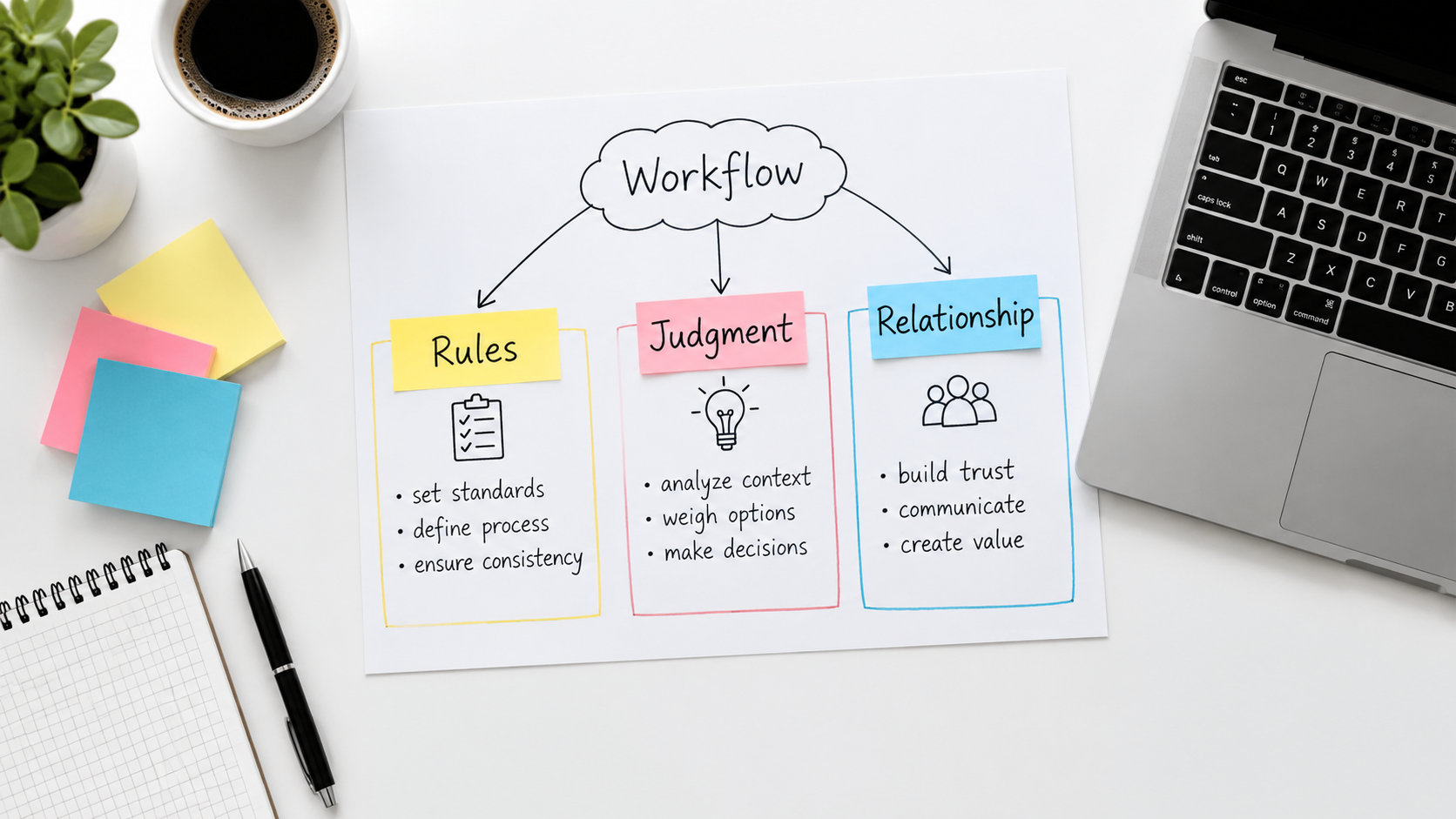
Once you have the inventory, place each task in one of three buckets.
Rules tasks
The right answer follows from explicit criteria. Examples: routing a ticket by keyword, matching invoices to purchase orders, formatting a report, updating a CRM field after a form submission. These are the strongest automation candidates, and often plain workflow tools handle them without AI at all.
Judgment tasks
The answer needs interpretation but has a defensible standard. Examples: summarising a long contract, drafting a first reply, classifying free-text feedback, flagging unusual expenses. AI language models are useful here, but as a drafter or flagger with a person reviewing.
Relationship tasks
The value comes from the human connection itself. Examples: negotiating renewals, handling a complaint, coaching an employee. AI can prepare the briefing or summarise history beforehand. It should not be the face of the interaction.
A useful side effect: this sorting often shows that a “judgment” task is really a rules task nobody wrote down.
Step Three: Score Candidates
For each rules or judgment task, give a simple score from 1 to 3 on four factors.
- Volume: how often it occurs.
- Input quality: how clean and accessible the data is.
- Error tolerance: how cheaply mistakes can be caught and fixed.
- Measurability: whether you can tell if the result is good.
Start with the highest totals. Measurability is the factor most teams skip, and it matters most. If you cannot judge output quality, you cannot improve it or defend the project.
Step Four: Climb the Autonomy Ladder
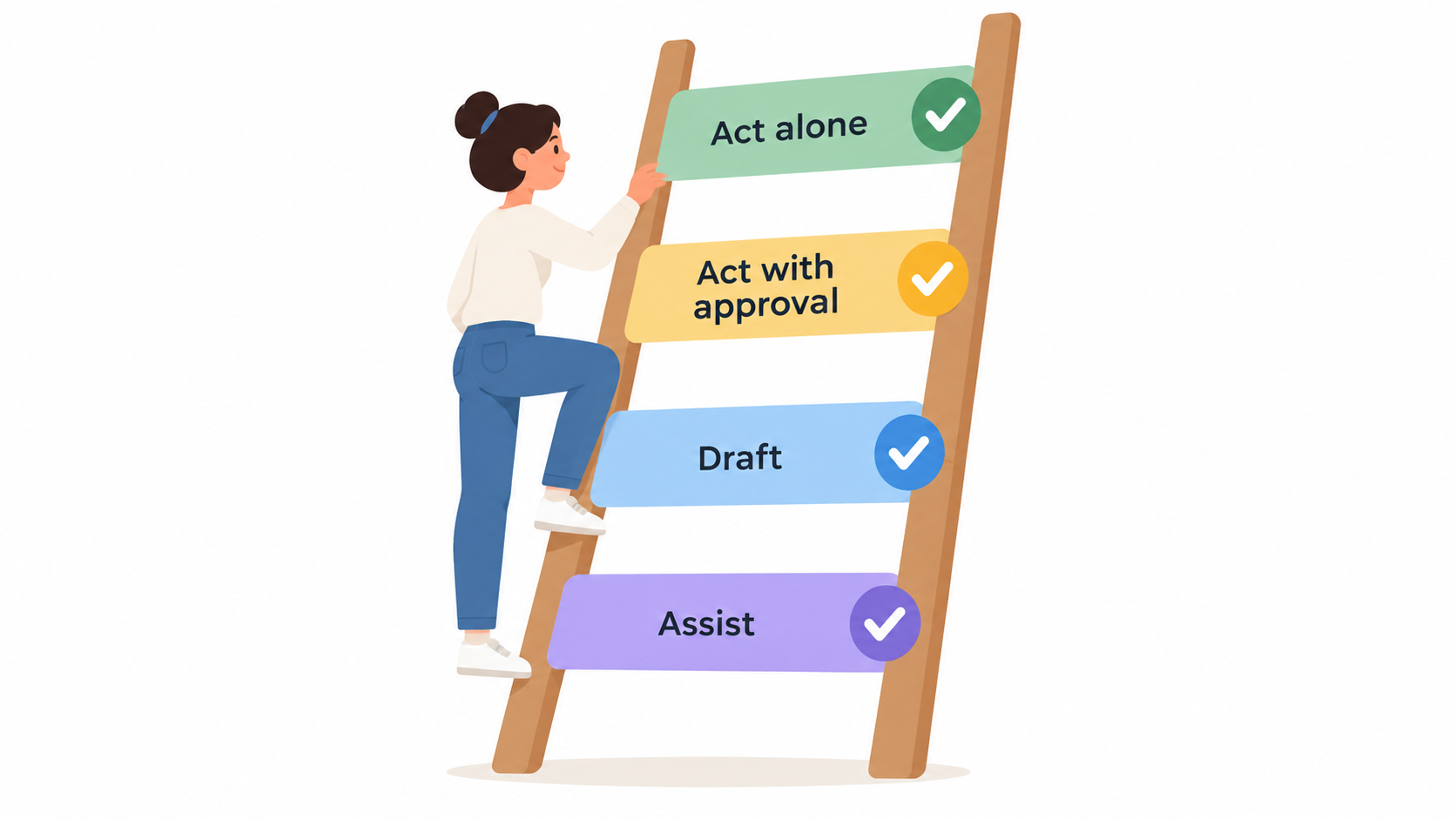
Do not jump from manual work to full autonomy. Move up one rung at a time, and stay on each rung long enough to gather evidence.
Rung 1: Assist
AI offers suggestions while a person does the work. Risk is minimal, and you learn where the tool is weak.
Rung 2: Draft
AI produces the output, and a person edits and sends it. Track how often edits are needed and what kind.
Rung 3: Act with approval
AI performs the action after a quick human confirmation. This suits tasks like issuing small refunds or posting entries.
Rung 4: Act alone
The system acts without review, with sampling audits afterward. Reserve this for tasks with low error cost and a track record from the earlier rungs.
Many tasks should live permanently on rung 2 or 3. That is a legitimate outcome, not a failure.
Common Failure Patterns
- Automating a broken process. Speed makes a bad process fail faster. Fix the steps first.
- No owner. Every automated task needs a named person responsible for its output.
- Silent drift. Inputs change, such as new product lines or form layouts, and the automation degrades without anyone noticing. Schedule periodic reviews.
- No exit path. Customers and staff need an easy way to reach a human.
- Counting only time saved. Also count review time, correction time and tool costs.
Measuring Whether It Worked
Set a baseline before you change anything. For each task, capture time per instance, error rate and turnaround time. After launch, compare against the same measures.
Include a quality check by sampling outputs weekly at first. Note the share needing correction. If that share does not fall over a few weeks, the task may belong on a lower rung.
Finally, ask where the saved time went. If it vanished into more meetings, the gain was not captured. Direct it deliberately toward work that needs people, such as customer conversations or better analysis.
Data and Security Basics
Before sending any business data to an AI tool, answer a few questions. What data does the tool see? Is it retained or used for training? Who can access outputs? Check the vendor’s terms and your own obligations around customer and employee data.
Keep sensitive categories, such as payment details and health information, out of general-purpose tools unless your agreement and legal requirements clearly allow it. Give automations the minimum permissions they need, and log what they do.
A Four-Week Starting Plan
- Week 1: run the task inventory and sort into the three buckets.
- Week 2: score candidates, pick one or two, and record baselines.
- Week 3: launch at rung 1 or 2 with a named owner.
- Week 4: review edits, errors and time, then decide whether to climb, hold or stop.
Conclusion
Good AI automation for business is less about picking the smartest tool and more about picking the right tasks and giving them the right amount of autonomy. Sort work into rules, judgment and relationship. Score candidates honestly. Climb the ladder one rung at a time, and measure against a baseline you set beforehand.
Start small, keep a person accountable for every automated task, and let evidence from your own operation decide how far each task goes.