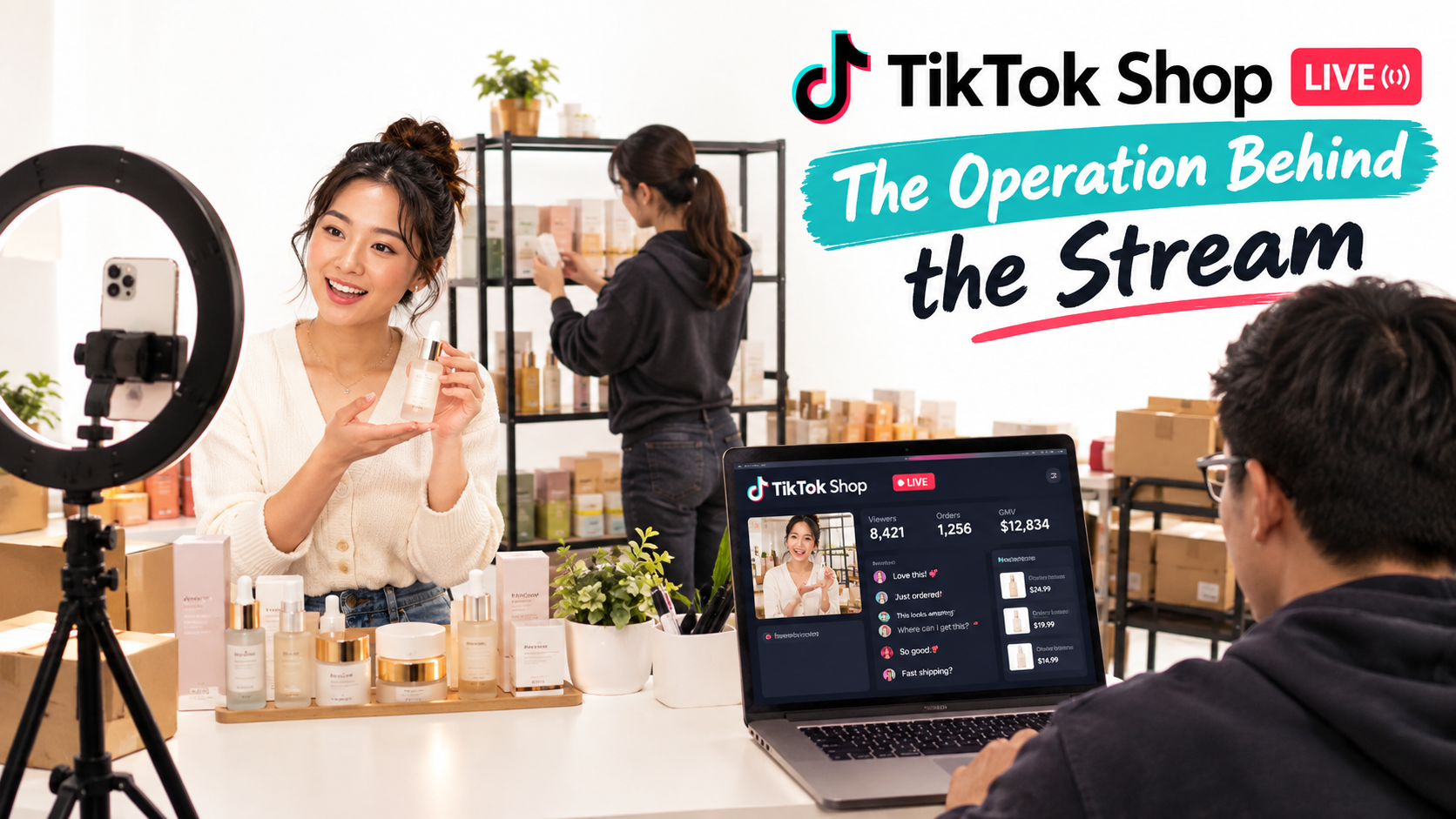

Most conversations about TikTok Shop selling focus on short shoppable videos. Find a product, send samples to creators, post clips, and hope one takes off. That model works, but it leaves out the format that turns TikTok from a discovery feed into an actual storefront with a salesperson: LIVE.
LIVE selling is where a lot of sellers quietly lose money. They go live because someone told them to, talk at a phone for an hour, see twelve viewers, sell two units, and decide “LIVE doesn’t work for our category.” The problem usually isn’t the category. It’s that they ran a broadcast, not a sales operation.
The scale of the opportunity is not in question. TikTok Shop officially launched in the US in September 2023 and was averaging roughly $7 million in daily sales by October of that year. By Black Friday 2024, it generated more than $100 million in a single day. In its October 2026 newsroom update, TikTok cited an economic impact report stating that more than 8.5 million US businesses are powered by the platform, contributing $81 billion to GDP and supporting over 400,000 jobs.
Inside that ecosystem, sellers like Bask & Lather, a haircare brand TikTok highlighted at UNGA 2026, reported more than $20 million in TikTok Shop GMV from January through August 2026 alongside 1,400% growth from 2024 to 2026. Brands at that level rarely depend on a single format. They combine video, affiliates, and live sessions into a single system.
This guide treats TikTok Shop LIVE as what it really is: a recurring retail event that needs staffing, a script architecture, inventory planning, offer design, measurement, and compliance controls. We will not rehash product research, SEO, commission changes, or algorithm updates. This is about the operating mechanics of selling live, and how to tell whether your sessions are earning their keep.
Why LIVE Is a Different Business From Shoppable Video
Shoppable video and LIVE both sit inside TikTok Shop, but they behave like two different retail channels. Treating them the same is the first mistake most sellers make.
Video is an asset; LIVE is an event
A shoppable video is a durable asset. Once posted, it can be recommended for days or weeks, and its performance compounds as the algorithm finds new audiences. You create it once and it keeps working (or doesn’t).
A LIVE session is perishable. The audience exists only while you are on air. Every minute of dead air, every fumbled product pin, every unanswered question is revenue that cannot be recovered later. That makes LIVE closer to running a pop-up shop than publishing content.
The buyer psychology shifts
In video, the viewer decides alone. They watch, scroll back, maybe read comments, then tap the product card. In LIVE, the viewer is in a room with other buyers and a host who can respond to them by name. Objections get answered in real time. Social proof appears as a stream of “just ordered” comments.
That shift is why LIVE tends to suit products that benefit from demonstration, comparison, or explanation: skincare textures, kitchen tools, apparel fit, collectibles, supplements with complex usage instructions. It’s also why products with simple, visual value propositions sometimes do better in short video than in a long session.
The cost structure is front-loaded
Video costs are mostly creation costs. LIVE costs are time costs: host hours, moderator hours, studio setup, and often paid traffic to seed the room. A two-hour session with two people costs four labor hours before a single unit sells.
This is the core reason LIVE needs a different measurement lens. You are not asking “did this content perform?” You are asking “did this shift generate more contribution margin than it cost to staff and promote?”
When LIVE is the wrong channel
Be honest about fit before investing. LIVE is a poor match when:
- Your average order value is very low and you cannot bundle to raise it.
- Your inventory is too thin to survive a spike without overselling.
- You have no one on the team who is comfortable on camera for extended periods.
- Your product’s benefit cannot be shown, only claimed (which also creates compliance risk).
If two or more of those apply, focus on video and affiliates first and revisit LIVE once the fundamentals are in place.
The Crew: Roles Behind a LIVE That Actually Converts
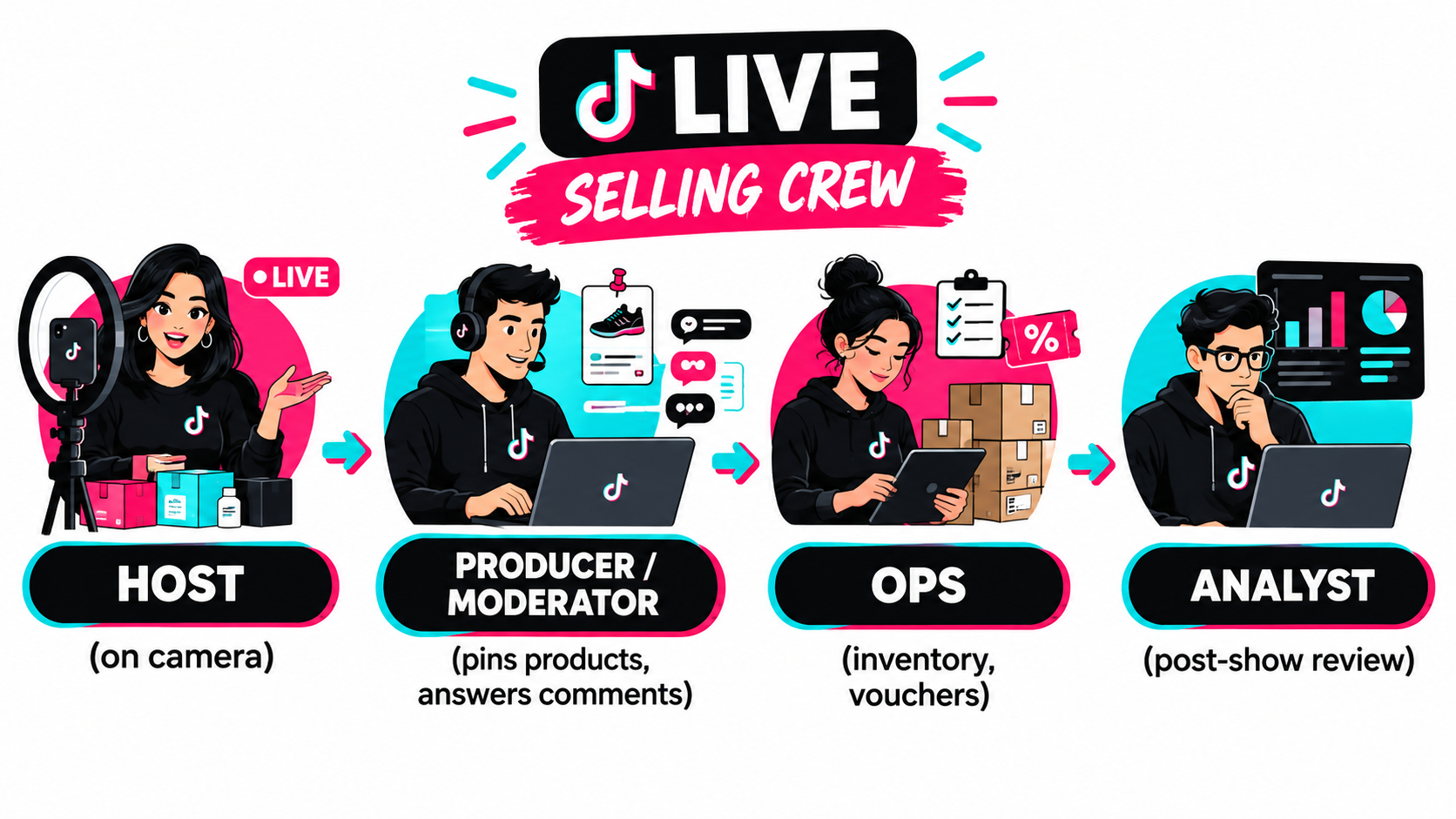
The solo-host model, one person talking, pinning products, reading comments, and checking stock all at once, is the single biggest reason early LIVE sessions underperform. Each of those tasks pulls attention from the others, and the viewer can see it.
Role 1: The host
The host’s only job is to sell on camera. That means demonstrating products, telling stories, handling objections verbally, and keeping energy consistent. The best hosts are not necessarily the most charismatic people; they are the most consistent. They can deliver the same product pitch for the fifteenth time with the same clarity as the first.
Good hosts also know the product deeply. Viewers ask specific questions: “Is this safe for sensitive skin?” “Will it fit a 12-inch pan?” “How long does shipping take?” A host who has to say “I’m not sure” loses the sale and the room’s trust.
Role 2: The producer or moderator
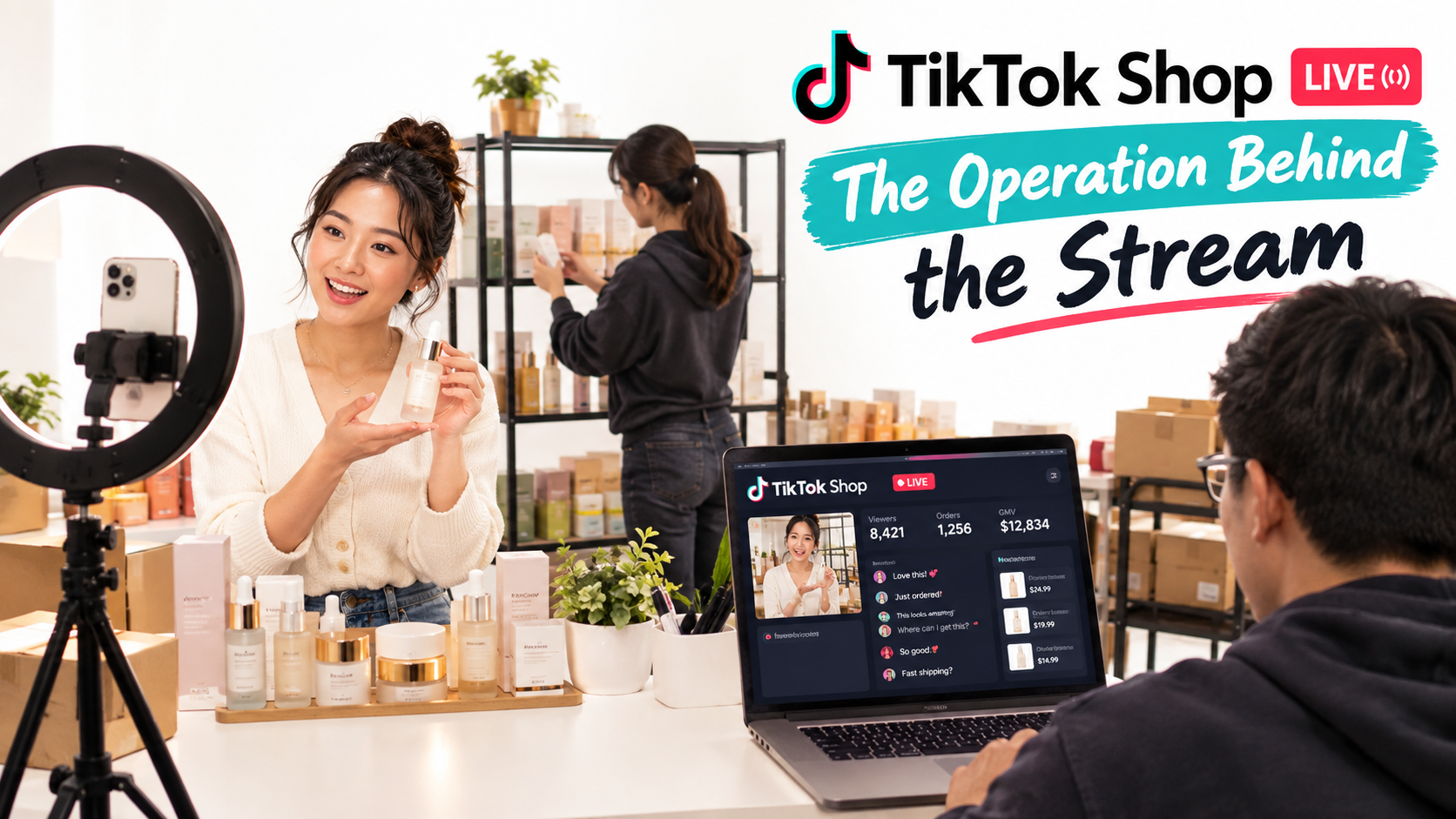
The producer runs the backstage controls. They pin and unpin products in sync with the host, launch flash deals and vouchers at scripted moments, and surface important comments to the host (often via a second screen or a whiteboard just off camera).
They also moderate the chat: removing spam, answering simple questions in text (“Yes, it ships in 2–3 days!”), and flagging buyers who mention problems with previous orders so those can be handled off-stream rather than derailing the session.
Role 3: Operations
For smaller sellers, operations is often the producer wearing a second hat. For larger sellers, it’s a dedicated person watching inventory levels, order volume, and voucher redemption in Seller Center. When a SKU is close to selling out, ops tells the producer, who tells the host to switch to the next product.
This role prevents the most damaging LIVE failure: selling units you don’t have. Overselling leads to cancellations, which hit your shop’s performance metrics and buyer trust.
Role 4: The analyst (post-show)
The analyst doesn’t need to be present during the session. Their job happens afterward: pulling session data, comparing it to previous shows, and identifying which segments, products, and offers drove orders. In small teams, this is typically the founder spending 30 minutes the next morning.
Minimum viable crew
If you can only staff two people, split it this way: one host on camera, one person handling everything else. Two people is the practical floor for sessions that are meant to generate real revenue. One-person sessions can work for testing, community building, or low-stakes Q&A, but expect lower conversion.
Hiring and training hosts
Many sellers start with a founder or team member as host, then add contract hosts as they increase session frequency. When evaluating hosts, run a paid test session rather than relying on a reel. Watch for:
- Ability to recover from silence or technical issues without visible stress.
- Willingness to follow a script structure while still sounding natural.
- Accuracy: do they stick to approved claims, or improvise exaggerated ones?
- Stamina: is the energy at minute 90 close to the energy at minute 5?
Run-of-Show Architecture: Designing a Session That Doesn’t Sag
A LIVE without a run-of-show tends to start strong and drift. The host covers their favorite product, chats, runs out of things to say, and the room empties. A run-of-show gives the session structure without making it robotic.
Why you design for arrivals, not for an audience
Here is the mental shift that changes how sessions perform: almost nobody watches a LIVE from start to finish. Viewers enter from the For You feed, the LIVE tab, a follower notification, or a paid promotion, stay for a few minutes, and leave. The audience is a constantly rotating crowd.
That means a new viewer arriving at minute 47 needs to understand what’s being sold, why it matters, and what the offer is within the first minute or so of landing. If your session is a linear narrative (“first we’ll talk about our story, then the product line, then the deal at the end”), most arrivals miss the parts that matter.
The repeating block structure
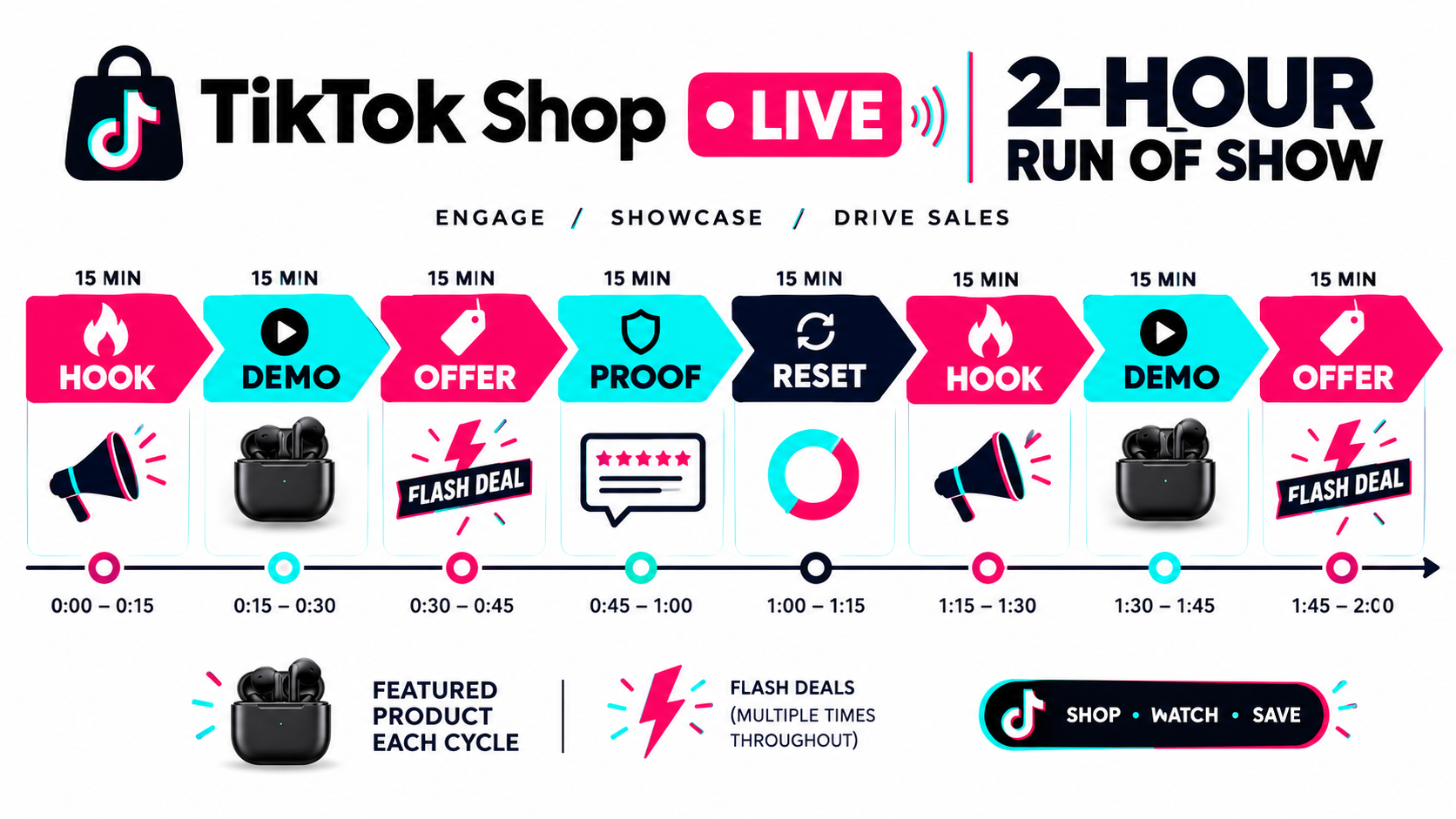
Instead of a linear show, build a loop. A common pattern is a 10–15 minute block that repeats with variation:
- Hook (about 1 minute): A visual demonstration or bold, accurate statement that tells new arrivals what’s happening. “We’re showing you how this pan handles eggs with zero oil.”
- Demo (3–5 minutes): Show the product in use. Close-ups, comparisons, texture, fit, before-and-after where permitted.
- Offer (1–2 minutes): State the price, the voucher or bundle, and how to buy. Producer pins the product at this moment.
- Proof (2–3 minutes): Read real comments from buyers, answer questions, reference reviews.
- Reset (about 1 minute): Welcome new arrivals, summarize what’s available, and transition to the next block.
Over a two-hour session, that gives you eight or more cycles. Your hero product might appear in every other block, with secondary products rotating in between.
Scripted beats vs. scripted words
Don’t write a word-for-word script. Hosts reading lines sound like hosts reading lines. Instead, script the beats: what must be said in each block (price, offer terms, key benefit, call to action) and what must never be said (unapproved claims, competitor bashing, fake scarcity).
A one-page run sheet per session is enough. It should list the block order, the product pinned in each block, the offer active at each point, and two or three approved talking points per product.
Planning tools inside Seller Center
TikTok provides a Live Planner inside its seller tools to help schedule live shopping streams, alongside a Shoppable Video Hub for video content. Scheduling sessions in advance matters because it lets followers set reminders and gives your team a fixed calendar to prepare around. Use the planner to commit to recurring time slots rather than going live whenever someone has a free afternoon.
Session length and frequency
There’s no universal correct length, but very short sessions rarely give the recommendation system enough time to find an audience, and very long sessions tend to suffer from host fatigue. Many sellers start with 60–120 minute sessions, two to four times per week, at consistent times. Consistency helps your followers form a habit and gives you comparable data week to week.
Product Sequencing: What to Pin, When, and Why
The order in which you present products during a LIVE has more impact than most sellers realize. Sequencing determines whether viewers stay, whether they buy, and how much they spend.
The three product roles in a LIVE
Assign every product in your session one of three jobs:
- Traffic driver: A low-friction, high-appeal item, often with an aggressive deal, that keeps new arrivals in the room and generates early orders. Early orders matter because they produce visible social proof in the comments.
- Hero: Your core product, the one with the best margin-to-demand balance. It gets the most airtime and the most thorough demos.
- Basket builder: Complementary items that raise order value. Refills, accessories, bundles, or “complete the routine” add-ons.
A typical sequence
Open with a traffic driver to build momentum and get the first orders flowing. Move into the hero once the room has warmed up. Introduce basket builders immediately after a hero offer, when buyers are already in purchase mode. Return to the traffic driver when viewer count dips, to re-hook arrivals.
This is not a rigid formula. Your post-show data will tell you which products actually hold viewers and which cause drop-offs. But starting with clear roles prevents the common pattern of spending 40 minutes on one product nobody is buying.
How many products to feature
Too few products and repeat viewers get bored. Too many and the host can’t demo any of them properly. For most small and mid-sized sellers, three to eight featured products per session is a workable range, with one or two heroes getting the majority of airtime. You can list more in the LIVE shopping bag, but actively pitch only a focused set.
Margin-aware sequencing
Your traffic driver may be sold close to break-even. That’s acceptable only if the session’s overall product mix recovers the margin. Before each session, calculate a rough blended margin: if the traffic driver represents a large share of units but a thin margin, the hero and basket builders need to carry the session. If your post-show report shows traffic-driver units dominating and hero units lagging, your session lost money even if GMV looked healthy.
Bundles built for LIVE
Bundles are a natural fit for LIVE because the host can physically show what’s included. “You get the cleanser, the serum, and the travel pouch” lands better on camera than in a product listing. TikTok Shop’s seller tools support bundles and promotional vouchers, so build at least one LIVE-specific bundle per session that’s either exclusive or priced more attractively than the standard listing.
Offer Design: Vouchers, Flash Deals, and Urgency That Stays Honest
Offers give viewers a reason to buy now instead of later. In LIVE, timing matters as much as the size of the discount.
Types of LIVE offers
- Flash deals: A limited-time or limited-quantity price drop on a specific product, launched at a scripted moment.
- LIVE-exclusive vouchers: Discount codes or claimable coupons available only to viewers in the session.
- Bundles: Multi-item packages that raise order value while giving buyers a perceived deal.
- Gift-with-purchase: A free add-on above a spend threshold, which encourages basket building without discounting the hero.
- Follower perks: Incentives for following the shop during the session, which grows your notification audience for future LIVEs.
Timing offers to the viewer curve
Viewer counts in a LIVE rise and fall. Launching your biggest offer when the room is nearly empty wastes it. Launching every offer at once trains viewers to wait for a discount and then leave.
A practical approach is to stagger offers across the session: a small opener deal in the first block, the hero flash deal when viewer count is near its peak, and a basket-builder incentive afterward. If you run paid promotion for the LIVE, align the flash deal with when that traffic is arriving.
Honest urgency vs. manufactured urgency
Urgency drives LIVE sales, but fake urgency is both a trust problem and a policy risk. “Only 50 units at this price” should mean you actually set a 50-unit cap. “This deal ends in ten minutes” should mean it ends in ten minutes. Viewers who come back to future sessions notice when “last chance” deals reappear every week.
Honest urgency comes from real constraints: genuinely limited stock, LIVE-only pricing that isn’t available elsewhere, or seasonal items. Build your offers around constraints you can actually honor.
Protecting your price integrity
If your LIVE price is consistently far below your listing price, two things happen. Video and search buyers feel overcharged, and your loyal LIVE audience learns never to buy outside a session. Keep LIVE discounts meaningful but bounded, and rotate which products get the deepest deal so no single SKU becomes permanently “a LIVE-only product.”
Offer math to run before going live
For each offer, write down three numbers before the session: the discounted price, the unit contribution margin after all fees, shipping, and voucher costs, and the stock cap. If contribution margin is negative, the offer only makes sense as a deliberate traffic driver with a strict unit limit. This takes ten minutes and prevents the painful discovery that your best-selling session lost money.
The Session Scorecard: Metrics That Tell You Whether a LIVE Worked
GMV is the number everyone screenshots. It’s also the least useful number for deciding whether to keep running LIVEs. A session can post high GMV and still lose money once staff time, discounts, paid traffic, and returns are counted.
The funnel inside a LIVE
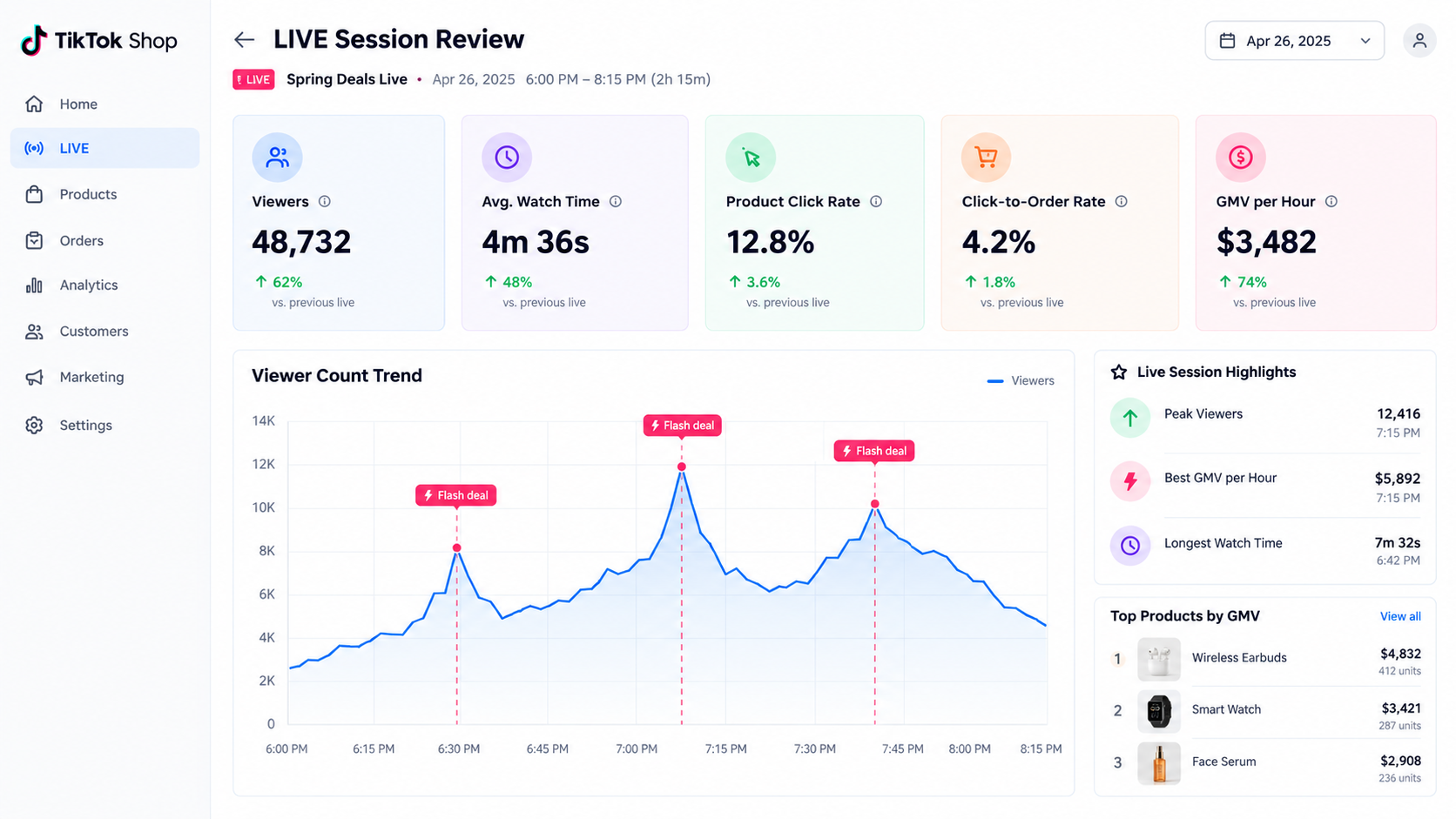
Think of every session as a four-stage funnel and measure each stage separately:
- Reach: How many people saw the LIVE in their feed or entered the room. This reflects traffic, from organic recommendation, followers, and any paid promotion.
- Retention: How long viewers stayed. Average watch time tells you whether your hooks and demos hold attention.
- Product interest: The share of viewers who tapped into the shopping bag or a pinned product. This reflects whether your pitch creates curiosity.
- Conversion: The share of product clicks that became orders. This reflects price, offer, trust, and checkout friction.
When a session underperforms, the funnel tells you where. Low reach is a traffic problem. Good reach with poor retention is a content and hook problem. Good retention with low clicks is a pitch problem. Good clicks with low conversion is an offer or trust problem. Each diagnosis leads to a different fix.
Efficiency metrics
Two efficiency metrics matter more than raw totals:
- GMV per live hour: Total session GMV divided by session length. This normalizes sessions of different lengths and lets you compare time slots.
- Contribution margin per labor hour: Session gross profit (after fees, discounts, product cost, shipping, and ad spend) divided by total crew hours. This is the number that tells you whether LIVE is worth more than whatever else your team could be doing with that time.
Lagging metrics
Some session outcomes appear days later. Track them in your post-show review a week after each session:
- Cancellation and return rates on LIVE orders compared to non-LIVE orders.
- Follower growth attributable to the session.
- Repeat purchases from buyers whose first order came from a LIVE.
- Product reviews mentioning the LIVE or the host.
Elevated return rates on LIVE orders are a warning sign. They often mean the host oversold a benefit or the excitement of the room drove impulse purchases that didn’t stick.
Building your own benchmarks
Published LIVE benchmarks vary widely by category, region, and account size, and they shift as the platform changes. The most reliable benchmark is your own trend line. Log every session in a simple spreadsheet: date, time slot, length, host, products, offers, and the funnel metrics above. After ten to fifteen sessions, patterns emerge: which host converts best, which time slot draws the most engaged viewers, which product holds the room.
The post-show review
Hold a 20–30 minute review within 24 hours of each session. Cover three questions: Where did viewers drop off, and what was happening on camera at that moment? Which offer generated the most orders per minute live? What one change will we test in the next session? Changing one variable at a time keeps your learning clean.
Traffic: Organic Reach, Followers, and Paid LIVE Promotion
A great session with no viewers is still a failed session. Traffic into a LIVE comes from a few distinct sources, and each needs different preparation.
Organic recommendation
TikTok can recommend LIVE sessions to users in the For You feed and LIVE feed based on their interests. Sessions that retain viewers and generate engagement and purchases early tend to earn more distribution as the session continues. That’s another reason the opening blocks matter so much: a weak start can limit how widely the session is shown.
You can’t control organic distribution directly, but you can influence the signals: strong visual hooks in the first minutes, active comment engagement, and early orders driven by your traffic-driver product.
Follower and notification traffic
Your existing followers are your warmest LIVE audience. They already know the brand, and many have bought before. Grow this pool deliberately:
- Schedule sessions in advance so followers can set reminders.
- Post short videos in the hours before a LIVE announcing the session and its headline deal.
- Mention upcoming session times at the end of every LIVE.
- Use follower-only perks during sessions to convert casual viewers into followers.
Pre-LIVE warm-up videos
A short video posted shortly before going live serves two purposes. It reminds followers, and if it performs well, it can direct viewers into the session while you’re on air. Keep these warm-up clips specific: show the product, state the deal, and say when you’ll be live. Generic “come hang out” teasers rarely move anyone.
Paid LIVE promotion
TikTok offers ad products designed to drive viewers into LIVE sessions. Paid traffic can help new shops get past the cold-start problem, when there are no followers and organic distribution is limited. It can also stabilize viewer counts during a key flash deal.
Paid traffic should be judged by the same session scorecard. If paid viewers enter but leave quickly without clicking products, the problem is often targeting or the session itself, not the budget. Increasing spend on a session that doesn’t retain viewers just buys more departures.
Time slot testing
Your best time slot depends on your audience, not on generic “best times to post” lists. Test different slots over several weeks, keeping host and product mix as similar as possible so the time slot is the main variable. Compare GMV per live hour and average watch time across slots, and commit to the winners.
Affiliate Creators Going LIVE for You
Your own shop account is only one place LIVE selling can happen. Through TikTok Shop’s Creator Affiliate Program, creators can promote your products in their own LIVE sessions and earn commission on sales. For many brands, affiliate LIVEs end up producing more volume than brand-run sessions.
Why affiliate LIVEs behave differently
A creator going live brings an audience that already trusts them. The selling dynamic is closer to a friend’s recommendation than a brand pitch. That trust can produce strong conversion, but it also means you have less control over what’s said, how the product is presented, and how offers are explained.
Choosing creators for LIVE specifically
A creator who makes great short videos isn’t automatically a strong LIVE seller. Look for creators who already go live regularly, hold viewers for extended periods, and have a track record of selling, not just entertaining. Watch a few of their past sessions before reaching out. Note how they handle questions, how they present products, and whether their audience actually buys.
Equipping creators to sell well
Send creators more than a sample. A LIVE kit should include:
- A one-page product brief with key benefits and approved claims.
- A list of claims they must not make (especially for beauty, wellness, and supplement categories).
- The offer details: any exclusive voucher, bundle, or flash deal for their session.
- Answers to the ten most common buyer questions.
- Enough sample stock to demonstrate the product properly on camera.
Coordinating inventory with affiliate sessions
A popular creator’s LIVE can sell more units in an hour than your own session sells in a week. Ask creators to share their LIVE schedule so your operations team can check stock levels ahead of time. Surprise spikes from affiliate sessions are a common cause of stockouts and late shipments.
Brand LIVE and affiliate LIVE together
The two models complement each other. Brand-run sessions give you control, direct customer insight, and a testing ground for offers. Affiliate sessions give you reach and borrowed trust. A practical approach is to use your own sessions to find which pitches and offers convert, then pass those learnings to affiliates in their briefs.
Fulfillment and Inventory Under LIVE Spikes
LIVE selling creates demand in bursts. A flash deal can generate a large share of a day’s orders in a few minutes. Fulfillment systems built for steady daily volume often struggle with this pattern.
Set stock caps before every session
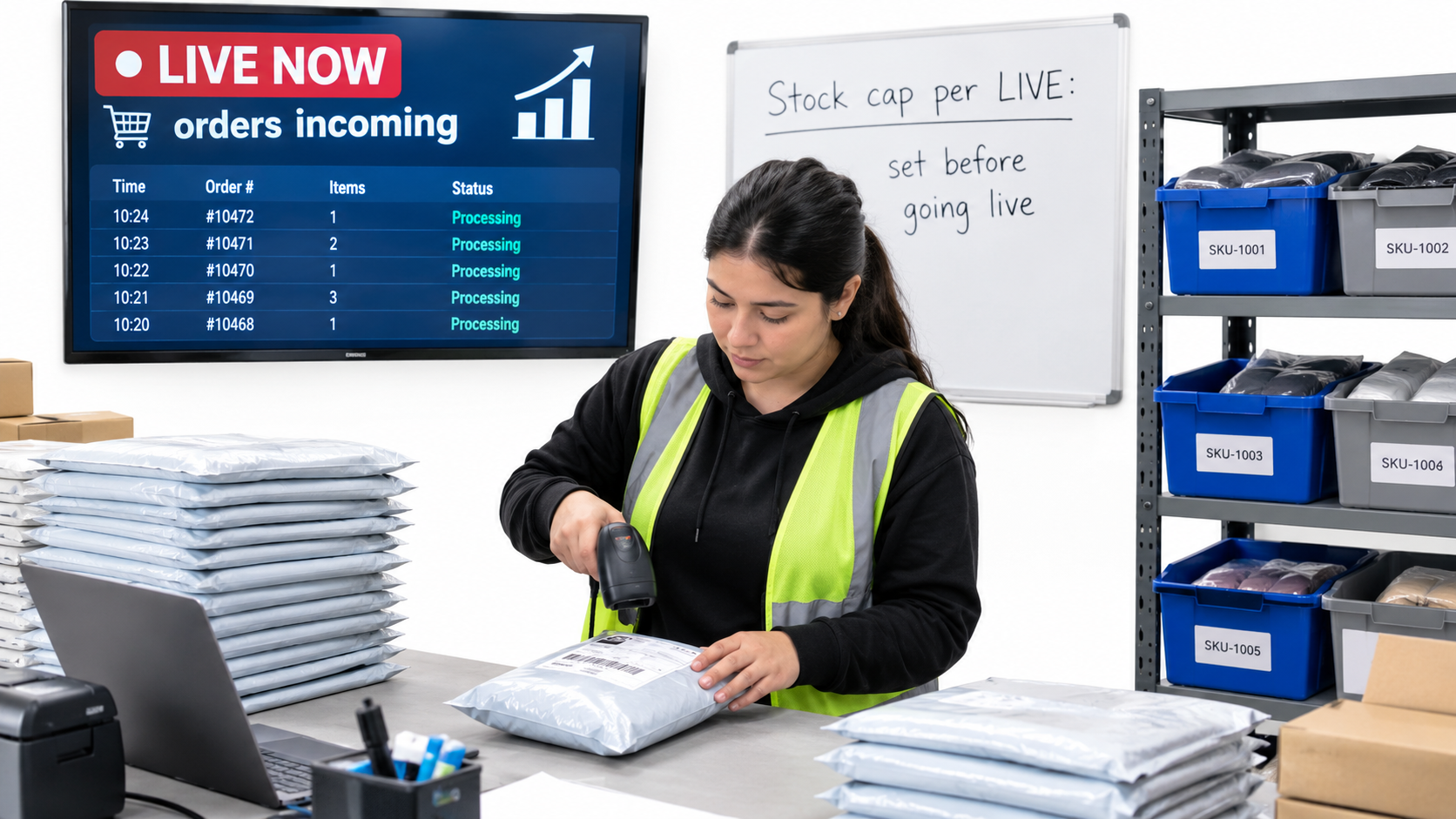
Before going live, decide how many units of each featured product you are willing to sell during the session. Base this on available inventory minus a buffer for orders from other channels (video, search, other marketplaces if you sell elsewhere). Configure flash deal quantities to match. This one habit prevents most overselling incidents.
Shipping performance is part of the sale
TikTok Shop monitors seller fulfillment performance, including on-time shipping and cancellations. A LIVE that generates a surge of orders you can’t ship on time can damage your shop’s standing more than a quiet session ever would. Plan pick-and-pack capacity for the day after a big session. If you use a third-party logistics provider, give them advance notice of scheduled LIVEs and expected volume.
Multi-channel inventory sync
If you sell the same SKUs on other channels, make sure inventory syncs quickly across them. A LIVE sellout that isn’t reflected on your other storefronts leads to orders you can’t fill elsewhere. Check how often your inventory tool syncs, and consider temporarily reserving stock for TikTok during major sessions.
Packaging and the unboxing loop
LIVE buyers are often new customers who bought on impulse. The unboxing experience is your chance to confirm that the purchase was a good decision. Clear packaging, an insert explaining how to use the product, and a note mentioning your regular LIVE schedule can reduce returns and bring buyers back for future sessions.
Returns from LIVE orders
Track return reasons for LIVE orders separately. If “not as described” or “didn’t meet expectations” spikes for a particular product, review the session recording. The host may be overstating a benefit, using lighting that misrepresents color, or demonstrating a use case the product doesn’t reliably handle.
Compliance and Account Health: The Risks That Grow With Every Session
LIVE is the format where policy violations are easiest to commit and hardest to take back. There’s no edit button on something you said to a live audience. And because sessions are long and unscripted, the number of opportunities for a misstatement multiplies.
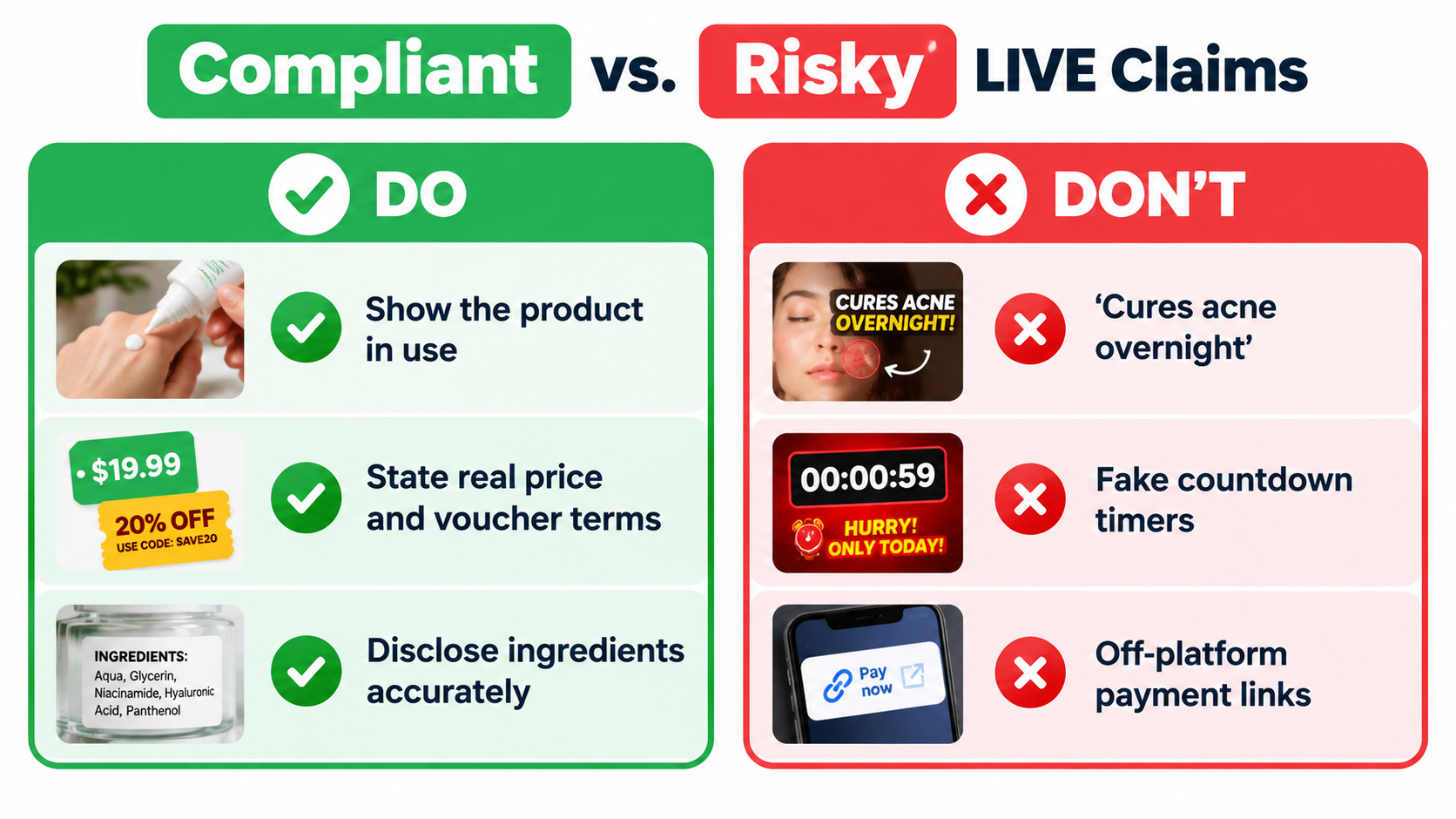
Product claims
Health, beauty, and wellness categories carry the highest risk. Claims that a product cures, treats, or prevents a condition, or exaggerated results claims, can violate TikTok Shop policies and, depending on the product, advertising regulations. Wikipedia’s summary of TikTok Shop notes that the platform has faced criticism over misinformation about products, which is one reason enforcement attention on claims remains high.
Maintain an approved-claims list for every product and train hosts (including affiliate creators) on it. Have the producer flag any off-list claims during the session so the host can correct them on air.
Pricing and promotion accuracy
Every price, discount, and voucher stated on camera must match what the buyer sees at checkout. If the host says “40% off” and checkout shows 30%, that’s a misleading promotion. The producer should confirm each offer is live in Seller Center before the host announces it.
Off-platform transactions
Directing viewers to buy outside TikTok Shop, through a website link, a DM, or a payment app, is a fast route to policy trouble. Keep every transaction inside the platform. If a viewer asks about a product that isn’t listed, the answer is “it’s not available here yet,” not “message me.”
Content standards on camera
LIVE sessions are subject to TikTok’s community guidelines in real time. Background music you don’t have rights to, unsafe product demonstrations, or inappropriate comments from the host can lead to session interruptions or restrictions. Run a quick pre-show check: music cleared, background clean, demo safe, host briefed.
Record and review
Keep recordings of your sessions where possible. If you receive a violation notice, a recording lets you review exactly what was said and respond accurately. Recordings are also the best training material you have: watching a host’s best and worst moments side by side teaches more than any written guide.
A compliance checklist for every session
- Approved claims list printed and visible to the host.
- All offers verified as active and correctly priced in Seller Center.
- Stock caps set on flash deals.
- Music and visual assets cleared for use.
- No references to off-platform purchasing.
- Producer assigned to monitor and correct claims in real time.
A 30-Day Plan for Launching (or Relaunching) TikTok Shop LIVE
If your past LIVE attempts fizzled, or you’ve never tried, a structured month gives you enough data to decide whether LIVE deserves a permanent place in your channel mix.
Week 1: Foundation
- Choose one hero product, one traffic driver, and two basket builders.
- Write approved-claims lists for each.
- Build a one-page run sheet using the repeating block structure.
- Set up a basic studio: stable phone mount, good lighting, clear audio, clean background, and a second screen for the producer.
- Run two private rehearsal sessions to practice pinning, offer launches, and transitions.
- Create a session log spreadsheet with the funnel metrics described above.
Week 2: First public sessions
- Schedule three sessions at different time slots using the Live Planner.
- Post a warm-up video before each.
- Keep sessions to 60–90 minutes while the crew builds rhythm.
- Hold a post-show review after each session and log results.
Week 3: First experiments
- Keep your best-performing time slot and test one new slot.
- Test one variable per session: a different opening hook, a different offer structure, or a different product order.
- Introduce a LIVE-exclusive bundle.
- If budget allows, test a modest paid promotion on one session and compare scorecard metrics against unpaid sessions.
Week 4: Decide and scale
- Compare contribution margin per labor hour across all sessions.
- Identify your strongest host, time slot, product sequence, and offer.
- Decide whether to increase frequency, keep it steady, or pause LIVE and focus on video and affiliates.
- Package what worked into a creator brief and invite two or three affiliate creators to run LIVEs for your products.
The go/no-go question
At the end of 30 days, ask one question: did LIVE produce more contribution margin per hour of team time than the next-best use of that time? If yes, invest in more sessions, better hosts, and more products. If not, look at the funnel to see whether the problem is fixable (traffic, retention, pitch, or offer) or structural (product fit, margins, inventory). Some of those are fixable in another month. Some aren’t, and that’s a legitimate conclusion too.
Conclusion: Treat LIVE Like a Shift, Not a Stream
TikTok Shop has grown from a September 2023 launch into a channel that, according to TikTok’s 2026 reporting, sits inside an ecosystem of more than 8.5 million US businesses. Social commerce overall is projected to exceed $1 trillion by 2028. LIVE is one of the formats where that growth happens most visibly, and where the gap between prepared and unprepared sellers is widest.
The sellers who make LIVE work aren’t relying on charisma or luck. They run sessions the way a retailer runs a store shift: staffed with clear roles, stocked with capped inventory, organized around a repeatable structure, and reviewed afterward against numbers that reflect profit, not just volume.
Key takeaways
- Staff at least two people. Separate the on-camera host from the person running products, offers, and comments.
- Design for arrivals. Use repeating 10–15 minute blocks so every new viewer hears the hook, sees the demo, and learns the offer.
- Give every product a job. Traffic driver, hero, or basket builder, and sequence them deliberately.
- Run offer math before going live. Know the contribution margin and stock cap for every deal.
- Measure the funnel, not just GMV. Reach, retention, product interest, and conversion each point to different fixes.
- Judge LIVE on contribution margin per labor hour. That’s the number that tells you whether it’s worth your team’s time.
- Plan fulfillment around spikes. Stock caps, 3PL notice, and inventory sync protect your shop’s performance standing.
- Treat compliance as a live job. Approved-claims lists, verified offers, and a producer watching for misstatements in real time.
- Give it 30 structured days. Then decide with data whether LIVE earns a permanent spot in your channel mix.
A LIVE session is either a staffed, measured sales channel or a costly hour of talking to a phone. The difference comes down to preparation, structure, and a clear view of what each session actually earned.