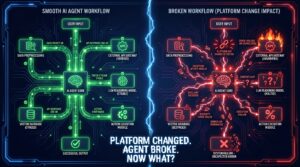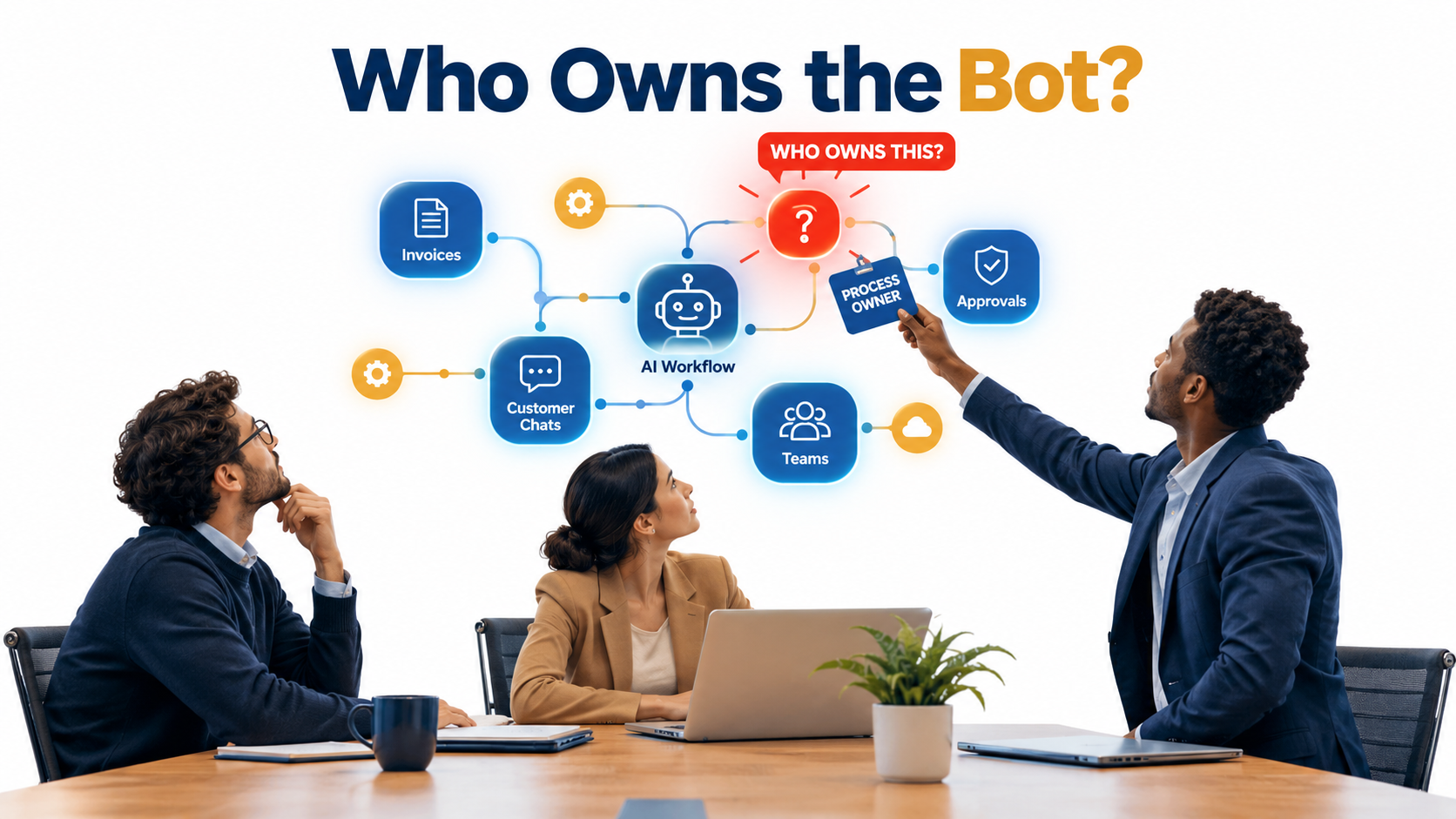

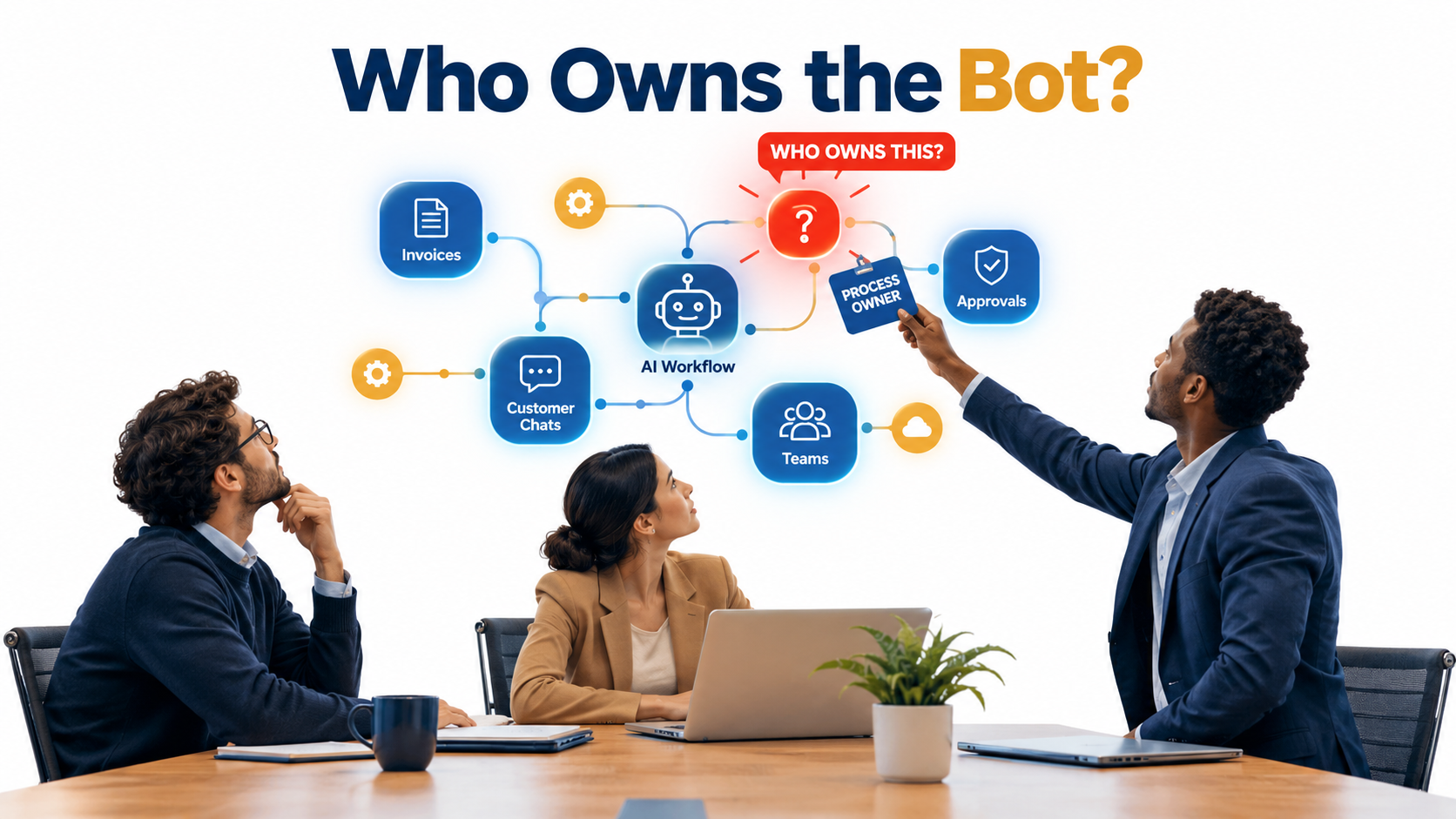
Most conversations about AI automation for business start with the same questions. Which tool should we buy? Which process should we automate first? How fast will it pay back? Those are reasonable questions, and plenty has been written about them.
But there is a question that almost never makes it into the kickoff deck, and it tends to decide whether an automation survives its first year: who owns the bot?
Not who bought it, or who built it. Who answers for it when it gives a customer the wrong refund policy? Who notices when its accuracy slips from 96% to 88% over three months? Who handles the 7% of cases it can’t process? Who decides whether it should be allowed to do more?
In traditional software, these questions had clear answers because the software did exactly what it was told. AI automation is different. It makes judgment calls, sometimes wrong ones, delivered in the same confident tone as its correct ones. It shifts work instead of removing it. And it changes what the humans around it are actually responsible for.
This article is not about picking tools or calculating ROI. It is about the organizational layer underneath: the roles, escalation paths, review habits, and accountability structures that make automated work trustworthy. We’ll look at two public cases that show what happens when that layer is missing, what real usage data says about how AI is actually being used at work, how the org chart is starting to change, and what regulators now expect from human oversight.
We’ll finish with a practical 30-day accountability audit you can run on any automation already live in your business.
Why Ownership Is the Most Underrated Problem in AI Automation
When a company automates a process with AI, the work doesn’t vanish. It gets redistributed. Some of it moves to the model. Some moves to whoever writes and maintains the prompts, rules, and integrations. Some moves to whoever reviews outputs. And some lands on whoever handles the cases the automation can’t finish.
If nobody plans that redistribution, it happens anyway, just badly. The exception queue ends up with whoever was nearest when it started filling. Monitoring falls to the engineer who built the integration, who has since moved to another project. Policy updates never reach the knowledge base the model draws from.
The “set it and forget it” myth
Rule-based automation trained a generation of managers to think of automation as a one-time project. You map the process, build the bot, test it, and move on. The bot does the same thing forever until someone changes it.
AI-driven automation doesn’t behave that way. Its outputs depend on inputs that change constantly: customer phrasing, document formats, product catalogs, policy documents, and the underlying model itself when vendors update it. An automation that performed well in March can behave differently in September without anyone touching it.
That means AI automation is closer to hiring than to installing software. It needs a manager, an onboarding period, performance reviews, and someone who is accountable for its output.
The diffusion of responsibility
There is also a quieter problem. When a decision passes through a model, a reviewer, and a system of record, each party can reasonably assume someone else checked it. The model “just suggested it.” The reviewer “just approved what the system recommended.” The IT team “just maintains the platform.”
Each position is defensible on its own. Together they add up to a process where nobody is accountable for the outcome. As we’ll see, courts and regulators aren’t buying that argument.
What ownership actually means
Ownership of an automated workflow comes down to four responsibilities that must each sit with a named person:
- Outcome accountability: answering for what the automation does to customers, employees, and the business.
- Performance monitoring: tracking accuracy, exception rates, and drift over time.
- Exception handling: resolving what the automation can’t, within a defined timeframe.
- Change authority: deciding when the automation’s scope can grow, shrink, or be switched off.
If you can’t name the person responsible for each of these on a live automation, you have an ownership gap. The rest of this article is about closing it.
The Air Canada Lesson: Your Automation Speaks for You
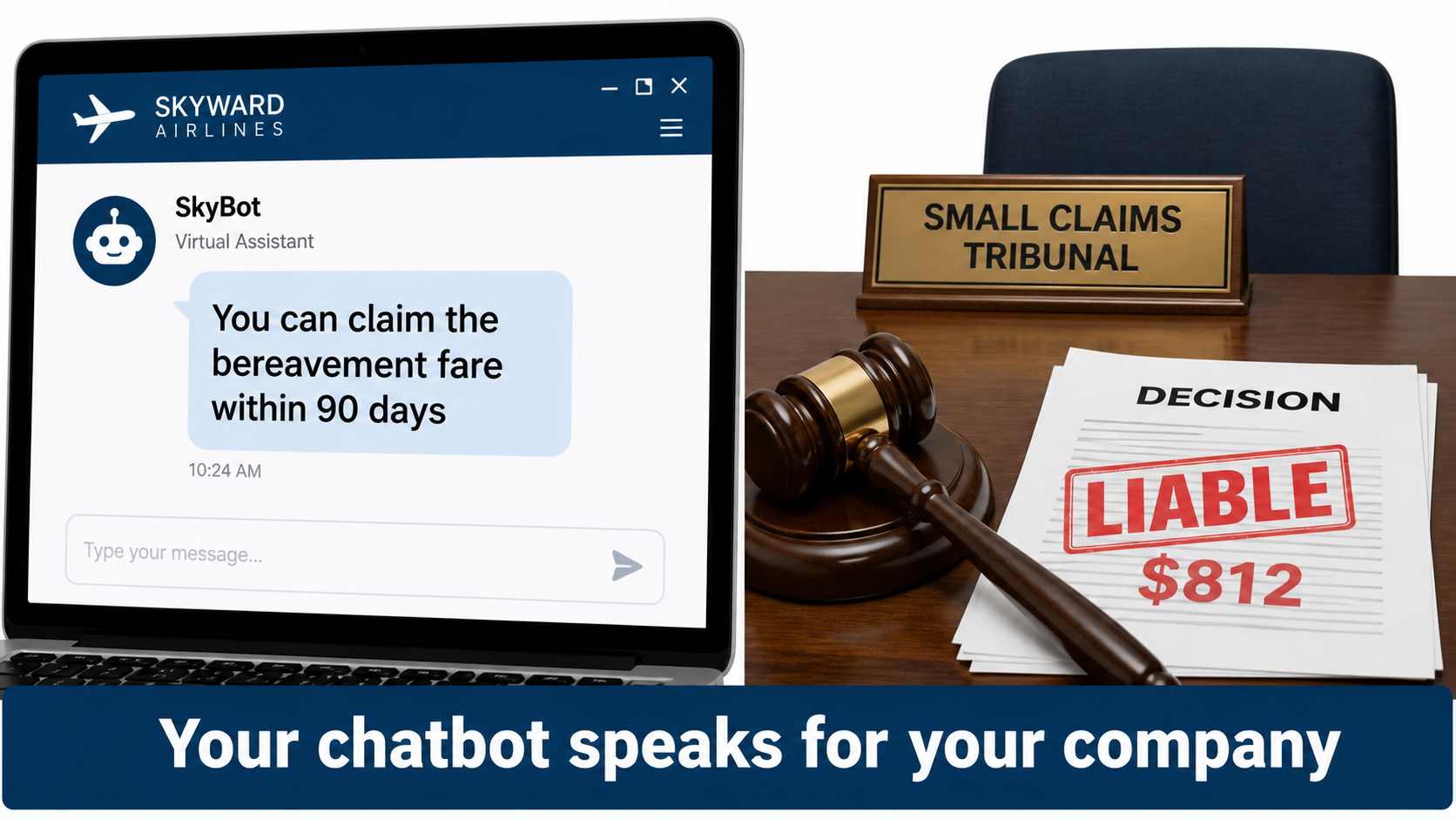
In February 2024, British Columbia’s Civil Resolution Tribunal issued a small claims decision that has since become one of the most cited cases in AI governance. The amount at stake was tiny. The principle wasn’t.
What happened
According to CBC News, Jake Moffatt visited Air Canada’s website on the day their grandmother died in November 2022. The site’s support chatbot told them they could book travel immediately and apply for a reduced bereavement rate within 90 days of ticket issue.
Moffatt bought full-fare tickets, around $1,630, on the strength of that advice. When they applied for the partial refund, Air Canada said bereavement rates didn’t apply to completed travel, which was explained on a different page of its website. An Air Canada representative admitted the chatbot had given “misleading words.”
The defense that failed
The notable part was Air Canada’s argument. The airline suggested it couldn’t be held liable for information provided by one of its agents, servants, or representatives, including a chatbot, which it described as “a separate legal entity that is responsible for its own actions.”
Tribunal member Christopher Rivers called this “a remarkable submission.” He wrote: “While a chatbot has an interactive component, it is still just a part of Air Canada’s website. It should be obvious to Air Canada that it is responsible for all the information on its website. It makes no difference whether the information comes from a static page or a chatbot.”
He found that Air Canada “did not take reasonable care to ensure its chatbot was accurate” and ordered the airline to pay $812 to cover the fare difference.
Why this matters beyond chatbots
The lesson generalizes to every customer-facing and decision-making automation. Whatever your automated system says or does, your company said or did it. There is no liability gap between the business and its bots.
Two operational failures sit behind the Moffatt case, and both are ownership failures:
- Knowledge synchronization. The chatbot’s information about bereavement fares didn’t match the official policy page. Someone should have owned keeping the two aligned.
- No feedback loop. The representative noted the issue “so it could update the chatbot” only after a customer complained and escalated. Nobody was proactively testing the bot’s answers against policy.
Takeaway
For any automation that communicates with customers, assign one person to own the “source of truth” it draws from. When a policy changes, updating the automation’s knowledge base should be a step in the policy change process, not an afterthought. And someone should be regularly asking the automation the questions customers ask, especially the high-stakes ones about money, cancellations, and eligibility, to check the answers.
Klarna’s Round Trip: What Cost-First Automation Teaches
If Air Canada shows what happens when nobody owns an automation’s accuracy, Klarna shows what happens when an automation is judged on the wrong measure.
The headline numbers
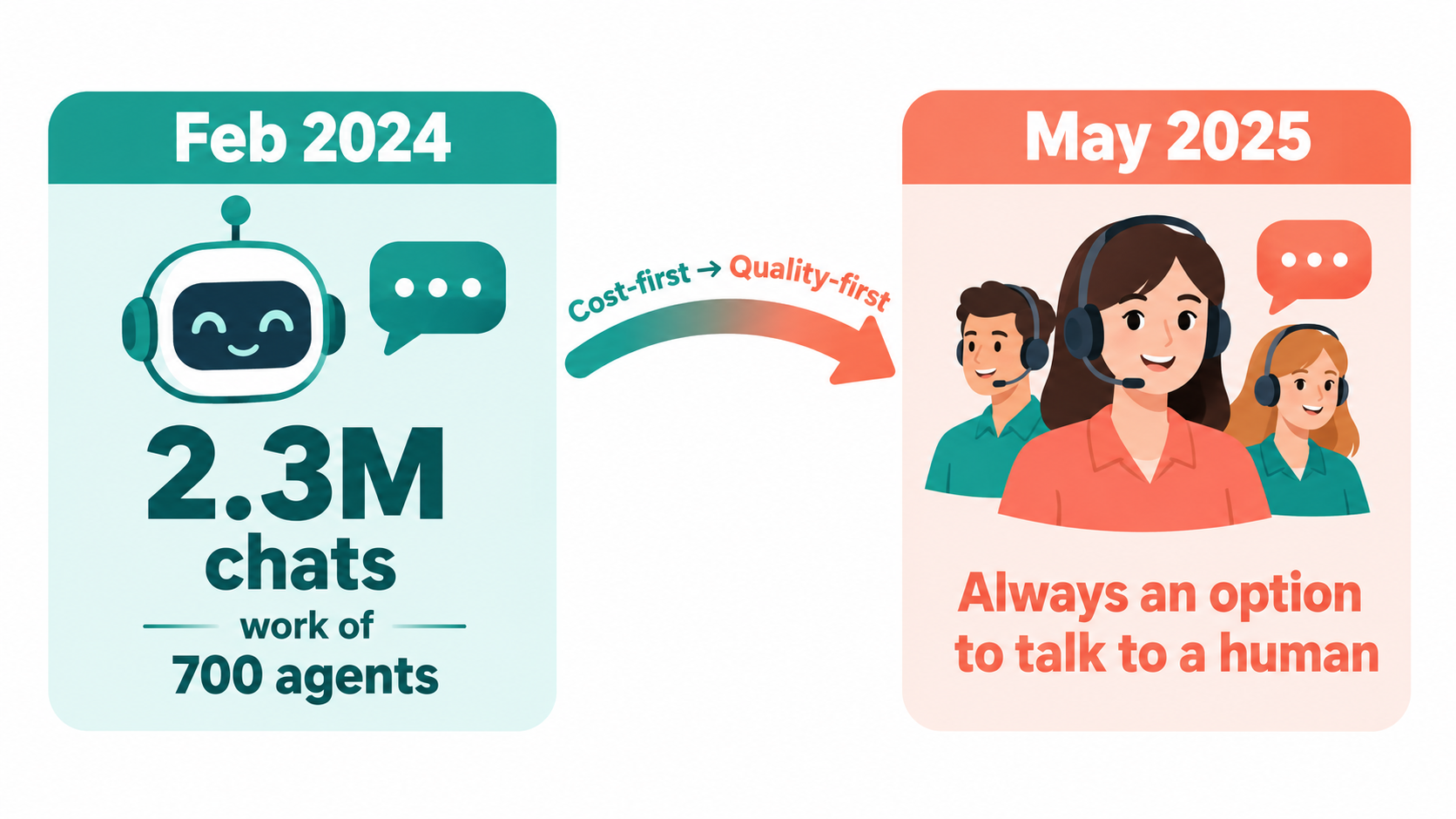
In February 2024, the buy-now-pay-later company announced that its AI assistant had handled two-thirds of its customer service chats, 2.3 million conversations, in its first month. The company said the assistant was doing work equivalent to 700 representatives, with average resolution times under two minutes. Klarna had laid off workers and paused hiring as part of its AI push, according to CX Dive.
It became one of the most widely shared examples of AI replacing human labor at scale.
The reversal
By May 2025, the story had changed. Klarna said it wanted customers to always have the option to speak with a human, and began recruiting people for what CEO Sebastian Siemiatkowski described to Bloomberg as an “Uber-type” customer service setup, with flexible, remote roles.
Siemiatkowski was unusually candid about why: “As cost unfortunately seems to have been a too predominant evaluation factor when organizing this, what you end up having is lower quality.” He added: “Really investing in the quality of the human support is the way of the future for us.”
A Klarna spokesperson summed up the new model: “AI solves the easy stuff — our experts handle the moments that matter.”
It wasn’t a failure of the technology
It’s worth being precise here, because this case is often misread. Klarna didn’t abandon its AI assistant. According to the company, the assistant still handled two-thirds of inquiries, response times had improved by 82% since launch, and repeat issues had dropped by 25%.
What changed was the division of labor. The automation was fine at routine work. The problem was that cost reduction had become the main scorecard, and a cost scorecard can’t see the customers who leave frustrated because they couldn’t reach a person.
That frustration is widespread. CX Dive cited a Verint survey finding that more than two-thirds of customers had had a bad chatbot experience, and a Five9 survey in which 86% of customers said empathy and human connection matter more than quick responses.
The ownership lesson
Whoever owns an automation also owns its scorecard. If that scorecard only measures cost per contact, deflection rate, or headcount saved, the automation will get tuned toward those numbers, sometimes at the expense of things the business cares about more.
A balanced automation scorecard includes at least:
- Efficiency: cost per transaction, handling time, volume processed.
- Quality: accuracy rate, repeat contact rate, error corrections downstream.
- Experience: customer satisfaction on automated versus human-handled interactions.
- Escape rate: how often people ask for a human, and how easily they get one.
Klarna’s reset was, in effect, a change in what its automation was accountable for.
Automation vs. Augmentation: What Real Usage Data Shows
Much of the public debate about AI automation assumes a simple model: a task is either done by a human or done by AI. Real usage data suggests the picture is more mixed, and that mix matters for how you assign responsibility.
The Anthropic Economic Index findings
In February 2025, Anthropic published the first report of its Economic Index, based on roughly one million anonymized conversations on Claude.ai mapped to about 20,000 occupational tasks in the U.S. Department of Labor’s O*NET database.
Several findings are useful for business planning:
- Augmentation outweighed automation. 57% of usage leaned toward augmentation, where AI collaborates with and enhances human work, versus 43% toward automation, where AI directly performs the task.
- AI touches parts of jobs, not whole jobs. About 36% of occupations showed AI use in at least a quarter of their associated tasks. Only about 4% used it across three-quarters of their tasks.
- Usage was concentrated. Software development and technical writing dominated, with “computer and mathematical” tasks accounting for 37.2% of queries.
This data comes from one AI provider’s consumer and Pro products, so it isn’t a full picture of enterprise automation. But the direction is instructive.
Why this matters for accountability
If AI mostly changes tasks within jobs rather than eliminating jobs outright, then most automation projects create hybrid workflows. A person and a system each handle parts of the same process. That’s exactly the setup where responsibility gets blurry.
Consider an accounts payable workflow. AI extracts invoice data, matches it to purchase orders, and flags discrepancies. A clerk reviews flagged items and approves payments. If a duplicate payment slips through, was that an extraction error, a matching error, or a review failure? Unless the workflow was designed with clear handoffs, nobody knows.
Mapping tasks, not roles
The practical step here is to plan automation at the task level. For each process you automate, list every task and mark it as one of three types:
- Automated: the system completes it without routine human review.
- Augmented: the system drafts, suggests, or pre-processes, and a person decides.
- Human-only: the task stays with people, because of judgment, relationships, or risk.
Then assign ownership for each handoff between types. The handoffs are where errors hide.
The New Org Chart: Human-Agent Teams and the “Agent Boss”
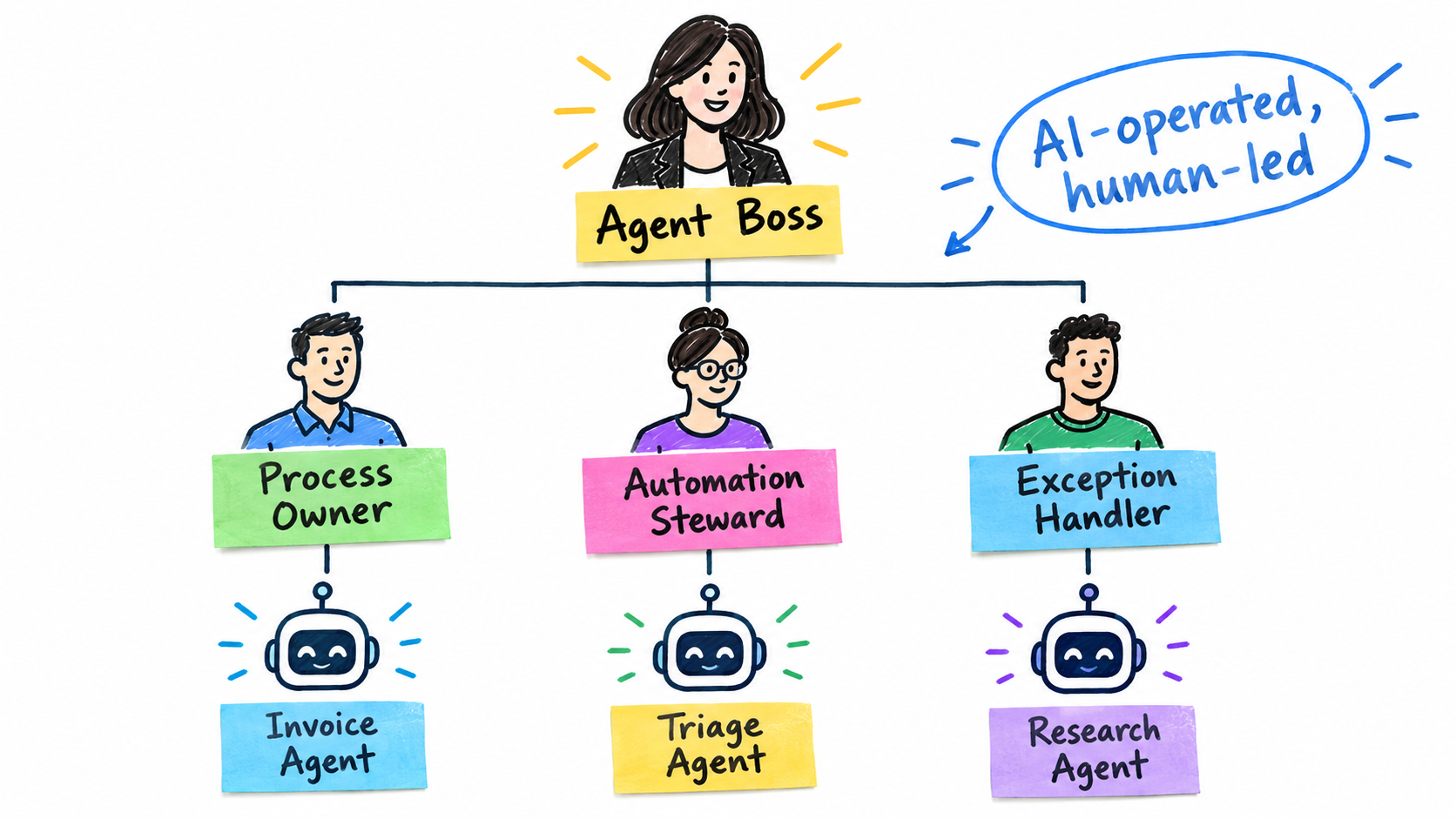
As automation moves from single tasks to multi-step agents, the question of who manages the work becomes structural. Microsoft’s research offers one of the clearest views of where this is heading.
What Microsoft’s 2025 Work Trend Index found
Microsoft’s 2025 Work Trend Index drew on survey data from 31,000 workers across 31 countries, LinkedIn labor market trends, and Microsoft 365 productivity signals. Among its findings:
- 82% of leaders said it was a pivotal year to rethink key aspects of strategy and operations.
- 81% expected agents to be moderately or extensively integrated into their AI strategy within 12 to 18 months.
- 82% said they were confident they’d use digital labor to expand workforce capacity in the same period.
- 53% of leaders said productivity must increase, while 80% of the global workforce said they lacked enough time or energy to do their work.
The report describes organizations that are “AI-operated but human-led,” which it calls Frontier Firms.
The three phases
Microsoft outlines a progression in three phases. First, AI acts as an assistant that helps people do the same work faster. Second, agents join teams as “digital colleagues” that take on specific tasks at human direction. Third, humans set direction for agents that run entire business processes, checking in as needed.
The report’s supply chain example is useful: agents handle end-to-end logistics, while humans “guide the agent system, resolve exceptions, and manage supplier relationships.” Microsoft notes organizations may be in all three phases at once in different parts of the business.
What this means for managers
The report popularized the idea that every employee may become an “agent boss,” someone who builds, delegates to, and manages AI agents. That framing is helpful, but it has a governance implication that’s easy to miss.
If a person manages agents, they are accountable for those agents’ output the same way a team lead is accountable for their team. That requires the same things good people management requires: clear scope, defined standards, regular review, and authority to intervene.
The human-agent ratio question
One of the most practical questions in this model is how many agents or automated workflows one person can responsibly oversee. There’s no universal answer. It depends on the volume of exceptions, the stakes of errors, and how much each output needs checking.
A reasonable starting rule: oversight capacity should be set by exception volume and risk, not by the number of agents. One person might safely oversee ten low-risk content-tagging agents but only one agent that approves credit decisions. Plan staffing around the exceptions the system generates, then adjust as you learn the real rates.
The Five Roles Every Automated Workflow Needs
Ownership doesn’t mean one person does everything. In practice, a well-run automated workflow needs five distinct roles. In a small business, one person may hold several. In a large enterprise, each may be a team. What matters is that each is explicitly assigned.
1. Business process owner
This is the person accountable for the outcome, usually the head of the function the process belongs to. The AP manager owns invoice automation. The customer service director owns the support assistant.
Their responsibilities: define what “good” looks like, own the scorecard, approve scope changes, and answer for the automation’s impact. Critically, this person should sit in the business, not in IT. Technology teams can build and run the system, but they shouldn’t be the ones accountable for whether refunds are handled correctly.
2. Automation steward
The steward is the day-to-day operator. They maintain prompts, rules, knowledge sources, and integrations. They monitor performance dashboards, investigate anomalies, and test changes before they go live.
This is a genuinely new role in many organizations. It needs someone who understands both the business process and the system’s behavior well enough to spot when outputs start to drift. In the Air Canada case, a steward would have owned keeping the chatbot aligned with the bereavement policy page.
3. Exception handler
Every automation produces cases it can’t resolve, and those cases tend to be the hardest ones. The exception handler resolves them within a defined service level.
This role deserves more respect than it usually gets. Exception handlers see the automation’s failures first. They’re the best source of information about where it breaks. Build a simple channel for them to feed patterns back to the steward.
4. Output reviewer
For augmented tasks, where AI drafts and a human decides, the reviewer is the person whose approval makes the output official. Their job is to actually evaluate, not rubber-stamp. We’ll cover why that’s harder than it sounds in the section on automation bias.
5. Executive sponsor
The sponsor holds budget and resolves conflicts, for example when the process owner wants to expand scope but risk or legal teams object. They also decide when an automation should be paused or retired.
A simple accountability matrix
Document these roles in a one-page matrix for each automation:
- Accuracy drops below threshold: steward investigates, process owner decides on action.
- Customer complaint about automated output: exception handler resolves, steward logs the root cause.
- Policy or product change: process owner notifies, steward updates the knowledge source before the change goes live.
- Request to expand scope: process owner proposes, sponsor approves.
- Vendor model update: steward runs regression tests, process owner signs off.
That last item is often forgotten. When a vendor updates the model behind your automation, the behavior can change. Treat it like any other production change.
Designing the Exception Path Before You Need It
The exception path is where accountability gets tested. It’s also the part of automation design most likely to be improvised after launch. Build it deliberately.
Define what counts as an exception
Exceptions aren’t just errors. A useful definition includes any case where:
- The system signals low confidence or can’t complete the task.
- The input falls outside the scenarios the automation was designed and tested for.
- The stakes exceed a defined threshold, such as a refund above a set amount or a contract with non-standard terms.
- A customer or employee asks for a person.
- The case involves a sensitive situation, like a bereavement, complaint, or vulnerable customer.
The Moffatt case involved a bereavement. That alone arguably should have routed the conversation to a person or, at minimum, to verified policy text.
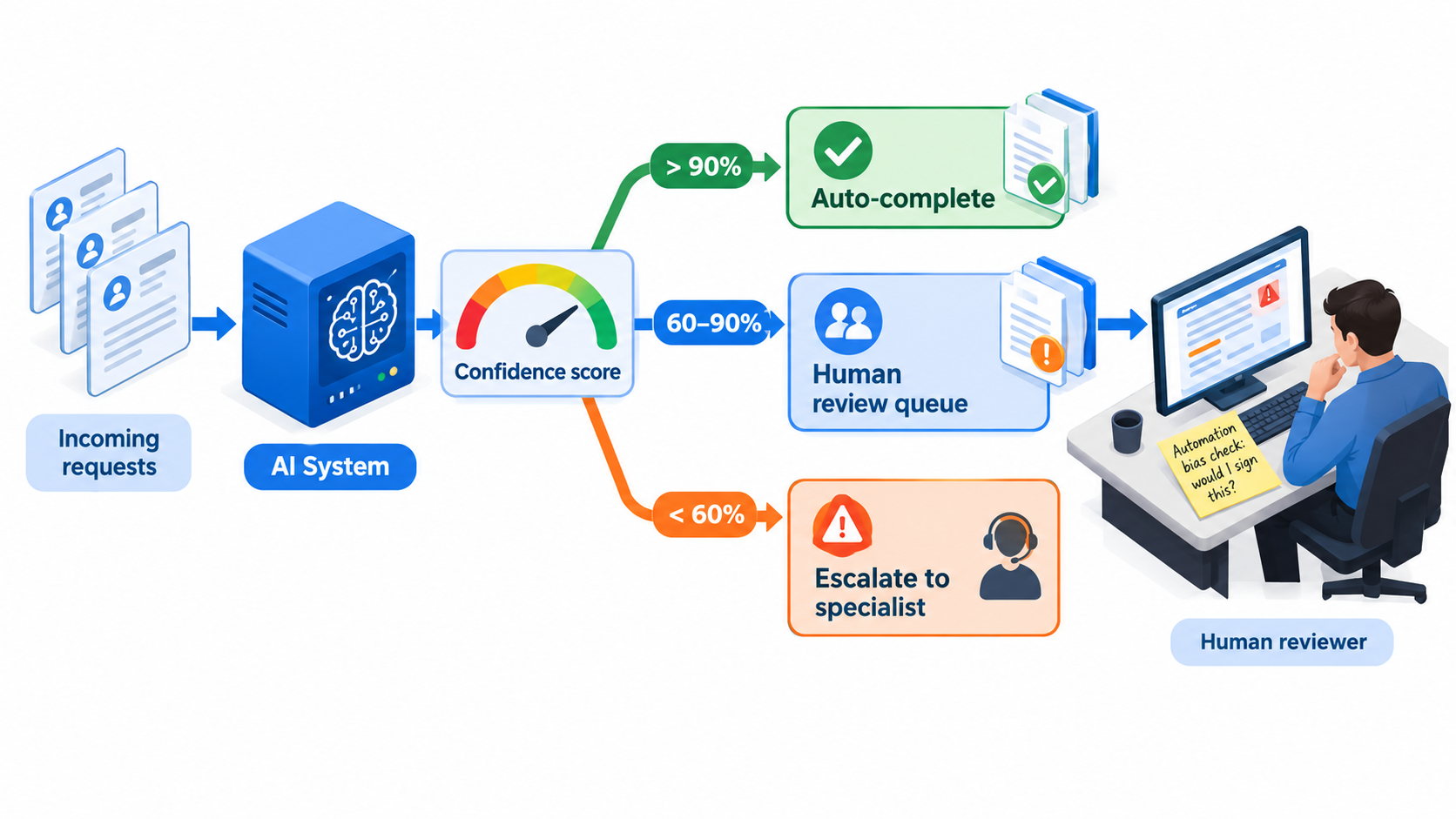
Use tiered routing
Many teams find it helpful to route work in tiers. The specific thresholds depend on your process and should be calibrated on real data, but the structure typically looks like this:
- Straight-through: high-confidence, low-stakes cases the system completes on its own, with sampled audits.
- Review queue: medium-confidence or medium-stakes cases where the system prepares the work and a person approves it.
- Specialist escalation: low-confidence, high-stakes, or sensitive cases that go directly to an experienced person with full context.
Note that a model’s self-reported confidence isn’t always reliable. Treat confidence as one signal, alongside business rules about value, customer type, and case category.
Make the human option real
Klarna’s reset centered on guaranteeing customers could reach a person. That’s worth copying in any customer-facing automation. The path to a human should be visible, fast, and shouldn’t require the customer to repeat themselves.
When a case escalates, pass the full context: what the customer asked, what the system said, and why it escalated. A handoff that forces a restart creates the exact frustration the automation was meant to reduce.
Staff the queue before launch
A common failure is launching an automation, then discovering the exception queue needs more capacity than planned. Before launch, estimate exception volume from testing, add a buffer for the unexpected, and assign named people with protected time. If the queue backs up, that’s a signal to narrow the automation’s scope, not to lower review standards.
Track exceptions as data
Every exception tells you something. Categorize them: missing information, ambiguous policy, unusual input format, system error, customer preference. Review the categories monthly. Recurring patterns point to fixes, whether that’s a knowledge base update, a new rule, or a decision that a task type should stay human.
Automation Bias: Why “Human in the Loop” Often Isn’t
Many businesses believe they’ve solved AI accountability by keeping a human in the loop. A person reviews the output before it goes out, so a person is responsible. In theory, yes. In practice, the review often becomes a formality.
What automation bias is
Automation bias is the tendency to over-trust the output of an automated system, accepting its suggestions without sufficient scrutiny. It’s well documented in fields like aviation and medicine, and it applies directly to AI-assisted business work.
The EU AI Act addresses it by name. Article 14, on human oversight of high-risk AI systems, requires that the people assigned to oversight be enabled to remain aware of “the possible tendency of automatically relying or over-relying on the output produced by a high-risk AI system (automation bias).”
When a regulator writes a cognitive bias into law, it’s worth taking seriously even if your systems aren’t in scope.
Why reviews degrade
Several forces push reviewers toward rubber-stamping:
- High accuracy breeds complacency. If the system is right 97% of the time, reviewers learn to expect correctness and stop looking closely.
- Volume pressure. When reviewers are measured on throughput, careful review becomes a personal cost.
- Fluent output. AI-generated text and summaries read as polished and plausible, which makes errors harder to spot.
- Unclear authority. If reviewers don’t feel empowered to reject or escalate, they won’t.
Designing reviews that actually work
A few practices help keep human review meaningful:
- Show the evidence, not just the answer. Display the source documents or data the system used, so reviewers can verify rather than simply agree.
- Seed known errors. Periodically insert test cases with known mistakes into the review queue. Track whether reviewers catch them. This measures real review quality.
- Set realistic review volumes. Calculate how many items a person can review carefully per hour and staff accordingly.
- Measure disagreement. If reviewers almost never change or reject outputs, that’s either a sign the automation is excellent or the review has become cosmetic. Investigate which.
- Protect the right to say no. Make rejection and escalation normal, fast, and free of penalty.
A simple test for reviewers
Give reviewers one question to ask before approving: “Would I sign this if I had written it myself?” If the answer is uncertain, the item should be checked more closely or escalated. It’s a small habit, but it reframes approval as authorship, which is what accountability requires.
What Regulators Now Expect From Human Oversight
Regulation is formalizing many of the ownership practices described above. Even businesses outside the EU are finding that its AI Act shapes customer, partner, and vendor expectations.
AI literacy is already required
Article 4 of the EU AI Act, which has applied since February 2025, requires providers and deployers of AI systems to take measures to ensure a sufficient level of AI literacy among staff and others operating AI systems on their behalf. The requirement considers their technical knowledge, experience, education, and the context in which the systems are used.
In plain terms: if your people operate AI systems, you’re expected to make sure they understand what those systems can and can’t do. That directly supports the steward, reviewer, and exception handler roles.
Human oversight for high-risk systems
Article 14 requires high-risk AI systems to be designed so they “can be effectively overseen by natural persons during the period in which they are in use.” Its provisions include enabling overseers to understand the system’s capabilities and limitations, interpret its outputs correctly, decide not to use or to override its output, and intervene or stop the system.
According to the AI Act Explorer maintained at artificialintelligenceact.eu, these high-risk obligations are currently listed as coming into force on 2 December 2027 for systems under Annex III, and 2 August 2028 for those under Annex I. Timelines for the Act have been subject to revision, so confirm current dates with legal counsel before planning around them.
Who counts as high-risk
High-risk categories under Annex III include areas like employment decisions (such as recruiting and performance evaluation), access to essential services including creditworthiness assessment, and education. Many ordinary business automations, such as invoice matching or content tagging, won’t fall into these categories.
But HR automation, credit decisions, and some customer eligibility systems might. If you’re automating decisions about people’s jobs, money, or access to services, assume stricter oversight will be expected.
Liability doesn’t wait for regulation
The Air Canada decision relied on an ordinary negligent misrepresentation claim, not an AI-specific law. Existing consumer protection, contract, employment, and privacy rules already apply to automated systems. Regulation adds requirements; it doesn’t create the underlying accountability.
Takeaway
Build the oversight structure now, regardless of your regulatory exposure. Named owners, documented review processes, trained staff, and the ability to override or stop a system are good practice everywhere and will be required in some places.
Reskilling and Role Redesign: The People Side of Ownership
The five roles described earlier don’t appear out of nowhere. Someone has to fill them, and in most businesses the best candidates are people whose current work is being automated.
The scale of the shift
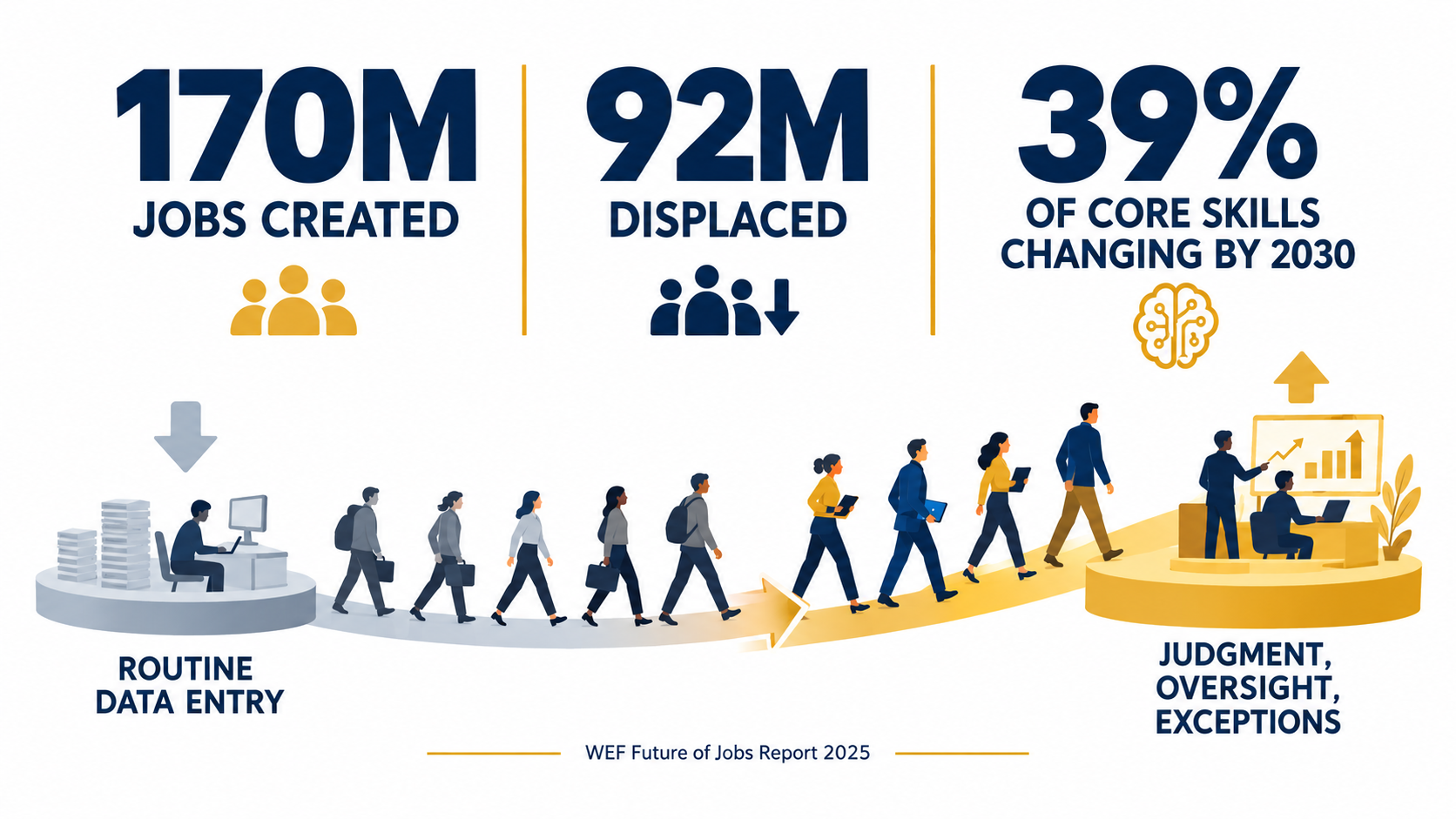
The World Economic Forum’s Future of Jobs Report 2025 projected that between 2025 and 2030, 170 million jobs would be created and 92 million displaced globally, a net increase of 78 million. It estimated that 39% of workers’ core skills would change over that period.
The same report found that 40% of employers anticipated reducing their workforce where AI can automate tasks, while a large majority planned to prioritize upskilling. The WEF framed the scale of retraining needed this way: if the world’s workforce were 100 people, 59 would need training by 2030.
Why your current staff make the best stewards
The people who’ve been doing a process manually know its edge cases, its unwritten rules, and where it tends to go wrong. That’s exactly the knowledge an automation steward or exception handler needs.
An AP clerk who’s processed invoices for five years knows which suppliers send confusing formats and which discrepancies usually mean a genuine problem. A support agent knows which questions sound simple but aren’t. Moving these people into oversight roles keeps that knowledge in the loop.
Redesign roles explicitly
When automation absorbs part of a role, rewrite the job description. Don’t just leave people with a thinner version of their old job plus some vague “oversight” duties. Spell out:
- Which tasks are now automated, augmented, or human-only.
- What they’re accountable for reviewing and to what standard.
- Their authority to reject, escalate, or pause automated output.
- How their performance will be measured, including quality of review, not just volume.
Train for the new work, not the tool
Tool training matters, but it’s not enough. Oversight roles need people who understand how AI systems fail: confident errors, outdated information, sensitivity to phrasing, and drift over time. They need practice spotting mistakes in fluent output. They need to know the escalation process cold.
This aligns with the AI Act’s literacy requirement, but the business case stands on its own. Untrained reviewers are the main reason human-in-the-loop controls fail.
Be honest about headcount
Some automation does reduce the number of people needed for a process. Pretending otherwise damages trust. Klarna’s experience suggests the opposite mistake is also costly: cutting too deep and discovering that quality depended on people you no longer have.
A safer approach is to plan headcount changes after the automation has run long enough to reveal its real exception rates and oversight needs, rather than before launch based on vendor projections.
The 30-Day Accountability Audit for Live Automations
If you already have AI automations running, you don’t need to start over. Run this four-week audit on each one, starting with the highest-risk or most customer-facing.
Week 1: Inventory and ownership
- List every live AI automation, including tools teams adopted on their own. Shadow automations are often the least governed.
- For each, name the process owner, steward, exception handler, reviewer, and sponsor. Write “unassigned” where you can’t.
- Classify each by risk: does it affect customers, money, employment, or legal commitments?
Any high-risk automation with an unassigned role becomes a priority fix.
Week 2: Truth and testing
- Identify the source of truth each automation relies on: policies, product data, price lists, contract terms.
- Check whether policy changes automatically trigger updates to the automation. If not, add that step to your change process.
- Write 20 to 30 test questions or cases covering high-stakes scenarios. Run them and compare outputs against official policy. This is the check that would have caught the Air Canada problem.
Week 3: Exceptions and escalation
- Map the current exception path. Where do unresolved cases go? How long do they wait?
- Test the human option from the customer’s side. How many steps does it take to reach a person? Does context carry over?
- Pull a sample of recent exceptions and categorize them. Look for recurring root causes.
- Check review quality: what percentage of automated outputs do reviewers modify or reject? Consider seeding known errors to measure catch rates.
Week 4: Scorecard and governance
- Review each automation’s scorecard. Does it measure quality and experience, not only cost and volume?
- Document the change process for vendor model updates, including who runs regression tests and who signs off.
- Confirm someone has the authority and a documented method to pause or switch off the automation.
- Schedule a recurring review, monthly for high-risk automations and quarterly for others.
What you’ll typically find
Most organizations running this audit for the first time discover a few common gaps: automations owned by IT rather than the business, knowledge sources that aren’t linked to policy changes, exception queues without clear service levels, and review steps that have quietly become approvals by default. Each is fixable, usually without new technology, just clearer assignments and habits.
Conclusion: Automate the Work, Keep the Accountability
AI automation for business is usually sold as a way to take work off people’s plates. It does that. But it also creates new work that’s easy to overlook: keeping systems accurate, handling what they can’t, reviewing what they produce, and answering for what they do.
The public cases are clear on this. Air Canada learned that a chatbot’s words are the company’s words. Klarna learned that an automation scored mainly on cost will drift toward lower quality. Real usage data suggests AI mostly reshapes tasks within jobs rather than replacing jobs outright, which means hybrid workflows, and hybrid workflows need clear handoffs. Regulators are writing oversight and AI literacy into law, down to naming automation bias as a risk to manage.
None of this is an argument against automation. It’s an argument for treating automated work with the same management discipline you’d apply to any team that acts on your behalf.
Key takeaways
- Name an owner in the business for every automation. Not IT, not the vendor. Someone accountable for outcomes.
- Assign all five roles: process owner, automation steward, exception handler, output reviewer, and executive sponsor.
- Link knowledge sources to policy changes so automations never contradict your official position.
- Balance the scorecard with quality, experience, and escape-rate measures alongside cost.
- Design and staff the exception path before launch, and keep a real, easy route to a human.
- Guard against automation bias with evidence-based reviews, seeded test errors, and realistic review volumes.
- Move experienced staff into oversight roles and train them on how AI fails, not just how the tool works.
- Treat vendor model updates as production changes with testing and sign-off.
- Run the 30-day accountability audit on your live automations, starting with the highest risk.
The businesses that get lasting value from AI automation won’t necessarily be the ones with the most bots. They’ll be the ones that can answer, for every automated workflow, a simple question: who owns this?