

There is no shortage of bold claims about what AI automation will do for your business. Vendors promise 10x productivity. Conference keynotes quote seven-figure savings. LinkedIn is full of screenshots from founders who automated their entire company over a weekend.
Most of it is real in narrow conditions and misleading in broad ones.
What actually happens when a business deploys AI automation is more specific, more incremental, and often more valuable than the headlines suggest — but only if the implementation targets the right processes in the right departments at the right stage of maturity. The results vary enormously depending on where you start, what data you have, and how clearly you define what “better” looks like before you flip the switch.
This guide is not about whether AI automation is worth pursuing. By 2026, that question has been largely settled for most industries. The more useful question is: what does it actually change, function by function, inside a real operating business?
What follows is a department-by-department breakdown — drawing on documented implementations, published research, and observable patterns across industries — of what AI automation genuinely alters, what it doesn’t, and what businesses consistently get wrong on the way there. Whether you run a 12-person e-commerce operation or a 1,200-person professional services firm, the mechanics are more similar than most people expect.
What “AI Automation” Actually Means in 2026 — Not What the Vendors Say
Before diving into specific departments, it’s worth being precise about what the term covers — because the definition has expanded significantly, and the gap between what vendors mean and what businesses experience is wide enough to cause real damage.
Traditional Automation vs. AI Automation
Traditional automation executes fixed, rule-based instructions. If X happens, do Y. It’s deterministic, fast, and brittle — meaning it breaks the moment conditions fall outside the rules it was designed for. Robotic process automation (RPA), scheduled batch jobs, and conditional email workflows all fall into this category. They’re still valuable, but they have a hard ceiling.
AI automation adds a judgment layer on top of those rules. Instead of following a fixed if-then path, it interprets context, classifies ambiguous inputs, predicts likely outcomes, and adapts its behavior based on what it has learned from historical data. That’s what allows it to, say, triage a customer complaint and route it correctly even when the customer didn’t use any of the keywords your old workflow was built around.
The practical difference is the range of tasks you can hand off. Traditional automation handles the perfectly structured, perfectly repeatable ones. AI automation extends that to tasks that require judgment — but not the kind of open-ended, relationship-dependent judgment that humans still do better.
The Three Modes Businesses Are Actually Using
In 2026, most businesses are operating in one of three modes, often simultaneously across different departments:
- Augmentation: AI tools sit alongside human workers, surfacing recommendations, summaries, or flagged anomalies that humans then act on. Low risk, fast time-to-value, and the most common starting point.
- Co-piloted workflows: AI handles the first pass of a process — drafts an email, scores a lead, classifies a document — and a human reviews and approves before anything goes out the door. This is where most mature deployments live.
- Autonomous execution: The AI takes an action end-to-end with no human in the loop unless an exception is triggered. This is legitimate in specific, well-defined, low-stakes processes (automatic invoice matching, standard support ticket closures, inventory reorder triggers) and genuinely risky in complex or high-stakes ones.
The single biggest implementation mistake businesses make is trying to jump to autonomous execution in processes that aren’t ready for it. The results range from embarrassing to expensive. The businesses that get the most consistent value start in augmentation mode, build confidence in the output quality, then graduate workflows to co-piloted and eventually autonomous operation over months — not days.
What the Market Actually Looks Like
According to IBM’s research on enterprise automation maturity, most organizations are still in the early phases of AI adoption — running pilots and proofs of concept that haven’t been connected into coherent workflows. The gap between “we are using AI” and “AI automation is genuinely changing our operating model” remains large at most companies. The businesses that are genuinely ahead aren’t necessarily using more tools. They’re using fewer tools more deliberately, with clearer process ownership and better-defined success metrics before deployment begins.
The Five Layers of Business Operations AI Is Rewiring Right Now
AI automation doesn’t change everything at once. It tends to penetrate business operations in layers, each one enabling the next. Understanding this sequence helps you identify where your organization is and what the logical next move looks like.
Layer 1 — Data Capture and Organization
The foundation of any AI automation is clean, accessible data. The first layer of change involves automating how data enters and is organized across systems: digitizing paper documents with optical character recognition (OCR), extracting structured data from emails and PDFs, syncing records across platforms in real time, and flagging duplicate or incomplete entries automatically.
This isn’t glamorous work, and it rarely generates immediate revenue. But businesses that skip it almost always hit a wall when they try to deploy more sophisticated automation. AI models trained on messy, incomplete, or siloed data produce unreliable outputs — and unreliable outputs erode trust in the entire system faster than anything else.
Layer 2 — Process Documentation and Mapping
AI tools like process mining software can now analyze operational log data to automatically map how work actually flows through a business — often revealing significant gaps between the documented process and what employees actually do. This layer is increasingly being handled by AI itself: tools ingest activity logs from CRMs, ERPs, and support platforms, then surface a visual map of where bottlenecks occur, where steps are skipped, and where exceptions cluster.
This is useful before you automate because it prevents the common mistake of automating a broken process. Automating an inefficient workflow doesn’t fix it — it accelerates the inefficiency.
Layer 3 — Task-Level Automation
This is what most people picture when they think about AI automation: individual tasks being handled by software rather than people. Scheduling meetings, categorizing expenses, writing first-draft responses, generating reports from data, matching invoices to purchase orders. The tasks at this layer are high-volume, time-consuming, and relatively low-judgment — and they’re where time savings show up most clearly.
Layer 4 — Workflow-Level Automation
Once individual tasks are automated, the next layer connects them into end-to-end workflows: a lead enters the CRM, gets scored, triggers a personalized nurture sequence, and routes to a sales rep when it hits a threshold — all without human input unless the rep’s involvement actually adds value at that stage. This layer requires clean integrations between systems and clear handoff logic.
Layer 5 — Strategic Decision Support
The deepest layer is where AI automation shifts from executing tasks to informing decisions: forecasting demand, modeling pricing scenarios, identifying customer churn risk, surfacing hiring patterns, or predicting equipment failures before they happen. This layer typically takes 12–24 months longer to reach than most businesses plan for, but it’s where the compounding returns begin to appear.
Finance and Accounting — Where AI Automation Has the Clearest Before/After
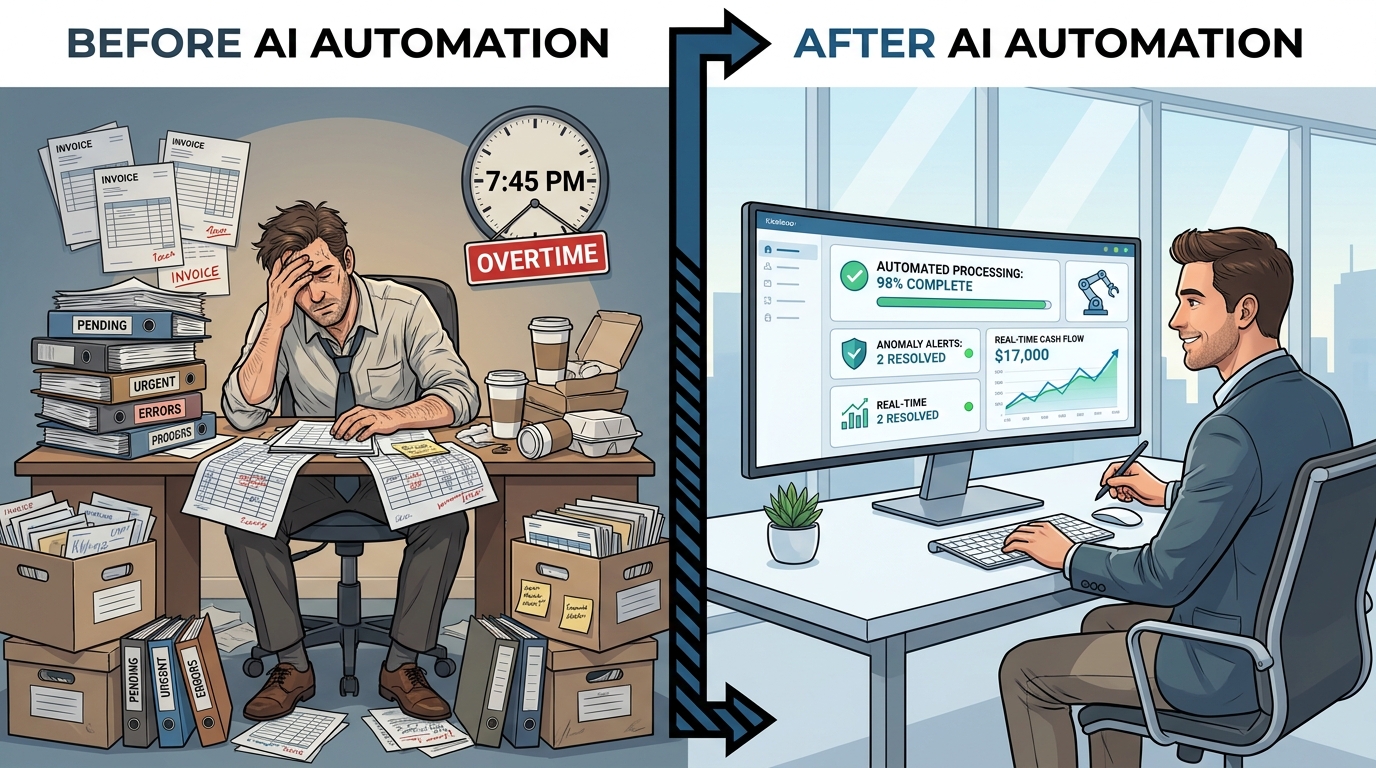
Of all business functions, finance and accounting have benefited most visibly from AI automation — and the reason is simple: financial processes are high-volume, rule-dependent, and extremely intolerant of error. Those characteristics make them nearly ideal for automation.
Accounts Payable and Invoice Processing
Manual invoice processing is one of the most persistent sources of administrative overhead in mid-size businesses. A typical manual AP workflow involves receiving an invoice, verifying vendor details, matching it to a purchase order, checking for discrepancies, routing for approval, logging the transaction, and scheduling payment — each step often handled by a different person, with the risk of errors compounding at every handoff.
AI-powered AP automation collapses most of this into a single intelligent workflow. Invoices arrive by email or upload, the AI extracts vendor name, line items, amounts, and due dates regardless of format, matches them to open POs in the ERP system, flags discrepancies above a defined threshold, and routes matched invoices straight to payment without human review. Industry benchmarks from finance technology providers consistently show processing costs per invoice dropping from $10–$15 manually to under $2 with full AI automation, with processing time falling from days to hours or minutes.
The discrepancy-flagging function is particularly valuable. Rather than catching errors after the fact (or not catching them at all), the AI surfaces anything that doesn’t match — a price variance, a duplicate invoice, a vendor number that doesn’t match — before a payment is made. For businesses processing hundreds or thousands of invoices monthly, this translates directly into recovered cash and avoided write-offs.
Expense Management and Compliance
AI expense management tools have moved well beyond simple receipt scanning. Current systems can classify expenses against company policy, flag out-of-policy submissions automatically, detect patterns that suggest expense fraud (multiple submissions for similar amounts, unusual merchant categories, submissions outside travel dates), and generate compliance-ready reports for audits. The same NLP capabilities that allow AI to read unstructured text allow these tools to pull context from email threads and calendar data to verify that expenses correspond to documented business activities.
Financial Reporting and Forecasting
Month-end close used to be one of the most time-pressured periods in any finance team’s calendar. AI automation is compressing it significantly. When data from sales, AR, AP, payroll, and banking flows into a centralized system through automated integrations, AI can generate preliminary financial statements, flag reconciliation issues, and produce variance commentary as soon as the period closes — rather than requiring days of manual data assembly.
Cash flow forecasting is another area where the improvement is measurable. Traditional forecasting relies on historical averages and manual input from department heads. AI forecasting models incorporate payment history, seasonal patterns, contract renewal dates, open deals in the pipeline, and macroeconomic signals to generate more accurate rolling forecasts — with the ability to run “what if” scenarios on demand rather than waiting for a weekly planning cycle.
What Finance Teams Are Doing Differently
The finance functions that get the most value from AI automation aren’t simply automating old tasks. They’re redesigning what their teams spend time on. The shift is from data entry and report production toward analysis, business partnering, and strategic modeling. The analyst role in a well-automated finance department looks much more like an internal consultant and much less like a data assembler.
Sales and CRM — From Manual Follow-Up to Intelligent Pipeline Management
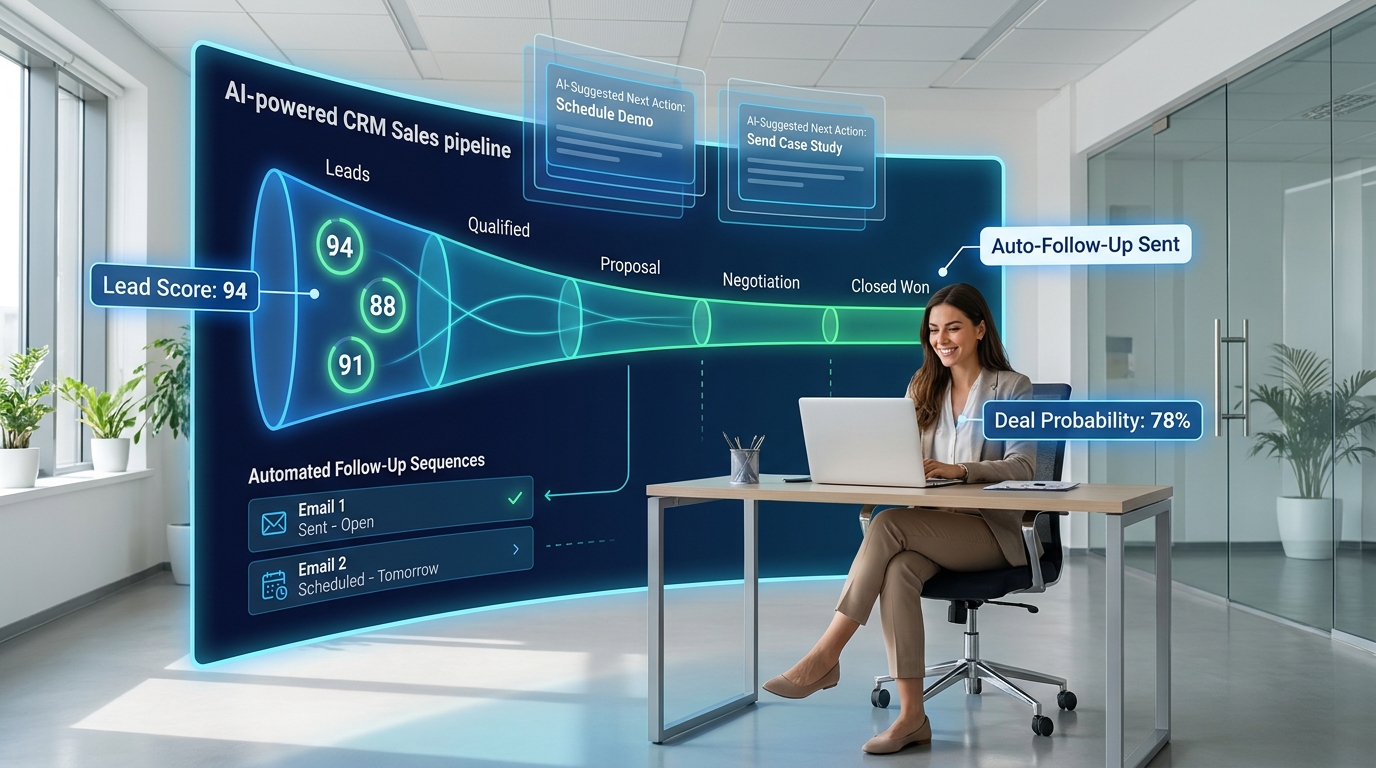
Sales is one of the few business functions where the stakes of getting automation wrong are immediately and visibly felt — in the form of deals lost, relationships damaged, and pipeline that quietly drains. That risk has made many sales leaders cautious about AI automation. The teams that have found the right balance tend to automate around the rep, not instead of them.
Lead Scoring and Prioritization
One of the most concrete time-wasters in any sales organization is the manual review of inbound leads to determine which ones deserve immediate attention. A rep might spend an hour reviewing 50 new leads, applying a rough judgment about fit and intent based on company size, job title, and form fill — and frequently getting it wrong simply because the volume prevents careful analysis.
AI lead scoring models trained on historical CRM data — specifically on which leads converted versus which ones didn’t — can rank incoming leads by predicted conversion probability with significantly more accuracy than manual assessment. They factor in dozens of signals simultaneously: firmographic data, behavioral signals from website visits and email engagement, timing relative to the typical buyer journey, and product usage data where available. The result is a prioritized queue rather than a flat list, and reps spend their attention where it statistically pays off most.
The quality of these models improves over time as they ingest more conversion data. A model that’s been running on 12 months of CRM data will substantially outperform one trained on 3 months. This means the ROI from AI lead scoring is often higher in year two than year one — a compounding effect that’s worth accounting for when evaluating the business case.
Automated Outreach and Nurture Sequences
AI automation has made personalized, multi-step outreach sequences operationally feasible at scale in a way that wasn’t realistic with pure rules-based automation. Rather than sending the same five-email sequence to every lead in a given segment, AI-powered tools can vary timing, subject line, content emphasis, and channel based on how each individual has engaged with previous touches.
A lead who opened three emails but never clicked through gets a different fourth message than one who clicked twice but didn’t reply. A prospect who visited the pricing page twice gets a response cadence that acknowledges purchase intent signals. This behavioral adaptation — treating the sequence as a dynamic conversation rather than a static drip — consistently improves response rates in published case studies across industries.
The important guardrail here is tone. AI-generated outreach that reads as robotic or generic can do measurable damage to brand perception in B2B contexts, where relationships matter and buyers are increasingly alert to automated messaging. The businesses that handle this best use AI to personalize the structure and timing of outreach, while keeping the actual message voice and key claims under human review.
Pipeline Forecasting and Deal Health
CRM forecasting has historically been a combination of rep optimism and manager skepticism, resulting in numbers that are directionally useful but rarely precise. AI-powered deal health scoring changes the inputs. By analyzing communication frequency, email sentiment, stakeholder engagement patterns, time in stage relative to historical close rates, and competitive mentions in call transcripts, AI can surface deals that are at risk of stalling well before a rep would flag them — and recommend specific actions to re-engage.
This kind of early warning system has a measurable effect on close rates, particularly in longer sales cycles where deals can quietly go cold between check-ins. Sales managers using AI deal health tools report better weekly forecast accuracy and fewer end-of-quarter surprises.
Marketing Operations — Beyond Content Generation to Full-Funnel Automation
Marketing was one of the first business functions to adopt AI tools at scale, largely because the creative applications — content generation, image creation, ad copy — were visible and low-risk. But the more significant changes are happening further up the operational stack, in how campaigns are planned, targeted, optimized, and measured.
Audience Segmentation and Targeting
Traditional audience segmentation is built on demographic and behavioral categories defined by a human analyst based on available data and intuition. AI-driven segmentation is different in kind: models analyze customer data to identify clusters of similar behavior patterns that a human analyst might never think to look for — and sometimes wouldn’t have a name for. A cohort of customers who consistently purchase during specific promotional windows, respond to certain types of content, and churn at a predictable point in the lifecycle can be targeted with precision that static demographic segments don’t allow.
This has downstream effects on media spend efficiency. When targeting is more precise, the same budget reaches more qualified audiences. Marketing teams using AI-driven segmentation consistently report lower customer acquisition costs than teams using manually defined segments from the same underlying data — the difference being the model’s ability to find non-obvious predictive signals.
Content Operations at Scale
Content generation is where most businesses start with AI in marketing — and also where the most common over-correction happens. Teams that automate content production without maintaining editorial standards quickly produce high volumes of undifferentiated material that doesn’t rank, doesn’t engage, and sometimes actively harms brand credibility.
The organizations that use AI content automation well have a clear workflow: AI handles research aggregation, first-draft structure, and variation generation (headline alternatives, subject line options, ad copy variants). Human editors then review for accuracy, tone, and differentiation before anything is published. This human-in-the-loop approach is slower than pure AI generation but significantly more reliable — and the AI’s contribution still cuts production time by 50–70% compared to purely manual workflows.
Campaign Performance Optimization
One of the most operationally impactful applications of AI automation in marketing is real-time campaign optimization. In paid media, AI systems continuously test budget allocation across channels, adjust bids based on conversion signal patterns, pause underperforming creatives, and shift spend toward audiences and placements showing the best current performance — all on a cycle time that no human team can match manually.
The same optimization logic applies to email marketing: AI can determine the best send time per subscriber based on their historical engagement patterns, dynamically adjust email content based on segment behavior, and trigger campaign branches based on real-time behavior signals. The compounding effect of marginal optimizations across thousands of decisions per day is what makes AI-driven marketing operations meaningfully more efficient than manual campaign management over the same period.
Customer Support — The Shift From Ticket Queues to Predictive Resolution
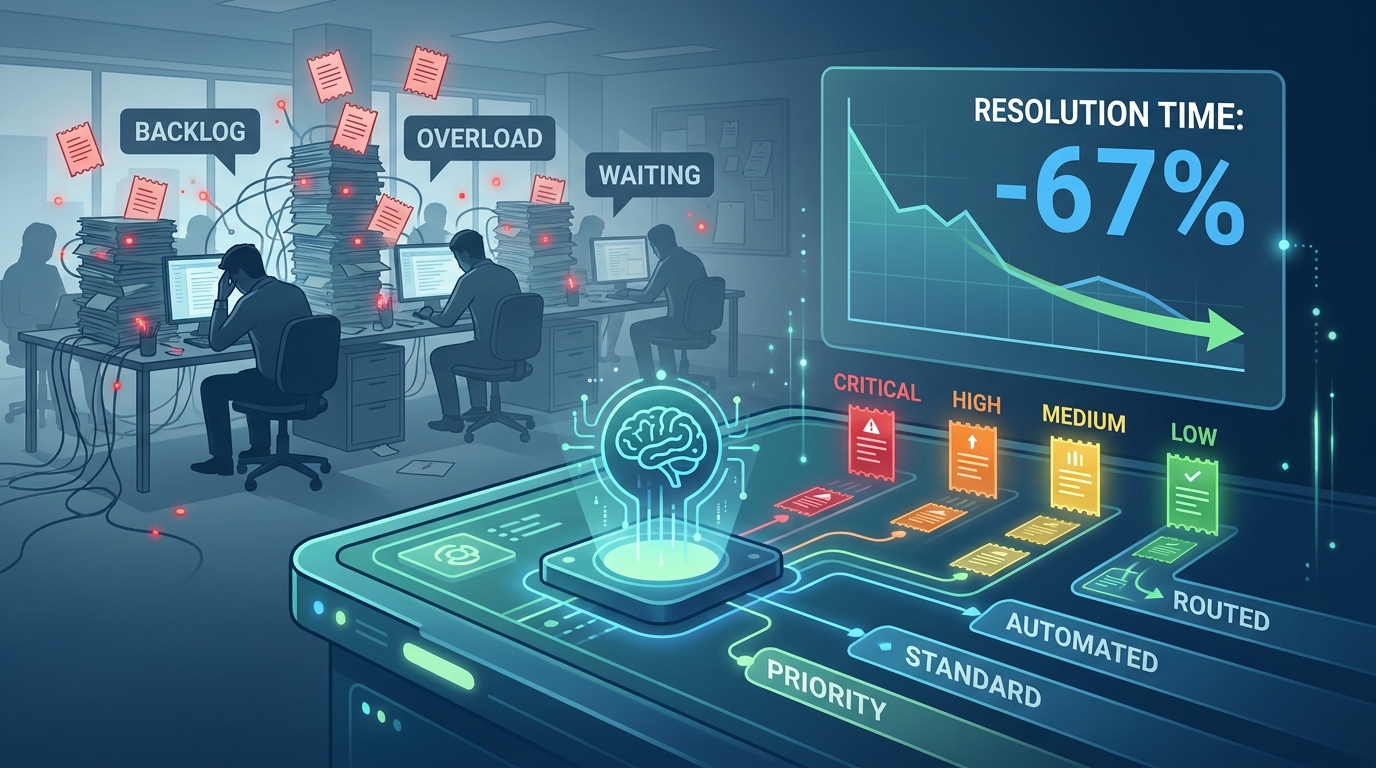
Customer support is perhaps the most publicly visible application of AI automation, and also the one that has generated the most mixed reactions from customers. The difference between AI support that feels helpful and AI support that feels evasive usually comes down to design decisions rather than capability limitations.
Intelligent Triage and Routing
The first place AI automation pays off in support operations is not in answering questions — it’s in sorting and routing them. Incoming tickets, chats, and calls can be classified by issue type, urgency, sentiment, and required skill level automatically, then routed to the right queue, team, or self-service resource without a human triage agent reviewing each one.
The classification accuracy of modern NLP-based triage systems is high enough that even at modest confidence thresholds, the majority of tickets can be routed correctly on the first pass. The ROI is immediate: triage costs drop, average handle time decreases because agents receive tickets already matched to their expertise, and the highest-urgency issues get faster initial response times because they’re no longer mixed into a flat queue.
AI-Assisted Agent Support (Not Replacement)
PayPal’s use of AI during peak customer service periods — as documented by IBM — illustrates a pattern that’s become standard practice in well-run support operations: AI doesn’t replace agents, it amplifies what they can handle. When an agent receives a ticket, AI tools can surface the customer’s history, suggest resolution steps based on similar past tickets, draft an initial response for the agent to review and edit, and flag potential escalation triggers before the agent has read beyond the first paragraph.
This co-piloted model consistently reduces average handle time by 20–40% in documented implementations. The agent still owns the customer relationship and makes the final call on resolution — but the administrative overhead of researching, drafting, and logging has been largely offloaded. Support teams operating this way can handle significantly higher ticket volumes with the same headcount without degrading quality scores.
Proactive Support and Churn Prevention
The most sophisticated customer support implementations have moved from reactive to predictive. AI systems that monitor product usage data, login frequency, feature adoption rates, and support history can identify customers who are showing early signs of dissatisfaction — before they submit a complaint or initiate a cancellation — and trigger proactive outreach from the customer success team.
This shift from reactive to predictive support is particularly valuable in SaaS and subscription businesses, where the cost of losing a customer is front-loaded into the acquisition investment. Several published case studies from SaaS companies have reported meaningful reductions in monthly churn after implementing AI-driven early warning systems that trigger customer success interventions at the right moment. The reduction is not dramatic in percentage terms — often 0.5 to 1.5 percentage points — but the lifetime value implications compound significantly at scale.
The Escalation Design Problem
The most common failure mode in AI-automated support is poorly designed escalation paths. When a customer reaches the limits of what the AI can resolve and can’t find a clear way to reach a human, satisfaction scores collapse faster than if the AI had never been deployed. The businesses that handle this well make the escalation path prominent, immediate, and friction-free — and they monitor escalation rates as a primary quality metric rather than an afterthought.
HR and People Operations — Recruiting, Onboarding, and Compliance at Scale
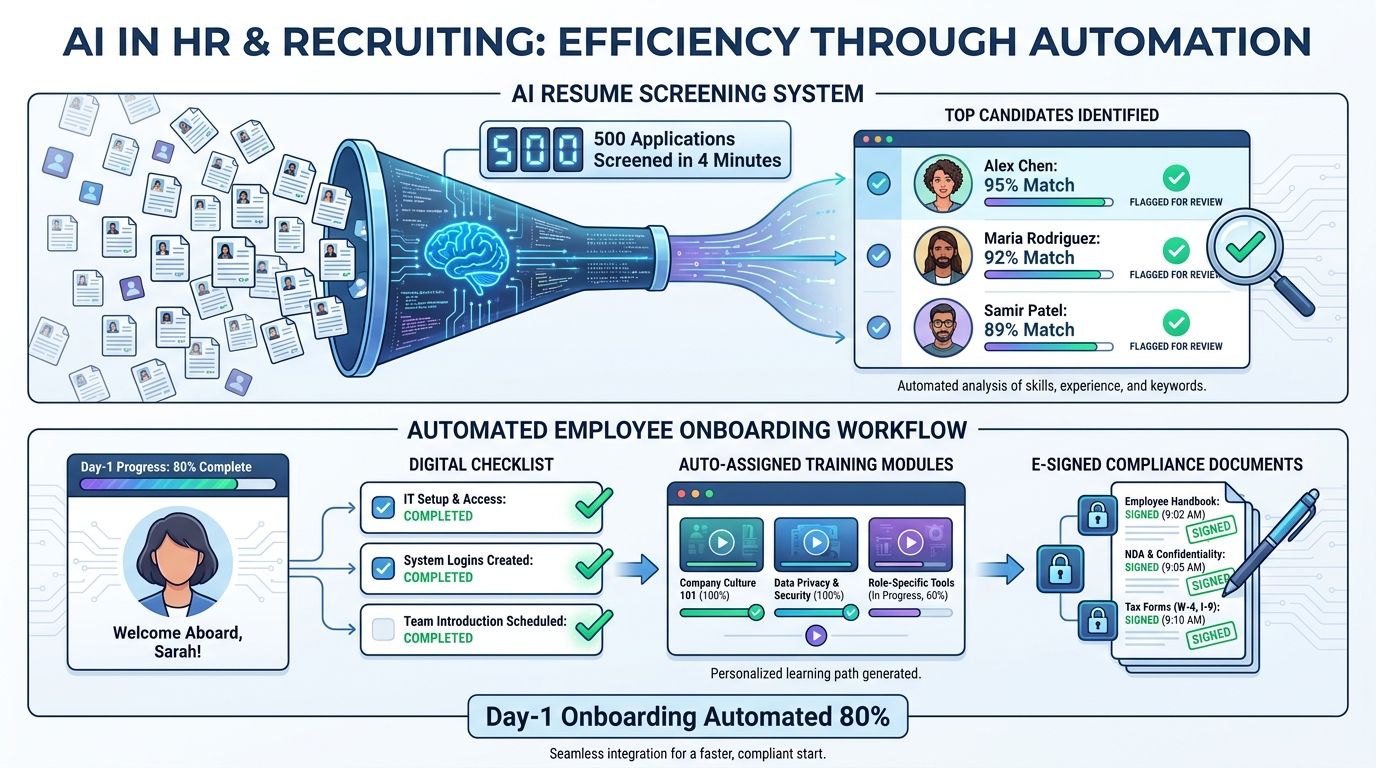
HR and people operations present a unique challenge for AI automation: the processes involve sensitive personal data, carry significant legal risk, and have direct consequences for people’s livelihoods. These constraints make careful implementation more important here than in almost any other business function — but they don’t make automation inappropriate. They make thoughtful design non-negotiable.
Recruiting and Applicant Screening
High-volume recruiting is one of the clearest use cases for AI automation in HR. When an open role generates 400 applications, a human recruiter reviewing each one at even five minutes per application is looking at 33 hours of screening work — before a single interview has been scheduled. AI screening tools can process the full applicant pool in minutes, ranking candidates against a defined set of criteria extracted from the job description, historical hiring data, and role-specific success indicators.
The productivity gain is real and substantial. But the implementation risks in this area are also among the highest in the AI automation landscape. AI screening models trained on historical hiring data can perpetuate historical biases if that data reflects patterns of underrepresentation. Several large employers have faced regulatory scrutiny and reputational damage as a result of AI screening tools that systematically disadvantaged candidates from certain demographics.
The businesses that deploy AI recruiting responsibly treat the model’s output as a prioritization tool rather than a decision-making tool. A human recruiter still reviews all shortlisted candidates and a meaningful sample of non-shortlisted ones. Regular bias audits are built into the process. And the screening criteria are defined by a diverse team with explicit consideration of which attributes are genuinely predictive of job performance versus which are proxies for demographic factors.
Onboarding Automation
New employee onboarding is rich with high-volume, low-judgment tasks that are genuinely well-suited to automation: sending welcome communications, provisioning system access, assigning mandatory training modules, distributing policy documents for e-signature, scheduling introductory meetings, and triggering 30-60-90 day check-in workflows. When done manually, these tasks depend on HR coordinators remembering to do them in the right order, at the right time, for every new hire — and the result is frequently inconsistent.
AI-automated onboarding workflows handle all of this systematically. Triggers fire when an offer is accepted or a start date is confirmed. The workflow adapts based on role, department, and location — a remote developer in a different time zone receives a different provisioning and training sequence than an on-site operations manager. The experience for the new hire is smoother, the administrative load on HR is dramatically reduced, and the compliance documentation is complete and auditable without manual tracking.
Performance Management and Workforce Planning
AI tools are beginning to change how businesses approach performance management — not by replacing manager judgment, but by giving managers better inputs. Platforms that aggregate data from project management tools, communication frequency signals, peer feedback, and goal-tracking systems can surface patterns that indicate either strong performance or early disengagement. Managers receive this context before quarterly reviews, rather than relying entirely on their own recollection of the past few months.
Workforce planning at the organizational level is also being transformed. AI models that combine headcount data, revenue forecasts, historical hiring timelines, and attrition patterns can project future staffing gaps 6–12 months in advance — allowing recruiting to begin before a crisis rather than after one.
Supply Chain and Operations — Where AI Automation Pays Back the Fastest
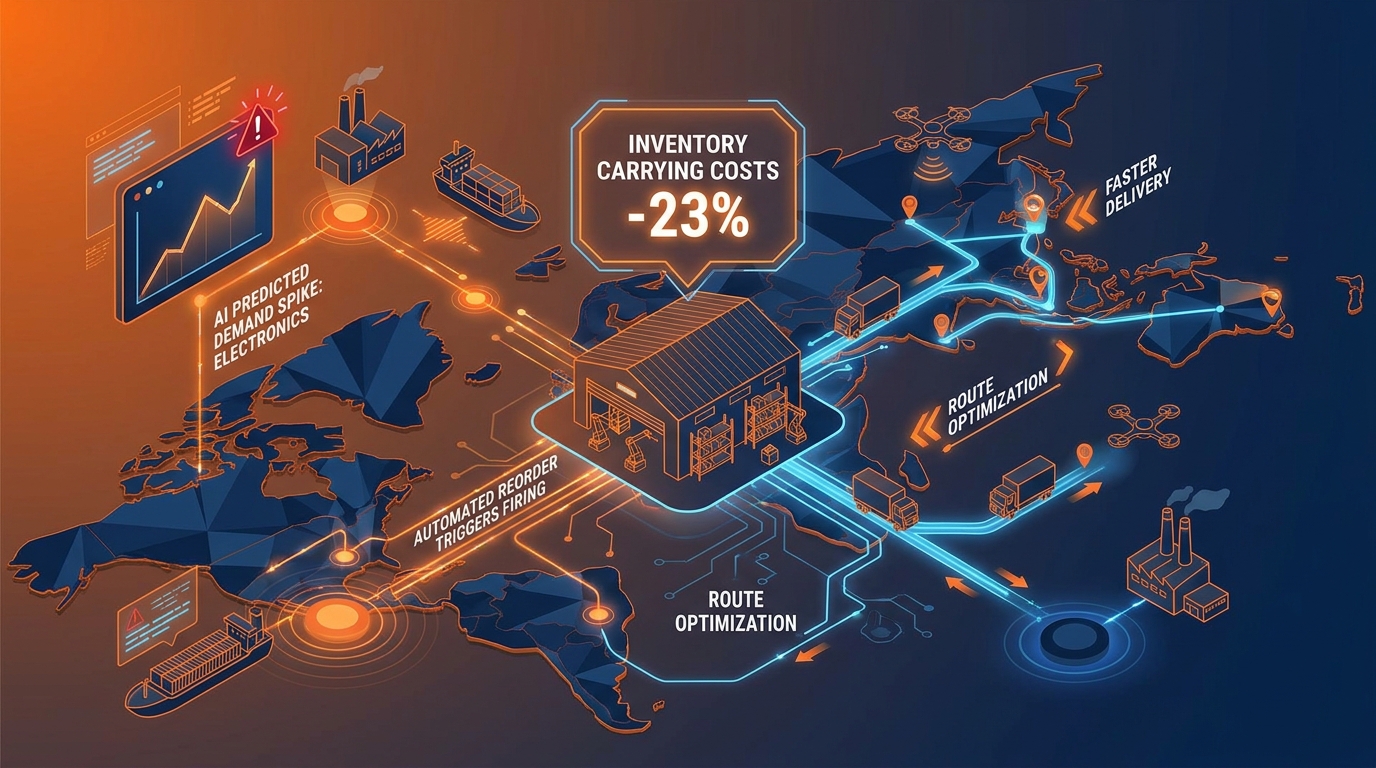
Supply chain and operations is where AI automation tends to show the fastest, most quantifiable returns — primarily because the processes are highly data-driven, the decisions are high-frequency, and even marginal improvements compound rapidly across large transaction volumes.
Demand Forecasting
Traditional demand forecasting relies on historical sales data, seasonal adjustments, and human judgment about market conditions. This approach is reasonably accurate in stable, predictable categories and notoriously unreliable in categories subject to trend shifts, supply disruptions, or promotional volatility.
AI demand forecasting models incorporate a much wider signal set: historical sales across time granularities, promotional calendars, weather patterns, competitor pricing signals, search trend data, social media sentiment, and economic indicators. The result is forecasts that are more accurate at shorter time horizons and more reliable at longer ones — particularly in the presence of the kind of sudden shifts that manual forecasters consistently fail to anticipate.
The financial impact of better forecasting is felt on both sides of the inventory balance sheet. Overstocking ties up working capital, incurs carrying costs, and creates write-off risk. Understocking means lost sales, expedited shipping costs, and customer dissatisfaction. A 10–15% improvement in forecast accuracy, which is well within reach for most businesses moving from manual to AI forecasting, has a direct and material effect on these costs at any significant transaction volume.
Procurement Automation
AI is changing procurement in ways that go well beyond automating purchase orders. Advanced procurement systems can monitor supplier performance in real time, flag contract compliance issues, compare actual spend against negotiated rates, identify consolidation opportunities across vendors, and automatically generate RFQ documents for categories approaching contract renewal. This analysis — which previously required significant analyst time — happens continuously and surfaces exceptions for human review only when they require a decision.
Supplier risk management has also become a high-value automation use case. AI systems that monitor news feeds, financial filings, logistics data, and geographic risk indicators can alert procurement teams to potential supplier disruptions — financial instability, extreme weather events, geopolitical developments — before they become supply chain emergencies. The lead time gained by early warning is often the difference between a manageable disruption and a production halt.
Logistics and Last-Mile Optimization
Routing optimization has been one of the clearest ROI stories in AI automation since its early days in parcel delivery. Modern AI routing systems don’t just calculate the shortest path — they incorporate real-time traffic, delivery time windows, vehicle capacity, driver availability, fuel cost, and historical delivery performance at the address level to generate dynamic routes that adjust as conditions change throughout the day.
For businesses with their own delivery operations, the fuel and time savings from AI routing are measurable within weeks. For businesses managing 3PL relationships, AI tools that monitor carrier performance, compare rates in real time, and automatically route shipments to the best available carrier based on cost and reliability create similar efficiencies without the complexity of running internal logistics.
The Human Side: What Happens to Employees When Automation Expands
No honest discussion of AI automation can avoid the workforce question. The effects on employees are real, varied, and more nuanced than either the “AI is taking all the jobs” narrative or the “AI just frees people to do higher-value work” counter-narrative suggests.
What the Research Actually Shows
The displacement risk from AI automation is not uniformly distributed. It is concentrated in specific task profiles — high-volume, structured, low-judgment work — rather than entire job categories. Most jobs involve a mix of task types. The research consistently shows that roles containing a high proportion of automatable tasks are being restructured rather than eliminated, with the automatable tasks being handled by AI and the remaining human work shifting toward activities that require relationship management, contextual judgment, creative problem-solving, and direct human interaction.
PwC’s research on AI and the future of work notes that this shift requires deliberate investment in reskilling — not because AI eliminates the need for people, but because the tasks that remain and the new tasks that emerge require different competencies than the ones being automated away. Businesses that manage this transition well tend to involve employees in the automation process itself, using frontline knowledge to identify which processes to automate and how to design the human-machine workflow.
The Resistance Problem
Employee resistance to AI automation is one of the most underestimated implementation challenges in most business plans. When employees perceive an automation initiative as primarily a cost-cutting exercise targeting their roles, engagement drops, compliance with new workflows is inconsistent, and the cultural damage can outlast the immediate project. This is a real operational risk, not just a soft HR consideration — automation implementations that face significant employee resistance consistently show lower adoption rates and worse outcome metrics than those with genuine buy-in.
The businesses that navigate this most successfully are transparent about what is being automated and why, involve employees in workflow design, communicate clearly about what roles will look like after implementation, and invest in upskilling programs that make employees more capable rather than less relevant. The framing matters enormously: “we’re automating this task so you can spend more time on the work only you can do” lands very differently than “we’re reducing headcount through automation.”
The New Skills That AI Automation Creates Demand For
AI automation doesn’t just change which tasks people do — it creates genuine demand for new skill sets. Businesses deploying AI automation at scale need people who can evaluate the quality of AI outputs, identify failure modes, maintain and retrain models, design effective human-machine workflows, and interpret data-driven recommendations in the context of real business conditions. These are not abstract technical skills — many of them are accessible to employees with domain expertise and structured upskilling support. The bottleneck is usually investment in training, not employee capability.
How to Audit Your Own Business for Automation Readiness
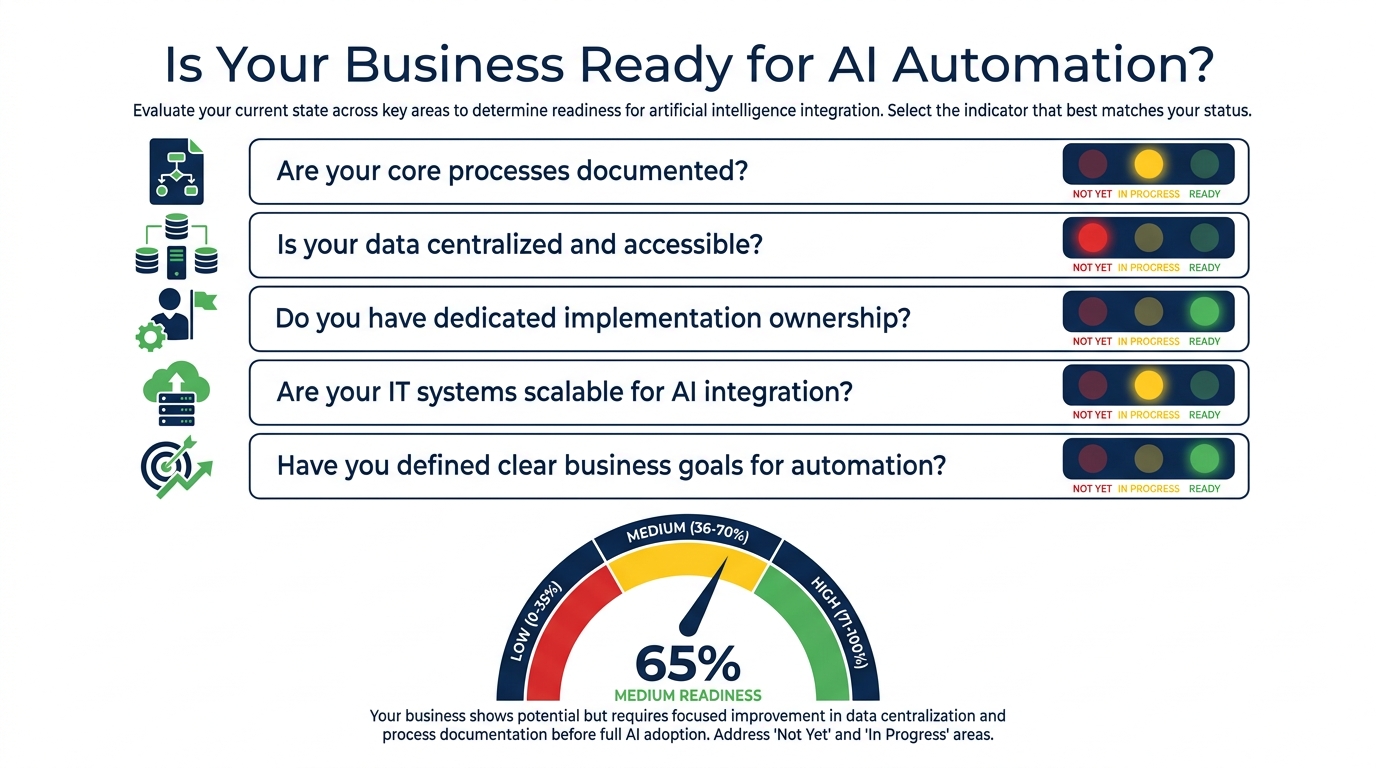
Before committing to an AI automation implementation, the most valuable thing most businesses can do is an honest assessment of current conditions. The questions below are designed to surface the constraints that most commonly derail automation projects before they deliver value.
Five Questions That Determine Your Starting Point
- Are your core processes documented? Not in the sense of an org chart or policy manual — but in the sense of step-by-step workflow descriptions that reflect how work actually happens today. If you can’t describe the current process clearly, you cannot design an automated version of it. Process documentation is the prerequisite, not the deliverable.
- Is your data accessible and reasonably clean? AI automation is only as reliable as the data it operates on. Fragmented data across multiple systems that don’t talk to each other, inconsistent data entry standards, and large volumes of missing or incorrect records will all produce poor AI outputs regardless of model quality. A data quality assessment before an automation project is not optional — it’s the difference between a working system and an expensive one.
- Do you have clear ownership of the implementation? Automation projects that are owned by IT but not the business functions they serve, or vice versa, consistently underperform. The most successful implementations have a named owner — not a committee — who has both the technical and operational authority to make decisions, and who is evaluated based on the business outcomes the automation produces rather than the features it ships.
- Have you defined what success looks like before you start? “Automate our invoicing process” is not a success criterion. “Reduce invoice processing time from 4 days to 4 hours, reduce processing cost per invoice from $12 to $2, and maintain a discrepancy catch rate above 98%” is. The specificity of your success definition predicts the quality of your implementation design.
- What happens when it goes wrong? Every automation has failure modes. An AI that mis-classifies a customer complaint, scores a lead incorrectly, or triggers the wrong payment creates a real problem. The businesses that manage AI automation well have explicit exception-handling workflows: what triggers a human review, who reviews it, how quickly, and what feedback loop ensures the model learns from the error. If you haven’t designed the failure path, you haven’t finished designing the automation.
Where to Start If You’re New to AI Automation
The highest-confidence starting point for most businesses is a single, well-defined, high-volume process with clear inputs and outputs and an existing baseline performance metric. Finance and customer support tend to be the best candidates because the inputs are structured (invoices, tickets), the outputs are well-defined (approved payment, resolved issue), the current performance is measurable (processing time, handle time), and the volume is high enough that even a modest improvement generates meaningful value.
Start with one process. Get it working well. Document what you learned. Then expand. The businesses that start with a broad horizontal automation initiative — “we’re automating across all departments simultaneously” — almost always run over budget, over timeline, and under-deliver. The ones that start narrow and deepen tend to build momentum they can carry forward.
Common Implementation Traps and How to Avoid Them
For every AI automation success story, there are several quiet failures that don’t make it into conference presentations. Understanding the patterns behind these failures is at least as valuable as studying the successes.
Trap 1 — Automating the Wrong Things First
There is a natural human tendency to automate the processes that are easiest to automate rather than the ones that would generate the most value. This produces a portfolio of low-complexity automations that collectively don’t move the needle, while the genuinely high-value processes remain manual because they require more design effort upfront. The antidote is to rank automation candidates by expected value first and technical complexity second — and resist the temptation to start with whatever the first vendor demo happened to make look easy.
Trap 2 — Integration Debt
Most AI automation tools need to connect to existing systems to deliver value: your CRM, ERP, marketing platform, support desk, HR system. In theory, modern APIs make these integrations straightforward. In practice, legacy systems, data model inconsistencies, security restrictions, and IT backlogs make integrations the most common source of implementation delays and budget overruns. Building integration costs and timelines into the project plan at the outset — rather than treating them as an afterthought — prevents most of this pain.
Trap 3 — Over-Relying on Vendor Benchmarks
AI automation vendors publish performance benchmarks from their best-case customer implementations. These numbers — “90% reduction in processing time,” “85% containment rate,” “60% cost reduction” — are real for those customers but are not guarantees for every deployment. They reflect implementations with high data quality, clean integrations, and dedicated implementation resources. Projecting them onto your implementation without adjusting for your specific conditions leads to business cases that don’t survive contact with reality and disappointment that poisons the broader AI program.
Trap 4 — Building Without Monitoring
An AI automation that isn’t monitored is one that drifts. Models degrade as data distributions shift. Edge cases accumulate. What worked well in January may quietly start producing poor outputs by June if no one is watching. The businesses that get sustained value from AI automation treat it as an operational system that requires ongoing maintenance — regular performance reviews, model retraining triggers, exception rate monitoring — not a one-time project that ships and is done.
Trap 5 — Solving Technology Problems Before Process Problems
The most expensive version of AI automation failure is building a technically excellent system that automates a poorly designed process. The speed of the automation then accelerates whatever was wrong with the original workflow. A flawed invoice approval process, automated, approves flawed invoices faster. A biased screening process, automated, screens out strong candidates at higher volume. Spending time on process improvement before implementation is not delay — it’s the difference between a system that works and one that makes things measurably worse.
A Practical Starting Framework for 2026
The businesses that are genuinely getting value from AI automation in 2026 are not the ones with the most tools. They are the ones that approached implementation with specificity, patience, and a clear connection between automated processes and business outcomes.
The framework that works, applied across hundreds of documented implementations, looks roughly like this:
- Audit before you build. Map your highest-volume, most error-prone, most time-consuming processes. Quantify the current cost, quality, and speed of each one. This is your baseline — and without it, you cannot measure improvement or justify continued investment.
- Prioritize by value, not by ease. Rank candidates by expected business value. The most impactful automations are usually in finance, operations, or support — not in marketing or HR, which tend to be easier but generate smaller absolute returns.
- Start narrow, prove it, then expand. One process, one team, one clear metric. Run it for 90 days. Measure against baseline. Document what you learned. Then extend.
- Design failure paths before launch paths. Define exactly what triggers a human review, who handles it, and what feedback goes back to improve the model. An automation without a failure path is an operational risk.
- Invest in the people side in parallel with the technology. The technical implementation is rarely the hard part. The cultural adoption — getting employees to trust, use, and provide feedback on the automated system — is usually where the value is won or lost.
- Measure business outcomes, not activity metrics. The number of tasks automated is not a business outcome. The reduction in invoice processing cost, the improvement in lead-to-close rate, the decrease in average handle time, the reduction in inventory carrying cost — these are. Tie your measurement framework to financial or operational outcomes from the beginning.
AI automation is not a destination — it’s a capability that compounds as an organization learns to use it well. The advantage it creates is not primarily in the first automation you deploy. It’s in the institutional knowledge, the cleaner data, the tighter integrations, and the higher human tolerance for working alongside intelligent systems that accumulate with every successful implementation. The businesses investing in building that capability deliberately — rather than reacting to vendor pitches or competitor announcements — are the ones that will hold a durable operational advantage as the technology continues to mature.
The bottom line: AI automation changes what your teams spend time on. The value isn’t in replacing people — it’s in redirecting human attention to the work that actually requires it. In every department, that shift is worth pursuing deliberately. The how matters as much as the what.