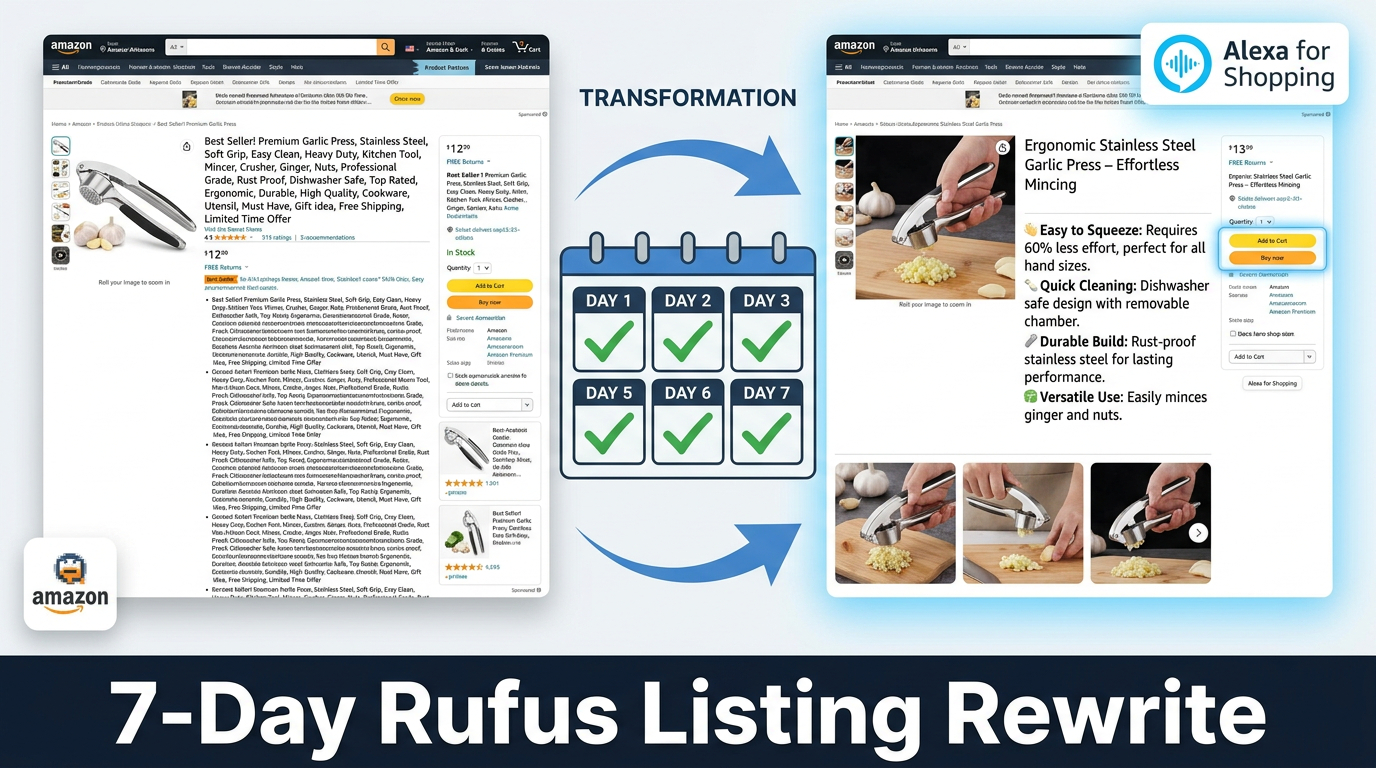

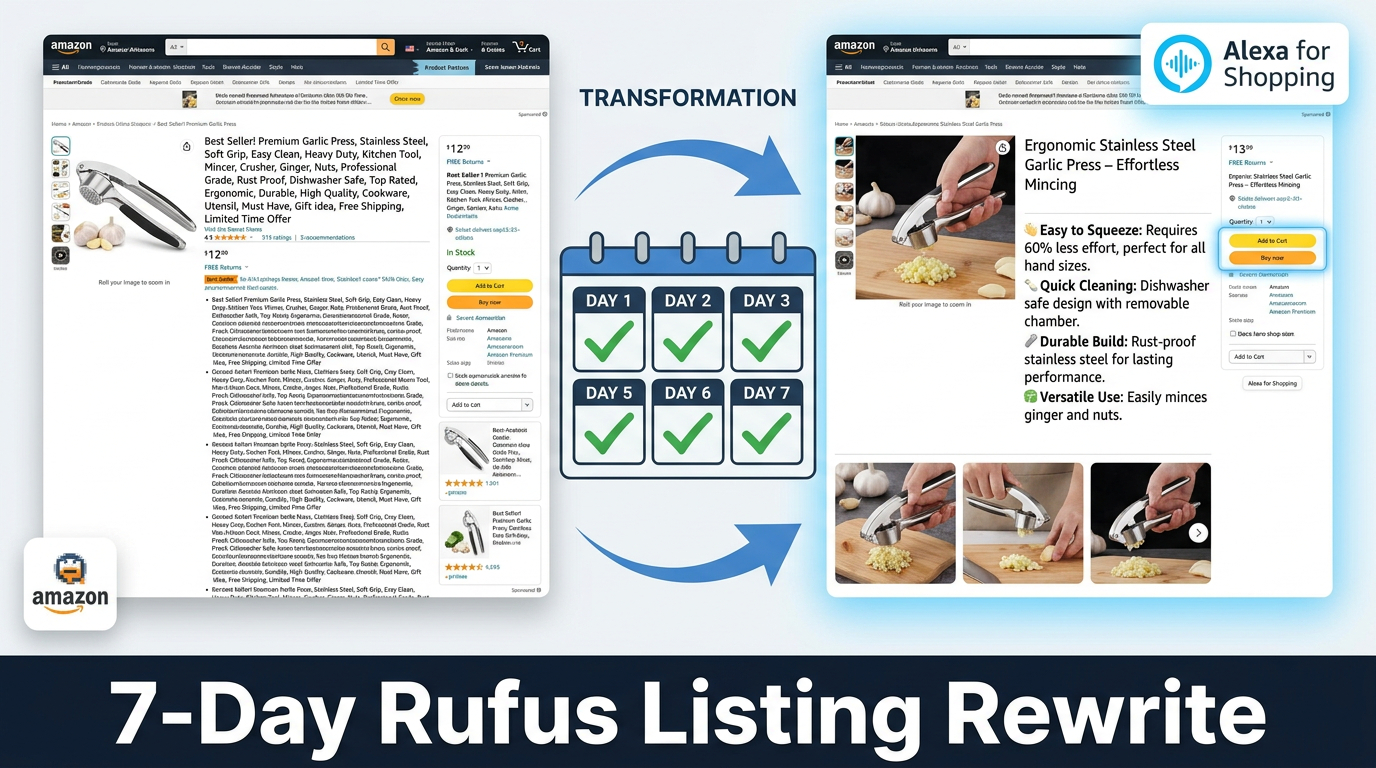
On May 13, 2026, Amazon quietly retired the Rufus brand name. The AI shopping assistant that launched in early 2024 became a capability folded into something called Alexa for Shopping — a broader, more integrated experience that now powers conversational discovery across the Amazon app, desktop, and Echo devices.
Sellers noticed the rebrand. Most assumed the playbook stayed the same. They were wrong about what “the same” means.
The underlying AI architecture — the COSMO knowledge graph, the intent-parsing engine, the way listings are read as semantic documents rather than scanned for keyword density — didn’t disappear with the Rufus name. It deepened. Alexa for Shopping is a more capable, more agentic, and more integrated version of what Rufus began. And the optimization gap between sellers who adapted early and those still writing titles for a 2022-era keyword algorithm is getting wider by the quarter.
Here’s what the numbers say: Amazon disclosed that Rufus was used by over 300 million customers in 2025, with monthly active users up 149% year-over-year and interactions up 210%. Independent analytics sources estimate that 15–20% of all Amazon searches now flow through conversational AI interfaces, with the highest penetration in electronics, beauty, supplements, and home goods. Shoppers who interact with the AI assistant convert at rates reported to be 2.7x higher than those who don’t.
The product that wins that AI-assisted buyer isn’t necessarily the one with the highest keyword density. It’s the one whose listing reads like a credible, complete answer to the question the shopper just asked.
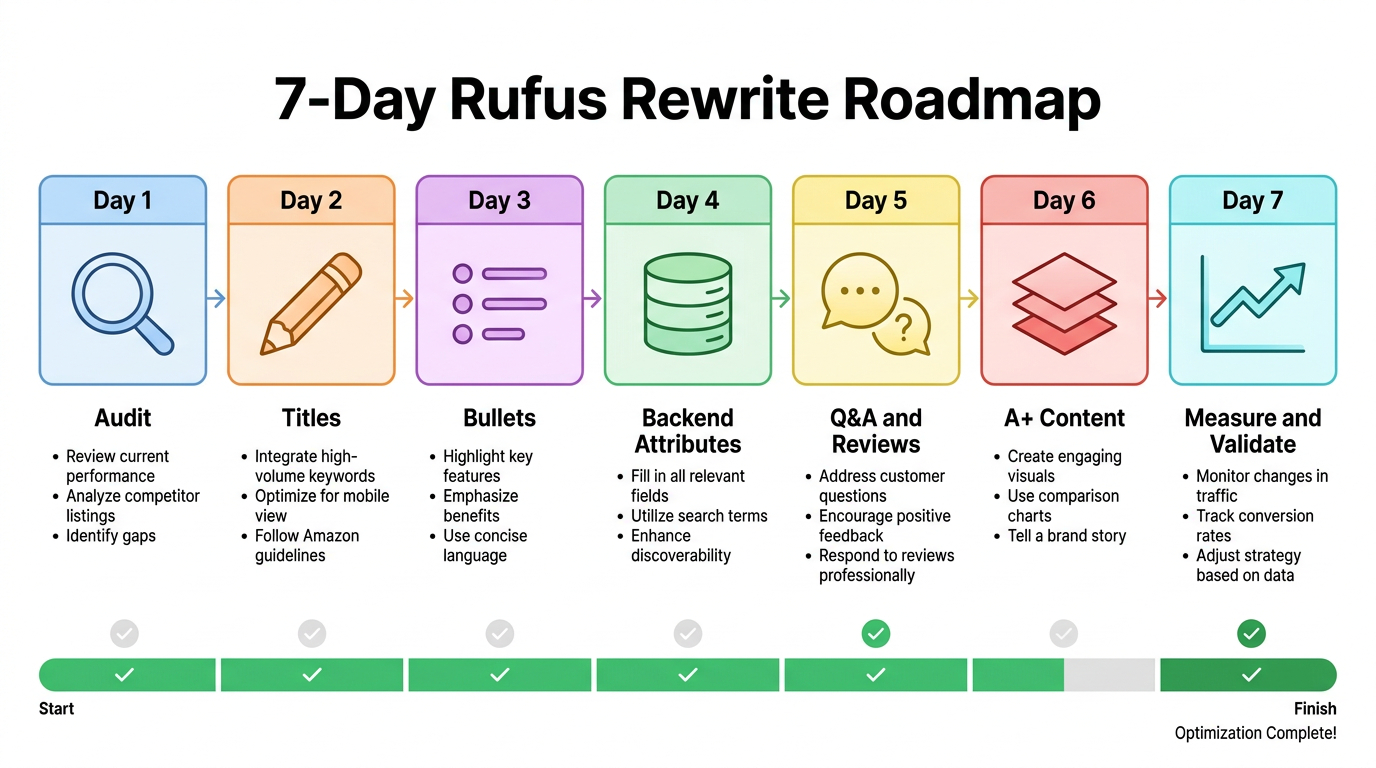
This post lays out a concrete, day-by-day plan to get your listings there — starting with a diagnostic audit on Day 1 and ending with a measurement framework on Day 7 that tells you exactly what to do next.
Before You Start: Understanding What Actually Changed
The most important thing to understand about the shift from keyword-era optimization to Rufus/Alexa for Shopping optimization is that the old rules didn’t disappear — they became the floor, not the ceiling.
Amazon’s search stack in 2026 operates on three layers simultaneously:
- A10: The traditional keyword-matching and performance algorithm. Still handles indexing, session-based ranking signals, and click-through history. Keywords still matter for discoverability.
- COSMO: Amazon’s commonsense knowledge graph, which maps products to use cases, contexts, and real-world shopping scenarios. COSMO is what lets Amazon understand that a “toddler waterproof bib” should appear for the query “mess-free feeding for 18-month-old” even if those exact words aren’t in the title.
- Rufus / Alexa for Shopping AI: The conversational layer that synthesizes information from your listing, reviews, Q&A, competitor comparisons, and shopper context to generate natural-language product recommendations in real time.
A listing optimized only for A10 might rank in keyword search but get skipped by the AI when a shopper asks “What’s the best option for someone with sensitive skin who travels a lot?” A listing optimized for all three layers gets indexed, surfaces semantically, and gets cited by the AI as a relevant answer.
The “Citation” Mental Model
The most useful framing for this new era: think of your listing as a document the AI will either cite or skip. When a shopper asks Alexa for Shopping a question, the AI doesn’t just pull products — it pulls claims. It reads your title, bullets, product description, A+ content, and populated attributes, then decides whether your listing contains a credible, relevant answer to that question.
If your copy is vague (“Great for everyday use”), the AI has nothing quotable. If your copy is specific (“Designed for commuters who carry laptops up to 16 inches — padded dividers prevent screen pressure, and the external USB-A charging port charges on the go”), the AI has a direct answer to “What’s a good laptop bag for my daily commute?”
That’s the shift. Not from keywords to no keywords — from keyword containers to knowledge documents.
Day 1: The Audit — Finding Which Listings Are AI-Invisible Right Now

Day 1 is not about writing anything. It’s about knowing exactly where you stand before you touch a single character. Sellers who skip this step waste Days 2 through 7 on the wrong ASINs in the wrong order.
Build Your Listing Health Scorecard
Pull your catalog into a spreadsheet. For each ASIN, score the following on a simple 0–2 scale (0 = missing, 1 = present but weak, 2 = strong):
- Title clarity: Does it communicate the product’s primary use case to a human reader without prior context?
- Bullet specificity: Do the bullets answer questions a shopper might ask (“How big is it?” “Will this work with X?” “What problem does it solve?”) or just list features?
- Backend attribute completeness: Go into Seller Central and look at the “vital info,” “product details,” and “more details” tabs. How many fields are empty?
- Q&A depth: How many customer questions have been asked? How many are answered — and are the seller answers substantive or one-word responses?
- Review recency: When was the most recent review? The AI weighs recent reviews more heavily as freshness signals.
- A+ content presence: Does the ASIN have A+ Content? Does it include comparison modules or FAQ sections?
- Product description vs. keyword dump: Is the product description section actually descriptive, or is it a string of keywords with line breaks?
A perfect score is 14. Any ASIN below 8 is a priority rewrite. Any ASIN above 11 may only need targeted refinements rather than a full overhaul.
Prioritize by Revenue Impact, Not by Listing Size
Rank your below-8 ASINs by trailing 90-day revenue, not by how complicated they are to fix. Your highest-revenue products likely already convert reasonably well through keyword search — but they’re also the ones where even a modest AI-driven conversion improvement produces the most dollar impact. Start there.
The Conversational Query Test
For your top 10 ASINs, open the Amazon app and use Alexa for Shopping (or the Rufus chat interface, depending on your app version) to ask a natural-language question that a realistic shopper might ask before buying that product. Something like “What’s a good [product type] for [specific use case]?” or “Help me find a [product type] that works for [constraint].”
Does your product appear? If not, note what competitors appear instead — and read their listings carefully. That’s your gap analysis.
Flag the “Ghost” ASINs
Ghost ASINs are products that rank in keyword search but have zero conversational AI surface. These are listings that the algorithm hasn’t connected to any meaningful use-case cluster in COSMO. They typically have vague titles, sparse bullets, and empty backend attributes. They may generate impressions but convert poorly because they’re not being surfaced to high-intent buyers. These are your highest-upside rewrites.
Day 2: Title Surgery — Writing Titles That Answer Before the Question Is Asked
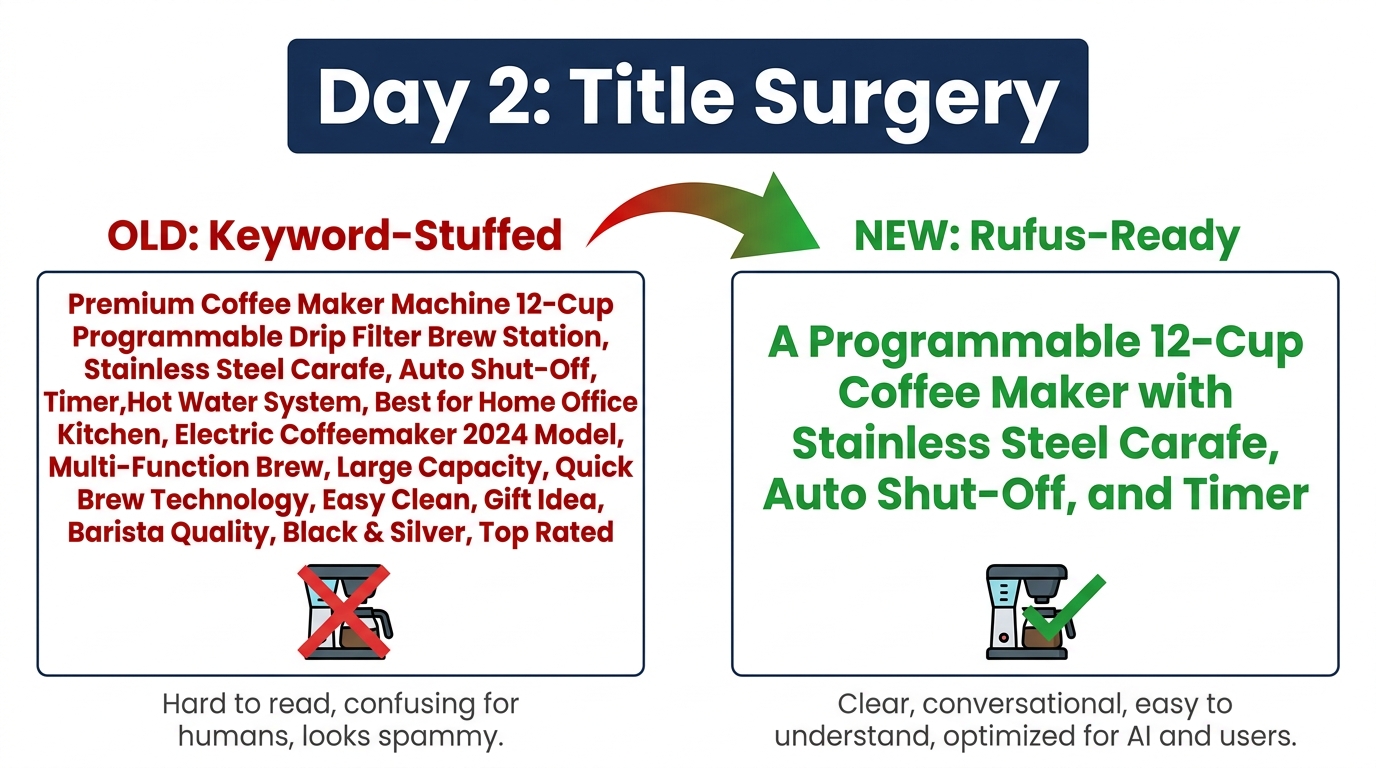
Amazon titles have been abused by keyword-stuffing for years. A typical title from 2022 looks something like: “Protein Powder Whey Isolate Vanilla Chocolate Strawberry Muscle Building Recovery Post-Workout Supplement Men Women Weight Loss Keto Friendly 2lb 5lb”.
That title was built for a specific era of keyword-match algorithms. In 2026, it actively hurts you in two ways: it tells the AI nothing coherent about what this product is best for, and it often violates Amazon’s updated title formatting guidelines (which cap titles at 200 characters and prohibit promotional phrases and keyword strings).
The Anatomy of a Rufus-Ready Title
A title optimized for the current AI era follows a different structure. It’s not shorter for the sake of being short — it’s structured to carry semantic meaning in every component. The general formula is:
[Brand] + [Primary Product Type] + [Key Differentiator] + [Format/Size/Variant] + [For Whom or What Scenario]
Applied to the protein powder example: “Brand X Whey Isolate Protein Powder — 25g Protein Per Serving, Low Carb, Fast Recovery Formula — Vanilla — 2 lbs — For Post-Workout and Muscle Repair”
This title contains the primary keywords (whey isolate, protein powder, vanilla, 2 lbs) while also communicating the use case (post-workout, muscle repair), the differentiator (25g protein, low carb), and the occasion (fast recovery). The AI can now match this against queries like “What protein powder is good for muscle recovery?” and “Low carb protein powder for gym” simultaneously.
What to Preserve from Your Existing Titles
Before you delete and rewrite from scratch, pull the keyword data from your existing title. Which of those terms are actually driving impressions and clicks? Use Seller Central’s Search Term Report or a tool like Helium 10 to see which keywords your ASIN currently ranks for. Preserve those terms — but restructure them so they fit naturally into a sentence rather than a list.
Category-Specific Title Rules in 2026
Amazon’s category-specific style guides were updated in early 2026 and now include explicit guidance around AI readability. Key rules that differ from previous versions:
- Apparel: Lead with gender/age, then product type, then material, then size range or key feature. “Women’s Merino Wool Crew Neck Sweater — Lightweight, Itch-Free — S to 3X” outperforms “Womens Sweater Wool Crewneck Pullover Top Shirt Casual XS S M L XL XXL.”
- Electronics: Lead with brand, then product type, then the compatibility or spec that most limits the purchase decision. A monitor buyer needs to know whether it’s 4K and the refresh rate before they need to know about the brand slogan.
- Home & Kitchen: Lead with the use case, then material, then key measurement. “Bamboo Cutting Board with Juice Groove — 18×12 Inches” is better than “Large Bamboo Wood Cutting Board Kitchen Chopping Vegetables Meat Cheese.”
- Beauty & Personal Care: Lead with skin type or concern, then formula type, then brand. This mirrors how shoppers actually search — they know their constraint first, then look for a solution.
The Title Test You Should Run Before You Publish
Before you save the new title, read it aloud. If it sounds like a sentence a normal person would say, it’s on the right track. If it still sounds like a list of ingredients, keep editing. The AI reads your listing the same way a human reads a document — and it rewards clarity the same way a human would.
Day 3: Bullet Point Renovation — From Feature Lists to Use-Case Answers
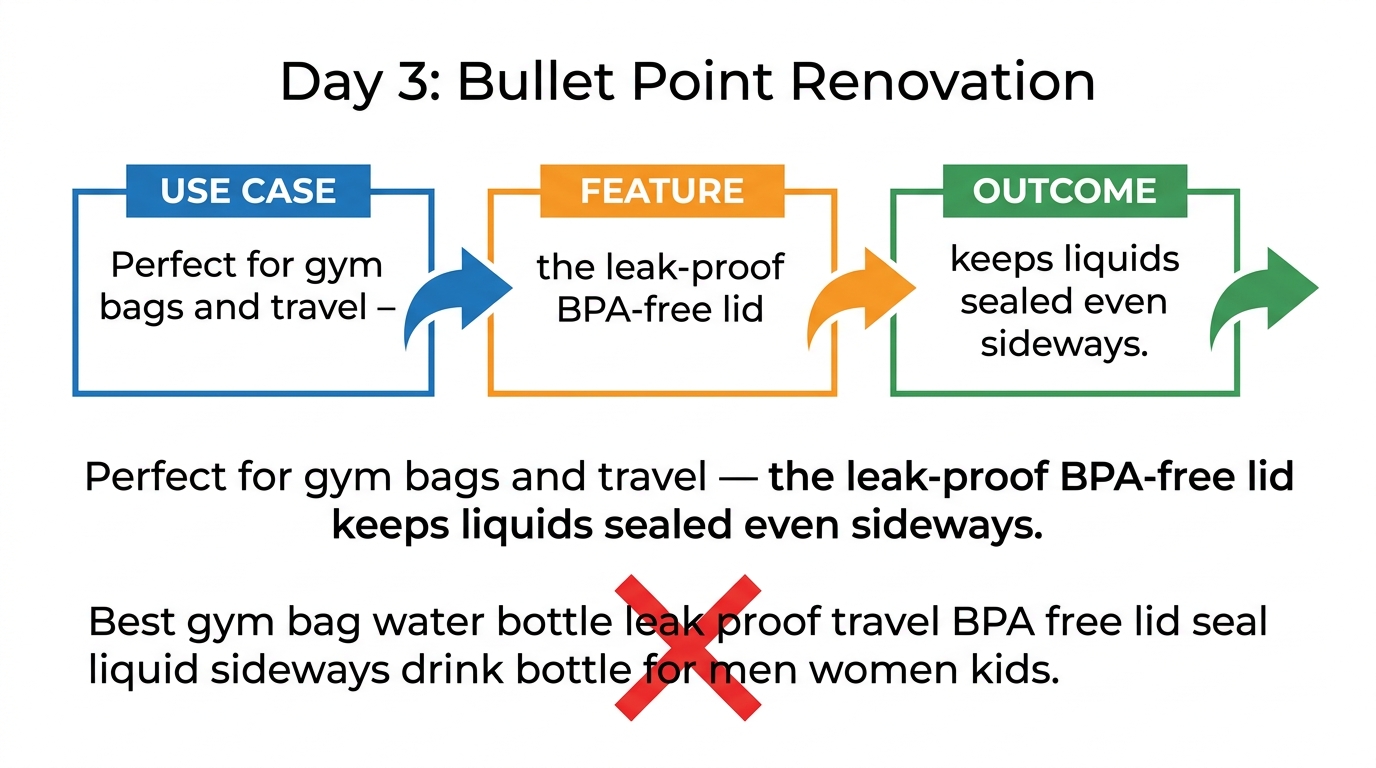
If the title is the headline, the bullet points are the body of your listing’s argument. They’re also the section most sellers waste. Five bullets that say “Made with high-quality materials,” “Easy to use,” “Perfect for everyday use,” “Great gift idea,” and “100% satisfaction guaranteed” are — from the AI’s perspective — five missing answers to five questions a shopper might have asked.
The goal of Day 3 is to transform each bullet from a vague claim into a specific, quotable answer.
The Use Case → Feature → Outcome Framework
Each bullet should follow a three-part structure:
- Use Case: Establish the scenario or customer type this feature matters to.
- Feature: Name the actual feature or specification.
- Outcome: State what the buyer gets as a result.
Example for a portable blender:
- Weak (feature-only): “6 stainless steel blades for powerful blending.”
- Strong (use case → feature → outcome): “Built for protein shakes on the go — the 6 stainless steel blades blend frozen fruit and powder in under 30 seconds, so you get a smooth, lump-free shake without being late for the gym.”
The second version can be cited by the AI against queries like “portable blender for protein shakes,” “best blender for gym bag,” and “quick smoothie maker for travel” — without repeating those keywords in a stuffed list.
Map Each Bullet to a Real Customer Question
Go to your Q&A section and your competitor Q&A sections. Look at the questions customers are actually asking. Each of your five bullets should directly address one of those questions, even if it doesn’t use the exact phrasing of the question.
If customers frequently ask “Is this waterproof?” your bullet shouldn’t just say “waterproof.” It should say “Designed for pool decks, boats, and outdoor showers — the IPX7-rated waterproof construction withstands submersion up to 1 meter for 30 minutes, so it handles rain, splashes, and wet hands without skipping a beat.”
The Constraint-First Bullet Strategy
One of the most consistently effective tactics in the Rufus era is the constraint-first bullet — starting with a limitation, incompatibility, or suitability statement. For example: “Not designed for high-heat cooking — the silicone handles are rated to 400°F, making this ideal for baking, roasting, and oven-to-table serving but not for direct flame contact.”
This works because the AI doesn’t just match products to positive queries — it also matches them to exclusion queries (“What pans can’t I use on a gas stove?”) and helps shoppers self-qualify. A buyer who reads that bullet and it matches their use case will convert at a significantly higher rate than a buyer who clicked based on keyword match alone.
Bullet Formatting Rules That Affect AI Readability
Amazon’s AI reads structured text differently from paragraph text. A few formatting best practices that improve AI comprehension:
- Start each bullet with a capitalized word or phrase that functions as a heading. This helps the AI categorize what each bullet covers.
- Keep bullets between 150 and 300 characters. Too short and there’s no context; too long and the AI may truncate or de-weight the end of the bullet.
- Avoid promotional language (“Best in class,” “World’s most advanced”) — it adds no semantic value and may trigger content policy flags.
- Use one complete, declarative sentence per bullet rather than comma-separated fragments.
Day 4: Backend Attributes — The Hidden Layer the AI Actually Reads First

Here’s a fact that surprises most sellers: the AI reads your backend attributes before it reads your front-end copy. COSMO’s knowledge graph is built primarily on structured catalog data — the fields you fill out in the “Vital Info,” “Product Details,” and “More Details” tabs in Seller Central. The conversational AI layer then uses that structured data as the foundation for making recommendations.
If those fields are empty, the AI is essentially flying blind. No matter how well-written your title and bullets are, the AI can’t confidently place your product in the right use-case clusters if the structured data doesn’t confirm what the prose claims.
The Attributes That Matter Most in 2026
Not all backend fields carry equal weight. Based on observed AI recommendation patterns and Seller Central guidance, these are the highest-impact fields to prioritize:
- Target Audience / Intended Use: This is the single most important signal for use-case matching. Be specific. “Adults 18–35, fitness enthusiasts, outdoor athletes” is more useful than “adults.”
- Compatibility / Works With: Critical in electronics, accessories, and apparel. If your product works with a specific device, platform, or system, spell it out explicitly. This is how the AI answers “Will this work with my [X]?” questions.
- Material / Ingredients: Required for health, beauty, and food categories. Also used by the AI to answer constraint queries (“Is this vegan?” “Does this contain latex?”).
- Size, Dimensions, and Weight: Underrated but heavily used by the AI to match size-sensitive queries (“What size fits a 15-inch laptop?” “How heavy is this for travel?”).
- Color / Style / Pattern: Affects surface-level visual matching but also matters when shoppers ask “Does this come in [color]?” type questions.
- Care Instructions: Particularly important in apparel, home textiles, and kitchenware. Shoppers increasingly ask “Is this machine washable?” or “Is this dishwasher safe?” — and the AI answers from structured data, not from bullet text.
How to Fill Backend Keywords Without Keyword Stuffing
The Search Terms field in the backend is still active and still influences indexing — but its role has shifted. Instead of stuffing it with variations of your primary keywords, use this field for:
- Natural-language question fragments: “good for beginners,” “works with Alexa,” “safe for sensitive skin,” “fits standard US outlets.”
- Synonyms the AI might not infer from your front-end copy: If your title says “moisture-wicking fabric,” the backend might include “sweat-proof,” “stays dry,” “athletic fabric.”
- Seasonal and contextual terms: “holiday gift,” “back to school,” “summer travel” — terms that appear in conversational queries during specific periods but don’t belong permanently in your title.
- Misspellings and alternate spellings: Still valid. The AI doesn’t autocorrect structured keyword fields the way it might in front-end copy.
The Completeness Benchmark
A fully optimized backend is not about filling every possible field — it’s about filling every field that’s relevant to your product. Amazon’s catalog team has stated that listing completeness scores above 95% show measurably better AI surface rates. For most product types, this means filling 25–35 structured fields. If your current backend has fewer than 15 fields populated, that’s where Day 4 effort should go first.
Day 5: Q&A and Reviews — The Conversational Fuel the AI Draws From
Sellers often treat the Q&A section as customer service. In the Rufus era, it’s one of the most powerful content surfaces you have — because it’s the part of your listing that’s already written in natural language, often in the exact phrasing shoppers use when they talk to the AI.
When a shopper asks Alexa for Shopping “Does this come with a warranty?” or “What’s the return policy on this?” or “Is this good for someone with arthritis?”, the AI pulls answers from three places in this order: structured attributes, seller-answered Q&A, and customer reviews. If your Q&A section has substantive, complete seller answers, you’re feeding the AI exactly what it needs to recommend your product.
The Seller Q&A Cleanup Protocol
On Day 5, go through your entire Q&A section for each ASIN and audit seller responses:
- Find one-word or evasive answers: If a customer asked “Is this compatible with Samsung TVs?” and the seller answered “Yes,” that’s a missed opportunity. Expand it: “Yes — compatible with all Samsung Smart TVs from 2019 onward (QLED, Frame, and Crystal series). Uses standard HDMI ARC connection. Not compatible with Samsung monitors.”
- Answer unanswered questions: Sort Q&A by “most recent” and find any questions with only customer answers (which are often inaccurate) or no answers at all. The AI weights seller answers higher than customer answers.
- Proactively add questions: Amazon allows brands to seed their own Q&A by submitting questions and answers. Identify the top 5 questions shoppers ask your category in general (from competitor Q&A, review text, or search term research) and create paired Q&A entries for your own listing.
Using Review Text as a Content Signal
The AI reads review text and uses it to supplement its understanding of your product’s use cases, limitations, and typical buyers. Reviews that mention specific scenarios (“I bought this for my mom who has bad knees and it’s been great for getting in and out of the car”) help the AI connect your product to mobility-aid queries it might not otherwise surface for.
You can’t control what customers write — but you can influence review content indirectly through the questions you ask in follow-up messaging (compliant with Amazon’s messaging policies). Prompting buyers to mention their specific use case (“Let us know what you use it for — your experience helps other shoppers!”) generates richer review text that feeds better AI signals.
The Review Recency Problem — and What to Do About It
If your most recent reviews are more than 90 days old, your listing loses freshness weighting in AI recommendations. This doesn’t mean buying reviews — it means actively working within Amazon’s policies to generate new review volume:
- Use the “Request a Review” button in Seller Central for all orders in the trailing 30 days.
- Enroll eligible ASINs in the Amazon Vine program to generate verified reviews from trusted reviewers.
- Run a limited-time promotion or price adjustment to increase sales velocity, which creates more opportunities for organic reviews.
Day 6: A+ Content and Brand Story — Turning Modules Into AI-Readable Knowledge
A+ Content was originally designed to convert human shoppers with richer visuals and more persuasive storytelling. In the Rufus era, it’s also read by the AI — and the text within your A+ modules contributes to the knowledge graph the AI uses to answer questions about your product.
The mistake most brands make with A+ Content is treating it as a pure visual exercise. Beautiful lifestyle images with minimal text body copy look great on mobile — but they give the AI almost nothing to work with. A module that’s 80% image and 20% filler text (“Our commitment to quality…”) is a missed content opportunity.
The A+ Module Audit
Review each of your A+ modules against this checklist:
- Does the text in each module answer a specific customer question?
- Does your comparison module (if you have one) include your product’s specific advantages over generic alternatives in clear, factual language?
- Does your FAQ module (if you have one) address the most common pre-purchase questions in your category?
- Is your Brand Story module telling shoppers what makes your products different in specific, claim-based language — or is it vague inspirational copy?
How to Rewrite A+ Text for AI Comprehension
The same principles from bullet optimization apply here, but you have more space to develop each point. For each A+ module, write a header that functions as a question or use-case statement (“The Right Choice for Small Apartments,” “How This Compares to Standard Non-Stick Pans,” “What to Expect in the First 30 Days”). Then write body copy that answers that question or claim with specific, factual language.
Avoid:
- Passive voice (“This is crafted using…” → “Our team uses…”)
- Superlatives without evidence (“The most advanced formula on the market”)
- Generic lifestyle claims (“Elevate your everyday”)
Prefer:
- Specific comparisons with numbers (“Holds 40% more than standard silicone trays — 1.5 oz per cube vs. the industry standard 1.1 oz”)
- Use-case specificity (“Sized to fit in a standard US carry-on overhead bin — 21 x 14 x 9 inches”)
- Material or certification claims that can be verified (“NSF-certified BPA-free polypropylene — tested for food safety at temperatures from -40°F to 220°F”)
Premium A+ Content and the AI Eligibility Threshold
Amazon’s Premium A+ Content (also called A++ Content) — which includes interactive comparison sliders, video modules, and enhanced brand story layouts — is now available to brands enrolled in Brand Registry with a completed brand profile. It matters in the AI era because the additional text fields in Premium A+ modules give you more surface area for structured, specific content that feeds the knowledge graph.
If you’re eligible and haven’t upgraded, Day 6 is the day to start that process. Premium A+ has been shown to increase conversion rates by an Amazon-reported average of 20% over standard A+ — and in a world where AI-assisted shoppers are converting at 2.7x the rate of non-AI shoppers, higher-converting listings get amplified faster.
Day 7: Validate, Measure, and Set the Triggers for Round Two
The optimization isn’t complete until you have a measurement plan that tells you what worked, what to do next, and when to revisit. Sellers who skip this step tend to rewrite listings once and then wonder why the results fade after 60 days.
The Metrics That Actually Track AI-Era Performance
Standard organic rank tracking and keyword rank reports don’t capture AI-driven discovery — because AI recommendations don’t show up as traditional rank positions. Use these metrics instead:
- Conversion Rate by Traffic Source: In Seller Central’s Business Reports, segment your conversion rate by whether the traffic came from branded vs. non-branded search. AI-assisted buyers typically drive higher non-branded traffic conversion, because they’ve already been pre-qualified by the AI before clicking.
- Organic Session Growth: Total organic sessions per ASIN, tracked weekly. A listing that’s been rewoven into more use-case clusters by COSMO will see organic session growth before it sees keyword rank changes.
- Click-Through Rate on Non-Branded Terms: If your CTR on long-tail, non-branded queries increases after a rewrite, the AI is surfacing you for more diverse intent categories.
- Q&A Answer Impressions: Available in Seller Central’s customer engagement data for enrolled brands — tells you how many times your seller-answered Q&A was seen. High impressions with low click-through suggests the questions are being surfaced but your answers aren’t compelling enough.
- Attribution Data from Amazon Attribution (if applicable): If you’re driving external traffic, Amazon Attribution now includes an “AI-assisted discovery” segment in beta for Managed Accounts. Track whether off-Amazon traffic converts differently when it arrives post-AI exposure.
Setting Rewrite Triggers
A 7-day rewrite is not a one-time event. The AI’s use-case clusters evolve as shopper behavior evolves, and your listings need to evolve with them. Set calendar triggers to revisit each rewritten ASIN based on its performance tier:
- Top 20% of revenue ASINs: Revisit every 45 days. These listings have the most to gain from incremental refinement and the most to lose if a competitor out-optimizes them.
- Mid-tier ASINs: Revisit every 90 days, or after any significant category event (a major competitor ASIN launch, a viral review, a pricing change that affects category dynamics).
- Long-tail and seasonal ASINs: Revisit 30 days before each seasonal peak. A holiday product that isn’t AI-optimized going into Q4 is leaving money on the table for the entire peak season.
How to Use Competitor Data to Refine Round Two
After Day 7, you have a baseline. Before Round Two, spend 30 minutes analyzing the top 3 competitors in each of your key categories using the Conversational Query Test from Day 1. Which products is the AI recommending when you ask questions your product should answer? What do those listings have that yours doesn’t? Are there use cases you’re not addressing, compatibility claims you’re missing, or attribute fields they’ve populated that you haven’t?
This competitive intelligence loop — run every 90 days — compounds over time. Each round of rewrites closes gaps and creates new ones you didn’t previously know existed. That’s how durable listing quality is built.
The Mistakes That Undo a Full Week of Work
The 7-day framework above will produce meaningful results for most sellers. But a handful of common errors consistently negate the gains — sometimes within days of the rewrite going live.
Mistake 1: Rewriting the Title and Bullets Without Touching the Backend
The most common shortcut. Sellers spend Days 2 and 3 on front-end copy and skip Day 4 entirely. The result: well-written prose sitting on top of an empty structured data foundation. The AI reads the backend first. If the attributes don’t confirm what the copy claims, the AI confidence score for that listing drops — and it gets recommended less, not more.
Mistake 2: Deleting Keywords That Were Driving Rank
The shift to conversational optimization doesn’t mean abandoning A10 keyword signals. If your existing title contains a keyword that’s driving 3,000 impressions per week, removing it entirely in favor of cleaner prose will tank your indexing before the AI benefits have time to compound. The goal is to integrate the keyword naturally into intent-first copy — not to replace keywords with vague descriptions.
Mistake 3: Optimizing for One Use Case When Your Product Serves Several
A portable Bluetooth speaker might be used at the gym, at the beach, at a campsite, and in a small apartment. Each of those use cases represents a different query cluster in COSMO. A listing that only optimizes for the gym use case will surface for gym queries and miss the other three clusters. Use your five bullets to cover five distinct use cases or buyer types — don’t use them all to reinforce a single message.
Mistake 4: Treating A+ Content as Permanent
A+ Content created two years ago is based on a different understanding of what shoppers were searching for. The AI’s use-case clusters evolve as consumer language evolves. Review your A+ modules every 6 months and update the text (not just the images) to reflect current shopper vocabulary and current product claims. This is particularly important after a product reformulation, a specification change, or a major shift in category dynamics.
Mistake 5: Ignoring Listing Consistency Across the Catalog
If your listing says your product comes in “charcoal gray” but your backend attributes say “black” and your A+ module shows an image captioned “dark graphite,” the AI sees three different data points and has low confidence in any of them. Consistency across title, bullets, backend, A+ text, and image alt text isn’t just good housekeeping — it’s a direct confidence signal to the AI that your listing is a reliable source of truth.
What This Shift Really Means for Long-Term Catalog Strategy
It’s easy to frame this as “just another algorithm update” — another round of listing rewrites, another set of best practices to chase. But the shift from keyword search to conversational AI discovery represents something more structural than that. It’s a change in who controls the first point of contact with the shopper.
In the keyword era, the shopper chose which search terms to type, and the algorithm matched them to products. The seller’s job was to be in the right places at the right times — which meant ranking for the right keywords.
In the Alexa for Shopping era, the AI interprets the shopper’s intent, selects a shortlist of candidates, and presents them with a recommendation and a rationale. The seller’s job is to be the product the AI trusts enough to cite — which means having a listing that reads like a reliable, complete, and credible answer to the questions the shopper is asking.
The Catalog Quality Gap Will Keep Widening
There’s a compounding dynamic at work here. Products with high AI surface rates generate more conversions. More conversions improve performance signals. Better performance signals lead to higher AI confidence scores. Higher confidence leads to more surface. The cycle accelerates in both directions — listings that are AI-ready get better over time, and listings that aren’t get increasingly invisible to the fastest-converting buyers on the platform.
The 7-day plan in this post is an entry point, not a finish line. Run it, measure it, refine it, and run it again. Treat listing quality as a living discipline rather than a one-time project. The sellers who are building that muscle now are building a structural advantage that compounds every quarter.
Applying This Thinking to New Product Launches
One of the most valuable applications of this framework is at launch, not post-launch. A new ASIN that launches with fully populated attributes, AI-optimized copy, and a seeded Q&A section will reach COSMO’s use-case clusters faster than one that launches with minimal content and gets optimized gradually. Launch-day listing quality affects the trajectory of a product for its entire life on the platform. Build the full listing before the ASIN goes live — not after the first 30 days of mediocre data have already anchored the AI’s view of what your product is.
Conclusion: Seven Days of Work, Compounding Returns
The renaming of Rufus to Alexa for Shopping was a branding decision. The underlying change to how Amazon’s AI understands, evaluates, and recommends products is not. The question for every seller is not whether to adapt — it’s how quickly and how thoroughly.
The 7-day framework laid out here is designed to be realistic, sequenced, and measurable. Day 1 tells you where you stand. Days 2 through 6 fix the specific layers the AI reads. Day 7 gives you the data infrastructure to know whether it worked and what to fix next.
The sellers who win in this environment are not the ones who perfectly predict every AI update before it happens. They’re the ones who have built the habit of treating their listings as living documents — reviewed, revised, and refined on a cadence that keeps pace with how the platform’s AI is evolving.
The AI is reading your listing right now. The question is whether it’s finding answers worth citing.
Key Takeaways:
- Rufus is now Alexa for Shopping, but the underlying optimization logic is unchanged — and more important than ever.
- The AI reads your backend attributes before your front-end copy. Fill them first.
- Each bullet point should be a direct, quotable answer to a real shopper question — not a feature in a list.
- Q&A section seller answers are one of the most underused AI content surfaces on the platform.
- Listing consistency across title, bullets, backend, A+, and image alt text is a direct AI confidence signal.
- The 7-day plan is a starting point. Set rewrite triggers and revisit on a 45- to 90-day cadence.