
If you want to launch a product on Amazon successfully, you need to nail four things: a solid pre-launch blueprint, a listing that converts, an aggressive PPC strategy, and a smart plan for getting those crucial early reviews.
Get these right, and you're not just guessing—you're making a calculated move that sets you up for long-term success.
Building Your Pre-Launch Blueprint

Here's a secret: your Amazon launch is won or lost weeks before your product ever goes live. A well-thought-out pre-launch plan isn't just about finding a product; it's about validating your market. This is where you trade wishful thinking for hard data, giving yourself a real edge before you even enter the game.
Validating Demand and Competition
Before you drop thousands on inventory, you have to know people actually want what you're selling. According to Marketplace Pulse, a jaw-dropping 78% of Amazon product launches fail in the first year. Why? Because the competition is insane, with hundreds of millions of products vying for attention.
Smart sellers don't just jump in. They find the market's sweet spot.
A practical workflow for this is using the Best Sellers Rank (BSR). Forget trying to compete with products in the top 500 BSR—that's a battle you won't win. Instead, hunt for opportunities in the 1,000 to 5,000 BSR range. This signals healthy, steady demand without the soul-crushing competition from mega-brands.
I see it all the time: a new seller sees a top product and thinks, "I can do that!" A much smarter play is to find a product selling 10-15 units a day with competitors you can realistically beat. It's far better than chasing a product that sells 100 units a day against titans you have no chance of dethroning.
Benchmarking for Realistic Goals
Found a good BSR range? Great. Now it's time to get real about what you can achieve by benchmarking against the top 5-10 competitors. This isn't just about matching their price; it's about reverse-engineering their success so you can set tangible launch goals.
Here's a step-by-step workflow using your product research tool:
- Identify Competitors: Search your main keyword and list the top 5-10 organic results.
- Gather Data: For each competitor, pull the following data points into a spreadsheet:
- Average Daily Sales: How many units are they actually moving every day? This number is your starting line for sales velocity.
- Average Review Count: What's the review count for the products on page one? If everyone has 500+ reviews, it's a much steeper climb than if the average is under 100.
- Listing Quality: Seriously, look at their photos, A+ Content, and copy. Can you do better? A superior listing that screams value is a massive advantage.
- Pricing History: Check their pricing over the last 90-180 days. Is it stable, or are they in a race to the bottom with constant discounts?
- Set Your Goal: Analyze the averages to set a realistic launch target.
For example, let's say you're launching a new silicone baking mat. The top players average 15 sales per day with around 85 reviews. Your mission is clear: hit 15-20 daily sales in the first few weeks and scramble to get your first 10-15 reviews as fast as ethically possible.
This data-first approach takes the emotion out of it and gives you a clear roadmap. If you're just starting out, getting a handle on the basics in a good how to sell on Amazon FBA guide is a must.
Before you dive in, it helps to organize your findings. A simple checklist can keep you focused on what truly matters.
Pre-Launch Data Checklist
| Metric or Action | Target Benchmark | Why It Matters |
|---|---|---|
| BSR Range | 1,000 – 5,000 | Proves consistent demand without impossible competition. |
| Avg. Daily Sales | 10-30 units/day | Sets a realistic sales velocity target for your launch. |
| Avg. Review Count | Under 150 reviews | Ensures you can compete for social proof relatively quickly. |
| Keyword Search Volume | 3,000+ monthly searches | Confirms there's an active audience looking for your product. |
| Price Point Stability | Stable pricing history | Avoids price wars that destroy your profit margins from day one. |
| Listing Quality Gap | Identify clear weaknesses | Your opportunity to create a superior listing that converts better. |
Using a checklist like this ensures you've covered all your bases. It's about making an informed decision, not taking a blind leap of faith.
Optimizing Launch Timing with Trend Analysis
Seasonality can be your best friend or your worst enemy. Launching a barbecue grill set in November is a guaranteed flop. Launching it in April? Now you're talking.
Use tools like Google Trends or your favorite Amazon software to look at search volume for your main keywords over the last year or two. You're looking for the "shoulder season"—that sweet spot right before demand skyrockets.
For example, if you're selling "garden gnomes," you'd see search volume start to climb in March and peak in May. A smart launch date would be late February. This gives you time to iron out any fulfillment issues, gather those first few precious reviews, and start ranking for keywords just as shoppers are pulling out their wallets. It's about timing your marketing spend to hit with maximum force when customers are most ready to buy.
Crafting a Listing That Converts
Once you’ve locked down your product and know who you're selling to, your Amazon detail page is everything. Seriously. It’s your digital storefront, your 24/7 salesperson, and the single biggest factor in turning shoppers into buyers. All that upfront work on sourcing and validation goes down the drain if your listing doesn't perform. A great listing, on the other hand, can absolutely print money.
The mission is simple: build a page that speaks to both actual human beings and Amazon's A9 search algorithm. This is an art and a science—you need to weave in those high-traffic keywords, but you also have to tell a compelling story that connects with your ideal customer. Let’s break down how to nail every single element.
Architecting a High-Performance Title
Your title is your first impression. For many shoppers scrolling through a search results page, it's the only impression. It has to be loaded with information without looking like a spammy, keyword-stuffed disaster. A truly effective title has a deliberate structure, front-loading the most critical details.
Here’s a formula that consistently works:
[Brand Name] [Main Keyword – Product Type] – [Key Feature/Benefit 1], [Key Feature/Benefit 2], [Material/Size/Color], [Use Case/Audience]
A lazy title might just say: "Silicone Spatula."
An optimized, money-making title looks like this: "KitchenPro Elite Silicone Spatula Set – High-Heat Resistant to 600°F, Non-Stick Rubber Utensils for Cooking & Baking, BPA-Free, Seamless One-Piece Design (Red)."
See the difference? The second one instantly communicates the brand, product type, heat resistance, core benefits (non-stick, easy to clean), safety features (BPA-free), and who it's for. It nails multiple keywords naturally while giving the shopper everything they need to click.
Writing Bullet Points That Sell Solutions
Shoppers are scanners. They hit your bullet points to get a rapid-fire answer to one question: "Does this solve my problem?" So, don't just list features; sell the benefits. Each of your five bullet points is a chance to tackle a specific pain point or desire. A great workflow is to lead with an all-caps benefit, then follow up with a short explanation.
Let's stick with our spatula set example:
- WON’T MELT OR WARP: Confidently cook at high temperatures up to 600°F. Our premium food-grade silicone is built to last without degrading, unlike cheap plastic spatulas that melt right into your food.
- HYGIENIC ONE-PIECE DESIGN: Say goodbye to trapped food and bacteria. The seamless construction means no crevices for grime to hide, making cleanup incredibly fast and easy.
- PROTECTS YOUR EXPENSIVE COOKWARE: The soft, flexible silicone head is gentle on your non-stick pans, preventing the scratches and damage caused by metal or hard plastic utensils.
- A TOOL FOR EVERY TASK: This versatile 4-piece set includes everything you need for mixing batter, scraping bowls, sautéing vegetables, and icing cakes, replacing your cluttered drawer of mismatched tools.
- CERTIFIED FOOD-SAFE MATERIALS: Cook with peace of mind knowing your spatulas are 100% BPA-free and LFGB certified, ensuring no harmful chemicals will leach into your family's meals.
This simple shift turns a boring spec list into a persuasive pitch. If you want to dive deeper into the psychology of selling, there's a ton of great info in these conversion rate optimization best practices that you can apply directly to your Amazon copy.
The Power of a Visual Strategy
People say a picture is worth a thousand words. On Amazon, a great picture is worth a thousand sales. Your images are what stop the scroll. Your main image must be on a pure white background showing only the product. This isn't a suggestion; it's a hard-and-fast Amazon rule.
Your other image slots are where the magic happens. A practical example workflow for your image stack is:
- Main Image: Product on pure white background.
- Infographic 1: Show key features with callouts (e.g., pointing to the 600°F heat rating).
- Lifestyle Image 1: Show the product in use (e.g., someone happily baking with the spatula).
- Infographic 2: Highlight a key benefit (e.g., a "before and after" showing a scratched pan vs. an undamaged one).
- Lifestyle Image 2: Show a different use case (e.g., using the spatula for sautéing).
- Comparison Chart: Compare your product to an inferior competitor.
- Video: A short product video showing it in action.
For sellers with Brand Registry, A+ Content is an absolute game-changer. It lets you replace that boring, plain-text product description with beautiful, custom-designed modules. Use it to tell your brand's story, create detailed comparison charts, and use big, immersive images. It builds massive trust and can send your conversion rate through the roof. To really get this right, check out our complete guide on how to optimize Amazon product listings for maximum sales.
Mastering Your Launch PPC Strategy
On Amazon, if shoppers can't find you, you might as well not exist. For a brand-new product with zero sales history or reviews, paid advertising isn't just an option—it's the only reliable way to get off the ground. A smart Pay-Per-Click (PPC) strategy is your fastest path to driving that crucial initial traffic, generating sales, and telling Amazon's algorithm that your product belongs here.
Think of your launch PPC spend as buying data, not just sales. In the beginning, you’re not chasing immediate profit. You're paying to discover which keywords actually convert and to teach the A9 algorithm who your ideal customer is. This initial investment in visibility is what kicks the whole growth cycle into motion.
Setting a Realistic Launch Budget and Mindset
The first question I always get is, "How much should I spend?" While it varies, a realistic starting point for a serious launch is around $3,000 for the first month. I know that might sound like a lot, but you need an adequate budget to gather enough meaningful data across different campaigns and keywords. A smaller budget gets chewed up too quickly, leaving you with inconclusive results and a stalled launch.
Even more important is your mindset. Your Advertising Cost of Sale (ACoS)—the percentage of sales you spend on ads—is going to be high. Aggressively high.
Don't panic when you see an initial ACoS of 45%, 60%, or even 70%. During a launch, this is completely normal and often necessary. You are buying momentum and market share, plain and simple. Your goal is to ram as many sales as possible through your most relevant keywords to build sales history and start climbing the organic ranks. Profit optimization comes later.
Structuring Your Initial PPC Campaigns
Throwing money at a single campaign and hoping for the best is a recipe for disaster. You need a structured campaign portfolio designed specifically for discovery and data collection. The idea is to cast a wide net to see what works, then systematically funnel your budget toward the winners.
Here’s a simple but powerful launch workflow:
- Create an Automatic Campaign: This is non-negotiable. Set a daily budget of around $20-30. Let Amazon's algorithm find new search terms and competitor products it deems relevant. This is your number one tool for harvesting keywords.
- Create a Broad Match Manual Campaign: Take your top 10-15 most important, high-volume keywords and stick them in a broad match campaign. This will capture long-tail variations and related searches, further expanding your keyword discovery net.
- Create a Phrase Match Manual Campaign: Use that same core set of keywords, but in a phrase match campaign. This gives you more control, showing your ad only when the search term includes your target phrase in that specific order.
- Create a Product Targeting (ASIN) Campaign: This is where you get aggressive. Target the listings of your top 5-10 direct competitors. Your ad will show up right on their product pages, giving you a golden opportunity to steal sales from shoppers who are literally one click away from buying from someone else.
This multi-pronged approach ensures you're covering all your bases. The PPC campaigns are what drive shoppers to your listing, so all its core components—your title, images, and bullets—have to be perfectly optimized to convert that expensive traffic.
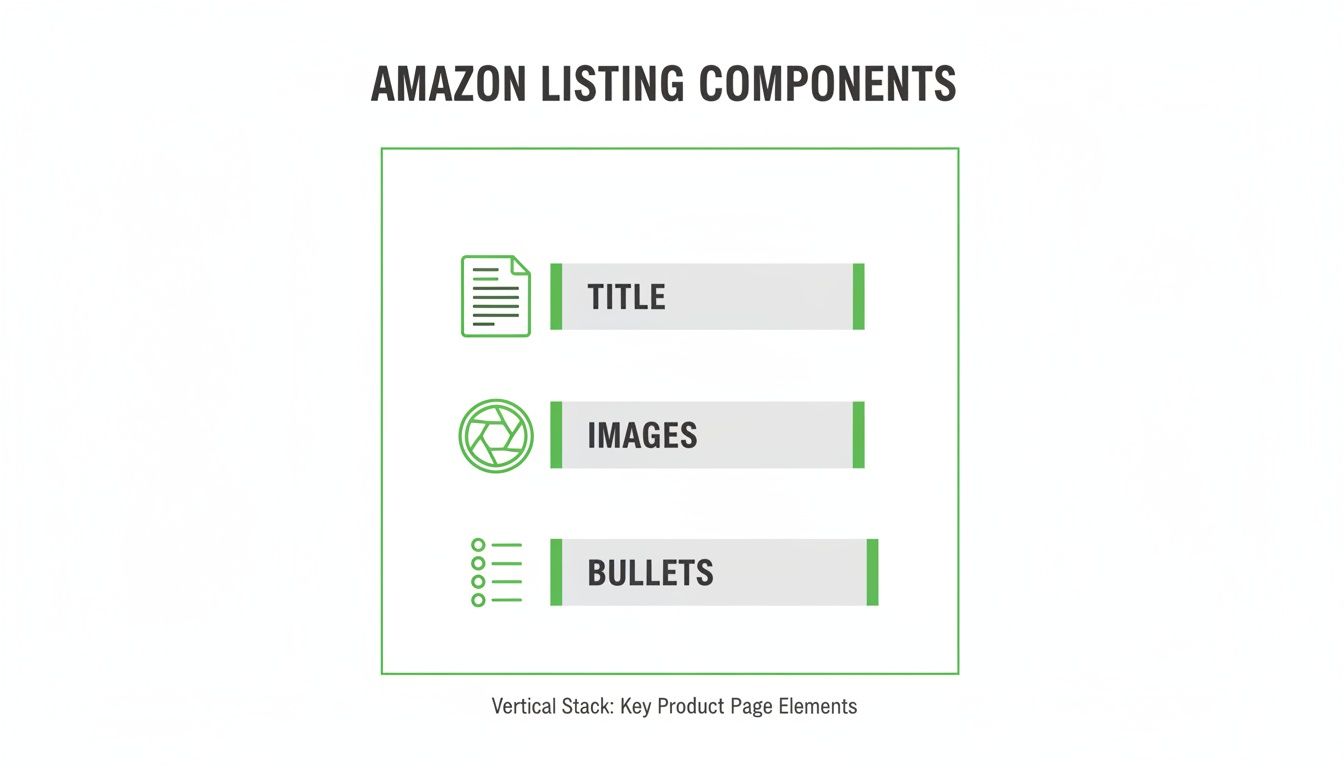
This visual just hammers home how your PPC spend is the catalyst. It brings the eyeballs, but it's the quality of your listing that closes the deal.
From PPC Data to Organic Rank
The "flywheel effect" is a real, powerful force on Amazon. It works like this: your PPC campaigns drive traffic and sales. Those sales increase your product's sales velocity and conversion rate for specific keywords. Amazon's algorithm sees this positive activity and rewards you with a higher organic ranking for those very same keywords.
A higher organic rank leads to more free, organic sales, which further boosts your sales history and solidifies your ranking. It’s a self-perpetuating cycle of growth. And it all starts with that initial, aggressive PPC push.
Don't just take my word for it. Amazon's advertising services generated a staggering $17.7 billion in a single quarter—it's a pay-to-play platform. While the average ACoS hovers around 30.20%, successful launch strategies budget for a 45-70% ACoS in the first month. They allocate spend across broad match (25%) and auto campaigns (15%) to maximize discovery. The data is clear: top-performing launches saw 356% more paid search appearances, proving just how vital consistent PPC is for gaining that initial traction.
Your job during the first few weeks is to be glued to your Search Term Reports. You need to identify the exact customer search terms that are converting into sales, then move those proven keywords into more targeted, performance-focused campaigns. For a deeper dive into that ongoing process, check out our guide on how to optimize PPC campaigns for long-term profitability.
Getting Your First Customer Reviews
Reviews are the lifeblood of any Amazon product. They're the currency of trust.
Without them, even the most perfectly crafted listing and aggressive PPC campaign will fall flat. Why? Because shoppers are notoriously hesitant to be the first person to try something new. Strong social proof is non-negotiable for a successful launch; it’s a direct signal to both shoppers and the A9 algorithm that your product is a safe bet.
Generating those first few critical reviews is what turns your product from an invisible nobody into a trusted contender. This isn't about crossing your fingers and hoping for the best. It's about a deliberate, ethical strategy to build momentum right out of the gate.
Kickstarting Reviews with Amazon Vine
For getting those all-important early reviews, Amazon Vine is the single most powerful—and compliant—tool in your arsenal. It’s an invitation-only program that puts your product in the hands of Amazon's most trusted reviewers, known as Vine Voices. You give them free products, and they leave honest, detailed feedback.
Here's the practical workflow to enroll:
- Check Eligibility: Go to Seller Central > Advertising > Vine. Your product needs to have fewer than 30 reviews and be in "New" condition.
- Start Enrollment: Enter the ASIN you want to enroll.
- Set Units: Enroll up to 30 units of your product for each parent ASIN.
- Confirm Fees: The fees can vary, but Amazon frequently runs promotions that make the service free or heavily discounted, so keep an eye out.
- Submit: Once submitted, Vine Voices can begin requesting your product.
Vine reviews are easy to spot—they're marked with a distinctive green stripe, which immediately adds a layer of credibility. These aren't just lazy one-word ratings, either. Vine Voices are known for writing comprehensive feedback, often including photos and videos, which can give your conversion rate a serious boost.
The real game-changer with Vine is speed. You can start collecting reviews before you even make your first organic sale. This lets you launch with social proof already baked in, giving your PPC campaigns a much higher chance of success from the moment you turn them on.
Maximizing Organic Reviews
While Vine gives you that initial spark, a sustainable launch needs a steady flow of organic reviews from actual paying customers. Your main tool here is Amazon’s own "Request a Review" button, tucked away in the order details page in Seller Central.
Clicking this sends a standardized, totally policy-compliant email to the buyer, asking for both seller feedback and a product review.
Of course, manually clicking this button for every single order is a tedious nightmare. This is where automation tools become a lifesaver. Plenty of third-party services can link up with your Seller Central account and automatically trigger this request for every eligible order.
A practical example is setting up a tool like Helium 10's Follow-Up or Jungle Scout's Review Automation. You simply turn the feature on for a specific ASIN, and it automatically sends the "Request a Review" email 5-30 days after the product is delivered. This "set-it-and-forget-it" approach ensures you never miss a chance to ask for feedback and consistently builds your review count over time without violating policy.
Don't underestimate the power of review volume. Recent data shows that top-performing product launches get 262% more reviews than their category average within the first three months. This review velocity directly fuels visibility, as these same top launches also see 605% higher organic search volume. It's a clear line connecting social proof to the algorithm's favor. You can dig into more of these insights on product launch success at Momentum Commerce.
Scaling Your Product Post-Launch
Getting your product successfully launched on Amazon isn't the finish line—it's the starting gun. Now the real race begins. It’s time to shift gears from a high-spend, aggressive launch phase to building a sustainable, profit-driven business. This is all about continuous optimization and smart scaling.
That initial momentum you fought so hard for with a sky-high PPC budget and early reviews is fragile. To keep it, you have to switch your focus from raw sales velocity to a more balanced set of performance metrics. Watching your numbers isn't just a good idea anymore; it's the core of your entire post-launch strategy.
Monitoring Your Post-Launch Vitals
After the first 30-60 days, your priorities have to change. The goal now is to analyze all that data you paid for and start making intelligent, profit-focused adjustments. Your dashboard should now revolve around a few critical KPIs that give you a clear, honest picture of your product's health.
Here's a practical workflow for a weekly health check:
- Check Organic Rank: Use a rank tracker to monitor your top 10-20 keywords. If a keyword drops from position 5 to 12, it's an early warning sign to investigate.
- Review Conversion Rate: Go to Seller Central > Reports > Business Reports > Detail Page Sales and Traffic. Look at your Unit Session Percentage. A strong rate is typically 15% or higher; if it drops, it may signal a new competitor or negative review.
- Analyze TACoS: Calculate your Total Advertising Cost of Sales (Total Ad Spend ÷ Total Sales). A downward trend means your organic sales are growing faster than your ad spend—a great sign of a healthy, scaling business.
From Aggressive ACoS to Sustainable Profit
During the launch, you might have accepted a 60% ACoS as a necessary cost of doing business. Now, that same number is a liability. The goal is to systematically bring your ACoS down to a profitable level, usually somewhere in the 20-35% range, depending on your product's margins.
This isn't just about slashing your budget. It's a strategic pivot. Here's a step-by-step optimization workflow:
- Harvest Keywords: Dive into your Search Term Reports from your Auto and Broad Match "discovery" campaigns. Find the exact customer search terms that have consistently brought in sales with a good ACoS.
- Migrate Winners: Move those proven, high-converting keywords into new, performance-focused campaigns—think Phrase and Exact Match. These campaigns now deserve the bulk of your budget. For example, if your auto campaign found "red silicone spatula for nonstick pans" is converting at a fantastic 15% ACoS, create a new Exact Match campaign just for that term and bid aggressively.
- Add Negatives: Add the winning search term as a "negative exact" to your discovery campaigns to prevent them from competing with each other.
- Reduce Discovery Bids: Lower the bids on your Auto and Broad campaigns. Their main job of finding keywords is done. Let them run with a smaller budget to catch any new trends.
A huge mistake sellers make is turning off their launch campaigns completely. Don't do it. Just lower their bids and budgets. This keeps a small discovery engine running to pick up on new customer search habits or seasonal trends without burning a hole in your pocket.
The Unforgivable Sin of Stockouts
All of your hard work—the PPC spend, the review generation, the ranking efforts—can be completely undone by one simple mistake: running out of stock. A stockout is the absolute fastest way to kill your sales velocity and tank your keyword rankings.
When your product becomes unavailable, Amazon's algorithm simply stops sending you traffic. Getting that momentum back can take weeks, if you get it back at all.
Effective inventory management is non-negotiable. Here's a practical reordering workflow:
- Calculate Daily Velocity: Determine your average daily sales (e.g., 20 units/day).
- Confirm Lead Time: Ask your supplier for the total time from placing an order to it being checked-in at FBA (e.g., 45 days).
- Add a Buffer: Add a safety stock buffer for unexpected delays or sales spikes (e.g., 15 days).
- Set Reorder Point: Multiply your total lead time (45 + 15 = 60 days) by your daily velocity (20 units/day). Your reorder point is 1,200 units. When your inventory hits this level, you place your next order.
Your launch is the foundation, but these scaling strategies are how you build a lasting, profitable brand. To keep the momentum going long-term, you have to look beyond Amazon and think about how to grow your online business as a whole.
Common Amazon Launch Questions
Launching a product on Amazon is a whirlwind. You're juggling everything from inventory forecasting to the ever-mysterious A9 algorithm. It’s only natural to have a few questions pop up along the way. Let's tackle some of the most common ones we hear from sellers so you can move forward with clarity.
How Much Money Do I Need to Launch a Product on Amazon?
This is the big one, but the answer doesn't have to be a scary number. A well-planned launch budget really comes down to three main buckets: your actual product inventory, your marketing firepower, and a few essential overheads.
Here is a practical budget example for launching a product that costs $8 per unit:
- Inventory: Order enough for 3 months. If your target is 15 sales/day, you need roughly 1,350 units. 1,350 units x $8 = $10,800.
- PPC Marketing: Plan for at least $3,000 for the first month of ads. You won't be profitable on this spend; the goal is to drive sales with an aggressive ACoS, somewhere between 45-70%.
- Overheads:
- Professional Product Photography: Budget $500-$2,000.
- Amazon Vine Enrollment: $0 to $200 per parent ASIN.
- Essential Software: $100 per month for keyword research and analytics.
In this example, a competitive launch that isn't starved for cash should be backed by a total budget between $14,400 and $16,100. Yes, you can launch for less with a cheaper product, but this range gives you the breathing room to execute a powerful strategy.
How Long Does It Take for a New Product to Start Ranking?
Ranking on Amazon isn't a flip you switch; it's a hill you climb. A brand-new listing can get indexed for keywords within just a few hours of going live, which means it's technically in the system. But showing up and actually making consistent organic sales are two very different things.
Here's a typical ranking timeline:
- Weeks 1-2 (The "Honeymoon"): Amazon gives your new product extra visibility. If you're hitting it hard with PPC, you can see rapid movement for some keywords, jumping to pages 2-4.
- Weeks 3-4: As you gather sales and reviews, your rank should start to solidify for your main keywords, hopefully landing you consistently on pages 1-2.
- Days 30-90: This is the stabilization period. With consistent sales velocity and good conversion rates, you can lock down a stable, page-one spot for your most valuable keywords.
The algorithm's logic is pretty straightforward: the more you prove you can sell for a specific keyword, the more Amazon trusts you with that traffic, and the higher it will rank you over time.
What Is the Biggest Mistake New Sellers Make When Launching?
Hands down, the single most destructive mistake a new seller can make is botching their inventory management. It’s not a sexy topic like PPC or branding, but it will absolutely torpedo your launch faster than anything else.
We see it all the time. A practical example: a seller launches a new garlic press. They order 500 units, thinking it will last two months. Their launch is a huge success, and they sell 30 units a day, running out of stock in just 16 days. Their supplier has a 45-day lead time.
The result? The listing is inactive for over a month. By the time they restock, their keyword rank has plummeted from page 1 to page 8. All the money they spent on the launch is wasted, and they have to start the ranking process all over again.
The rule to avoid this launch-killer is simple: order more inventory than you think you need. For that first PO, make sure you have enough to cover at least 60-90 days of sales. This buffer is your insurance policy against surprise sales spikes and shipping delays, and it’s what protects the precious momentum you fought so hard to build.
Are you ready to stop guessing and start scaling? ZonFlip offers end-to-end Amazon account management, from data-driven launch strategies to profit-focused PPC optimization. We help brands sell more and work less. Learn more and book a consultation at https://www.zonflip.com.