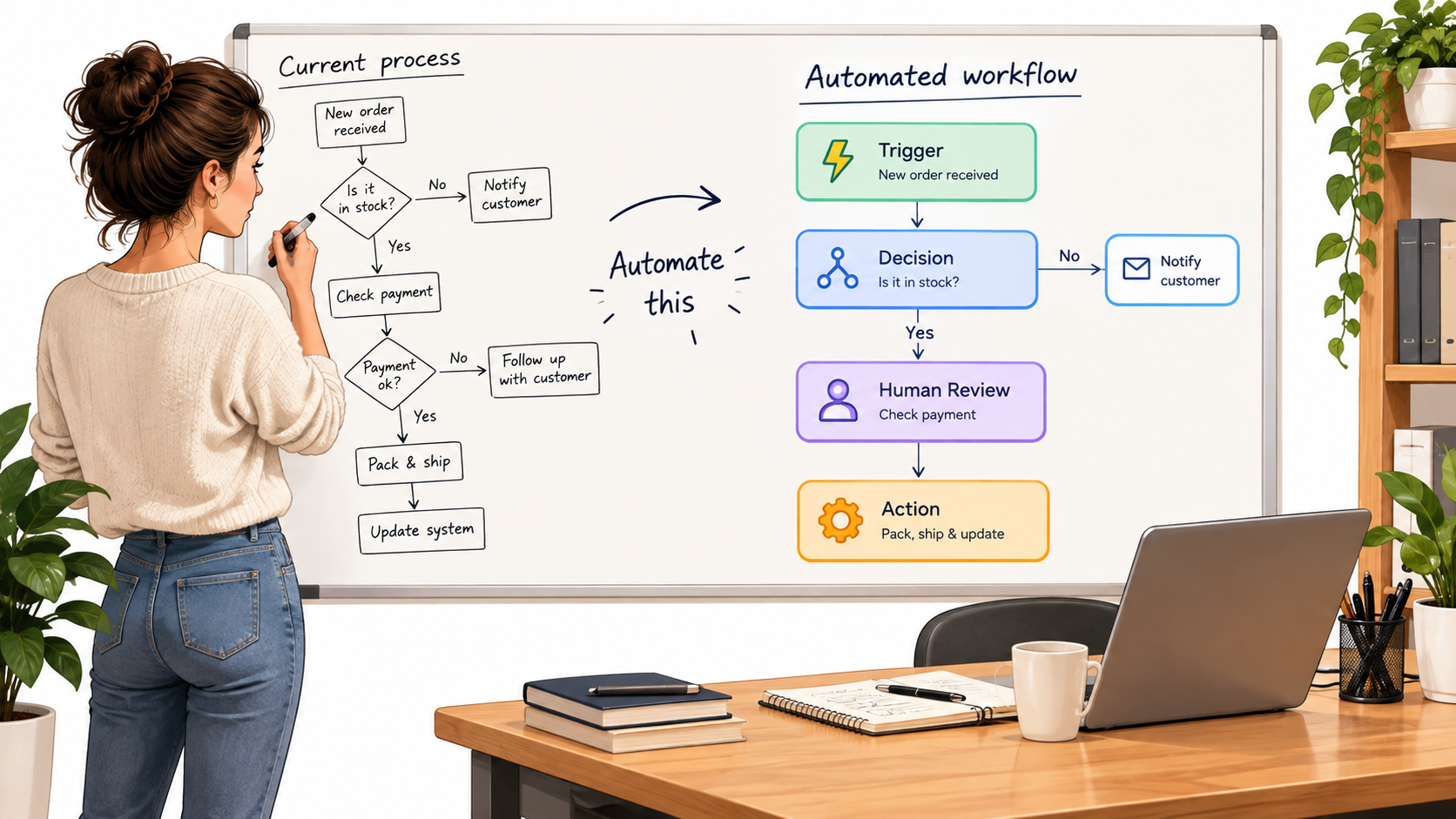

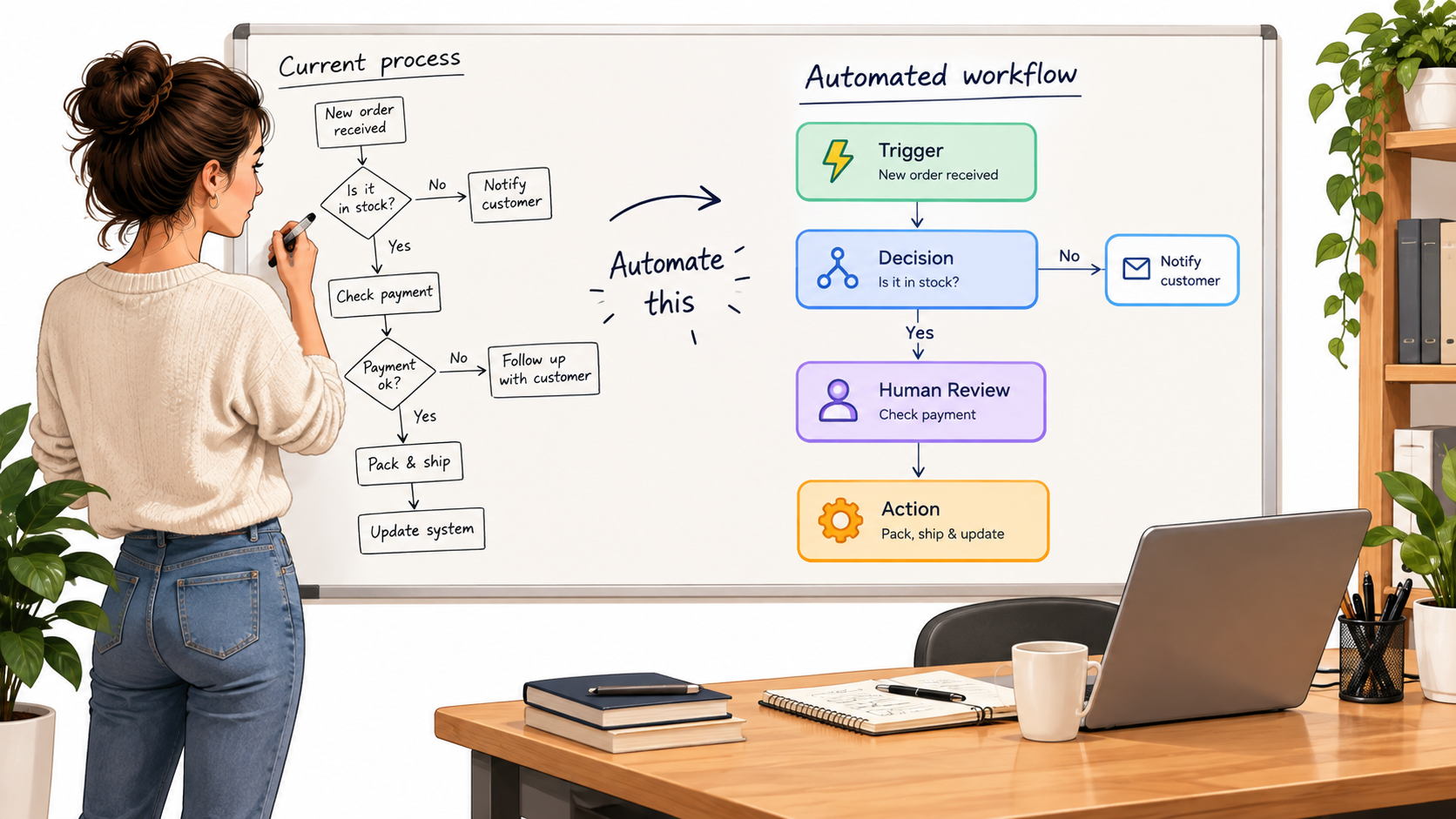
Most advice on AI automation starts with tools. Which platform, which model, which template. That is usually the wrong first question. The businesses that get lasting value tend to start with a much plainer one: where does work get stuck, repeated, or redone?
This article takes a different angle from tool roundups. It proposes a working rule: automate the routine path through a task, and design deliberately for the exceptions. Below is a framework for picking work, structuring it, and checking whether it is paying off.
A note on sourcing: this piece is a practitioner framework, not a data report. It deliberately avoids quoting statistics I could not verify. Treat the numbers you gather from your own operations as the evidence that matters.
Why “Automate the Whole Process” Usually Fails
Every process has a clean version and a messy version. The clean version fits on a slide. The messy version is what staff actually handle: the customer who replies to the wrong thread, the invoice with a missing PO number, the lead who is clearly a competitor.
When teams try to automate the whole process, they build for the slide. The first week looks good. Then the exceptions arrive, and someone has to clean up after the automation, often without knowing what it did.
The hidden cost of silent errors
A manual error is usually visible because a person made it and can explain it. An automated error can repeat hundreds of times before anyone notices. That asymmetry is why the design of checkpoints matters more than the choice of model.
A better starting assumption
Assume the automation will be wrong some percentage of the time, and decide in advance what happens then. If you cannot answer that, the task is not ready.
Step One: Write Down How the Work Really Happens
Before anything is automated, observe the task as it is done today. Sit with the person doing it, or ask them to record a screen walkthrough of five real cases, not one ideal case.
Capture four things for each case: what triggered it, what information was consulted, what decision was made, and what was produced. Note every moment the person hesitated or asked someone else. Those moments are your exceptions.
- Trigger: an email, a form, a date, a status change.
- Inputs: documents, system records, tribal knowledge.
- Decision: the judgment applied, and the rule behind it if there is one.
- Output: a reply, a record update, a payment, a report.
Tribal knowledge is the biggest trap. If a decision depends on something nobody has written down, an AI system cannot reproduce it until someone does.
Step Two: Score Candidate Tasks
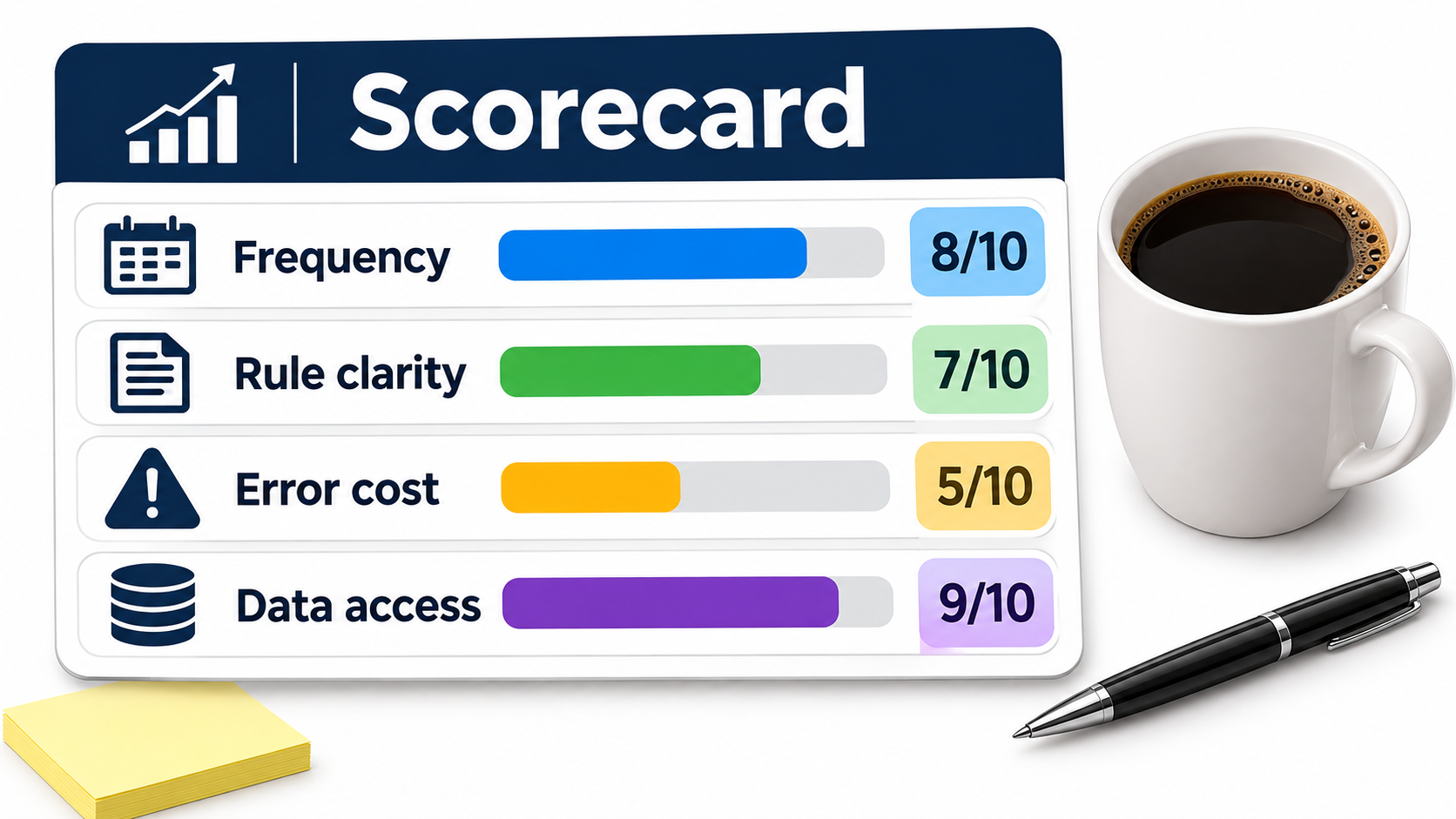
Not every task deserves automation. A simple four-factor score helps you compare candidates without relying on enthusiasm.
Frequency
How often does the task occur? A task done twice a month rarely repays the setup effort. Daily or weekly tasks are better candidates.
Rule clarity
Can two experienced people agree on the right answer most of the time? If they cannot, the model will not either. Tasks like categorising expenses, tagging support tickets, or extracting fields from documents score well. Tasks like deciding whether to grant a strategic discount do not.
Cost of error
What happens if the output is wrong? A mis-tagged ticket is cheap. A wrong payment or a wrong statement to a regulator is not. High-cost tasks can still be assisted by AI, but a person should approve the result.
Data access
Can the system actually reach the information it needs? Many projects stall because the key data sits in a PDF, an inbox, or a spreadsheet only one person understands. Score this honestly, because fixing access can take longer than building the automation.
Rate each factor low, medium, or high. The best first projects are frequent, clear, low-cost-of-error, and have accessible data. Resist starting with the most impressive-sounding use case.
Step Three: Design in Three Lanes
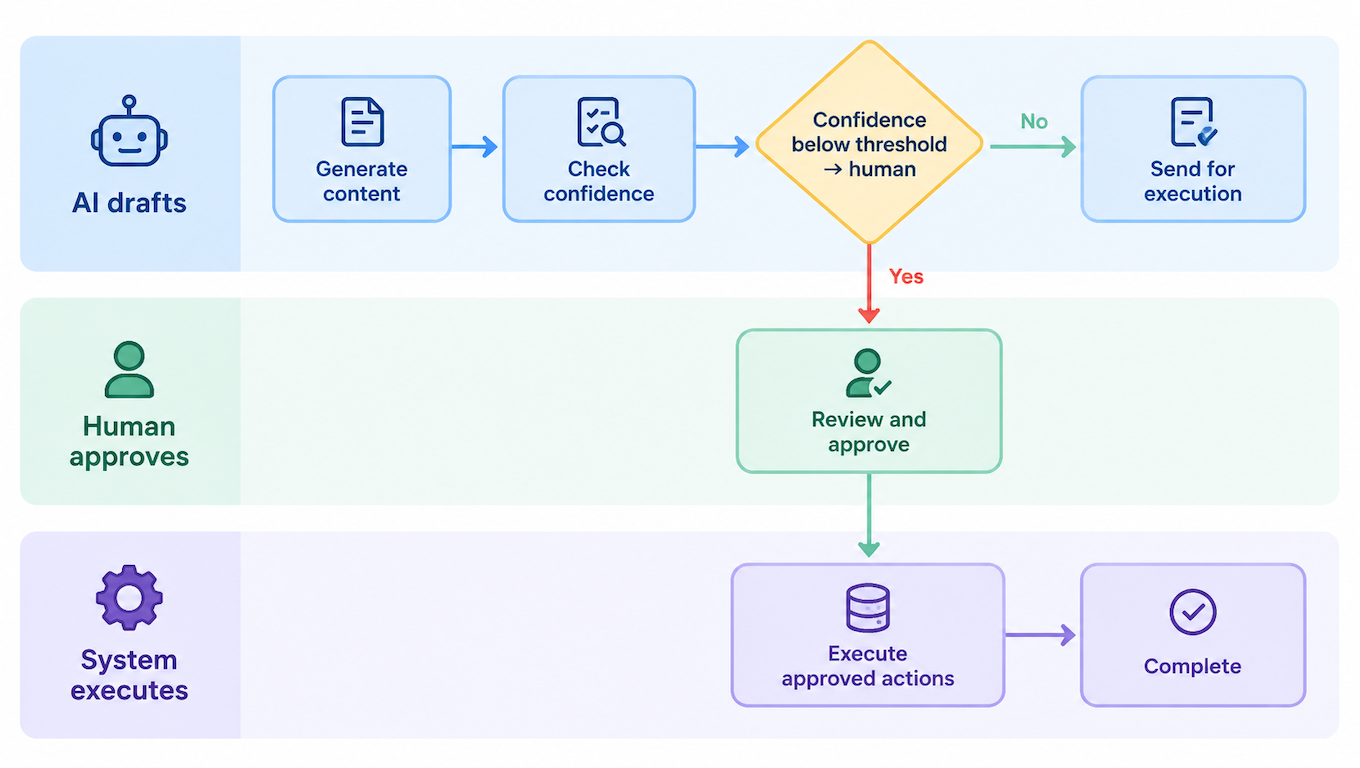
A useful pattern is to separate the work into three lanes: the AI drafts, a human approves where needed, and the system executes.
Lane one: AI drafts
The model reads the input and proposes something: a reply, a classification, an extracted record, a summary. It does not take irreversible action on its own at first.
Lane two: human approves
Route items to a person when the model signals low confidence, when the amount or risk passes a threshold, or when the case matches a known tricky pattern. Early on, send more items here. As you gather evidence, you can narrow the criteria.
Lane three: system executes
Once approved, or when the case clearly meets auto-approve rules, a conventional workflow tool updates the record, sends the message, or files the document. Keep this step deterministic. Ordinary rules-based software is more predictable than a model for actions that must happen exactly one way.
This split also helps with debugging. When something goes wrong you can ask which lane failed: the reading, the review, or the execution.
Step Four: Start With the Exceptions Queue
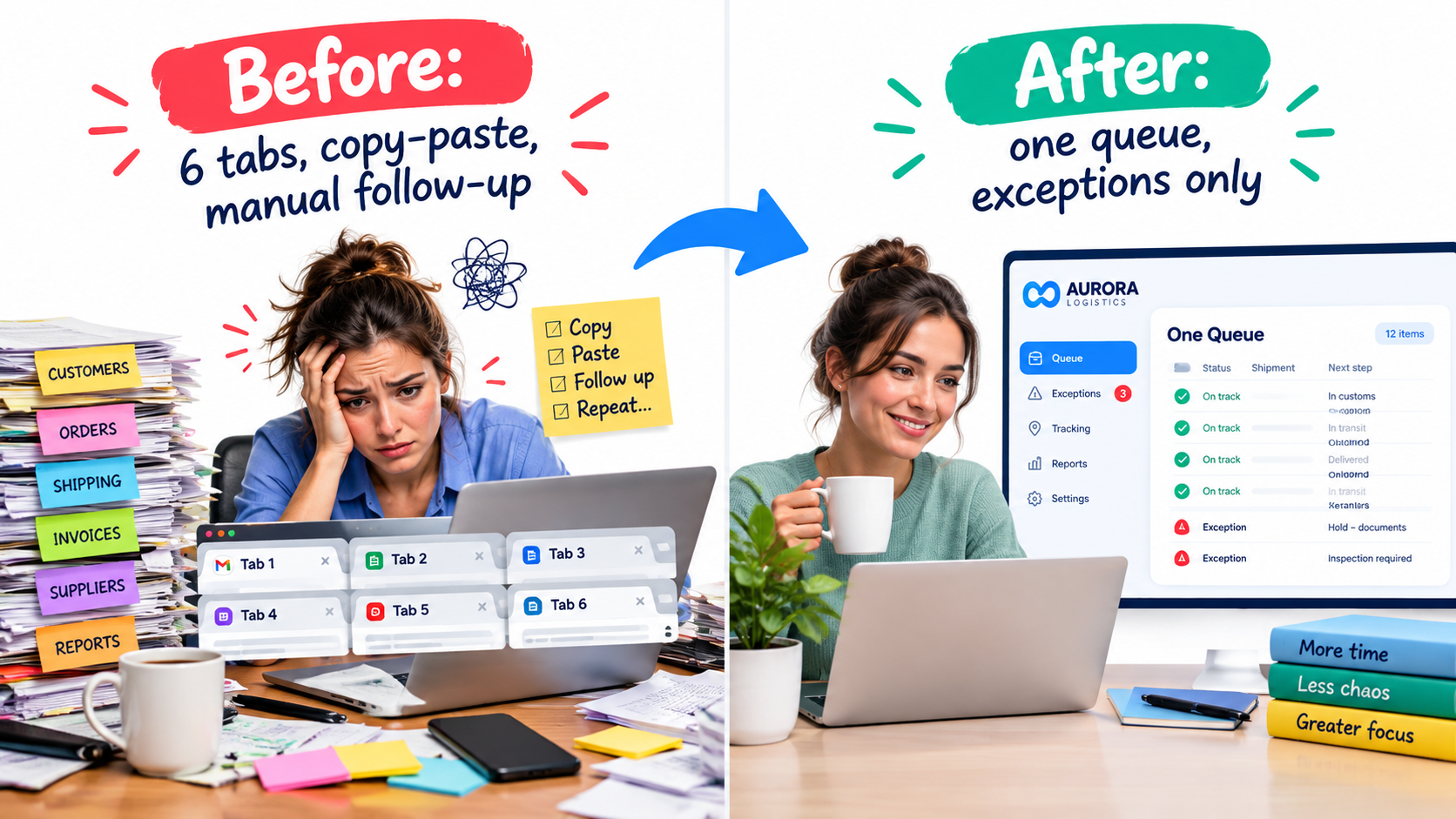
Here is the idea that gives this article its title. Build the exception handling before you build the happy path.
Decide where uncertain items go, who owns that queue, how fast it must be cleared, and what the person sees when they open an item. A good exception view shows the original input, what the AI proposed, why it was unsure, and one-click options to accept, edit, or reject.
Every correction a person makes is also data. Log it. Over a few weeks, patterns appear: a customer type the model misreads, a document format that breaks extraction. Those patterns tell you what to fix next.
Where AI Automation Tends to Fit Best
Without claiming universal results, certain categories of work have the traits that score well.
- Customer support triage: classifying, routing, and drafting replies for common questions, with agents handling complex or sensitive cases.
- Document handling: pulling fields from invoices, contracts, and forms into structured records.
- Sales operations: summarising calls, updating CRM fields, drafting follow-ups for rep review.
- Finance operations: matching transactions, flagging anomalies, preparing reconciliations for review.
- Internal knowledge: answering staff questions from policy documents and linking to the source.
- Reporting: assembling weekly summaries from existing data, with a person checking the narrative.
In each case the pattern is the same: high volume, reasonably clear rules, and a person kept in the loop where mistakes are costly.
Data Readiness: The Unglamorous Prerequisite
Models are only as useful as the information they can reach and trust. Before launching, check a few basics.
- Is there a single source of truth? If customer details differ across three systems, the AI will pick one, and you may not know which.
- Are documents current? An assistant answering from an outdated policy is worse than no assistant.
- Who may see what? Permissions that were loose for humans become risky when a tool can search everything instantly.
- What leaves the building? Understand your vendor’s data handling terms, and where regulated or confidential data is involved, check with your legal or compliance advisers.
Choosing Tools Without Getting Lost
The market changes quickly, so choose on criteria that outlast any product name.
- Fit with your existing systems. Native connections to your CRM, helpdesk, accounting, and email save weeks.
- Visibility. Can you see logs of what the automation read, decided, and did?
- Human review features. Approval steps and queues should be built in, not bolted on.
- Exit options. Can you export your workflows and data if you switch?
- Pricing model. Usage-based pricing can surprise you at volume. Estimate costs at ten times your pilot load.
For many small teams, an off-the-shelf workflow tool combined with a general-purpose model is enough. Custom engineering makes sense when volume is high, data is sensitive, or the process is a core part of your product.
The People Side
Automation succeeds or fails on whether the people closest to the work trust it. Involve them from the first walkthrough. They know the exceptions better than anyone.
Be clear about intent
If staff suspect the goal is headcount reduction, they will hide edge cases and the project will quietly fail. If the goal is removing repetitive work so they can handle harder cases, say so, and make sure that is true in practice.
Change the role, not just the task
A support agent who now reviews AI drafts needs different skills: spotting subtle errors, giving feedback that improves the system, and knowing when to escalate. Plan time for that training.
Measuring Whether It Works
Capture a baseline before launch. Without one, every result is an anecdote.
- Time per item before and after, including review time.
- Error or rework rate, measured by sampling outputs weekly.
- Exception rate and how it trends over time.
- Turnaround time as the customer or colleague experiences it.
- Total cost including subscriptions, model usage, and the maintenance hours people spend.
Beware of counting only the time saved on the happy path. If reviewing and fixing eats the savings, the net benefit may be small. Honest accounting makes the second project easier to approve than an inflated one.
A 30-Day Starting Plan
- Week one: list ten repetitive tasks, record five real cases of the top three, and score them.
- Week two: pick one. Define the three lanes, the confidence rules, and the exceptions queue owner. Capture the baseline.
- Week three: run in shadow mode. The AI drafts, people do the work as usual, and you compare.
- Week four: go live with human approval on everything. Review corrections daily.
After that, loosen approvals only where the evidence supports it, and pick the next task.
Conclusion: Small, Observable, Reversible
Good AI automation is rarely a grand transformation. It is a series of small, observable, reversible changes, each tied to a task someone understands well.
Key takeaways:
- Start with the work, not the tool.
- Score tasks on frequency, rule clarity, cost of error, and data access.
- Separate drafting, approval, and execution.
- Build the exceptions queue first, and treat corrections as data.
- Measure against a baseline, including review and maintenance time.
Pick one task this week, watch it being done five times, and write down where people hesitate. That list is your automation roadmap.