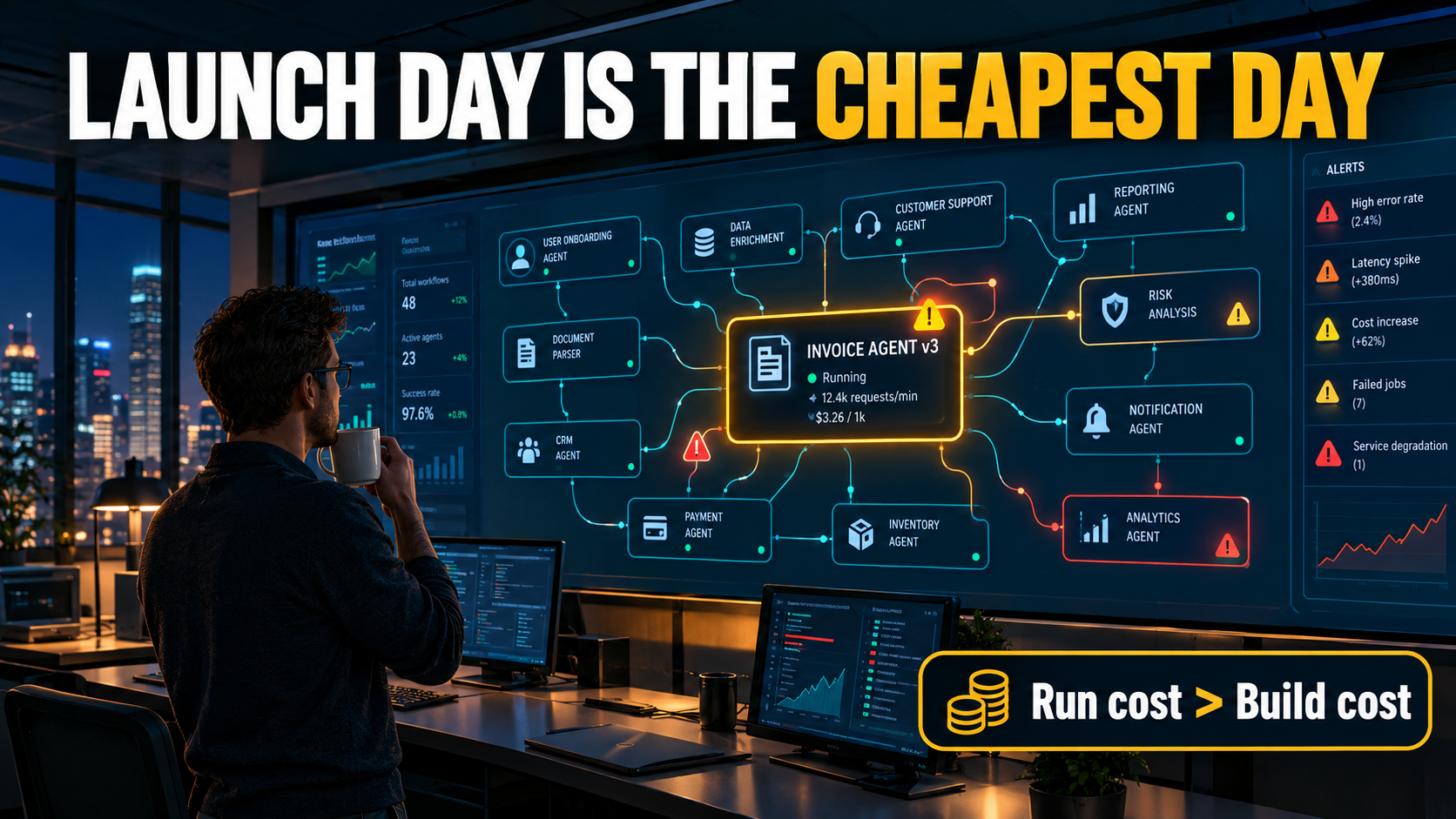

Most of the conversation about AI automation for business ends at the moment the automation goes live. The demo works and the pilot hits its numbers. Someone posts a screenshot of an invoice-matching agent clearing a backlog in an afternoon, and the project gets marked “done.”
That’s the point where the real costs start showing up.
Every automation that touches a language model, a third-party API, or a changing business process starts losing value from the day it ships. Data formats shift. Vendors retire models. Token consumption creeps up as teams add steps and retries. The odd cases nobody planned for pile up in someone’s inbox. And the people who used to know how the process worked gradually forget, because the machine has been doing it for them.
None of this means AI automation is a bad investment. It means it’s a different kind of investment from the one most budgets assume. Traditional software was mostly a capital purchase: you built or bought it, then maintained it on a fairly predictable schedule. AI automation acts more like an employee or a fleet vehicle. It has running costs and performance reviews, it needs retraining, and eventually it needs replacing.
Analysts are already seeing the effects. In mid-2025, Gartner predicted that over 40% of agentic AI projects would be canceled by the end of 2027, citing escalating costs, unclear business value, and inadequate risk controls. The first item on that list wasn’t failed technology. It was cost.
This article skips selecting, piloting, and measuring first-quarter ROI, which plenty of other guides already cover. It’s about year two and beyond: what it actually costs to keep an AI automation running well, where those costs hide, and how to set up budgets and ownership so the automation estate you build in 2026 doesn’t turn into the technical debt you’re paying off in 2028.
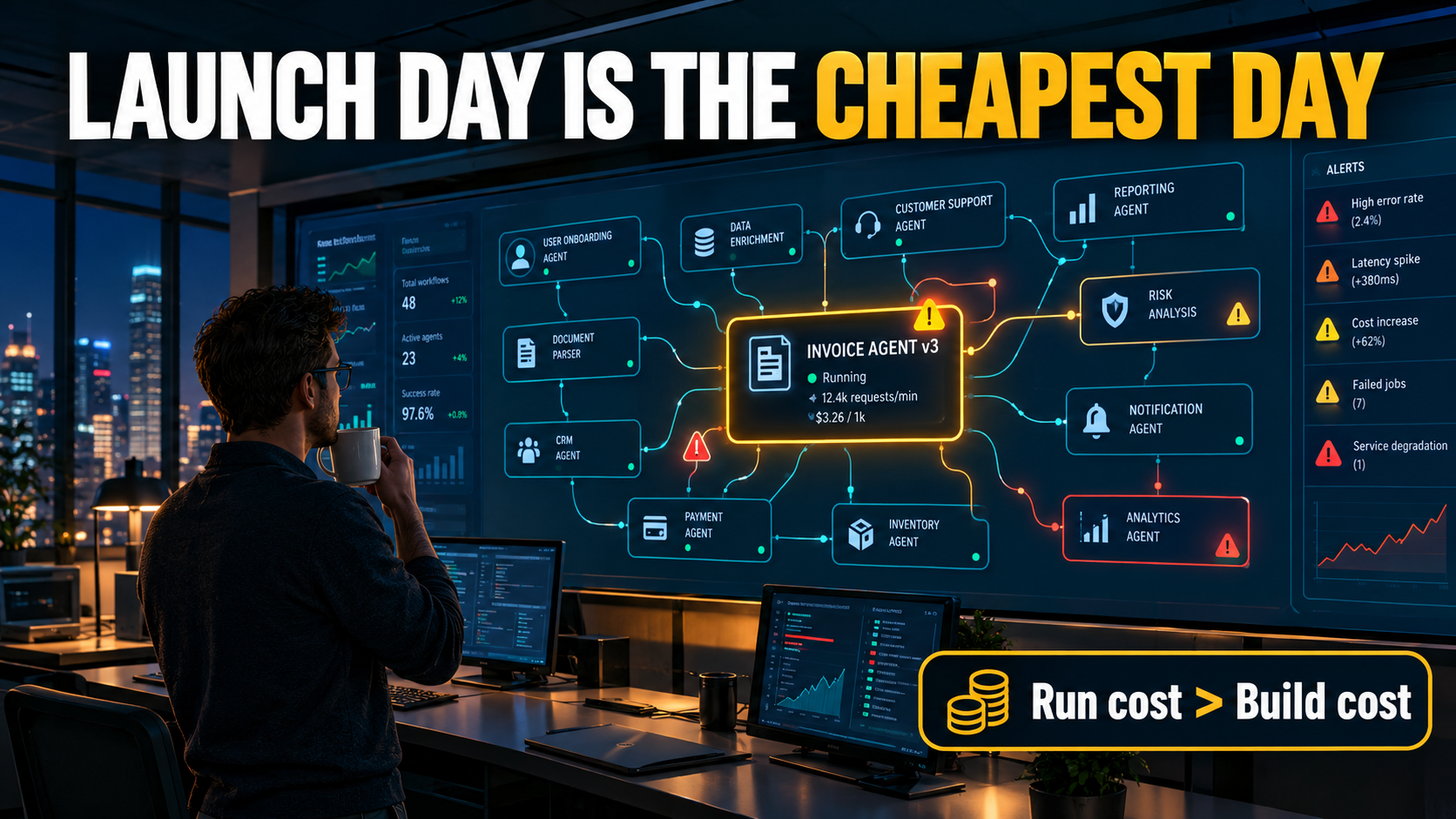
The Go-Live Illusion: Why Launch Day Is the Cheapest Day
When a team builds a business case for AI automation, it usually compares two numbers: the cost of the current manual process and the cost of building the automated one. If the build cost is recovered within a year or so, the project gets approved.
The weakness in that model is that it treats the build as the main expense. For AI-driven systems, that’s often wrong.
The ML code is the small box
In 2015, a group of Google engineers led by D. Sculley published a paper at NeurIPS titled “Hidden Technical Debt in Machine Learning Systems.” Its best-known figure shows a real-world ML system as a large diagram of infrastructure (data collection, feature extraction, configuration, monitoring, serving, process management), with the actual ML code drawn as a tiny box in the middle.
The paper’s argument was that machine learning systems pick up maintenance debt faster than ordinary software, for reasons ordinary software engineering practice doesn’t fully handle. One principle it named, “Changing Anything Changes Everything” (CACE), describes how a change to any input, setting, or upstream data source can shift the system’s behavior in ways that are hard to isolate.
A decade later, the tools are different. Most businesses now call foundation models through APIs instead of training their own. The principle hasn’t changed, though. A prompt, a retrieval index, a tool definition, and a model version together make up a system where small changes spread in ways nobody predicts.
Why the gap matters for business automation
A classic rules-based automation, such as a script that moves files from one folder to another, either works or fails loudly. AI automation often fails quietly. It keeps producing output, and the output gets a little worse each week until someone notices that the support bot has been quoting an outdated return policy or that invoice coding accuracy has slipped.
That quiet decline is the main reason run costs get underestimated. If you can’t see the decay, you don’t budget to fix it.
A different mental model
A more realistic approach is to treat each production AI automation as a digital worker with a running cost, not a one-time software purchase. You’d never hire a person and assume they need no supervision, training, or tools after their first week. The same goes here.
The rest of this article breaks those running costs into six categories: drift, model retirement, inference spend, exception handling, skills atrophy, and liability. It then looks at how build-versus-buy decisions and ownership models shape each one.
Drift Comes in Three Flavors, and Only One Is About the Model
When people hear “drift,” they usually think of model accuracy degrading over time. That’s real, but in business automation it’s often the least common problem. Most failures come from changes in the world around the model.
The academic and engineering literature on drift draws a useful distinction. Besides concept drift, where the relationship between inputs and the correct output changes, there’s structural drift, where data schemas change, and semantic drift, where the meaning of data changes even though its structure stays the same. A third operational category, infrastructure drift, covers changes in the software environment, such as a cloud service update, that break configurations.
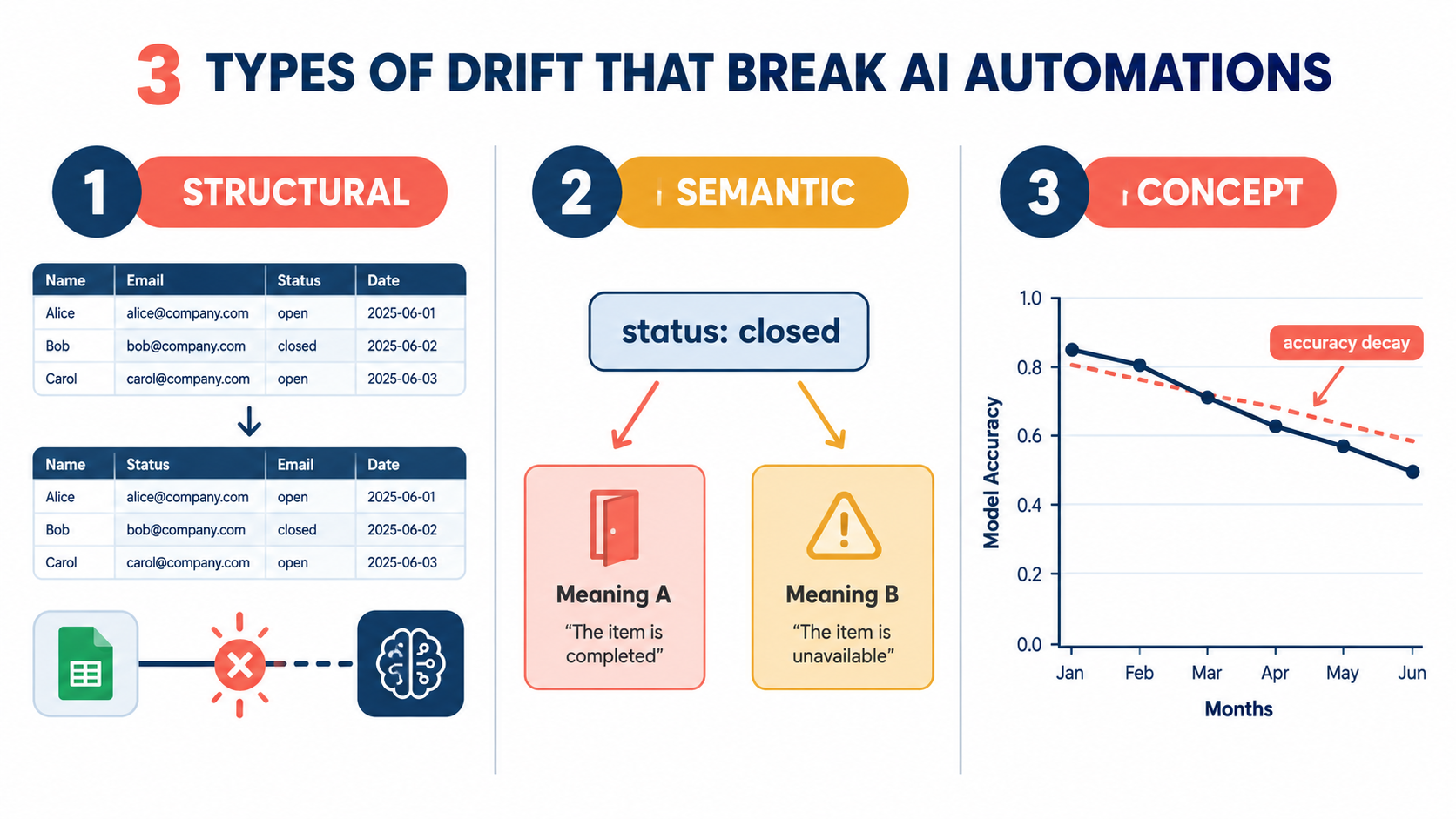
Structural drift: the vendor changed the export
Picture an accounts payable automation that reads supplier invoices, extracts line items, and posts them to the ERP. It works well for six months. Then a major supplier redesigns its invoice template. Or the ERP vendor ships an update that renames a field. Or someone in finance adds a column to the spreadsheet the automation reads.
None of these is an AI problem. Each one can still break an AI automation, and because language models are good at producing plausible output from imperfect input, the failure may not be obvious. The model might put a tax amount in the freight field, quietly and confidently.
Semantic drift: same field, new meaning
Semantic drift is harder to catch. Suppose your CRM has a “status” field, and the sales team starts using “closed” to mean “closed-lost” as well as “closed-won” because someone changed the pipeline stages. A lead-scoring or follow-up automation reading that field still sees valid data, but the business meaning underneath has changed.
Data-quality researchers describe a related effect called data corrosion: drifted data passes through the system without being detected, and errors build up downstream.
Concept drift: the world changed
Concept drift is the textbook case. Customer behavior shifts with the season, the economy, or a competitor’s move. A classification model trained on last year’s support tickets meets a new product line, a new complaint category, or new slang. The standard example in the drift literature is retail demand forecasting that slowly loses accuracy because buying patterns change over the seasons.
For businesses that use foundation models through APIs, concept drift often shows up in the retrieval layer instead of the model. The knowledge base the AI draws from goes stale. Policies get updated in one system and not in the document store the assistant reads.
How much does drift actually cause?
Industry data is still thin. One 2026 survey by Radixweb found that technical model drift accounted for 6.5% of reported AI failure incidents among its respondents. That figure is a useful corrective: pure model drift is a minority cause. Most problems come from data, integration, and process changes around the model, which is exactly why monitoring only model accuracy misses most of what goes wrong.
What to do about it
- Monitor inputs, not just outputs. Track schema changes, field distributions, and document-template variation coming into each automation.
- Keep a “golden set.” Maintain a fixed set of real, labeled examples per automation and re-run it weekly or whenever anything upstream changes.
- Register upstream dependencies. For every automation, list which systems, files, and teams feed it, and require those owners to give notice before making changes.
- Set freshness SLAs for knowledge bases. If an assistant answers policy questions, someone owns making sure the source documents are current.
Model Retirement: When Your Vendor Retires the Brain of Your Workflow
Traditional software usually gets major updates on a schedule you control. You can stay on an older version for years if you’re willing to accept the risks. Foundation models through APIs don’t work that way.
Deprecation is a normal part of the product
Major model providers retire older models regularly, usually with a notice period. OpenAI, for example, retired its widely used text-davinci-003 model in early 2024, and every major provider has gone through similar cycles since. Retirement isn’t a sign of vendor instability. It’s how the business works: providers want to concentrate compute on newer, more efficient models.
For a business that has tuned prompts, evaluations, and downstream parsing to one model’s behavior, each retirement is a forced migration project.
Why “just swap the model” rarely works
Newer models are usually better on benchmarks. Benchmarks aren’t your workflow, though. A replacement model may:
- Format output differently, which breaks downstream parsers that expect a particular structure.
- Be more or less cautious, refusing requests the old model handled, or handling requests the old model correctly refused.
- Produce longer responses, which raises token costs and latency.
- Interpret the same prompt differently, which shifts classification boundaries in ways that matter for edge cases.
- Call tools in a different order or with different parameters, which can change the behavior of agentic workflows.
Any one of these can be small. Together, across dozens of automations, they turn into a recurring engineering cost.
Building for model portability
Businesses that handle migrations well tend to share a few practices:
- An abstraction layer. Automations call an internal gateway, not the provider’s API directly. Swapping models then means changing a configuration, not editing every workflow.
- Per-automation evaluation suites. The golden sets described above double as migration tests. If a new model passes your evaluations, you can switch with confidence.
- Structured outputs everywhere. Asking for schema-validated JSON instead of free text makes downstream parsing far less fragile across model versions.
- A migration calendar. Track the announced retirement dates for every model in production, and plan migrations as scheduled work instead of emergencies.
The budgeting implication
If your automation estate depends on models that get replaced every year or two, you should assume at least one migration cycle per automation per year. Each cycle involves re-running evaluations, adjusting prompts, checking output formats, and possibly retraining staff on changed behavior. That’s predictable, recurring work, and it belongs in the operating budget, not in a “contingency” line nobody looks at.
The Token Bill Paradox: Cheaper Units, Bigger Invoices
One of the most widely cited facts in AI economics is how fast inference costs have fallen. The Stanford AI Index 2025 reported that the cost of querying a model performing at roughly GPT-3.5’s level dropped more than 280-fold between November 2022 and October 2024.
So why do so many finance teams say their AI spend keeps going up?
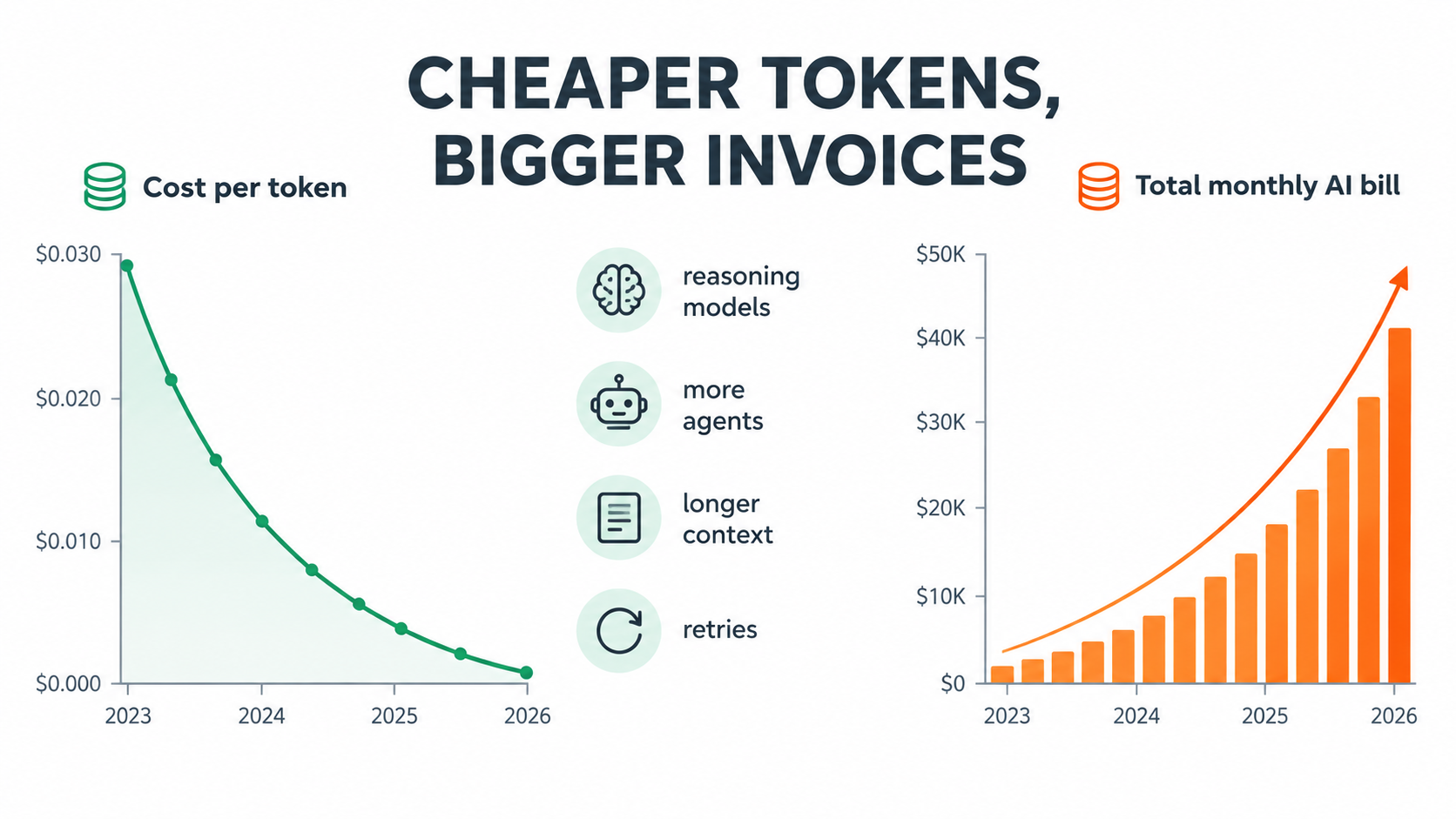
Jevons paradox for tokens
In the 19th century, the economist William Stanley Jevons noticed that more efficient steam engines didn’t reduce Britain’s coal consumption. They increased it, because cheaper energy made new uses economical. AI inference is following the same pattern.
When tokens get cheaper, businesses use far more of them, in a few ways:
- Reasoning models. Models that “think” before answering can generate many times more tokens per request than earlier chat models. The per-token price may be low, but the tokens per task go up a lot.
- Agentic loops. One user request to an agent can trigger a chain of planning steps, tool calls, observations, and revisions. Each step uses tokens, and failed steps get retried.
- Longer context. Teams stuff more documents, history, and instructions into each prompt because the context window allows it, and pay for every token on every call.
- More automations. Once the first few succeed, every department wants one.
The pilot-to-production cost cliff
Pilots tend to understate inference costs. They run on curated inputs, low volumes, and short conversations. Production brings messy documents, edge cases that cause retries, users who paste entire email threads, and volume spikes at month-end.
An automation that cost a few hundred dollars a month in pilot can cost far more at full volume, not because anything broke, but because real usage is heavier than test usage. GitHub’s move to token-based pricing for some Copilot plans shows the wider trend: vendors are passing consumption costs through to customers more directly, so usage patterns show up straight on the invoice.
Controlling inference spend without crippling quality
The answer isn’t to use the cheapest model for everything. It’s to match model capability to task difficulty:
- Route by complexity. Send simple classification and extraction to small, cheap models. Escalate to larger reasoning models only when confidence is low or the task is clearly complex.
- Cache aggressively. Many providers offer discounted pricing for repeated prompt prefixes. Stable system instructions and reference documents should be structured to benefit from it.
- Cap agent loops. Set hard limits on steps and retries per task, and send anything that hits the limit to a human queue instead of letting it spin.
- Trim context. Retrieve the few relevant passages instead of whole documents. Summarize long histories instead of replaying them.
- Measure cost per completed outcome. Track the cost per invoice processed, ticket resolved, or report generated, not just monthly totals. That’s the number that tells you whether the automation still pays for itself.
Budget for usage growth, not usage today
A useful planning discipline is to model inference costs at two or three times current volume and against your most token-hungry plausible configuration. If the automation still pays for itself in that scenario, it’s resilient to success. If it only works at pilot volume, you’ve found the problem before it reaches the P&L.
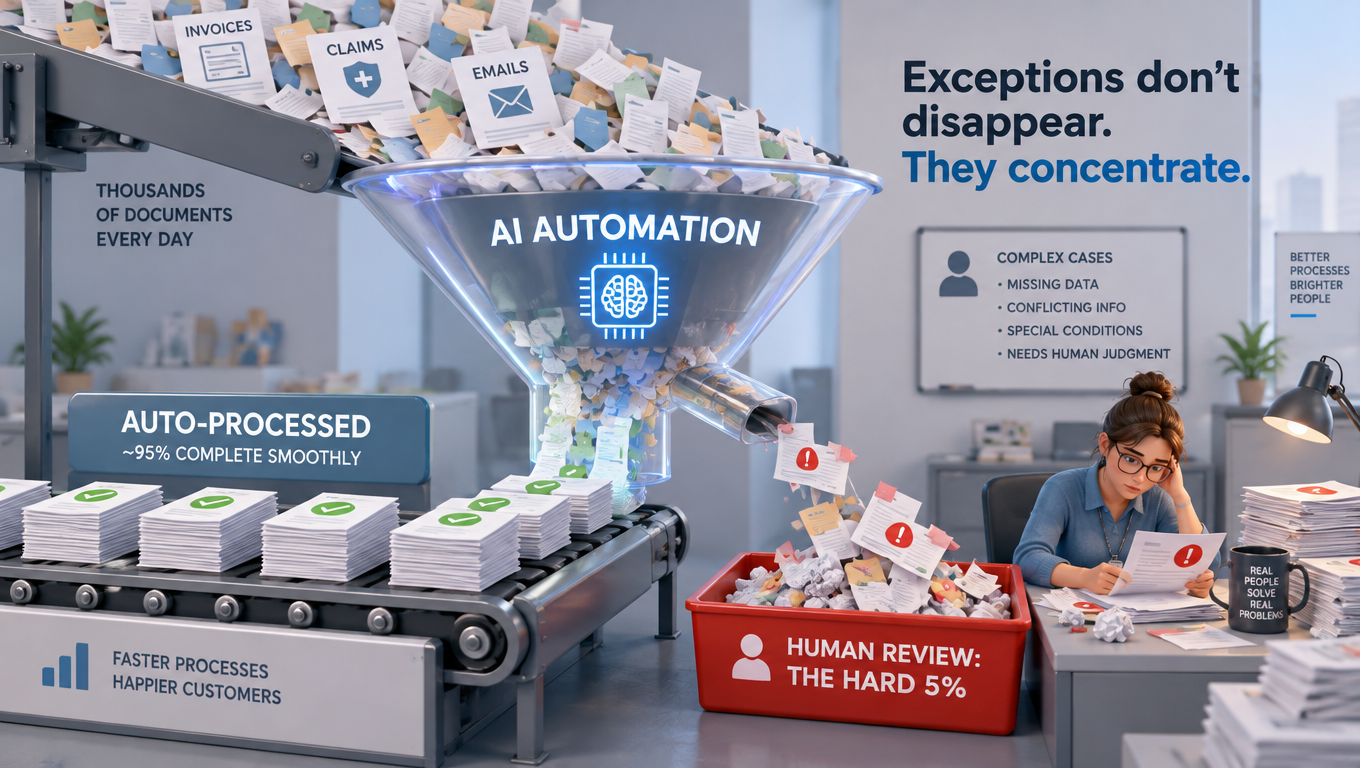
Exceptions Don’t Disappear. They Concentrate.
The pitch for most AI automation goes something like: “It handles 90% of cases automatically, and humans review the rest.” The math sounds great. If a team processes 10,000 items a month and the automation clears 9,000, that’s 90% of the workload gone.
Except it isn’t.
The easy work was never the expensive work
In most business processes, effort isn’t spread evenly across cases. The routine invoice that matches its purchase order exactly takes a human 30 seconds. The disputed invoice with a partial delivery, a price change, and a missing PO number takes 30 minutes.
AI automation is very good at the first kind and much less reliable at the second. So when the automation clears 90% of volume, it may clear only half of the effort. What’s left for humans is denser, harder, and more tiring work.
The exception queue is a product, so treat it like one
Many automation projects put enormous design effort into the happy path and almost none into the exception path. The exception queue ends up as a shared inbox or a spreadsheet, with no context about why the item was flagged, what the AI tried, or what it was unsure about.
Good exception design includes:
- Reason codes. Every escalated item says why: low confidence, missing data, policy conflict, value above threshold, and so on.
- AI work shown. The reviewer sees what the automation extracted or proposed, so they’re correcting a draft instead of starting from scratch.
- Feedback capture. Human corrections get logged in a structured way so they can improve prompts, rules, or evaluation sets.
- Queue analytics. Track exception volume, reasons, and resolution time each week. A rising exception rate is often the first sign of drift.
The staffing trap
Here’s the trap many businesses fall into. They automate 90% of volume, cut the team by a big share, and then find that the remaining people can’t keep up with the concentrated difficult work, especially during spikes or after an upstream change sends the exception rate from 10% to 25% overnight.
Klarna is the most-discussed example. In early 2024, the company announced that its AI assistant was handling two-thirds of customer service chats in its first month, doing work it said was equivalent to roughly 700 full-time agents. By 2025, CEO Sebastian Siemiatkowski was publicly acknowledging that the focus on cost had come at the expense of quality, and the company said it would make sure customers could always reach a human. Whatever the full internal story, the public arc shows how volume metrics can hide the cost of the work that’s left over.
Plan capacity for the hard cases
When planning headcount after automation, model effort, not volume. Estimate the time per exception, not the average time per item. Keep surge capacity for the weeks when an upstream change spikes the exception rate. And remember that exception handlers need more expertise than the people who processed routine cases, which affects hiring, pay, and training.
The Skills Atrophy Problem: Who Remembers How the Process Works?
In 1983, the cognitive psychologist Lisanne Bainbridge published a short paper called “Ironies of Automation.” Written about industrial control systems, it’s become one of the most-cited works in human factors research, and it applies directly to AI in business.
The irony, stated plainly
Bainbridge’s main point was that automating a process doesn’t remove the need for human skill. It changes and often increases that need, while removing the daily practice that keeps the skill sharp. Operators are left monitoring systems they no longer run by hand, and when the automation fails, they’re expected to step in and handle the hardest situations with skills that have faded from lack of use.
Human factors researchers call a related effect the out-of-the-loop performance problem: people who watch automated systems instead of operating them are slower to spot problems and less effective when they take over.
How this shows up in business
Think about a month-end close process that’s been heavily automated for two years. The accountants who used to do reconciliations by hand have moved on or been reassigned. The new hires have only ever reviewed the automation’s output. Then a major system migration breaks the automation in the last week of the quarter.
Who knows how to do the close by hand? Who even knows which steps the automation was quietly doing?
This isn’t hypothetical paranoia. It’s what you’d expect any time a process is automated without deliberate effort to keep the knowledge around.
Documentation is necessary but not enough
The obvious fix is documentation, and it matters. Every automation should have a plain-language description of what it does, what decisions it makes, what rules it follows, and what the manual fallback looks like.
But documentation alone doesn’t keep skills alive. Some practical measures go further:
- Manual fallback drills. Once or twice a year, run a critical process by hand for a day, the way companies run fire drills or disaster recovery tests.
- Rotation through exception queues. Make sure people regularly handle real cases, not just approve AI output.
- Process owners, not just system owners. Every automated process should have a named person who understands the business logic, separate from whoever maintains the technology.
- “Explain it back” reviews. In periodic reviews, have the process owner explain what the automation does without looking at its configuration. Gaps in their explanation are gaps in your organization’s knowledge.
The rubber-stamp risk
A related danger is automation bias, the well-documented human tendency to over-trust automated recommendations. When reviewers approve AI output hundreds of times a day and it’s almost always right, approval becomes automatic. The human-in-the-loop safeguard becomes a human-in-name-only.
Countermeasures include occasionally inserting known-incorrect test items to check reviewer attention, tracking approval rates per reviewer (a 100% approval rate is a warning sign, not an achievement), and designing review screens that ask for active confirmation of key fields instead of a single “approve” button.
Liability Doesn’t Automate
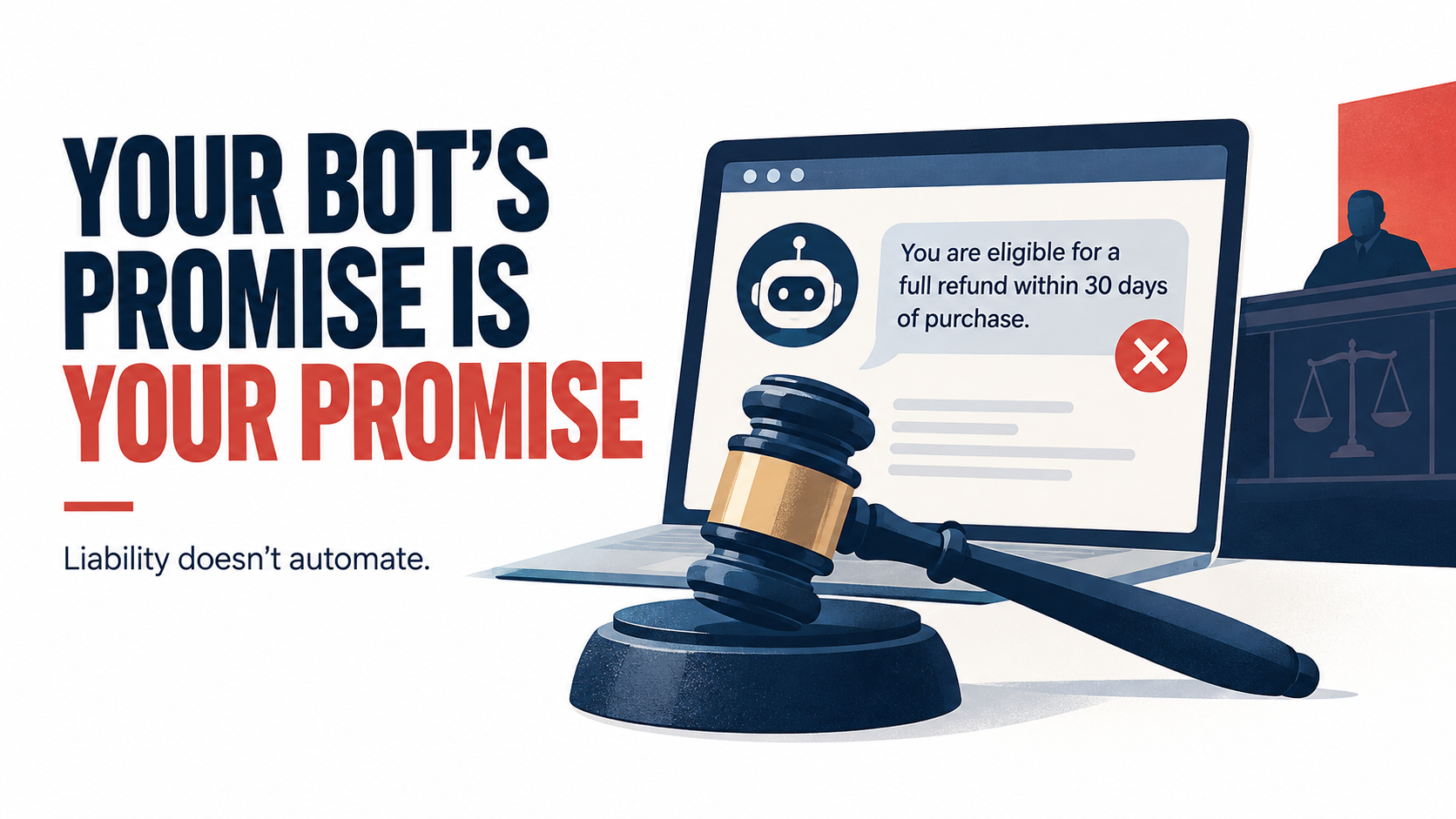
You can delegate a task to an AI system. You can’t delegate responsibility for it. Courts, regulators, and customers are making that clear.
The Air Canada precedent
In February 2024, British Columbia’s Civil Resolution Tribunal decided Moffatt v. Air Canada. A customer had asked the airline’s website chatbot about bereavement fares and was told he could apply for a discount retroactively after travel. That contradicted the airline’s actual policy. When the refund was denied, he filed a claim.
Air Canada argued, in effect, that the chatbot was responsible for its own statements. The tribunal rejected that argument, found the airline liable for negligent misrepresentation, and ordered it to pay the difference along with interest and fees. The amount was small, around CA$800. The principle was not: a business is responsible for what its automated systems tell customers.
The cost of governance is a run cost
That principle turns governance from a one-time compliance check into an ongoing operating expense. For every customer-facing or decision-making automation, someone has to:
- Check that the information it gives matches current policy, and recheck whenever policy changes.
- Keep logs that can reconstruct what the system said or decided, and why.
- Review samples of outputs for accuracy, tone, and fairness.
- Handle complaints and disputes about automated decisions.
The regulatory calendar is filling up
Regulation adds to these duties. The EU AI Act entered into force in 2024 with obligations phasing in over several years, including requirements for high-risk systems in areas such as employment, credit, and access to essential services. EU institutions have discussed changes to parts of the timeline, so businesses operating in Europe should track the current dates closely. In the United States, Colorado passed a comprehensive AI law aimed at algorithmic discrimination in consequential decisions; its effective date was pushed back to mid-2026, which puts it squarely on this year’s compliance agenda.
You don’t need to be a lawyer to see the operational implication. Automations that touch hiring, lending, insurance, housing, healthcare, or other consequential decisions bring documentation, impact assessment, and oversight duties that recur every year. They aren’t something you do once at launch.
Risk-tier your automations
A practical approach is to sort every automation into risk tiers:
- Internal, low-stakes (drafting meeting summaries, tagging internal documents): light monitoring, occasional sampling.
- Internal, operational (invoice coding, inventory forecasting): golden-set evaluations, exception analytics, quarterly review.
- Customer-facing (support assistants, order updates): policy-sync checks, conversation sampling, clear escalation to humans, full logging.
- Consequential decisions (credit, hiring, claims, pricing for individuals): formal impact assessments, bias testing, human review of adverse outcomes, legal sign-off.
Each tier carries a different governance cost. Knowing which tier an automation sits in before you build it is the cheapest risk control there is.
Build vs. Buy Through a Maintenance Lens
Build-versus-buy decisions usually focus on upfront cost, speed to deploy, and how well the solution fits. When you weigh run costs as well, the calculation often changes.
What the research suggests
MIT’s Project NANDA published a widely discussed report in 2025, “The GenAI Divide,” which concluded that the large majority of enterprise generative AI pilots, about 95% by its measure, weren’t producing measurable P&L impact. One of its more practical findings was about sourcing. According to the report, purchased solutions from specialized vendors and partnerships succeeded about two-thirds of the time, while internally built tools succeeded much less often.
The report also found that much of the measurable return was coming from back-office functions, such as reducing outsourcing and agency spend and automating administrative work, rather than the sales and marketing uses that got most of the budget and attention.
The methodology has its critics, and the specific percentages shouldn’t be treated as precise. The direction is still worth noting, and maintenance helps explain it.
Why bought solutions often age better
A specialized vendor selling invoice processing to thousands of customers sees thousands of invoice templates, catches format changes across its whole customer base, and handles model migrations once for everyone. Its maintenance cost is spread over its entire customer base.
An internal team that builds the same capability takes on all of that alone. It has to:
- Monitor for drift with only its own data to compare against.
- Handle every model retirement itself.
- Keep the engineers who built the system, or document well enough that successors can maintain it.
- Rebuild when the original approach becomes outdated, which in this field can happen within a couple of years.
When building still makes sense
Buying isn’t always right. Building makes more sense when:
- The process is truly specific to your business and a source of competitive advantage.
- No vendor serves the use case well, or vendor solutions would require big compromises to your process.
- Data sensitivity or regulation makes sending data to a third party impractical.
- You already have a capable platform team running other AI systems, so the marginal maintenance cost is lower.
Questions to ask vendors about year two
If you’re buying, ask vendors directly about the run-cost issues in this article:
- How do you handle underlying model retirements, and how much notice do customers get of behavior changes?
- What drift monitoring do you provide, and what do customers need to monitor themselves?
- How is pricing structured as volume grows, and what happens to costs if we move to more token-intensive features?
- What logs and audit trails can we access to meet our own liability and regulatory duties?
- If we leave, can we export our configurations, evaluation data, and correction history?
The answers will tell you more about the true total cost of ownership than the demo will.
Who Owns the Automation Estate?
Run costs pile up when nobody owns them. One of the most common patterns in business AI automation is the orphaned workflow: built by an enthusiastic team member or a project squad, celebrated at launch, and left with no clear owner once the builders move on.
The three ownership roles every automation needs
For each production automation, three roles should be filled. Sometimes one person covers more than one, but each should be explicit:
- Business process owner. Accountable for the outcome the automation delivers. Understands the business logic, approves changes to rules or policy, and owns the manual fallback.
- Technical owner. Responsible for keeping the automation running: monitoring, evaluations, model migrations, integration upkeep, and cost management.
- Risk owner. For anything above the lowest risk tier, someone accountable for governance: logging, sampling, compliance, and incident response.
Centralized, federated, or hybrid?
Businesses tend to settle on one of three models for managing AI automation at scale:
Centralized. A single automation or AI platform team builds and runs everything. This gives consistency and makes shared monitoring and model management easier, but it can become a bottleneck and drift away from frontline business needs.
Federated. Each department builds and runs its own automations, often on low-code or no-code platforms. This is fast and close to the business, but it tends to produce duplicated effort, inconsistent governance, and orphaned workflows.
Hybrid (hub and spoke). A central team owns shared infrastructure, such as the model gateway, evaluation tools, cost monitoring, logging, and governance standards. Departments build on top of it within guardrails. For most mid-sized and larger businesses, this model balances speed and control best.
The automation registry
Whatever the model, the single most useful tool for controlling run costs is an automation registry: a living inventory of every AI automation in production. At minimum, each entry should record:
- What the automation does and which process it supports.
- The three owners.
- Its risk tier.
- Which models it depends on, and their announced retirement dates.
- Its upstream data dependencies.
- Monthly run cost and cost per outcome.
- The date of its last evaluation and its current performance against the golden set.
If you can’t produce this list today, you don’t know what your AI automation is costing you, and you won’t see the next migration or drift event coming.
Retirement is a valid outcome
Finally, the ownership model should include a way to retire automations. Not every workflow deserves to live forever. If an automation’s cost per outcome has risen above the manual alternative, or the process it supported has changed beyond recognition, shutting it down is good management, not failure. An annual review that asks “keep, fix, or retire?” for every registry entry prevents the slow pile-up of zombie workflows.
Building a Realistic Run-Cost Budget
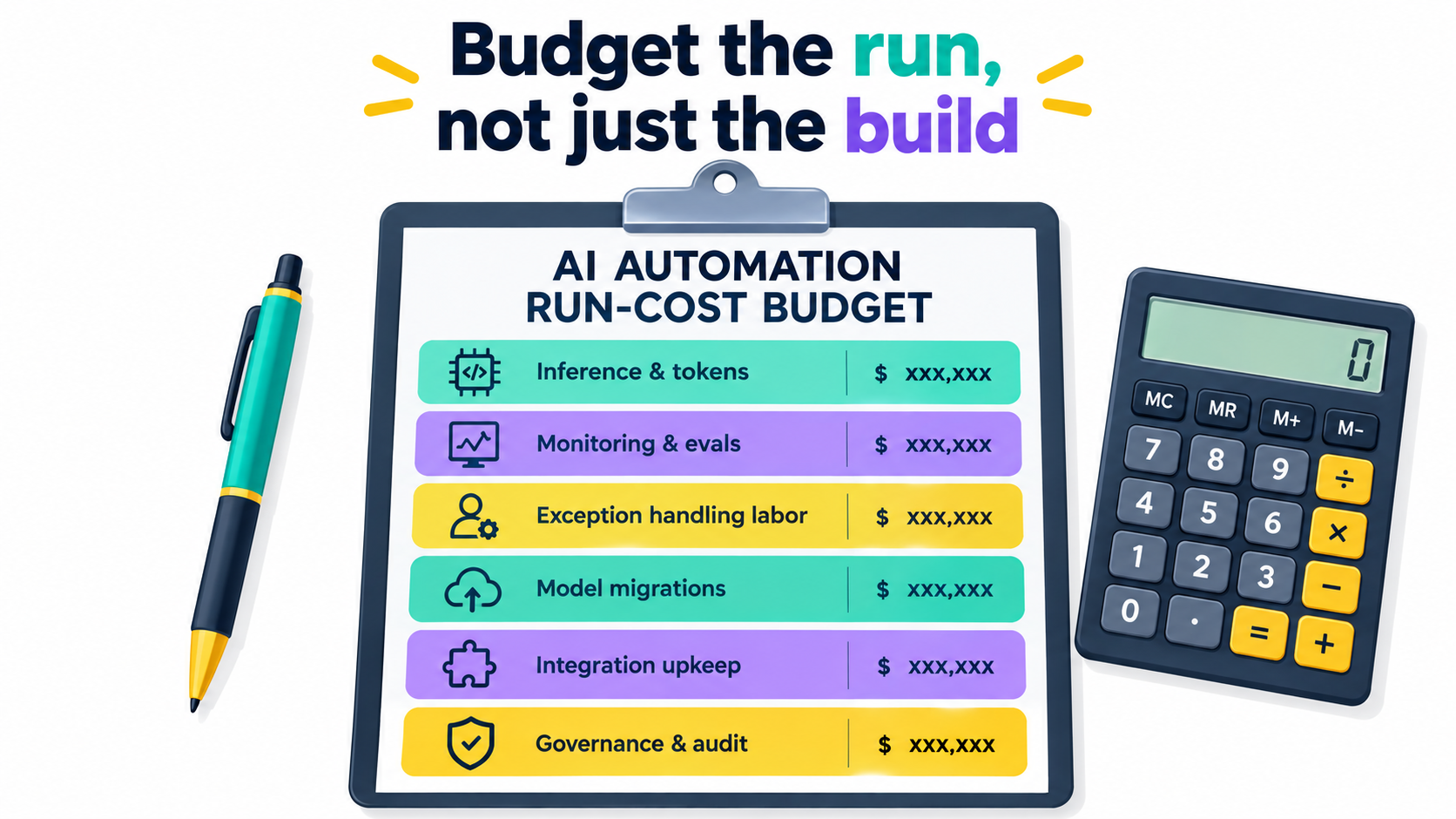
Everything so far points to one practical change: budget the run, not just the build. Here’s a framework for doing that.
The six run-cost line items
For each production automation, estimate annual costs in six categories:
- Inference and platform fees. Token spend, platform subscriptions, and per-transaction vendor fees. Model these at current volume and at two to three times current volume.
- Monitoring and evaluation. Tools plus the people-time to maintain golden sets, review dashboards, and investigate anomalies.
- Exception handling labor. The human effort to resolve escalated cases, estimated by effort per exception, not average effort per item. Include surge capacity.
- Model migrations. Assume at least one migration cycle per year per automation. Estimate engineering and testing time for each.
- Integration upkeep. Time spent fixing breakages caused by upstream system changes, vendor updates, and schema shifts.
- Governance and audit. Sampling, logging, compliance documentation, impact assessments for higher-risk tiers, and incident response.
Re-running the business case
With those numbers in hand, re-run the original business case using a multi-year view. The question isn’t “does the build pay back in 12 months?” It’s “over three years, including all six run-cost categories, does this automation deliver more value than the alternative?”
Some automations that looked great on a build-cost-only basis won’t pass this test. That’s useful to know before you build them, not after.
Leading indicators to watch monthly
Instead of waiting for annual reviews, track a few signals that warn of rising run costs:
- Exception rate trend. A steady rise usually means drift or an upstream change.
- Cost per outcome. If it’s rising while volume is flat, something is consuming more tokens or more human time.
- Golden-set score. Any drop after a model, prompt, or data change should be investigated before it reaches customers.
- Time to resolve exceptions. Rising resolution times can signal skills atrophy or poorly designed exception queues.
- Days until next model retirement. Anything inside 90 days without a migration plan is a risk.
A note for smaller businesses
If you’re a small business running a handful of automations on off-the-shelf tools, this framework might seem heavy. Scale it down, but don’t skip it. Even a simple spreadsheet listing each automation, its owner, its monthly cost, the model it uses, and the date you last checked its output by hand will catch most of the problems described here. The principles are the same at any size. Only the paperwork scales.
Conclusion: Treat AI Automation Like Staff, Not Software
The businesses getting lasting value from AI automation in 2026 aren’t necessarily the ones with the most impressive demos or the most ambitious pilots. They’re the ones that took seriously what happens after launch.
They understand that drift comes mostly from the world around the model, not the model itself. They plan for vendor model retirements as scheduled work. They know cheaper tokens can still mean bigger bills, and they track cost per outcome. They design exception queues as carefully as the happy path, and staff them for effort, not volume. They keep human skills alive on purpose. They accept that liability stays with them no matter how much work the machine does.
Actionable takeaways
- Build an automation registry this quarter. List every AI automation in production with its owners, risk tier, model dependencies, and monthly cost.
- Create a golden set for each critical automation. Fifty to a few hundred real, labeled examples, re-run on a schedule and after every change.
- Put a model gateway between your workflows and your providers. It turns future migrations from rewrites into configuration changes.
- Switch your primary metric to cost per completed outcome. Monthly totals hide inefficiency. Unit economics reveal it.
- Redesign your exception queues. Add reason codes, show the AI’s work, capture corrections, and track trends weekly.
- Schedule a manual fallback drill for your most critical automated process within the next six months.
- Risk-tier every automation and match governance effort to the tier, especially for anything customer-facing or consequential.
- Re-run your business cases on a three-year, full-run-cost basis, and be willing to retire automations that no longer earn their keep.
AI automation can deliver real, compounding value for businesses of every size. That value goes to the organizations that budget for the run as carefully as the build. Launch day is the cheapest day an automation will ever have, so plan for the rest of its life.