
Most conversations about AI automation for business end at the same moment: go-live. The demo works, the pilot hits its numbers, and the steering committee signs off on the launch. A press release or an internal all-hands slide celebrates the hours saved.
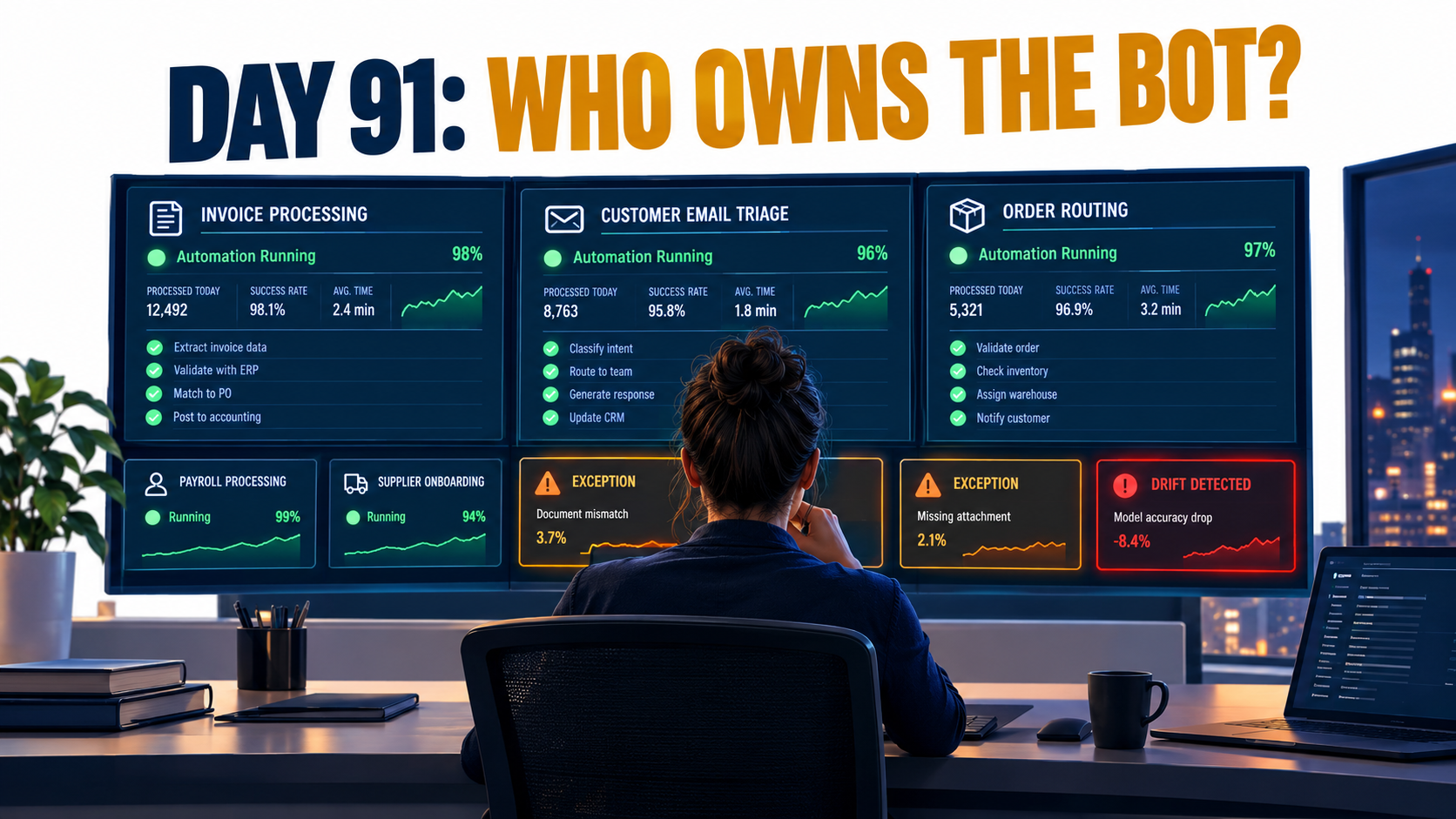
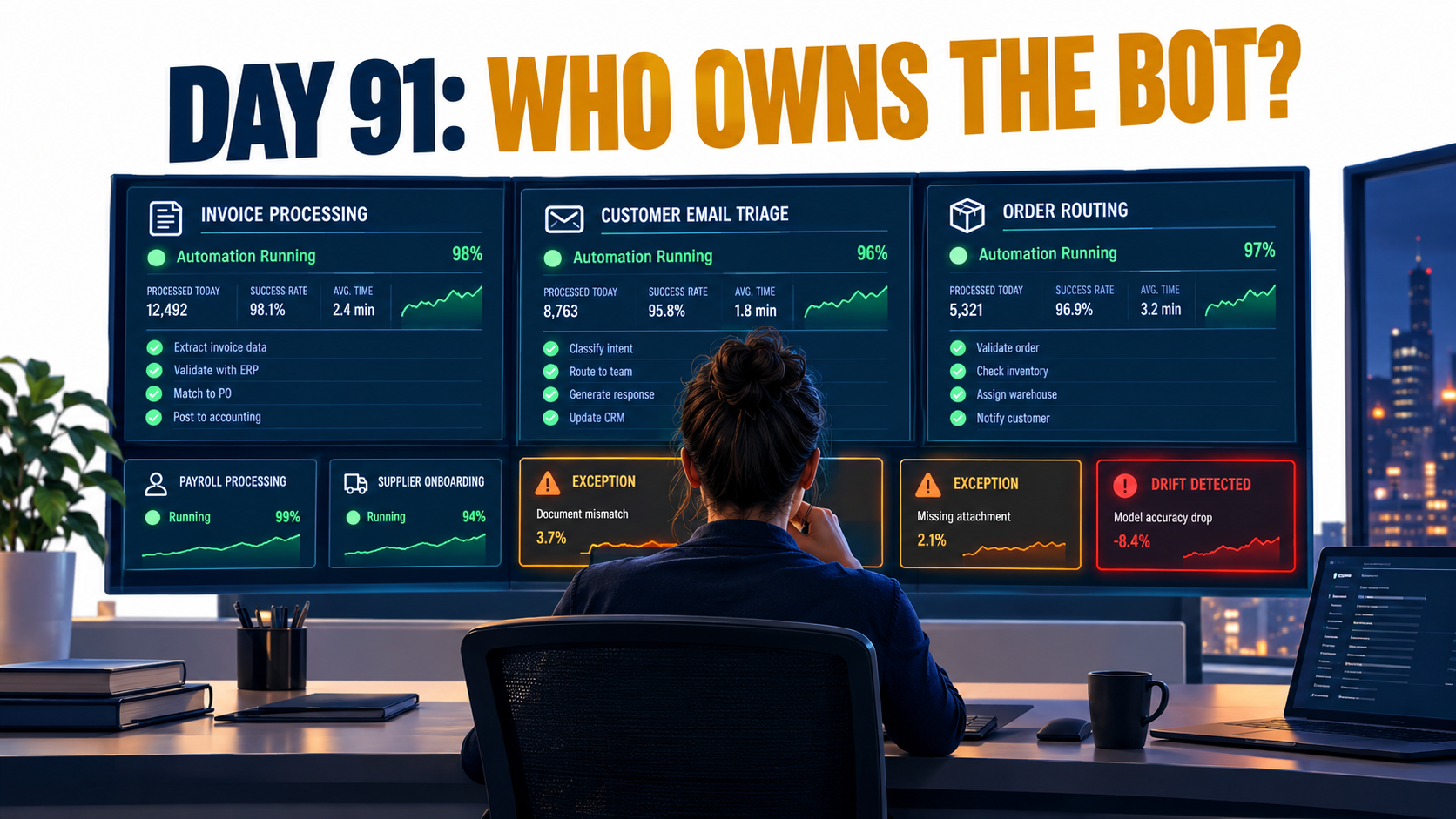
Then the project team gets reassigned. The consultant’s contract ends. And somewhere around day 91, the invoice-extraction workflow starts misreading a new supplier’s PDF layout. Nobody notices for three weeks, because nobody’s job is to notice.
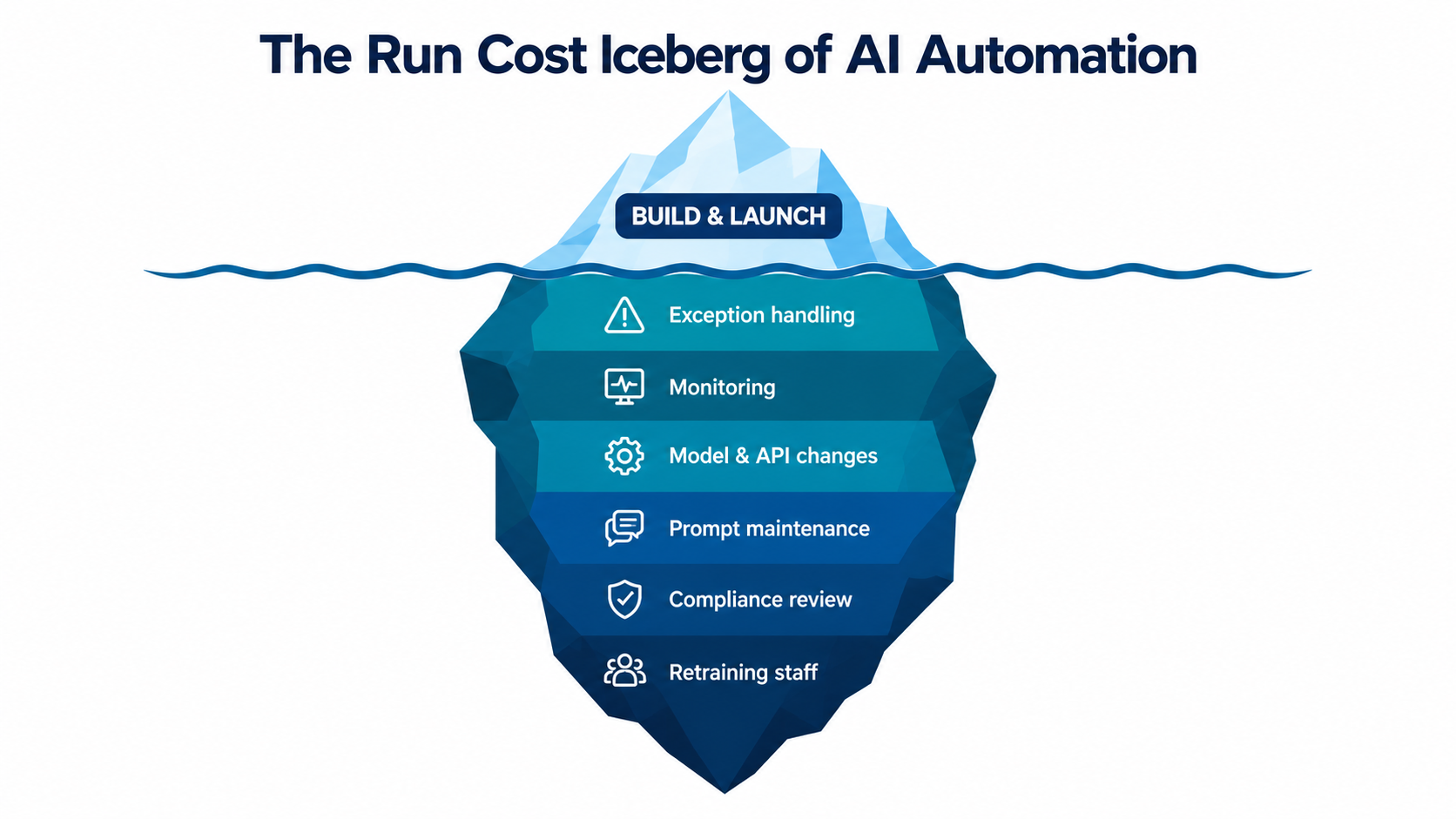
This is the part of AI automation that rarely makes it into vendor pitches or ROI spreadsheets: the run phase. It covers the ongoing work of monitoring, correcting, re-prompting, re-testing, governing, and eventually retiring automations once they’re live. It’s also where a lot of the value quietly leaks away.
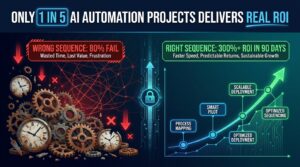
The warning signs are already in the industry data. In June 2025, Gartner predicted that more than 40% of agentic AI projects will be canceled by the end of 2027, citing escalating costs, unclear business value, and inadequate risk controls. MIT’s NANDA initiative reported in its 2025 “GenAI Divide” research that around 95% of enterprise generative AI pilots it studied showed no measurable P&L impact. It pointed to a “learning gap”: tools that don’t keep context, adapt, or improve once deployed.
Those numbers usually come up in debates about which projects to start. This article looks at something else: what happens to the projects that do launch. We’ll cover how automations decay, where the hidden labor goes, what a realistic run budget includes, who should own a live automation, and how to decide when to expand, rebuild, or switch one off.
If you’re responsible for AI automation in your business, or about to be, this is the operating manual that usually arrives too late.
Why Launch Is the Cheap Part
Traditional software projects have taught finance teams to think in two buckets: a capital-style build cost, then a predictable maintenance fee. AI automation doesn’t fit that model well. That’s because the thing being automated keeps changing underneath it.
Automations sit on top of moving parts
A typical AI-enabled workflow in a mid-sized business might read inbound emails, classify them, pull data from attachments, look up records in a CRM or ERP, draft a response, and route anything uncertain to a person. Each step depends on something the automation team doesn’t fully control:
- The inputs: customer language, supplier document formats, and seasonal request mixes all shift over time.
- The connected systems: CRM fields get renamed, ERP upgrades change APIs, and SaaS vendors redesign interfaces.
- The model: providers release new versions, deprecate old ones, and change pricing.
- The business rules: refund policies, approval thresholds, and compliance requirements get updated.
Any one of these can quietly reduce accuracy without throwing an error. A traditional script that breaks usually fails loudly. An AI step that degrades often keeps producing confident, plausible output that’s slightly more wrong each week.
The budget mismatch
In practice, many business cases model build cost in detail but treat run cost as a single line, often just the platform subscription or API usage. The labor of keeping the automation accurate gets left out: reviewing exceptions, investigating errors, updating prompts, re-testing after upstream changes, and answering audit questions.
That labor doesn’t go away. It ends up with whoever is nearest, often the same operations staff whose time the automation was supposed to free up. When that happens, the “hours saved” in the original business case are partly an accounting illusion. The work has moved, not disappeared.
Reframing automation as a product
The most useful mindset shift is to treat each meaningful automation as a product with a lifecycle, not a project with an end date. Products have owners, roadmaps, health metrics, support processes, and retirement plans. Projects have deadlines and handovers.
McKinsey’s 2025 State of AI research supports this framing indirectly. Of the 25 organizational attributes it tested, the redesign of workflows had the biggest effect on whether companies saw EBIT impact from generative AI. Yet only about 21% of respondents whose organizations used gen AI said they had fundamentally redesigned at least some workflows. Redesigning a workflow means someone keeps owning it after launch. Dropping a tool into an existing process usually means nobody does.
Five Ways AI Automations Decay After Go-Live
Automation decay is rarely dramatic. It’s usually a slow slide in accuracy, coverage, or relevance that only becomes visible once it shows up downstream as customer complaints, reconciliation errors, or a frustrated finance team. Knowing the common failure patterns makes them much easier to catch early.
1. Data drift and concept drift
In machine learning, concept drift describes what happens when the statistical properties of what a model is predicting change over time, so its predictions become less accurate. The textbook example is a retail sales forecast that worked well until seasonality or a new promotional pattern changed the underlying relationships.
In business automation, drift looks more ordinary. A support classifier trained or prompted on last year’s ticket categories meets a new product line. A lead-scoring step tuned on one market sees traffic from another. An invoice extractor trained on ten common supplier layouts meets supplier number eleven.
2. Structural and semantic drift in connected systems
Software engineering literature distinguishes structural drift (a data schema changes) from semantic drift (the structure stays the same but the meaning changes). Both are common in live automations.
Structural drift is the CRM admin who renames “Account Tier” to “Customer Segment.” Semantic drift is subtler: the field keeps its name, but sales starts using “Tier 1” to mean something different after a reorganization. The automation keeps running and keeps routing, and it’s now routing incorrectly.
3. Interface changes that break UI-based automations
Robotic process automation (RPA) works by mimicking human interaction with application interfaces: clicking buttons, reading screens, and typing into fields. That’s what makes it useful for legacy systems without APIs. It’s also what makes it fragile. When a vendor moves a button or changes a page layout, a UI-driven bot can fail outright.
Many businesses now combine RPA with AI steps, using an LLM to interpret a document and a bot to key the result into an old system. That hybrid inherits both failure modes: the AI side drifts, and the UI side breaks.
4. Model and prompt changes
When a model provider releases a new version or retires an old one, prompts that were carefully tuned may behave differently. Output formats can shift, refusal behavior can change, and edge cases that used to be handled correctly can regress. More on this below, since it’s one of the least controllable risks.
5. Policy and scope creep
The final decay pattern is organizational. The business changes a refund rule, adds a new approval step, or expands into a new region with different regulations, and nobody updates the automation. Meanwhile, users discover the tool and start sending it requests it was never designed for.
Scope creep is a sign of success, but it’s also a risk. An automation built and tested for one job is now quietly doing three.
Drift is only one piece
Industry surveys suggest technical model drift is just one contributor among many to AI failures, and not always the largest. Surveys of AI failure incidents put purely technical drift at a modest share and point mostly to process, data, and ownership problems. That’s actually good news. Most decay is preventable with operational discipline, not advanced data science.
The Exception Queue: Where the Real Work Goes
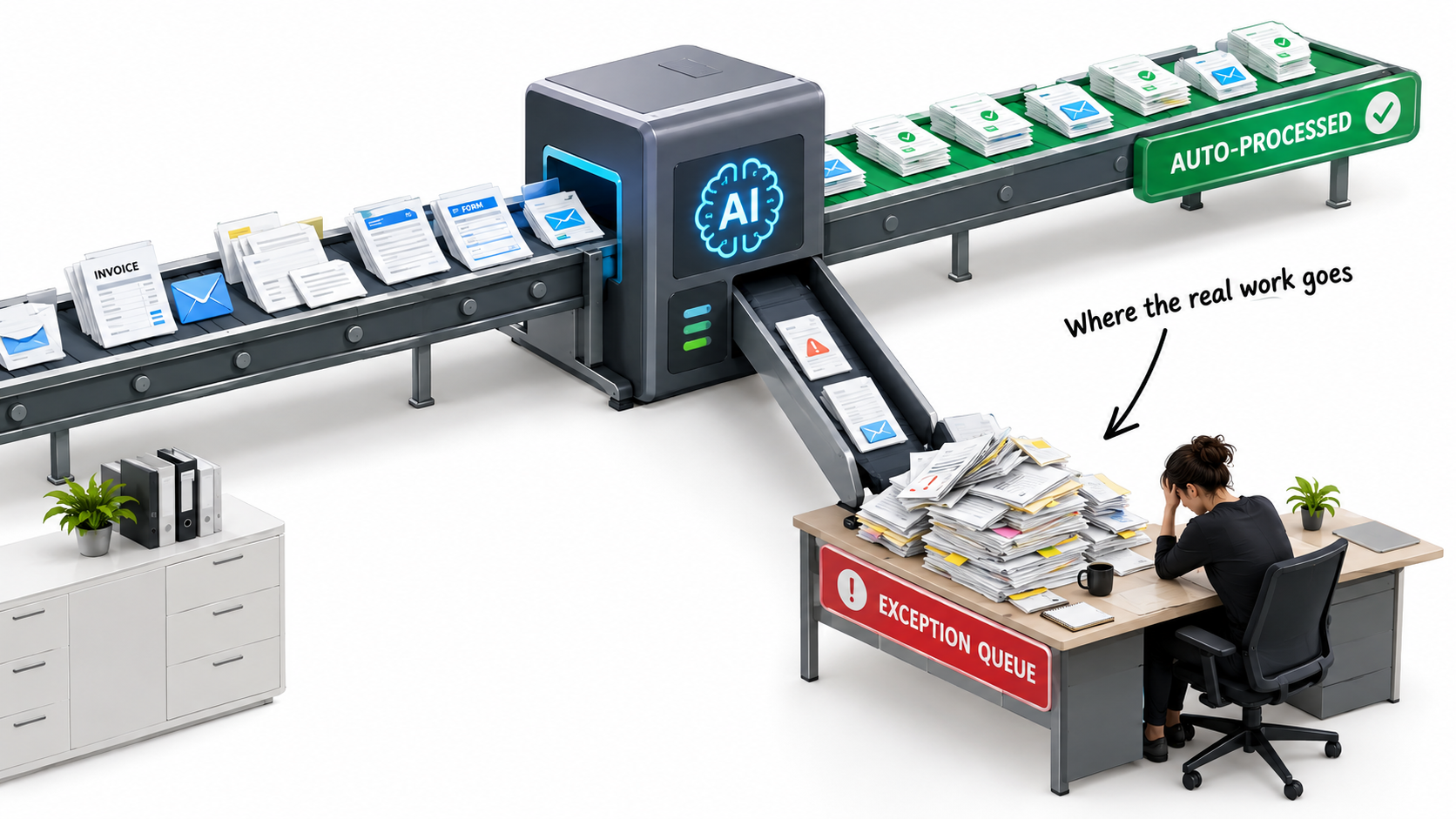
Every well-designed AI automation has an escape hatch. When confidence is low, data is missing, or a case falls outside defined rules, the item goes to a human. That’s good design. But the exception queue is also where most of the hidden run cost lives, and it’s rarely sized properly.
The 80/20 trap
Pilots tend to be tested on representative samples, and representative samples are dominated by common cases. An automation that handles 85% of a pilot dataset cleanly may look like an 85% labor reduction. In reality, the remaining 15% are often the hardest, slowest, most judgment-heavy cases. They may take far more than 15% of the original processing time.
So the real question isn’t “what percentage does the automation handle?” It’s “how much human time does the remaining work take, and is it now harder because the easy cases that used to break up the day are gone?”
Exceptions change the job
When an accounts-payable clerk used to process 200 invoices a day, maybe 30 needed investigation. After automation, the same clerk might see only those 30, all day, every day. The work gets more concentrated, more difficult, and often more stressful.
Human factors researchers have long described a related risk called the out-of-the-loop performance problem: people who mainly supervise automation can lose the hands-on skills and situational awareness they need when the system fails. If your team stops processing routine cases entirely, they may be slower and less confident at spotting what’s wrong when the automation gets something subtly wrong.
Designing the queue on purpose
Treat the exception queue as a designed workflow, not overflow. Practical steps include:
- Tag every exception with a reason code: low confidence, missing data, policy conflict, new format, out-of-scope request. Reason codes turn a pile of work into a diagnostic tool.
- Measure exception handling time separately from the pre-automation baseline. If exceptions take three times longer than average cases did, your business case should reflect that.
- Set a target exception rate and a ceiling. A rising exception rate is often the earliest sign of drift.
- Feed resolved exceptions back into prompts, rules, or training examples. This is the “learning loop” MIT’s research found missing in many failing deployments.
- Rotate staff through routine sampling so the humans in the loop keep their judgment sharp.
How much review is enough?
Organizations vary widely here. McKinsey’s 2025 survey found that only around 27% of respondents whose organizations used gen AI said employees reviewed all gen AI outputs before use, while a similar share said 20% or less of outputs were checked. Neither extreme suits every workflow.
A sensible approach is to scale review to consequence. Internal summaries might need light spot checks. Anything that sends money, makes a commitment to a customer, or touches regulated data needs stronger controls, at least until the automation has a proven track record.
The Changes You Don’t Control: Models, Vendors, and Pricing
The fastest-growing category of run risk in 2026 comes from outside the organization. Most businesses don’t train their own foundation models. They rent them through APIs or get them embedded in SaaS platforms. That’s sensible economics, but it means part of your automation’s behavior is set by someone else’s release schedule.
Model versions and deprecations
Major model providers regularly release new versions and publish deprecation schedules for older ones. When a model you depend on is retired, you have to migrate. Migration isn’t just changing a model name in a config file. Prompts tuned to one model’s quirks may produce different formatting, different confidence levels, or different handling of edge cases on another.
Practical safeguards include:
- Pin model versions in production instead of using “latest” aliases, so changes happen when you choose.
- Keep a regression test set of real, anonymized cases with known correct outputs, including the tricky ones from your exception queue.
- Re-run the test set before any model switch, and record the results.
- Track provider deprecation notices as a standing item in your automation review.
Pricing moves in both directions
The good news is that the raw cost of AI capability has fallen sharply. Stanford’s 2025 AI Index reported that the inference cost of a system performing at roughly GPT-3.5 level dropped more than 280-fold between November 2022 and October 2024. Many automations that were too expensive to run at volume two years ago are now affordable.
The less comfortable news is that pricing structures keep changing. Vendors shift between per-seat, per-token, per-action, and per-outcome pricing. Embedded AI features move from “included” to premium tiers. Agentic workflows that call a model many times per task can use far more tokens than a simple single-prompt design. Your run budget should model usage under realistic volume, including retries and multi-step reasoning, and should be reviewed whenever a vendor announces a pricing change.
Vendor claims versus vendor reality
Gartner has also warned about “agent washing,” where vendors rebrand existing chatbots, RPA, or assistants as agentic AI. The firm estimated that only around 130 of the thousands of vendors claiming agentic capabilities were offering the real thing. For buyers, that’s a reminder to judge a tool by what it does in your environment, not by the label on it.
Build versus buy, revisited for the run phase
MIT’s GenAI Divide research found that AI tools bought from specialized vendors and built through partnerships succeeded roughly two-thirds of the time, while internal builds succeeded about one-third as often. One plausible reason is run cost: a vendor spreads the cost of maintenance, model migration, and monitoring across many customers, while an internal build puts all of it on your team.
That doesn’t make buying always right. It does mean the build-versus-buy decision should be made on three-year run cost, not just build cost. Ask any vendor directly: who handles model migrations, how are breaking changes communicated, and what happens to your prompts, data, and configurations if you leave?
Liability Doesn’t Automate: The Air Canada Lesson
One of the most cited cases in AI customer service is a small one in dollar terms. It’s useful because it settled a question many businesses had been hoping to avoid: who is responsible when an automated system gives a customer wrong information?
What happened
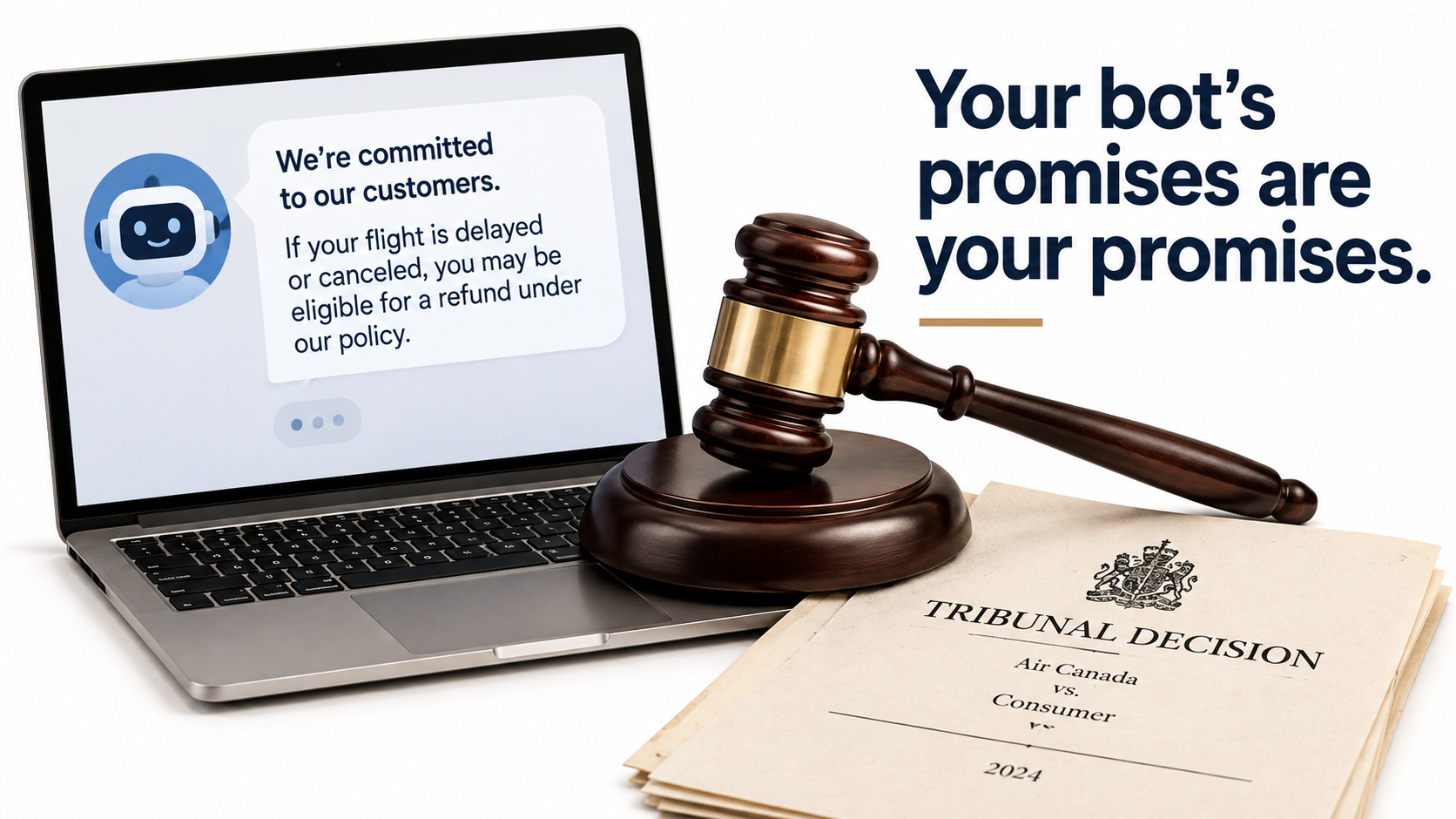
In Moffatt v. Air Canada, decided by British Columbia’s Civil Resolution Tribunal in February 2024, a customer asked the airline’s website chatbot about bereavement fares after a family death. The chatbot told him he could apply for a reduced bereavement rate retroactively after travel. That contradicted the airline’s actual policy, which was published on another page of the same website.
When the customer later applied for the refund, the airline declined. Before the tribunal, Air Canada argued in effect that the chatbot was responsible for its own actions. The tribunal rejected that, finding the airline responsible for all information on its website, whether it came from a static page or a chatbot. It ordered Air Canada to pay roughly C$800 in damages, interest, and fees.
Why it matters for every automation owner
The amount was small. The principle wasn’t. If your automation makes a statement, a commitment, or a decision on your behalf, regulators, courts, and customers will generally treat it as your statement, commitment, or decision. Run-phase governance exists to manage that exposure.
Ask these questions about every customer-facing or decision-making automation:
- Source of truth: Is the automation reading from the same current policy documents your staff use? Who updates it when policy changes?
- Commitment boundaries: What can the automation promise, approve, or decline without a human? Is that boundary enforced technically, or just written in a prompt?
- Audit trail: Can you reconstruct what the automation said or did in a specific case, and why?
- Correction path: When the automation gets it wrong, how quickly can a customer reach a person who can fix it?
The regulatory backdrop is getting firmer
Regulation is moving in the same direction. The EU AI Act entered into force in August 2024, with obligations phasing in over several years and many requirements for higher-risk systems scheduled from 2026 onward, though some timelines are under review. Sector rules in financial services, healthcare, employment, and consumer protection already apply to automated decisions in many jurisdictions.
For most businesses the practical implication isn’t complicated. Documentation, human oversight, and the ability to explain and correct automated outcomes are becoming standard expectations. They should be built into the run phase from day one, not added after a complaint.
Volume Metrics Lie: What Klarna’s Reversal Teaches About Measuring Success
If the Air Canada case is a lesson in liability, Klarna’s customer service story is a lesson in measurement. The question is what you count when you decide whether an automation is working.
The headline numbers
In February 2024, Klarna announced that its AI assistant had handled 2.3 million conversations in its first month, about two-thirds of its customer service chats. The company said that was equivalent to the work of roughly 700 full-time agents and that average resolution time had dropped from around 11 minutes to under 2. By volume and speed metrics, it was one of the most impressive AI automation results any company had published.
The correction
By 2025, the tone had changed. Klarna’s CEO, Sebastian Siemiatkowski, publicly acknowledged that the focus on cost had come at the expense of quality. The company said it would make sure customers could always reach a human, and began recruiting human support staff again. The AI assistant didn’t disappear. The operating model changed to a blend in which people handle the cases where quality and trust matter most.
What this means for your dashboards
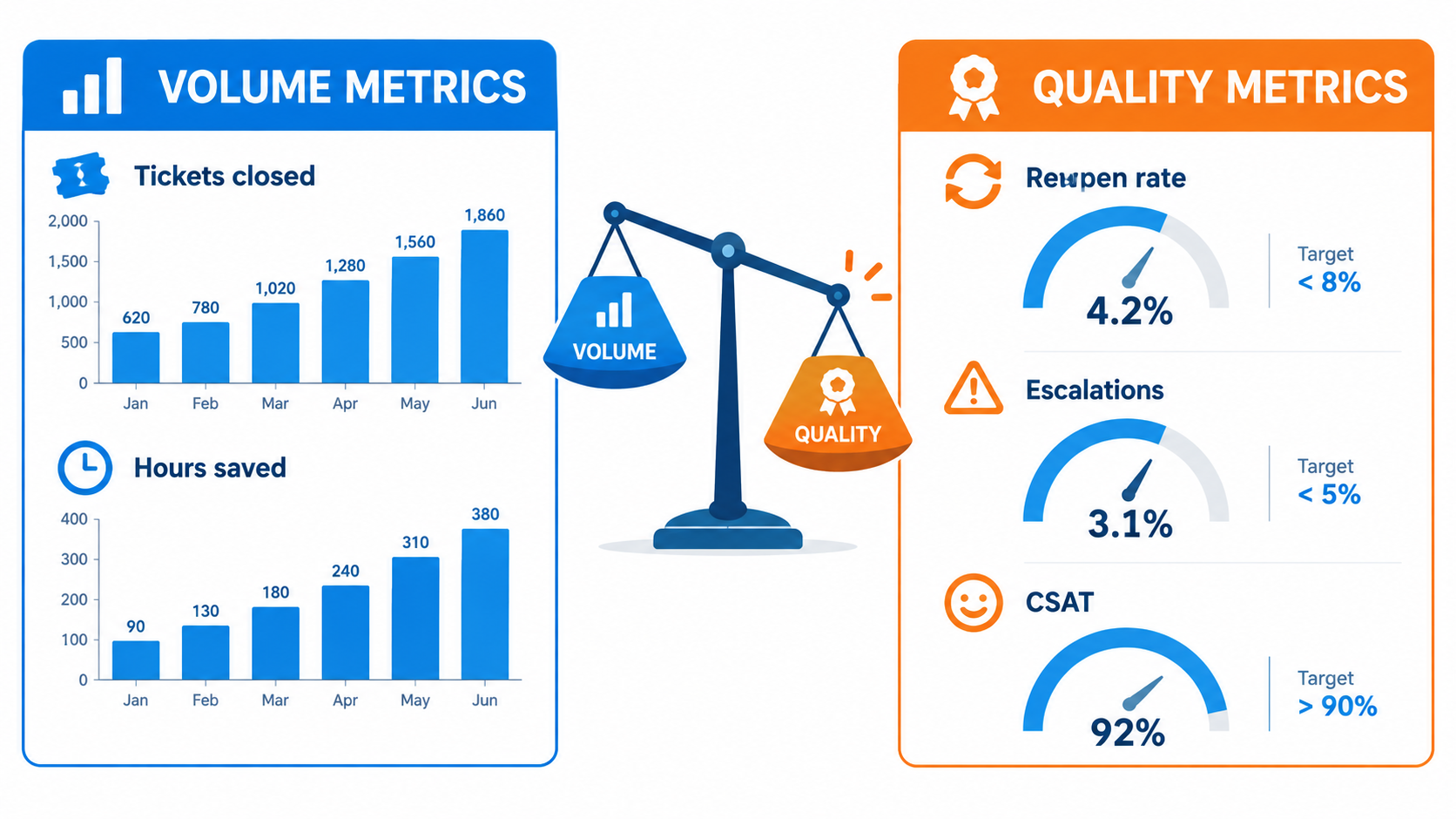
Volume metrics like conversations handled, tickets closed, hours saved, and cost per contact are easy to measure and easy to celebrate. They’re also the metrics most likely to look good while customer experience gets worse. A live automation needs a balanced scorecard:
- Reopen or recontact rate: Did the customer have to come back about the same issue?
- Escalation rate and escalation reasons: Are people routing around the automation?
- Downstream error cost: Credit notes, refunds, rework, and write-offs caused by automated mistakes.
- Customer satisfaction on automated versus human paths, measured separately.
- Staff experience: Are exception handlers burning out on concentrated hard cases?
Set guardrail metrics before launch
The most practical habit is to define guardrail metrics before go-live: quality thresholds that, if crossed, trigger a review no matter how good the volume numbers look. For example, “if the recontact rate on automated resolutions rises more than five points above the human baseline for two consecutive weeks, we pause expansion and investigate.”
Agreeing on that rule in advance avoids an awkward later conversation in which leadership has already announced the savings and nobody wants to be the one who raises quality concerns.
Building a Realistic Run Budget
A run budget is the annual cost of keeping an automation accurate, compliant, and useful. Most businesses underestimate it because they only count what shows up on a vendor invoice. Here’s a fuller set of line items to consider.
Direct technology costs
- Platform and license fees: automation platform, orchestration tools, document processing services.
- Model usage: API tokens or per-call charges, modeled at realistic volume, including retries, multi-step agent calls, and peak periods.
- Infrastructure: hosting, vector databases, logging and storage, especially if you keep full audit trails.
- Monitoring and evaluation tooling, if you’re not building your own.
People costs (the part usually missing)
- Exception handling: hours per week multiplied by loaded cost, measured from real queue data rather than pilot assumptions.
- Automation ownership: a portion of someone’s role spent reviewing metrics, triaging issues, and prioritizing fixes.
- Prompt and rule maintenance: updating instructions, examples, and business rules as policies and inputs change.
- Regression testing: re-validating after model changes, upstream system updates, or policy changes.
- Quality sampling: periodic human review of a random sample of “successful” automated outputs, not just exceptions.
- Governance and audit support: answering compliance, legal, and security questions; maintaining documentation.
- Training: onboarding new staff into the human-in-the-loop role.
Contingency costs
- Forced migrations when a model or platform is deprecated.
- Incident response when something goes wrong in a customer-facing or financial workflow.
- Error remediation: refunds, credits, and rework caused by automation mistakes.
A simple way to sanity-check the numbers
Before approving any automation, ask the team to fill in two figures side by side: gross annual savings (the hours and costs the automation removes) and annual run cost (everything above). Net value is the difference.
If net value only works when people costs are left out of the run budget, the business case isn’t really positive. It depends on unpaid work from whoever ends up holding the exceptions. That’s worth knowing before launch, not after.
Expect run cost to change over time
Run costs aren’t flat. They’re often highest in the first few months, while exception rates are high and the feedback loop is still filling gaps. A well-run automation should see run cost per transaction fall as exceptions feed back into improvements. If it doesn’t, because the exception rate stays flat or rises, that’s a signal the learning loop isn’t working. It’s an early cue to look at the rebuild-or-retire decision covered later in this article.
The Ownership Model: Who Actually Owns a Live Automation?
The single most predictive question about whether an automation will still be delivering value in a year is simple: Can you name the person who owns it? Not the team that built it, not the vendor, and not “IT.” A named individual with the authority and the time to keep it healthy.
Three roles that need to exist
For most business automations, ownership works best split across three clearly defined roles. One person may hold more than one in a smaller company.
- Process owner: the business leader accountable for the outcome the automation supports, such as accounts payable accuracy or support resolution quality. They decide what “good” means and own the guardrail metrics.
- Automation owner: the person responsible for the automation’s day-to-day health. They watch dashboards, triage issues, prioritize fixes, coordinate testing, and track vendor changes. This is often a business analyst, operations lead, or automation specialist.
- Technical maintainer: internal engineering, an automation center of excellence, or a vendor. They make changes, handle integrations, and manage model migrations.
Why “IT owns it” usually fails
Handing a live AI automation entirely to IT is tempting, but it usually breaks down for one reason: IT can tell whether the automation is running, but not whether it’s right. Whether a classification is correct, a drafted reply fits the brand and policy, or an extracted figure matches what finance expects all depends on business context.
On the other hand, leaving ownership entirely with the business can mean nobody has the technical access or skills to fix problems quickly. The split model gives each side a clear lane.
Write it down
For each production automation, keep a one-page automation record that includes:
- Purpose and scope: what it does, and explicitly what it does not do.
- Named process owner, automation owner, and technical maintainer.
- Systems and data it touches, and the model(s) and version(s) it uses.
- What it can decide or commit to without human review.
- Guardrail metrics and their thresholds.
- Location of the regression test set and the last test date.
- Escalation path for incidents.
- Next scheduled review date.
This record doubles as governance documentation for auditors and regulators. Just as importantly, it survives staff turnover, which is when a lot of automations become orphans.
Handover is a milestone, not a meeting
If a project team or external partner builds the automation, make the handover to run-phase owners a formal milestone with exit criteria. Owners should be trained, dashboards live, the test set documented, and the first month of exception data reviewed together. A 30-minute handover call on the build team’s last day isn’t enough.
Monitoring That Actually Catches Problems
Most automation platforms offer uptime and run-count dashboards. They’re necessary, but they won’t catch the failures that matter most for AI automation: the ones where the system runs perfectly and produces wrong answers.
Four layers of monitoring
A practical monitoring setup for business AI automation has four layers, from basic to most valuable:
- Operational health: Is it running? Error rates, latency, failed API calls, queue backlogs. This catches outages and hard breaks, such as the RPA bot that can’t find a moved button.
- Input monitoring: Are the inputs still what we expect? Watch for shifts in document types, request categories, languages, lengths, or sources. A new supplier format or a sudden spike in an unfamiliar request type is an early warning of drift.
- Output monitoring: Are the outputs still reasonable? Track confidence score distributions, classification mixes, the share of outputs failing format validation, and exception rates by reason code.
- Outcome monitoring: Are the business results still good? This means the guardrail metrics: recontact rates, downstream corrections, financial reconciliation discrepancies, and customer satisfaction.
Random sampling beats waiting for complaints
The most underused monitoring technique is also the simplest. Each week, pull a small random sample of successful automated outputs and have a knowledgeable person check them. Exceptions only show you what the automation knew it was unsure about. Random sampling shows you what it got wrong confidently.
The sample size can be modest, perhaps 20 to 50 items a week for a mid-volume workflow. Logging the results over time gives you an accuracy trend line that’s far more honest than any vendor dashboard.
Alerts need owners and thresholds
Monitoring without action is just decoration. Every alert should have:
- A defined threshold, such as “exception rate above 18% for three consecutive days.”
- A named recipient, usually the automation owner.
- An expected response, whether that’s investigate, pause, roll back, or escalate.
Be careful about alert fatigue. A handful of meaningful alerts that always get acted on is far better than dozens that get muted within a month.
Build a kill switch
Every automation that touches customers, money, or regulated data should have a documented, tested way to pause it quickly and fall back to a manual process. It’s the run-phase equivalent of a fire drill. You hope not to need it, but it has to work when you do. The fallback also needs people who still know how to do the work manually, which is another reason to keep staff involved through rotation and sampling.
Expand, Rebuild, or Retire: Managing the Automation Lifecycle
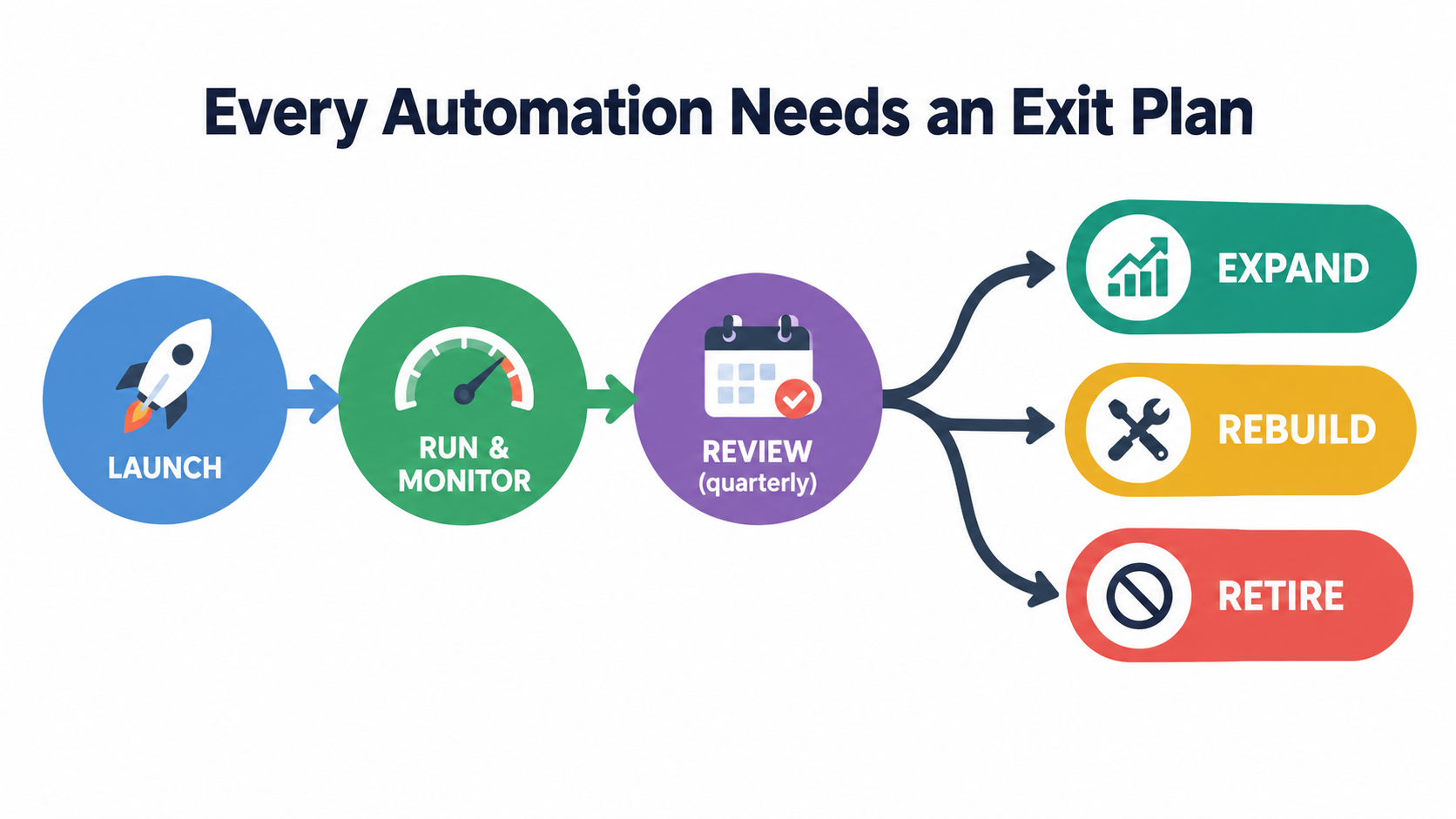
Automations accumulate. A business that starts with three workflows in year one can easily have thirty by year three, built on different platforms by different teams with different levels of documentation. Without deliberate lifecycle management, the portfolio turns into automation debt: a growing set of tools that each need some maintenance, few people fully understand, and nobody wants to touch.
The quarterly automation review
Schedule a short quarterly review for every production automation, or at least the ones above a cost or risk threshold. Use the automation record and dashboards to answer five questions:
- Is net value (gross savings minus full run cost) still positive, and which way is it trending?
- Are guardrail metrics within thresholds?
- Is the exception rate falling, flat, or rising?
- Have there been upstream changes (systems, policies, models, vendors) that need testing?
- Is the process this automation supports still important to the business in its current form?
When to expand
Expand an automation’s scope, volume, or autonomy when quality metrics have been stable for a sustained period, exception rates are falling, and the owner has capacity to manage a larger footprint. Expansion should be incremental: one new document type, one new region, or one additional decision type at a time, each with its own test cases.
Increasing autonomy, such as removing a human approval step, deserves particular care. Do it only when random-sampling accuracy has been consistently strong, and keep sampling afterward.
When to rebuild
Consider rebuilding when the automation still delivers value but its run cost keeps climbing. Common signs include:
- A UI-based RPA bot breaking frequently, when the underlying system now offers an API.
- A prompt that has grown into a long list of special-case patches.
- A cheaper or more capable model now available that would materially cut exception rates or usage costs.
- An automation layered onto a process that has itself been redesigned.
Given how sharply model costs and capabilities have shifted in the past two years, an automation designed in 2024 may be meaningfully cheaper to run on a 2026 architecture. That’s a legitimate reason to rebuild, as long as the regression test set comes along.
When to retire
Retirement is the decision businesses avoid most. Switching off something that was once celebrated can feel like admitting failure. But retiring an automation is often the right call when:
- Net value has turned negative and a rebuild wouldn’t fix the underlying economics.
- The process it supports has been changed, outsourced, or eliminated.
- A platform the business already pays for now covers the use case natively.
- Nobody can be found to own it.
That last point matters. An automation with no owner isn’t a free asset. It’s an unmonitored risk. If you can’t name someone willing and able to own it, the responsible move is to retire it deliberately rather than let it run unsupervised. Retirement should include notifying affected users, restoring or documenting the manual process, and archiving logs needed for audit.
A Run-Phase Readiness Checklist for 2026
Pulling the threads together, here’s a practical checklist to use before any AI automation goes live, and to revisit for automations already in production. If you can’t tick most of these, the automation isn’t ready to be left alone.
Before launch
- ☐ Named process owner, automation owner, and technical maintainer, with time allocated in their roles.
- ☐ A one-page automation record documenting scope, boundaries, systems, models, and escalation path.
- ☐ A run budget that includes people costs (exceptions, maintenance, testing, sampling), not just licenses and tokens.
- ☐ Guardrail quality metrics with agreed thresholds and agreed responses.
- ☐ A regression test set built from real cases, including hard edge cases.
- ☐ Model versions pinned in production.
- ☐ Clear limits on what the automation can commit to, decide, or spend without human review, enforced technically where possible.
- ☐ A tested kill switch and manual fallback process.
- ☐ A formal handover from build team to run owners, with exit criteria.
Ongoing
- ☐ Exceptions tagged with reason codes and reviewed weekly.
- ☐ Resolved exceptions fed back into prompts, rules, or examples.
- ☐ Weekly random sampling of successful outputs, with accuracy tracked over time.
- ☐ Input, output, and outcome monitoring, not just uptime.
- ☐ Provider deprecation and pricing notices tracked.
- ☐ Regression tests re-run after any model, system, or policy change.
- ☐ Staff rotation so humans in the loop keep their skills.
- ☐ Quarterly expand, rebuild, or retire review.
For leadership
- ☐ Automation success reported on net value and quality, not volume alone.
- ☐ A portfolio view of all production automations and their owners.
- ☐ Explicit permission to retire automations that no longer earn their keep.
Conclusion: The Automation Is Never Finished
AI automation for business is cheaper, more capable, and easier to deploy in 2026 than it has ever been. Inference costs have fallen dramatically, tools are more accessible, and the range of processes that can be partly automated keeps growing. None of that changes the basic fact this article has focused on: launching an automation commits you to running it.
The industry’s cautionary data, including Gartner’s forecast of widespread agentic AI cancellations, MIT’s findings on pilots without P&L impact, and McKinsey’s evidence that workflow redesign separates winners from the rest, points to the same conclusion. Value depends less on how clever the automation is at launch and more on how well it’s owned afterward.
The Air Canada case showed that a business stays accountable for what its automations say. Klarna’s experience showed that volume metrics can look excellent while quality slips. Ordinary drift, whether a renamed CRM field, a new supplier format, or a deprecated model, shows that even a well-built automation degrades if nobody is watching.
Key takeaways
- Budget for the run phase honestly. Include exception handling, maintenance, testing, and sampling labor. If the business case only works without those, it doesn’t work.
- Name an owner before you launch. An automation without a named owner is a risk, not an asset.
- Design the exception queue on purpose. Tag reasons, measure handling time, and feed resolutions back so the automation improves.
- Monitor outcomes, not just uptime. Random sampling of successful outputs catches confident errors that dashboards miss.
- Control what you can about vendor change. Pin versions, keep regression tests, and judge build versus buy on three-year run cost.
- Set quality guardrails before launch, and agree in advance what happens when they’re crossed.
- Review quarterly and be willing to retire. A smaller portfolio of well-owned automations beats a sprawling one nobody understands.
The businesses that get lasting value from AI automation won’t necessarily be the ones that launch the most workflows. They’ll be the ones that can answer, for every automation they run, a simple question: who owns this on day 91, and how do they know it’s still working?