

Every Amazon seller knows the traffic problem. You build a great listing, dial in your images, write tight bullet points — and then you wait. You run Sponsored Products ads that eat into your margin. You chase rank with external traffic that costs money you may not recoup. And you watch competitors with social audiences grow their organic velocity while you’re stuck paying for every click.
The good news is that the gap between Instagram content and Amazon sales has narrowed significantly in 2026. Clickable Reels stickers — the interactive, tappable overlays you can embed directly into a short video — are now a viable, measurable bridge between a casual scroll and a product detail page. But most Amazon sellers are either ignoring them entirely, or using them so poorly that the feature produces almost no return.
This guide is not a surface-level overview of Instagram Shopping. It goes deeper: into the specific mechanics of how product stickers and link stickers work differently, which type to use depending on your setup, how to structure your Amazon catalog so it syncs cleanly, and how to film Reels that make the sticker the most natural next tap in a viewer’s journey. It also covers what changed at Shoptalk 2026, where Meta announced a formal affiliate partnership with Amazon that changes the calculus for creators and brand owners alike.
Whether you’re a private label seller, a brand running your own Instagram page, or a creator promoting Amazon products for commissions — there is a working system here. You just need to build it correctly from the start.
What Clickable Reels Stickers Actually Are (and What They Are Not)
Before anything else, it’s worth being precise about terminology, because the Instagram interface uses several overlapping terms that sellers routinely confuse — and that confusion leads to the wrong setup.
The Two Types of Clickable Stickers Relevant to Amazon Sellers
There are essentially two distinct interactive sticker types that matter for driving traffic to Amazon products from Reels in 2026.
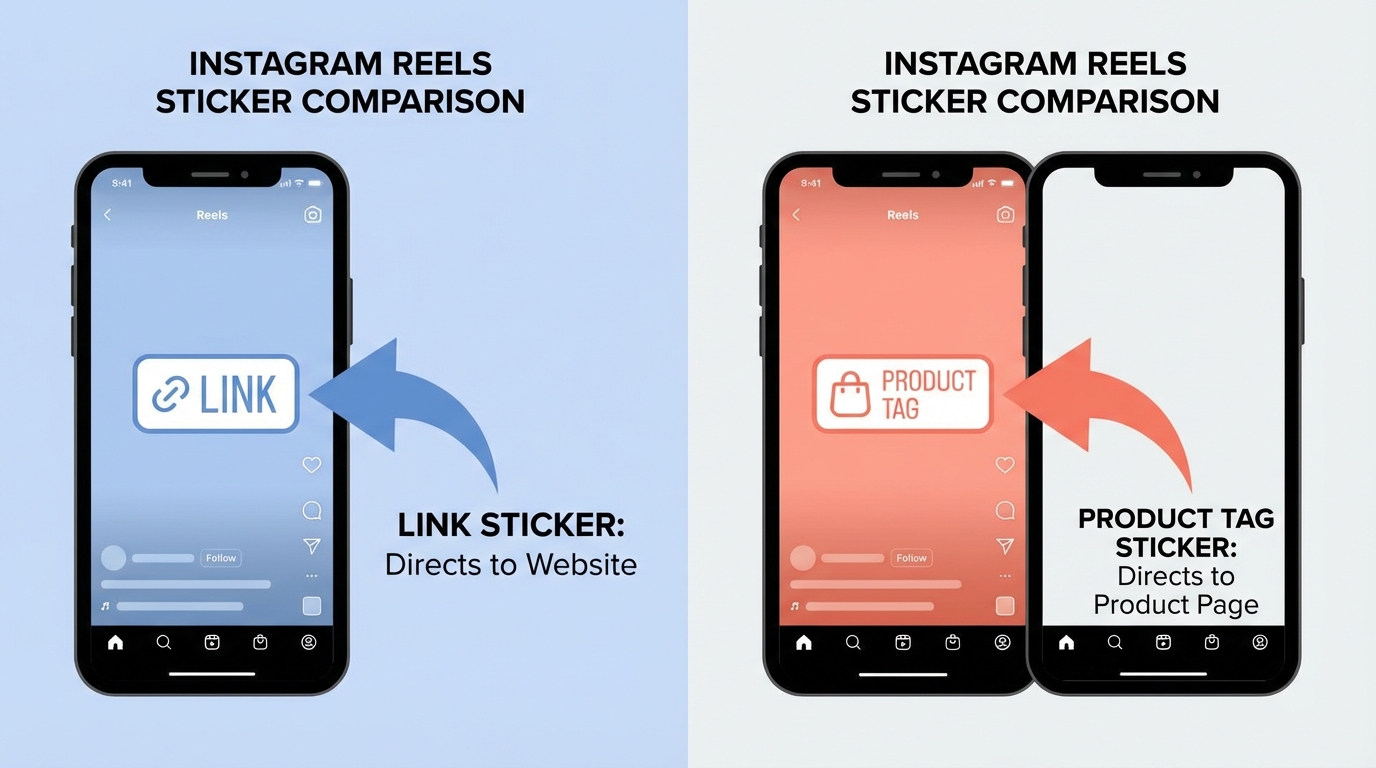
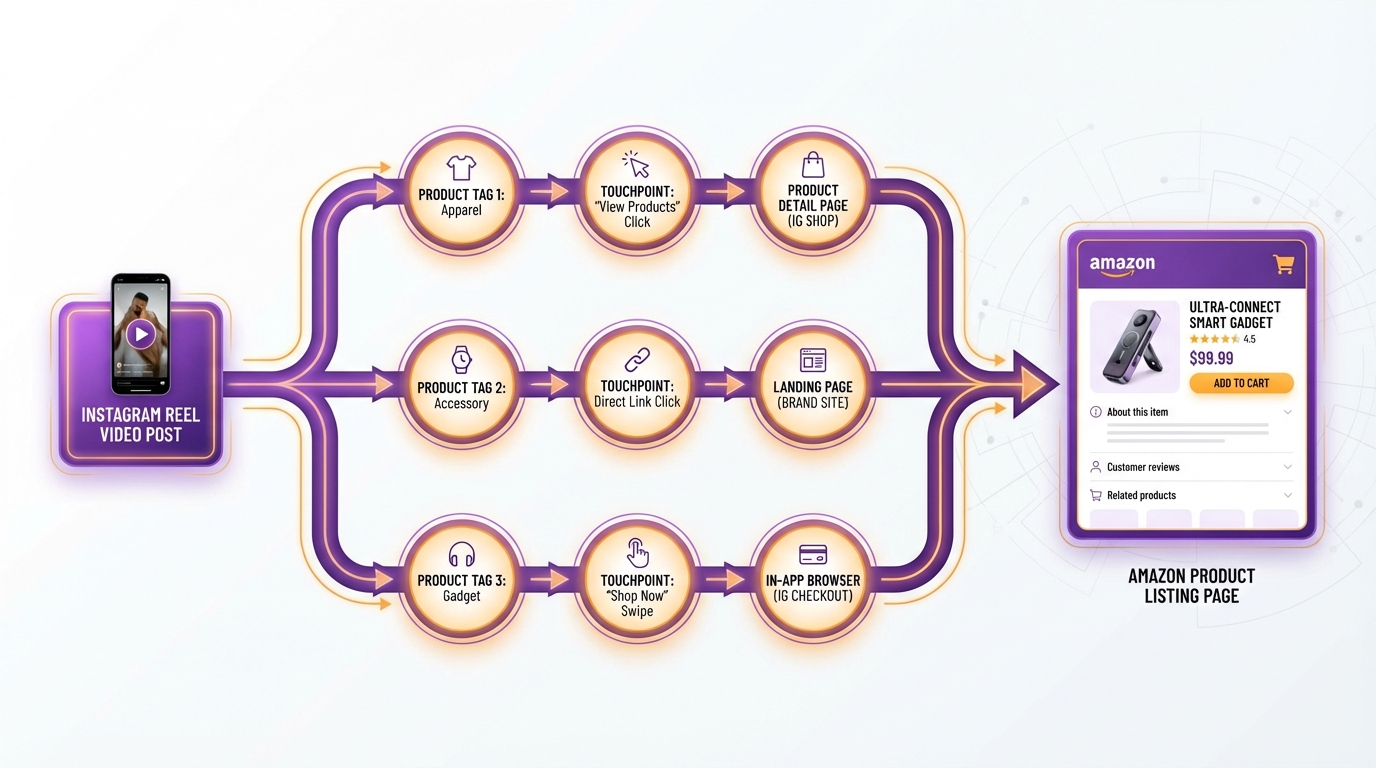
The first is the product tag sticker. This is the native shopping feature that pulls products directly from a connected Instagram Shop catalog. When a viewer watches your Reel and sees a small product icon or the “View Products” overlay at the bottom of the screen, that’s a product tag at work. Tapping it opens a product card within the Instagram interface — name, image, price — before sending the viewer to whatever checkout destination you’ve configured. Product tags can be placed on up to 30 products per Reel, and they’re indexed by Instagram’s shopping algorithm, meaning they help your content appear in the Shopping Explore tab. Critically, this sticker type requires an approved Instagram Shop with a connected catalog.
The second is the link sticker. This is a more flexible but more limited tool. A link sticker is simply a clickable button overlaid on a Reel or Story that points to any URL — including a direct Amazon product listing page, an Amazon Storefront, or an Amazon affiliate link. It doesn’t require a catalog or an Instagram Shop. However, and this is the part sellers frequently get wrong: link stickers in Reels have historically faced significant restrictions. Meta has limited their availability in Reels for non-paid content, with the feature being most reliable in Stories. As of 2026, link sticker access in Reels is still inconsistently available depending on account eligibility and region.
What These Stickers Are Not
Clickable Reels stickers are not a guaranteed direct-to-Amazon-checkout tool. A product tag sticker routes viewers through Instagram’s commerce layer first. Depending on how you’ve configured your shop, the viewer lands on your Instagram product page, your website, or Amazon — not necessarily on Amazon directly without intermediate steps.
They are also not a passive traffic source. A sticker sitting in a Reel that nobody watches generates zero clicks. The content quality, the hook, the product’s screen time within the video — all of these drive whether the sticker gets tapped at all. The sticker is the mechanism; the content is the engine.
The Meta–Amazon Partnership: What Changed at Shoptalk 2026
For years, the friction between Instagram’s commerce layer and Amazon was a structural problem sellers had to work around. If you sold exclusively on Amazon, you had no native Shopify store to sync, no independent website catalog, and no clean path to connect your ASINs to Instagram’s product tagging system. You were essentially locked out of the feature’s best functionality.
That changed substantially in late March 2026 when Meta announced a series of affiliate program expansions at Shoptalk 2026. The headline for Amazon sellers: Meta formalized affiliate partnerships with Amazon (in the US), eBay (in the US), Shopee (in Asia), and Mercado Libre (in Latin America), enabling creators to tag products from these retailers directly in Facebook and Instagram Reels, posts, and photos.
What the Shoptalk 2026 Announcement Actually Means
Under the new affiliate framework, eligible Instagram creators — those who are 18 or older and have at least 1,000 followers — can access Amazon’s product catalog directly within Meta’s affiliate hub. They select specific products, tag them in their Reels, and when a viewer taps the tag and subsequently purchases on Amazon, the creator earns a commission at the rate Amazon has set for that product category.
For brand owners and private label sellers on Amazon, this has an important indirect implication: your products may now appear in Meta’s Amazon affiliate catalog, accessible to creators you’ve never spoken to or contracted. A creator browsing the affiliate hub for kitchen gadgets could stumble across your SKU, tag it in a Reel, and drive traffic to your listing without you ever knowing — and without you spending a dollar on it.
For creators who promote Amazon products, the process is now significantly more direct. Previously, you’d generate an Amazon Associates link, paste it into a bio or use a workaround tool, and hope the viewer completed enough steps to still be tracked. The new system — still rolling out in stages as of spring 2026 — aims to let you tag the product inside the Reel itself, with attribution handled natively through Meta’s system rather than relying on the viewer clicking a bio link.
The Checkout Reality in 2026
One important nuance from the Shoptalk 2026 announcement: Meta simultaneously confirmed that it is phasing out native in-app checkout on Instagram Shops. As of September 2025, most Instagram Shops were transitioned to website checkout, meaning clicks on product tags now route viewers to an external URL rather than completing a purchase inside Instagram. For Amazon sellers, this is actually more favorable — the destination URL can be your Amazon listing, keeping the customer inside the ecosystem where your reviews, A+ Content, and listing optimization do the conversion work.
The net effect is a system where discovery happens on Instagram, clicks are attributed through Meta’s commerce layer, and conversion happens on Amazon. It’s a longer funnel than pure in-app checkout, but it’s one that finally works cleanly for Amazon-native sellers.
Two Paths to Connect Your Reel to an Amazon SKU
Given the complexity of the Meta-Instagram-Amazon ecosystem, sellers in 2026 have two distinct paths for making their Reels clickable to Amazon products. Understanding the difference is the most important operational decision you’ll make before filming a single frame.
Path One: The Product Tag Route (Catalog-Based)
This path requires setting up an Instagram Shop with an approved product catalog. The catalog lists your products — including names, images, prices, and URLs — and Instagram pulls from this catalog when you tag products in your Reels.
For Amazon sellers, the challenge is that Instagram’s Commerce Manager doesn’t accept Amazon ASINs as a direct catalog source. You cannot simply plug in your Seller Central account and have your listings appear. Instead, you need to build your catalog one of two ways:
Option A: A connected e-commerce storefront. If you sell on Shopify, WooCommerce, or a similar platform as well as Amazon, you can sync your Shopify catalog to Meta Commerce Manager. Product tags in your Reels then route to your Shopify product pages, where you can configure an “Also available on Amazon” flow or redirect to your Amazon listing. This works well for brands operating across multiple channels.
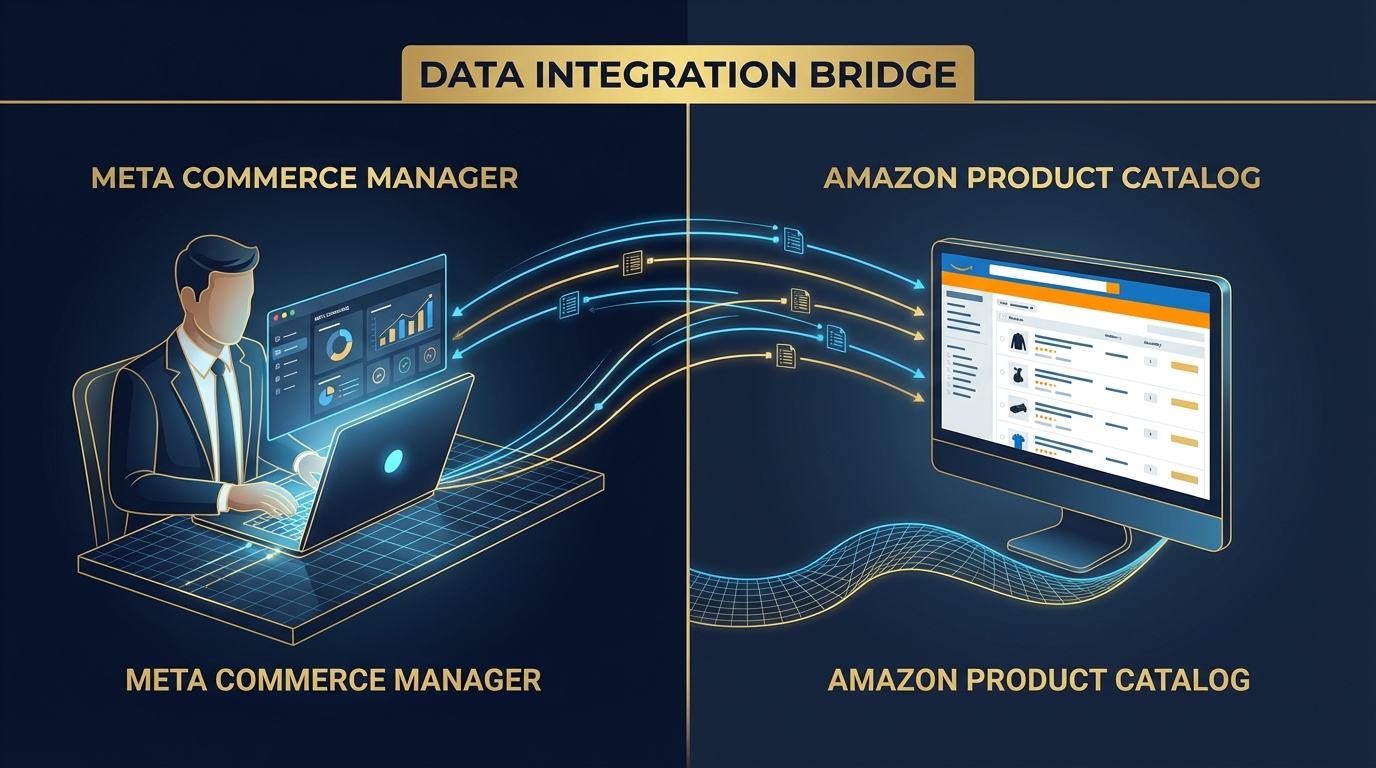
Option B: A manual catalog in Meta Commerce Manager. You build a product catalog directly inside Facebook’s Commerce Manager, manually inputting your product data and linking each item’s URL to its Amazon listing. This is more labor-intensive but gives Amazon-only sellers access to the full product tag functionality. It also means the product tag points directly to your Amazon listing page, keeping the customer on Amazon for conversion. Meta allows product URLs that point to external e-commerce pages, including Amazon, as long as the page is accessible and not behind a login.
The product tag route is worth the setup effort because it gives your content shopping indexability — tagged products appear in Instagram’s Explore shopping tab and are surfaced to users browsing by product category, beyond just your followers.
Path Two: The Affiliate Link Route (Creator-Based)
If you’re a creator promoting Amazon products (rather than the brand owner), or a brand owner who also participates in Amazon Associates, the affiliate link route is simpler to execute but involves different tradeoffs.
Under the new Meta-Amazon affiliate integration announced at Shoptalk 2026, eligible Instagram accounts can access Amazon’s product catalog directly through Meta’s creator tools. You select an Amazon product, tag it in your Reel using the affiliate tagging interface, and the link is embedded within the post with native attribution. Commissions are tracked through Amazon’s standard affiliate rate structure.
For sellers who are also creators promoting their own products via Amazon Associates — a legitimate and increasingly common strategy — this path offers the cleanest implementation, because it doesn’t require building a separate catalog. The product tags in your Reel pull directly from Amazon’s catalog, and the destination is automatically the Amazon product detail page.
The tradeoff: affiliate-tagged Reels are treated by Instagram as creator content rather than brand content, which affects how they’re displayed and whether your brand page can be tagged simultaneously.
Setting Up Your Instagram Shop Catalog with Amazon SKUs
If you’re taking the product tag route, the catalog setup is where most Amazon sellers stall. The process isn’t especially complicated, but it has several sequential dependencies that cause failures if you miss a step. Here is the correct sequence.
Step 1: Create or Confirm Your Instagram Business Profile
Instagram Shopping is only available on business and creator accounts. Go to Settings → Account Type and Tools → Switch to Professional Account. Select “Business” (not Creator, which has limited commerce access). If you already have a business account, confirm that it’s linked to a Facebook Page — this is non-negotiable for Commerce Manager access.
Step 2: Connect to Meta Commerce Manager
Navigate to business.facebook.com and access Commerce Manager. If you haven’t set one up, create a new shop. During setup, you’ll be asked to configure a checkout method. As of 2026 with Instagram’s shift away from in-app checkout, select “Website” as your checkout method and enter your Amazon listing URL (or Shopify store URL if bridging through Shopify).
Step 3: Build Your Product Catalog
Inside Commerce Manager, go to the Catalog section and add your products. For each Amazon SKU you want to make shoppable in Reels, you’ll need:
- Product name (can match your Amazon listing title, but shorter titles perform better in the Instagram product card)
- Product image (use your main Amazon listing image — white background, high resolution)
- Price (should match your current Amazon price to avoid customer confusion)
- Product URL (your Amazon listing URL — use the canonical ASIN URL format: amazon.com/dp/[ASIN])
- Product ID (this is where your SKU lives — use your Amazon SKU or ASIN as the identifier for easy tracking)
- Category (use Google Product Category taxonomy — Meta requires this for catalog approval)
For sellers with large catalogs, Meta Commerce Manager accepts product feeds via CSV or XML, which means you can export your Amazon catalog data, format it to Meta’s feed specification, and upload in bulk rather than entering products one by one.
Step 4: Submit for Instagram Shopping Review
Once your catalog has at least one approved product, go to your Instagram Settings → Business → Set Up Instagram Shopping. Submit your account for review. The review typically takes one to three business days. Meta checks that your business complies with its commerce policies, that your website (or Amazon listing URL) is accessible, and that your products don’t violate any restricted categories.
Common rejection reasons include: product URLs that redirect through affiliate shorteners rather than landing directly on the product page, prices in the catalog that don’t match the live listing price, and product images that include watermarks or text overlays. Fix these before submitting.
Step 5: Tag Products in Your Reels
Once approved, when you create a new Reel and go to the post settings screen before publishing, you’ll see a “Tag Products” option. Tap it, search your catalog by product name or SKU, and select the items you want to tag. You can place the tag at a specific timestamp in the video if you’re using advanced placement tools, or accept the default “View Products” overlay that appears throughout the Reel. You must tag products before publishing — product tags cannot be added to Reels after they go live in most regions.
Filming Reels That Make the Sticker Work Harder
The biggest mistake Amazon sellers make with product sticker Reels is treating the video purely as a product showcase — a 30-second version of their listing images. This approach consistently underperforms, because it misunderstands what Reels viewers are receptive to.
Reels achieve the highest reach rate of any Instagram content format, with engagement rates roughly double that of static posts. But that reach is built on entertainment and utility, not on product marketing. The product sticker succeeds when the Reel earns attention first, and the sticker is the natural next action for a viewer who is already interested.

The Four Reel Structures That Drive Sticker Taps
1. The Problem-Solution-Product Format. Open with the problem your product solves, stated in the first two seconds — visually or in text overlay. “Every time I try to open this, it spills everywhere.” Show the problem happening. Then introduce your product as the resolution, demonstrate it working, and let the product sticker be the natural “get this” moment at the end. Viewers who have experienced the same problem are already primed to tap.
2. The Comparison or Before-and-After Format. Show a before state (a messy drawer, a poor-quality version of something, a frustrating process) and cut to the after state using your product. The contrast creates enough engagement to drive saves and shares — which in turn drives reach — and the product sticker gives motivated viewers an immediate action. This format works particularly well for home organization, kitchen tools, beauty, and fitness products.
3. The “What I Ordered vs. What I Got” Format (Inverted). This format taps into the viral curiosity of unboxing content. The twist: you’re the brand, not the customer, so you use it to confidently show the product living up to its promise. Recreate the customer’s experience — the anticipation, the reveal, the first use — and let the product sticker provide the path for viewers to replicate that experience themselves.
4. The Tutorial or Use-Case Expansion Format. Take your product and show five or seven ways to use it that aren’t immediately obvious. This format is particularly effective for multipurpose products. Each use case is a reason for a different viewer segment to tap the sticker. A silicone mat can be a baking liner, a jar opener grip, a drawer liner, and a craft surface — viewers who didn’t need a “baking liner” might need a “jar opener grip.” The more use cases you demonstrate, the wider the audience you’re addressing in a single Reel.
The Technical Basics That Affect Sticker Performance
Film vertically at 1080×1920 resolution (9:16 ratio). Keep your Reel between 15 and 60 seconds — shorter Reels (under 30 seconds) currently see higher completion rates, and completion rate is one of the signals Instagram’s algorithm uses to distribute content. Use on-screen text to reinforce key points without requiring audio, since many viewers watch with sound off initially.
Keep the product visible and in clear focus during the first five seconds. Viewers who see the product early associate the sticker tap with knowing what they’re getting. If the product only appears at the end of a 45-second Reel, viewers who tap the sticker haven’t made a connection between what they just watched and what they’re about to buy — and that disconnect reduces conversion on the Amazon listing.
SKU Strategy: Which Products to Tag and Why It Matters
Most sellers who get this far in the setup process make a critical error: they tag every product in every Reel, without any strategy around which SKUs to prioritize or how product selection affects both Instagram reach and Amazon performance.
The SKU decisions you make for Reels tagging have downstream effects that go beyond Instagram traffic. They influence your Amazon sales velocity, which feeds your BSR (Best Sellers Rank), which affects organic search placement. Getting the SKU selection right means your Reels effort compounds over time rather than just generating isolated traffic spikes.
Prioritize SKUs With Existing Reviews and Ratings
When a viewer taps your product sticker and lands on your Amazon listing, the listing has to close the sale. A product with under 20 reviews and a 3.8-star rating will convert poorly regardless of how good your Reel is. The social traffic you’ve worked to generate will land on a listing that can’t capitalize on it.
Prioritize SKUs with at least 50 reviews and a rating of 4.2 or higher for your initial Reels campaigns. These listings have enough social proof to convert viewers arriving from social media — who tend to be slightly less purchase-ready than Amazon search traffic and need more reassurance from reviews before buying.
Use Reels to Defend Rankings on Threatened SKUs
If a product’s BSR has been slipping — it’s dropping in rank due to increased competition or seasonality — Reels-driven traffic can provide an organic velocity boost that helps stabilize it. Instagram traffic from a product-tagged Reel that converts to a sale on Amazon registers as an external traffic event followed by a conversion, which Amazon’s A9 algorithm treats favorably. Brands report that consistent external traffic — even at relatively modest volumes — contributes to BSR stabilization when combined with other ranking activities.
Tag Parent ASINs for Variation Visibility
When you have a product with multiple variations (colors, sizes, flavors), linking to the parent ASIN rather than a single child ASIN in your catalog gives the buyer visibility into all options after they tap through. More importantly, sales on any variation generated from that click contribute to the parent ASIN’s overall velocity. Sellers who tag the parent ASIN of their variation listings in Reels report broader BSR benefits compared to those who tag individual child ASINs, because the traffic and conversion signals are distributed across the product family rather than concentrated on one variant.
New Launch SKUs Deserve Their Own Reels Strategy
For newly launched products with limited reviews, Reels shouldn’t be your primary traffic source — but they serve a specific role in a launch sequence. A Reel published on launch day to a warm audience (followers who already trust your brand) can generate the first wave of orders that seed your review count and give the listing early velocity. Tag the new SKU and combine the Reel with a caption-based offer (“first 20 orders get a free gift — tap the product tag”) to drive urgency. This approach works best when your listing is already fully built out with optimized images and A+ Content before the Reel goes live.
Reading the Numbers: Which Metrics Tell You If It’s Working
Instagram gives you product tag data inside your professional dashboard, and Amazon provides attribution data through its Brand Analytics and Attribution tools (for registered brands). Reading these two data sources together is how you know whether your Reels strategy is actually driving Amazon sales rather than just Instagram vanity metrics.
Instagram-Side Metrics to Track
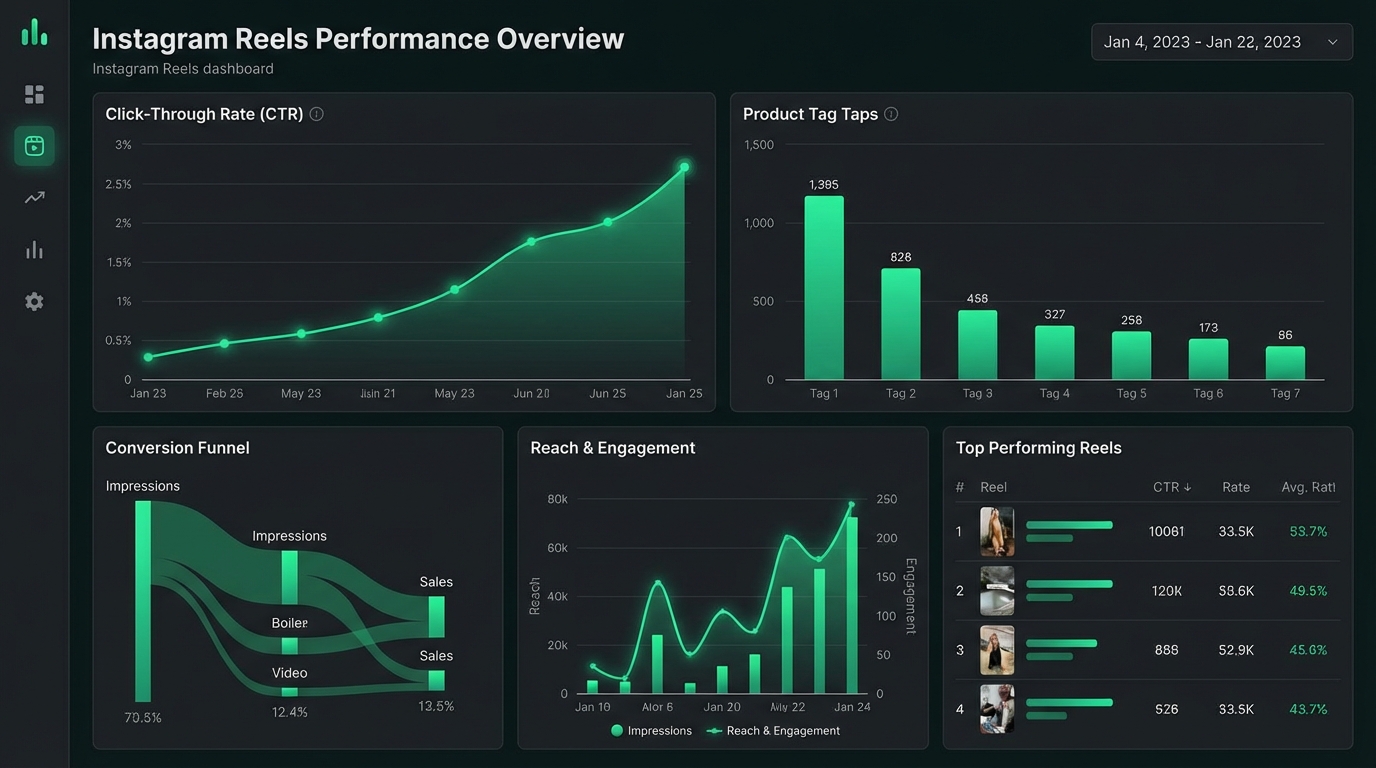
Product tag views: The number of times viewers opened the product card after tapping your sticker. This is the clearest indicator of sticker engagement — it shows that people were curious enough to act, not just watch.
Product page visits from Reels: The number of clicks from the product card to your destination URL (your Amazon listing or website). This is the metric that translates into Amazon traffic. A high tag view count with a low product page visit count means people are tapping the sticker out of curiosity but not following through to the listing — which usually indicates a disconnect between the video content and the product price or image in the catalog.
Reach vs. impressions: Reach tells you how many unique accounts saw the Reel; impressions tell you how many total times it was shown (including repeat views). A Reel with high reach and high sticker engagement is performing well organically. A Reel with high impressions but low reach means your followers are rewatching but the content isn’t being pushed to non-followers — useful for retention but limited for driving new purchase traffic.
Saves: Saves on a shoppable Reel often indicate purchase intent deferred — the viewer wants the product but isn’t ready to buy now. High saves are a signal to run a retargeting ad to that warm audience, or to post a follow-up Reel with a discount or urgency trigger.
Amazon-Side Metrics to Track
Amazon Attribution tags: If you’re a brand-registered seller, create an Amazon Attribution tag for your Instagram Reel traffic. This generates a unique tracking URL you can place in your catalog’s product URL or in a link sticker. Amazon Attribution then shows you exactly how many detail page views, add-to-carts, and purchases came from your Instagram Reels, giving you a true ROAS (return on ad spend) for your content effort.
Without Amazon Attribution tracking, you’re relying on correlating Instagram traffic spikes with Amazon sales spikes — directional but imprecise. Setting up attribution before you launch your first shoppable Reel is non-negotiable if you want data-driven decisions about which content formats to invest in.
BSR movement: Track your product’s Best Sellers Rank in the 24-48 hours after a Reel with significant reach goes live. A meaningful BSR improvement after a Reel with high product page visits confirms that the Instagram traffic is converting on Amazon and contributing to ranking signals. If your BSR doesn’t move despite Instagram traffic, check your listing’s conversion rate — it may be a listing problem rather than a traffic problem.
New-to-brand orders (NTB%): Available in Brand Analytics for registered sellers, this metric tells you what percentage of recent orders came from customers who hadn’t purchased your brand before. High NTB% on a period following a Reel campaign suggests your Instagram content is successfully reaching genuinely new customers — the goal of any social commerce strategy.
Mistakes That Kill Clickthrough Before the Sticker Gets Tapped
The setup can be technically correct, the video content can be solid, and the product can be a strong fit — and the strategy can still fail to generate meaningful Amazon traffic. These are the most common points of failure that sellers encounter once their shoppable Reels are live.
Catalog Prices That Don’t Match Amazon
Your Meta Commerce Manager catalog requires a listed price for each product. If that price is higher than your current Amazon listing price (because you ran a promotion, used a coupon, or lowered your price since setting up the catalog), viewers see a price in the Instagram product card that doesn’t match what they find when they land on Amazon. This creates an immediate trust problem. Either update your catalog price weekly to match your live Amazon price, or omit the price from your product card display (Commerce Manager allows price-free catalog entries in some configurations).
Sticker Placement Blocking the Product
When you place a product tag sticker over the product itself in the video, you physically cover the thing you want the viewer to buy. This sounds obvious when stated directly, but it’s surprisingly common. Place the sticker near the product without obstructing it — at the edge of the frame, below the product, or in empty negative space. The visual association between the sticker and the product should be clear from proximity, not from the sticker being on top of the item.
No Caption Hook to Prime the Purchase
Many sellers treat the caption as an afterthought, writing something generic like “Check out our new product! Link in bio.” This wastes a powerful reinforcement tool. Your caption should do two things: first, restate the core value proposition of the product in a single sentence; second, include an explicit instruction to tap the product tag (“Tap the product below to get this for your kitchen”). Viewers who are on the fence are often pushed to action by a caption that clearly names the next step.
Sending Reels Traffic to an Unoptimized Listing
Instagram audiences arrive at your Amazon listing with a short attention span and a different mental frame than Amazon search shoppers. Amazon search shoppers are in buying mode; Instagram viewers are being converted from discovery mode. That transition requires a listing that communicates value in the first visible fold — the main image, the title, and the first two bullet points.
If your main listing image is a white-background product-only shot with no context, it will underperform with social traffic. Consider using a lifestyle image (product in use, in a relatable setting) as your main image when you’re running active Reels campaigns. Or A/B test this with Manage Your Experiments if you’re brand-registered. The visual continuity between the Reel environment (lifestyle, use-case) and the listing image significantly affects conversion rates from social traffic.
Tagging Too Many Products in One Reel
Instagram allows up to 30 product tags per Reel, but using many of them in a single video that focuses on one product creates confusion. Viewers tap a sticker expecting to see the one product they just watched being demonstrated, and instead find a product card selection screen with multiple items. The friction of choosing reduces conversion. Unless your Reel is explicitly a “product roundup” or “shop my favorites” style video — where multiple products are the point — tag a maximum of three products per Reel, and make one of them the clear primary tag.
Scaling the System: From One Reel to a Full Content Pipeline
A single shoppable Reel is an experiment. A system of shoppable Reels is a traffic channel. Building the latter requires a repeatable content production process that doesn’t demand excessive time or resources from a small team.
The Minimum Viable Reels Calendar for Amazon Sellers
Data on posting frequency consistently shows that accounts posting Reels three to five times per week see compounding reach growth compared to those posting once or twice. For a small Amazon brand without a dedicated content team, three Reels per week is a realistic and effective target.
Structure your weekly output around three content types in rotation:
- One problem-solution Reel — drives new audience reach by addressing a common pain point
- One tutorial or use-case Reel — drives saves and shares from people already interested in the product category
- One social proof or testimonial Reel — drives conversion among warm audiences who have seen previous content
Each of these should have at least one product sticker linking to a relevant Amazon SKU. Over four weeks, you’ve produced 12 shoppable Reels covering three content angles, each generating its own trail of product tag data you can analyze and optimize from.
Repurposing Amazon Listing Assets for Reels
Most Amazon sellers have already invested in product photography and video production for their listings. These assets — particularly video clips from listing videos or brand story videos — can be repurposed directly into Reels without reshooting. Take your existing listing video, crop to vertical (9:16), add text overlays that match the problem-solution format, add trending audio in the Instagram editor, and tag the product. This approach takes 15-20 minutes per Reel rather than the hours required for a full reshoot.
The quality threshold for Reels content is authenticity and relevance, not production value. Native-feeling video (shot on a smartphone, in a real home or office setting) consistently outperforms high-production studio content on Reels because it doesn’t read as an advertisement. Your polished listing video assets can be made to feel more native by adding text overlays with a conversational tone, or by recording a 5-second phone-camera hook in front of the repurposed footage.
Working With Creators on Product-Tagged Reels
The Meta-Amazon affiliate program announced at Shoptalk 2026 opens a new creator partnership model for Amazon sellers. Instead of paying a creator a flat fee for a sponsored post, you can now structure a performance-based deal where the creator uses the native affiliate tagging to link your Amazon SKU. Their commission comes from Amazon’s affiliate program rather than from you directly, and you get Instagram-attributed traffic with proper tracking.
For sellers, this model reduces upfront creator costs while generating traffic that is properly attributed through Amazon’s system. The tradeoff is less control over messaging — affiliate creators have latitude in how they present the product. Build a creator brief that outlines the key features you want highlighted, the target audience, and any brand-safety guidelines, even in an affiliate arrangement.
When selecting creators for this model, prioritize engagement rate over follower count. A creator with 15,000 followers and a 6% engagement rate will drive more sticker taps than a creator with 200,000 followers and a 0.8% engagement rate. Smaller creators whose audience is genuinely aligned with your product category outperform larger creators whose audience is broad and less qualified.
What’s Coming Next: In-App Checkout, Creator Commissions, and the Evolving Amazon-Meta Pipeline
The Shoptalk 2026 announcement gave a clear direction of travel for the Meta-Amazon commerce integration. Several developments are in active rollout or explicitly planned, and Amazon sellers who understand what’s coming can position their catalogs and content strategies to take advantage of each phase.
Expanded In-App Checkout for Partner Retailers
Meta announced at Shoptalk 2026 that direct in-app checkout with partners — including through integrations with Stripe, PayPal, and Shopify — is rolling out across 22 countries in the coming months. While this initially targets Shopify-powered stores, the infrastructure being built is the same infrastructure that will eventually support Amazon product checkout inside Facebook and Instagram without leaving the app.
Amazon and Meta have had a working partnership since 2024 that enabled real-time pricing, Prime eligibility display, and delivery estimates inside Meta ads. The next logical extension of that relationship — one-tap Amazon checkout inside an Instagram Reel product tag — is not confirmed but is technically achievable within the existing integration architecture. Sellers who have their catalogs correctly set up and their product tags working today will be the first to benefit when frictionless in-app checkout extends to organic Reels content.
Creator Commission Rates and Amazon Category Variations
The affiliate commission rates available to creators who tag Amazon products through Meta’s system follow Amazon’s standard Associates commission structure. This means rates vary significantly by product category — typically ranging from 1% to 10%, with categories like beauty and personal care, clothing, and home goods sitting at the higher end, while electronics and large appliances sit at the lower end.
For Amazon sellers trying to attract creator partnerships through the affiliate model, understanding these rates is important. If your product is in a low-commission category (consumer electronics at 1-3%), you may need to supplement with a flat-fee brand deal to make the partnership attractive to creators. If you’re in a high-commission category (beauty at 10%), the affiliate model alone may be sufficient incentive for creators with aligned audiences to tag your products without any additional compensation.
Instagram’s Algorithm Reward for Shopping Content
Meta has publicly committed to increasing the distribution of shopping content in Reels, as commerce is one of the platform’s stated priority areas. Brands that tag products in Reels at least five times per month reportedly gain higher visibility in the Shopping Explore tab — Instagram’s dedicated product discovery section. The Shopping Explore tab surfaces tagged products to users who have previously shown interest in similar product categories, even if they don’t follow your account.
This algorithmic reward structure means that consistency in posting shoppable Reels compounds over time. Each tagged Reel you post signals to Instagram’s system that you are an active commerce participant, which increases the likelihood that future shoppable Reels receive Shopping Explore distribution. Sellers who post sporadically — one shoppable Reel in a month, then nothing for three weeks — don’t accumulate this signal and miss the distribution benefit entirely.
Amazon Brand Referral Bonus
An often-overlooked component of the Amazon-Instagram traffic equation is Amazon’s Brand Referral Bonus program, available to brand-registered sellers. When you drive external traffic to your Amazon listings using approved attribution tags — including from Instagram — and that traffic converts, Amazon provides a bonus credit (typically 10% of the attributed sales value) that is applied against your future advertising fees.
For sellers running shoppable Reels as an organic traffic channel, the Brand Referral Bonus effectively means that the Amazon sales you generate from Instagram traffic are cheaper to acquire than equivalent traffic from PPC, because a portion of that revenue comes back to you as an advertising credit. Combined with the BSR benefits of external traffic, this makes a well-executed Instagram Reels strategy genuinely more profitable on a unit economics basis than it appears on the surface.
Building Your Brand Moat with Shoppable Content
The discussion around shoppable Reels often focuses on the mechanics — the catalog setup, the sticker placement, the attribution tracking — and misses the larger strategic point. Done consistently and well, shoppable Reels content builds something that PPC advertising cannot: a brand identity with an audience that has opted in to your content.
Amazon PPC delivers traffic that belongs to Amazon. The moment you stop paying, the traffic stops. Instagram Reels build followers, saves, and engagement that persist. A viewer who saves your tutorial Reel may not buy today, but they’ve signaled high interest and remain in your content feed — available to be converted by your next Reel, or your following Reel, without you paying again for the impression.
The Compounding Effect of Consistent Tagging
Sellers who have run product-tagged Reels consistently for six months or more report that their “best” Reels continue to drive sticker taps and product page visits long after the initial posting date. Instagram’s algorithm keeps surfacing well-performing Reels to new audiences, and each new viewer who taps a product sticker on a three-month-old Reel is a new prospective Amazon customer that cost you nothing to acquire at the point of that tap.
This evergreen quality of strong Reels content contrasts sharply with paid advertising, where each click has a cost in perpetuity. A Reel that you produced once and that continues to generate product tag taps over months effectively lowers your cost per acquisition with every passing week.
Content as Competitor Differentiation
On Amazon’s search results page, your listing looks structurally similar to every competitor in your category. The competitive differentiation comes from reviews, pricing, images, and badge labels. But a competitor cannot replicate your Instagram presence, your Reel style, your community, or the trust your audience has built with your brand through consistent content.
This means the effort you invest in building a shoppable Reels content system isn’t just a traffic tactic — it’s a competitive moat that compounds over time. Two sellers with identical products and identical Amazon listings will have very different business outcomes if one has a content engine driving organic Instagram traffic and one does not.
Conclusion: The Sticker Is the Easy Part
The clickable Reels sticker is a small piece of the Instagram interface. Adding it to a video takes thirty seconds. But everything that makes that sticker worth tapping — the video that earns attention, the product that solves a real problem, the catalog that’s correctly synced, the Amazon listing that closes the sale, and the attribution that tells you what’s working — requires deliberate construction.
Amazon sellers who are approaching shoppable Reels in 2026 have an important structural advantage: the Meta-Amazon affiliate integration announced at Shoptalk 2026 means both platforms are now actively incentivized to make this funnel work. Instagram wants commerce engagement on the platform. Amazon wants external traffic with attribution. Your job is to sit at the intersection of both objectives and build the content system that serves both.
Your Action Checklist
- Switch to an Instagram Business account and link it to a Facebook Page in Meta Business Manager.
- Set up your product catalog in Commerce Manager with your Amazon SKUs, using your ASIN URLs as the product destination links.
- Submit for Instagram Shopping review and wait for approval before planning any content launch.
- Set up Amazon Attribution tags for Instagram traffic so you have real conversion data from day one.
- Identify your top three to five SKUs for initial Reels tagging based on review count, rating, and margin health.
- Film your first batch of three Reels using the problem-solution, tutorial, and comparison formats.
- Tag one primary product per Reel and add a caption with an explicit call to action pointing viewers to the product tag.
- Post consistently — at least three shoppable Reels per week for the first 30 days to build Instagram’s shopping signal for your account.
- Review performance at 14 days using both Instagram product tag analytics and Amazon Attribution — cut what isn’t driving product page visits, double down on what is.
- Explore creator partnerships through Meta’s new Amazon affiliate integration for creators who can reach audiences beyond your current follower base.
The sellers who treat clickable Reels stickers as a serious, trackable traffic channel — rather than a social media afterthought — are the ones building Amazon businesses that are less dependent on Amazon’s own advertising ecosystem. That independence, earned one well-made Reel at a time, is worth more in the long run than any single product launch.