



Think of your Amazon product listing not as a static page, but as your single most important marketing asset. The goal is to masterfully combine strategic keywords, compelling copy, and high-quality visuals. This dual approach is critical: you need to win over both Amazon's A9 algorithm and the human shoppers ready to click "Add to Cart."
This isn't a one-and-done task. It's a continuous cycle of testing and refinement that directly feeds your visibility, sales, and ultimately, your brand's growth on the platform.
Why Listing Optimization Is Your Greatest Advantage
In a marketplace flooded with millions of sellers, optimizing your Amazon product listings is the most powerful lever you can pull to drive real traffic and profit. Your listing is your digital storefront, your 24/7 salesperson, and your brand ambassador, all rolled into one. It’s your primary way of communicating value.
Many sellers make the mistake of treating optimization as a simple checklist item. The reality is, it’s the foundational engine of a successful Amazon business. Every single element—from your main title down to the hidden backend search terms—sends crucial signals to the A9 algorithm about your product's relevance and authority. Get this right, and you create a powerful flywheel effect that builds unstoppable momentum.
This visual shows exactly how strong content fuels the sales that Amazon's algorithm is built to reward.
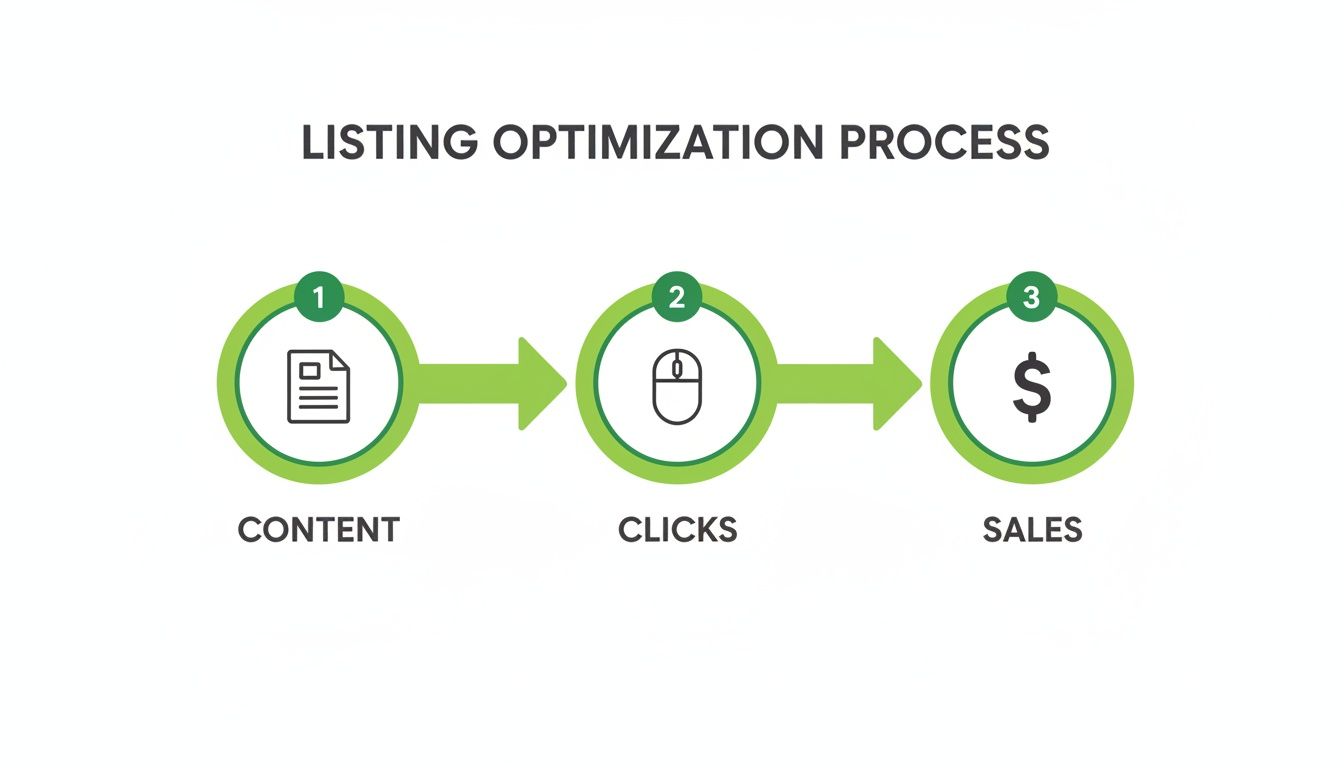
It really is that simple: better content earns more clicks, which drives higher sales velocity. Amazon sees this, boosts your search rank, and the cycle of growth continues.
To give you a quick overview, here are the core pieces of your listing and what they're designed to achieve.
Core Components of an Optimized Amazon Listing
| Listing Component | Primary Goal | Key Optimization Tactic |
|---|---|---|
| Title | Capture clicks in search results & rank for top keywords. | Front-load main keywords; include key features like size or color. |
| Bullet Points | Convert shoppers by highlighting key benefits and features. | Speak to customer pain points; use benefit-driven language. |
| Product Description | Tell a brand story and provide detailed information. | Use storytelling to connect emotionally with the shopper. |
| Images & Video | Visually communicate value, features, and use cases. | Use high-res lifestyle shots, infographics, and a clear main image. |
| A+ Content | Increase conversion rates with enhanced brand content. | Combine compelling visuals and copy to overcome objections. |
| Backend Keywords | Index for relevant search terms not used in visible copy. | Fill with long-tail keywords, synonyms, and common misspellings. |
Each of these elements works together to convince both the algorithm and the customer that your product is the best possible choice.
The Stakes of Standing Out
The sheer scale of Amazon makes this process non-negotiable. In 2023, U.S. third-party sellers sold over 4.5 billion items—that's about 8,600 items every single minute. With Amazon owning 37.6% of the entire U.S. ecommerce market, getting seen is everything.
Consider this: 70% of shoppers never click past the first page of search results. The difference between ranking on page one versus page two can mean the loss of hundreds of thousands in revenue. If you want to dive deeper, you can discover more insights on these Amazon statistics to truly grasp the competitive landscape.
Optimization isn’t just about getting seen by the algorithm; it's about being chosen by the customer. It’s the art of aligning what your product offers with what a shopper is actively searching for, at the exact moment they are ready to buy.
From Good to Great: A Real-World Example
Let's look at how this plays out. Imagine a seller with a generic "Yoga Mat" listing. With a bit of strategic optimization, they can transform it into an offer that magnetizes a specific type of customer.
- Before: A bland title like "Yoga Mat – Blue" with basic, feature-focused bullet points. It gets lost in the noise.
- After: A keyword-rich, benefit-driven title like "Extra Thick Non-Slip Yoga Mat for Hot Yoga – Eco-Friendly TPE Material, 6mm." The bullets are rewritten to highlight things like "Joint-Friendly Cushioning" and "Sweat-Proof Grip," which speak directly to common shopper concerns.
This simple but strategic shift does more than just improve search ranking. It connects with a specific audience on a deeper level, dramatically increasing the odds of both a click and a sale. That's the core of effective optimization.
Finding the Keywords That Actually Drive Sales
Let's be honest: winning on Amazon is a visibility game. If shoppers can't find you, they can't buy from you. And that entire battle starts and ends with keywords.
To get this right, you have to get inside your customer's head. What are they actually typing into that search bar when they’re looking for a product like yours? This isn't about throwing spaghetti at the wall; it’s a deliberate hunt for the exact phrases that lead to a sale.
The real goal here is to dig deeper than the obvious, super-competitive "short-tail" keywords. We're on the hunt for "long-tail" phrases—the longer, more specific queries that scream purchase intent. Sure, they have less search volume, but the conversion rates are often through the roof because the shopper knows exactly what they want.
Harvesting Keywords from Your Top Competitors
One of the smartest shortcuts in this business is to ethically spy on your competition. By running what's called a reverse-ASIN lookup, you can peek behind the curtain and see the exact keywords already sending traffic and sales to the top products in your space. This gives you a proven, battle-tested list of terms to start with.
Here’s a practical workflow to put this into action:
- Identify Your Rivals: Open Amazon and search for your main product keyword (e.g., "garlic press"). Identify the top 3-5 organic results—these are the listings that consistently perform well.
- Extract the ASINs: The ASIN (Amazon Standard Identification Number) is a unique 10-character code found in the product details section of the listing or in the URL. Copy the ASIN for each of your top competitors.
- Run a Reverse-ASIN Search: Use a tool like Helium 10 or Jungle Scout and navigate to their reverse-ASIN feature (often called "Cerebro" or "Keyword Scout"). Paste the competitor ASINs into the tool.
- Analyze and Filter: The tool will generate a list of all keywords these competitors rank for. Filter this list to find the sweet spot: look for keywords with a monthly search volume of at least 300, high relevance to your product, and an organic rank between 1 and 20 for your competitors.
- Build Your Master List: Export the filtered keywords. This is your initial "master list" of proven search terms to build your listing around.
This process removes the guesswork. You’re using your competitors' success as a data-driven starting point for your own optimization strategy.
Pro Tip: Don't just copy and paste the keyword list. Look for the patterns. Are customers searching by material? By a specific problem they're trying to solve? These insights are pure gold when it's time to write your listing copy.
A Real-World Keyword Discovery Example
Let's say you're selling a "silicone baking mat." That's your starting point. But a quick reverse-ASIN lookup on a top competitor blows the doors wide open, revealing terms you never would have thought of on your own.
Suddenly, you see they’re ranking for things like:
- non-stick reusable baking sheet: A completely different way of saying the same thing.
- macaron baking mat: A super-specific, high-intent use case.
- oven liner for baking: A related problem that your product solves.
- half sheet silicone mat: A common size specification.
Just like that, your keyword universe has exploded. You now have a rich, diverse list of phrases that real people are using to find this product. These are the terms that will get you in front of a much wider—and more qualified—audience.
Strategic Keyword Placement for Maximum Impact
Once you've got your master keyword list, where you put them matters. A lot. Amazon’s A9 algorithm gives more weight to certain parts of your listing, so smart placement is crucial for signaling relevance and getting indexed for the right searches. To really get into the weeds on this, check out our guide on maximizing product visibility on Amazon with the A9 algorithm.
Here's the breakdown of where your keywords should live for the best results:
- Product Title: This is your prime real estate. Put your most important, highest-volume keywords right at the front. For our baking mat, a title could be: "Non-Stick Silicone Baking Mat Set (2 Pack) – Reusable Half Sheet Liners for Macarons & Cookies."
- Bullet Points: This is where you weave in your secondary keywords and long-tail phrases. Talk about benefits, not just features, and make it sound natural. For example: "Enjoy effortless cleanup with our reusable baking sheet, which works perfectly as an oven liner to catch drips and spills."
- Backend Search Terms: This hidden field is your secret weapon. It’s the perfect spot for everything that didn't fit naturally in your title or bullets—think synonyms, common misspellings, or even Spanish translations. A term like "silicon cooking pad" would be perfect here.
By strategically distributing your keywords like this, you cast a much wider net, showing up for more search queries without ever "keyword stuffing." It's an approach that keeps both the algorithm and your human shoppers happy.
Crafting Copy and Visuals That Convert
Alright, let’s talk about the fun part: turning those hard-earned clicks into actual sales. Getting a shopper onto your product page is a huge win, but it's really just the first step. Now, your copy and your images have to do the heavy lifting to convince them your product is the solution they've been looking for.
This isn't about just listing out dry specs. It’s about storytelling. You need to translate those features into real-world benefits that hit on your customer's pain points and desires. Think of your customer as the hero of their own story—your product is just the magic sword that helps them slay the dragon.
Writing Titles That Actually Get Clicked
Your title is arguably the most critical piece of real estate on your entire listing. It’s what shoppers see first in a sea of search results, and it has to work incredibly hard. It needs to grab attention, scream value, and be stuffed with the right keywords for Amazon's algorithm.
The best titles usually follow a proven formula:
Brand + Core Keywords + Key Feature/Benefit + Size/Color/Quantity
Let's see this in action with a fictional "AquaFlow" water bottle.
- Weak Title: Water Bottle – 32oz
- Optimized Title: AquaFlow Insulated Water Bottle with Straw Lid (32 oz) – Leakproof Stainless Steel for Gym & Travel, Keeps Drinks Cold for 24 Hrs
See the difference? The optimized version is a powerhouse. It has the brand, high-volume keywords like "insulated water bottle," a specific feature ("straw lid"), and a killer benefit ("Keeps Drinks Cold for 24 Hrs"). This is how you optimize your amazon product listings for both real people and the A9 algorithm.
Turning Features into Benefits in Your Bullet Points
Those five bullet points are your sales pitch. This is your prime opportunity to tackle customer pain points head-on and show exactly how your product makes their life better. The biggest mistake sellers make here is just listing what the product is, not what it does for the customer.
The golden rule for bullet points is simple: lead with the benefit, then back it up with the feature. You have to answer the shopper’s silent question: "What's in it for me?"
Here’s a practical step-by-step example for writing a benefit-focused bullet point for our AquaFlow water bottle:
- Identify a Feature: The bottle is made of 18/8 stainless steel.
- Ask "So What?": So what? It means it doesn't rust and is durable.
- Ask "So What?" Again: So what? It means the taste of the water isn't affected.
- Frame the Final Benefit: The ultimate benefit is pure, untainted flavor.
- Write the Bullet Point: Enjoy Pure, Refreshing Taste Every Time: Crafted from food-grade 18/8 stainless steel, our bottle never retains funky flavors or odors. Today's water won't taste like yesterday's coffee.
That simple reframe connects a technical spec directly to a benefit every customer can appreciate.
A Picture Is Worth a Thousand Sales
On Amazon, your images are your product. Since customers can't touch or feel it, your visuals have to do all the work of an in-person demonstration. The main image is especially critical—it's the first thing shoppers see and the biggest factor in whether they click. If you're looking to really nail your photos, there are some great strategies for shooting product photos that convert out there.
Your image gallery should tell a complete visual story. Try to include these seven essential types of images:
- The Hero Image: Just a crisp, clean shot of your product on a pure white background. It has to follow Amazon's rules to the letter. (Pro-tip: We have a guide on using PickFu for main image selection to split-test which hero shot gets the most clicks.)
- Infographics: Use text and icons to call out key features, show dimensions, or highlight unique materials. Make it scannable.
- Lifestyle Photos: Show your product being used by your ideal customer in a real-world setting. This helps shoppers imagine it in their own lives.
- Comparison Chart: How do you stack up against the competition? A simple chart can instantly highlight why your product is the better choice.
- Instructional Image: If your product isn't super intuitive, show people how to use it. This clears up confusion before it starts.
- "What's in the Box" Image: Lay out the product and every single accessory that comes with it. This sets clear expectations and prevents negative reviews.
- Product Video: A quick 30-60 second video showing your product in action can be a conversion machine.
Level Up Your Brand with A+ Content
If you're brand-registered, A+ Content is an absolute game-changer. It lets you replace that plain text product description with rich images and formatted text modules. It's your chance to tell your brand's story, dive deeper into product features, and handle any potential customer objections head-on.
Well-designed A+ content does more than just look pretty. It converts. The data shows that solid A+ content can lift conversion rates by an average of 5%. That sends a powerful signal to Amazon’s A9 algorithm that your listing is a winner, which can help boost your rankings over time.
Use your A+ real estate wisely:
- Tell Your Brand Story: Kick things off with a big, bold banner that introduces who you are and what you stand for.
- Crush Objections: Got a common question or a recurring theme in negative reviews? Dedicate a module to addressing it directly.
- Cross-Sell Your Catalog: Use comparison charts to showcase other products you sell. It’s a great way to increase the average order value.
When you bring together magnetic copy, a strong visual strategy, and immersive A+ Content, you create a listing that doesn't just get clicks—it confidently guides shoppers straight to that "Add to Cart" button.
Using Reviews and Pricing to Build Momentum

You can have the most compelling copy and jaw-dropping images on Amazon, but your listing will still fall flat without two things: social proof and a great offer. It's a simple truth of e-commerce. Shoppers want to see that other people have bought—and loved—your product, and they need to feel like they’re getting a good deal.
This is where your review and pricing strategy work together to kickstart that all-important sales momentum. Getting those first few reviews feels like a huge hurdle, but Amazon gives you legitimate ways to get the ball rolling. Skipping these tools is a classic rookie mistake when trying to optimize Amazon product listings for the long haul.
Generating Crucial Social Proof
Positive reviews are a powerful signal, telling both shoppers and the A9 algorithm that your product is a solid bet. Here are the Amazon-approved ways to build that trust from day one.
- Amazon Vine Program: This is your best friend for launching new products. Amazon invites its most trusted reviewers, known as Vine Voices, to get your product for free in exchange for an honest review. It’s not free, but it's one of the fastest ways to land up to 30 high-quality reviews and get your listing off the ground.
- The 'Request a Review' Button: This little button is hiding in plain sight within your Seller Central order details. Clicking it sends a standardized, Amazon-blessed email to your customer, asking for both a product review and seller feedback. You can't change the message, but it’s a simple, compliant way to nudge buyers.
Your Q&A section is a goldmine for listing optimization. If multiple shoppers ask the same question, it’s a clear sign that your copy or images are missing a crucial piece of information. Proactively answer that question directly in a bullet point or infographic.
Negative reviews will happen—it’s just part of the game. What really matters is how you respond. Always reply publicly and professionally to negative feedback, offering a solution or clarification. This shows potential buyers you stand by your product and care about your customers.
Setting a Price That Sells and Profits
Pricing is a constant balancing act. Go too high, and you'll scare off buyers. Go too low, and you're just giving away your profits. Smart pricing is all about hitting that sweet spot where customers see value and you see a healthy margin.
Here is a simple workflow for setting your initial price:
- Analyze Competitors: Search for your main keyword on Amazon. Open a spreadsheet and list the top 10 competitors. For each, note their price, review count, and any premium features (e.g., organic materials, extra accessories).
- Calculate Your Floor Price: Determine your absolute minimum price. This is your Cost of Goods Sold (COGS) + Amazon fees + shipping costs. You cannot sell below this price without losing money.
- Position Your Product: Look at your competitor data.
- If your product is very similar, price it within the average range of your competitors. For example, if they are priced between $19.99 and $24.99, a price of $21.99 is a solid start.
- If you have a clear advantage (e.g., better quality, more features), you can justify a higher price. Price it 10-20% above the market average.
- If you are new and need to gain traction, consider a launch price 10% below the average to attract early buyers and reviews.
- Test and Monitor: Set your initial price and monitor sales velocity and session-to-conversion rates for two weeks. Adjust as needed based on performance.
The right strategy here pays dividends. One top agency saw an average conversion rate bump of 36% across more than a thousand optimized listings. With 71% of Amazon shoppers actively hunting for the best price, being competitive is non-negotiable. But remember, a great price won't save a listing nobody can find—56% of consumers start their product searches on Amazon, underscoring why visibility has to come first. You can read the full analysis on listing strategies to see how major brands are pulling this off.
Finally, lean into promotions to create strategic sales spikes. Amazon Coupons are brilliant for this. They create a can't-miss orange badge in the search results, grabbing attention and boosting your click-through rate. These temporary discounts can jumpstart your sales velocity, sending strong positive signals to the A9 algorithm that help improve your organic rank over time.
Advanced Optimization with AI and A/B Testing
Getting your listing live is just the starting line. The real race begins now. In the Amazon world, a "set it and forget it" approach is a surefire way to get left behind. The difference between a top-performing product and an average one often comes down to continuous, data-driven improvement.
This is where we move past the initial setup and dive into the nitty-gritty of advanced optimization. Think of it like tuning a performance car after you’ve built the engine. The foundation is solid—keywords, copy, images—but now it's about making small, calculated tweaks that lead to big wins in traffic and conversions.
Using AI to Accelerate Your Workflow
Artificial intelligence isn't just a buzzword anymore; it's a practical toolkit that gives savvy sellers a massive advantage. AI-powered software can chew through enormous datasets in seconds, spotting opportunities that would take a human analyst weeks, if not months, to uncover.
Instead of staring at a blank screen trying to brainstorm keyword variations, an AI tool can spit out hundreds of relevant long-tail options based on what shoppers are actually searching for right now. It can also generate first drafts of your product descriptions or bullet points, giving you a solid framework to polish with your unique brand voice.
Here’s a practical workflow for using AI to improve your bullet points:
- Gather Inputs: Collect your top 5-10 keywords, your product's main features, and the top 3 negative reviews for your main competitor.
- Craft a Prompt: Feed this information into an AI tool. For example: "Write 5 benefit-oriented bullet points for an Amazon listing for a 'stainless steel garlic press'. Keywords to include: 'easy to clean garlic mincer', 'rust-proof kitchen gadget'. Features: ergonomic handle, large chamber. Address the competitor complaint that 'it's hard to clean small pieces of garlic out'."
- Generate Drafts: Let the AI generate a few versions of the bullet points.
- Refine and Humanize: Edit the AI-generated text to match your brand's unique voice. Ensure the copy flows naturally and doesn't sound robotic. This step is crucial for connecting with customers.
For a deeper look into what's available, check out this breakdown of the 12 Best AI SEO Tools to Dominate Search in 2025 to see how this technology is being put into practice.
Integrating PPC Data into Your Organic Strategy
Your PPC campaigns are so much more than an advertising expense—they're a live market research lab. The Search Term Report in your advertising console is a goldmine because it shows you the exact phrases shoppers typed before clicking your ad.
You need to be mining this report regularly for new, high-converting keywords. If you spot a specific search term that's consistently driving sales through your ads, that's a massive signal. It’s time to weave that term directly into your main listing copy.
For instance, your primary keyword might be "yoga block," but your PPC data reveals that "cork yoga brick for balance" is converting at a whopping 15%. That is a high-intent, money-making keyword that absolutely needs to be in your title or top bullet points to start capturing that organic traffic, too. This powerful synergy between paid ads and organic strategy is a cornerstone of advanced Amazon advertising strategies.
Think of your PPC campaigns as a paid testing ground. You're essentially buying data that validates which keywords are most likely to convert before you commit to major changes in your organic listing. It completely de-risks your SEO efforts.
Demystifying A/B Testing with Manage Your Experiments
Guesswork is the enemy of profit. Stop wondering which main image will perform better or which title will grab more clicks. Let your customers tell you what works with A/B testing. For brand-registered sellers, Amazon's "Manage Your Experiments" tool is your key to making decisions backed by real data, not just a gut feeling.
The tool lets you run a split test between two versions of your content to see which one performs better. You can test the most critical elements of your listing:
- Main Image
- Product Title
- Bullet Points
- A+ Content
Here is a step-by-step guide to running your first experiment:
- Form a Hypothesis: Start with a question. For example: "I believe a main image showing the product in use (lifestyle) will get more clicks than the current image of the product on a white background."
- Navigate to Manage Your Experiments: In Seller Central, go to the "Brands" tab and select "Manage Your Experiments."
- Set Up the Test: Choose the ASIN you want to test and the content type (e.g., Main Image). Upload your "Version B" content (the lifestyle image). Set the duration for the experiment (Amazon recommends 4 to 10 weeks).
- Launch and Wait: Start the experiment. Amazon will automatically split traffic between the two versions and collect data. Do not make other changes to the listing during this time.
- Analyze Results: Once the experiment concludes, Amazon will tell you which version was the winner and provide the probability that it's the better version (e.g., "95% probability of being better").
- Implement the Winner: If there is a clear winner, apply that version to your listing permanently.
This systematic process is how you optimize Amazon product listings for peak performance, ensuring every change is a step forward.
Your Amazon Optimization Questions Answered

As you get deeper into Amazon optimization, you'll find a few key questions pop up over and over again. Let’s tackle some of the most common ones with straightforward, actionable answers to help you navigate the process like a pro.
How Often Should I Update My Amazon Product Listing?
Think of your listing as a living, breathing asset—not a "set it and forget it" task. As a general rule, we recommend doing a full audit every 90 days. This rhythm is perfect for catching new competitor keywords, adapting to market shifts, and weaving in fresh insights from your PPC campaigns.
Of course, if you see a sudden nosedive in sales or rank, you need to investigate immediately. For smaller tweaks, like adding new long-tail keywords into your backend search terms, a monthly check-in is a good habit.
A word of caution: avoid making huge, unsupported changes all at once, like rewriting your entire title or swapping every single image. Any major overhaul needs to be backed by solid data, preferably from an A/B test, to avoid killing the momentum and rank you've already built.
What Is the Biggest Mistake Sellers Make in Optimization?
Hands down, the most common and damaging mistake is "keyword stuffing." It’s an outdated tactic where sellers cram as many keywords as they can into their title and bullets, hoping it will trick the algorithm into ranking them higher. Today, this does more harm than good.
While keywords are crucial for getting found, Amazon's A9 algorithm now cares deeply about relevance and the customer experience. A title that’s a jumbled mess of repeated keywords is hard to read and gets a terrible click-through rate (CTR). That low CTR tells Amazon that shoppers aren't interested, which torpedoes your rank.
Your real goal is to artfully weave your most important keywords into compelling, human-readable copy that screams benefits. Your listing has to convince a person to click and buy. Only then will the algorithm reward you.
Can I Use the Same Keywords in My Title and Bullets?
No, you shouldn't repeat the exact same keywords in every field. Amazon's algorithm only indexes a keyword once for your listing, so repeating it is just wasting precious character space without adding any ranking power.
Instead, think of each section as a unique opportunity to expand your reach:
- Title: This is prime real estate. Use it for your most critical, high-volume keywords—the terms that absolutely define your product.
- Bullet Points: This is where you naturally work in your secondary keywords and long-tail phrases while explaining your product’s features and benefits.
- Backend Search Terms: This hidden field is the perfect spot for everything else. Fill it with synonyms, common misspellings, and related terms that didn't fit neatly into your public-facing copy.
This approach maximizes the total number of unique search terms you can rank for, effectively casting a much wider net to catch more shoppers.
How Do Inventory Levels Affect My Listing?
Inventory management has a massive and often overlooked impact on your listing's performance. In fact, running out of stock is one of the single most destructive things that can happen to your rank. When your product goes out of stock, its sales velocity flatlines.
To Amazon’s algorithm, this is a huge red flag, and your ranking will plummet. Even after you restock, clawing your way back to your previous position can take weeks or even months of hard work.
Consistent inventory planning is a non-negotiable part of any serious effort to optimize Amazon product listings. Always make sure you have enough stock on hand, especially before you kick off a big promotion or an aggressive PPC campaign designed to spike your sales.
Ready to transform your Amazon presence from an afterthought into a revenue engine? The team at ZonFlip provides end-to-end account management, from PPC and listing optimization to brand building and TikTok Shop integration. Learn how we can help you sell more and work less at https://www.zonflip.com.