

Here's the rewritten section, designed to sound like it was written by an experienced human expert, following all your specified requirements.
The real Amazon advertising cost isn't some fixed number you can just look up. It’s a live auction, and what you spend hinges on your bids, how crowded your product category is, and who you’re up against. As a general ballpark, you can expect the average cost-per-click (CPC) to hover around $1.12, but that figure is always in flux.
So, How Much Does Amazon Advertising Really Cost?
Think of advertising on Amazon less like buying an item with a price tag and more like bidding at a fast-paced auction. You're not just purchasing ad space; you're competing for a shopper's attention against countless other sellers in real-time. This means there's no single, static answer to "how much does it cost?" The price you pay changes constantly based on who else is bidding and how valuable that shopper's click is at that exact moment.
Ultimately, your ad spend is a direct result of your campaign strategy and the specific market you're playing in. This is why getting a solid grip on the core cost metrics is so crucial before you put your first dollar on the line.
Key Terms You Need To Know
Before you can even think about setting a budget, you need to speak the language of Amazon ads. Let's break down the two most important terms you'll encounter every single day.
- Cost-Per-Click (CPC): This is exactly what it sounds like—the amount you pay every time a shopper clicks your ad. If you bid $1.00 for a keyword and win the auction, that's your potential cost, but you only get charged when someone actually clicks through.
- Advertising Cost of Sale (ACoS): This is your efficiency gauge. It tells you how much you're spending on ads to generate sales. Calculated as your total ad spend divided by your ad-driven sales, it’s expressed as a percentage. A low ACoS means your campaigns are running lean and mean, driving revenue without breaking the bank.
Here’s something to keep in mind: the average CPC on Amazon has been on a steady climb, which makes smart bidding more important than ever. Back in early 2020, the average CPC was just $0.88. By 2025, it’s expected to hold around the current average of $1.12.
This jump is a clear sign of growing competition on the platform. You'll also see seasonal spikes, especially during Q4, that can push costs 20-30% higher. For us at ZonFlip, managing these rising costs is a core part of how we help brands grow profitably.
The chart below gives you a visual of this upward trend over the last few years.
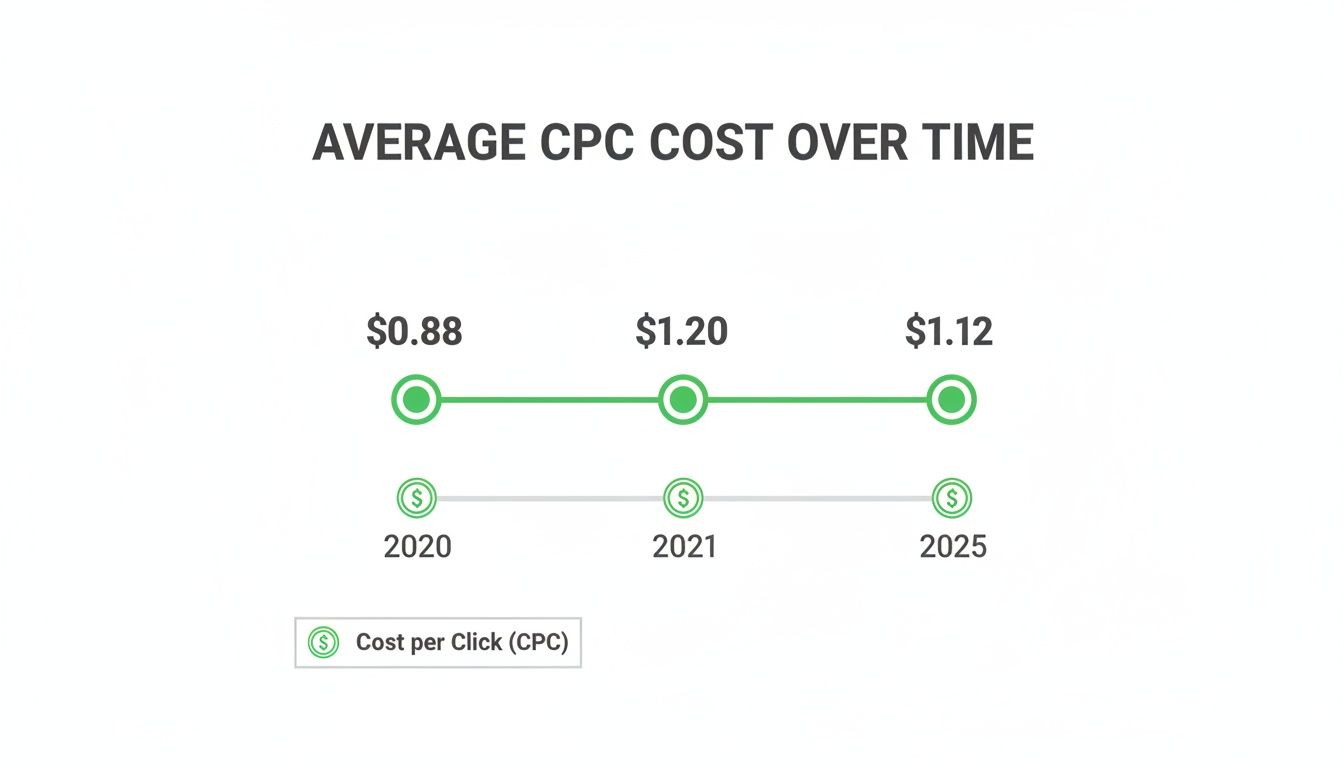
As you can see, the price to get a customer to click has gone up, which really drives home the need for a sharp, data-driven bidding strategy. When costs keep fluctuating like this, a lot of sellers start to second-guess their entire approach, which often leads to a bigger question. We dive deeper into this in our guide exploring if selling on Amazon is worth it for your business.
To give you a quick reference, here are some key benchmarks to keep in your back pocket.
Amazon Advertising Quick-Look Cost Benchmarks
This table breaks down the most important metrics and realistic targets you should be aiming for when you plan and run your Amazon ad campaigns.
| Metric | Average Range / Target | What It Means for You |
|---|---|---|
| Cost-Per-Click (CPC) | $0.75 – $1.50 | The direct cost for a single click. A lower CPC helps you stretch your budget further. |
| Advertising Cost of Sale (ACoS) | 25% – 40% | Your ad spend relative to revenue. A lower number means better profitability. |
| Return on Ad Spend (ROAS) | 3.0 – 6.0 | The revenue you earn for every dollar spent on ads. Aim for a higher ROAS. |
| Conversion Rate (CVR) | 9% – 15% | The percentage of clicks that turn into sales. A higher CVR means your ads and listings are effective. |
These numbers aren't set in stone—they'll vary by category and competition—but they provide a solid starting point for measuring your own performance and setting realistic goals.
The Core Pricing Models Behind Your Ad Spend
To get a real grip on your Amazon advertising costs, you first have to understand exactly how Amazon charges you. It’s a bit like picking a payment plan for a service—each option is built for a different outcome. Your ad spend isn't just some random number; it’s the direct result of what shoppers do, and you get to decide which of those actions are worth paying for.
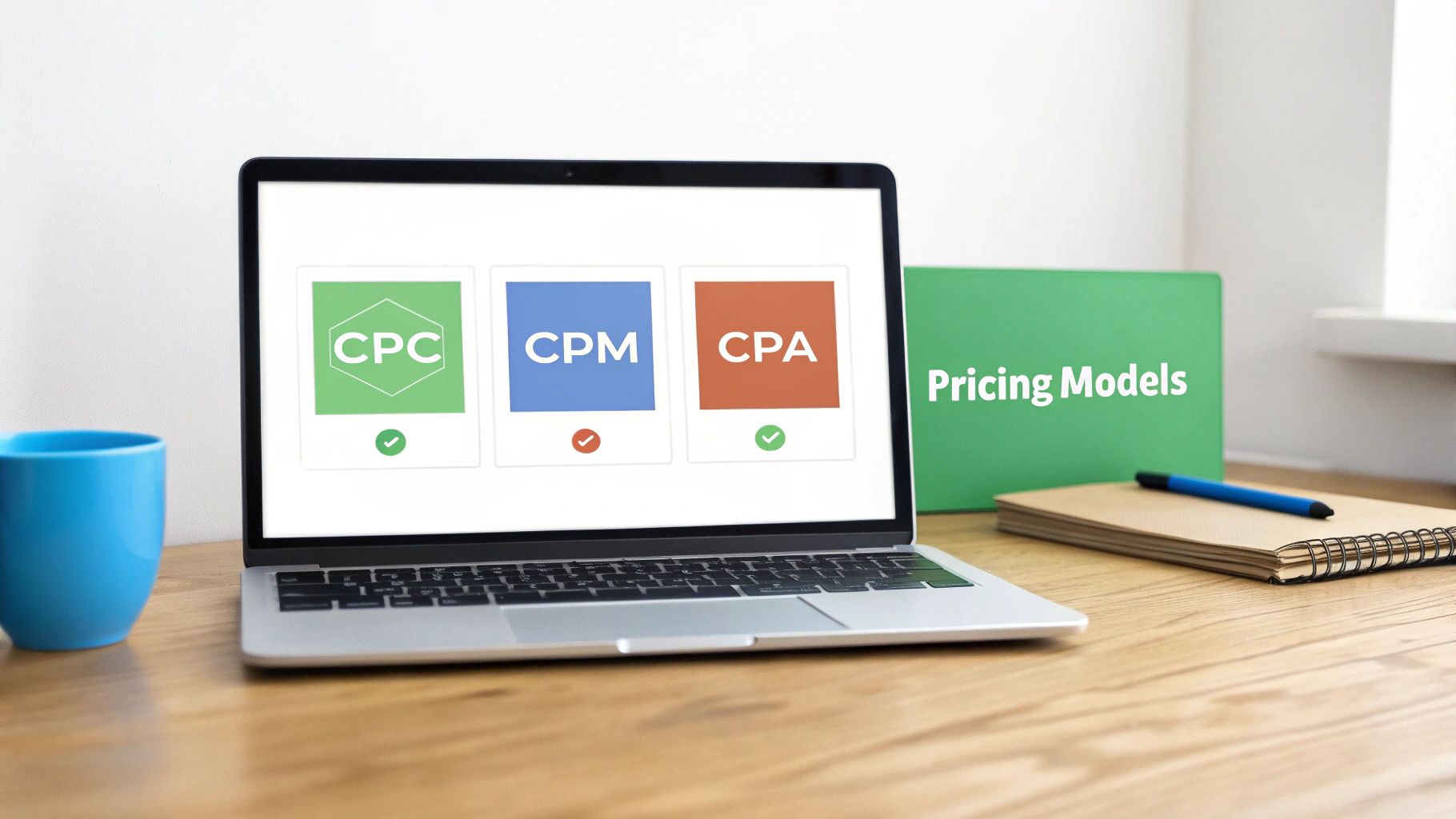
Getting these models straight is the key to making sure your budget actually supports your goals, whether you’re chasing immediate sales or just trying to get your brand name out there. Let's break down the three fundamental ways Amazon will take your ad dollars.
CPC Cost Per Click
The Cost-Per-Click (CPC) model is the bread and butter of Amazon advertising, especially for Sponsored Products. It's simple: you only pay when a shopper is interested enough to actually click on your ad. This is a performance-based approach that prioritizes engagement over just being seen.
Here's a practical workflow for how this plays out in your campaign:
- You Set a Bid: Let’s say you're selling "organic cotton sheets" and you set a maximum bid of $1.25 for that keyword in your manual campaign.
- A Customer Searches: A shopper types "organic cotton sheets" into the Amazon search bar.
- Amazon Runs an Auction: In a fraction of a second, Amazon compares your bid and relevance score against all other sellers bidding on that keyword.
- You Win the Ad Placement: Your bid was competitive, and your product listing is highly relevant, so your Sponsored Product ad appears in the search results.
- A Shopper Clicks: The customer sees your ad, is interested, and clicks on it.
- You Pay for the Click: You are charged for that click. The cost is typically just one cent more than the next highest bidder, so you might only pay $1.15, even though your max bid was $1.25. If they see your ad and scroll past it, you pay nothing.
This model is your best bet for campaigns where the main goal is to drive traffic and ring the register, since you’re only paying for shoppers who take that first step toward buying. Want to go deeper? Check out our full guide on how Amazon Sponsored Ads work.
CPM Cost Per Mille
Cost-Per-Mille (CPM) literally means "cost per thousand impressions." With this model, you pay a set price every 1,000 times your ad is shown to a shopper, whether they click it or not. This strategy is all about getting maximum visibility and is mainly used for Sponsored Display and Amazon DSP campaigns.
CPM is your go-to model for brand awareness. Instead of paying for a single action (a click), you are paying to get your product and brand in front of as many relevant eyeballs as possible, building recognition over time.
Picture a new coffee brand trying to make a name for itself. They might run a Sponsored Display campaign targeting shoppers who are looking at their competitors' product pages. If their CPM is $5.00, they’ll pay that amount every time their banner ad gets 1,000 views from that audience. The immediate sale isn't the point—it's about making sure shoppers know a new, premium coffee option is on the market.
CPA Cost Per Acquisition
Cost-Per-Acquisition (CPA) is laser-focused on results. Here, you only pay when a specific action happens, most often a sale. While you don't directly bid on a CPA basis within Amazon's main ad auction, the concept is the foundation for measuring success with metrics like ACoS (Advertising Cost of Sale). It’s especially critical when you’re using Amazon Attribution.
Here's how it plays out for a brand driving traffic from outside Amazon, like a social media ad:
- Set Up Attribution: You generate an Amazon Attribution tag for a Facebook ad campaign promoting your new "smart water bottle."
- Drive Traffic: A shopper sees your ad on Facebook, clicks it, and lands on your Amazon product page.
- Track the Sale: The shopper loves the water bottle and buys it.
- Measure CPA: Amazon Attribution connects the dots and reports that the sale came directly from that Facebook campaign. If you spent $100 on Facebook ads and got 10 sales, your effective CPA is $10.00.
This model gives you the clearest possible line between your ad spend and your revenue, showing you exactly how profitable your campaigns really are.
What Really Drives Your Amazon Advertising Cost
Knowing the pricing models is one thing, but the real secret to mastering your budget is understanding why your costs swing up and down. Your Amazon ad spend isn't just a random number; it's the result of a live, dynamic auction shaped by a handful of powerful forces. Getting a handle on these drivers is like learning the rules of the game before you place your bet.
Some sellers just throw money at their campaigns and hope for the best. Smart sellers, on the other hand, dig in to understand what makes their cost-per-click (CPC) tick. Once you master these elements, you can build a more resilient and cost-effective ad strategy that doesn’t just spend money—it invests it.
Intense Keyword Competition
By far, the biggest factor driving your ad cost is competition. Think of popular keywords like prime real estate in a bustling city—the more people who want a spot, the higher the price climbs. When you and a hundred other sellers are all bidding on a hot keyword like "wireless earbuds," the auction gets fierce, fast.
Every seller is willing to pay just a little bit more than the next to snatch that top ad placement. This bidding war is what directly inflates the CPC for everyone. A keyword that might cost you $0.50 in a quiet niche could easily soar to $5.00 or more in a saturated category, all because of the sheer volume of bidders.
Your Product Category Niche
Not all Amazon categories are created equal. The digital neighborhood your product lives in has a massive say in your advertising bills. Hyper-competitive and profitable categories—think electronics, supplements, and beauty—are notorious for their sky-high CPCs.
Why? Because they’re jam-packed with established brands that have deep pockets and are willing to spend aggressively. On the flip side, a less crowded category like "specialty gardening tools" will almost always have lower competition and, as a result, a much more palatable CPC.
Practical Example: A seller advertising "organic dog treats" is going to face a much higher CPC than someone selling "replacement lawnmower blades." The pet supplies market is full of passionate buyers and countless competitors, which pushes auction prices through the roof for every valuable click.
Seasonal Demand Spikes
Shopper behavior isn't a flat line; it spikes and dips dramatically with seasons and holidays. These shifts in demand create predictable surges in advertising costs. During peak shopping seasons like Q4—covering Black Friday, Cyber Monday, and Christmas—or during Prime Day, millions more shoppers flood Amazon, and the fight for their attention becomes a frenzy.
Sellers crank up their budgets and bid more aggressively to capture this wave of traffic, which naturally pushes the average CPC up for everyone.
- High Season Example: The keyword "smart watches" will see its CPC climb significantly in November and December as people hunt for holiday gifts.
- Low Season Example: That same keyword will have a much lower CPC in February or March, once the gift-giving rush has passed.
In the same way, a term like "garden hoses" will be far more expensive to bid on in the spring than it is in the dead of winter. You have to align your budget expectations with these seasonal trends to stay profitable all year round.
High-Value Ad Placements
Where your ad shows up on the page also dictates its price tag. Amazon’s most valuable ad real estate, like the "top of search" spots on the very first page, is the most sought-after and, therefore, the most expensive. These placements get the most eyeballs and clicks, so sellers are willing to pay a premium to lock them down.
This creates a clear tiered cost structure. An ad appearing at the very top of the search results will have a significantly higher CPC than one buried on page three or tucked away on a product detail page. Your bid makes you eligible for these premium spots, but winning them means outbidding competitors who want that prime visibility just as much as you do.
Your Account's Relevance Score
Finally, your Amazon advertising cost is influenced by something you have direct control over: relevance. Amazon's algorithm doesn't just blindly reward the highest bidder; it rewards the most relevant advertiser. Its goal is to show shoppers ads they actually want to click on and products they are likely to buy.
A strong relevance score is built from a few key factors:
- High Click-Through Rate (CTR): Your ad consistently gets clicks when it’s shown.
- Strong Conversion Rate: Shoppers who click your ad follow through and buy your product.
- Optimized Product Listing: Your product title, images, and description are a perfect match for the keywords you’re bidding on.
When your ad is highly relevant, Amazon’s algorithm sees it as a positive user experience and gives you a reward: better ad placements at a lower CPC. This is your secret weapon against competitors with bigger budgets. A seller with a super-relevant ad might actually pay less for a top spot than a competitor with a sloppy ad who has to bid much higher just to compensate.
With competition on the platform getting fiercer every year—Amazon's ad revenue shot up to nearly $49 billion by 2023—relevance is more important than ever. You can explore more data on Amazon's advertising growth on Statista.com to see just how many sellers are vying for attention.
How to Set a Realistic Ad Budget That Works
Figuring out your Amazon ad budget can feel like trying to hit a moving target in the dark. But it doesn’t have to be a guessing game. Your strategy shouldn't be pulled from thin air; it needs to be grounded in where your business is right now. A brand-new product launch requires a completely different financial mindset than scaling an established, profitable winner.
Let's walk through two practical, step-by-step ways to set a budget that actually aligns with your goals. This will help ensure every dollar you spend is a smart investment in growth, not just another line item on your expense report.
Budgeting for a New Product Launch
When you're launching a new product, your number one goal isn't immediate profit—it's data acquisition. You have to spend money to learn what works. This means you need to be comfortable with a higher initial Advertising Cost of Sale (ACoS) while you gather critical data on keywords, bids, and what makes your customers tick.
A common and effective approach here is the percentage-of-revenue model. You simply allocate a fixed percentage of your total expected revenue to advertising.
- Project Your Revenue: First, estimate your sales for the first month. If you expect to sell 200 units at $30 each, your projected revenue is $6,000.
- Set Your Ad Spend Percentage: For a launch, earmarking 10-15% of total revenue for ads is a solid, aggressive starting point. It's an investment you have to make.
- Calculate Your Monthly Budget: Multiply your projected revenue by that percentage. Using our example: $6,000 x 15% = $900 for your monthly ad budget.
- Determine Your Daily Budget: Just divide the monthly budget by 30. That gives you $900 / 30 days = $30 to spend per day.
This initial spend isn't about hitting some perfect ACoS target. It's about feeding Amazon's algorithm enough data to figure out who your ideal customer is. Think of it as paying for market research that also happens to generate your first sales and reviews.
Budgeting to Scale an Established Product
Once a product is established with consistent sales and a stable conversion rate, your focus flips from gathering data to driving profitability. Now, your budget should be tied directly to your profit margins and specific growth goals. We're moving to a goal-oriented approach.
Instead of working from a percentage of revenue, you'll work backward from your profit per unit.
- Know Your Profit Margin: You need to know your exact profit per unit before ad spend. If your $30 product has a 30% profit margin, you make $9.00 on every organic sale.
- Set Your Target ACoS (TACoS): Your Target ACoS is essentially your break-even point. In this case, it’s 30%. To be profitable, your ACoS has to stay below that. Let's aim for a healthier 25% ACoS.
- Define Your Sales Goal: Decide how many extra sales you want advertising to bring in each day. Let's say you're aiming for 10 additional sales daily.
- Calculate Your Ad Spend: The formula is simple: (Target Sales) x (Sale Price) x (Target ACoS). For our example: (10 sales) x ($30) x (25%) = $75 for your daily ad budget.
This method ensures your ad spend is always aligned with profitability, letting you scale your campaigns aggressively without accidentally torching your margins.
The competition on Amazon is no joke, and a data-driven budget is non-negotiable. Daily ad spend benchmarks show that the average seller invests around $331,416 USD daily into advertising, a number that really highlights the platform's high-stakes environment where consistent spending is key to visibility. This spending contributes to Amazon's massive ad revenue, which hit $56.22 billion in 2024 and is only expected to grow. To see more on these figures, you can discover more insights about Amazon advertising statistics on AdBadger.com.
Example Budget Calculation: Launch vs. Scale
To make the difference perfectly clear, let’s look at a side-by-side comparison for a fictional brand selling a $50 smart kettle.
| Budgeting Factor | New Product Launch Example | Established Product Scaling Example |
|---|---|---|
| Primary Goal | Data acquisition and visibility. | Profitable growth and market share. |
| Budgeting Method | Percentage of total projected revenue. | Goal-oriented based on profit margins. |
| Key Metric | Clicks and Impressions. | Target ACoS and Return on Ad Spend (ROAS). |
| ACoS Tolerance | High (e.g., 50-100% is acceptable). | Low (must be below break-even point, e.g., <25%). |
| Calculation Example | (100 units x $50) x 15% = $750/month. | (15 sales/day x $50) x 25% ACoS = $187.50/day. |
By choosing the right framework for where your product is in its lifecycle, you can transform your Amazon advertising cost from a source of anxiety into a predictable, powerful tool for growth.
Proven Tactics to Lower Your Ad Spend and Boost ROI
Knowing what drives your Amazon advertising cost is only half the battle. The other half is taking action. It’s time to stop just analyzing and start optimizing. Making every ad dollar work harder isn't about blindly slashing your budget—it's about spending smarter to protect your margins and get a leg up on the competition.

Let's walk through five powerful strategies you can put into practice today. These tactics will help you plug the leaks in your ad spend, turn more clicks into customers, and find those hidden pockets of profit in your campaigns.
Master Negative Keyword Targeting
One of the quickest ways to trim your ad spend is to stop paying for clicks that go nowhere. That's where negative keywords come in. They're your secret weapon, telling Amazon exactly which search terms you don't want your ads showing up for.
Think of it this way: if you sell premium "leather dog collars," you definitely don't want to waste money on clicks from people searching for "chain dog collars" or "vegan leather dog collars." Every one of those clicks is a dollar down the drain.
Here’s a simple weekly workflow to find and add negative keywords:
- Navigate to Your Ad Console: In Seller Central, go to
Advertising>Campaign Manager. - Select a Campaign: Open an active Sponsored Products campaign, ideally one that has been running for at least a week to gather sufficient data.
- Pull the Search Term Report: Click on the
Search termstab in the left-hand navigation pane. This report shows you the exact queries shoppers used before clicking your ad. - Identify Wasted Spend: Sort the report by
Spendin descending order. Scrutinize the terms at the top. Look for any search term that is clearly irrelevant to your product or has a high number of clicks but zero orders. For example, if you sell "men's running shoes," a search term like "women's running shoes" is a prime candidate. - Add as a Negative Keyword: Check the box next to each irrelevant search term. Click the
Add as negative keywordbutton. You can add it as a "Negative exact" to block that specific query or "Negative phrase" to block any query containing that phrase. Start with negative exact for precision.
Making this a weekly habit will cut down on wasted spend, freeing up that budget to double down on the keywords that actually make you money.
Implement Smarter Dynamic Bidding
Amazon’s dynamic bidding feature is a powerful tool that adjusts your bids in real time based on how likely a shopper is to buy. The problem? Most sellers leave it on the default setting, not realizing how it’s burning through their budget. Getting this right is crucial for controlling your Amazon advertising cost.
You've got three choices:
- Dynamic bids – down only: Amazon will drop your bid (by up to 100%) if a sale looks unlikely. This is your safest bet for protecting your budget.
- Dynamic bids – up and down: Amazon might crank up your bid by 100% for top-of-search spots and 50% elsewhere if a conversion seems probable. It’s more aggressive but can snag you some very valuable sales.
- Fixed bids: Amazon sticks to your exact bid no matter what. You have total control, but you miss out on any automatic optimization.
For brand new campaigns or when you're on a tight budget, always start with "down only." It keeps you from overspending while you collect precious data. Once a campaign is consistently profitable, you can experiment with "up and down" to really scale things up.
Optimize Your Product Detail Pages
Let's be blunt. You can run the most perfect ad campaign in history, but if it drives shoppers to a weak product page, you're just setting your money on fire. A high conversion rate is your best friend—it means more sales from the same number of clicks, which directly improves your ACoS and tells Amazon your product is a winner.
To get your conversion rate up, obsess over these elements:
- High-Quality Imagery: Use crystal-clear photos and lifestyle shots showing your product in action.
- Benefit-Driven Bullet Points: Don't just list specs. Explain how each feature makes your customer's life better.
- A+ Content: This is your space to tell a compelling brand story and tackle any hesitation a buyer might have.
- Customer Reviews: Do everything you can to earn more positive reviews. They are the ultimate form of social proof and a huge driver of trust.
A killer product page doesn't just convert better; it signals to Amazon that your product is highly relevant, which can earn you a lower CPC over the long haul. We dig deeper into this in our guide on how to optimize your PPC campaigns for peak performance.
Leverage Sponsored Brands and Display Ads
Too many sellers get stuck in a Sponsored Products rut. You can often boost your overall campaign efficiency just by diversifying your ad types. Sponsored Brands and Sponsored Display ads let you connect with shoppers at different points in their buying journey, often at a lower CPC than those hyper-competitive product keywords.
Sponsored Brands ads sit right at the top of the search results, giving you a banner to show off your logo and a few products. They're fantastic for building brand awareness. Sponsored Display ads are your retargeting tool—they follow shoppers who viewed your product but didn't buy, gently reminding them to come back and finish the purchase. A key part of this strategy is optimizing underperforming ads to ensure you're not just moving wasted spend from one ad type to another.
Mine Your Search Term Reports for Gold
That search term report isn't just for finding negative keywords. It's a treasure map leading to profitable new opportunities. By digging into this data regularly, you can uncover high-converting keywords that your competitors are completely sleeping on.
Here’s how you turn that data into profit:
- Filter for Winners: In your report, filter to see terms with a low ACoS and a decent number of sales (say, 3+ orders).
- Find New Keywords: Look for the exact search terms customers used that you aren't already targeting in a manual campaign.
- Launch New Campaigns: Grab these proven winners and move them into their own dedicated manual campaigns (usually exact match).
- Bid with Confidence: You already know these keywords convert. Now you can bid more aggressively on them to dominate that placement and drive more sales.
This process, often called "keyword harvesting," is a systematic way to shift your budget from broad discovery (in auto campaigns) to targeted profitability (in manual campaigns), directly improving your ROI.
Common Questions About Amazon Advertising Costs
Diving into Amazon advertising can bring up a ton of questions, especially around cost. Even if you've got a game plan, it's natural to have some lingering doubts about where your money is going. This final section is designed to be your quick-reference guide, cutting through the noise to answer the most common questions sellers have about their ad spend.
My goal here is to give you clear, direct answers so you can manage your budget with confidence, whether you're just getting your first campaign off the ground or looking to pour gas on the fire.
What Is a Good ACoS for a New Product?
When you’re launching a new product, you need to completely flip your mindset about Advertising Cost of Sale (ACoS). For an established product, you might be shooting for an ACoS of 25-30% to keep things profitable. But for a brand-new launch? A "good" ACoS can easily be 50% to 100%, and sometimes even higher.
Don't panic. Think of this initial high ACoS as an investment, not a loss. During a launch, you're paying for three critical things:
- Keyword Data: You have to spend money to find out which search terms actually lead to sales. It's the cost of admission.
- Initial Sales: Those first few sales are crucial for building sales velocity, which helps you start climbing the organic rankings.
- Early Reviews: Ads are the fastest way to get your product into the hands of real customers who can leave those all-important first reviews.
A high launch ACoS is a temporary, strategic move. You're buying information and momentum. Once you've gathered enough data and your product starts to get some traction, you can pivot your strategy to optimize for a lower, more profitable ACoS.
How Long Until I See Real Results from PPC?
Patience is a must in Amazon PPC, but you shouldn't be waiting around forever. The timeline for seeing a real return really depends on your goals and how mature your campaigns are.
Generally, you can expect to see meaningful data and your first ad-driven sales trickle in within the first 2 to 4 weeks. This is the vital "data collection" phase where you're learning what works and what doesn't. But getting to a stable, profitable ACoS? That usually takes a bit longer, typically around 60 to 90 days.
That timeframe gives you enough runway to:
- Run automatic campaigns to let Amazon find converting search terms for you.
- Move those proven keywords into manual campaigns where you have more control.
- Add negative keywords to stop wasting money on irrelevant clicks.
- Dial in your bids based on actual performance data.
Trying to rush this process is one of the most common mistakes I see. It almost always leads to frustration and a lighter wallet. Give your campaigns the time they need to mature.
Can I Start Advertising with a Small Budget?
Absolutely. You can definitely get started with a small budget, but you have to be smart about it to avoid getting steamrolled by competitors with deeper pockets. A smaller budget—say, $20 to $30 per day—means you can't afford to go after the most popular, high-traffic keywords. Your focus has to shift from volume to efficiency.
Here’s a practical way to approach it when you're starting small:
- Go for Long-Tail Keywords: Instead of blowing your budget on a broad, expensive term like "yoga mat," get specific. Target a less competitive phrase like "eco-friendly cork yoga mat for travel." The search volume is lower, but the clicks are cheaper and the person searching knows exactly what they want.
- Use "Down Only" Bidding: For your first campaigns, stick with the "Dynamic bids – down only" setting. This is your safety net, preventing Amazon from jacking up your bids when a conversion looks unlikely, which protects your limited budget.
- Focus on One Product: Don't spread a small budget thinly across your entire catalog. Pick your most promising product and concentrate all your ad spend there. Give it the best possible chance to gain traction and prove itself.
By being surgical with your targeting and cautious with your bids, even a small budget can generate the initial data and sales you need to start growing.
Managing your Amazon advertising cost is a continuous cycle of testing, learning, and tweaking. If you're ready to accelerate your growth and protect your profits without all the guesswork, ZonFlip provides end-to-end account management to turn your ad spend into a powerful growth engine. Learn more about how we can help you scale on ZonFlip.com.